Disclosure: As an Amazon Associate, ilcastellomenu.com earns from qualifying purchases. Product examples below link to Amazon, where you can check current availability and specifications; this guide itself lists no fixed prices because printer pricing and bundles change frequently.
This printer buying guide condenses everything that matters into one decision path: pick the technology that matches your dominant job (inkjet for colour and photos, laser for text and idle tolerance, tank inkjet for high-volume colour), judge printers by cost per page rather than shelf price, insist on the paper handling and connectivity your household actually needs, and ignore features that do not map to your printing. Printers are ten-year-relationship appliances bought in a ten-minute decision; this guide slows the decision down just enough to get it right, with tier framing, a mistakes list and a final checklist you can take to the store.
For the step-by-step reasoning behind the first decision, read How to Choose a Printer alongside this guide; for technology deep-dives, see Inkjet vs Laser Printer and Ink Tank vs Cartridge Printer.
Step One: Choose the Technology Tier — Printer Buying Guide Essentials
Every printer for sale belongs to one of a few classes, and the class decides ninety percent of your ownership experience. Choose the class first; compare models only within it.
Entry tier: cartridge inkjets
The budget class: inexpensive all-in-ones for light, mixed home printing. Strengths are purchase price, colour and scanning; the weakness is cartridge cost per page. Appropriate for genuinely light use — a few dozen pages a month — and inappropriate for almost everyone else, however attractive the shelf price looks.
Mid tier: tank inkjets and mono lasers
The value heartland. Tank inkjets serve families and home offices printing colour regularly, at very low running cost. Monochrome lasers serve text-heavy users with speed and indifference to idle time. Most households should buy from this tier, choosing between the two by colour needs — the exact trade-off Monochrome vs Color Laser Printer explores on the laser side.
High tier: colour lasers, wide format and photo specialists
Colour laser all-in-ones for businesses whose documents are seen by clients; wide-format and multi-ink photo printers for photographers and designers; dedicated label and 3D printers for their niches. Buy into this tier for a named need, not for reassurance — unused capability is just cost.
Specialist devices
Label printers, receipt printers and 3D printers are not alternatives to a page printer but additions to one, as Thermal vs Inkjet Printer and How does a 3D Printer Work explain. Budget them separately and your main printer decision stays clean.
In this guide
The Specifications That Actually Matter
Specification sheets run to fifty lines; about eight predict your satisfaction. Learn these and you can evaluate any model in minutes.
Cost per page (the decisive spec)
Not printed on the box, but computable: supply price divided by rated yield, using high-yield supplies. This number, multiplied by your monthly pages, is your real printer budget. Two printers in the same class routinely differ by a factor of three here.
Print speed, honestly read
Pages-per-minute ratings are measured on simple documents after warm-up. Compare within a class, expect real-world speeds below the rating, and weight speed only if you print long runs — for five-page jobs, first-page-out time matters more.
Resolution and what it does not mean
quoted DPI figures are marketing-heavy and roughly comparable across brands. Photo quality depends more on ink colours and droplet control than headline DPI; text quality is a laser-versus-inkjet question, not a DPI question. Do not let a bigger number decide for you.
Duty cycle versus recommended volume
Maximum duty cycle is a survival limit, not a target. The recommended monthly volume — often in the fine print — is the figure your usage should sit comfortably inside. Buying a printer whose recommended volume is below your real printing is buying a short life.
Recommendations by buyer profile
| Buyer | Recommended class | Must-have features | Avoid |
|---|---|---|---|
| Family, mixed printing | Tank inkjet all-in-one | ADF, duplex, Wi-Fi | Cartridge inkjets at family volume |
| Home office, documents | Mono or colour laser | Ethernet/Wi-Fi, duplex, ADF | Paying for photo features |
| Photographer | Multi-ink photo inkjet | Wide format if needed, borderless | Colour laser for photos |
| Student | Compact mono laser | Small footprint, Wi-Fi | Feature-heavy all-in-ones |
| Small business | Colour laser all-in-one | High-yield toner, ADF, networking | Entry inkjets |
| Online seller | Laser + thermal label printer | Duplex; 4×6 label support | Inkjet label sheets at volume |
Paper Handling and Functions Checklist
After technology and running cost, paper handling is where daily friction lives. Walk this checklist against your real documents.
Duplex, trays and the ADF
Automatic two-sided printing for document households; a paper tray sized to your refill patience; an automatic document feeder if you scan or copy multi-page documents. Each is cheap at purchase and impossible to retrofit — decide now, using the analysis in our main choosing guide.
Maximum paper size and weight
Letter and A4 are universal; legal, tabloid and 13×19 need deliberately larger machines. Card, envelopes and labels need weight capacity and a straight path. Photographers and crafters should verify media support in the manual, not the marketing page — see Best Printers for Art Prints for what wide-format ownership involves.
Scanner quality where it matters
If you scan photographs or archive documents, optical resolution and a good flatbed matter; if you scan forms, almost any all-in-one suffices. Fax is a niche requirement — confirm you truly need it before paying for it in size and price.
Connectivity and Ecosystem
A printer joins your household network and your family’s devices; its manners there determine whether it is loved or resented.
Network options
Dual-band Wi-Fi for flexibility, Ethernet for a fixed office location, USB for a single desk-side computer. Confirm support for your phones’ printing standards — AirPrint for Apple households — and read the setup implications in how to set up a printer before assuming any model will be painless.
Apps, cloud and subscriptions
Manufacturer apps range from excellent to obstructive; they are required for scanning on many models, so their quality counts. Ink subscription programmes suit predictable printing but add conditions. Neither should override the fundamentals of class and cost per page.
Security and updates
Networked printers are computers: choose brands with a track record of firmware updates, apply them, and place the printer on your main network rather than leaving it on an isolated setup with default settings forever.
Mistakes to Avoid When Buying a Printer
The same five errors generate most printer regret. Each is avoidable in the store, at zero cost.
Buying the cheapest box
The lowest shelf price in the aisle usually carries the highest running costs in the building. Always price the supplies for your finalists — the full reasoning is in best printers for low cost ink, whose shortlist shows how wide the spread is.
Buying for imaginary jobs
The wide-format printer for posters you will print twice, the fax for a workflow that emails everything — buy for the last six months of your real printing, plus one plausible growth step, not for a fantasy workload.
Ignoring idle patterns
Holiday-home printers, student printers and spare-room printers sit idle for weeks. Ink dries; toner does not. Match the technology to your rhythm or accept the maintenance routine in how to maintain a printer as part of the deal.
Forgetting the second year
Check that supplies for your model are widely stocked and reasonably priced now, and favour models with high-yield options. A printer is a supply relationship; the hardware is just the introduction.
Skipping the test print
Where a store allows it, print your own document — your text, your photo — on finalists. Demo pages are designed to flatter; your boarding pass and your child’s photo are the honest test.
The Final Checklist and Recommendations by Buyer
Close the purchase with this checklist, then match yourself to a buyer profile for a final steer.
Pre-purchase checklist
Technology class chosen by dominant job; cost per page computed with high-yield supplies; duplex/ADF/tray decisions made; maximum paper size and weight verified; connectivity confirmed for every device in the house; supply prices checked; footprint measured with trays open. Seven items, ten minutes, no regrets.
Families
A tank inkjet all-in-one with an ADF and duplexing. It absorbs homework, admin, photos and craft projects at the lowest colour cost, and the buying patterns in best printers and scanners for home use confirm it as the default family answer.
Home offices and small businesses
A laser — mono for internal documents, colour for client-facing work — with Ethernet, duplexing and a feeder. Reliability and cost per page outrank everything at business volumes.
Photographers and creatives
A dedicated multi-ink photo inkjet, possibly wide-format, judged on your own test prints. Keep a cheap mono laser beside it for documents if volume justifies it; specialists plus a workhorse beat one compromised all-rounder.
Students and light users
The smallest honest answer: a compact mono laser if you print regularly, or the campus library plus an entry inkjet if you barely print. Dorm realities are covered in best small printers for home.
Total Cost Worked Examples
Numbers make the buying philosophy concrete. These illustrative examples use generic tier descriptions rather than specific products, because the pattern — not any price — is what transfers to your shopping.
The cheap printer that was not
Consider a household printing a few hundred pages a month that buys the lowest-priced cartridge inkjet on the shelf. Within months, cartridge replacements arrive at a rhythm that makes printing feel metered; within two years, the household has spent several times the machine’s price on ink and starts rationing colour. The printer was not defective — it was mis-sold by its shelf price to a household whose volume belonged in the tank tier.
The tank printer that paid for itself
The same household buying a mid-priced tank all-in-one spends more on day one and then almost forgets ink exists: refills are rare, cheap and visible in advance. By the second year the household is ahead on total cost, and — harder to price but real — nobody thinks twice about printing a colour page. The lesson generalises: at real volumes, running cost is the price; the box is a down payment.
The laser that ended the conversation
A home worker printing contracts daily buys a mid-tier mono laser after two inkjet disappointments. Toner changes become annual events, the printer survives every holiday untouched, and printing leaves the list of household irritations entirely. The premium over the cheapest inkjet was recovered in the first toner cycle; the reliability was the actual purchase.
How to run your own version
Take your monthly pages, split roughly into black and colour, and multiply by the cost per page you compute for each finalist using high-yield supplies. Add the purchase prices. The two-year totals, side by side, make the decision for you — and they almost never crown the cheapest box.
After the Purchase: The First Month Done Right
A good buying decision can still be undermined by a careless first month. These steps protect the investment while the printer is new and its habits — and yours — are forming.
Set it up completely, once
Do the full setup properly on day one: network, all household devices, defaults, a test print and a copy. Printers configured halfway generate a month of small frictions that owners misattribute to the machine. The complete sequence takes under an hour and is the cheapest satisfaction you will ever buy.
Register, update, and file the paperwork
Register the warranty, apply firmware updates, and store the receipt, model details and a photo of the rating label together. If anything goes wrong in the warranty period, this folder is the difference between a smooth exchange and an archaeological dig through email.
Order the first refill early
Buy the first replacement supply before the starter supply runs out — starters are partially filled and always expire mid-document. Having the refill on the shelf also confirms, while returns are still possible, that supplies for your model are easy to find at sane prices, which was part of what you thought you were buying.
Form the maintenance habit immediately
Put the recurring colour print (for inkjets) and the monthly wipe-and-check into whatever calendar system your household actually uses. Habits formed in month one persist; maintenance intended ‘from now on’ in month six rarely happens. Your future self, holding a perfect test page in year three, sends thanks.
How to Read Printer Reviews and Ratings Sensibly
Your shortlist will send you to reviews, and printer reviews vary wildly in usefulness. Knowing how they are produced lets you extract the signal and ignore the theatre.
Trust measurements over impressions
Useful reviews measure cost per page with stated yields, time real print jobs, and test scanning and duplexing rather than admiring them. Reviews that dwell on unboxing and design while printing one demo page tell you about the review, not the printer. Weight accordingly.
Read the complaints, not just the scores
Owner reviews are most valuable in their patterns: fifty people reporting the same Wi-Fi dropout or the same cartridge-recognition quirk is information no lab test publishes. Single dramatic complaints are weather; repeated identical complaints are climate. Shop for climate.
Beware the demo-page fallacy
Manufacturers’ sample photos and store demo prints are produced under ideal conditions with ideal files. They establish that a printer can perform, not that it will perform on your documents, your paper and your network. Your own test file, printed in the store or during a return window, is the only review written for you.
Check the ecosystem, not just the machine
Before finalising, confirm driver support for your operating system version, the availability of the manufacturer’s app in your app store, and that supplies are stocked by ordinary retailers. A printer is a small platform; you are buying into its support future as much as its present specifications.
Negotiating the Total Package: What Else to Buy (and Skip)
The printer is the headline purchase, but the basket around it decides your first month’s experience. This final section separates the worthwhile companions from the accessories that exist mainly to be sold.
Buy with the printer: the sensible basket
A ream of decent paper, the first full-size replacement supply (not another starter), and any cable your setup genuinely needs if one is not in the box. That is the whole list. Everything on it prevents a specific, predictable first-month frustration, and none of it duplicates what the box already contains.
Skip at purchase: the tempting extras
Extended warranties on inexpensive machines, premium ‘starter bundles’ of paper you have not tested, decorative covers, and stockpiles of supplies beyond the first refill all fail the same test: they spend money before you know your printer. Supplies especially should be bought one cycle ahead, not five — models change, and stranded stock is the tax on enthusiasm.
The return-window discipline
Whatever you buy, use the return window deliberately: complete the full setup, run the verification proofs, and print your real documents in week one. A printer that disappoints should disappoint inside its return period, not after it. This single habit converts buying risk into a free trial, and it is available on every purchase you will ever make.
Gear for This Guide
The examples below come from our verified product pool and illustrate the printer classes discussed in this guide. They are examples, not a ranked list — use the criteria in this article to judge any model, including newer revisions of these machines.

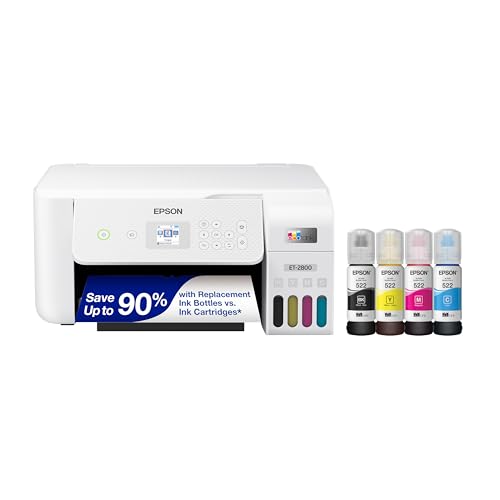
Epson EcoTank ET-2800
The mid-tier family benchmark used throughout this guide: tank running costs, all-in-one functions and wireless in one unremarkable, dependable package. Epson EcoTank ET-2800 — Check on Amazon

Canon imageCLASS MF656Cdw
The high-tier business benchmark: colour laser speed and handling for client-facing documents, with the running-cost profile offices need. Canon imageCLASS MF656Cdw — Check on Amazon

Brother HL-L2460DW
The value text benchmark: mono laser essentials done properly, for buyers whose checklist ends at documents. Brother HL-L2460DW — Check on Amazon
Criteria Deep Dive: How Much Speed, Volume and Resolution Is Actually Enough?
Buying guides list specifications; this section translates the three most inflated ones into sufficiency thresholds, because overbuying them is where printer budgets quietly leak away. Speed first. Pages per minute is measured on near-blank pages after warm-up, so treat the headline figure as a class indicator rather than a promise. For home use, anything in the broad middle band of modern printers handles real documents comfortably, and the figure that predicts your lived experience is first-page-out time — how long the single boarding pass takes while you stand there. Pay for speed when your pattern is long documents against deadlines; otherwise, speed beyond sufficiency buys you nothing you will ever perceive, and it often arrives attached to a larger, louder machine.
Duty cycle and recommended volume, decoded
Every printer publishes a maximum duty cycle and, on better specification sheets, a recommended monthly volume, and the gap between them is where honesty lives. The maximum is a survivability figure for an exceptional month; the recommended range is what the machine can sustain monthly without accelerated wear. Judge fit by the recommended range: your estimated monthly pages should sit comfortably inside it, not at its ceiling. A household printing a few hundred pages monthly is well served by almost any mainstream machine’s recommended range; a home business printing thousands should step deliberately into models whose recommended volume contains that figure with room to spare, because rollers, feed mechanisms and waste systems all keep the score the brochures omit. Buying a machine whose recommended ceiling is your average month is buying a printer that lives its whole life at maximum effort.
Resolution and the dpi illusion
Resolution figures mislead more than any other printer specification, because the numbers are large, comparable-looking and weakly connected to output you can see. Beyond a modest threshold, text sharpness is governed by how precisely the machine places its dots and renders edges, not by the raw count, which is why two printers with identical stated resolution produce visibly different text. For photographs, what matters is the ink set, the paper and the driver’s screening — the pattern in which dots simulate tones — far more than the headline figure. Use resolution as a sanity check that a model belongs to its claimed class, then judge quality the way the review-reading section of this guide advises: with your own files, on your own paper. A buyer who understands that dpi is a threshold, not a ladder, is immune to the oldest upsell in the printer aisle.
The Comparison Table, Explained Row by Row
Tables compress; this one deserves a slow reading, because each row is a decision wearing a summary’s clothes.
| Criterion | Monochrome laser | Colour laser | Tank inkjet | Cartridge inkjet |
|---|---|---|---|---|
| Best work | Text at volume | Colour documents | Mixed colour at volume | Light, varied printing |
| Photographs | Greyscale only | Serviceable in documents | Good on photo paper | Good; best in photo models |
| Idle tolerance | Excellent | Excellent | Needs regular use | Needs regular use |
| Running-cost shape | Low, predictable | Moderate; four supplies | Lowest at volume | Highest per page |
| Purchase position | Mid | Higher | Mid to higher | Lowest |
| Key wear concern | Rollers at high volume | Multiple drums and supplies | Fixed head; waste box | Head renews with cartridge on many designs |
| Media range | Paper-focused | Paper-focused | Broad, incl. photo stocks | Broadest in photo models |
Read the idle-tolerance row first if your printing is sporadic, because it eliminates more wrong purchases than any other: a household that prints in bursts separated by quiet months should not fall in love with any inkjet row, however flattering its running costs look at volumes it will never reach. Read the running-cost row together with the purchase row as one shape — money paid now against money paid per page forever — and locate your household’s volume honestly on it. The wear row is the one first-time buyers skip and second-time buyers read first: it predicts which component ends the machine’s life and whether that ending arrives as a supply change or a replacement decision. Finally, the media row decides the craft, label and photo ambitions: laser rows are paper specialists, inkjet rows are the generalists, and no amount of wishing moves a row’s physics.
Scenario Picks, Argued One Buyer at a Time
The accountant in tax season
Volume arrives in a tidal month of text, forms and filings, then ebbs. The pick is a business-leaning monochrome laser whose recommended monthly volume swallows the peak month whole, with a deep tray, fast duplexing and a high-yield cartridge bought before the season, not during it. The buying lesson generalises: size the machine for your peak, provided the peak is real and annual, and let its idle tolerance carry the quiet months.
The family of five with one printer for everyone
School colour, two adults’ documents, a household’s whole administrative life. A tank all-in-one with a document feeder is the centre of gravity here, chosen for low colour costs and a scanner that survives homework season; the runner-up is a colour laser if the family’s colour proves to be documents rather than projects. The pick’s hidden criterion is robustness of the shared workflow — presets, a screen everyone can drive, and supplies one named parent monitors.
The property professional
Particulars, contracts and client packs, colour-forward and deadline-driven, printed on plain paper that must look like it came from an agency. Colour laser, judged on first-page-out time and document finish rather than photo claims, with the mono-plus-exceptions alternative honestly considered and usually rejected on urgency grounds alone.
The hobbyist photographer
Buy backwards from the print, not the printer: decide the largest size you will actually frame, the papers you love, and whether black-and-white matters, then shortlist the photo models whose ink sets serve those papers. A dedicated photo printer plus the household’s existing document machine beats one premium all-rounder that serves both masters politely. Our best photo printers for photographers roundup is built around exactly this backwards method.
The marketplace seller
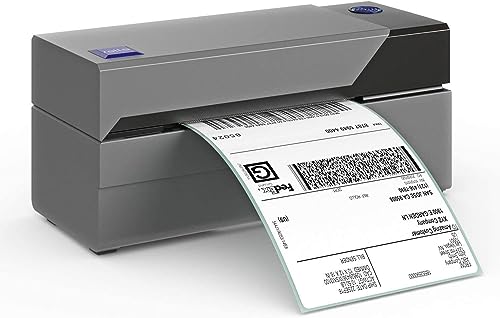
Two machines wearing one budget: a four-inch thermal for shipping labels and a document printer for invoices and inserts, sized by weekly parcel count. Sellers who try to make one inkjet do both jobs pay in minutes daily; the thermal’s arrival is the single most felt upgrade in a growing shop, ahead of any printer improvement.
Second-Hand and Refurbished: A Buyer’s Field Guide
The used market rewards the informed disproportionately in printers, because the machines are durable, unfashionable and often sold by people who underused them. The safest used purchase in the entire category is a mainstream monochrome laser with a modest page count: print its configuration page before buying, read the total pages and supply life from it, confirm current drivers exist for the model, and you know nearly everything a seller could hide. Its engine renews substantially with a fresh cartridge, and its intolerance of the previous owner’s neglect is close to zero. Manufacturer-refurbished machines with a genuine warranty occupy the next tier of safety, particularly for business-class models whose new prices assume a long working life.
Used inkjets invert the risk: their health lives in a printhead that a quick test only partially reveals and that the previous owner’s idle storage may have quietly ruined. If you buy one, print a nozzle check before money moves, treat any missing colour as a priced-in repair rather than a promise, and favour designs whose head lives in the cartridge, where a new supply resets the gamble entirely. In all used purchases, price the first supply set into your comparison — a bargain machine needing a full set of cartridges on day one is often no bargain at all — and walk away from any model whose supplies have become scarce or whose drivers stop short of your operating system. The used market’s golden rule mirrors the new market’s: buy the machine whose remaining life you can verify, in a category where verification is genuinely possible.
Judging the Maker, Not Just the Machine: Support, Warranty and Software
Two printers with identical specifications can be very different purchases once the companies behind them enter the ledger, and a buying guide should say so plainly. Investigate three things before choosing between finalists. First, driver support history: visit the maker’s support page for a model from several years ago in the same range and see whether current operating systems are still served; that page is a prophecy of your own machine’s software lifespan. Second, the companion software’s reputation for restraint — a printer whose app nags, upsells or demands accounts for basic scanning taxes its owner weekly, and owner reviews mention it with feeling when it happens. Third, warranty handling in your country: the length matters less than the mechanism, whether service means a swap, a local repair network or a long postal exile, and whether supplies problems are treated as warranty matters or as consumable shrugs.
None of this requires brand loyalty or brand prejudice; it requires reading each finalist’s support tail as part of the product, because over a five-to-eight-year life you will interact with that tail — drivers, apps, supply availability, one support call at the worst moment — far longer than you will admire the specification sheet. The cheapest printer to buy is occasionally the dearest to live with, and the difference is almost always standing in this section rather than in the engine.
Running the Numbers at Three Volumes: A Worked Comparison Without the Guesswork
Abstract cost-per-page advice becomes decision-ready when you run it at your own volume, so here is the method worked at three representative levels, using page counts rather than prices so you can insert your local supply costs in a minute. At a light volume — say a few hundred pages a year, mostly text with occasional colour — supply costs over a five-year life are a minor line in any system’s ledger, and the decision should be led by purchase convenience, idle tolerance and footprint. This is the volume at which cartridge inkjets are unfairly maligned: their per-page costs are the highest in the field and it barely matters, because there are so few pages, while their low purchase price and versatility are felt immediately. The laser’s counter-argument at this volume is not cost but character — its indifference to the idle weeks between those few hundred pages.
At a middle volume — a few hundred pages a month of mixed household and home-work printing — the ledger changes sides. Supply costs now rival and then pass the purchase price within the ownership period, and the systems separate: tank inkjets and monochrome lasers pull away from cartridge machines, and the choice between them is made on colour share and idle pattern rather than on cost, where they are close. At a heavy volume — thousands of pages a month, a real home business — supplies dominate everything, purchase price becomes a rounding error in the five-year account, and the decision should be led by recommended monthly volume, supply yields and the wear rows of the comparison table, with business-class machines displacing home models whose running gear was never meant for the load. The method matters more than the examples: estimate your pages honestly, price two years of supplies for each finalist at that volume, and add it to the purchase figure. Buyers who perform this one calculation almost never join the ranks of the resentful, whatever they choose.
Buying for a Small Team: When the Printer Has Colleagues
A printer shared by a small office or a busy household team adds criteria that solo buying can ignore. Throughput under contention matters: a machine that serves one person beautifully can become a queue with legs when five people share it, so paper capacity, memory for handling several jobs, and a feeder that survives other people’s loading habits all rise in importance. Management matters too — the ability to see supply levels remotely, to restrict colour printing to those whose work needs it on some business models, and to pull a usage report when the team needs facts rather than folklore about who prints what. Security steps up a class: confidential documents sitting in an output tray are an office problem with office consequences, and features such as PIN release printing, where the job waits for its owner to arrive, move from luxury to sense.
The buying process itself changes with a team: involve the heaviest users in the shortlist, because the person who prints two hundred pages a week will live inside this decision while everyone else visits it, and standardise on one model where several printers are needed, so supplies, drivers and hard-won knowledge are shared rather than multiplied. A small team’s worst printer purchase is three different bargains bought by three different people; its best is one well-chosen model, bought once, whose supplies anyone can reorder from the note taped inside its cupboard. The models in our best office printers for small business roundup are selected with exactly these shared-duty criteria in mind.
One closing discipline for the undecided: set a decision date. Printer research expands to fill the time allowed for it, and the cost of another fortnight of comparison is paid in printing you needed yesterday. When two finalists both pass your audit — volume, colour share, supplies, space, support — the remaining difference is smaller than the value of deciding, and either machine will reward a decisive owner more than the perfect machine rewards a hesitant one.
Frequently Asked Questions
Should I buy one premium printer or two cheaper specialised ones?
Follow the workload split. If one workload dominates — ninety percent of your pages are one kind of work — buy one good machine for it and let the remainder be exceptions handled elsewhere. If two workloads are both heavy and genuinely different, such as text volume plus photographs, or documents plus shipping labels, two specialised machines usually serve better than one premium generalist, because each technology’s strengths are structural rather than a matter of budget. The honest costs of the pair are shelf space and two supply systems to monitor; the honest gain is that neither job is ever done by the wrong tool. Most households that try the pair after years of compromise describe it as the purchase they should have made first.
Is a larger paper size worth paying for?
Only if your work already asks for it. Wide-format capability — printing larger than standard letter or A4 pages — serves photographers, designers, architects and crafters with specific, recurring large work, and for them it is transformative. For general households it is the classic speculative feature: bought for imagined posters and plans, used twice, and paid for daily in a larger footprint, pricier supplies and a machine that dominates its room. If large prints are an occasional pleasure, a print service produces them better and cheaper per year than owning the capability; if they are a weekly product, buy the width without hesitation and size the rest of the setup — desk, storage, paper stock — around it honestly.
When are new printer models released, and should I wait for one?
Printer ranges refresh on slow, irregular cycles compared with phones or laptops, and meaningful leaps are rare: a new model typically refines speed, connectivity and software rather than reinventing print quality, because the underlying engines mature slowly. Waiting makes sense only when a specific, announced feature answers a real need of yours — a connectivity standard your devices require, a supply system your volume demands. Otherwise, the mature outgoing model, fully reviewed, with its supplies everywhere and its quirks documented by thousands of owners, is frequently the wiser purchase than the unreviewed newcomer. Printers reward buying the known quantity; the technology’s pace is a feature for buyers, not a frustration.
What is the most common way buyers overspend on a printer?
By purchasing capacity for an imagined life: speed for deadlines they do not have, volume ratings for pages they will never print, colour for documents that turn out to be text, and features — fax, vast trays, finishing options — that read as professionalism and function as furniture. The second most common way is the mirror error, underspending on the machine and overspending forever on its supplies. Both errors come from the same root, which is skipping the honest audit of what you print, how much, and in what pattern. Every section of this guide exists to make that audit unavoidable, because a printer matched to a measured life is the only genuine bargain in the category.
What is the most important thing to look for in a printer?
Cost per page for your real printing volume, within the technology class that matches your dominant job. Those two decisions matter more than every other specification combined.
Should I buy a printer with a scanner?
For most households and offices, yes — the all-in-one premium is small and scanning/copying gets used constantly. Buy print-only only when you are certain, such as a dedicated second document printer.
How long should a home printer last?
Several years of regular use with basic maintenance. Lasers typically outlast inkjets in years; inkjets used weekly and maintained also give long service. Recommended monthly volume is the best lifespan predictor.
Are extended warranties worth it on printers?
On inexpensive home printers, rarely — the warranty cost approaches the replacement cost. On business machines that a team depends on, coverage that includes fast service can be justified.
When is the best time to buy a printer?
Prices move with sales events and model cycles, but the bigger saving is choosing the right class and supplies. A well-chosen printer at a normal price beats a badly chosen one on discount, every year you own it.
Should I buy last year's model?
Often yes — printer technology changes slowly, and outgoing models can be excellent value. Just confirm supplies remain widely available and the model supports your current devices and network.
Is it better to buy a printer online or in a store?
Stores let you see size, build and sometimes test prints; online buying offers wider range and easier supply-price comparison. A sound pattern is to shortlist online using cost-per-page arithmetic, then, if possible, see the finalists in person for size and feel before ordering wherever the total deal is best.
Should I buy the printer or the ink first when comparing?
Compare ink first. Shortlist models by their supply costs and yields, then choose among the survivors on features and price. Reversing the order — falling for hardware and checking ink later — is how households end up with beautiful printers they resent feeding.
What is the single best printer buying tip?
Print your own test page on the finalist models: your document, your photo, your paper. Marketing materials and demo pages are designed to flatter every machine equally; your own files expose the differences that will matter in your home.
How long should I expect a well-bought printer to last?
Judge by pages as much as by years. A mainstream home printer serving a few hundred pages a month commonly gives five or more years of service; a business-class machine at office volume is built for a multiple of that page count, while a budget model at the same office volume may be worn in two years despite being younger. The lifespan levers are the ones this guide keeps returning to: matching the machine’s recommended volume to your real load, keeping it clean and correctly supplied, and choosing a model whose maker supports it with drivers and parts for the long term. Buy the class your volume requires and longevity stops being luck.
The Bottom Line
Choose the class by job, judge by cost per page, verify paper handling and connectivity against your real life, and buy once. A printer chosen this way disappears into the background of your home or office — printing, scanning and copying without drama for years. That invisibility is the true mark of a good purchase.
Related Guides
Keep exploring with these guides and roundups from the same printers collection: