Disclosure: As an Amazon Associate, ilcastellomenu.com earns from qualifying purchases. The product mentions in this guide are editorial: we link only to items that genuinely fit the topic, and a link never changes what we recommend checking, comparing, or avoiding.
This monitor buying guide exists to do one job: turn a bewildering catalogue into a short, confident shortlist. Monitors are a mature product where the differences that matter — size paired with resolution, panel character, ergonomics, and honest connectivity — hide beneath differences that do not, like inflated contrast figures and response-time theatre. Below you will find the criteria that matter, explained in plain language, the tier framing that keeps budgets honest (without a single product price, because tiers outlast prices), the mistakes that generate returns, and a checklist to carry into any listing.
Use it alongside the deeper dives it links: How to Choose a Monitor for the decision method, and the curated roundups such as Best Monitors for Productivity once your criteria harden into a category. By the end, you should be able to reject ninety percent of the catalogue in seconds — which is what expertise in a mature market actually looks like.
Monitor Buying Guide: The Criteria That Actually Matter
Start with the pair that defines the screen: size and resolution together set pixel density, and density sets text clarity. The proven pairings are 24 inches at 1080p, 27 inches at 1440p or 4K, and 32 inches at 4K; stray far from them and you buy softness or scaling chores. Next, panel type sets the picture’s character: IPS for accurate colour and wide angles, VA for deep contrast in dim rooms, OLED for per-pixel perfection at the top tier — the full comparison is IPS vs VA Panel. Third, ergonomics: height adjustment or a VESA mount, because a screen at the wrong height is a daily tax no specification repays.
Then the supporting criteria, in descending order of daily impact: brightness range and coating for your room’s light; connectivity that matches your devices at full bandwidth; refresh rate and adaptive sync if you game; colour coverage matched to your content’s palette, per Monitor Color Gamut Explained; and the warranty and pixel policy, which decide how the purchase ends if a fault appears. Everything not on this list — dynamic contrast ratios with six zeros, bundled software, RGB lighting on the back — is decoration. Judge in this order and listings become transparent.
In this guide
Size, Resolution, and Panel: The Three Big Decisions
Size follows desk depth and job. A shallow desk and documents point to 24–27 inches; a deep desk, creative work, or immersion points to 32 or ultrawide. Resolution follows size as above, with 4K earning its premium for text professionals, photo work, and console play — the dedicated analysis is 1440p vs 4K Monitor. Panel follows room and content: bright and shared means IPS; dim and cinematic means VA or OLED; mixed and uncertain means IPS, the default with no weakness. These three decisions, made honestly, narrow the catalogue more than any brand preference ever will.
A word on ultrawide and dual alternatives, since they compete with the standard single screen at the same budgets: ultrawide buys one immersive canvas for deep single applications; dual screens buy compartments for reference-driven work. The fork is analysed in Ultrawide vs Dual Monitors, and it should be decided before size, because it changes what ‘size’ even means for your desk.
Tiers, Framed Honestly: Entry, Mid, and High-End
Entry tier buys a competent screen for documents, web, and casual media: expect standard resolutions at sensible sizes, basic stands (budget for an arm or riser), IPS or VA panels that are honest if unglamorous, and HDR claims that mean compatibility rather than capability. It is the right tier for second screens, student desks, and spare rooms — contexts where ‘good and working’ beats ‘great’.
Mid tier is where value lives: 27-inch 1440p with high refresh for gamers, 4K IPS for text professionals, proper height-adjustable stands, USB-C connectivity appearing, and factory colour tuning worth trusting. Most readers of this guide should buy here, because the mid tier’s compromises are the ones you stop noticing in a week. High-end tier buys the experiences with no substitute: OLED and mini-LED HDR, reference colour, 4K at high refresh, ultrawide flagships, and build quality that feels like furniture. Buy it for a dominant use case you can name — HDR gaming, colour-critical work, a flagship desk — not as insurance against unspecified future regret.
Connectivity and Compatibility Checks
Count your devices and their ports before admiring panels. A laptop desk wants USB-C with video and charging, or a dock; a gaming PC wants DisplayPort for full refresh and sync; a console wants HDMI 2.1 for its full mode. Verify the monitor’s ports at the version level — a screen whose HDMI is an older standard will cap the console you bought it for, the classic trap mapped in HDMI vs DisplayPort. Check VESA spacing if you own an arm, headphone and USB convenience ports if you use them, and cable inclusion: a missing lead of the right standard is a small cost and a large annoyance on delivery day.
Compatibility extends to your graphics hardware’s ability to drive the thing. A 4K high-refresh screen behind a modest GPU is a promise your games cannot keep; a high-refresh screen behind an old laptop port is a refresh rate you will never see. The monitor is the last link of a chain that starts at the GPU, and this guide’s recurring moral — check the whole chain — applies with full force at purchase time, when checking is free.
Mistakes to Avoid
- Buying resolution without size logic — 1440p stretched over 32 inches, or 4K crammed where scaling will undo it.
- Paying for refresh rate your ports, cables, or GPU cannot deliver.
- Chasing HDR badges at entry tiers instead of panel quality you will see all day.
- Ignoring the stand — then paying for the arm you could have had included.
- Skipping the pixel policy and return window until a fault makes them urgent.
- Letting one exotic feature (a curve, a speaker, a light) outvote panel, size, and ergonomics.
- Forgetting the first-week inspection: solid colours, all ports, all modes, while returns are easy.
The Pre-Purchase Checklist
Run this list against any finalist. Size and resolution paired for your desk depth and distance. Panel type chosen for your room and content, not for a forum’s fashion. Height adjustment present, or VESA confirmed for your arm. Ports verified at version level against every device you will connect, including the console and the dock. Refresh and sync matched to your GPU’s real output. Colour coverage matched to your palette — sRGB for everyday, DCI-P3 for HDR and video, Adobe RGB for print work. Warranty length and pixel policy read, not assumed. Return window noted, first-week inspection planned.
Two or three models will survive that checklist in any tier, and at that point the honest differences between them are small enough that availability, a trusted retailer’s terms, or simple preference can decide without a shred of guilt. That is the destination this monitor buying guide exists to reach: not the one perfect monitor, which does not exist, but a decision you will not relitigate at 2 a.m. — because it was made by criteria, in order, with the chain checked. When the shortlist is ready, the category roundups in the related guides will show you the current exemplars of each brief.
Reading Reviews and Spec Sheets Like a Professional
Spec sheets are advertising with numbers, and the professional reader knows which numbers are measured and which are theatre. Trust: size, resolution, panel type, port versions, VESA pattern, stand adjustments, and warranty terms — facts a manufacturer cannot fudge without consequence. Discount: dynamic contrast ratios, response times quoted to a decimal’s confidence, and any percentage without a named standard behind it. Reviews earn their keep in the gap between the two lists: measured brightness and uniformity, real colour accuracy figures, and the behaviour of overdrive and dimming that no sheet will confess.
When reviews disagree with each other, look at what they measured rather than what they concluded — panels vary between individual units, and a reviewer’s sample is one unit. When reviews disagree with your own priorities, believe your priorities: a screen criticised for gaming features you will never use, or praised for colour performance you will never judge, is being graded on someone else’s rubric. Your checklist from this guide is the rubric; outside opinion is evidence admitted under it, not a replacement for it. The desks that apply this best tend to start from roundups like Best Monitors for Home Office for work-first briefs or Best PC Monitors for Gaming for play-first ones, then audit the finalists against the checklist rather than the other way round.
Buying for Someone Else, and Buying for a Team
Gift and team purchases change the weighting, not the criteria. For another person, weight ergonomics and simplicity higher — a screen that adjusts easily and behaves predictably serves someone who will never read a guide like this one. For a team, standardise: one model, one set of cables, one known-good configuration, because consistency is a feature that compounds across every desk it touches and every support call it prevents. Keep one spare of the standard model if the fleet justifies it; a dead screen replaced in an hour is an anecdote, while a dead screen replaced in a fortnight is a grievance.
For both cases, the return window and pixel policy matter more, not less: you are buying on behalf of eyes that are not yours, and the right to exchange a unit with a centre-screen bright dot is the difference between a purchase and a problem you gifted someone. Inspect on arrival, as the checklist demands, and file the receipts with the asset, not with the packaging headed for recycling.
Timing the Purchase: Sales Cycles and Model Years
Monitor pricing follows a gentle annual rhythm: new models arrive at full price in their launch season, predecessors discount as successors land, and the major sale events compress margins further on models already a year into their lives. The buyer who has finished this guide’s checklist gains twice from that rhythm — first because a defined shortlist can be watched for its moment rather than re-decided weekly, and second because last year’s exemplar of your exact brief is, as the FAQ notes, one of the market’s reliable bargains. Set a price alert on your two or three finalists if your tools allow it, and let the calendar do the negotiating.
What not to do is let a sale reverse the decision order: a discount on a screen that fails your port audit or your stand requirement is not a saving but a subsidised compromise, and it will charge you daily. The checklist is the strategy; timing is merely its execution. Buy the right screen at a good moment, in that order, and the purchase closes the way this guide promised — without a 2 a.m. relitigation in sight.
The Guide in One Page: A Closing Summary You Can Screenshot
Everything in this guide compresses to a sequence short enough to carry into any shop or listing. Job first: name what the screen is for, in hours. Pairing second: size and resolution matched to your desk’s depth and your distance. Panel third: IPS for the mixed and the bright, VA for the dim and cinematic, OLED for the flagship evening. Ergonomics fourth: height adjustment or a VESA mount, non-negotiable. Chain fifth: every port verified at version level against every device, cables included. Colour sixth: coverage of your content’s palette, accuracy over width. Paperwork seventh: warranty read, pixel policy noted, return window diarised, first-week inspection planned. Tier last: entry for the secondary, mid for the main, high-end for the named flagship need — and not one static price anywhere in the reasoning, because the reasoning outlives every price it will ever meet.
A purchase made in that order has a property no specification can confer: it stays made. It does not unravel when a colleague buys something shinier, or when a sale flatters a different model, because it was never a bet on a product — it was a deduction from your own desk, your own room, and your own hours. That is the whole ambition of this buying guide, and of every guide it links: not to sell you a monitor, but to make you the kind of buyer catalogues have to tell the truth to.

Criteria Deep Dive: Judging Brightness and Contrast Like a Reviewer
Brightness claims are honest numbers measured in dishonest contexts, so learn the reviewer’s translation. The figure that predicts your experience is sustained brightness across the whole screen at a colour temperature you would actually use — not a peak measured on a small patch in a vivid mode. For a normally lit room, a sustained figure in the middle hundreds of nits gives comfortable headroom; for a bright, windowed room, more is genuinely useful; for a dim media room, contrast takes over as the governing number and brightness beyond adequacy adds little but glare. Ask of any finalist not how bright it can be, but how bright it is, everywhere, in its accurate mode — reviews that measure exactly that are the ones to keep open while you shop.
Contrast requires the panel-family discipline this series repeats: compare within families, because the measurement conventions and the physical realities differ too much for cross-family arithmetic to mean anything. Within IPS, contrast differences between models are modest and rarely decisive; within VA, they are the family’s headline and worth comparing carefully; OLED removes the question by removing the backlight’s floor entirely. The buyer’s error to avoid is paying a premium for a contrast figure gathered at a brightness or mode you will never use. Contrast, like brightness, only exists at the settings you live in.
Uniformity is the third member of this family and the one listings omit entirely. A screen whose brightness and colour hold steady from centre to corners will feel better made than a nominally brighter screen whose corners fall away, in every hour of documents and photographs you ever show on it. Uniformity cannot be specified into existence; it is read from reviews that measure it and verified in your own first-week inspection with a plain grey and a white page. Budget it as a first-class criterion, because it is the one whose absence you will notice longest and whose presence you will never consciously praise — the definition of a mature specification.
Criteria Deep Dive: Colour, Judged by Coverage and Accuracy Together
Colour listings lead with the palette’s width because width is a number that can grow; the buyer’s order should be accuracy first, coverage second, width last. Accuracy — how faithfully the screen renders the colours it claims — decides whether skin looks like skin and whether your photographs mean the same thing on your screen as on everyone else’s. Coverage of the standard palette decides whether the colours of the web, office work, and standard video are all present at all. Width beyond that palette serves the specific constituencies the gamut explainer mapped: photographers with wide originals, HDR film viewers, print workflows. A screen accurate within a fully covered standard palette will serve most desks better than a wider screen whose colours wander, because most of a desk’s life is spent inside the standard palette asking for the truth.
Judge colour claims by their evidence. A listing that states coverage of a named standard as a percentage, and whose reviews confirm accuracy measurements in the same breath, is speaking the honest dialect. A listing that quotes a vast colour count or a percentage of an unnamed palette is marketing in a lab coat. The sRGB mode deserves its own line in your notes for any wide-gamut finalist: you will spend most hours there, and the quality of that mode — measured, not assumed — is the colour specification you are actually buying for your working week.
Calibration potential closes the colour audit for buyers whose work is judged by others. A screen that accepts hardware calibration gracefully, holds its settings, and offers a uniform, stable picture is a professional tool at any palette width; a screen that drifts or fights calibration is a hobbyist’s panel whatever its gamut. Most buyers will never calibrate, and for them this section’s gift is permission: accuracy out of the box, verified by reviews, is a complete colour strategy for a normal desk, and the money saved by not chasing width is real money returned to size, stand, and warranty.
Scenario Picks: Six Desks, Six Shortlists
The criteria become decisions when they meet desks, so here are six, specified tightly enough to shop from. The small-apartment hybrid worker: a 27-inch 1440p IPS screen, height-adjustable stand, USB-C with power delivery if a laptop docks there, accurate standard colour, mid-tier everything else — the balanced allocation this guide keeps returning to because the desk’s hours are balanced. The competitive player: a 27-inch 1440p fast panel at a high refresh rate, verified response behaviour from reviewer grids, adaptive sync across a wide window, and a stand that gets the screen to exactly their height; colour beyond the standard palette is declined with thanks.
The photographer who prints: a 27-inch or larger 4K screen with full standard coverage, strong cinema and print-palette reach, an sRGB mode that measures honestly, uniformity worth the name, and a warranty whose pixel clause they have read — because their faults announce themselves in skies and skin. The film-first media desk: size leads, contrast follows, HDR hardware rather than badge — OLED or genuine local dimming — and ports that accept the console’s full output sentence. The spreadsheet analyst: width or a matched pair, brightness consistency across the surface, and a stand system that aligns everything at one eyeline; colour is a bystander at this desk and the budget should treat it as one.
The sixth desk is the household’s shared screen, and its shortlist is a peace treaty: 27 inches, standard palette rendered accurately, a stand the whole family’s heights can use, speakers adequate for calls, and a price that leaves room for the second screen the household will inevitably want. Notice what the six shortlists share: each names its desk’s governing criterion first and lets it command the budget, each declines at least one fashionable specification openly, and none of them can be generated by sorting a catalogue by any single number. That is what criteria are for.
Second-Hand and Refurbished: The Disciplined Bargain
A used monitor can be the best value on this page or a slow leak of weekends, and the difference is inspection discipline rather than luck. The case for used is strong in this category: panels age slowly, the technology plateaus mean a few-years-old screen is rarely embarrassed by its successor, and stands, ports, and warranties are all checkable in advance. The case against is concentrated in what you cannot see in a listing photograph: backlight hours, uniformity drift, intermittent faults, and a pixel map nobody has drawn. Price a used screen as though those unknowns are yours to discover, because they are — the discount is your payment for absorbing the manufacturer’s first years of risk.
Inspect with the full ritual, in the seller’s space or immediately on arrival if the platform’s returns allow: the colour screens for pixels, a plain grey for uniformity, a dark scene for backlight behaviour, every port you intend to use with your own cable, and the stand through its full travel. Check the model’s age from its manufacture date rather than its sale listing’s adjectives, and confirm whether any manufacturer warranty survives and transfers. A seller who produces a receipt, keeps the box, and welcomes the inspection is selling you a documented screen, and documentation, as this series repeats, is worth money.
Refurbished units from the manufacturer or an authorised channel occupy the honest middle: inspected, warranted for a shorter term, and priced between new and private-used. For load-bearing desks — the screen your income sits behind — that middle is often the rational bargain, because the warranty converts the unknowns back into the maker’s problem. Private-used suits the second screen, the workshop, the household’s spare: roles where a fault is an anecdote rather than a deadline. Match the channel to the role, inspect regardless of channel, and the second-hand market becomes what it should be — a discount for the disciplined, rather than a lottery for the hopeful.
The Total Cost of a Monitor: Stands, Arms, Cables, and Time
The screen’s price is the largest line in its budget and rarely the only one, and honest buying totals the whole desk event. A monitor whose included stand cannot reach your height will buy a monitor arm within the month; price the arm into that model before comparing it with a rival whose stand suffices, because the comparison is otherwise rigged in favour of the screen that underfunds its own support. A laptop desk may need the dock or the one correct cable; a gaming desk may need the certified cable its refresh rate demands; a dual desk doubles several of these lines. None are large, and together they routinely exceed the price gap between the two finalists you were agonising over — which reframes the agonising usefully.
Time is a cost with its own ledger. A screen that needs its settings rebuilt after every update, whose inputs confuse the household, whose wake behaviour must be negotiated each morning, charges rent in minutes and mood for years. The boring virtues — a clear menu, per-input memory, reliable sleep and wake, a manual that answers questions — repay their price in the currency of mornings that start without a troubleshooting session. Reviews rarely score these virtues because they are unglamorous to test; owner reports, read for patterns rather than verdicts, are where they surface, and an hour in those reports is worth more to a five-year purchase than a second pass over the specification table.
Warranty belongs in the total as insurance you can price: the difference between a one-year and a longer term, between a strict pixel policy and a lax one, between a maker whose service is a byword and one whose is a warning. You are not obliged to buy the longest cover; you are obliged to know what cover you bought, at the moment of purchase, in writing, in the journal. Total cost, honestly kept, is the buying guide’s final criterion — the one that converts a good screen at a good price into a good purchase.
Reading Owner Reviews Without Being Led by Them
Owner reviews are evidence of a peculiar kind: voluminous, sincere, and systematically biased toward the extremes of delight and grievance, written disproportionately in the first week of ownership. Read them for patterns, never for scores. A fault named independently by many owners across months — a stand that sags, a coil whine at certain brightness, a menu that forgets — is a property of the model and belongs in your notes. A catastrophe named once, in capital letters, is a property of one unit or one afternoon. The middle of the distribution, where long-term owners quietly report that a screen does its job, is underrepresented precisely because satisfaction is not a strong motive to write — so weight the patterns you find by their repetition and their specificity, and discount every verdict, glowing or furious, that arrives without a concrete detail you could test.
Professional reviews and owner reports divide the labour cleanly: professionals measure the panel, owners reveal the ownership. The stand’s third month, the wake behaviour’s thousandth morning, the support line’s character when a fault appears — these live only in owner reports, and they are the traits a five-year purchase most depends on. Spend your research time in proportion: measurements to shortlist, owner patterns to choose, and the manual to confirm. A finalist that survives all three readings has been vetted more thoroughly than most purchases in a household’s life, which is proportionate for an object that will mediate thousands of its hours.
One more discipline: date everything you read. Models are revised quietly, firmware changes behaviour, and a pattern from a model’s first production run may be history by the time you buy — or a fresh pattern may be emerging that the professional reviews, written at launch, cannot know. Prefer recent owner evidence for behaviour and launch measurements for the panel’s physics, and you will have weighted each source for what it can actually see.
The Showroom and the Webpage: Testing What You Cannot Take Home
Most monitors are bought untested, from photographs and promises, which makes the pre-purchase tests you can perform more valuable, not less. In a showroom, abandon the demo reel — it is the manufacturer’s chosen witness — and ask the screen to show a plain white page, a dark scene, and small text, at a brightness you would work at, from the distance your desk imposes. Five minutes of your content outweighs an hour of theirs. Online, the equivalent discipline is the manual and the measurement review: the manual for the per-input tables, the menu’s map, the stand’s ranges in numbers; the review for uniformity, accuracy, and the response grid. Between those two documents, a screen has very few places left to hide.
Exploit the return window as the final showroom, without guilt and without abusing it. The first-week inspection exists because some properties — your room’s light, your eyes’ verdict on text, your chair’s relationship with the stand — cannot be tested anywhere but your desk. Buy from a seller whose terms you have read, keep the packaging until the week closes, and conduct the inspection as a genuine audition with the power to send the screen back. A purchase process that includes an honest trial is not indecision; it is the correct epistemology for a five-year object, and sellers of good screens build their terms expecting it.
What you cannot test, insure: the long warranty for the unobservable years, the strict pixel policy for the fault that has not happened yet, the maker’s reputation for the conversation you hope never to have. The buying guide’s whole method is in that sentence — test what can be tested, measure what can be measured, and insure the remainder knowingly rather than hoping it away.
Assembling the Shortlist: A Method You Can Reuse for Any Screen
Here is the guide compressed into a procedure, small enough to keep and complete enough to trust. One: write the desk’s diary — the week’s hours by content — and name the governing criterion it implies. Two: fix the pairing of size and resolution from your desk’s depth and distance, and let no listing renegotiate geometry. Three: choose the panel family by room light, viewing company, and content, using the comparisons in this series. Four: set the non-negotiables — stand range, the ports at their versions, the sync or hub features your chain requires — and strike every model that misses one, however beautiful its other numbers. Five: from the survivors, compare measurements, owner patterns, pixel policies, and warranties, and total each candidate’s true cost including the arm, dock, or cable it implies.
Six: buy the survivor from a seller whose returns you have read, and schedule the first-week inspection before the box arrives. Seven: record everything — settings, chain, policy dates — in the journal, and stop reading monitor reviews. That last step is a real step: the researcher’s itch to keep comparing after a sound decision is the most common way good purchases are spoiled, because every screen has a rival that beats it somewhere, and a desk is not improved by knowing where. The method ends in contentment by design, which is the only ending a buying guide should sell.
Keep the procedure; it outlives every model it will ever be applied to, because it is built from the invariants — hours, geometry, light, evidence — rather than from this season’s catalogue. The next screen, the household’s next desk, the office’s next fleet: the diary changes, the answers change, and the questions stay exactly where this guide leaves them, in your hands. Readers at step five can work the current field in our home office monitor roundup and its gaming and creative companions, where the measurements behind the shortlists are kept current.
Gear for This Guide
Three verified monitors anchor the three most common briefs this guide produces: the mainstream office brief, the gaming brief, and the 4K USB-C laptop brief. Treat them as tier reference points, not universal answers.
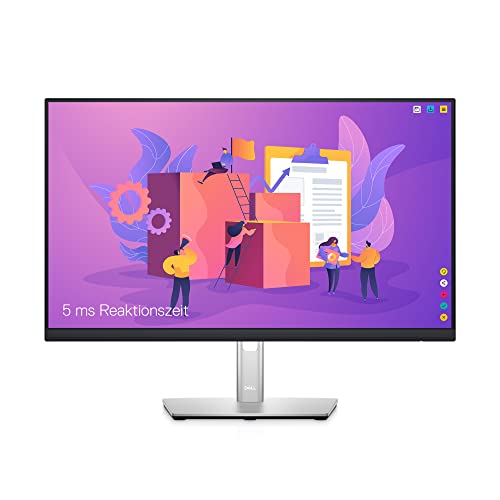
Dell P2422H 24-Inch Full HD IPS Monitor — The office brief: a 24-inch IPS panel with full sRGB-class coverage, DisplayPort, HDMI, and a USB hub — proof of how complete the sensible end of the market is when the criteria in this guide are applied. Check on Amazon

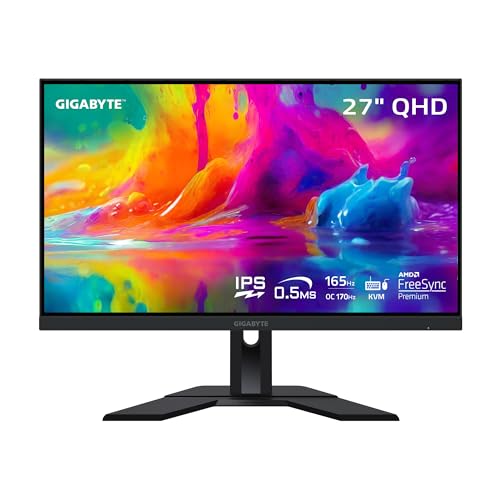
LG 27GP850-B UltraGear 27-Inch QHD Gaming Monitor — The gaming brief: 1440p Nano IPS at high refresh with adaptive sync — the mid-tier performance point this guide keeps identifying as the value peak for PC players. Check on Amazon

Dell S2722QC 27-Inch 4K USB-C Monitor — The laptop brief: 4K IPS with USB-C connectivity and built-in speakers, showing what the text-and-one-cable desk buys when resolution and connectivity lead the checklist. Check on Amazon
Frequently Asked Questions
How much should I spend on a monitor?
Spend to the tier your dominant use justifies, not to a number: entry for secondary and casual screens, mid for the main desk (where most value concentrates), high-end only for a named flagship need like HDR gaming or colour-critical work. Within any tier, the panel, size-resolution pairing, and stand deserve the money before exotic features. A useful discipline is to price the whole setup — screen plus any arm, dock, or cable it requires — because the honest total is what your desk actually costs.
Is it better to buy one expensive monitor or two cheaper ones?
It depends on your workflow’s shape. Reference-driven work — comparing, drafting from sources, calls beside notes — usually gains more from two good screens than from one great one. Single deep applications and immersive gaming gain from the one great screen. If undecided, buy the better single screen now in a size that anchors a desk, and add a modest second later; that sequence satisfies both futures and is the path most settled desks report taking.
Which specifications can I safely ignore?
Dynamic contrast ratios (astronomical and meaningless), response-time claims read as precise measurements, ‘HDR’ badges without a certification tier, viewing-angle figures beyond the panel family’s known character, and built-in speaker quality if you own any alternative. Also ignore brightness figures quoted only as peaks for HDR highlights when judging office suitability. The criteria section of this guide lists what replaces them: density, panel, ergonomics, ports, sync, coverage, warranty.
Should I wait for prices to drop or new models to arrive?
Monitors improve incrementally and discount continuously, so waiting has a small, perpetual reward and a real, immediate cost: the months spent on the screen you have. Buy when your current screen actively limits you or fails, choose from the current mid-tier exemplars, and let the return window protect you. The exception is a known, dated platform shift that matches your exact need — rare in monitors, common in the marketing that surrounds them.
What warranty and pixel policy should I look for?
Look for multi-year panel coverage as the norm at mid tier and above, and read the pixel clause specifically: how many dead or bright subpixels trigger replacement, whether location matters, and whether a zero-bright-dot promise is offered. A generous pixel policy is a genuine feature — it converts the most common panel anxiety into a solved problem — and it is one of the few spec-sheet items whose value increases the longer you own the screen.
Is an extended warranty worth it for a monitor?
Monitors have no moving parts and fail mostly early (covered by standard warranty and returns) or late through backlight ageing. For most buyers the standard multi-year warranty suffices, and the money is better held toward the eventual replacement. Exceptions: a flagship OLED or mini-LED whose panel cost dominates, or a screen your income depends on daily, where a fast-replacement service plan buys continuity rather than repair. Judge it as insurance on your workflow, not on the object.
Is it worth buying last year’s model at a discount?
Usually yes. Monitor technology moves slowly, panels carry over between model years, and a discounted predecessor that meets your checklist beats a full-price successor whose improvements live in features you discounted anyway. The cautions are warranty start dates, port versions (an older HDMI standard can matter), and pixel policies on clearance stock. Check those three, and the previous generation is one of the market’s reliable bargains.
Should I buy the monitor or the graphics card first?
The one that limits you today. If your current screen is small, dim, or faulty and your GPU is adequate, the monitor transforms every hour immediately, including the hours that never game. If your GPU cannot drive the resolution you intend, the card is the honest first purchase — or the resolution target drops to meet it, which this guide’s pairing logic fully endorses. What never works is buying the flagship version of one to justify the flagship version of the other in an spiral neither your desk nor your wallet applied for.
Is it better to buy a larger standard screen or a smaller premium one?
For most desks, the larger standard screen, because size is the specification your body and your window layout feel every hour, while premium refinements — wider gamut, exotic HDR — serve content many desks rarely open. The exceptions are the desks whose governing criterion is a premium trait: the photographer’s colour, the film desk’s contrast, the competitive player’s verified speed. Name your governing criterion first; if it is not a premium trait, let size and stand take the money without a backward glance.
How do I compare two monitors with identical headline specifications?
Move down the evidence ladder. Compare reviewer measurements — uniformity, accuracy, response grids, sustained brightness — rather than the identical claims. Compare the stands’ adjustment ranges in centimetres, the port versions per input, the pixel policies clause by clause, and the warranties’ terms on panel faults. If the two still tie, compare the menus and manuals, which you can inspect online, and the makers’ service reputations. Identical headlines are common because panels are shared; ownership is where the twins diverge, and ownership is what you are buying.
Should I buy an extended warranty or a protection plan?
Decide by the screen’s role and the plan’s actual clauses rather than by anxiety. For a load-bearing screen whose failure would stop income, a plan that genuinely covers panel faults with a painless process can be rational insurance. Read what it excludes before pricing it — many plans exclude exactly the pixel and uniformity faults owners most want covered, and duplicate cover the manufacturer’s warranty already provides in its early years. For a secondary or household screen, the manufacturer’s term plus the first-week inspection is usually the proportionate cover, and the premium is better spent on the screen itself.
When is the right time to replace a working monitor?
When it fails one of three honest tests. The fit test: your work has changed shape — wider, more colour-critical, more hours — and the screen’s compromises now sit where your day lives. The fault test: a defect has appeared or grown that settings cannot fix and your content cannot ignore. The chain test: your computers have moved to connections or resolutions the screen cannot accept, and adapters have stopped being a bridge and become a tax. A screen passing all three tests deserves to stay, whatever the new models promise; replacement bought without a failed test is decoration, and decoration should at least admit its name.
What is the most underrated specification in the whole buying decision?
The stand’s height range, measured in centimetres and compared against your desk and chair — because it is the only specification your neck consults hourly, it cannot be fixed in software, and fixing it later with an arm costs more than the difference between the models you were choosing between. Second place belongs to the per-input port table, for the same reason: unglamorous, decisive, and discoverable only by readers. The pattern is the guide’s parting lesson — in a mature market, the specifications that decide ownership are the ones the advertisements print smallest.
The Bottom Line
A good monitor purchase is a checklist executed calmly: pair size with resolution, choose the panel for your room, fund ergonomics, verify every port at version level, match colour to your content’s palette, and read the warranty before you need it. Tiers then price themselves, brands narrow to a shortlist, and the final choice among near-equals can be made lightly — which is exactly how a mature purchase should feel. This monitor buying guide’s last advice is its first: decide by criteria, in order, and the catalogue works for you instead of the other way round.
Print the checklist, literally or mentally, and let it — not the listing’s layout, not the countdown timer — conduct the purchase.
Related Guides
Keep going with these related guides and roundups from the same desk-setup cluster: