Learning how to choose a keyboard starts with a simple truth: the best keyboard is the one that matches your hands, your desk, and the work or games you actually spend time on — not the one with the longest feature list. This guide walks through the decisions in the order they matter, from size and switch feel to connection type and keycaps, so you can narrow a huge market down to two or three boards that genuinely fit.
You do not need enthusiast knowledge to choose well. You need honest answers about how much you type numbers, whether you share a room with other people, how much desk space you can give up, and whether you want to tinker later. Work through each section, note your answers, and the shortlist almost writes itself. If you want model-level shortlists afterwards, start with Best Keyboards for Typing and the gaming-focused roundups linked throughout.
Disclosure: As an Amazon Associate, ilcastellomenu.com earns from qualifying purchases. Product details and availability can change; check the retailer listing before you buy.
How to choose a keyboard: start with your main use
Typing-heavy work rewards comfort over speed features. If you write, code, or answer email all day, prioritise a board that keeps your wrists neutral, switches that do not tire your fingers, and legends you can read at a glance. A slightly softer, quieter switch and a modest case height usually matter more across an eight-hour day than headline gaming specifications, and a wrist rest can help if the front edge sits high.
Gaming shifts the priorities. Fast, repeatable key presses, reliable anti-ghosting, and a layout that leaves maximum room for the mouse become the deciding factors, which is why compact boards dominate gaming desks. Our roundup of Best Keyboards for Gaming and Typing covers hybrid users who need one board to do both jobs without compromising either side too far.
Mixed use is the most common case, and it argues for balance: a tenkeyless or 75 percent layout, a medium-weight tactile or linear switch, and both wired and wireless connection options. That combination handles spreadsheets in the morning, games in the evening, and a laptop on the weekend without forcing you to own two keyboards.
In this guide
Step 1: pick the size and layout first
Full-size boards include a number pad, which accountants, data-entry workers, and spreadsheet power users genuinely miss when it is gone. Everyone else should seriously consider tenkeyless (TKL), which drops the pad, or 75 percent, which compresses the function row and navigation cluster into a tighter block while keeping almost every key. Smaller boards free mouse space and bring your arms closer to a natural shoulder width.
Sixty percent boards go further, removing the function row, arrows, and navigation keys behind a function layer. They are brilliant for gaming and minimal desks but slow down anyone who uses F-keys, Home, End, or dedicated arrows all day. If you are curious, compare the trade-offs in 60 Percent vs Full Size Keyboard before committing, because layout regret is the most common reason keyboards get returned.
Whatever size you choose, check the details: a standard bottom row makes replacement keycaps easy to find, an ANSI versus ISO layout changes the Enter key and one or two legends, and Mac users should confirm the board ships with Mac legends or swappable keycaps so the Command and Option keys read correctly.
Step 2: choose a switch feel you can live with
On a mechanical board the switch under each keycap decides sound, resistance, and feel. Linear switches press smoothly from top to bottom and suit fast repeated presses. Tactile switches add a small bump you can feel as the press registers, which many typists find helps accuracy. Clicky switches add an audible click to that bump — satisfying for the typist, considerably less so for anyone in the next room or on a voice call.
Membrane boards feel softer and quieter and remain a sensible budget choice for shared spaces; the full comparison lives in Mechanical vs Membrane Keyboard. Whichever direction you lean, treat switch choice as the single biggest factor in whether you still enjoy the board in month six, and read Keyboard Switch Types Explained if the colour names — red, brown, blue — mean nothing to you yet.
If you cannot decide, a hot-swappable board removes the risk: you can pull the switches and fit a different set later without soldering or replacing the whole keyboard. That flexibility is covered in depth in What is a Hot Swappable Keyboard, and it is the main reason first-time buyers are often steered toward swappable models.
Step 3: decide how it connects
Wired USB is still the zero-compromise option: no charging, no pairing, no interference, and the lowest latency. It is the default recommendation for a fixed gaming desk. Wireless boards have closed most of the practical gap for everyday typing and casual gaming, and a tidy, cable-free desk is a real quality-of-life upgrade if your setup doubles as a workspace and living space.
Look at how a wireless board connects. Bluetooth pairs with several devices and is ideal for switching between a laptop, tablet, and phone, while a 2.4 GHz dongle gives a more gaming-friendly wireless link on a single computer. Many boards offer both plus a cable, and that triple-mode flexibility is worth having if your setup changes often. Battery claims vary widely, especially with backlighting on, so plan on charging more often than the box suggests.
Also check the cable itself on wired and hybrid boards: a detachable USB-C cable is easier to replace and route than a fixed one, and it lets you use custom coiled cables if you enjoy that side of the hobby.
Step 4: judge keycaps, case, and the small comforts
Keycaps shape both sound and feel more than most buyers expect. PBT plastic resists shine and keeps its texture far longer than basic ABS, and double-shot legends will not fade because the letters are moulded through the cap rather than printed on top. A board with decent PBT caps out of the box saves an early upgrade and usually sounds deeper and less hollow when you type.
Case material and mounting change the typing feel too. Aluminium cases feel solid and stay put; plastic cases are lighter for travel. Gasket-mounted boards add a slight softness to each press that many people find reduces fatigue. None of this is essential on a first board, but it explains why two keyboards with identical switches can feel surprisingly different under your fingers.
Backlighting is a personal call: single-colour or white backlighting genuinely helps in dim rooms, while full RGB is about looks and game profiles. Do not pay a premium for lighting you will turn off in a week, and remember that shine-through legends matter if you type in the dark and have not memorised the layout.
Common mistakes when choosing a keyboard
The most common mistake is buying for a use case you do not have — a tournament-spec gaming board for office typing, or a silent low-profile board for competitive play. The second is ignoring size: measure your desk and mouse space before ordering a full-size board, not after. The third is choosing clicky switches for a shared home or office and discovering the problem at the first video call.
Finally, do not overlook the boring checks: operating-system compatibility, whether the software for remapping is something you are willing to install, and the return policy. A keyboard is a feel purchase, and a retailer with painless returns is a genuine feature. Once your board arrives, run through how-to-test-a-keyboard to verify every key registers cleanly before the return window closes.
The bottom line on choosing a keyboard
Choose in this order: size and layout, switch feel, connection type, then keycaps and extras. That sequence prevents the classic error of falling for backlighting or a headline feature and ending up with a board the wrong shape for your desk. A mid-priced board in the right layout with switches you enjoy will make you happier than a flagship in the wrong one.
If you want a ready-made shortlist once you know your answers, the curated picks in best-mechanical-keyboards-under-100 and best-wireless-keyboards-for-pc are sensible next stops, and the full framework in the keyboard-buying-guide goes deeper on budgets and tiers.
Matching the keyboard to your desk setup
A keyboard does not live alone: it shares the desk with a monitor, a mouse, and your chair’s fixed relationship to all three. Before buying, check the geometry of the whole station. Your monitor should sit at a distance where the keyboard’s home row falls naturally under your hands with elbows near your sides; a board so wide that it pushes the mouse beyond comfortable reach quietly taxes your shoulder every day, and no switch quality compensates for a shoulder that aches by Thursday.
Chair height and desk height decide how much a keyboard’s own height matters. A tall board on a high desk stacks angles badly; a low-profile board or a wrist rest can restore a neutral wrist line. If your desk is fixed and your current board forces your wrists to bend upward, prioritise low-profile designs or budget for a rest in the same purchase, because the keyboard and its support are one ergonomic system.
Cable routing belongs in this audit too. A wired board’s cable should reach its port without crossing your mouse area or dangling off the desk edge; detachable cables and rear or side ports exist precisely because routing is a daily annoyance when it is wrong. Wireless buyers should plan where the charging cable lives, because a wireless board with a dead battery and a cable in another room is, briefly, no keyboard at all.
How to choose a keyboard when you share it or switch devices
Shared keyboards — family PCs, hot-desks, a partner’s home office — reward boring virtues: a standard layout everyone can sit down at, legends that have not been customised into a private language, and switches quiet enough for the room’s other occupant. Exotic compact layouts and heavy remapping are personalisations; on a shared board they are obstacles. If the board must serve two people, buy for the less adaptable user and let the enthusiast adapt.
Multi-device users should weigh the switching experience as a headline feature: how many devices pair, how switching happens (a dial and dedicated keys beat menu-diving), and whether the board remembers separate layouts per device. A board that switches in one keypress gets used as a multi-device board; one that needs re-pairing becomes, in practice, married to a single machine.
Operating-system households split the same way. A Windows-and-Mac home needs either dual legends, swappable keycaps in the box, or software that behaves on both. Checking that box before purchase is five minutes; discovering its absence is a return label.
A realistic first-week evaluation plan
When the board arrives, resist judging it in the first hour — new switches, a new layout, and new keycaps all feel strange before they feel right. Day one is for the mechanical checks: every key tested, modes connected, obvious faults excluded. Days two to five are for honest work: write real documents, play real sessions, and note the specific moments the board helps or hinders, in words, not scores.
By the end of the week you will know the three things that predict long-term satisfaction: whether your hands are fresher or more tired than with the old board, whether the layout has stopped surprising you, and whether you reach for it without thinking. A board passing those tests has effectively been chosen; the purchase was merely the audition’s first round.
If it fails, exchange decisively rather than adapting indefinitely. Keyboards are daily-contact tools, and the market’s return windows exist because fit is personal. Your notes from the week — what hurt, what surprised, what delighted — become the corrected brief for the replacement, which is how most enthusiasts’ favourite boards were actually found: second, informed, and final.
Accessories that complete a keyboard purchase
Budget a small accessories line into any keyboard purchase, because three inexpensive items decide whether a good board becomes a good setup. A desk mat damps sound and gives the mouse a consistent surface. A wrist rest, used correctly — supporting the palm during pauses, not anchoring the wrist while typing — rescues tall boards. A spare cable or a coiled cable you enjoy looking at turns a utilitarian connection into part of the desk’s character. None of these is glamorous; together they are the difference between unboxing a product and finishing a workstation.
Keycap and switch pullers deserve a drawer place from day one, because the first time you need them — a crumb, a sticky key, a curiosity about the switches underneath — you will want them in hand rather than in a delivery window. Most boards include at least a basic puller; keeping it with the board’s box, alongside the manual and any spare switches, is the small organisational habit that makes every later maintenance task start calmly.
Keyboard terminology cheat sheet for shoppers
Listings compress a dozen ideas into single words, so here is the plain-language crib. Actuation: the point in a press where the key registers. Bottom-out: pressing to the very end of travel. Chatter: one press registering twice, a fault. Ghosting: a phantom key appearing in a combination. Rollover: how many simultaneous keys register correctly. Hot-swap: switches removable without soldering. Gasket mount: a softened mounting system that adds flex and dampens sound. PBT and ABS: the two common keycap plastics, the former harder-wearing. QMK and VIA: open programming ecosystems, the second being the friendly face of the first.
None of these terms requires mastery before purchase — they require recognition, so that a listing’s claims can be sorted into ‘matters to me’, ‘nice’, and ‘noise’. A shopper who can sort claims is immune to the commonest marketing trick in the category, which is not lying but emphasising: shouting the specification you cannot feel and whispering the layout detail you will feel every day.
When to choose in a shop versus online
Physical shops offer the one thing online shopping cannot: your actual fingers on actual switches. If a shop near you displays mechanical boards, the trip is worth more than its travel cost, because ten minutes of typing collapses weeks of review-reading into certainty about family and weight. Buy there if the price is close; the audition was a service, and services are worth paying for.
Online wins on range, price, and — critically — return policies that function as a home audition. The rational strategy combines both: audition families in person, shortlist models online, buy from the retailer whose returns you have actually read. Choosing a keyboard is choosing a daily physical sensation; use every legitimate way of sensing it before the money becomes permanent.
The one-page decision summary
If this guide must shrink to a page, it is this. Measure your desk and pick the largest layout that leaves your mouse free — full-size only if numbers are your trade. Choose switch family by room and role: tactile for typing-first, linear for gaming-first, silent variants for shared air, and treat clicky as a household decision. Require hot-swap unless you have a reason not to. Match connection to your devices, verify your operating system is fully supported, prefer PBT keycaps, and read the returns policy before the product page’s second half.
Then stop researching. Analysis paralysis is the final trap in this category because the differences between good boards are smaller than the difference between a good board and the worn one on your desk today. Choose well enough, test honestly for a week, and let the board either earn its place or teach you precisely what its replacement must be.

Start from your hands: a ten-minute ergonomic audit before you shop
Most buying advice starts with switches and layouts, but the decision that affects you every single day is physical fit. Before you compare a single model, sit at your desk the way you normally work and look at your hands. Are your wrists bent upward because the desk is high and your current board is thick? Do your shoulders roll inward because a wide board pushes your mouse far to the right? Do your fingers ache at the end of a long session, and if so, is it the fingertips, the joints, or the forearm that complains first? Each answer points to a different purchase, and none of them appear on a specification sheet.
Measure three things while you are there. First, the distance from the desk surface to the underside of your forearm when your elbows rest at roughly a right angle: that tells you how tall a keyboard you can tolerate without a wrist rest. Second, the width of clear desk space between your monitor stand and the edge, because a full-size board plus a mouse needs more room than many desks actually offer. Third, the reach to your mouse: if your elbow has to leave your side to grab it, a narrower board or a separate number pad you can park elsewhere will help more than any switch upgrade.
Reading your own discomfort correctly
Fingertip soreness after long sessions usually means you are bottoming out hard on a light switch, pressing through the actuation point and slamming the key into the plate thousands of times a day. A slightly heavier spring, a softer mounting style, or simply a switch with more travel before the bottom can change that. Forearm fatigue is different: it often comes from pronation, holding your hands flat and turned inward for hours, which is why split and tented designs exist. Wrist pain that bends upward points at board height and desk height, not at switches at all. Matching the symptom to the cause stops you spending money on the wrong fix.
Also note your typing style honestly. Hunt-and-peck typists benefit from large, legible legends and a conventional layout where every key is where muscle memory from school keyboards expects it. Touch typists can exploit smaller layouts and layers because they rarely look down. Neither style is better; they simply load different features. A board that is perfect for a touch typist can be a daily frustration for someone who glances at the keys, and the reverse is true for a board covered in helpful legends that an expert never reads.
Finally, write down the two or three programs you live in. Spreadsheet work rewards a number pad and full-size function keys. Writing rewards quiet, low-effort switches and a layout that keeps punctuation under your strongest fingers. Chat-heavy gaming rewards fast, light actuation and a compact footprint that leaves the mouse room to move. Your audit takes ten minutes, and it converts the rest of this guide from general advice into a personal checklist.
How your work actually flows: matching a board to real tasks
A keyboard is a tool interface, and interfaces should be judged against tasks, not against other keyboards. Take the four or five tasks you repeat most and walk through what each one asks of the board. Data entry asks for a number pad, an Enter key you can hit without looking, and arrow keys that sit in a familiar inverted-T. Long-form writing asks for almost nothing except comfort and consistency, which is why writers often end up happiest on unremarkable boards they never think about. Coding asks for easy access to brackets, backtick, and escape, and punishes layouts that hide those symbols behind awkward layer combinations.
Meetings and calls add a constraint people forget until the first time a colleague winces: the microphone hears your keyboard more clearly than you do. If your day is half calls, switch noise and case resonance are not cosmetic details, they are professional ones. A board that sounds pleasant in a quiet room at midnight can sound like a hailstorm through a laptop microphone. If you cannot test in person, prioritise boards described consistently as deep and muted, and plan on a desk mat, which damps more noise than most buyers expect.
One board, several jobs
Many desks serve two masters: work by day, games or creative projects by night. The trap is buying a board that is a compromise at both. A better pattern is to identify which job is less forgiving. Gaming tolerates almost any layout once you adapt, because games use a small cluster of keys intensely. Office work is less forgiving, because it uses the whole board lightly for eight hours. So when one board must do both, optimise for the work layout and let the gaming adapt, unless gaming is genuinely your priority and work is light. Profiles and onboard memory help here: you can keep a work layer and a game layer on the same hardware and switch deliberately instead of compromising permanently.
Also consider who else touches the board. A shared family computer needs legends that make sense to a guest, a layout a child can use for homework, and ideally a cable or a dongle that cannot wander off. A personal board in a home office can be as eccentric as you like. Buying for a shared desk and then discovering that nobody else can find the volume keys is a small, daily, entirely avoidable irritation.
If you want a shortlist shaped around a single job, the roundups for specific uses are the fastest route: start with keyboards chosen purely for typing if words are your work, or the coding-focused picks if you live in an editor. Use those lists after this audit, not before it, so you read them with your own requirements already fixed.
The switch decision in depth: force, travel, and your typing rhythm
Switch specifications look precise and feel abstract until you translate them into rhythm. Actuation force is the weight your finger must apply before the key registers. Travel is how far the key can move in total. The gap between actuation point and total travel is where your typing style lives: if you type lightly and lift early, you barely notice total travel; if you press through every stroke, total travel and the material you land on define the feel of every word.
Think about your natural tempo. Fast typists who strike and release quickly tend to prefer shorter travel because the key is ready again sooner, and they rarely bottom out. Deliberate typists who press fully tend to prefer longer travel and a firmer bottom, because the stroke feels complete rather than abrupt. Neither preference shows up in a product title. It shows up in the third hour of a working day, which is why a board that dazzles in a five-minute demo can disappoint by Friday.
Springs, fatigue, and the long session
Spring weight is cumulative. A difference that feels trivial on one key becomes meaningful across tens of thousands of presses. If your current board leaves your fingers tired, drop a step in weight before you change anything else; if your current board produces accidental presses when you rest your fingers on the home row, go a step heavier on the letter keys at least. Some enthusiasts run different weights across the board — lighter on the pinky keys, firmer under the spacebar and Enter — which hot-swappable boards make practical. You do not need to start there, but knowing the option exists reframes a too-heavy board as a tuning problem rather than a buying mistake.
Tactility deserves the same practical treatment. A tactile bump gives your finger confirmation without your eyes, which helps accuracy at speed and helps light typists avoid bottoming out. It can also feel scratchy or distracting if the bump is sharp and your style is to glide. Clicky switches add sound to that confirmation, which is delightful alone and antisocial in a shared space. Linear switches remove the event entirely, which gamers often prefer for rapid repeated presses and which some typists find vague. There is no hierarchy here, only fit. The honest test is a full paragraph typed at your normal speed, not a single key pressed in a shop.
If you are still torn after reading, the deeper breakdown in the guide to switch families and what their numbers mean walks through force curves and scenarios in more detail than a buying shortlist can. Read it, pick a family, and stop second-guessing: switch taste refines with use, and a hot-swappable board lets you revise the decision later for the cost of a set of switches rather than a whole keyboard.
Connectivity, judged by failure modes rather than feature lists
Wired, 2.4 GHz wireless, and Bluetooth are usually presented as a ladder of convenience. It is more useful to judge them by how they fail. A cable fails obviously and rarely: it tangles, it wears at the connector, and that is nearly the whole list. A 2.4 GHz dongle connection fails by interference or by a lost dongle, and it depends on a USB port staying free. Bluetooth fails by pairing confusion, by sleep-and-wake delays, and by the occasional host that handles it badly. None of these is a reason to avoid wireless; they are reasons to choose the wireless flavour that matches your tolerance and your desk.
Latency belongs in this conversation but rarely decides it. For typing, every modern connection is effectively instant. For fast competitive play, a wired connection or a good 2.4 GHz link removes one variable, which matters mostly for peace of mind at a high level. For everyone else, the practical differences are battery and tidiness. Wireless boards need charging or battery swaps on a rhythm you should choose deliberately: a board you charge monthly fits a tidy-desk routine, while a board that needs attention weekly will eventually be found dead at the worst moment.
Multi-device life, handled deliberately
If you move between a work laptop, a personal desktop, and perhaps a tablet, multi-device pairing stops being a luxury. The details that matter are how switching works — a dedicated key or dial you can operate without looking beats a key combination you must remember — and whether the board remembers different operating system layouts. Windows and macOS swap the roles of keys next to the spacebar, and a board with a hardware OS toggle saves you from living in the wrong modifier layout on one machine. Test the switch on day one, in both directions, before the return window becomes a factor.
Cables deserve one more thought: a detachable cable is a repairability feature as much as a convenience. Cables are the part of a wired board most likely to fail, and a board with a standard connector can be revived in minutes. Proprietary connectors and fixed cables turn the most common failure into a whole-board replacement. The same logic applies to batteries you can replace versus sealed cells you cannot, if you plan to keep the board for many years.
Reading a product listing like an inspector, not a fan
Listings are written to make every board sound complete. A few habits protect you. First, separate the switch from the board: the same switch name appears in boards with very different cases, plates, and stabilisers, and those parts decide sound and wobble more than the switch does. When a listing leads with the switch and says little about the case, expect the experience to be defined by what it omits. Second, look for what the stabilisers are: the spacebar, Enter, Shift, and Backspace keys ride on stabilisers, and poorly tuned ones rattle in a way no switch choice can fix. Listings that mention factory-lubed or tuned stabilisers are signalling that the maker knows where cheap boards fail.
Third, check the keycap material and printing method, because legends are a lifespan issue. Thin caps with printed legends wear shiny and fade; thicker caps with legends moulded or dye-sublimated into the plastic stay legible for years. You cannot feel this in a photo, but the listing usually names the material if it is good. Fourth, confirm the layout standard: some compact boards use non-standard key sizes on the bottom row or a shortened right Shift, which makes replacement keycap sets hard to fit later. That matters only if you expect to customise, but it is nearly impossible to discover after the fact from photos alone.
The unboxing checklist that catches problems early
When the board arrives, spend fifteen minutes as an inspector before you spend a week as a user. Press every key slowly and listen for one that sounds different from its neighbours. Rock each large key at its corners to feel for stabiliser rattle. Type one paragraph at full speed and count errors against your old board; a small increase is normal adaptation, a large one is information. Check the wireless modes you actually plan to use, pair every device, and put the board to sleep and wake it. Update the firmware once, deliberately, while returning it is still easy. Boards are reliable products; the point of the checklist is that the minority with a fault announce it in the first days, and that is when fixing it costs you nothing.
Keep the packaging until the evaluation week is over, and note your first impressions in writing. Memory edits itself: after a month you will not remember whether the spacebar rattled on day one. A dated note turns a vague feeling into a decision you can act on, whether that is a return, a small modification, or simply confidence that you chose well.
Ownership over five years: cleaning, wear, and knowing when to replace
A good keyboard should outlast several computers, and mostly they do — if you treat wear as maintenance rather than decline. Keycaps shine where your fingers land; that is cosmetic and reversible with a replacement set. Switches can develop inconsistency after years of heavy use on the most-pressed keys; on a hot-swappable board that is a ten-minute swap, and on a soldered board it is a repair decision. Cables fray, feet lose their grip, and wireless batteries hold less charge. None of these end a board’s life individually. A board is finished when several arrive together, or when its connection standard or layout no longer fits the machines you own.
Cleaning is the cheapest lifespan extension there is. A monthly habit — turn the board over, tap out debris, brush between the keys, wipe the caps with a slightly damp cloth — prevents the grit that makes switches feel scratchy and keys stick. A deeper clean once or twice a year, pulling keycaps and washing them in warm soapy water, dried fully before refitting, restores both feel and appearance. Avoid soaking the board itself, avoid harsh solvents on printed legends, and never plug a board back in while any part is still damp.
Planning the second purchase while the first still works
The best time to learn what you want next is while your current board still works and there is no urgency. Note what you would change: size, switch weight, noise, the one key you always miss. That running note is worth more than any review, because it is measured against your hands and your desk. When replacement day eventually comes — or when a second desk needs a board — you will shop from evidence instead of from marketing, and the second purchase is usually the one people get exactly right.
Special situations: travel, hot-desking, and the second board
Some choices only make sense once you admit your keyboard life has more than one setting. If you work from cafés, trains, or client offices a few days a week, your main board’s virtues — size, weight, a satisfying case — become liabilities in a bag. Frequent travellers do better with a dedicated travel board: slim enough to lie over a laptop keyboard or sit in front of it, light enough to forget, quiet enough for shared spaces, and cheap enough emotionally that a loss or a coffee spill is an annoyance rather than a disaster. Trying to make one board serve both the desk and the road usually produces a board that is mediocre at both and resented in the bag.
Hot-desking and shared offices create a different brief. When the desk is not yours, setup time is part of the product: a board that pairs instantly, sits stable on an unfamiliar surface, and needs no software installed on a locked-down work machine will be used; a board that needs its companion app and ten minutes of configuration will be left in the drawer. Onboard memory matters more than app features here, because the board must carry its own settings into machines you do not control. Hygiene matters too — a board you can wipe down and whose keycaps remove easily is a genuine advantage when the previous occupant of the desk is unknown to you.
The deliberate two-board strategy
Many long-term users converge on two boards with different jobs: a primary board optimised without compromise for the main desk, and a secondary board for travel, the sofa, a second room, or a partner’s occasional use. The strategy works because it removes the pressure to compromise the primary purchase. It also provides a comparison baseline that makes your preferences concrete — after a month of alternating, you will know exactly which switch weight your fingers prefer, because you will feel the preference in your hands rather than debating it in the abstract. When the time comes to replace the primary board, the second board’s lessons make the choice fast and accurate.
If budget forces a sequence, buy the primary board first and let the travel board be the modest purchase later; the reverse order leaves your main eight hours a day underserved while you wait. And if you are choosing for a child or a first-time computer user, invert several adult priorities: durability and spill tolerance first, standard layout second so school and home match, and switch feel a distant third, because young hands adapt to anything and young desks attract juice.
Whichever situation is yours, the test is the same one this guide began with: name the hands, the desk, and the hours. A keyboard chosen against those three facts, in a shop or online, with the first-week checks done honestly, is a keyboard you will stop thinking about — which is the highest praise a tool can earn.
Gear mentioned in this guide
The products below are examples referenced in this guide. They were verified through the Amazon Creators API product pool for this site; use them as concrete reference points for the features discussed, not as a ranked list.
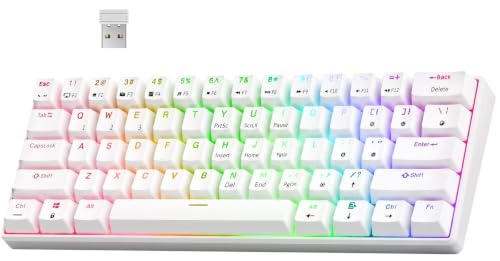
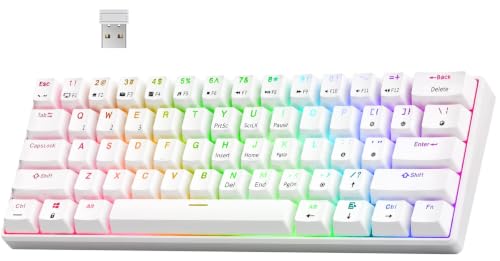
- RK ROYAL KLUDGE RK61 Wireless Mechanical Keyboard with Coiled Cable, White — Check on Amazon
- Keychron K8 Pro QMK/VIA Wireless Mechanical Keyboard, Hot-Swappable TKL Custom Programmable Macro Wired Keyboard with Gateron G Pro Blue Switch, White Backlit, PBT Keycaps for Mac Windows Linux — Check on Amazon
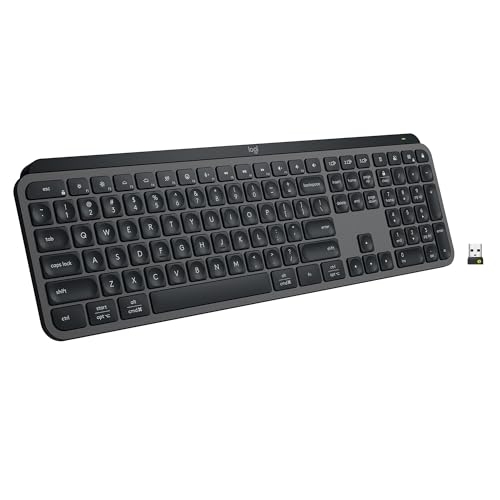
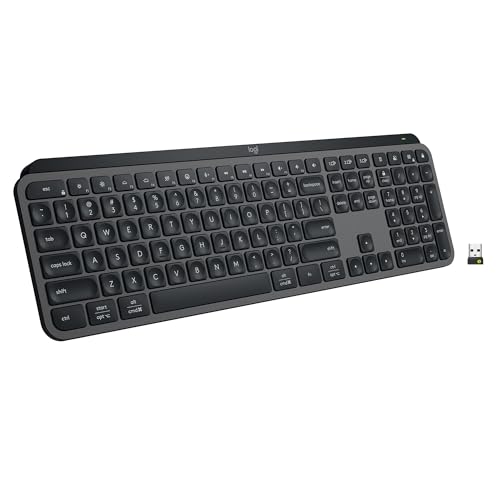
- Logitech MX Keys S Wireless Keyboard Low Profile Fluid Precise – Graphite — Check on Amazon


Frequently asked questions
What is the best keyboard size for most people?
Tenkeyless or 75 percent suits most mixed users: you keep arrows and a function row, lose only the number pad, and gain valuable mouse room. Go full-size if you enter numbers daily, and 60 percent only if you are comfortable using layers for missing keys.
Are mechanical keyboards better than membrane keyboards?
They feel different rather than simply better. Mechanical switches offer clearer feedback, durability, and customisation; membrane boards are quieter, softer, and usually cheaper. Your environment and preferences decide, which is why trying a switch type before buying helps so much.
How much should a first good keyboard cost?
Think in tiers rather than fixed figures: entry boards cover basic typing well, mid-tier boards add hot-swap sockets, better keycaps, and wireless, and premium boards refine materials and sound. Spend where you will feel it daily — switches and keycaps — rather than on lighting.
Do I need keyboard software?
Not for basic typing. Software or QMK/VIA support matters when you want remapped keys, macros, or layers, especially on compact layouts where those features replace missing physical keys. If you program a board once and it stores settings onboard, you may never open the software again.
Wired or wireless for gaming?
Wired remains the safest choice for competitive play. A good 2.4 GHz wireless board is fine for most players, while Bluetooth is best reserved for typing and multi-device convenience rather than fast-paced games.
What should I check when the keyboard arrives?
Test every key including modifiers and the function row, check for wobbly stabilisers on large keys, confirm the layout matches what you ordered, and type a long document to judge comfort. Catch problems inside the return window.
Related Guides
Keep exploring with these guides and roundups from the same desk and audio cluster: