The tower cooler vs low profile cooler decision is usually made by your case before you make it: a tower cooler stands 120–170mm tall and needs a conventional case, while a low profile cooler stays under roughly 70mm and exists for small-form-factor and slim cases where a tower simply does not fit. If a tower fits, choose the tower — it cools more, more quietly, for the same money. Low profile coolers are not worse products; they are the best possible answer inside a hard physical limit, and this comparison shows exactly what that limit costs and buys.
Both are air coolers using the same physics — heat pipes moving heat into fins, a fan moving air through them. The difference is how much fin, pipe and fan the available height allows, and how the air is directed: towers blow front-to-back, low profile coolers blow down onto the motherboard. Work out your case’s limit first with CPU Cooler Clearance Explained, then use the criteria below.
Disclosure: As an Amazon Associate, ilcastellomenu.com earns from qualifying purchases. Product examples below link to Amazon, where you can check current availability and specifications; this guide itself lists no fixed prices because pricing and bundles change frequently.
Tower cooler vs low profile cooler at a glance.
| Criterion | Tower cooler | Low profile cooler |
|---|---|---|
| Typical height | 120–170mm | Under ~70mm |
| Cooling capacity | Mainstream to flagship CPUs, overclocking headroom | Low- and mid-power CPUs; no overclocking headroom |
| Noise | Large fans at low speed; very quiet | Small fans spin faster; audible under load |
| Airflow direction | Front to rear, exits the case | Downdraft onto motherboard and VRMs |
| RAM clearance | Can overhang tall memory | Clears memory by design; may crowd other parts |
| Case fit | ATX / micro-ATX mid towers | Mini-ITX, slim and HTPC cases |
| Install access | Easy in open cases | Fiddly; screws hide under the fin stack |
Cooling Capacity: Height Is Surface Area
Why towers cool more
Cooling capacity tracks fin surface area and heat-pipe count, and height is what buys both. A dual-tower cooler carries two large fin stacks and five to seven heat pipes with two 120mm or 140mm fans; a low profile cooler compresses two to four pipes and a shallow stack into the height of a deck of cards, with a slim 92mm or 120mm fan doing its best on top. The result: towers handle flagship gaming CPUs and sustained loads, while low profile coolers are honestly rated for modest chips — fine for an efficient modern processor at stock settings, out of their depth beyond it. The TDP explainer, What is TDP for CPU Coolers, shows how to match those ratings to your CPU.
The downdraft consolation prize
Low profile coolers blow air down through the fins and across the motherboard, which incidentally cools the voltage regulators and memory around the socket — components a tower leaves to fend for themselves. In a cramped small-form-factor case with little airflow, that wash of air genuinely helps board temperatures. It is a real, if secondary, advantage, and part of why downdraft designs persist even in some open cases.
In this guide
Noise and Daily Comfort
Small fans work harder
To move a given volume of air, a slim fan must spin faster than a 140mm tower fan, and noise rises steeply with speed. A low profile cooler on a modest CPU at desktop loads is unobtrusive, but under a gaming load it will be the loudest part of a small build. A tower on the same chip loafs. If the PC lives under a TV or on a desk in a quiet room, that difference decides satisfaction — the same physics that makes flagship towers the silence kings in Air Cooler vs Liquid Cooler applies here in miniature.
Case acoustics amplify everything
Small cases place the cooler centimetres from a vented panel and from your ears, with no room for sound-damping. Budget for a quality low-noise fan curve, set in the BIOS, and expect to cap a power-hungry CPU’s boost behaviour in a truly tiny build. Choosing an efficient CPU matters more in small-form-factor than anywhere else; the coolers in Best CPU Coolers Under 50 show the value end of the tower market for builders whose cases can still take one.
Fit and Installation
The tower's two measurements
A tower needs its height under the case’s stated CPU-cooler clearance and its fin stack clear of your memory — both checks are detailed in How to Check Compatibility of a CPU Cooler. Cases in the mainstream class, like those in Best PC Cases for Air Cooling, are designed around exactly this format, so passing is routine.
The low profile cooler's hidden clashes
Low and wide instead of tall, these coolers spread over the motherboard: they can foul tall VRM heatsinks, the first PCIe slot on some mini-ITX boards, and M.2 heatsinks, and their mounting screws often hide beneath the fin stack where a normal screwdriver barely reaches. Check the cooler’s footprint diagram against your specific board — in small-form-factor, ‘compatible with the socket’ is only half the question. Installation follows the same sequence as How to Install a CPU Cooler, just with less room for fingers at every step.
Who Should Buy Which: The Verdict
Choose a tower whenever it fits
If your case accepts 150mm or more of cooler height, a tower gives you more cooling, less noise and easier installation for your money, with headroom for a future CPU upgrade. This is the default for ATX and micro-ATX builds and the recommendation throughout How to Choose a CPU Cooler.
Choose low profile when the case demands it
Mini-ITX shoebox builds, slim HTPCs and console-style cases leave no alternative, and within that world the advice is: pick the tallest low profile cooler your case accepts (every millimetre of fin helps), pair it with a CPU whose power draw respects the format, and set a thoughtful fan curve. You are optimising inside a constraint, and judged that way a good low profile cooler is an excellent product — it is only a bad one when forced to do a tower’s job.
The Middle Formats Nobody Puts in the Title
The comparison is framed as two extremes, but the catalogue between them is where many real builds land. Knowing the middle options prevents a false binary.
Short towers and top-flow designs
Between the 70mm low-profile ceiling and the 150mm mainstream tower sit short towers around 110–130mm — genuine towers with upright fin stacks and 92mm or 120mm fans, sized for compact ATX cases and older narrow mid-towers. They cool respectably, run quieter than low-profile designs, and deserve a look whenever your case’s limit falls in that band. Top-flow (downdraft) coolers also exist at moderate heights, blowing through a horizontal fin stack toward the board; they trade some CPU efficiency for excellent VRM and memory cooling and suit boards whose power delivery runs hot. The case, as always, arbitrates: measure its limit first with the method in CPU Cooler Clearance Explained, then shop the format the measurement selects.
When the case itself should change
Occasionally the honest answer to a format dilemma is a different case. If a build’s CPU choice keeps colliding with a slim case’s limits — cooler too weak, noise too high, upgrades blocked — the case is the constraint taxing every other part. Cases with proper tower clearance and airflow, like those shortlisted among Best PC Cases for Air Cooling, cost less than the cycle of compromise coolers they replace. This is not upselling; it is recognising which component is actually the problem. Small-form-factor is a legitimate aesthetic and footprint choice — but it should be chosen, with its cooling budget understood, not inherited by accident.
Matching the Format to the CPU, Concretely
Abstract capacity claims settle down when applied to the chips builders actually pair with each format.
Three pairings that work, and one that does not
An efficient six-core gaming CPU under a good low-profile cooler in a console-style case: works, quietly enough, at stock settings — the pairing small-form-factor exists for. A high-core-count workstation chip under a flagship dual tower in a ventilated mid-tower: works superbly, with headroom to spare. A mid-range chip under a mid-range tower: the invisible default that powers most of the world’s gaming PCs without comment. The pairing that does not work is the mirror of the first: a flagship, boost-happy CPU under a low-profile cooler because the case demanded it. Temperatures pin at the limit, clocks fall, the small fan screams — every part is quality, and the system is wrong. The format decision is a system decision, which is why How to Choose a CPU Cooler runs clearance and heat checks before it lets you look at a single product.
Acoustic Deep Dive: Why Small Fans Sound the Way They Do
Noise decided more of these builds than temperature does, so the acoustics deserve their own examination rather than a summary line.
Pitch, not just volume
A slim fan at high speed produces a higher-pitched, more tonal sound than a large fan’s low whoosh, and human hearing finds tonal noise more intrusive at the same measured volume. This is why two small-form-factor builds with identical decibel readings can feel completely different, and why low-profile cooler reviews that quote only a dB figure undersell the experience. The mitigations are real but partial: a fan curve that keeps the small fan out of its shrillest band during light work, a CPU whose power draw respects the format, and case placement that does not aim a vent at the listener’s ear. If the machine will live in a bedroom or a recording space, weight this section heavily — it is the difference between a build that is technically quiet and one that feels quiet at midnight.
The graphics card joins the argument
In most small builds the loudest component under gaming load is not the CPU cooler at all but the graphics card, whose compact coolers labour under the same physics. Choosing a low-profile CPU cooler to save height and then installing a screaming GPU is a coherent build only if the GPU’s noise is accepted as the system’s character. Judge the format question at system level: total noise, total heat, total fit. A tower-cooler build with a large, slow-spinning GPU is the quiet gaming machine; a small build is a compromise machine whose charm is its size. Both are legitimate — provided the compromise was chosen, priced and understood in advance.
Installation War Stories: The Screws You Cannot See
Low-profile installation has a reputation among builders that tower installation does not. The reputation is earned in specific, avoidable ways.
Access, order of operations and the dropped screw
On many low-profile coolers the mounting screws hide beneath the fin stack, reachable only at an angle with a long, thin screwdriver — and the fan must often be fitted after the heatsink, threading clips in a space measured in millimetres. The professional technique is order: fit the cooler to the board before the board goes into the small case, connect the fan cable before the cooler seats (some headers vanish beneath it), and keep a magnetic parts tray within reach because a screw dropped into a mini-ITX case is a ten-minute excavation. None of this is difficult; all of it is fiddly in a way tower installation, with its open access and visible hardware, simply is not. First-time small-form-factor builders should budget double the installation time and half the confidence — and will finish wondering what the fuss was about, which is exactly the right outcome.
Gear for This Guide
The examples below come from our Creators-API-verified product pool and illustrate the cooler classes discussed in this guide. They are examples, not a ranked list — use the criteria in this article to judge any model, including newer revisions.

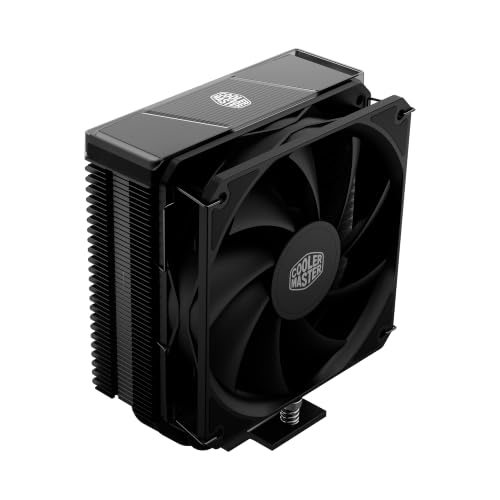
Cooler Master Hyper 212 Black II
A 152mm single tower is the mainstream reference: four heat pipes and a 120mm fan in a shape that needs a normal mid-tower case and rewards it with quiet, strong cooling. Cooler Master Hyper 212 Black II — Check on Amazon

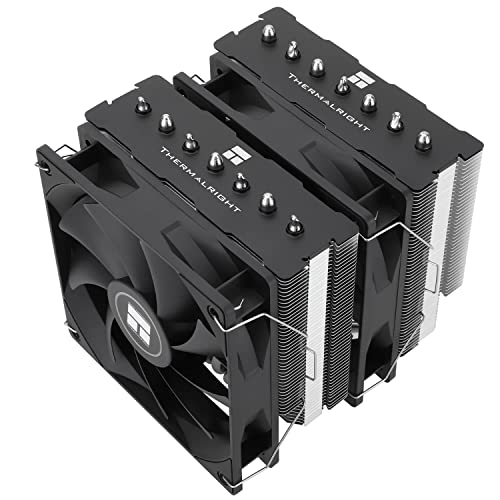
Thermalright Peerless Assassin 120 SE
A dual-tower design shows the tower format at full stretch — two fin stacks and two fans, cooling headroom a low-profile cooler cannot physically match. Thermalright Peerless Assassin 120 SE — Check on Amazon
tower cooler vs low profile cooler: The Short Version
If a tower fits, buy the tower. Low profile coolers are excellent engineering for a constraint — judge them inside that constraint, pair them with an efficient CPU, and they will do their job quietly enough.
Head-to-Head by Case: Where Each Format Actually Lives
The standard mid-tower with room to spare
When a case offers generous cooler height, the tower wins almost by default, and the interesting question becomes how much tower to buy. Its vertical fin stack aligns with the case’s natural front-to-back airflow, its large slow fan sets the acoustic character of the whole machine, and its mounting hardware is the most mature in the industry. A low-profile cooler in the same case is not wrong, but it spends the case’s one great asset — volume — on nothing, while giving up surface area, fan size and future headroom. The only mid-tower argument for low-profile is a deliberate one: a build planned around a future transplant into a small case, where buying the small cooler now avoids buying twice.
The slim media and office case
Below a certain case width, the contest ends: only the low-profile format fits, and its job description changes. In a horizontal media case under a television, or a slim office tower, the processor is usually a modest-power part chosen for exactly this life, and a low-profile cooler with a quiet 92mm or slim 120mm fan handles it indefinitely while also washing air over the board’s regulators — a side benefit tower coolers never provide. Judge these builds as systems: the case, the chip’s power class and the cooler were selected together, and criticising the little cooler for failing at a flagship’s workload is criticising a bicycle for losing a motorway race it was never entered in.
The small-form-factor enthusiast build
Compact performance cases are where the comparison gets genuinely interesting, because they are engineered around specific cooler heights and the community knows, to the millimetre, which towers fit which cases with which memory. In this world the tower-versus-low-profile question is answered by the case’s designer before you shop, and your real decision is which side of the line your case sits on. A case built for a short tower gives you most of the tower’s virtues — surface area, a full-size fan, front-to-back flow — in miniature. A case built for low-profile only gives you the downdraft’s board-cooling bonus and a hard ceiling on processor power class. Read the case’s cooler specification as a processor compatibility list in disguise, because that is what it is.
Scenario Verdicts: Six Owners, Six Answers
The competitive gamer on a mainstream chip: tower, mid-range, fans capped — the bursty load never heat-soaks it and the silence at the desk is total. The home-theatre builder: low-profile, chosen with the case, because the machine’s success is measured in whether you hear it during a quiet film scene. The workstation owner rendering overnight: the largest tower the case accepts, because sustained load is surface area’s home ground and the small format has no answer to it. The student with a PC that moves twice a year: low-profile deserves a serious look even in a mid-tower, because its low mass and low centre of gravity travel kindly and ask nothing of the socket in transit. The upgrader with a hot-running older flagship: tower, and the biggest that fits, because that chip’s sustained draw is exactly the low-profile format’s documented limit. The parent building a first PC with a child: tower, for the installation ergonomics — visible screws, reachable clips, a mount you can inspect together — because in a teaching build, the cooler you can fit confidently beats the cooler that saves four centimetres.
Long-Term Ownership: Fans, Dust and the Decade View
Ownership separates the formats quietly. A tower’s fan is a standard size, shared with case fans across the industry, replaceable in minutes for years to come, and its deep fin stack tolerates a surprising amount of dust before performance notices — while also being easy to blow through in a straight line. A low-profile cooler’s fan is often a slim or non-standard size, sometimes proprietary in its mounting, and its dense, shallow fins clog faster in the same room because the whole stack presents a thin filter’s worth of depth to the air. In a dusty home, the little cooler needs attention more often, in a case that is usually harder to open, cooling a machine that is usually tucked somewhere awkward. None of that disqualifies it — media PCs live that life happily for a decade — but it belongs in the purchase decision beside the temperature charts, especially for a machine you are building for someone else, whose maintenance habits you cannot set. The kindest cooler for a non-technical owner is the one whose service interval is longest and whose fan a local shop can replace from stock, and in most towns that description fits the tower’s standard fan and not the slim one’s.
Second-hand and spare-parts reality
The used market tells the same story. Towers circulate abundantly with their brackets, because they survive builds and get resold; a buyer can verify one in a photograph. Low-profile coolers circulate less, their slim fans age invisibly, and a missing proprietary clip can orphan an otherwise good heatsink. If your build strategy involves buying used and selling on — a legitimate way to run a hobby — the tower’s ecosystem is deeper at every step: more listings, more spare fans, more bracket kits, more photographed builds proving a fit before you commit.
The Downdraft Bonus, Examined Properly
Low-profile coolers blow down through their fins onto the motherboard, and that airflow pattern is the format’s one unambiguous technical gift. The air leaving the fins washes across the processor’s power-delivery components, the memory and the chipset area — parts that in a tower build depend on whatever case airflow happens to wander past. On boards with modest regulator heatsinks running a mid-range processor hard, downdraft cooling can leave those components measurably cooler than a tower installation does, and in fanless-feeling small cases it may be the only directed air those parts ever receive. This is why some small-form-factor veterans defend the format beyond its processor temperatures: they are cooling a neighbourhood, not a chip. The gift has a price, paid in recirculation — the downdraft’s exhaust is also its intake’s neighbour, and in a cramped case some warmed air circles straight back into the fan, which is one reason the format’s processor temperatures plateau where they do. Perforated case panels directly above the fan break that circle by feeding it room air, which is why the best small cases put their holes exactly there, and why a low-profile cooler under a solid panel is a design argument between the case maker and the cooler maker that the owner loses.
When the Verdict Flips: Five Edge Cases
The tower loses when the PC travels, when the case will be transplanted into a smaller shell next year, when the motherboard’s regulators run hot and crave the downdraft’s wash, when the build is a media machine whose success is acoustic invisibility at two metres, and when the owner simply cannot fit a hand around a tower in a case that must stay assembled for other upgrades. The low-profile loses when the processor’s sustained draw climbs into flagship territory, when the room is hot, when the case’s intake is a solid panel that starves the little fan, when the owner renders or compiles for hours, and when silence at high load — not silence at idle — is the requirement, because high-load silence is surface area, and surface area is height. Notice that every flip is about context, not quality: both formats contain excellent and mediocre products, and the format decision merely sets the ceiling that product quality then reaches toward. Choose the ceiling your life actually needs, then buy the best product under it — the shortlists among the best CPU coolers for gaming are organised exactly that way, by the builds the coolers must serve.
Measuring Your Case Like You Mean It
Because this entire comparison is decided by fit, end with measurement discipline. A case’s published cooler clearance is measured to a panel that may bow, over a motherboard tray whose standoff height varies, for a socket position that shifts between board layouts. Measure your own: from the processor’s installed surface — or the socket’s documented height above the board — to the inside of the closed side panel, with a straight edge and a ruler, and write the number down with its date. Then hold both formats against it honestly. A tower that fits with three millimetres to spare fits; a tower that fits with zero does not, because the panel, the tolerance and the cable you forgot all vote. Low-profile’s eternal advantage hides in this paragraph: it has never once failed a measurement. When the number is close, that certainty is worth degrees — a cooler installed beats a cooler returned, every single build day.
Installation Ergonomics: The Hour Your Hands Remember
Beyond the war stories, the two formats ask different things of your hands, and for builders with limited dexterity, large hands or a case that cannot come to a bench, the difference is practical, not theoretical. A tower install happens in open space: the screws stand vertical and visible, the fan clips can be hooked with fingertips, and the whole assembly can be inspected from three sides before the panel closes. A low-profile install happens in a well: the screws hide under the fan or at the fin stack’s edge, the working height above the board may be a few centimetres, and in a small case your own hand shadows the work light. None of this is impossible — millions of small PCs exist — but if you are choosing a first build to assemble with a child, or rebuilding a machine your hands no longer find easy, the tower’s ergonomics are a kindness you will feel in the first ten minutes. The counterpoint is weight and alignment: a big tower must be lowered squarely onto the paste while its screws are started, a two-handed coordination the low-profile’s light, flat body makes trivial. Each format has one awkward moment; they are simply different moments, and you may as well choose the one your hands prefer.
What About the Stock Cooler’s Format?
Many processors ship with a bundled cooler, and it is almost always a low-profile downdraft design — which quietly teaches an important lesson about this comparison. The chip makers bundle that format because it fits every case, cools the board’s regulators as a bonus, and handles the processor’s stock power limits in a test-bench environment. Its existence proves the format’s legitimacy at stock settings; its limitations appear at the edges the makers did not promise: sustained loads in warm rooms, silence as a requirement, raised power limits. When owners upgrade from the bundled cooler, they are rarely fleeing the format — they are fleeing the size, the fan quality and the acoustic budget of a part designed to be adequate and inexpensive. A premium low-profile cooler is the same idea executed without those compromises, which is why “keep the format, upgrade the execution” is a real strategy for small cases, while tower converts are usually changing format because their case finally allows it or their workload finally demands it. Knowing which of those two shoppers you are — format-loyal or format-limited — clarifies the entire catalogue in one step.
A Note on Hybrid Cases and Convertible Builds
A growing family of cases refuses to choose: compact towers that accept a short tower cooler today and advertise a transplant path into an even smaller shell tomorrow, and cube cases whose cooler clearance sits exactly on the border between the formats. For these, the decision rule is to buy for the tighter of the two futures you genuinely intend. If the small transplant is a real plan with a date, the low-profile cooler that survives both homes is the economical buy, and its compromise in the larger case is temporary and known. If the transplant is a pleasant daydream, buy the tower the current case deserves and let the future build buy its own cooler — plans that never happen should not tax the machine you use every day. Convertible cases also reward the measurement habit more than any other kind, because their clearances are quoted for configurations — drive cages in or out, panels in this position or that — and the configuration in the photograph is rarely the one on your desk. Measure the build you have, in the layout you use, and both formats will tell you the truth about whether they belong in it.
Frequently Asked Questions
Can a low profile cooler handle a gaming CPU?
A modest, efficient gaming CPU at stock settings, yes — that is the workload low profile coolers are rated for. A high-end chip with aggressive boost behaviour, no: the fin stack and fan are physically too small, and the result is high temperatures, throttling and noise. Match the cooler to the chip’s real power draw using What is TDP for CPU Coolers.
Why are low profile coolers louder?
Physics: a slim fan must spin faster than a large fan to move the same air, and noise rises steeply with speed. The cooler is also usually centimetres from a vented panel in a small case, close to your ears. A thoughtful fan curve and an efficient CPU choice are the mitigations; there is no defeating the geometry.
Does a tower cooler always beat a low profile cooler?
On cooling capacity and noise per degree, yes — it has several times the fin area and larger fans. The low profile design wins only where the tower cannot go: height-limited cases. It also blows air across the motherboard’s voltage regulators, a small genuine advantage in cramped cases. The verdict is about fit, not about one design being ‘bad’.
How tall is a typical tower cooler?
Mainstream single towers run about 150–160mm; flagship dual towers reach 165–170mm; low profile coolers stay under roughly 70mm. Always compare the exact model’s height against your case’s stated maximum CPU cooler clearance, with a few millimetres of margin — the method is detailed in CPU Cooler Clearance Explained.
Can I use a low profile cooler in a big case to save money?
You can, but it is rarely wise: a budget tower costs similarly, cools far better and runs quieter, and the big case has the room. Low profile pricing reflects engineering into a constraint you do not have. Spend the same money on the tower class, as the shortlists in Best CPU Coolers Under 50 illustrate.
Do low profile coolers clear tall RAM?
Generally yes by width rather than height — they spread over the board instead of standing over the slots. But that spread creates its own clashes with VRM heatsinks, M.2 heatsinks and the first PCIe slot on some mini-ITX boards. Check the cooler’s footprint diagram against your exact motherboard before ordering.
Can I put a low-profile cooler on a high-end processor if I accept higher temperatures?
You can, and the processor will protect itself — by throttling, which means it will quietly deliver less performance than you paid for whenever the load lasts. That trade is occasionally rational: a deliberately power-limited flagship in a media build, capped in the BIOS to a level the cooler handles, can be a sensible way to reuse a chip. What is not rational is running the chip at full limits and accepting the throttle as the cooling strategy, because you have bought performance the cooler then confiscates. Set the limit deliberately, verify the cooler holds it silently, and the arrangement is engineering; skip those steps and it is just a bottleneck with good intentions.
Why do some low-profile coolers cost as much as good towers?
Because shrinking a heatsink without surrendering performance is expensive engineering. Dense fin stacks, vapour-chamber bases, premium slim fans with carefully tuned blade geometry and low-profile mounting hardware that must work in millimetres of space all cost money to design and make, and they sell in smaller volumes than mainstream towers. The price buys genuine capability within the format’s ceiling — the best low-profile coolers are remarkable objects — but it cannot buy the ceiling away. Judge them against other low-profile coolers and against the value of the centimetres they save you, never against a tower’s raw temperatures per unit of money, a contest physics has already decided.
Does a tower cooler stress the motherboard more than a low-profile one?
At rest on a desk, no meaningful stress exists in either case: mounting systems distribute the tower’s weight through a backplate exactly as designed, and boards are built and tested for it. The stress that matters is dynamic — drops, knocks and transport — where a tall, heavy tower acts as a lever on the socket area and a low, light cooler barely acts at all. That is why the advice separates by lifestyle rather than by product: desk-bound machines can ignore the question entirely, while machines that travel should either choose the low format, remove the tower for transit, or pack the case interior so the cooler cannot swing. The board does not care about the cooler’s weight; it cares about the cooler’s momentum.
Which format is easier to clean and maintain?
The tower, on every axis. Its fins can be blown through in a straight line, often without removing anything; its fan unclips in seconds and is a standard size; and the case around it usually opens with two thumbscrews. A low-profile cooler sits in a tighter case, its shallow dense fins clog sooner and hide their dust mat under the fan, and cleaning it properly often means removing the fan and working in a space designed for assembly, not service. If the machine will live somewhere dusty or be maintained by someone who will not relish the job, that service difference compounds year after year, and it is a fair tiebreaker in an otherwise even decision.
My case fits a tower, but only just. Is the tight fit a problem by itself?
A tight fit is a problem in three small ways that add up. The panel sits close enough to the fin stack to pick up its vibration and sing along at certain fan speeds. The tower’s intake draws from a shallow layer of air between the fins and the panel or the graphics card, which can cost a degree or two against the same cooler in a roomier case. And every future job inside the machine — a memory upgrade, a cable change — begins with working around a heatsink that fills the available hand space. None of these is a defect, and a tight tower still out-cools a low-profile in the same box. But if your measured margin is truly a millimetre or two, the honest options are the tower fitted with full knowledge of those annoyances, or a slightly shorter tower one tier down that restores working room — not the fantasy that the numbers will be kinder in person than they were on the ruler.
Do low-profile coolers work well in a tower case as a deliberate silence strategy?
Occasionally, and only for low-power processors. The theory — a downdraft in a big case has endless room air — collides with the format’s small fan, which must spin faster than a tower’s large fan to move the same air through a denser stack, and fan speed is noise. For a genuinely low-power chip in a quiet office build, a premium low-profile cooler can be inaudible and leaves the case feeling spacious and easy to service, which some builders value. For anything with real sustained load, the tower achieves the same temperatures at lower fan speeds in the same case, and silence follows the fan speed. Choose the downdraft in a big case for its board-cooling wash or its service space, with a modest chip — not as a silence shortcut for a hot one.
Which format should I choose for a PC built into a desk or drawer?
Low-profile, because furniture builds are airflow builds before they are anything else. A drawer or desk cavity offers a shallow layer of air, usually drawn from a vent at the back or below, and a downdraft cooler’s intake can be positioned to drink directly from that vent path in a way a tall tower, standing across the airflow, cannot. Keep the processor’s power class modest, give the cavity a genuine intake and exhaust rather than a single hopeful hole, and monitor temperatures through the first warm week. Furniture hides computers beautifully and ventilates them reluctantly, so the format that fits the furniture’s air — low, flat and close to the vent — wins over the format that wins on a bench.
If I can only afford one upgrade, should it be a bigger tower or a better low-profile cooler?
Whichever removes your actual bottleneck. If your current cooler is a stock downdraft and your case accepts a tower, the tower is the larger step by a wide margin — more surface, a bigger and quieter fan, and headroom for a future processor — and it is where the money belongs. If your case forbids towers, the premium low-profile is not a consolation prize but the correct ceiling-raiser within your format, and its better fan and denser engineering will be audible in the best way. The mistake is upgrading within a format your case has already outgrown, or pining for a format your case forbids; measure the box, name the bottleneck, and the upgrade chooses itself.
And if the measurement says both formats genuinely fit your life — the case is mid-sized, the chip is mid-power, the machine stays home — take the tower for its headroom and forgive it its size, because headroom is the one property that quietly improves every other property this comparison has discussed, from noise to dust tolerance to the processor upgrade you have not planned yet.
Does the choice change if the PC is for a child or an elderly parent?
It can, through maintenance rather than performance. A machine you build for someone else should minimise the service it demands and maximise the chance that a local shop can help with it. That argues for the tower in a standard case: standard fan, easy cleaning, parts everywhere. In a small media build for a parent, the low-profile still wins on fit, but choose the model whose fan is a standard slim size and leave the owner a one-line note of what it is. Designing for the maintainer — who is often not you, and never the benchmark chart — is the last refinement of this whole comparison.
Leave that note taped inside the side panel, with the fan size and the date of the build, and you have given the machine’s next maintainer the same gift this guide tries to give you: the right information, in the place it will be needed, before it is needed.
It takes ninety seconds to write and can save a stranger an evening of detective work years from now, which is a fine return on ninety seconds.
Do it before the panel goes back on.
Related Guides
Keep exploring with these guides and roundups from the same CPU-cooling collection: