Disclosure: As an Amazon Associate, ilcastellomenu.com earns from qualifying purchases. Product examples below link to Amazon, where you can check current availability and specifications; this guide itself lists no fixed prices because pricing and bundles change frequently.
The prebuilt vs custom gaming PC decision is not a test of whether you are a ‘real’ PC gamer — it is a practical trade between money, time, warranty structure and control. Prebuilts have become genuinely good, custom building has become genuinely easy, and the honest answer depends on your budget, your confidence and how much you value choosing every part. This guide compares them criterion by criterion and ends with clear recommendations for each type of buyer.
Whichever side you land on, the selection criteria are the same — the method in How to Choose a Gaming PC applies to judging a prebuilt’s parts list exactly as it does to writing your own. Keep that guide open beside this one and every claim below becomes checkable rather than rhetorical.
Prebuilt vs Custom Gaming PC: The Quick Verdict
Choose a prebuilt if you want one warranty, one delivery and zero build risk, if your time is worth more than the typical saving, or if a good sale brings a complete system to parts cost. Choose custom if you enjoy the process, want specific components (a particular case, cooler or power supply tier), plan a long upgrade path on a chosen platform, or are reusing parts you already own. Choose the middle path — a configurable prebuilt where you select the parts and the company assembles them — if you want control without holding the screwdriver.
Notice what is not in the verdict: a performance difference. The same components perform the same in either route. What differs is everything around the performance — who chose the parts you did not specify, who you call when something fails, and who did the cable management you will stare at for five years.
In this guide
Cost: The Honest Arithmetic
Custom building usually wins on paper because you pay no assembly margin and can hunt sales part by part over weeks. But the honest comparison adds what builders forget: Windows, shipping on multiple orders, and the value of your build evening. Prebuilts, meanwhile, buy components at scale and periodically sell complete systems at prices parts cannot match, especially during major sale events — at which point the arithmetic flips and the prebuilt is simply the cheaper machine, full stop. The correct method is boring and decisive: write the exact parts list, price it both ways on the day, and believe the spreadsheet over the folklore.
Watch the prebuilt parts list for the classic savings pattern: a headline processor and graphics card carried by an unspecified power supply, a single stick of memory, a small SSD and a sealed case. Those are the corners that get cut because they do not photograph. A prebuilt that names its power supply model, ships dual-channel memory and uses a standard motherboard has told you it is not playing that game — and listings in roundups like Best Gaming PC for Under 2000 are a useful benchmark for what transparent specification looks like at a given tier.
Warranty, Support and Risk
This is the prebuilt’s strongest suit. One company owns the whole machine: if it fails, you describe symptoms, not components, and the diagnosis burden is theirs. For a first gaming PC or a gift, that single point of accountability is worth real money. The custom builder’s warranty is a drawer of separate component warranties — often longer and sometimes better per part, but the diagnosis is yours, and a fault must be isolated to a component before anyone helps you. Our troubleshooting guides exist partly because builders accept that trade knowingly.
| Criterion | Prebuilt | Custom | Edge |
|---|---|---|---|
| Total cost | Assembly margin, but bulk pricing and sales | Parts only, sale-hunting rewarded | Depends on the day — price it both ways |
| Time to playing | Unbox and update | An evening’s build plus setup | Prebuilt |
| Component choice | Menu-level control at best | Total | Custom |
| Warranty | One throat to choke | Per-part, self-diagnosed | Prebuilt for simplicity |
| Upgrade path | Varies — check PSU, case, board standards | Designed in from the start | Custom, usually |
| Build quality variance | Depends on the brand’s care | Depends on your care | Tie — both can be excellent or sloppy |
| Learning and satisfaction | Minimal | Substantial, and genuinely fun for many | Custom, if you value it |
Risk cuts both ways, fairly stated. The builder risks a bent pin, a forgotten cable or a DOA part and a week of returns. The prebuilt buyer risks a badly seated component from shipping, a bloatware-laden Windows install, and proprietary parts discovered years later at upgrade time. Neither risk is disqualifying; both are managed by choosing reputable sellers and inspecting the machine — whichever route built it — in its first week with the checks in our other guides.
Upgradeability and the Long Game
A gaming PC’s second life is decided by its platform: power supply headroom, case space, motherboard standards. Custom builders choose these deliberately, following the logic in How to Upgrade a Gaming PC. Prebuilts split into two families — those built from standard retail parts on standard boards, which upgrade beautifully, and compact or proprietary designs that resist everything. The dividing line is researchable before purchase: look for a standard ATX or micro-ATX motherboard, a named power supply with spare wattage, and a case with empty drive and memory slots, and a prebuilt can offer the same long game as a custom build.
Also weigh the software experience. Prebuilts may arrive with trial software and vendor utilities you did not ask for; a clean Windows reinstall is a legitimate first evening’s task. Custom builds start clean by definition, though you inherit driver-hunting as your own chore. Neither is a reason to choose; both are expectations to set.
Who Should Choose Which: Final Recommendations
First-time owners, gift buyers, and anyone whose free evenings are scarce: buy a transparently specified prebuilt from a reputable maker, verify it thoroughly in week one, and play games instead of couriers-and-returns. Enthusiasts, upgraders with parts on hand, and anyone who suspects they will enjoy the build itself: build — the satisfaction is real, the control is total, and the knowledge compounds every time you maintain or upgrade the machine, with guides like Gaming PC vs Gaming Laptop helping on the next fork in the road. The undecided middle: a configurable system from a builder who lists every part by name is the honest compromise, and it is a bigger, better market than it used to be.
Whichever you choose, the machine’s quality will be determined less by the route than by the balance of its parts — which is why the last word belongs to the criteria, not the category. Compare complete systems at your tier in Best Computers for Gaming before deciding, and let a priced parts list, not a slogan, make the final call.
The Configurator Middle Path, Examined
Between the shelf prebuilt and the home build sits the configurable system: you pick from a menu of named parts, the company assembles, tests and warrants the whole. It deserves more attention than it gets, because it dissolves the comparison’s hardest trade — component control versus single warranty — for a fee that is visible and comparable. Judge configurators by the menu’s honesty: brand-named power supplies and motherboards on the list, sensible default pairings, and no punitive pricing on the sensible options. A configurator whose menu hides the same corners a bad prebuilt hides has merely sold you the screwdriver work back.
For many buyers this is the correct answer and there is no shame in its premium: you are purchasing assembly skill, burn-in testing and one accountable warranty, which are real goods. The custom-build romantics who sneer at it are usually people whose evenings are cheaper than yours. Price the same parts list three ways — shelf, configured, self-built — and the decision becomes arithmetic rather than identity, which is where this guide has wanted it all along.
What a Good Prebuilt Looks Like in Week One
Whichever route built your machine, week one has a checklist, and prebuilt owners skip it most often because the box felt finished. Open the case (it does not void a reputable warranty) and confirm the cables are seated, the GPU support or shipping protection is removed, and no packaging remains inside. Verify the installed components match the invoice with a system-information tool. Confirm the memory runs in dual channel at its rated speed — the single most common prebuilt setup miss — and that the display is plugged into the graphics card rather than the motherboard, the most common prebuilt performance tragedy of all, quietly halving a new owner’s frame rates.
Then update Windows and the graphics drivers fully, run your games with temperatures visible for one session, and only then remove the trial software you do not want, keeping the vendor utilities that manage fans and lighting if you use them. A machine that passes week one has earned trust; a machine that fails it has failed inside the window where remedy is easiest. This ritual is the prebuilt equivalent of the builder’s first boot — the moment a collection of parts becomes your computer.
Resale, Hand-Me-Downs and the Second Life
The routes diverge again at the end of a machine’s first life. A custom build disassembles into assets: the graphics card, storage, case and power supply each carry value into the next build or the second-hand market, where named parts sell easily. A standard-parts prebuilt shares most of that advantage; a proprietary prebuilt may resist even being opened gracefully, and its second life is as a whole machine — a family PC, a media box, a first computer for a younger player — which is a perfectly good ending, provided you bought it knowing that was the plan.
None of this should dominate a first purchase, but for players who upgrade on a rhythm, the parts-ecosystem effect compounds: the second custom build is cheaper than the first because the case, supply and storage carry over, and the third cheaper still. Prebuilt ownership restarts the meter each time. Over a decade of gaming, that difference is one of the strongest financial arguments in this entire comparison — and it only accrues to buyers who chose standard, reusable components from the very first machine.
The Same Budget, Spent Both Ways: A Thought Experiment
Imagine a fixed sum handed to two buyers on the same day. The first buys a well-specified prebuilt on sale: the parts are a class lower than the brochure’s headline suggests, but the whole is coherent, warranted and playing games by Friday. The second assembles a parts list over a fortnight of sales: a stronger graphics card class, a named power supply, a case chosen for airflow — and spends one long evening building, one shorter one troubleshooting a forgotten front-panel connector, and arrives at games the following weekend with the faster machine and a working knowledge of its every cable.
Neither buyer erred. The first purchased time and certainty; the second purchased performance and knowledge, and paid in evenings. The experiment’s point is that ‘which is better’ has no answer until the currency is named — and for real buyers the currency is personal: a parent buying for a teenager, a professional whose evenings are billed elsewhere, a hobbyist for whom the build evening is itself recreation. The comparison tables in this guide price the hardware; only you can price your hours and your appetite for a support line versus a screwdriver.
There is one asymmetry worth carrying away. The prebuilt buyer’s decision is finished at purchase, for better or worse; the builder’s decision keeps paying small dividends — every upgrade, every cleaning, every troubleshooting session is cheaper in knowledge because the machine is known from the inside. Over a decade of ownership that familiarity compounds into the strongest long-term argument for building at least once. And its mirror is equally true: the player who builds once, learns the lesson, and happily buys prebuilt forever after has not regressed — they have priced their time with data.
The Hidden Ledger: Time, Tools and the Value of a Weekend
Every comparison of prebuilt and custom eventually arrives at cost, and most do the accounting dishonestly by counting only money. A custom build also costs time: research hours, assembly hours, troubleshooting hours when something does not boot, and the learning curve paid in anxiety the first time. Those hours are not free, and they are not wasted either — many builders count them as the hobby’s best hours. The honest comparison prices both currencies and lets the buyer decide which they hold more of.
Tools and workspace belong in the ledger too. A first-time builder needs a clear table, good light, a screwdriver, and somewhere safe to put screws and side panels; most households can improvise all of it, but the improvisation is a real cost in friction. A prebuilt’s buyer needs a doorway wide enough for the box. Neither requirement is decisive, but pretending the custom route needs nothing but parts is how beginners end up assembling a PC on a bed at midnight, learning about static and lost screws simultaneously.
There is also the cost of being your own support department, which accrues over years rather than on build day. When a custom machine misbehaves, the diagnosis is yours; when a prebuilt misbehaves inside warranty, a phone call starts someone else’s process. Some owners find self-support empowering and even enjoyable — the machine is theirs in a way a sealed box never is. Others experience it as an unpaid second job that arrives at the worst moments. Know which owner you are before the comparison starts, because this single trait predicts satisfaction with either route better than any benchmark.
Component Quality: Where the Two Routes Actually Differ
The stereotype says prebuilts cut corners and customs do not; the truth is that both routes contain excellent and terrible specimens, and the corners are cut in predictable places. In prebuilts, the pressure points are the parts that do not appear in advertisements: power supply quality, memory configuration — a single stick where two belong is the classic silent tax — storage speed within a capacity class, and motherboard features. The headline CPU and GPU are usually exactly as advertised, because those are the lines buyers check. The supporting cast is where the margin hides.
Custom builds cut corners too, but the corners are chosen by the builder’s own blind spots: the glamorous GPU funded by a bargain power supply, the flagship CPU under a cooler that cannot sustain it, the fast memory installed without its rated profile ever being enabled. The difference is agency. A prebuilt’s compromises were made for you, by someone optimising their margin; a custom build’s compromises are yours, made by your priorities, and correctable when you know better. Neither is automatically superior — but only one of them teaches you anything.
The practical defence is identical on both routes: reduce any machine to its five honest lines — GPU, CPU, memory capacity and configuration, storage type, power supply identity — and compare those. A prebuilt that survives the reduction with named, quality parts is a good prebuilt, and they exist in every generation. A custom parts list that cannot survive its own reduction was never a plan. Our gaming pc buying guide builds its whole checklist around this reduction, whichever route you take.
The First Month: How Each Route’s Ownership Actually Feels
Week one with a prebuilt is mostly logistics: unbox, inspect for shipping damage, verify the specification matches the order, remove the bloatware that every prebuilt seems to carry like a welcome gift, and run a sustained load test while the return window is wide open. The machine’s personality arrives pre-installed, for better and worse, and the owner’s job is audit rather than authorship. Done well, it is a calm week — and the calm is precisely what the buyer paid for.
Week one with a custom build is authorship with consequences. The build itself, the first boot’s held breath, the driver installations, the moment the memory profile is enabled and the benchmark confirms the machine is what the spreadsheet promised — these are experiences prebuilt buyers never have, and builders remember them for years. The same week contains the failure modes: the no-boot evening, the connector that was not seated, the BIOS that needs updating before the CPU is recognised. Builders should budget the week honestly: the triumph and the troubleshooting are the same product.
By month three the routes converge more than either camp admits. Both machines play the same games, both accumulate the same dust and software cruft, and both owners have largely forgotten the purchase drama. The durable differences are the ones this guide keeps returning to: who holds the warranty, who knows the machine’s insides, and whose parts were chosen by whom. Choose for the durable differences, not for the first week’s theatre.
Upgrade Paths: The Decision That Echoes for Years
The purchase is a snapshot; the upgrade path is the film. Judge both routes by what they let you do in year two and three. A custom build on standard parts is an open field: any component can be replaced, the platform’s ceiling is known, and the case and power supply were chosen — if you chose well — with the next GPU already in mind. The machine can grow in the directions your gaming grows, and its owner holds every key.
Prebuilts divide sharply here, and the division is knowable before purchase. Mainstream prebuilts built on standard motherboards and power supplies upgrade nearly as freely as customs, and are the honourable middle of the market. Compact and aggressively priced prebuilts often use proprietary boards, unusual power supplies and cases with no clearance, and their upgrade path is a corridor that ends at memory and storage. Neither is a scam — the corridor machines are cheaper partly because they are corridors — but a buyer who plans to upgrade must buy the open field, whichever badge is on the front.
Ask the upgrade questions explicitly before money moves: Is the power supply a standard unit, and what is its wattage? Does the case fit a full-length graphics card? Are memory slots free? The answers take five minutes to obtain and decide five years of options. Our guide on how to upgrade a gaming pc assumes a machine that can be upgraded; this section is how you make sure yours is one, whichever route built it.
Resale, Trade-In and the End of the Story
Machines leave eventually, and the routes part company again at the exit. A custom build disassembles into individually saleable parts, and its desirable components — above all the GPU — often retain value that a whole-machine sale would not capture. The builder’s knowledge pays a final dividend here: they know what each part is, what it is worth, and how to describe it honestly, because they chose it all once before.
A prebuilt sells as a unit, which is simpler and usually less lucrative per component, but it sells with a story a parts list cannot tell: a known brand, a complete working system, sometimes remaining warranty. For buyers in the second-hand market — parents, students, first-time players — a complete, warranted prebuilt is often the rational purchase, which means your prebuilt has a natural audience when you are done with it. Simplicity is a feature at both ends of ownership.
Either way, prepare the exit properly. Wipe storage securely, remove your accounts and licences that do not transfer, clean the machine physically — a clean PC photographs and sells like a cared-for one, because it is one — and include whatever accessories and boxes you kept. The care you take at the exit is the last place the two routes agree: a well-kept machine, honestly described, finds its next owner quickly, and the hobby’s great hand-me-down chain turns one more link.
The Middle Routes Deserve Their Own Honest Look
The comparison is usually framed as a binary, but a large middle territory exists and for many buyers it is the correct address. Configurator services — where you choose the parts and a company assembles, tests and warranties the whole — sell exactly the custom build’s component freedom with the prebuilt’s accountability. Their compromises are real: assembly fees, a parts catalogue narrower than the open market, and shipping a large fragile object. Their virtue is also real: one warranty, one throat to choke, and parts you actually picked, including the power supply.
A second middle route is the assisted build: you buy the parts, and a local shop or an experienced friend assembles them for a fee or a favour. This preserves total component freedom and removes the first-timer’s riskiest hours, at the cost of a warranty picture that fragments back into per-part coverage. For a buyer whose only objection to custom was the assembly itself, this route dissolves the objection — and it supports the local repair shops that both routes’ owners eventually need for something.
A third is the staged route already mentioned: a standard-parts prebuilt now, upgraded into effective customhood over the years. What unites all three middles is that they treat the binary as what it is — a spectrum of who chooses, who assembles and who answers the phone — and let the buyer place themselves at the point their money, time and temperament actually occupy. The worst purchases in this category are made at the poles out of ideology; the best are made in the middle out of self-knowledge.
Decision Summary: Matching the Route to the Buyer
Compress the whole comparison into the traits that actually predict satisfaction. Choose custom when you enjoy or want to learn the machine’s internals, when your upgrade ambitions are specific and long-term, when you can absorb a troubleshooting weekend without it ruining anything important, and when component-level control — the exact power supply, the exact memory configuration — matters to you more than a single warranty number to call.
Choose prebuilt when your time is genuinely scarce or expensive, when the machine’s downtime would cost you more than money, when the buyer is not the user — gifts and family machines — or when your honest self-assessment says the inside of a PC holds no charm for you and never will. There is no virtue tax on that answer; the prebuilt industry exists because it is the right answer for a great many people, and a well-chosen prebuilt, audited with this guide’s five-line reduction, is a good machine by any standard.
Choose the middle when you want your parts picked and your weekends back. And whichever you choose, perform the same closing ritual: verify the specification on arrival, run the burn-in, record the baseline, and keep the paperwork. The routes differ in how a machine comes to you. Ownership, from day two onward, is the same craft for everyone — and it is a craft this site’s guides exist to teach.
What the Comparison Looks Like in Five Years
Stretch the timeline and the two routes’ characters clarify. The five-year-old custom build is usually on its second GPU, its original platform still serviceable, its owner fluent in its every cable — a machine that has been continuously renewed rather than replaced, with its total spend spread across the years in step with the owner’s ambitions. Its risks have also had five years to apply: it is only as reliable as its owner’s maintenance, and its warranty is a drawer of individual receipts, most of them expired.
The five-year-old prebuilt has typically lived a quieter, more binary life: years of service inside warranty’s umbrella, then a decision point when something significant fails outside it — repair at parts-plus-labour rates, or replacement of the whole. Owners who chose a standard-parts prebuilt discover at this point whether they bought the open field or the corridor, because the five-year failure is where the upgrade path either exists or does not. The machine’s second life — as a hand-me-down, a server, a child’s first PC — depends on the same property.
Neither five-year story is the cautionary tale. The cautionary tales are the mismatches: the custom build owned by someone who never wanted to open it, gathering dust and resentment; the corridor prebuilt owned by an ambitious upgrader, discovered to be a dead end in year two. Time does not punish either route — it punishes the mismatch between the route and the owner, which is why this guide has insisted from its first section that the decisive variable is not in the parts list. It is in the mirror.
Gear for This Guide
The examples below come from our verified product pool and illustrate the product classes discussed in this guide. They are examples, not a ranked list — use the criteria in this article to judge any model, including newer revisions.
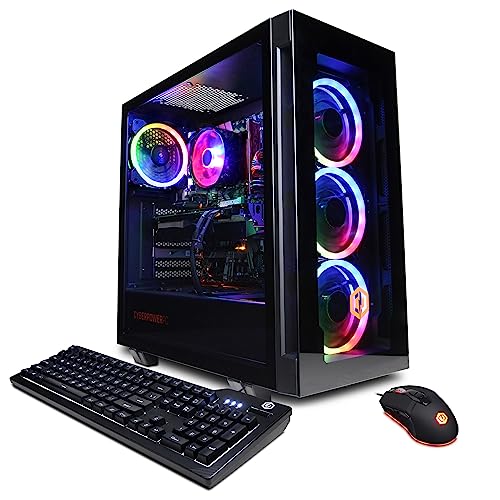
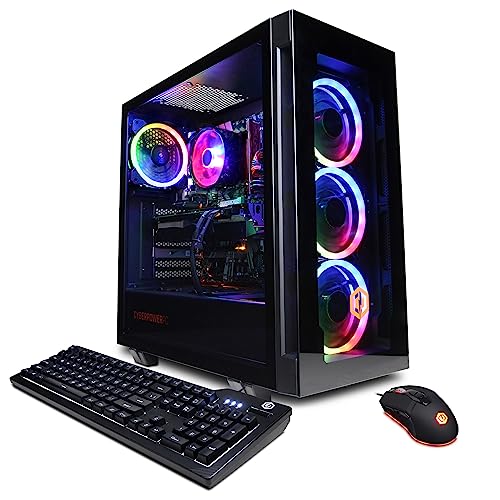
CYBERPOWERPC Gamer Xtreme VR Gaming PC
The prebuilt case in point: a complete, single-warranty system whose listed components you can check line by line against the criteria in this guide. CYBERPOWERPC Gamer Xtreme VR Gaming PC — Check on Amazon

iBUYPOWER SlateMesh Gaming PC Desktop
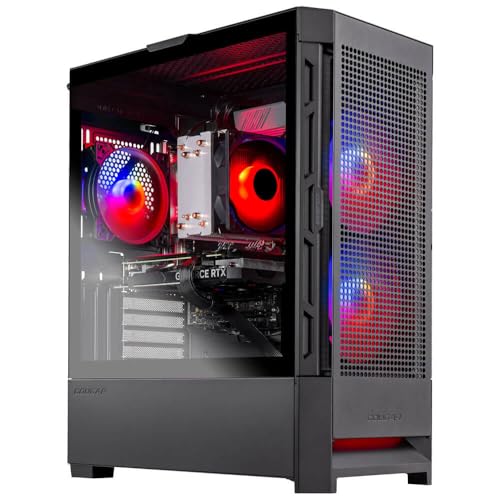
Another transparently specified prebuilt — note the named platform parts, the kind of listing that makes the prebuilt route easy to defend. iBUYPOWER SlateMesh Gaming PC Desktop — Check on Amazon
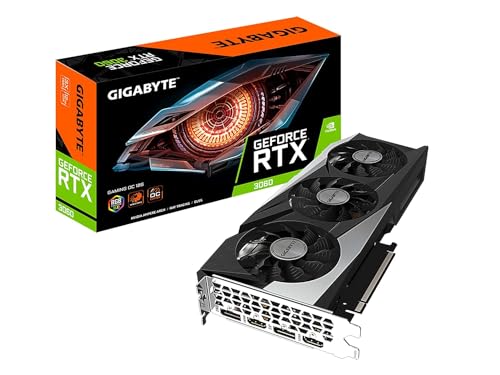
GIGABYTE GeForce RTX 3060 Gaming OC 12G Graphics Card
And the custom route’s building block: the sort of individually chosen component whose selection is the entire pleasure and point of building your own. GIGABYTE GeForce RTX 3060 Gaming OC 12G Graphics Card — Check on Amazon
Frequently Asked Questions
Is it always cheaper to build your own gaming PC?
No. It often is, especially when you can wait for component sales, but prebuilt pricing at scale — and especially prebuilt sales — regularly matches or beats the parts total. Price the exact build both ways on the day you buy.
Are prebuilt gaming PCs low quality?
The category spans excellent to poor, like every category. Judge the specific parts list: named power supply, dual-channel memory, standard motherboard and an airflow case signal a good one; vague listings signal the opposite.
How hard is building a PC for a first-timer?
Modern parts are keyed to fit only correctly, and the process is closer to careful assembly than to electronics work. Budget two to three unhurried hours, follow a good build guide, and the main risks are impatience and a forgotten cable.
Can I upgrade a prebuilt later?
If it uses standard parts — most tower prebuilts from gaming brands do — then RAM, storage and graphics upgrades are straightforward. Check power supply wattage and case clearance before planning a big GPU step.
What about companies that build to my parts list?
Configurable builders are a legitimate middle path: your component choices, their assembly, labour and a system warranty. You pay for the service, and for many buyers that is money well spent.
Do prebuilt PCs come with bloatware?
Many ship with trial software and vendor utilities; a minority are genuinely clean. Budget twenty minutes in week one to remove what you do not want, or perform a clean Windows installation if you prefer a known starting point — your Windows licence travels with the machine.
Bottom line: price the exact machine both ways, judge the parts list rather than the category, and be honest about the value of your time and appetite for diagnosis. Prebuilt and custom are two good answers to different questions.
Is a prebuilt really more expensive for the same performance?
Usually somewhat, once you compare honestly — the builder’s labour, warranty and support are real costs that a parts list does not carry. But the gap moves with the market: when component prices spike or shortages bite, a prebuilt’s negotiated supply can make it the cheaper route to the same GPU for months at a time. Compare the total cost of the specific machines in front of you, including the custom build’s operating system and your time, rather than assuming the answer from the category.
Can I start with a prebuilt and turn it into a custom over time?
Yes, if you buy the right prebuilt — one built on standard parts with a real power supply and a case that fits full-size components. Upgraded piece by piece across a few years, such a machine becomes effectively custom, and many builders’ first ‘build’ was exactly this gradual takeover. The strategy fails only when the original machine was a proprietary corridor; the upgrade questions in this guide are how you tell the difference before you commit.
What if I want to build but I am afraid of breaking something?
Your fear is well-calibrated about exactly two moments: seating the CPU and connecting the front-panel wires, and both are survivable with patience, the manuals open, and the willingness to stop and look rather than force. Modern components are keyed, labelled and far more forgiving than their reputation. Most first builds boot. Most of the rest boot after one reseated connector. The community’s build-along videos exist for the anxious, and watching one full build before starting converts most of the fear into a checklist.
Which route is better for a PC that must also do professional work?
The one whose support model matches the cost of your downtime. If a dead machine means lost billable days, a prebuilt with next-day service is a business tool, not a compromise. If your work tolerates a weekend of self-repair, or the machine is one of several, custom’s flexibility wins. Professionals should also weigh noise, warranty on the whole system, and whether their software cares about specific certified configurations — questions that sit entirely outside the gaming frame and can dominate it.
Do custom builds really perform better than prebuilts with the same parts?
Identical parts, identically configured, perform identically — physics does not check receipts. The performance differences that do appear come from configuration: a prebuilt shipped with a single memory stick, an unenabled memory profile, or a restrictive power limit will lose to a custom build whose owner set those things correctly, and the loss gets credited to the route rather than the settings. Whichever you buy, audit the configuration in the first week; it is worth more than the badge.
How much of building a PC is actually difficult versus just slow?
Almost all of it is slow rather than difficult. The genuinely fiddly moments are few — CPU seating, front-panel pins, cable routing in a small case — and none of them require talent, only patience and a willingness to read the motherboard manual’s diagrams. First builds take an afternoon because every step is being learned while it is performed. The same builder’s second machine takes an hour, which tells you where the time went: it was tuition, and it only has to be paid once.
If I buy a prebuilt, what should I do in the first week?
Verify the specification against your order, run a long load test while watching temperatures and listening for anything unhappy, remove the bundled software you do not want, and record the machine’s baseline behaviour somewhere you will find it in two years. Do all of this while the return window is open and the warranty is young. A prebuilt that passes a deliberate first week has earned the trust the rest of its ownership will assume.
Does building a PC teach you anything useful beyond the PC?
More than the hobby admits. A first build is a practical education in reading documentation, sequencing a multi-step project, handling ESD-sensitive parts with appropriate care, and troubleshooting by elimination when the first attempt does not boot — a method that transfers to every complex system its owner will ever meet. None of that appears in a frame-rate comparison, and for younger builders especially, it may be the most valuable component in the box.
Are there buyers who should genuinely not build their own PC?
Yes, and saying so is respect, not gatekeeping. Anyone whose time is worth more than the saving, anyone for whom a dead machine means lost income this week, anyone buying for someone else in another household, and anyone who simply does not want to — all have complete answers available off the shelf. The hobby’s healthiest norm is that both choices are ordinary. Build because it serves you, or do not, for the same reason.
Can I return a prebuilt if I simply do not like it?
That depends on the seller’s policy rather than the category — many retailers accept returns within a window, sometimes with restocking conditions, while configurators building to order are often stricter. Read the return terms before ordering with the same care you give the specification, because on a configured machine the return policy is part of the product. A generous window is worth real money on a purchase this size, and it is one of the few advantages a large retailer holds over a bespoke builder.
What is the single best question to ask a prebuilt seller?
Ask for the exact power supply model and the memory configuration — two sticks or one, and at what speed. The answers reveal more about the machine’s honesty than any other exchange: a seller who names quality parts in the unglamorous lines is selling a machine built to be owned, while vagueness in exactly those lines tells you where the margin lives. The same two questions, asked of a custom parts list, perform the same audit.
If I build, which part should I absolutely not cheap out on?
The power supply, for the asymmetric reason given elsewhere in this guide: it is the one component whose failure can take others with it, and the one whose quality is invisible until the day it matters. After that, the case and cooling, because they tax every other component daily. Everything else can be a calculated compromise that an upgrade later redeems; a bad power supply is a risk renewed every hour the machine runs.
In one paragraph, how should I actually decide?
Ask who should choose the parts, who should assemble them, and who should answer when something breaks — and notice that your honest answers to the three questions rarely point in different directions. If all three answers are ‘me’, build. If all three are ‘someone else’, buy the prebuilt and audit it well. If they split, you are a middle-route buyer, and the configurators and standard-parts prebuilts exist precisely for you. The decision was never really about the computers; it is about which responsibilities you want to own.
Does either route protect me from a bad purchase?
Neither, by itself — both routes contain excellent and poor machines, and the protection is procedural rather than categorical: reduce every candidate to its honest components, verify what arrives, and keep the paperwork. A careful prebuilt buyer ends up with a better machine than a careless custom builder, every time. The route is a preference; the audit is the safeguard, and it travels with you whichever road you take.
What paperwork should I keep for either route?
The order confirmation and full specification, every component’s serial number where accessible, warranty terms, and your own first-week verification notes. Photograph or scan them into one folder named for the machine. Warranty claims, resale listings and upgrade planning all reach for exactly these documents, usually years later and always urgently.
Is it normal to feel doubt after choosing either route?
Completely. You have spent serious money while a visible alternative existed, and the alternative’s advantages are easiest to see from the far side of the decision. Judge your machine by your games and your first month’s verification, not by the road not taken — both roads had potholes, and you only ever see your own.
Related Guides
Keep exploring with these guides and roundups from the same Gaming PCs collection: