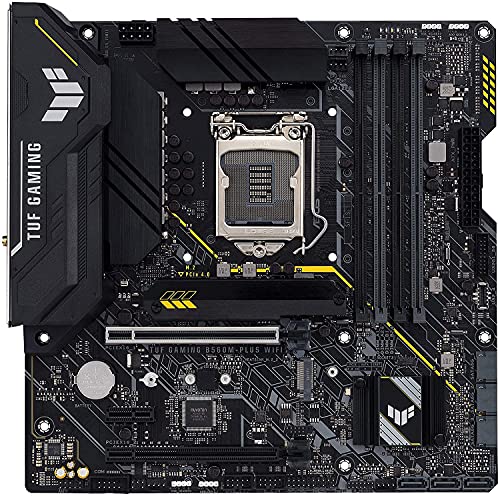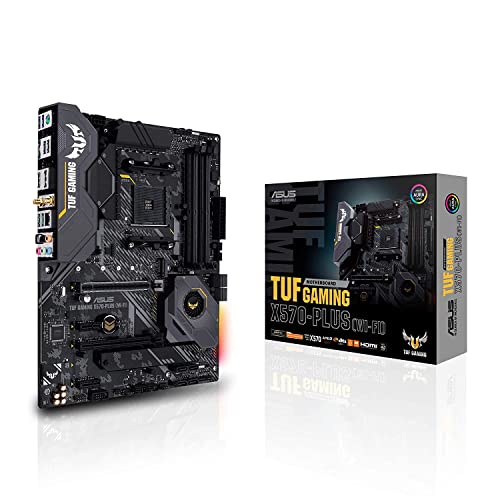
The ATX vs Micro ATX motherboard question is really a question about expansion you will use versus money and space you will not. Both sizes run the same processors, the same memory, and the same graphics cards at the same speeds — this is not a performance contest. The difference is physical: the full ATX board is longer, carries more expansion slots and usually more storage connectors, and needs a case that fits it; Micro ATX trims the bottom few slots, typically costs less, and fits in smaller cases. For the majority of gaming and home PCs, the honest verdict arrives quickly, and this comparison explains exactly who should still pay for the bigger board.
Quick verdict: choose Micro ATX if your build uses one graphics card, up to a couple of M.2 drives, and lives in a compact or mid-size case — which describes most PCs. Choose ATX if you know you will add expansion cards, want the widest choice of high-end models, or are building in a full tower where the extra board simply makes cabling and cooling easier. The sections below put the two side by side, criterion by criterion.
Disclosure: As an Amazon Associate, ilcastellomenu.com earns from qualifying purchases. Product links on this page may earn us a commission at no extra cost to you, and that support helps us keep testing and writing guides like this one.
ATX vs Micro ATX Motherboard: Side-by-Side
The table summarises the standard dimensions and typical fittings. Individual models vary — always confirm a specific board’s spec sheet — but the pattern across the market is consistent.
| Criterion | ATX | Micro ATX |
|---|---|---|
| Standard size | 305 × 244 mm (12 × 9.6 in) | 244 × 244 mm (9.6 × 9.6 in) |
| PCIe expansion slots | Up to 7 positions | Up to 4 positions |
| Memory slots | Usually 4 | 2 or 4, model dependent |
| M.2 slots | Commonly 3 or more on mid/high-end | Commonly 2, sometimes 3 |
| Case requirement | Mid-tower or larger | Micro ATX and most ATX cases |
| Typical pricing pattern | Widest range, including flagship tiers | Often less for equivalent chipset tier |
| Best suited to | Expansion-heavy and high-end builds | Mainstream gaming and compact builds |
In this guide
Size and Case Fit
Micro ATX is ATX with roughly the bottom fifth removed: same width, shorter length, fewer mounting holes. That one change cascades. A Micro ATX case can be noticeably smaller on a desk or under it, and every ATX case also accepts the smaller board. The reverse is not true, so the board decision and the case decision are a pair — a point that catches people who fall for a compact case first and a full-size board second. If your workspace is tight or the PC travels, the smaller footprint is a genuine quality-of-life difference, not a spec-sheet footnote.
Working room matters too. In a mid-tower, a Micro ATX board leaves a gap at the bottom of the case that makes cable routing and drive fitting easier; in a small case, a full ATX board is simply not an option. Builders who enjoy tinkering — swapping drives, adding cards — should also weigh how often they will have their hands inside: more board usually means more elbow room around connectors.
Expansion Slots: The Real Dividing Line
This is the criterion that actually separates the two. ATX offers up to seven slot positions; Micro ATX up to four, and a dual- or triple-slot graphics card covers one or two of its neighbours on either format. In practice: a Micro ATX gaming PC with a big GPU typically has one usable slot left, sometimes none. If your future plans include a capture card, a sound card, an extra network card, or a second storage controller, ATX keeps those doors open and Micro ATX may quietly close them.
Be honest about your history, though. Most PCs live and die with exactly one expansion card — the graphics card — installed. The ‘room to grow’ argument for ATX is valid only if you are the kind of owner who actually grows a system. If your last two PCs never gained a card, the slots you are paying for are decoration. Our broader sizing survey, Motherboard Form Factors Explained, puts both formats in the full family picture from Mini-ITX to E-ATX.
Memory and Storage Capacity
Memory is closer than the size gap suggests. Plenty of Micro ATX boards carry four DIMM slots and the same maximum capacity as their ATX siblings; the two-slot models are the ones to check if you plan to add memory later. Storage tilts ATX: more board area means more M.2 slots and SATA ports on mid-range and high-end models, while Micro ATX boards commonly offer two M.2 slots — enough for most people, a ceiling for storage-hungry builds like home servers and media libraries.
Plan against your real drive count. A boot NVMe plus one large secondary drive is the mainstream pattern and fits either format comfortably. Three or four NVMe drives, or a mixed array of SSDs and hard drives, is ATX territory — and if storage is the whole point of the machine, start from shortlists like Best Motherboards for NAS rather than from form factor alone.
Cooling, Power Delivery, and Features
Neither format has an inherent performance advantage: chipset tiers exist in both sizes, and a well-designed Micro ATX board’s power delivery handles the same CPUs as an equivalent ATX board. Where ATX pulls ahead is at the extremes — the flagship overclocking and extreme models are almost always full ATX, simply because their oversized heatsinks, extra connectors, and diagnostic extras need the area. Fan and pump headers follow the same pattern: more board, more headers, though a hub solves that cheaply on either format.
Feature checklists are otherwise model-by-model, not format-by-format: Wi-Fi, USB-C headers, 2.5-gigabit networking, and quality audio appear on both. Never assume a feature from the size; read the spec sheet. The selection method in How to Choose a Motherboard applies identically whichever way this comparison lands for you.
Price and Value
At the same chipset tier, Micro ATX boards frequently cost less than their ATX equivalents — less board, fewer slots and ports to fit — and the saving can be meaningful in a budget build, where it buys a bigger SSD or a better cooler. At the high end the comparison flips: ATX dominates the premium shelves, so a builder who wants flagship features has no Micro ATX option to price against. The value question is therefore really ‘does the smaller board at this tier have every connector I counted?’ If yes, it is usually the smarter buy; if one missing slot forces an adapter or a compromise later, the saving was imaginary.
Who Should Choose Which
Choose Micro ATX if: your build has one graphics card and no planned add-in cards; you want a compact case or a lower board budget; your drive plan fits two M.2 slots; or you are building a mainstream gaming, office, or family PC. This is the default recommendation for most readers, and the boards gathered under Best Motherboards for Gaming include strong examples in both sizes if you want to compare real models.
Choose ATX if this sounds like you
Choose ATX if: you will install a capture card, sound card, or extra networking alongside the GPU; you want three or more M.2 drives; you are shopping the flagship tiers or serious overclocking models; your case is a full tower and you value working room and header counts; or this is a long-life workstation whose expansion needs may genuinely grow. ATX is the no-regrets format when the budget and the desk space both allow it — just make sure the regrets it prevents are ones you would actually have had.
Building Experience: Working Room, Headers, and Little Mercies
Beyond the spec table, the formats feel different to build in. ATX boards spread their connectors along edges that stay reachable after a large cooler and graphics card are fitted; front-panel headers, fan headers, and SATA ports rarely hide. Micro ATX compresses the same geography: the bottom-edge headers sit closer to the power-supply shroud in many cases, and a long graphics card can overhang the front-panel header block, turning a two-minute connection into a torch-and-tweezers exercise. None of this is decisive alone, but builders who swap parts often feel it weekly, and first-time builders feel it all on day one.
Header counts follow area. Extra fan headers, temperature-sensor headers, and lighting headers accumulate on larger boards, while smaller boards assume splitters and hubs sooner. If your cooling plan is elaborate — many fans, a pump, sensors — count headers as carefully as slots; the board’s diagram in its manual shows exactly what you get and where it sits.
Upgrade Paths Over a Five-Year Life
Project the machine forward. Year two might add a bigger graphics card — both formats cope. Year three might add storage: ATX’s third M.2 slot absorbs it; Micro ATX may push you to SATA or a larger replacement drive, which is a compromise, not a crisis. Year four might add a capture card for a streaming hobby that did not exist at purchase: ATX shrugs; Micro ATX, with its slots consumed by a thick GPU, may say no. The pattern is that ATX’s advantage is optionality against unplanned futures, and its value depends entirely on how changeable your computing life is. Students, hobbyists, and tinkerers change; a family PC in a hallway does not.
There is also a resale and reuse angle: a standard ATX board fits the widest range of second-hand cases and appeals to the widest range of buyers, while Micro ATX’s advantage — compactness — is only valuable to someone who wants it. Neither effect is large, but in a five-year accounting they are real.
Thermals and Noise in Practice
Format does not set temperature, but it nudges the variables that do. A Micro ATX build often lives in a smaller case with shorter airflow paths — which can be excellent with two well-placed fans — while an ATX build in a big case has more air volume and more fan positions but also more distance for air to travel. What actually decides thermals is fan placement, dust discipline, and cooler choice, all available to both formats. Noise follows the same logic: the format is innocent; the case and fans are guilty or acquitted.
One genuine format effect exists: component spacing. On a compact board, the graphics card sits closer to the chipset heatsink and the primary M.2 slot, so a hot GPU warms its neighbours more directly. Boards designed for it cope, but if your build pairs a very hot card with a fast NVMe drive you care about, the breathing room of the larger format is a legitimate, if minor, point in its favour.
The Decision, Compressed
If you have read this far and remain torn, apply the tiebreakers in order. One: does the case you want dictate the answer? Then it is answered. Two: will you install any add-in card beyond the GPU in the machine’s life? If honestly no, Micro ATX. Three: do you want three or more M.2 drives? If yes, ATX. Four: is the price gap at your chipset tier enough to buy something you will feel — storage, a cooler, a game? If yes, take the smaller board and the gift. The builders who regret this choice are almost never the ones who counted; they are the ones who bought the bigger board ‘just in case’ and met the case at the checkout.
What the Manufacturers’ Lineups Tell You
Read the market as a signal. Every major board maker fields its mainstream chipsets in both sizes, usually as near-twins: the same chipset, the same memory support, the same networking, differing in slots, storage count, and a few headers. That twin structure is the industry’s own verdict on this comparison — the performance product is identical, and the size is a packaging choice. Where the twins stop is instructive too: the extreme overclocking boards, the workstation flagships, the models with every diagnostic extra are ATX or larger, because their audience’s defining trait is wanting everything at once. And at the opposite pole, the very cheapest boards in any catalogue skew Micro ATX, because the format’s economy is real. Between those poles lies the contested middle where most buyers live, and there the honest answer remains the one this comparison started with: count your cards and drives, measure your case, and let those two facts — not habit, not marketing — pick the size.
If you take one practical step from this whole article, make it this: before ordering, find the manual PDF for your chosen board and look at its layout diagram for thirty seconds. Slot positions, header locations, the M.2 placement relative to the graphics card — the diagram shows the format’s consequences for your specific parts more honestly than any comparison table, including ours.
The Used-Market and Hand-Me-Down Perspective
Formats age differently in the second-hand ecosystem, and builders who rotate parts feel it. ATX boards fit the broadest range of cases ever made, so an ATX board is the easiest to rehouse, gift, or sell; its buyer pool is everyone. Micro ATX runs a close second, with the added charm that its natural buyers — compact-build upgraders — are numerous. The interesting asymmetry is in cases: a good ATX case is a decade-long asset that accepts every smaller board, while a Micro ATX case quietly forecloses the flagship end of the board market for its whole life. If you buy one case to keep through several builds, its maximum format is one of the most consequential specifications you will ever choose, more binding than any single board decision — boards come and go inside the case’s constitution.
There is also the matter of spares and swaps in a household with more than one PC: standardising on ATX across machines makes every part a potential diagnostic spare for every other machine, which the troubleshooting-minded will recognise as the substitution method’s best friend. None of this overturns the count-your-cards rule for a single build; it simply notes that format choices compound across a hobby, and the compounding favours the standard.
Noise, Dust, and Maintenance Over the Years
Ownership is longer than the build day, and the formats diverge gently across it. Larger cases with ATX boards offer more fan positions and more filter area, and their interiors stay reachable for the annual dust-out without removing the graphics card; compact Micro ATX systems concentrate their dust in smaller volumes and sometimes require partial disassembly to clean properly — a small, recurring tax on the smaller format that its owners pay without much complaint, but a tax nonetheless. Cable runs in the larger format can be routed once and forgotten; in tight builds, every later change renegotiates them. None of this outweighs a genuine need for a small machine, and none of it rescues a big machine nobody wanted. It simply completes the honest ledger: the format decision is paid for, in small instalments of convenience or inconvenience, for as long as the machine serves.
The Verdict, Restated for the Impatient
Everything in this comparison compresses into two sentences. Micro ATX is the rational default for the mainstream build — same speed, smaller footprint, often lower price — and it surrenders only expansion room that most owners never use. ATX is the choice when your counted cards, drives, or ambitions genuinely fill the larger board, or when the flagship tiers are where you shop. If you finish this article still undecided, the tiebreaker is physical, not technical: choose the case first, honestly, for the space the machine will live in, and let its format support make the board decision for you. Regret in this corner of PC building almost never comes from performance left on the table; it comes from a box that does not fit the room or a slot that was not there in year three — and both of those are knowable today, with a tape measure and an honest count.
Whichever way you land, buy the size’s strong models rather than its cheapest: a well-made board in either format will out-serve a poor one in the other, every day of the machine’s life.

Gear for This Guide
The products below come from our verified listings pool and are mentioned because they genuinely fit this topic, not because they are the newest or the most expensive option.
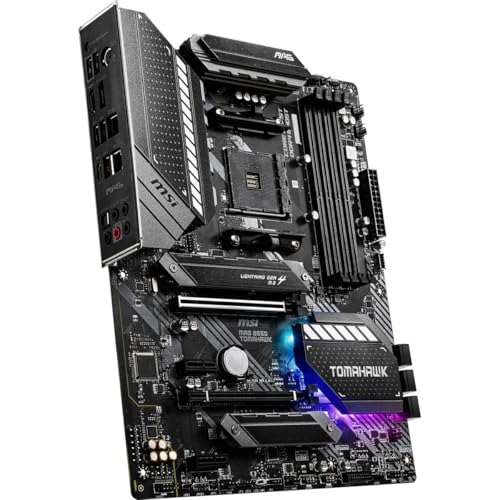
- MSI MAG B550 Tomahawk Gaming Motherboard — the ATX side of this comparison: a full-size board with the slot and storage headroom described above. Check on Amazon
- ASRock B550M Pro4 Micro ATX Motherboard, AMD AM4 Ryzen 3000-5000, DDR4 4733+ — the Micro ATX side: the same AM4 platform in the shorter format, showing how little a mainstream build gives up. Check on Amazon

Head-to-Head by Scenario: Five Builds, Judged One at a Time
Abstract comparisons end in ties; scenarios end in decisions. Run the two formats through five concrete builds and the pattern of when size matters — and when it evaporates — becomes clearer than any spec table can make it.
The streamer who records everything
A gaming PC that also captures and streams is the strongest mainstream case for ATX. The capture card needs a home that a thick graphics card does not cover, the storage plan grows relentlessly because recordings accumulate, and a second network connection or a dedicated audio path often joins the list within a year. On Micro ATX this build is possible only with USB capture gear and disciplined storage; on ATX it is simply the natural shape of the machine. Verdict: ATX, and it is not close.
The competitive player with a small desk
An esports build is a study in not needing things: one graphics card, one fast drive, a wired connection, a high-refresh monitor doing the actual competitive work. Every component that decides matches lives outside the motherboard’s size. Micro ATX in a compact case returns desk space and budget to the monitor and peripherals, where this player will feel them. Verdict: Micro ATX, decisively — the ATX version of this build is a larger box performing the identical job.
The household’s second PC
The spare-room, homework-and-media machine has a different currency: quiet, cheap, and built partly from parts already in the house. Micro ATX dominates the affordable end of the board market and the compact end of the case market, and its limitations — fewer slots, fewer drive mounts — describe this machine’s actual life precisely. Verdict: Micro ATX, ideally in the smallest case that keeps it quiet and cool.
The creator who keeps everything
Video and photo work inverts the esports logic: storage is not a detail but the workload. Project drives, scratch drives, archive drives, a card reader permanently attached, perhaps a high-speed network link to a NAS. The ATX board’s extra M.2 slots and SATA ports stop being headroom and start being the specification. Verdict: ATX for the main workstation; note, though, that once a NAS enters the picture and bulk storage leaves the PC entirely, the argument weakens and Micro ATX becomes viable again — the deciding factor is where the drives live, not the work itself.
The VR and simulation enthusiast
VR rigs and flight-sim setups consume connectivity in an unusual pattern: multiple USB devices — headset, tracking sensors, HOTAS or wheel, button boxes — plus a premium on ports that stay reachable and powered. Both formats can host the build, but the ATX board’s typically richer rear panel and extra internal headers for front-panel ports make the cabling saner, and sim builders reliably add one more device than they planned. Verdict: ATX on connectivity grounds, the one scenario in this list decided by ports rather than slots or drives. If your own build resembles none of these five, that is itself the answer the comparison keeps giving: the default mainstream build belongs on Micro ATX, and ATX earns its place through a named requirement. For the wider family beyond these two sizes, see our motherboard form factors explained guide.
The Cost of Choosing Wrong, in Both Directions
Buyers fear choosing Micro ATX and outgrowing it; they rarely price the opposite error. Both mistakes have real costs, and comparing them honestly is the fastest way to end the deliberation. Choose Micro ATX and later need a slot it does not have, and the remedies are, in ascending order: a USB version of the device (often perfectly good for audio and capture at modest levels), a different device that consolidates functions, or a board replacement — which, on a mature platform, can mean a used board and an afternoon’s rebuild rather than a catastrophe. The feared dead end is usually a detour.
Choose ATX and later wish you had not, and the cost is quieter but continuous: a larger case occupying desk or floor space for years, a slightly higher board price paid for slots that stayed empty, and — the subtle one — a build that is marginally more annoying to move, clean, and fit into a new room’s layout. Neither error is ruinous, which is itself the finding: this is a low-stakes decision wearing a high-stakes costume, because both formats run the same processors at the same speeds. Spend your deliberation budget on the parts where mistakes are expensive — the platform, the graphics card, the monitor — and let this choice be made by the honest slot-and-drive count the rest of this guide keeps returning to.
The Two Traps: Premium Micro ATX and Bargain ATX
Each format has a price band where the comparison inverts, and knowing them prevents the classic misread of the market. At the top of Micro ATX sit premium models that borrow the flagship playbook — heavy power delivery, layered boards, rich rear panels, debug displays — in the smaller outline. These boards exist for compact performance builds, and against a mid-range ATX board they can win on features while losing on slots: a legitimate trade when the build is deliberately small and deliberately fast. The trap is assuming “Micro ATX” implies “basic” and overlooking them, or the reverse — paying flagship money for a small board whose slot count still constrains the build you actually planned.
The mirror trap is bargain ATX: full-size boards at the very bottom of a chipset’s range, whose size promises expansion their specification cannot honour. The slots are present but wired at minimal speeds, the M.2 count is one, the power delivery is sized for modest processors, and the rear panel is sparse. Such a board is not worse than its Micro ATX price-mates — it is roughly the same board, stretched — but buyers routinely read the outline as capability and discover the truth at upgrade time. The defence is the habit this whole comparison teaches: compare models, not outlines. Read the slot wiring, the storage count, and the header list of the two specific boards in front of you, and let the format be what it honestly is — the last variable to check, not the first.
The Room Around the PC: Footprint as a Real Specification
One dimension of this choice never appears on a spec sheet, because it belongs to your room rather than your build: where the machine will live. A full ATX mid-tower is a substantial object — typically the largest thing on or under a desk after the monitor — while a Micro ATX compact case can be a third smaller in volume and can sit on a shelf, inside a media unit, or beside a monitor without dominating either. In shared rooms, small flats, and dormitories, that difference decides whether the PC is furniture or an intrusion, and it compounds with the practicalities: the smaller machine is the one that gets carried to a friend’s house, taken to a LAN event, or moved when the room is rearranged.
Measure before you deliberate. The space under your desk, the depth of the shelf, the gap beside the monitor — write the numbers down and let them into the decision alongside slots and drives. Builders occasionally discover that the case they wanted cannot physically occupy the place they imagined, and that discovery is free at the measuring stage and expensive after delivery. Format, in the end, is partly an interior-design decision, and there is no shame in that: the best build is the one that fits your room, your desk, and your life as precisely as it fits your parts list. Our guide to choosing a PC case works through those measurements case-first, if you want to approach the same decision from the other direction.
Ghosts of Builds Past: Needs That No Longer Belong in This Decision
Some arguments in the ATX versus Micro ATX debate are heirlooms — true once, repeated still, and quietly expired. The largest is multi-graphics-card gaming. A generation ago, two cards in SLI or CrossFire were the flagship path, and they demanded ATX slots and spacing; that technology has been abandoned by its own makers, modern games do not support it, and no buyer today should let a dual-GPU ghost cast a vote. The optical drive is a smaller ghost: builds planned around a disc drive bay belong to a media era that streaming and downloads have closed for most households, and cases for both formats have largely stopped providing the bay — if you genuinely still rip or burn discs, an external USB drive serves either format identically. Even the sound card, once a default second card, has narrowed to a specialist purchase for particular headphones and recording needs, most of which USB interfaces now serve without a slot at all.
Clearing the ghosts matters because the honest modern slot census is shorter than the traditional one. For the overwhelming majority of builds the real list is: graphics card, and then a short maybe-list of capture, storage expansion, and networking — each of which now has a credible USB or M.2-based alternative that did not exist when the old advice formed. Re-run your own census with the ghosts removed before letting slot count decide anything; many buyers discover their ATX case was resting on requirements from two builds ago.
Power Supplies and Cabling: The Ecosystem Around the Board
The board’s size drags a small ecosystem with it, and the power supply is where the two formats’ ownership experiences quietly diverge. Both use the same standard supplies and cables — there is no electrical difference at all — but the cases each format invites differ in the room they give those cables. A mid-tower ATX case swallows a non-modular supply’s full cable bundle into its basement without complaint. A compact Micro ATX case has nowhere to hide the cables you do not use, and every unused lead competes for the same few centimetres as your airflow and your patience. The practical consequence: the smaller the build, the more a modular or semi-modular power supply earns its modest premium, because you fit only the cables the build consumes. This is a case-and-supply interaction, not a board property, but buyers experience it as part of the format choice, so it belongs in the comparison.
Cable length cuts the other way. In a large ATX case, the CPU power cable must travel from the supply at the bottom to the socket at the top, and short cables on budget supplies occasionally arrive under tension or not at all — a known pairing problem that compact cases simply never have, because every run is short. Front-panel and fan cables follow the same geometry: compact builds keep every header within easy reach of every device, while big cases reward boards whose headers sit at the edges nearest the cable grommets. None of this is decisive alone. Together it forms the texture of build day, and it explains a pattern in builder folklore: people describe small builds as fiddly but quick, and large builds as roomy but sprawling. Both descriptions are about cables, not boards.
Five Years With Each: A Short Diary of Two Identical Builds
Imagine the same processor, memory, graphics card, and drives installed twice — once on ATX in a mid-tower, once on Micro ATX in a compact case — and followed for five years. Year one is a draw, exactly as the benchmarks promise: identical performance, identical reliability, and the only diary entries concern the rooms, where the compact machine sits on the desk and the tower lives beneath it. In year two, both receive a larger graphics card; both accept it, though the compact build’s card now covers its spare slot — noted, not yet mourned, because nothing needed that slot. Year three brings the storage itch. The ATX machine takes a third NVMe drive in ten minutes. The compact machine, its two M.2 slots full, answers with a large SATA drive instead — slower on paper, indistinguishable in the owner’s actual use, and the diary records the workaround as a shrug.
Year four is where the diaries finally diverge. The ATX machine’s owner takes up streaming and drops in a capture card between breakfast and lunch. The compact machine’s owner, facing the covered slot, buys a USB capture device instead — a real compromise in features, honestly recorded, and also a working one that cost less than a board swap. In year five both machines receive new homes in a house move, and the compact machine is carried under one arm while the tower makes two trips and a negotiation with a staircase. Neither diary reads as a cautionary tale. They read as the same good computer wearing two different sets of trade-offs, each set surfacing exactly where this comparison said it would: slots and drives on one side, space and simplicity on the other. Choose the diary whose year-four entry you would rather write.
Availability: The Tiebreaker Hiding in the Stockroom
One practical factor rarely makes it into comparisons because it has nothing to do with engineering: what you can actually buy, this week, where you live. Manufacturers distribute their effort unevenly across the two formats. The flagship chipsets and launch-day review attention concentrate on ATX, while the volume sellers and the bundled deals concentrate on Micro ATX — so at any given moment, the specific combination you want (a particular chipset, Wi-Fi included, a certain rear panel) may exist in one format’s lineup and not the other’s, or exist in both but be in stock in only one. Regional markets sharpen this: outside the largest markets, Micro ATX selections can narrow to a handful of models while ATX shelves stay deep, or the reverse in markets where compact builds dominate.
The lesson is procedural rather than decisive. Decide your format by the criteria in this guide, then shop — but hold the decision loosely enough that a genuinely better-specified board in the other format, available now at a fair price, can overturn it. Format is a means to a specification, not a tribe. The builders who end up happiest with either size are the ones who treated the comparison as a shortlist generator: two or three named models, one per format at least, compared on their actual headers, slots, and storage — and bought the best board, letting the outline fall where it fell.
A Footnote on Boards That Cheat Their Own Format
Before you order on format alone, check the candidate’s actual dimensions, because both labels conceal variation. Some boards sold as ATX are noticeably narrower than the full standard width, trimming the right-hand edge — they fit anywhere ATX fits, but their cable grommets and mounting holes may not line up with the positions a case expects for a full-width board, and their right-edge connectors can sit awkwardly close to cable-routing holes. In the other direction, some Micro ATX boards run deeper than the common square outline. The mounting standards still hold, so compatibility in the strict sense is unaffected; what changes is working room and cable geometry. Thirty seconds with the dimension line on the spec sheet — a habit this comparison has recommended for slots, drives, and headers alike — closes the last gap between the format on the box and the board in your hand.
Frequently Asked Questions
Is Micro ATX worse than ATX for gaming?
No. Both run the same CPUs, memory, and graphics cards at the same speeds. Gaming performance is identical; the difference is expansion room, storage count, and case size. A Micro ATX gaming PC gives up nothing in frame rates.
Can I put a Micro ATX motherboard in an ATX case?
Yes — ATX cases include the mounting points for the smaller board, and the extra room makes building and cable routing easier. The reverse is not possible: a full ATX board does not fit a Micro ATX-only case.
Do Micro ATX boards overheat more?
Not inherently. Board temperature depends on the model’s heatsinks and your case airflow, not the format. A Micro ATX board in a well-ventilated compact case runs cooler than an ATX board in a sealed, dusty tower.
How many expansion slots do I actually need?
Count your graphics card as using its slot plus the one or two beneath it that its cooler covers. After that, one free slot covers most people’s real futures. If your honest count ends at ‘GPU and nothing else’, Micro ATX has all the slots you need.
Are Micro ATX motherboards cheaper?
At the same chipset tier, often yes, because there is less board and fewer connectors to fit. The exception is the high end, where flagship models are mostly ATX-only, so no smaller equivalent exists to compare against.
Which format is better for a first build?
Whichever matches your case, with a slight practical edge to ATX in a mid-tower for the extra working room around connectors. Micro ATX in a roomy case is equally friendly. The genuinely fiddly format for beginners is Mini-ITX, where every connector is crowded.
Does Micro ATX limit how much RAM I can install?
Only on the two-slot models, which cap you at two sticks and make later expansion a replacement rather than an addition. Four-slot Micro ATX boards carry the same maximum capacities as their ATX equivalents. Check the specific model’s slot count and rated maximum rather than assuming the format decides it — this is one of the clearest cases where models differ more than formats.
Can I use a full-size ATX power supply with a Micro ATX board?
Yes. Power supplies and motherboards connect through standardised cables that do not depend on board size, and most Micro ATX cases accept a standard ATX power supply. The exception is very small cases designed for compact SFX supplies — that is a case specification, not a board one, and the case’s listing states it plainly.
Are graphics cards getting too big for Micro ATX?
The card fits the primary slot on either format identically. What a very thick card changes is the neighbourhood: on Micro ATX it may cover the only other usable slot and sit closer to the board’s lower connectors, while ATX leaves more breathing room below. If your build is one card and nothing else, even the largest cards change nothing about the verdict.
Which format holds its value better for resale?
ATX, marginally, because it fits the widest range of cases and serves the widest range of second-hand buyers. Micro ATX boards sell readily too, particularly to compact-build buyers, but the pool is smaller. Treat this as a tiebreaker at most; the difference is dwarfed by the board’s chipset generation and condition.
If I buy Micro ATX now, can I move the rest of my parts to ATX later?
Yes — processor, memory, storage, graphics card, and power supply all transfer, because the formats differ only in the board and the case it needs. A format change is a board-and-case swap, not a platform change, which is precisely why choosing wrong in either direction is a recoverable detour rather than a dead end.