ilcastellomenu.com is reader-supported. When you buy through links on our site, we may earn an affiliate commission.
Where to Buy
Workplace cameras sit at the intersection of two legitimate interests: a business’s need to protect its people, stock and premises, and employees’ right to work without feeling watched in every unguarded moment. The best cameras for monitoring employees are therefore not simply the sharpest or the cheapest — they are the ones that serve a stated, defensible purpose (safety, security, loss prevention, training) with clear notice, sensible placement and footage that holds up when it is genuinely needed. This guide is written for owners and managers who intend to do this properly.
That framing shapes every verdict below. We favoured cameras with honest indicator lights, flexible privacy zones that can blank out a desk or a break area, retention controls that keep footage for a policy-defined period rather than forever, and recording quality sufficient to identify an incident at a till, a stockroom door or a loading bay. Covert capability counted against a camera, not for it: in most workplaces, the lawful and the effective camera is the visible one whose presence everyone has been told about.
A necessary word on rules: workplace monitoring is regulated, and the details vary by country, state and sector — notice requirements, consent, audio recording and where cameras may never go (restrooms, changing areas, private offices in some jurisdictions) all differ. Nothing here is legal advice. Treat this guide as the equipment half of a policy you build with proper local advice, signage and a written notice your team has actually read. The camera is the easy part; legitimacy is the work.
With that foundation, the six picks below cover the realistic workplace range: small offices and shops, cafés and salons, stockrooms and small warehouses, and multi-area premises that need pan-and-tilt coverage without an enterprise price.
Key Takeaways
- Monitor for a stated purpose — safety, security, loss prevention — and put it in writing.
- Visible cameras with notice protect a business; covert ones create legal and trust problems.
- Privacy zones and retention limits are policy tools, not just camera features.
- Never place cameras in restrooms or changing areas; check local rules before audio.
- Footage quality matters at the till, the door and the stockroom — test those exact views.
- A camera programme your team understands deters more than one they discover.
In this guide
Quick Picks: Six Cameras for Responsible Workplace Monitoring
| Pick | Badge | Why it earns its place |
|---|---|---|
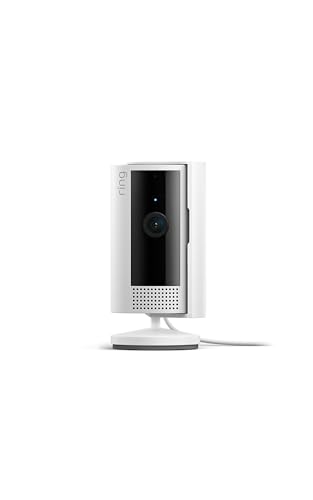
| Ring Indoor Cam (2nd Gen) | Best for Small Shops and Offices | A physical privacy cover, clear indicator and easy app make transparent monitoring simple. |
| TP-Link Tapo C210 | Best Pan-and-Tilt Coverage | Sweeps a whole stockroom or sales floor from one mount, with local storage options. |
| Wyze Cam v4 | Best Budget Multi-Camera Pick | Sharp colour footage at a price that makes honest, visible coverage of every area affordable. |
| Arlo Essential Indoor Pan Tilt | Best for Larger Premises | Pan, tilt and zoom with strong night performance for warehouses and multi-room sites. |
| eufy Indoor Cam E220 | Best Local-Storage Option | Keeps footage on a card in the camera, suiting businesses wary of cloud dependence. |
| Blink Mini 2 | Best Simple Second Camera | A compact, unobtrusive unit for entrances, counters and secondary areas. |
How Did We Choose Cameras for Workplace Use?
We started from the employer’s legitimate use cases and worked backwards to hardware. Loss prevention needs identifiable faces at known pinch points — tills, exits, stockroom doors. Safety monitoring needs wide, reliable coverage of work areas and fast access to footage after an incident. Operational oversight — confirming a delivery arrived, a shutter was closed, a lone worker checked in — needs dependable remote viewing more than cinematic quality. Each pick was mapped to the use case it serves best, and the verdicts say which is which.
Transparency features were scored as seriously as image quality. A physical privacy cover or a clear recording indicator lets a business demonstrate good faith at a glance; privacy masking lets it prove that a camera watching a stockroom door is not watching the break table beside it; retention settings let it keep footage for the policy’s stated period and no longer. In workplace monitoring, these are not conveniences — they are the difference between a security programme and a grievance.
We also weighed the practicalities of small-business life: whether footage can be stored locally to control costs and data exposure, whether the app makes sharing a clip with police or an insurer painless, whether the camera survives a dusty warehouse corner, and whether running four of them requires a subscription conversation the owner did not expect.
Finally, we excluded the covert category entirely. Pinhole and disguised cameras have lawful niches in professional investigations, but they are not equipment a general guide should recommend to employers for routine staff monitoring, and none appear here.
Why Does Transparency Protect the Business as Much as the Staff?
Deterrence only works when it is visible. A camera everyone knows about prevents the shrinkage, the shortcut and the safety violation; a hidden camera merely records them, and then presents its owner with footage obtained at the cost of trust — and, in many jurisdictions, at the cost of legality. Businesses that announce monitoring, explain its purpose and bound it with a written policy consistently report the paradox at this category’s heart: the watched workplace needs its footage least, because the behaviour changed before the recording mattered.
Transparency also disciplines the watchers. A programme that must be explained to staff acquires limits naturally — cameras where the purpose is, none where it is not; footage kept for the stated period, viewed by named people, for named reasons. Those limits are precisely what regulators and tribunals look for, and they cost the business nothing it should have wanted.
There is a morale dividend that accountants miss. Staff who understand that cameras guard the till against theft and the car park against intrusion — and who have seen the break room left deliberately uncovered — tend to file the system under safety rather than surveillance. The same hardware, introduced secretly and discovered accidentally, files itself under betrayal, and no subsequent policy repairs that filing.
Which Six Cameras Fit a Responsible Workplace Programme?
The list spans one camera per realistic need: a cover-equipped all-rounder for the small premises, two pan-and-tilt units for coverage-hungry spaces, a budget pick that makes honest multi-camera coverage affordable, a local-storage option for the cloud-wary, and a compact second camera for secondary views. Read them against your floor plan and your written purpose — in that order.

Ring Indoor Cam (2nd Gen) — Best for Small Shops and Offices
The Ring Indoor Cam earns first place in a workplace guide for a feature that has nothing to do with its lens: the physical privacy cover that clicks over it. A café owner can cover the camera during a staff party, a salon can cover it while the room is used privately, and any employee can see — without trusting software — when the camera cannot see them. In a category where trust is the product, that small shutter is worth more than a resolution tier.
As a monitoring tool it is thoroughly competent. The image is sharp enough to identify faces at counter distance, the app makes reviewing an incident and sharing a clip straightforward, and the Ring ecosystem’s maturity means staff who already know the brand from home need no training. Placement flexibility — shelf, wall or ceiling — suits the odd corners of real small premises.
The honest considerations are subscription and scope. Ring’s fuller recording history lives behind its plan, which a business should price as part of the system rather than discover later; and a single fixed camera covers a single view, so larger premises will graduate to the pan-and-tilt picks below. For the classic small workplace — one room, one till, one door — it remains the most trust-friendly place to start.
Its indicator behaviour deserves a final mention: the camera’s status is legible at a glance, which lets a manager answer the only question staff really ask — is it on? — with a gesture rather than a policy document.
There is a training economy to building the programme on a familiar consumer platform. New managers already understand the app from domestic use, seasonal staff need minutes rather than a manual to grasp what the camera does, and the business’s security posture stops depending on one departed employee who “knew the system.” In small workplaces, that transferability is a genuine governance feature, and it is part of why a household name tops a workplace list without apology.
- Physical privacy cover included
- Clear recording indicator
- 1080p HD video with night vision
- Flexible shelf, wall or ceiling placement
- Mature app for review and clip sharing
Strengths
- Transparency you can demonstrate physically
- Easy for non-technical staff to understand
- Reliable incident review workflow
Trade-offs
- Full recording features need the subscription
- Fixed view; one camera per area
- Cloud-based storage may not suit every policy
Best for: Small shops, cafés, salons and offices starting a transparent programme.
Not suited for: Large premises needing sweeping coverage from few mounts.

TP-Link Tapo C210 — Best Pan-and-Tilt Coverage
The stockroom problem is geometry: shelves, aisles and one door, all needing eyes, none justifying a camera each. The Tapo C210 answers with a motorised pan and tilt that sweeps the whole space from a single high mount, pausing at preset viewpoints — the door, the high-value shelf, the packing bench — so one camera does the honest work of three fixed ones.
For workplace use, its storage flexibility is the deeper virtue. Footage can live on a local card, keeping the business’s data on its own premises and its costs predictable, while the app still gives the owner remote viewing when the alarm company calls at midnight. Motion tracking can follow movement through the space after hours, which is when stockrooms actually need watching.
Managers should deploy its movement thoughtfully during working hours: a camera that visibly follows staff around a room feels very different from one that watches a door, and the same hardware can serve either policy. Set presets to the pinch points, leave the tracking for closed hours, and the C210 is an exemplary employee of the security team rather than a source of unease.
Night performance and two-way audio round out a package priced for small businesses, though the audio point deserves its usual caution in this guide: check your local rules before recording sound anywhere staff work, and consider disabling it entirely — many workplaces find video alone serves every legitimate purpose they have.
Delivery hours reveal another of its workplace virtues. A manager can sweep from the stockroom door to the loading entrance as a courier arrives, confirm the pallets landed inside the line, and log the time from the footage — the unglamorous operational evidence that settles supplier disputes without a single phone call. Monitoring, run this way, is less about watching people than about giving the business a memory, and the C210’s memory has excellent recall at the points that cost money.
- Pan and tilt with preset viewpoints
- Local card storage option
- Motion tracking for after-hours use
- Night vision for stockrooms
- Two-way audio (use with legal care)
Strengths
- One mount covers a whole room
- Local storage controls cost and data
- Presets focus on doors and pinch points
Trade-offs
- Visible tracking can unsettle staff if misused
- Card storage needs a retrieval habit
- Single viewpoint at any one moment
Best for: Stockrooms, small warehouses and sales floors with one good mount point.
Not suited for: Simultaneous multi-angle coverage of separate rooms.

Wyze Cam v4 — Best Budget Multi-Camera Pick
Honest coverage of a whole premises usually fails on arithmetic: the areas that need cameras outnumber the budget’s patience. The Wyze Cam v4 attacks that arithmetic directly, delivering sharp, colour-capable footage at a price that lets a small business cover the entrance, the till, the stockroom and the rear door properly — visibly, with notice — rather than concentrating one expensive camera and leaving the rest to hope.
The image punches above its tier, with colour night vision that keeps after-hours footage more identifiable than the monochrome norm, and local recording options that suit owners who want footage on the premises. For incident review — the moment that justifies the whole programme — its clarity at counter and doorway distances is genuinely sufficient.
Compromises arrive in the ecosystem rather than the optics. Wyze’s app and subscription structure have evolved over the years, and buyers should confirm the current terms for the features they need, particularly around recording length and smart alerts. Build the programme so its core value — visible cameras, retained footage of pinch points — does not depend on any single subscription feature, and the v4’s value is hard to argue with.
For multi-site micro-businesses — three cafés, two salons — that standardisation at a low per-camera cost is the real headline: one camera model, one app, one policy, everywhere.
Seasonal businesses feel its arithmetic most keenly. A retailer who needs six extra eyes for the December rush and two for the rest of the year can deploy the v4 at a cost that survives the January budget review, then redeploy the same units to the warehouse sale in spring. Equipment cheap enough to follow the business’s actual shape — rather than forcing the business to plan around the equipment — earns a loyalty that spec-sheet champions rarely inspire.
- Sharp 2.5K-class video
- Colour night vision
- Local recording option
- Very low per-camera cost
- Compact indoor/outdoor-flexible body
Strengths
- Makes complete, honest coverage affordable
- Identifiable footage at key distances
- Easy standardisation across sites
Trade-offs
- Check current app/subscription terms carefully
- Fixed view per camera
- Support ecosystem less enterprise-flavoured
Best for: Businesses covering many areas or several small sites on a budget.
Not suited for: Organisations needing formal enterprise support contracts.

Arlo Essential Indoor Pan Tilt — Best for Larger Premises
Larger premises change the monitoring problem from “watch the till” to “understand the building”: a warehouse floor, a multi-room clinic’s public areas, a big retail unit after closing. Arlo’s pan-tilt indoor camera brings the movement of the Tapo with Arlo’s more polished app and alert ecosystem, sweeping wide spaces and zooming toward the corner that matters when an alert arrives.
For managers, the value is triage. An alert that lets you pan across the floor, confirm the delivery driver is where he should be, and return the camera to its post — all from home — converts monitoring from a footage archive into a live operational tool. Arlo’s night performance keeps that usefulness after dark, when larger premises are emptiest and most vulnerable.
The privacy toolkit keeps pace with the capability: privacy zones and scheduling let the camera respect the building’s rhythm — active on the warehouse floor at night, off in the staff kitchen at lunch — and that rhythm, published in the policy, is what separates a security system from an ambience of suspicion. Arlo’s subscription tiers govern the richer features, so price the plan into the deployment as with Ring.
Businesses graduating from a single shop camera to a small estate will find this the natural step: same transparent principles, building-scale reach.
Insurance conversations change when a building can show its working. After an incident — a break-in attempt, a flooded corner, a disputed delivery — the business that produces timestamped footage from a camera whose coverage was planned, rather than apologetic clips from a camera that happened to be nearby, negotiates from evidence. Arlo’s combination of reach and app polish is built for producing that evidence calmly, at 2 a.m., by whoever holds the phone.
- Pan, tilt and zoom coverage
- Strong night performance
- Privacy zones and scheduling
- Polished alert and review app
- Suited to warehouses and multi-room sites
Strengths
- Live triage across large spaces
- Policy-friendly privacy controls
- Clear after-hours footage
Trade-offs
- Best features sit in subscription tiers
- Premium pricing per camera
- Movement features need thoughtful policy
Best for: Warehouses, larger retail and multi-room premises.
Not suited for: A single small room, where its reach is wasted.

eufy Indoor Cam E220 — Best Local-Storage Option
Some businesses look at cloud monitoring and see a policy problem: footage of their staff and customers living on someone else’s servers, under someone else’s terms. The eufy E220 is this guide’s answer for them — a pan-and-tilt camera whose footage can stay on a card inside the camera, on the premises, under the owner’s physical control.
That architecture simplifies several conversations at once. Retention becomes literal: the card holds what it holds, and overwriting is a fact rather than a setting. Data-sharing questions from staff have a short answer. And the running cost stays flat, with no subscription required for the core recording that a loss-prevention programme actually uses.
The camera itself is capable beyond its storage story: pan-and-tilt coverage for a shop floor or office, on-device detection that can distinguish people from general motion to reduce pointless alerts, and an app that handles remote viewing without forcing a cloud account for basic functions. Retrieval after an incident means taking the card out — a small friction that many owners gladly accept as the price of custody.
Choose it when data control is the deciding value, and accept the trade honestly: if the camera itself is stolen, its card goes with it, so mount it high and out of reach, as you should with any camera guarding valuables.
Data-minimisation auditors tend to like this architecture for a reason beyond storage location: a system whose footage physically cannot wander is a system whose policy promises are easy to keep. When the retention period ends, the card’s overwrite is the deletion, witnessed by physics rather than by a settings page. For businesses in sectors where demonstrating that discipline matters — care, education-adjacent services, client-confidential trades — the E220’s simplicity becomes a credential.
- Pan and tilt coverage
- Local card storage, no required subscription
- On-device person detection
- Clear night vision
- App viewing without cloud dependence
Strengths
- Footage stays on your premises
- Flat running cost
- Smart alerts without a subscription
Trade-offs
- Card retrieval is a manual step
- Camera theft would take the footage too
- Ecosystem polish trails Ring and Arlo
Best for: Owners who want custody of footage and no subscription.
Not suited for: Businesses wanting cloud backup of every clip by default.

Blink Mini 2 — Best Simple Second Camera
Every monitoring plan has a second view: the rear entrance behind the main camera’s back, the counter angle that catches what the wide shot misses, the office doorway of a business whose main areas are already covered. The Blink Mini 2 is built for that supporting role — compact, simple, inexpensive enough to deploy wherever the plan has a gap, and unobtrusive enough to sit on a shelf without redesigning the room around it.
Its virtues are the Blink virtues: a straightforward app, dependable motion alerts, and image quality that is entirely sufficient for identification at the short distances second cameras serve. As part of a wider Blink or Amazon-ecosystem setup it integrates painlessly; as a standalone it still asks almost nothing of its owner.
Set expectations at the supporting-actor level. The field of view and low-light manners are a step behind the guide’s leads, and the subscription conversation applies to its fuller features as it does to its rivals. Deployed knowingly — near a door, over a counter, in the light — it closes coverage gaps that would otherwise require a second premium camera.
Small businesses growing their programme one camera at a time will find it the natural increment: same transparent policy, one more honest angle.
Pop-up operations and market stalls give it an unexpected workplace of its own: a temporary till point, a festival bar, a seasonal kiosk — anywhere a business springs up for a weekend and still handles cash in a crowd. A camera that sets up in minutes, announces itself honestly on a shelf and comes down with the stall extends the programme’s principles to the business’s most improvised hours, which are often its most vulnerable ones.
- Compact, shelf-friendly body
- Simple app and alerts
- Low cost per additional view
- Works within the Blink ecosystem
- Improved low-light over its predecessor
Strengths
- Closes coverage gaps cheaply
- Almost no setup or training burden
- Unobtrusive in customer areas
Trade-offs
- A supporting camera, not a lead
- Fuller features need the plan
- Fixed view, modest night reach
Best for: Second angles — rear doors, counters, secondary rooms.
Not suited for: Serving as a premises’ only camera.
How Do the Six Compare for a Workplace Programme?
Judge by the programme you are building — coverage, custody and cost model — rather than by any single specification.
| Pick | Coverage | Standout trait | Watch out for |
|---|---|---|---|
| Ring Indoor Cam (2nd Gen) | Fixed | Physical privacy cover and clarity of status | Subscription for full history |
| TP-Link Tapo C210 | Pan/tilt | Presets plus local storage | Use tracking thoughtfully |
| Wyze Cam v4 | Fixed | Honest coverage at fleet prices | Confirm current plan terms |
| Arlo Essential Indoor Pan Tilt | Pan/tilt/zoom | Building-scale live triage | Premium tiers for best features |
| eufy Indoor Cam E220 | Pan/tilt | Footage custody without subscription | Manual card retrieval |
| Blink Mini 2 | Fixed | The affordable second angle | Supporting role only |
What Should a Fair Workplace Monitoring Policy Actually Say?
Keep it short enough that staff genuinely read it, and specific enough that it binds the business as much as it informs the team. The essential contents are stable across jurisdictions even where the legal details differ: the purposes of the cameras (named, not gestured at), the places they cover and — just as explicitly — the places they never will, who may view footage and for what reasons, how long recordings are kept, and how an employee can raise a concern or request a review. A policy with those five elements, posted where the cameras are, converts surveillance into governance.
Signage does the daily work of the policy. A clear notice at entrances — cameras in use, for these purposes, contact this person — satisfies most notice regimes’ spirit and many their letter, and it extends the transparency to customers and visitors, whose presence in footage is part of the same ethical picture. Review the policy when anything changes: a new camera position is a policy event, not just an installation.
Finally, honour the policy’s spirit when it would be easier not to. Footage accessed out of curiosity, retained “just in case” beyond the stated period, or a camera quietly repurposed from the door to a desk — each is a small breach that staff will eventually learn about, and the programme’s legitimacy, once spent, does not refill. The cameras in this guide all provide the technical means to run a bounded programme; the bound itself is management’s contribution.
Where Should Cameras Go — and Where Should They Never Go?
Place by purpose, at the pinch points where the stated risks live: entrances and exits, tills and cash-handling points, stockroom doors, delivery bays, and the approaches to high-value or hazardous areas. In each spot, mount for the identification shot — face height at a doorway beats a ceiling panorama of the tops of heads — and test the actual view at the actual hour, because a camera that silhouettes everyone against the window it faces is decoration, not evidence.
The never list is shorter and absolute in spirit everywhere: restrooms, changing and locker areas, and any space where people have a reasonable expectation of personal privacy are off limits, full stop — and many jurisdictions extend protection to break areas and private offices in ways you must check locally. When a legitimate risk lives near a sensitive space, monitor the approach, not the interior: the corridor outside the locker room serves every lawful purpose without crossing the line.
Audio deserves its own placement rule, because it is regulated more strictly than video in many places and feels more intrusive everywhere. The conservative default for staff areas is video only; where audio is genuinely needed — a lone-worker safety point, a customer-facing counter with abuse concerns — get specific local advice, disclose it in the policy in so many words, and revisit the decision annually.
What Mistakes Turn a Security Programme Into a Liability?
Installing first and explaining later — or never. The discovery of an unannounced camera is the single most damaging event in this category, converting a defensible security measure into a story about management’s character that no subsequent policy can fully retell. Announce before the ladder comes out.
Letting scope creep. The camera justified by stockroom theft drifts toward watching the packing bench’s pace; the safety camera becomes a productivity instrument. Each new purpose is a new policy decision requiring its own justification and notice, and programmes that treat purposes as interchangeable eventually find a regulator or a tribunal treating their footage the same way.
Keeping everything forever. Indefinite retention multiplies exposure — every month of footage is a month of other people’s working lives stored against a breach, a request or a dispute — while adding almost no security value beyond the incident window. Set the retention to the purpose, automate the deletion, and let the system’s forgetfulness be a feature staff can verify.
Watching idly. Access logs exist for a reason: footage viewed without a purpose is the behaviour policies are written against, and the manager who browses the cameras for entertainment is manufacturing the programme’s worst headline personally. Name the viewers, log the viewing, and review the log.
How Should You Introduce Cameras to a Team That Has Never Had Them?
Sequence is everything. The policy conversation comes first — in a meeting, with the reasoning spoken aloud and questions answered while the room can still shape the plan — because staff who hear the purpose from their manager’s mouth file the cameras under leadership, while staff who hear it from the installer’s ladder file them under suspicion. Bring the actual concerns into the open: theft from the till area, the break-in last spring, the insurer’s requirement. Purposes that survive daylight discussion are the ones worth buying hardware for.
Let the team see the views. A short walkthrough showing exactly what each camera sees — and, just as deliberately, what it cannot see — converts abstract anxiety into concrete knowledge, and occasionally into useful suggestions, because staff know the premises’ real blind spots better than any installer. Involving the team in placement within the policy’s bounds is not a concession; it is how the programme acquires the legitimacy that makes it work.
Then run a bedding-in period with the feedback channel open. A month in which any employee can ask what was recorded, who viewed it and why — and receive a straight answer — teaches the organisation its own policy better than the document did. Programmes introduced this way tend to disappear into the workplace’s furniture within a quarter, which is the surest sign that monitoring has become governance rather than theatre.
What Happens When Footage Is Actually Needed?
The incident is the programme’s examination, and it should be sat with procedure rather than improvisation. Preserve the relevant window before the retention cycle overwrites it, note who accessed it and why, and share it through the channels the policy names — police, insurer, the employee concerned where fairness or law requires. A business that handles its first real incident transparently teaches its whole team that the system behaves as promised, which is worth more than the incident’s outcome itself.
Fairness cuts both ways, and good footage often serves the watched rather than the watchers: the employee cleared of a till discrepancy, the delivery driver exonerated, the accident reconstructed in a way that protects the injured worker’s claim. Managers who publicise those outcomes — appropriately, with consent — build the programme’s second reputation, as the workplace’s impartial witness, and it is the reputation that determines whether staff experience the cameras as theirs or as management’s.
Afterward, review the system against the incident’s lessons. Did the angle identify the person? Did retention hold the window? Did the policy’s named viewers suffice? Incidents are rare enough that each one should improve the programme; a business that files the footage and changes nothing has paid tuition and declined the education.
How Do Cameras Fit Alongside Other Workplace Safety Measures?
Cameras are witnesses, not guardians, and a programme that asks them to carry the whole weight of safety will be disappointed in proportion to its hope. Their honest role in a safety system is evidentiary and deterrent: they show how the accident happened so the procedure changes, they discourage the shortcut by making it visible, and they let a lone worker’s check-in be verified. The interventions that actually prevent harm — training, staffing, maintenance, lighting in the car park — remain stubbornly human and material.
That said, footage reviewed in safety meetings is among the most persuasive training material a business owns. Near-misses, watched calmly and discussed without blame, teach faster than any poster, and a camera programme governed well enough to be trusted with that material earns its place in the safety culture rather than merely the security budget. The distinction matters when the programme is reviewed: judged as surveillance it will always look expensive; judged as part of how the workplace learns, it is cheap.
Coordinate the systems deliberately. The camera covering the loading bay should know about the new lighting installed there; the retention policy should match the incident-reporting window; the lone-worker procedure should name which camera’s view confirms a safe arrival. Programmes fail at their seams, and the seams are administrative rather than optical.
How Should a Business Handle Customers and Visitors in Its Footage?
Staff are not the only people a workplace camera records, and a complete programme accounts for the public on the other side of the counter. Entrance signage serves visitors as much as employees, and in customer areas the camera’s justification usually writes itself — safety, fraud prevention, dispute resolution — because customers themselves often ask for footage after an incident: the forgotten bag, the disputed transaction, the fall in the aisle. A business that can answer those requests through a clear process discovers that its cameras are a customer-service asset as well as a security one.
Requests deserve a procedure before they arrive. Who may release footage of a customer, in what form, with what redactions where systems allow them, and within what time — deciding these questions in a calm policy meeting is immeasurably better than improvising them at a counter with a queue forming. The cameras in this guide all make exporting a clip technically easy; governance is what makes exporting it defensible, and the two should be designed together rather than sequentially.
Children and vulnerable customers sharpen the duty. Premises serving them — leisure, care-adjacent, education-adjacent — should expect their camera programme to be examined more closely by parents, regulators and their own consciences, and should respond with the strictest version of every practice in this guide: minimal coverage, minimal retention, named viewers, and a policy written in language a parent can understand at a glance.
What Does a Sensible Camera Layout Look Like for Common Premises?
For the single-room café or salon, the classic layout is two views: one covering the entrance and till in a single frame — the identification shot for everyone who enters and every transaction that matters — and one covering the room’s remainder for safety and incident context. The Ring or a Wyze at the door, a Blink Mini 2 or a second Wyze across the room, and the premises are honestly covered for less than many owners expect to pay for one camera.
For the small warehouse or trade counter, think in pinch points rather than areas: the goods-in door, the high-value cage, the packing bench, the yard gate. A pan-and-tilt at the room’s high corner — Tapo or eufy — sweeping presets across those points, supplemented by a fixed camera that never leaves the door, gives both the narrative and the evidence. Coverage maps drawn on the actual floor plan, with each camera’s field sketched honestly, prevent the expensive discovery that a shelf has been guarding the aisle from the camera all along.
For the multi-room premises — the clinic’s public floor, the larger retail unit — zone the system the way the policy zones trust: public areas covered, staff-only operational areas covered at their thresholds, private and sensitive spaces excluded by design and documented as excluded. The Arlo’s reach serves the big zones; the discipline of the map serves the business. In every layout, walk the premises at opening and closing hours and look at the real views on a phone, because cameras see light and angles, not intentions.
How Should the Programme Be Reviewed Once It Is Running?
Put a date in the policy for its own review — annually is the rhythm most small businesses can honestly keep — and let the review ask the questions installation day could not: Has each camera earned its place, or is one watching a risk that moved, closed or never existed? Has footage been accessed only as the policy promises, and does the access log prove it? Has retention stayed at its stated length, or crept quietly longer as storage grew cheaper and habits grew lazier?
Invite the team’s testimony into the review. Staff who live under the system know where it chafes and where it has quietly helped — the camera that settled a dispute in their favour, the angle that catches the break table it was never meant to see. A review that hears those reports and visibly acts on the legitimate ones renews the programme’s consent for another year, which is the asset the whole apparatus exists to protect.
Retire cameras as readily as you add them. A business whose risks have changed — cash replaced by card, the stockroom moved, the night shift ended — should find its camera count falling as naturally as it rose, because a programme that only grows eventually watches things nobody can justify. The credibility of the cameras that remain is underwritten by the ones you were willing to switch off.
What Technical Details Decide Whether Footage Is Actually Useful?
An incident clip succeeds or fails on identifiability, and identifiability is decided by unglamorous details long before any specification sheet matters. The camera’s height and angle determine whether it records faces or the tops of heads; the light behind the subject determines whether that face is a portrait or a silhouette; the frame rate and compression determine whether a fast hand at a till is evidence or a smear. Every camera in this guide can produce usable evidence at the distances it was chosen for — but only if the installation respects those three variables, which is why this guide keeps returning to the test view at the real hour from the real mount.
Time accuracy is the quiet fourth variable. Footage whose clock disagrees with the till records and the alarm log invites doubt into exactly the conversations — insurance, disciplinary, legal — where doubt is most expensive. Set every camera to network time, check the drift at the annual review, and let the system’s timestamps agree with each other so completely that nobody ever has to argue about the minute hand instead of the evidence.
Export discipline completes the chain. The original recording, preserved unedited with its metadata, is the evidence; the trimmed clip shared for convenience is a copy of it. Businesses that keep that distinction — originals untouched, copies labelled — find their footage believed in the rooms where belief matters, which is the entire return on the programme’s investment in quality.
How Do You Keep the System Working Without a Dedicated IT Person?
Small businesses run cameras the way they run everything else: on habits, not departments. The habits that suffice are few and calendared — a monthly glance at each camera’s live view to catch the sagged mount and the dusty lens, a quarterly check that retention is overwriting as promised and the storage is healthy, an annual review that walks the policy against the premises as they now are. Fifteen minutes a month, faithfully kept, outperforms any amount of anxious attention in the installation week followed by years of neglect.
Standardisation is the other half of the trick. One or two camera models across the premises means one app to learn, one set of quirks to know, one spare on the shelf that can replace any failure in minutes. The multi-model temptation — a different bargain for every room — taxes a small business’s memory exactly where it can least afford the levy, which is why this guide’s picks cluster into families a whole estate can share.
And keep the system’s documentation embarrassingly simple: a page naming each camera, its purpose, its mount, its storage and its named viewers, stored where a successor manager will actually find it. Programmes outlive their installers; the page is how the policy survives the handover with its legitimacy intact.
Final Recommendation
Start with the programme, then buy its cameras. For a small premises beginning transparently, the Ring Indoor Cam’s physical privacy cover and clarity of status make it the easiest first step; for stockrooms and sales floors, the TP-Link Tapo C210’s presets and local storage cover the most ground per mount; and for businesses covering many areas or sites, the Wyze Cam v4 makes completeness affordable.
Scale to the Arlo Essential Indoor Pan Tilt when the premises become a building rather than a room, choose the eufy E220 when custody of footage is the deciding value, and let the Blink Mini 2 fill the second angles as the plan matures. Every pick here can serve a lawful, announced, bounded programme — which is the only kind worth building.
Write the policy, post the notice, place the cameras at the pinch points, review them on a published schedule, and tell your team plainly before the first recording ever starts. Done in that order, monitoring protects the business and respects the people in it — and the footage, on the rare day it is needed, will be worth having.
Related guides
Frequently Asked Questions
Is it legal to monitor employees with cameras?
In many places, yes — with conditions that commonly include a legitimate purpose, notice to staff, sensible placement and limits on retention and audio. The conditions vary significantly by jurisdiction and sector, and some locations and uses are prohibited outright. This guide covers equipment, not law: get advice for your specific situation before installing, and build the written policy first.
Should I tell employees where the cameras are?
Yes — in the policy, in signage and in conversation. Announced cameras deter the behaviour you want to prevent, satisfy most notice requirements, and preserve the trust the business runs on. The small number of investigative exceptions that exist in some jurisdictions belong to professional, legally advised processes, not to routine workplace monitoring.
Can these cameras record audio of my staff?
Most of them technically can, which is exactly why the decision deserves care. Audio is regulated more strictly than video in many places and feels more intrusive everywhere. The conservative default is to disable audio in staff areas unless a specific, documented purpose and local advice say otherwise.
How long should we keep workplace footage?
Only as long as your stated purpose requires — commonly a matter of weeks for general security, long enough to surface and investigate incidents, and no longer. Longer retention should be the exception, triggered by a specific incident and documented when it happens. Every camera here supports retention limits or card-based overwrite cycles that make the policy enforceable.
What is the best camera for preventing stockroom theft?
One that watches the door and the high-value shelves visibly, with footage clear enough to identify a person at those points. The Tapo C210’s presets suit a single stockroom; the Wyze Cam v4’s price suits covering several pinch points at once. In both cases the deterrent is the announced presence — the recording is the backstop.
What should we do if an employee objects to a camera?
Listen first, in a real conversation rather than a policy citation. Objections usually carry information — an angle that catches more than its purpose, a misunderstanding about audio or retention, a history with a previous employer that this programme can distinguish itself from. Where the objection identifies a genuine excess, fix the excess and say so; where the camera is justified and lawful, explain the purpose, the limits and the review process plainly. A programme that survives its objections honestly is stronger than one that never hears them, and the objector who was answered respectfully often becomes the system’s most credible witness to the rest of the team.
Do cameras actually reduce theft and incidents, or just record them?
Both effects are real, and the balance depends on visibility. Announced cameras at the pinch points change behaviour before the fact — that is the deterrent dividend, and businesses consistently rate it the larger return. The recording matters for the residue: the incidents deterrence did not prevent, the disputes memory cannot settle, the insurance and safety reviews that need evidence rather than accounts. A programme designed for deterrence first and evidence second — visible, noticed, bounded — collects both returns; a hidden programme collects only the second, at a far higher price in trust.
What is the first camera a small business should buy?
The one that covers its single most expensive risk visibly: for most small premises that is the entrance-and-till view, which makes the Ring Indoor Cam the commonest first purchase in this guide, with the Wyze Cam v4 the answer when two or three views share that first-risk status. Buy for the risk you can name, place the camera where the policy says, and expand only when a second named risk justifies a second lens.
Should cameras cover the staff break area?
Our strong advice is no, and many jurisdictions restrict or prohibit it. Break spaces are where employees are legitimately off duty in miniature, and monitoring them buys negligible security at a maximal cost in trust — while exposing the business to the sharpest legal and reputational risks in this whole category. If a genuine risk adjoins the break area, cover its approach and its assets, and let the rest remain private by design and by policy.
Can a small business run cameras without a subscription?
Yes. The eufy E220 and Tapo C210 both record to local cards with their core functions intact, and the Wyze offers local recording too. Subscriptions buy convenience — cloud backup, richer alerts, longer history — and some businesses will want them; but a lawful, effective programme does not depend on one.
Related Guides
Owners comparing wider security options can continue with best cameras for movement, the home-focused best security cameras and our best cameras for business overview.


