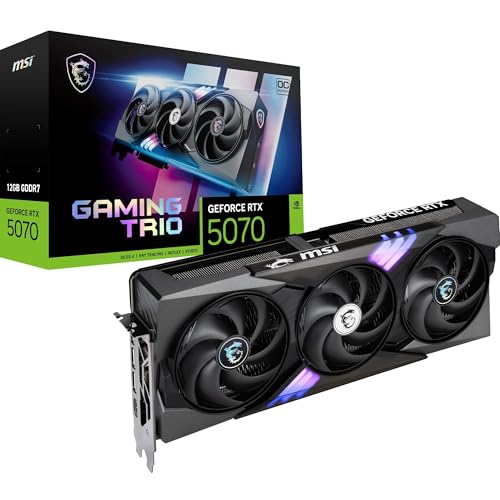
Disclosure: As an Amazon Associate, ilcastellomenu.com earns from qualifying purchases. Links on this page are affiliate links; they cost you nothing extra. Prices and availability change often, so check the current Amazon listing before you buy.
If you are comparing graphics cards right now, the gddr6 vs gddr7 gpu memory question sits underneath almost every spec sheet you will read, because the memory generation quietly decides how much bandwidth a card can feed its processor and how much headroom it keeps at high resolutions. The short version is simple: GDDR7 is the newer, faster standard, moving more data per pin and doing it at lower voltage, while GDDR6 is the mature, widely available standard that still powers most cards people actually own. The longer version, which is the one that should drive a purchase, is about how that bandwidth interacts with bus width, capacity, latency and the games or workloads you run. A card does not become good because its memory badge is newer, and a card does not become obsolete because its memory badge is older. What matters is the total package: how wide the memory bus is, how fast each pin runs, how much memory is fitted, and whether the graphics processor itself is strong enough to use the bandwidth on offer. This guide works through each of those layers in plain language, with decision tables, worked bandwidth examples, and the mistakes shoppers most often make when they treat the memory generation as a score. By the end you will be able to read any two spec sheets side by side and know which differences will show up on your screen and which ones exist only on the box.
Gddr6 Vs Gddr7 Gpu Memory: The Quick Verdict First
Start with the verdict, because many readers only need the headline. GDDR7 wins on raw capability: it transfers data at considerably higher per-pin speeds than GDDR6, it introduces a signalling method that squeezes more bits into each cycle, and it does so while trimming operating voltage, which helps efficiency. GDDR6 wins on availability, price maturity and proven behaviour: it has been in production for years, it appears on everything from entry cards to former flagships, and its characteristics are completely understood by driver teams and game developers. Neither standard changes how much memory a card carries; capacity is a separate choice made by the card designer. Neither standard guarantees a faster card, because a narrow-bus GDDR7 design can deliver less total bandwidth than a wide-bus GDDR6 design, and bandwidth is what the processor actually experiences. So the honest verdict is conditional. If two cards are otherwise closely matched in processor strength, price and capacity, the GDDR7 card holds the advantage, especially at 4K and in texture-heavy or ray-traced workloads. If the GDDR6 card has the stronger processor, more memory, or a meaningfully lower price, it is usually the better buy despite the older badge. Everything below exists to help you judge which of those situations you are in.
One more framing point before the detail: memory generation is a property of the card, not an upgrade you can make later. You cannot swap GDDR6 chips for GDDR7 chips, because the memory controller inside the graphics processor is built for one standard. That makes this a buying decision rather than a tuning decision, and it means the comparison matters most at the moment you choose a card, not afterwards. Owners of a good GDDR6 card should not feel pushed into an upgrade by the badge alone; the sections on real-world frame rates explain why the practical gap is usually smaller than the marketing gap.
In this guide
What GDDR Memory Actually Does While You Play
Graphics memory is the card’s private workbench. The processor stores textures, geometry buffers, shadow maps, frame buffers and intermediate rendering results there, and it reads and writes that data constantly, thousands of times per frame. System memory on the motherboard is far too slow and too far away for this job, which is why every serious graphics card carries its own dedicated memory soldered close to the processor. Two properties of that workbench decide how well it serves the processor. Capacity is the size of the bench: how much data can sit there at once. Bandwidth is the width of the doorway: how much data can move in and out per second. When capacity runs out, the card spills work into system memory and frame times fall apart. When bandwidth runs short, the processor waits for data it needs and its raw power goes unused. GDDR generations are mostly about the doorway. Each new generation widens it, mainly by raising the speed at which each individual pin can signal, so the same number of physical connections carries more data.
That distinction explains a pattern that confuses many buyers: two cards can advertise the same memory capacity and wildly different performance, or different generations and nearly identical performance. Capacity tells you how much can be stored; the generation, combined with bus width, tells you how quickly it can be used. A useful analogy is a warehouse and its loading dock. GDDR7 does not build a bigger warehouse. It builds a faster dock, with more trucks loaded per hour. Whether that helps depends on how busy your warehouse is. A light workload that never queues at the dock gains nothing, while a heavy workload that was dock-limited gains a great deal. Games at 1080p with modest textures are often light at the dock. Games at 4K with high-resolution texture packs, ray tracing and frame generation are heavy at the dock, and they are exactly where the newer standard earns its keep.
The Signalling Trick That Makes GDDR7 Different
The deepest difference between the two standards is not clock speed but signalling. GDDR6 uses a method that distinguishes two voltage levels, effectively one bit of information per signal transition in each direction of its scheme. GDDR7 moves to a three-level pulse amplitude method, which encodes more information into each cycle. In plain terms, each wire carries more meaning per tick, so bandwidth rises faster than the raw clock does. This is why GDDR7 achieves its headline speeds without simply spinning the memory clock to extreme levels, which would cost power and signal quality. The three-level approach also brings stronger error handling expectations, because packing more levels into the same voltage window leaves less margin for noise; the standard answers with more sophisticated on-die error checking and training behaviour so the link stays reliable at speed.
GDDR6 had its own mid-life refinement worth knowing about, because it narrows the gap in some comparisons. The faster variant often labelled GDDR6X used a four-level signalling scheme on certain high-end cards and reached per-pin speeds well beyond plain GDDR6. When you compare an older flagship built on that variant against a mid-range GDDR7 card, the bandwidth numbers can be surprisingly close, and the older card may even lead. This is a good reminder that the generation name is shorthand, not a measurement. The measurement is total bandwidth, and you can compute it yourself from two numbers printed on every spec sheet: memory speed per pin and bus width. The worked examples later in this guide show exactly how, so you never have to rely on the badge.
Bandwidth Maths: Worked Examples You Can Copy
Total memory bandwidth follows one formula: per-pin data rate multiplied by bus width, divided by eight to convert bits to bytes. Run it for a typical GDDR6 card with memory running at 18 gigabits per second per pin on a 256-bit bus and you get 18 times 256 divided by 8, which is 576 gigabytes per second. Take a GDDR7 card at 28 gigabits per second per pin on the same 256-bit bus and the result is 896 gigabytes per second, a jump of more than half. Now change only the bus: put that same GDDR7 memory on a 128-bit bus, as some compact cards do, and bandwidth falls to 448 gigabytes per second, below the wider GDDR6 card. This single calculation explains most confusing review results, where a newer card occasionally loses to an older one in memory-sensitive tests. The generation raised the per-pin rate; the designer gave some of it back by narrowing the bus, often to control cost or to segment products.
| Card style | Memory | Per-pin rate | Bus width | Total bandwidth |
| Mainstream GDDR6 | GDDR6 | 18 Gbps | 256-bit | 576 GB/s |
| Performance GDDR7 | GDDR7 | 28 Gbps | 256-bit | 896 GB/s |
| Compact GDDR7 | GDDR7 | 28 Gbps | 128-bit | 448 GB/s |
| Wide GDDR6 flagship | GDDR6 | 21 Gbps | 384-bit | 1,008 GB/s |
Keep the table in mind whenever a product page leads with the memory generation in large type. The honest comparison is the right-hand column, and it is assembled from two smaller numbers the page usually prints in small type. Shoppers who learn to multiply those two numbers stop being misled by generation marketing entirely. There is a fuller treatment of the bus-width side of this equation in how graphics memory bandwidth shapes frame rates, and it pairs well with this guide if bandwidth is the part of the spec sheet you find least intuitive.
Capacity Is a Separate Question Entirely
Nothing about GDDR7 automatically means more gigabytes. Capacity depends on how many memory chips the designer fits and how dense each chip is. GDDR7 does raise the ceiling over time, because denser chips are part of the roadmap, and it also makes some unusual capacities easier to build, since per-chip density options differ from the older standard. But at the moment of purchase you will find overlapping capacities across both generations, and the capacity you need is set by your resolution, texture settings and workload, not by the generation badge. Too little capacity produces a specific, recognisable failure: texture pop-in, sudden frame-time spikes when new areas load, and settings menus that quietly cap your texture quality. Too much capacity simply sits unused. The practical approach is to choose capacity for your display and games first, then compare bandwidth within the cards that meet that capacity floor.
Capacity planning deserves its own careful pass if you keep cards for a long time, because game texture budgets grow steadily across a card’s life. A companion explainer, a full explainer on graphics memory capacity, walks through how much capacity different resolutions and genres tend to consume, and how to read your current usage before you buy. Combining that capacity answer with the bandwidth maths above gives you the complete memory picture: enough room on the workbench, and a wide enough doorway to keep it supplied.
Latency, Efficiency and the Less Advertised Differences
Bandwidth gets the headlines, but latency and efficiency shape how the memory feels in use. Latency is the delay between the processor asking for data and receiving it. Newer memory running at higher clocks can show slightly different latency behaviour in cycles, yet because each cycle is shorter, real-world latency tends to stay broadly comparable. For gaming, latency differences between these two standards are minor next to bandwidth and capacity effects, and no buying decision should rest on them. Efficiency is the more meaningful secondary story. GDDR7 achieves its speeds at a lower operating voltage than GDDR6, and its power management states are more granular, so a card can sip power during light work and spend it only when the memory is genuinely busy. In a desktop that mostly means a little less heat in the case. In compact systems and laptops, where thermal room is precious, the efficiency gain can matter as much as the bandwidth gain, because it lets the processor keep its boost clocks instead of sharing a tight power budget with hot memory.
Heat deserves a sentence of its own, because memory temperature is a real ownership issue on some designs. Memory chips sit under the same cooler as the processor, and on certain cards the memory runs close to its limits under sustained load. The cooler architecture a card uses changes how evenly that heat is handled, which is why how cooling design changes card behaviour is worth reading alongside any memory comparison. GDDR7’s lower voltage helps at the margin, but cooler quality and case airflow still dominate memory temperatures in practice.
Scenario Walk-Through: Four Buyers, Four Different Answers
Consider a competitive player on a 1080p high-refresh monitor, playing esports titles with settings tuned for frame rate. Their textures are modest, their frame buffer is small, and their bottleneck is almost always processor speed and CPU feed, not memory bandwidth. For this buyer the GDDR generation is close to irrelevant; either standard serves the workload, and money is better spent on the stronger processor or the higher-refresh panel. A GDDR6 card at a good price is not a compromise here, it is the rational choice.
Now consider a 4K player who enables high texture packs and ray tracing. Every frame moves enormous texture and lighting data, and the frame buffer itself is four times the 1080p size. This buyer is exactly the dock-limited warehouse from the earlier analogy. Between two otherwise similar cards, the GDDR7 model’s bandwidth advantage shows up as steadier frame times in the heaviest scenes, and capacity pressure is higher too, so the newer card often pairs its bandwidth with a healthier capacity. For this buyer the generation genuinely matters, though the bandwidth formula still matters more than the badge.
A third buyer splits time between gaming and creative work: video editing timelines, 3D viewport work, local AI image generation. These workloads park very large datasets in graphics memory and stream them repeatedly. Bandwidth speeds up timeline scrubbing and generation throughput, while capacity decides whether the dataset fits at all. This buyer should rank capacity first, bandwidth second, and generation only as the mechanism that delivers the first two. A wide-bus GDDR6 card with generous capacity can out-serve a narrow GDDR7 card for this work, which surprises people who shop by badge.
The fourth buyer is upgrading on a strict budget and keeping the card for years. For them the question is value over time. GDDR6 cards, being the mature standard, frequently offer more processor and more capacity per unit of money, because the newer standard currently carries an early-adopter premium in many line-ups. The risk to weigh is not speed today but relevance later: as games raise texture budgets, bandwidth headroom ages gracefully. The balanced answer for this buyer is usually the best processor-and-capacity combination their budget reaches, in whichever generation, with bandwidth checked by formula rather than assumed from the name.
Myth Vs Fact: Clearing the Common Confusions
- Myth: GDDR7 cards always have more memory. Fact: capacity is a designer choice; both generations ship in overlapping capacities, and a GDDR6 card can carry more gigabytes than a GDDR7 card.
- Myth: the generation alone tells you bandwidth. Fact: bandwidth is per-pin speed times bus width; a narrow GDDR7 card can trail a wide GDDR6 card, as the worked table shows.
- Myth: GDDR7 makes an old processor fast. Fact: memory feeds the processor; it cannot replace it. A weak processor with fast memory still renders like a weak processor.
- Myth: you can upgrade memory later. Fact: graphics memory is soldered and matched to the controller; the only upgrade is a different card.
- Myth: system RAM generations map onto this choice. Fact: DDR5 in your motherboard and GDDR7 on a card are unrelated standards that happen to share letters; neither constrains the other.
- Myth: higher bandwidth always raises frame rates. Fact: bandwidth only helps when memory was the bottleneck; in processor-limited or CPU-limited scenes it changes nothing.
Each of these myths survives because the generation name is easy to print on a box and the real numbers require ten seconds of arithmetic. Once you know the formula and the capacity distinction, the myths lose their power, and comparison shopping becomes a calmer, more mechanical process: shortlist by processor tier, filter by capacity, rank by computed bandwidth, then check price and cooler quality.
How to Compare Two Specific Cards on a Product Page
Turn the theory into a procedure you can run in a shop or a browser tab. First, confirm both cards sit in the same processor tier, because cross-tier comparisons make memory differences look bigger or smaller than they are. Second, write down capacity for each card and check it against your resolution and texture habits. Third, find the per-pin memory speed and the bus width, multiply them, divide by eight, and compare the resulting bandwidth figures directly. Fourth, look at the cooler and the card’s power draw, since a card that cannot hold its clocks will not deliver its paper bandwidth in long sessions. Fifth, only then compare price, and ask what each unit of money buys: in many line-ups the step from a GDDR6 model to a GDDR7 model buys bandwidth you may not use, while the same money spent one processor tier higher buys performance you will use in every game.
Keep your drivers current whichever card you choose, because memory behaviour, power states and game optimisations all arrive through driver updates; if a driver update ever goes wrong, how to clean install your graphics drivers is the reliable recovery path. And if your setup spans several displays, memory load rises with every extra frame buffer, so check the best GPU picks for three-monitor setups before assuming a mainstream card will stretch comfortably.
What About Watching, Browsing and Light Work?
Not every reader games at the limit. For video playback, streaming, office work and photo editing, both standards are far beyond what the workload requests, and hardware video decode support matters more than memory generation. A card chosen for a media-centred build should be judged on its decode features, its outputs and its noise, which is why readers building around film and TV often start from the best graphics cards for HDR movies rather than from memory tables. The lesson generalises: the memory generation is a gaming and compute specification first, and it should be weighted according to how much of your time the machine spends in those roles.
Longevity: Which Standard Ages Better?
A card bought today will meet games designed over the next several years, and those games will assume more bandwidth and more capacity than today’s titles do. GDDR7’s headroom is therefore a form of insurance: bandwidth that is surplus now becomes useful later, particularly if you plan to move to a higher-resolution monitor during the card’s life. Against that, the strongest predictor of longevity has always been processor tier and capacity, not memory generation. A higher-tier GDDR6 card with generous capacity will very likely outlast a lower-tier GDDR7 card, because future games will ask more of the processor and the workbench size before they saturate a healthy doorway. Buy longevity in that order: processor first, capacity second, bandwidth third, and the generation badge last, as a tie-breaker between near-identical cards.
A Short History: How We Got From GDDR6 to GDDR7
GDDR6 arrived as the workhorse standard of a long product generation, replacing GDDR5 across mainstream and high-end cards and lifting per-pin speeds from the single digits into the mid-teens of gigabits per second. Its arrival coincided with the shift to 1440p as the mainstream gaming resolution, and it handled that transition comfortably. A performance variant with four-level signalling then stretched the same basic architecture much further on flagship cards, proving that the signalling trick, not just raw clock, was the lever that mattered. GDDR7 takes that lesson as its foundation: three-level signalling from day one, higher starting per-pin speeds, lower voltage, and denser chips on the roadmap. Understanding this lineage helps you read older cards fairly. A flagship from the GDDR6 era was not built to a lazy standard; it was built to a standard whose ceiling was raised repeatedly during its life, which is why some of those cards still post bandwidth numbers that embarrass newer, narrower designs.
The transition also follows the usual economics of memory standards. Early GDDR7 supply goes to the cards where bandwidth sells: high-resolution gaming flagships and compute accelerators. As production matures, the standard filters down the range, and GDDR6 retreats to the budget tiers where its maturity and low cost are decisive. If you are shopping in the middle of that transition, which is where the market sits now, you will meet both standards at the same price points, in cards aimed at the same buyers. That overlap is exactly why this comparison exists, and why the arithmetic matters more than the era a card comes from.
Upscaling, Frame Generation and Ray Tracing Change the Memory Load
Modern rendering features rewrite the memory budget in ways spec sheets do not show. Upscaling renders the scene at a lower internal resolution and reconstructs it, which reduces the frame buffer and texture streaming pressure compared with native rendering at the same output resolution. A player who games with upscaling enabled at 4K output may load memory more like a native 1440p player, which softens the case for maximum bandwidth. Frame generation pushes the other way in one respect: it stores additional frames and motion data, adding capacity pressure, and it rewards bandwidth because those buffers are read and written constantly. Ray tracing adds its own structures, most notably the acceleration structures that describe scene geometry for light simulation, and those structures live in graphics memory and are streamed as you move. A ray-traced open world is therefore one of the most memory-hungry workloads a card can meet, and it is where the combination of capacity and bandwidth in newer designs earns its clearest wins.
The practical takeaway is to evaluate memory against the features you actually enable. If your play style is native-resolution, high-texture and ray-traced, weight bandwidth and capacity heavily and let the newer standard argue its case. If your play style leans on upscaling and competitive settings, the memory subsystem spends most of its time under modest load, and the older standard’s numbers are more than sufficient. Neither preference is wrong; the mistake is buying for a workload you do not run.
Reading Memory Specifications Without Being Misled
Product pages present memory in at least three different dialects, and mixing them up produces false comparisons. Some list the memory clock in megahertz, some list the effective data rate in gigabits per second per pin, and some list total bandwidth in gigabytes per second. The data rate is the number the bandwidth formula wants. Be careful with clock figures: because these standards transfer data multiple times per clock cycle, the effective rate is a multiple of the printed clock, and comparing one card’s clock with another card’s data rate will mislead you by a large factor. When in doubt, find the total bandwidth figure, which manufacturers and reviewers usually publish, and compare that directly. If a page refuses to state bus width, treat that as a warning sign and find the figure in a review or a specification database before buying, because bus width is the number marketing most often hopes you will not check.
Also learn to spot memory configuration clues in capacity. Unusual capacities, neither the classic doubling steps nor the common mainstream figures, usually signal a bus width that does not divide evenly into standard chip counts, achieved by mixing chip densities. There is nothing wrong with such designs, but they confirm that bus width, chip density and capacity are chosen together, and they reward the buyer who checks the computed bandwidth rather than assuming the wider-sounding card wins.
Troubleshooting: When Memory Is Actually Your Problem
Owners rarely meet the memory standard as a fault, but memory faults do exist and they have signatures. Artefacts that appear as scattered coloured blocks or sparkles, crashes that arrive only after long sessions as the card heats up, and errors that worsen when memory clocks rise all point at the memory subsystem rather than the processor. The first responses are boring and effective: update or cleanly reinstall the driver, remove any memory overclock, improve case airflow, and check that the card’s power cables are fully seated. If artefacts persist at stock clocks with good temperatures, the card itself is the likely fault and warranty support is the right path, because graphics memory cannot be replaced or reseated like system RAM. This is also where the efficiency story returns: a memory subsystem running at lower voltage with better power states has more thermal margin, and margin is what keeps an ageing card stable in a warm room in its fourth summer.
Do not confuse memory faults with capacity shortfalls. Running out of capacity produces stutter, pop-in and settings caps, not visual corruption. Corruption means data is being written or read incorrectly, which is a stability problem. Stutter with clean visuals means the data is fine but the workbench is too small or the doorway too narrow, which is a specification problem you solve at purchase time, not a defect. Keeping those two families separate saves hours of misdirected troubleshooting.
Decision Table: Matching the Standard to Your Monitor and Games
| Your setup | Memory priority | Sensible direction |
| 1080p, high refresh, esports settings | Low: processor and CPU feed dominate | Either standard; buy processor tier and price |
| 1440p, high textures, mixed genres | Moderate: capacity first, bandwidth second | The card with more capacity, then better computed bandwidth |
| 4K native, ray tracing, texture packs | High on both axes | Newer standard usually earns its premium here |
| Ultrawide or triple-monitor | High: frame buffers multiply | Check capacity carefully; favour wide buses |
| Creative and local AI workloads | Capacity is the gate, bandwidth is throughput | Largest workbench your budget reaches, whichever badge |
Tables like this one are a starting filter, not a verdict, because individual cards break patterns in both directions. Use it to decide which specification to interrogate first, then run the bandwidth formula on the actual two or three cards on your shortlist. Ten minutes of that work is worth more than any badge, generation chart or headline speed printed on a box.
Where GDDR6X Fits, and Why It Complicates the Story
Any honest comparison has to account for the performance variant of GDDR6 that shipped on a generation of flagship cards, because those cards are the ones many readers currently own or are considering second-hand. That variant used four-level signalling, the same conceptual trick the newer standard builds on, and reached per-pin speeds that plain GDDR6 never approached. Paired with the very wide buses flagships carry, it produced total bandwidth figures that remain competitive today. The cost was power: driving four voltage levels at high speed is thirsty work, and those cards are known for warm memory under load. GDDR7’s contribution is to deliver comparable or better speeds at lower voltage with three-level signalling, which is an efficiency advance as much as a speed advance. So if your shortlist includes a used flagship from that era against a new mid-range GDDR7 card, do not assume the new card wins the memory comparison. Run the formula. The used flagship may well post the higher bandwidth, and your decision should then turn on warranty, power draw, feature support and price rather than memory at all.
Second-hand buying adds one more memory consideration: history. Memory that has run hot for years, particularly in cards used for continuous compute work, ages faster than memory in a lightly used gaming card. Ask about the card’s past workload, favour sellers who can show the card running a memory stress test cleanly, and remember that artefacting under load is the classic symptom of tired memory. None of that is generation-specific, but it matters more for the older standard simply because those cards have longer histories behind them.
How Reviewers Measure Memory Impact, and How to Read Their Charts
Review charts isolate memory effects by testing the same card at different resolutions and texture settings. When a card’s performance falls away more steeply than its rivals as resolution rises, memory is usually the reason: either bandwidth is saturating or capacity is spilling. The cleanest signal is the shape of the scaling, not any single number. A card that matches a rival at 1080p, trails slightly at 1440p and trails heavily at 4K is telling you its memory subsystem is the ceiling. Conversely, a card that trails by the same percentage everywhere is processor-limited, and its memory generation is irrelevant to the gap. Learning to read scaling shapes lets you extract the memory story from any review, even one that never mentions bandwidth, and it protects you from the opposite error of crediting memory for differences the processor caused.
Texture setting tests tell the capacity half of the story. When dropping textures one notch transforms a stuttering game into a smooth one on a particular card, that card was capacity-bound. When the same change barely moves frame rate but resolution changes move it a lot, bandwidth is the binding constraint. Run these two experiments on your current card before you shop, using the games you actually play, and you will know which half of the memory specification your next card must improve. That is a far better foundation for a purchase than any general ranking, including the guidance in this article.
Power, Heat and Noise: The Ownership Differences
Memory efficiency shows up in ownership as heat and noise rather than as a line on a graph. A card whose memory runs cooler leaves more of the cooler’s capacity for the processor, which means fans spin slower for the same performance, or boost clocks hold longer at the same fan speed. The effect per card is modest, but in a small case or a quiet room it is audible. GDDR7’s lower voltage and finer-grained power states also help at idle and during video playback, where the memory can drop into deeper low-power states between bursts of work. A media and browsing machine that spends most of its life far from gaming loads can therefore feel the efficiency difference daily while never touching the bandwidth difference at all. Judge your own usage honestly: the standard’s advantages are real but they are not all aimed at the same buyer.
A Glossary for the Rest of the Spec Sheet
- Bus width: the number of parallel data paths between processor and memory, printed in bits; one of the two numbers in the bandwidth formula.
- Per-pin rate: how much data each path carries per second, printed in Gbps; the other number in the formula.
- Bandwidth: the product of the two, in GB/s; the figure the processor actually experiences.
- Capacity: how much data the memory holds at once, in GB; governs texture headroom and dataset size, not speed.
- Signalling levels: how many voltage states each signal distinguishes; more levels mean more bits per cycle at the cost of tighter margins.
- Memory junction temperature: the hottest measured point in the memory subsystem; the figure to watch when a card runs hot.
- ECC behaviour: error checking and correction features that keep high-speed transfers reliable; more prominent in the newer standard.
With those seven terms settled, every memory claim in every product listing becomes checkable. That, more than any verdict about two standards, is the durable skill this comparison can give you, because the standards will change again and the arithmetic will not.
A Worked Shortlist: Three Cards, One Decision
Put the whole method together on a realistic shortlist. Card One is a previous-generation performance model: a strong processor, generous capacity, GDDR6 memory on a wide bus, and a computed bandwidth figure that still looks healthy. Card Two is a current mid-range model: a slightly weaker processor, the same capacity, GDDR7 on a narrower bus, and a computed bandwidth within a few percent of Card One. Card Three is a current performance model: the strongest processor of the three, GDDR7 on a wide bus, bandwidth well clear of both, and a price to match. The badge-led shopper picks between Two and Three and dismisses One. The arithmetic-led shopper sees that One and Two are memory equals, so their contest is decided by processor strength, warranty and price, where One often wins on value and Two wins on warranty and efficiency. Three is the only card that is actually a memory upgrade, and it is also a processor upgrade, which is why its premium is easier to justify. This pattern repeats in real line-ups season after season, because manufacturers segment by bus width as much as by generation.
Notice what the worked example did not require: any benchmark at all. Benchmarks confirm the arithmetic, and you should absolutely read them before buying, but the spec-sheet method filtered the shortlist correctly on its own. That is the right division of labour. Use the formula and the capacity check to decide which two or three cards deserve your research time, then use reviews of those specific cards, in the games you play, at your resolution, to make the final call.
What Comes After GDDR7, and Whether to Wait for It
Every memory standard looks permanent at its launch and temporary five years later. GDDR7 will be refined with faster speed grades and denser chips during its life, and eventually a successor will be announced with the same promises of more bandwidth per watt. The question shoppers ask, whether to wait, has a consistent answer: buy for the workload in front of you, because the next standard’s benefits arrive attached to whole new cards at launch prices, and the cycle never actually pauses. The only waiting that pays is the short, tactical kind: if a new card generation is clearly weeks away and your current card still works, prices on the outgoing models usually soften, and the comparison in this guide becomes even more favourable to the mature standard. Strategic waiting for a memory standard, by contrast, has never once been the right call in this market’s history.
There is also a quieter reason not to chase the newest memory: driver and game optimisation maturity. The mature standard’s behaviour is fully mapped; every engine’s texture streaming and every driver’s power management have been tuned against it for years. New standards earn that maturity quickly, but the first months of any transition include the occasional odd interaction that later drivers smooth out. Early adopters accept that trade for the headroom; patient buyers let others pay for the tuning period. Both are defensible, and knowing which buyer you are is part of the decision.
Final Checklist Before You Spend
- Processor tier chosen first, from reviews in your games at your resolution.
- Capacity checked against your texture settings, resolution and any creative workloads.
- Bandwidth computed for every shortlisted card from per-pin rate and bus width, never assumed from the generation badge.
- Cooler quality and card power draw reviewed, so paper bandwidth survives long sessions.
- Monitor plans considered: a planned 4K upgrade argues for bandwidth headroom today.
- Price compared last, asking what each step up actually buys in processor, capacity or bandwidth.
Work through those six lines and the memory generation stops being a source of anxiety or marketing leverage. It becomes what it should always have been: one specification among several, understood well enough to weigh and, when the numbers say so, to ignore.
The Ownership Footnote: Drivers, Warranty and the Memory You Cannot See
Two ownership matters close the comparison, because they are where the standards differ in daily life rather than in specifications. The first is maturity of support: the older standard’s behaviour is mapped by a decade of drivers, and its quirks, where a card family ever had them, are known, documented and long since engineered around, while the newer standard’s first driver generations are still writing that map, competently but visibly. Early adopters of any memory standard trade a little of that polish for their headroom, and they should do so knowingly. The second is the warranty mirror: when a card’s memory fails, it fails as a card, under the card’s warranty, regardless of generation, and neither standard’s chips are user-serviceable in any sense. The practical residue is that the generation choice should be made on the arithmetic this guide teaches, processor, capacity, computed bandwidth, price, and not on anxieties about serviceability, where the two standards are identical twins. Buy the numbers, keep the paperwork, and let the memory, whichever generation it is, do its work unseen, which is what it was soldered there to do.
A Last Comparison: The Two Standards in the Same Machine’s Life
It may help, at the very end, to imagine the two standards not as rivals on a shelf but as chapters in one machine’s life, because that is how most owners will actually meet them. The card bought this year on the older standard serves its years honestly, its bandwidth computed, its capacity planned, its successor already visible on the horizon wearing the newer chips. When the upgrade comes, the newer standard’s gifts arrive as part of a whole new card, processor, features and memory together, and the owner who learned the arithmetic on the old card reads the new one’s specification in seconds. Nothing in that story requires a winner. It requires only that each purchase be made with its eyes open, the bandwidth computed, the capacity forecast, the premium priced against the years. The standards will keep alternating, each generation’s memory briefly new and then briefly normal, and the reader of this guide owns the one asset that does not alternate: the method. Generations are weather; arithmetic is climate.
One Sentence to Carry Away
If this entire comparison had to survive as a single sentence in the reader’s memory, it would be this one: the generation names the chips’ signalling, the arithmetic names the card’s bandwidth, the capacity names its years, and the wise buyer reads all three before reading the price. Keep the sentence, and the next decade of memory marketing, whatever its generations are called, will arrive pre-translated.
Frequently Asked Questions
Is GDDR7 always faster than GDDR6?
Per pin, yes; per card, not always. Total bandwidth multiplies per-pin speed by bus width, so a wide-bus GDDR6 card can exceed a narrow-bus GDDR7 card. Always compute the bandwidth figure for the two specific cards you are comparing instead of trusting the generation name.
Does GDDR7 mean the card has more gigabytes?
No. Capacity is chosen by the card designer and overlaps across both generations. Check the gigabyte figure separately, and match it to your resolution and texture settings, because capacity shortfalls cause pop-in and stutter that bandwidth cannot fix.
Should I upgrade a good GDDR6 card just for GDDR7?
Almost never for the memory alone. An upgrade makes sense when the new card also brings a stronger processor, more capacity, or features you need. Swapping within the same processor tier purely for the memory badge spends a lot for gains that appear only in memory-limited scenes.
Can I mix or upgrade graphics memory chips myself?
No. The chips are soldered, matched to the memory controller, and tied to the card’s firmware and power design. There is no socketed upgrade path; changing memory means changing the card.
Does GDDR7 use less power than GDDR6?
Generally yes for the memory subsystem, thanks to lower operating voltage and finer power states. The whole card’s power draw still depends mostly on the processor and its boost behaviour, so judge total consumption from the card’s rated draw rather than from the memory standard.
Which matters more at 4K, bandwidth or capacity?
Both are stressed at 4K, but they fail differently. Too little capacity causes visible texture pop-in and frame-time spikes, while too little bandwidth lowers performance more evenly. Secure the capacity your games need first, then take the most bandwidth the remaining budget allows.
The Bottom Line
GDDR7 is the better technology: faster per pin, more efficient, and built for the resolutions and effects that are becoming normal. GDDR6 remains the better value in many of today’s line-ups and is no handicap in the workloads most people run. The shoppers who get this choice right are the ones who stop reading the badge and start reading the two numbers behind it, per-pin speed and bus width, alongside processor tier and capacity. Do that, and the gddr6 vs gddr7 gpu memory question answers itself for any pair of cards you place side by side.