Disclosure: As an Amazon Associate, ilcastellomenu.com earns from qualifying purchases. Links on this page are affiliate links; they cost you nothing extra. Prices and availability change often, so check the current Amazon listing before you buy.
This monitor riser buying guide exists because the simplest product on your desk is also the easiest to buy wrong. A monitor riser has no processor, no panel, no software — just a platform, a height and a space underneath — yet the wrong one wobbles, crowds the desk or lifts the screen to a height your chair never asked for. The good news is that buying the right one requires no expertise, only four measurements and a clear answer to one question: what job are you hiring it to do? This guide walks through the types, the criteria that actually matter, the picks worth shortlisting at each tier, and the mistakes that send risers back in their boxes.
By the end you will know whether you need a fixed platform, adjustable legs, a ventilated metal design, a wide dual shelf or a drawer organiser; how to size it against your monitor and your seated eye level; and how to spend at the right tier for your desk instead of the tier with the nicest photographs. Let us start with the takeaways, then go deep.
Key Takeaways From This Monitor Riser Buying Guide
- Measure two things before anything else: your seated eye level against the screen, and your monitor stand’s footprint against platform sizes.
- Fixed platforms suit settled single-user desks; adjustable legs suit shared desks and in-between measurements.
- The space underneath is a feature, not a bonus — decide whether it will hold a keyboard, warm hardware or small clutter before choosing a design.
- Rigidity is the quality that separates tiers. A platform that flexes under your monitor will annoy you daily.
- Dual monitors that never move belong on one long shelf, not two small risers.
- Skip the riser entirely if your real problem is screen distance or movement — that is a monitor arm’s job.
In this guide
What a Monitor Riser Does and the Main Types
A monitor riser lifts your display on a freestanding platform so the screen sits nearer your natural eye level, and it converts the space beneath the screen into storage. It does not mount to anything, which is why it suits renters, shared offices and any desk you would rather not clamp or drill. Its effect on comfort is practical rather than medical: a level gaze and a tidier desk, achieved with furniture rather than machinery. Within that simple definition sit five types, and choosing the type is ninety percent of the purchase.
Fixed Platforms
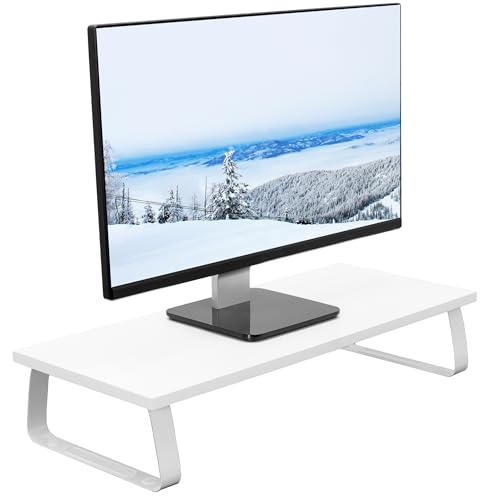
The classic design: a shelf on legs or solid sides, in wood, bamboo, engineered board, metal or glass, at one height forever. Fixed platforms are the most rigid, the best-looking and the easiest to buy well, because there is nothing to adjust and nothing to wear out. They suit the desk that does not change — same user, same chair, same monitor. Their single demand is that you measure before buying, because the height you choose is the height you live with. For most single-monitor home offices, this is where the search starts and usually where it ends.
Adjustable-Leg Risers
These use stacking, folding or telescoping legs to offer more than one working height. The adjustment is occasional rather than constant — you are not meant to crank it between tasks — and it exists for desks whose circumstances change: two users, a growing teenager, a chair upgrade on the horizon, or a seated eye level that falls between two fixed heights. You trade a little of the fixed platform’s monolithic feel and clean silhouette for that insurance. Bought for a named reason, adjustable risers are among the most satisfying in the category; bought vaguely, they are complexity without a customer.
Metal and Mesh Risers
Ventilated metal designs treat the under-screen bay as working space for hardware. A laptop on a dock, a mini PC or external drives all appreciate airflow that a solid shelf denies them, and the platform itself shrugs off heat, spills and hard use. These are the risers of workshops, studios and busy family desks. The compromise is aesthetic: mesh and powder-coated steel read as equipment, which is either exactly your taste or exactly not. If your desk lives in a room that is styled rather than used, weigh that honestly.
Drawer and Organiser Risers
Storage-first designs build drawers, pockets or divided bays into the unit, trading open clearance for the ability to make small clutter disappear. They are the right buy for paper-heavy and gadget-heavy desks, and the wrong buy for the keyboard-parking routine, because drawers and dividers nibble at exactly the space a keyboard wants. Judge them as organisers that hold a monitor, not as platforms that happen to have drawers, and their value becomes easy to assess: count the small things on your desk right now. If the count is embarrassing, this type was designed for you.
Wide Dual-Monitor Shelves
One long platform carrying two screens at one exact height, with one continuous storage bay beneath. The virtue is composure: both displays share a horizon, the desk reads as a single workstation, and the bay below swallows a keyboard, laptop and notebook at once. The costs are footprint and commitment — the shelf sets your screens’ spacing and dominates smaller desks. For settled dual setups it is the most satisfying design in the category; for setups still changing, it is a decision made too early.
Top Picks at a Glance
| Pick | Badge | Tier | Choose it for |
|---|---|---|---|
| VIVO Monitor Riser | Best Overall | Mid-range | A settled single-monitor desk that wants furniture-grade calm |
| HUANUO Monitor Stand Riser | Best for Shared Desks | Entry-to-mid | Two users, one screen, different heights |
| WALI Monitor Stand Riser | Best Ventilated | Accessible | Warm hardware underneath and hard-used desks |
| FITUEYES Monitor Stand Riser | Best for Dual Monitors | Mid-to-premium | Two screens on one level line, wide desks |
| Amazon Basics Monitor Stand | Best Budget Baseline | Entry | First risers, spare desks, testing the concept |
| SimpleHouseware Monitor Stand Riser | Best for Clutter | Entry-to-mid | Small-item chaos that needs a planned home |
The table is a map, not a verdict — each pick gets its full reasoning in the mini-reviews below, after the criteria sections explain how to judge any riser, including ones not listed here.
How Much Height Do You Actually Need?
This is the criterion buyers most often guess at, and the one where guessing is most punished. The method takes two minutes. Sit in your chair as you actually work — not bolt upright for the measuring tape — and note where your eyes rest. Then look at your screen: the goal is for the display’s upper area to sit around that eye level, so your gaze settles naturally toward the middle of the panel without tilting your head down through the day. Remember that your monitor’s own stand already contributes height, and the riser adds on top of it. The number you are shopping for is the gap between those two, and it is different for every chair, desk and person combination.
Two failure modes frame the decision. Too little lift and you have bought an expensive shelf that changed nothing about your posture. Too much lift and you have traded looking down for looking up, which is no improvement and sometimes worse, because it also raises the screen away from a comfortable reading distance angle. If your gap lands between the heights on offer, that is the adjustable-leg design’s entire reason to exist. And if your monitor’s stock stand already reaches your eye level — some do — the honest answer from this guide is that you may not need a riser for height at all, only perhaps for storage.
Will It Fit Your Monitor and Your Desk?
Fit has two halves. On top, the platform must host your monitor’s stand with margin: the stand’s feet should sit comfortably inside the platform’s edges, not perched at them, because a stand at the edge makes every desk bump a small event. Wide and ultrawide monitors concentrate their presence on a single central stand, which is forgiving on width but demanding on rigidity. Underneath, the bay must fit its intended tenant. A keyboard needs open width and enough clearance to slide without scraping; a docked laptop needs depth and, ideally, air; drawers need you to accept their dimensions as your storage budget.
The desk itself is the third party in the fit. A riser consumes surface permanently, and on a shallow desk that consumption is felt in the keyboard zone in front of it. Measure the desk’s depth, picture the platform in place, and check that your keyboard and wrists still land where they should. Corner desks and desks against walls add one more consideration: cables need a route down behind the riser, so leave the unit a small breathing space from the wall rather than wedging it tight. None of this is difficult — it is simply the difference between a riser that feels designed for your desk and one that feels parked on it.
How Rigid Does It Need to Be?
Rigidity is the quality criterion that separates the tiers, and you can assess it without instruments. A good platform does not bow when you press its centre, does not rock when you press a corner, and does not creak when the monitor shifts slightly on its stand. Construction signals to look for in listings and in person: a top with real thickness rather than a skin over a frame, legs or sides that meet the top squarely, feet spaced toward the corners rather than gathered in the middle, and fasteners that look like they were chosen rather than included. Heavier monitors raise the requirement — treat the flimsiest budget tier as a light-monitor product and step up without resentment if your display is large.
Material plays into rigidity but does not decide it. Thick wood, bamboo and steel all make inert platforms; thin versions of any of them flex. Glass deserves a specific note: it is rigid in the way glass is, completely unforgiving of point loads and casual knocks, and it shows dust faster than any other finish — beautiful on a tidy desk, high-maintenance on a busy one. Whatever the material, the test is the same: the monitor should feel like it is resting on the desk itself, one level up. The moment the platform announces itself under load, it has failed its main structural job.
What Will Live Underneath? Storage, Decided in Advance
Decide the under-space’s tenant before you choose the design, because the types optimise for different tenants and compromise on the rest. The keyboard tenant wants open width, sliding clearance and nothing in the way — fixed platforms and wide shelves serve it best. The hardware tenant — a docked laptop, a small computer, drives — wants depth and airflow, which points to ventilated metal. The clutter tenant wants enclosure: drawers, pockets and divided bays that make forty small objects vanish, which is the organiser family’s whole pitch. Buyers who skip this decision end up with a drawer unit their keyboard cannot enter or an open platform under which their stationery still sprawls. Name the tenant, and the type chooses itself.
Fixed or Adjustable: How to Prioritise by Use Case
The Settled Solo Desk
One user, one chair, one monitor, no changes planned. Buy the most rigid fixed platform your tier allows, in the material that suits the room. Adjustability would be a feature without a user, and the fixed design’s calm, furniture-like presence is the reward for your certainty. This is the majority case, and it is why fixed platforms anchor the category.
The Shared or Family Desk
Two or more users with different seated heights make adjustable legs the priority, ahead of materials and looks. Set the height for the person who sits longest, adjust for the other when they take a turn, and accept the slightly more engineered appearance as the price of domestic peace. If the sharing is between an adult and a growing child, the case is stronger still — the desk will need re-levelling for years.
The Dual-Monitor Workstation
Prioritise span and rigidity: one long shelf, judged by whether its middle stays flat under both screens. Storage planning matters doubly here because the central bay becomes the desk’s main garage. If the setup is still evolving — a second screen on trial, layouts changing monthly — postpone the shelf and live with the stock stands until the arrangement settles.
The Small or Rented Desk
Prioritise footprint discipline and zero installation. A compact fixed platform or a ventilated metal design lifts the screen and organises the bay without clamps, holes or landlord conversations. Measure the desk depth twice; on a small desk the riser should feel like it was cut for the space, and the keyboard-parking routine will repay you every evening when the work surface clears.
The Picks, Reviewed in Miniature

VIVO Monitor Riser — Best Overall
A broad, furniture-finished fixed platform that gets the fundamentals right: calm under a full-size monitor, generous underneath, and styled to belong in a room rather than a server rack. It is the default recommendation of this guide for the settled single-monitor desk. Best for: home offices that want height, storage and a finished look in one move. Not suited for: shared desks or shallow desks short on depth. Tier: mid-range, and the step up from entry buys rigidity and finish you can feel daily.

HUANUO Monitor Stand Riser — Best for Shared Desks
Adjustable legs turn this design into the category’s diplomat: one screen, several heights, no arguments. The platform itself is honest and practical, and the mechanism is there to be used occasionally and then forgotten. Best for: couples, families and in-between measurements. Not suited for: buyers chasing the cleanest possible silhouette. Tier: entry-to-mid — the budget goes to flexibility, which for its audience is exactly where money should go.

WALI Monitor Stand Riser — Best Ventilated
A metal, airflow-friendly platform from a mount maker that understands load and longevity. It keeps warm hardware breathing underneath, wipes clean in seconds and shrugs off the knocks of a hard-used desk. Best for: docked laptops below, workshop-style setups, busy family desks. Not suited for: formal rooms where equipment looks are unwelcome. Tier: accessible, with build quality that embarrasses its bracket.
FITUEYES Monitor Stand Riser — Best for Dual Monitors
A wide, design-led shelf that puts two screens on one composed line and gives the desk a single generous storage bay. Measure honestly before buying — its virtues need desk width to land on. Best for: dual-monitor workstations and creator desks. Not suited for: compact desks or layouts still in flux. Tier: mid-to-premium, priced for span and design, and worth it where the desk can honour both.

Amazon Basics Monitor Stand — Best Budget Baseline
The category’s floor, in the honourable sense: a simple platform that lifts and stores without fuss, features or ceremony. It is how first-time buyers prove the concept, and how spare desks get quietly upgraded. Best for: first risers, secondary workstations, bulk buys. Not suited for: heavy displays or design-led rooms. Tier: entry — and the yardstick every pricier pick must justify itself against.
SimpleHouseware Monitor Stand Riser — Best for Clutter
An organiser that holds a monitor: mesh bays, pockets and storage thinking aimed at desks drowning in small things. Judge it by your clutter count, not by platform purists’ standards. Best for: students, administrators, paper-and-gadget-heavy desks. Not suited for: the keyboard-parking routine, since storage features share the under-space. Tier: entry-to-mid, spending on organisation rather than materials.
First Setup and Care Essentials
Setup rewards ten unhurried minutes. Assemble the legs or feet fully and check the unit sits flat — no rocking corner — before the monitor goes anywhere near it. Place the riser centred on where you sit, not on the desk’s visual centre, then set the monitor’s stand squarely on the platform and route cables down behind, with enough slack for the screen’s own tilt. Slide the keyboard in and out of its new garage a few times; adjust now, not after a month of scraping. Then sit, work for an hour, and only then decide whether the height is right — first impressions of height are unreliable, settled ones are not.
Care is minimal by design. Dust the top when you clean the screen. Keep drinks on coasters as you would on any furniture finish, wipe wood and bamboo with a barely damp cloth, and give mesh designs an occasional shake-out over a bin. Check leg fasteners once in a while and confirm the feet are still where they belong. That is the entire maintenance contract — one of the quiet reasons this category reviews so well over years rather than weeks.
Mistakes to Avoid
- Guessing the height instead of measuring your seated eye level against the screen.
- Buying a platform narrower than your monitor stand’s footprint.
- Choosing drawers when your real plan was parking a keyboard underneath.
- Putting a heavy ultrawide on the flimsiest budget build to save a small step in tier.
- Expecting a riser to fix screen distance or movement — problems only an arm addresses.
- Judging by photographs without checking your desk’s depth against the footprint.
- Splitting a settled dual setup across two small risers that never quite match height.
our hands-on monitor riser review
Final Recommendation
The right riser is the one whose type matches your desk’s tenant list, whose height matches your chair, and whose platform matches your monitor’s footprint — in that order. For most readers that resolves to a rigid fixed platform in the middle tier; for shared desks, to adjustable legs; for dual setups, to one long shelf; for cluttered desks, to an organiser design. Measure twice, buy once, and let the quietest product on your desk get on with its work. If your honest answers point instead to movement and reach, close this guide and shop for a monitor arm with our blessing — the best buying decision is sometimes a different product.
Reading a Riser Listing Like an Engineer
Product listings in this category are long on lifestyle photographs and short on the five facts that decide satisfaction, so part of buying well is knowing where those facts hide. Dimensions matter more than any adjective: find the platform’s width and depth and hold them against your monitor stand’s footprint, then find the height and hold it against your measured gap. Load language matters next — treat vague reassurance as a light-monitor product and specific, confident construction descriptions as a better sign. Materials should be named plainly; a listing that cannot say what its platform is made of is telling you something. Finally, look for the underneath in the photographs: the bay’s shape, any centre obstruction, and whether a keyboard appears in it at a believable scale. Five minutes of this reading prevents most of the category’s returns.
Buying for a Monitor You Have Not Bought Yet
A common sequence deserves its own advice: the desk is being built in stages, and the monitor upgrade is coming later. Buy the riser for the future monitor’s likely footprint, not the current one’s — platforms are cheap to keep and annoying to replace, and a slightly generous platform serves a small monitor gracefully while the reverse is impossible. If the future screen is an ultrawide or a dual pair, let that plan steer you toward rigidity and span now. The one thing not to do is buy the flimsiest interim riser as a placeholder; interim furniture has a way of becoming permanent, and a flexing platform under a new flagship monitor is a poor welcome home.
Second-Hand, Refurbished and Hand-Me-Down Risers
Few products suit the second-hand market better. A riser has no electronics, no battery, no software and almost nothing to wear out, so a used fixed platform in wood or metal is often indistinguishable in service from a new one. The inspection is short: check the top for bowing by sighting along it, press the centre and corners, confirm all feet are present and level, and look at fasteners for rust or stripped heads. Adjustable designs deserve one extra test — cycle the legs through their positions and confirm each locks positively. Drawer units should glide without grinding. Pass those checks and the used market’s discount is nearly free money, which is more than can be said for most second-hand desk gear.
When to Buy Two: Risers Beyond the Main Desk
Buyers who get on with their first riser often discover the pattern repeats around the home. A second screen in a study, a laptop station on a kitchen table that becomes a standing-height perch on a counter, a teenager’s desk, a spare-room setup for guests who work — each is the same problem in a new costume. The buying discipline transfers unchanged: measure the eye level at that seat, because a dining chair and an office chair produce different gaps; check the footprint; name the tenant underneath. Entry-tier designs earn their keep in these secondary roles, where the main desk’s standards of finish matter less than the simple daily lift. It is also why the baseline pick in this guide matters: it is the unit you will buy three of without thinking, once the first one has proved the concept.
A Final Word on Timing
Risers are not seasonal products and their designs change slowly, so there is little strategy in waiting for a better moment. The better question is sequencing within a desk build: chair first, because its height sets your eye level; monitor position second, because the riser is sized by the gap the chair reveals; storage and decoration last, into the bay the riser creates. Buyers who reverse that order end up measuring around furniture they then replace. Follow the sequence and the riser you buy is the riser you keep — which, in a category this simple, is the whole definition of buying well.
Worked Examples: Three Buyers, Three Right Answers
Buyer One: The Analyst With the Shallow Desk
Her desk is deep enough for a laptop and a notebook, barely. Her monitor, supplied by work, squats on a basic stand. Her measurements: a modest gap between screen top and eye level, a monitor footprint that fits most standard platforms, and a keyboard that must park somewhere or the desk never clears. The guide’s answer: a compact fixed platform in bamboo or wood, chosen by footprint discipline rather than by features, with the keyboard routine as the deciding benefit. She should skip drawers, skip width, and spend her small step up in tier on rigidity, because a shallow desk puts the riser close enough to touch all day.
Buyer Two: The Household With One Desk and Two Heights
He works from home at the desk on weekdays; his partner uses it for study in the evenings; their seated eye levels are nowhere near each other. Every fixed platform is wrong for one of them by construction. The guide’s answer: the adjustable-leg design, full stop — and the buying questions shift accordingly, from materials to mechanism: do the legs lock positively, can the height be changed without unloading the monitor, does the bay stay usable at both heights. Looks come second here, and both users’ comfort comes first, which is the correct order for shared furniture.
Buyer Three: The Video Editor Building Once, Properly
Two screens, a dock and drives that run warm, a desk wide enough to honour a long shelf, and a settled layout that has not changed in a year. The guide’s answer: the wide shelf, judged by mid-span rigidity above all, with ventilation as the tiebreaker for the hardware bay. He should measure the combined footprint of both stands, confirm the shelf’s span with margin, and treat the purchase as furniture — because at that width and permanence, it is. His is the one profile where the premium tier is the rational tier.
Questions to Ask Before You Check Out
- Have I measured my seated eye level against the screen as it sits today — not guessed it?
- Does my monitor’s stand fit the platform with margin on every side?
- What, by name, will live underneath — and does this design serve that tenant best?
- If someone else uses this desk, whose height wins, and should the legs adjust instead?
- Is my screen’s real problem height — or is it distance and movement, which need an arm?
- Am I buying the tier my monitor’s weight deserves, or the tier my optimism prefers?
- Will this finish forgive my desk’s actual habits — mugs, dust, clutter — or only its photographs?
Seven questions, two minutes, and the category’s return rate collapses. That is the quiet thesis of this entire buying guide: monitor risers are not hard to buy, they are merely easy to buy carelessly, because their simplicity invites skipping the homework. Do the homework — it is shorter than the returns process — and the simplest product on your desk will also be one of the most satisfying.
The Guide’s Worked Answers to Awkward Cases
The Corner Desk
Corner desks concentrate their depth at the angle and starve it at the sides, which makes riser placement a genuine decision rather than a default. Centre the platform on your sitting position at the corner’s apex, where the depth is, and let the wings of the desk serve as document and notebook territory. Check that the bay’s tenant still works at that angle — a keyboard parks as happily in a corner bay as anywhere — and be especially careful with wide dual shelves, whose ends project into the shallow wings and can look and feel marooned. A compact fixed platform is usually the corner’s best answer, bought with the same measurements, applied at the apex.
The Glass Desk
Glass-topped desks ask two things of a riser. The first is feet: wide, soft, grippy feet that spread the load and refuse to skate, because a platform that migrates on glass migrates silently and completely. The second is honesty about the aesthetic doubling — a glass riser on a glass desk can read as a display case, while a warm wood platform gives the eye a resting place. Neither is wrong; both are choices. What is wrong is a heavy monitor on a narrow-footed riser on glass, a combination that concentrates everything this guide warns about into one elegant hazard. Spread the feet, spread the load, and the pairing is safe and striking.
The Desk Against a Wall, the Desk in a Room’s Middle
Wall desks route cables down behind the riser into the shadow gap, tidy and forgotten. Desks in the middle of a room — increasingly common in open-plan homes — have no shadow gap, and every cable is on display from behind, which is where visitors see your setup from. For those desks the riser’s back edge matters: a design with a clean rear face and a bay that hides a small power strip turns the room-facing side from a cable exhibition into a composed rear elevation. It is a minor criterion that never appears in listings, and on a room-middle desk it is worth real money. Buy for the view you actually have of your own desk, including the one from the doorway.
After the Purchase: The First Fortnight
This guide’s responsibility does not end at checkout, because the fortnight after delivery is when good purchases are accidentally ruined. Day one: assemble fully, level honestly, centre on your chair. Days two to seven: live with the height before judging it, park the keyboard nightly to build the routine while motivation is fresh, and keep the bay for its named tenant against the entropy that will immediately apply for the space. Day fourteen: audit. Is the gaze settled? Is the bay earning? Is anything flexing, rocking or wandering? If the audit passes, you own furniture. If it fails on height alone, the adjustable design is your exchange, not your regret. Bought with measurements and audited with patience, a riser is as close to a guaranteed desk improvement as this guide is willing to print.
Buying a Riser as a Gift, and Other Social Cases
Risers are bought as gifts more often than their utilitarian image suggests — for the partner whose home office assembled itself in a hurry, the parent working at a kitchen table, the graduate furnishing a first flat. Gift-buying inverts this guide’s usual logic: you cannot measure the recipient’s eye level with a straight face, and surprise forbids the interrogation the category deserves. The gift-safe strategy is adjustability, which forgives the missing measurements, in a forgiving material — bamboo and wood read as presents where mesh reads as equipment. Include, without embarrassment, the suggestion that an exchange toward a different height is a success rather than a failure. A riser given with that spirit lands as what it is: not a shelf, but a small, daily kindness with a platform’s shape.
The same social logic applies to furnishing someone else’s workspace professionally — the home office you set up for an employee, the study corner you build for a teenager. Buy for the seated person, not the room’s photograph; choose the adjustable design when the person is still growing or the chair is still provisional; and resist the premium tier’s pull until the basics of height and footprint are proven in place. Furniture bought for others fails socially before it fails physically when it is chosen for the buyer’s taste. This guide’s criteria are deliberately impersonal — gaps, footprints, tenants — because impersonal criteria travel well between households.
The Guide in a Single Shopping Trip
Imagine the purchase compressed into one errand, as this guide would run it. Before leaving: two measurements written on paper, the under-space tenant named, the fixed-versus-adjustable question settled by who sits at the desk. In the shop or on the listing page: platform dimensions against the paper, a press on the centre and a corner, feet inspected, the bay pictured full. At the till: the tier justified in one sentence — rigidity, span or storage — or the purchase postponed. At home: assembled level, centred on the chair, audited at a fortnight. That is the entire method, and its brevity is the point. Categories this simple do not need longer guides; they need shorter ones, followed.
The Two-Minute Version of This Entire Guide
For the reader who has scrolled to the end with a basket already open: sit in your chair, measure the gap between your eye level and your screen’s top, and measure your monitor stand’s footprint. Buy a fixed platform if the desk is yours alone, adjustable legs if it is shared, ventilated metal if hardware lives underneath, a wide shelf if two settled screens need one line, an organiser if small clutter is the enemy, and the baseline if this is your first. Spend the step up in tier on rigidity, not features. Route the cables behind on day one, park the keyboard from the first night, and audit the height after a fortnight rather than an hour. That paragraph is the whole guide; everything above it is the reasoning, kept for readers who like their conclusions earned.
And if the two-minute version produced an uncomfortable answer — the gap is zero, the screen moves daily, the posture alternates — then the guide’s last service is to say so plainly: close the basket. A buying guide that cannot talk a reader out of the wrong purchase is a catalogue wearing a guide’s clothes. The riser will still be there, in the same designs at the same gentle tiers, on the day your desk changes into one it suits. Buy it then, measure first, and join the large, quiet population of owners who never think about the platform under their screen again — which is, in this category, the sound of a purchase done right.
A closing note on confidence: buyers sometimes apologise for researching a simple product this thoroughly, as if the guide’s length implied the purchase was grander than it is. It is not the price that justifies the care — it is the tenure. You will interact with this object every working day for years, at the exact centre of your visual field, which is more than can be said for most things in the home that cost ten times as much. Two measurements and seven questions is not over-thinking a shelf. It is the correct amount of thinking for a decade of mornings.
Finally, keep the receipt and the box for the first fortnight, not out of pessimism but out of method: the audit this guide prescribes at day fourteen is only actionable while an exchange is still easy. A well-bought riser will make the box redundant, and recycling it becomes a small ceremony of a decision closed. A badly matched one will make the box the most useful object in the room. Either way, the fortnight ends with certainty — and certainty, in a purchase meant to last years, is worth two weeks of cardboard in the corner.
The Pre-Purchase Checks Most Shortlists Skip
Check compatibility against what you already own
A monitor riser rarely works alone, so list the devices, mounts, media, software or accessories it must cooperate with, and check each pairing against the listing details rather than assuming standards guarantee harmony. Connector versions, physical clearances, supported formats and control apps are the usual friction points. When picks such as HUANUO Monitor Stand Riser, WALI Monitor Stand Riser and FITUEYES Monitor Stand Riser are on your shortlist, run this check against each listing in turn. Where a listing is vague about a pairing you depend on, treat that silence as a risk to resolve before ordering, not a detail to discover afterwards. Compatibility failures are the most common reason a well-reviewed monitor riser gets returned.
Separate the headline feature from the daily feature
Every Monitors range has one headline feature that dominates the marketing and one unglamorous feature you will use every single day. For a monitor riser, the daily feature is usually the control you touch most, the consumable you replace most, or the connection you make and break most often. Weight your shortlist by the daily feature first and let the headline feature break ties, because novelty fades within weeks while a clumsy daily interaction stays annoying for the life of the product.
Plan the consumables and spares shelf
Ownership of a monitor riser usually involves a small ecosystem of consumables, refills, replacement parts or spares, and availability matters as much as the unit itself. Check that the refills your shortlisted models need are standard, stocked by more than one seller, and replaceable without tools you do not own. A model tied to a single obscure consumable becomes a liability the moment that line is discontinued, whereas a monitor riser built around common refills stays useful for years. Keep one spare of the fastest-wearing part from day one.
Run the two-week test on paper
Imagine the monitor riser arriving today and simulate the next two weeks of use in detail: where it sits, what you do with it on a normal weekday, what happens on the busiest day, and where it goes when guests arrive or the room is cleaned. This simple rehearsal exposes storage gaps, missing accessories and workflow clashes that specification tables never show. If the simulation produces friction in a workspace that gets packed away and rebuilt more often than it stays in place, adjust the shortlist now, while the fix is a different model rather than a return label and a refund wait.
Decide your return-risk tolerance in advance
Some monitor riser choices are easy to judge from a listing and some only reveal themselves in the hand, in the room, or in your software. If your shortlist includes a model you are judging on feel, fit or noise, buy from a seller whose returns process you have actually read, and keep the packaging intact until the first full week of use is done. Knowing your exit route in advance lets you choose the bolder option on the shortlist without gambling, and it removes the pressure to keep a monitor riser that is merely acceptable.
Start with the space, not the shortlist
Before comparing a single monitor riser, measure the space it has to live and work in, and write the numbers down. Footprint is only the start: allow for cables, ventilation, doors or lids that swing open, and the room your hands need to load, adjust or clean it. In a workspace that gets packed away and rebuilt more often than it stays in place, a model that fits on paper can still fail in practice because access is blocked or a cable run has nowhere tidy to go. Measuring first turns the Monitors shortlist from a wish list into a filtered list where every remaining option is physically plausible.
Five honest minutes at this stage is worth more than five hours of comparison browsing.
If a candidate fails this check, strike it from the list without regret and let the remaining options compete on merit.
Your future self, mid-task on a busy day, is the person this check is really for.
Keep the notes with the product’s paperwork; they become the baseline every later adjustment is judged against.
Frequently Asked Questions
What is the most important thing to measure before buying a monitor riser?
Two measurements tie for first place. The first is the gap: sit in your chair in your real working posture, note your eye level, and compare it with the top of your screen as it sits on its own stand — the difference is the lift you are shopping for. The second is the footprint: measure your monitor stand’s base and only consider platforms it sits on with margin to spare. Together these two numbers eliminate most wrong purchases in the category. Everything else — material, storage style, tier — is preference. Those two are physics, and the riser cannot negotiate with them.
Are wood, metal or glass risers better?
Each material wins a different desk. Wood and bamboo bring warmth and a furniture feel, forgive knocks, and suit rooms that are styled as well as used. Metal — especially ventilated or mesh designs — wins on airflow for hardware stored underneath, on easy cleaning and on sheer indifference to hard use. Glass looks the lightest and suits minimalist setups, but shows dust and fingerprints fastest and asks the most care. Structurally, thickness and construction matter more than material: a thick, well-braced platform in any of them outperforms a thin one. Choose by room, tenant and temperament, in that order.
Can one riser hold two monitors?
Yes — that is exactly what wide dual-monitor shelves are for. One long platform carries both screens at a single shared height, which separate risers struggle to match precisely, and the bay underneath becomes one continuous storage run. The checks are span and rigidity: the shelf must be wide enough for both stands with margin, and its middle must stay flat under the combined load rather than sagging and tilting the screens toward each other. If your dual setup is settled and rarely rearranged, a wide shelf is usually the most composed solution. If it is still evolving, wait — or choose arms.
Will a monitor riser fit on a small desk?
Usually, and small desks often benefit most, because the keyboard-parking routine returns the whole work surface every evening. The discipline is depth: measure from the wall to the desk’s front edge, picture the platform in place, and confirm your keyboard and wrists still land comfortably in front of it. Compact fixed platforms and ventilated metal designs tend to have the most disciplined footprints. Avoid wide dual shelves and deep drawer units on small desks, and leave a small gap behind the riser for cables to drop. Measured this way, a small desk and a riser are natural allies rather than rivals.
Should I buy a riser or a monitor arm?
Buy the riser if your screen is simply low, your desk wastes the space under it, and the display never needs to move — the riser solves both problems in minutes, works with any monitor including those without VESA mounts, and adds storage no arm can offer. Buy the arm if you reposition the screen for different tasks, rotate it, share it with people beside you, need to change its distance, or work at a sit-stand desk where the ideal height changes with your posture. Many buyers honestly assess a month of desk life and discover the screen never moved once. For those desks, the riser is the proportionate, satisfying purchase.
How much should I spend on a monitor riser?
Think in tiers rather than amounts. The entry tier buys the concept — a simple platform that lifts and stores — and is right for first tests, spare desks and light monitors. The middle tier buys rigidity, better finishes and more deliberate design, and it is where most buyers should land for a main workstation, because the difference is felt every day in stability and in how the desk looks. The premium tier buys span and design statements: wide dual shelves and furniture-grade pieces. What no tier buys is function beyond lift and storage — so spend for build and fit, not for features the category does not have.