Disclosure: As an Amazon Associate, ilcastellomenu.com earns from qualifying purchases. Links on this page are affiliate links; they cost you nothing extra. Prices and availability change often, so check the current Amazon listing before you buy.
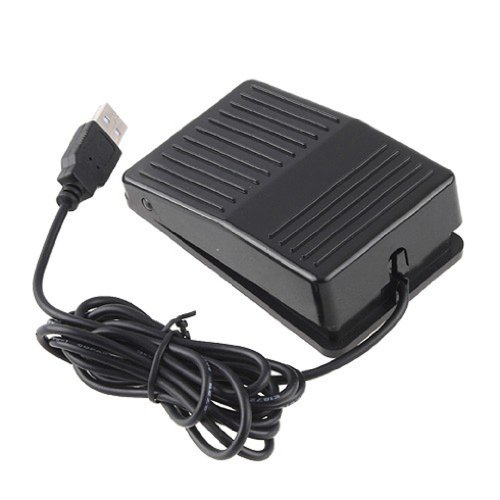
Usb foot switch pros and cons are unusually easy to state honestly, because the device itself is honest: a pedal on the floor that sends keystrokes, shortcuts or media commands when your foot presses it. Nothing about a usb foot switch is mysterious, which means its advantages and its limitations are both structural — they come from what a foot-operated switch is, not from any particular brand. This page argues both sides properly. The pros explain why streamers, transcriptionists, gamers and a growing number of office workers treat a pedal as essential furniture. The cons explain why other buyers, equally reasonably, unplug theirs within a month. Both outcomes are predictable from the same facts, and by the end you should know which buyer you are.
The models that frame the discussion are the category’s usual reference points — the simple iKKEGOL and PCsensor pedals, the programmable Kinesis Savant Elite2 and X-keys platforms, and the dedicated Infinity transcription pedal — but the arguments below apply to the product class as a whole. For model-level detail, see the usb foot switch reviews roundup; for the matching exercise between workflow and hardware, the usb foot switch buying guide. This page is about whether the idea itself deserves your floor space.
Quick Verdict and Key Takeaways
The short verdict: a USB foot switch is an excellent tool for a small number of high-frequency commands and a poor tool for everything else. It suits you if you can already name the command it will own — a mute, a push-to-talk key, an audio transport trio — and it does not suit you if you are buying a general feeling of optimisation. That single distinction predicts satisfaction better than any brand comparison.
- Pro: the pedal moves repeated commands to an idle limb, so hands keep their position, aim and rhythm.
- Pro: it works inside virtually any application, because it sends ordinary shortcuts rather than requiring software support.
- Pro: the hardware is simple, wired and durable, with mainstream designs proven over years of production.
- Con: a pedal is binary and imprecise — no analogue control, no fine timing, no rapid precision work.
- Con: there is a real learning period, and a pedal assigned no specific job becomes clutter with remarkable speed.
- Con: floor logistics are unavoidable — placement, drift, cables and under-desk space all need a small amount of thought.
In this guide
Usb Foot Switch Pros and Cons: The Pros in Full
Your Hands Never Leave Their Posts
This is the founding advantage, and everything else is commentary. In almost every workflow that adopts a pedal, there is a command that repeatedly drags a hand away from where it belongs: the streamer reaching to mute, the transcriptionist leaving the home row to rewind, the gamer surrendering a finger to hold a voice key, the editor mousing to a transport button. Each interruption is small; multiplied by a working day, it is the difference between flow and friction. A foot switch deletes the interruption entirely by giving the command to a limb that was doing nothing. The benefit is not speed in the stopwatch sense — a pedal press is not dramatically faster than a shortcut — but continuity. Work that stays unbroken feels different and, over hours, accomplishes more. No other pro on this list matters if this one does not apply to your work, and if it does apply, most of the cons shrink to logistics.
It Works With Everything You Already Use
A foot switch does not ask your software for permission. Because it presents itself as a standard input device and sends ordinary keystrokes, combinations or media commands, it functions inside effectively any application that has a shortcut for the thing you want to do. There is no plugin ecosystem to depend on, no developer who must add support, no update that breaks an integration. This universality is why the same device category serves broadcasters and spreadsheet workers alike, and why a pedal bought for one application so often migrates to another when jobs change. The single caveat is symmetrical: the pedal can only send commands that exist. If your software has no shortcut for a function, no pedal can invent one — which is a limitation of the software, honestly assigned.
The Hardware Is Simple, Wired and Durable
In a peripherals market full of batteries, pairing rituals and firmware drama, the foot switch is a relief: a switch, a hinge, a cable. Wired connection means no latency surprises, no sleep states, no charging schedule — the pedal is awake whenever the computer is, which is precisely what a mute or transport control must be. The mainstream designs have been in production for years, their failure modes are known and mundane — a cable at its entry point, grit at a hinge — and their mechanical simplicity means there is very little to fail in the first place. Buyers tired of maintaining their tools will recognise the appeal: this is a device you set up once and then ignore, possibly for the life of several keyboards.
It Scales From One Command to a Control System
The category has an unusually graceful growth path. A single entry pedal proves the concept for one command. Multi-pedal arrangements cover command families like audio transport. Programmable platforms — the Kinesis and X-keys designs — support onboard memory, macros and layered assignments for users whose pedal becomes genuine infrastructure. You never have to buy the whole staircase at once, and each step is justified by a need the previous step revealed. Few peripheral categories let a buyer start this cheaply and end this professionally without changing ecosystems, and for workplaces equipping several desks, that continuity has real practical value.
It Adds an Input Location, Which Some Setups Genuinely Need
Stated carefully, this is a real pro: a foot switch provides an additional place on the body from which input can come. In accessibility-oriented setups, and in any workflow where one hand is occupied, injured, holding a tool or simply overloaded, relocating a command to the foot is a functional option that keyboards and mice cannot offer. This page describes that as a feature — a redistribution of input — and deliberately promises nothing beyond it, because outcomes are individual. But as a feature it is legitimate, increasingly used, and for some buyers it is the entire reason the category exists. A tool that gives people another way to operate their computer is doing something worthwhile.
The Cost of Finding Out Is Low
Finally, a pragmatic pro: the experiment is cheap to run. The entry tier of the category asks very little of a buyer, setup takes minutes, and a fortnight of use settles the question definitively. Compare that with most ergonomic or productivity purchases, which demand significant money on a theory. A foot switch lets you test a theory of your own workflow — is this command worth my foot? — at the lowest stakes in the peripherals world, and the answer, whichever way it falls, is genuinely informative.
The Cons
It Is a Switch, Not a Controller
The deepest limitation is built into the name. A foot switch knows two states and nothing between them. It cannot steer, aim, throttle, scrub or express any degree of anything. Buyers who imagine a pedal as a general extra controller discover this immediately; the device does binary commands and only binary commands. Relatedly, its timing precision is foot-grade: fine for mute, transport and toggles, wrong for anything twitch-critical or rhythmically exact. None of this is a defect — a hammer is not defective for failing at screws — but it bounds the category firmly, and marketing that blurs the boundary sets buyers up for the disappointment that fills the negative reviews of every pedal ever sold.
The Learning Period Is Real, and Some Users Quit Inside It
Foot control does not feel natural on day one. You will glance down, hesitate, misjudge the pedal’s position, and fire it accidentally while shifting in your chair. For most people this resolves within roughly a week of daily use, as the movement sinks below conscious thought. But some users — particularly those who bought without a specific, frequent command to practise on — never accumulate enough presses to cross that threshold, and the pedal is judged during its clumsy phase and banished. This is the category’s main failure mode, and it is a failure of adoption rather than hardware. It deserves to be listed as a con because it is predictable, common, and only partly within the buyer’s control: temperament matters, and not everyone enjoys teaching their foot a job.
A Pedal Without a Job Becomes Clutter
This is the shadow of the founding pro. The pedal’s value is entirely borrowed from the command it owns; remove the command and you own a plastic wedge on the floor. Vague purchases — bought for general productivity, for a workflow the buyer meant to build, for commands that turned out to live happily on the keyboard after all — decay into clutter faster than almost any other peripheral, because the pedal occupies prime under-desk territory and interacts with your feet and your chair all day. Desks forgive a forgotten mouse in a drawer; they do not forgive a forgotten pedal underfoot. The discipline this imposes is real: this is a category where buying must follow a named need, and buyers who dislike that discipline should not buy.
Floor Logistics: Drift, Cables and Space
A foot switch lives in the least managed space in your setup. On smooth floors, light pedals migrate until they wedge against something or vanish under furniture. Cables must cross the under-desk void without meeting chair castors, footrests or your own heels. The pedal competes for territory with your feet themselves, with tower cases, with subwoofers and with the chair’s glide path. Each problem has a cheap solution — a mat, a fixed position, sensible routing — but the solutions require the buyer to actually implement them, and the accumulation of small floor chores is a genuine, if unglamorous, cost of ownership. Buyers with very tight under-desk space or hard, slippery floors should count this con at full weight.
Configuration Software Is a Mixed Experience
The software side of the category lags its hardware. Entry-level utilities are functional and plain; platform software is powerful and demands study; and across the board, these are small niche tools rather than polished consumer applications. There is also a safety dimension that belongs in an honest cons list: precisely because the utilities are small and niche, they are attractive targets for third-party download sites that bundle unwanted extras, so the standing rule — manufacturer’s official website only — is a chore the category imposes on every buyer. None of this is disqualifying, and the professional tools reward the effort they ask for, but a buyer expecting the setup polish of a major gaming brand will not find it here.
One More Thing to Clean, Kick and Trip Over
Floor-level devices collect floor-level life: dust, grit, pet hair, the occasional spilled drink’s splash radius. A pedal needs periodic cleaning around its hinge and switch to keep its press clean, and it will be kicked — by you, by guests, by the vacuum cleaner — for its entire service life. The mainstream designs tolerate this abuse well, but the maintenance and the minor physical negotiations are a standing cost that keyboard shortcuts, the pedal’s main competitor, simply do not have. Honesty requires listing it; proportion requires noting it is measured in seconds per month.
What the Trade-Offs Mean for You
If You Stream or Game
The pros dominate. Your commands are few, frequent and binary; your hands are genuinely committed; the learning period is repaid within the first week of broadcasts or matches. The cons reduce to placement: give the pedal a fixed home where your foot rests, and the drift and clutter objections mostly evaporate. Push-to-talk and mute are the two most successful pedal assignments in existence, and if either is yours, the balance of this page is not close. See how the specific models compare in the usb foot switch reviews.
If You Transcribe
The pros dominate even harder, with a refinement: buy the specialist tool. The workflow is the pedal’s ancestral home, the trio layout is non-negotiable, and the dedicated designs exist because general pedals are approximations here. Your cons list is effectively empty at professional volumes — the pedal is not an optimisation but the standard instrument of the trade, a point the usb foot switch buying guide makes in its transcription section.
If You Work in an Office or Edit Media
The balance depends entirely on your one repeated shortcut. If you have it — the command that pulls your hand away dozens of times a day — the pros win and the pedal will feel like a small daily mercy. If you are buying speculatively, the cons win, because the clutter failure mode is aimed precisely at speculative office purchases. The honest test costs a week of attention before it costs any money: notice the command first, then buy. Our step-by-step method for choosing formalises exactly that process.
If Your Interest Is Accessibility-Oriented
Weigh the pros as features and the cons as logistics, and promise yourself nothing medical in either direction — this page will not, and neither should a product listing. A pedal relocates input to the foot; whether that redistribution serves your tasks is a question only use can answer, and the low cost of finding out is your strongest ally. Prefer a programmable model whose assignments you can revise as you learn, and judge over weeks, not days.
How a Foot Switch Compares With the Alternatives
Context sharpens verdicts, so consider what else could issue your command. A keyboard shortcut is free, precise and unlimited in number, but it costs a hand movement and a finger combination every time. A macro pad or stream deck offers many labelled commands and visual confirmation, but it costs desk space, money and a hand leaving its post. Voice control is hands-free and flexible, but it is unreliable in noise, unusable in shared quiet spaces, and a privacy consideration in its own right. Doing nothing costs nothing and keeps costing you the interruption forever. The pedal’s niche in that company is precise: a very small number of very frequent commands, issued blind, with no hand and no voice. Inside that niche it beats every alternative; outside it, it beats none of them. Most buying mistakes in this category are niche errors, not product errors.
| Option | Best at | Weak at |
|---|---|---|
| USB foot switch | A few frequent commands, hands-free and eyes-free | Precision, capacity, analogue control |
| Keyboard shortcut | Precision and unlimited range of commands | Interrupts hand position every time |
| Macro pad / stream deck | Many labelled commands at a glance | Needs a free hand and desk space |
| Voice control | Completely hands-free operation | Noise, privacy and shared spaces |
How to Buy Smart
If the pros have won, buy with the cons in mind. Choose the variant that matches your named command — a single pedal for a single job, a triple layout for transport families, the specialist pedal for transcription, a programmable platform only when configuration depth is a genuine requirement. Weight pedal feel and base stability above feature lists, because those are the qualities your foot will judge daily. Buy from the established names in this category, whose designs have production history behind them, and take the configuration software from the manufacturer’s official website and nowhere else. Check the return window if one is offered, not because the hardware is likely to fail but because the learning-period question — will foot input suit you? — is the one genuine unknown, and a fair return policy converts it from a gamble into an experiment. Finally, commit to the adoption method that defeats the biggest con: one command, used constantly, judged after a fortnight. The full selection method is laid out in how to choose a usb foot switch.
The Low-Risk Way In
For most readers acting on this page, the sensible purchase is the simple one: an entry single pedal such as the iKKEGOL design, assigned to the one command that made you read this far. It embodies the category’s pros at the lowest exposure to its cons — minimal cost if the experiment fails, minimal complexity while it succeeds. Multi-pedal PCsensor arrangements are the equivalent choice when the command family is already proven, and the Kinesis, X-keys and Infinity designs are what you graduate to when a workflow, rather than curiosity, is doing the buying. Sequenced that way, the pros and cons stop being abstract: each purchase is sized to the evidence you actually have.
Setup and Care That Reduce the Cons
Nearly every con on this page has a cheap countermeasure, and most of them are applied in the first ten minutes. Drift is answered by placement: a mat, carpet, or a position against a fixed object turns a wandering pedal into a parked one. The learning period is answered by method: one command, constant use, no elaborate layouts until the first assignment is automatic. Accidental triggers are answered by positioning and pedal choice: a pedal you can rest beside or lightly upon, placed where your foot idles, fires only when meant to. Cable problems are answered by routing: slack where the pedal sits, a path that avoids castors and walkways, no tension at either end. Cleaning is answered by habit: fold the pedal into the ordinary desk-cleaning routine and grit never accumulates at the hinge. Even the software con has its answer — one careful download from the manufacturer’s official site, saved and noted, never repeated. What remains after all that is the irreducible core: a binary switch with a learning curve. If that core still appeals, the category will suit you. The operational details are in how to use a usb foot switch.
Bottom Line
The pros and cons of a USB foot switch are not really in competition, because they describe different buyers. For the user with a named, frequent, binary command and committed hands, the pros are decisive and the cons are a weekend’s worth of small arrangements. For the user buying a vague promise of optimisation, the cons are decisive and the pros never get a chance to apply. Know which user you are — this page has given you every fact needed to decide — and the purchase, or the decision to skip it, makes itself. If the balance still feels unclear, the worth-it analysis reframes the same evidence as a value question, and the single-lens review of the category examines the hardware itself.
The Pros and Cons Nobody Mentions
A Pro Nobody Mentions: It Teaches You Your Own Shortcuts
An unexpected benefit surfaces in almost every long-term owner’s account: adopting a pedal forces an audit of how you actually work. Choosing the pedal’s command requires discovering which shortcut you use most, which usually requires learning that your main application had a shortcut system richer than you knew. Owners routinely report that the pedal’s arrival improved their keyboard habits as a side effect — commands migrated to the foot, yes, but the process of choosing them taught them a dozen commands that stayed on the keyboard and made them faster there too. No manufacturer lists “will make you read your software’s shortcut page” among the features, yet as a practical pro it may outlast the pedal itself, because knowledge of your tools compounds across every future job in a way hardware cannot.
A Con Nobody Mentions: It Is One More Thing Other People Must Understand
Shared spaces expose a social cost the spec sheet omits. A pedal under a shared desk is an unexplained object that colleagues, family members and cleaners will kick, move, unplug or helpfully tidy into a drawer. In a household, a pedal in a walkway-adjacent position is a minor domestic negotiation. None of this is serious, and all of it is real: the device asks the people around your desk for a small amount of tolerance and explanation, and in genuinely shared workstations that cost sometimes exceeds the benefit. It is the main reason this page’s verdict for hot-desk environments is cautious even when the individual’s workflow fits the pedal perfectly. Tools live in social space as well as floor space, and honest pros-and-cons accounting should say so.
A Nuance Nobody Mentions: The Pedal Changes How the Whole Desk Feels
Between the pros and the cons sits an effect that is neither: a learned pedal reorganises the user’s sense of their workstation. Owners describe the desk as feeling “theirs” in a new way once a command lives underfoot — the setup has a custom control that no default configuration ships with, tuned to one person’s actual work. Sceptics will call this sentiment, and it is, but sentiment is part of why some tools are used daily for a decade while objectively superior tools gather dust. The balanced way to record it: the pedal’s customisation is shallow in features and deep in fit, and fit is the quality that determines whether any peripheral is still plugged in next year. Weigh it as a mild pro with an honest asterisk — it only materialises after the learning period, and only for a pedal that was given a real job.
How the Balance Shifts Over Time
Most pros-and-cons lists are snapshots, but this category’s balance is a moving picture, and judging it at the wrong moment is the classic error. In the first week, the cons lead: the learning curve is at its steepest, accidental presses happen, the floor logistics are unsolved, and the pros are still theoretical promises. A verdict delivered in week one is a verdict on motor learning, not on the device. By the end of the first month, for a pedal with a genuine job, the picture has inverted: the press is unconscious, placement is settled, and the pros — continuity, universality, the repealed interruption — are being collected daily while the cons have shrunk to a monthly wipe-down. A year in, the balance has usually simplified to a single line: the pedal is furniture, and its absence on a borrowed desk is more eloquent than any list. The practical consequence deserves emphasis, because it governs returns and reviews alike: this is a category where the fair trial is a fortnight at minimum, and where both the five-star devotion and the one-star dismissal of week one should be read with the same discount.
Where Pedals Are Not a Preference but a Standard
Context from professional environments sharpens the whole argument. In broadcast production, foot-operated and pedal-adjacent controls are unremarkable infrastructure: hands belong to the desk’s main surfaces during a live programme, and a command that can be issued without looking or reaching is simply how the work is done — the X-keys philosophy descends directly from this world. In professional transcription, the pedal is not an accessory at all but part of the definition of a workstation; a transcriptionist without one is not making a lifestyle choice but working without the standard tool, which is why the dedicated Infinity design exists and why its layout has barely needed to change. In medical and scientific imaging, pedal control of viewers and equipment follows the same logic — the operator’s hands and eyes are committed to the image, and the foot takes the navigation. And in live music and presentation settings, performers have used foot control for generations for the bluntest of reasons: their hands are visibly, obviously busy. The pattern across all four worlds is identical, and it is the strongest evidence this page can offer: wherever a profession’s hands are genuinely committed and its commands genuinely frequent, the foot switch stops being a gadget and becomes part of the furniture of competence. The home and office buyer is simply being offered the same trade those professions settled long ago.
The Strongest Case Each Side Can Make
The Pro Case, Steelmanned
Put the pro case at its absolute strongest and it runs like this. Skilled work is a chain of attention, and attention breaks at the hands. Every profession that has examined its own workflow with a stopwatch and an honest eye has found the same leak: small, frequent commands that cost a posture, a position or a train of thought each time they are issued by hand. The foot switch is the only peripheral that plugs that leak without asking for anything scarce in return — not desk space, not screen space, not a learned visual language of buttons, not a subscription, not a battery’s slow betrayal. It asks for floor space, which most desks have in surplus, and a week of patience, which is the cheapest tuition in the peripherals world. Its benefit is paid out in the exact currency its users are shortest of — unbroken stretches of work — and it is paid daily, for years, by hardware simple enough to be effectively immortal. Professions as different as broadcasting and transcription converged on it independently, which is what technologies do when they are answers rather than fashions. That is the pro case, and on a desk whose work contains the leak, it is close to unanswerable.
The Con Case, Steelmanned
The con case at its strongest is not about the device at all; it is about the buyer. It runs like this. The foot switch is a solution in search of a problem for the majority of people who buy one, because the majority of desk work does not contain a command frequent and awkward enough to justify a dedicated limb. What it contains is variety — dozens of commands, each occasional — and variety is served by the keyboard these buyers already own. Into that reality, the pedal arrives as a promise of optimisation and delivers a week of clumsiness, a permanent floor obstacle, a cable to manage and a low, durable guilt every time the foot nudges it and remembers it was supposed to be transformative. Its defenders blame the buyer’s discipline — wrong command, wrong placement, insufficient patience — and they are usually right, which is precisely the con case’s point: a product whose success requires this much correct behaviour from its buyer is a product whose average outcome is failure, whatever its best outcome is. Technologies that forgive are adopted; technologies that grade are abandoned. That is the con case, and on a desk whose work lacks the one true command, it is equally unanswerable.
So Which Case Wins?
Both, conditionally — and the condition is knowable in advance, which is what makes this category more honest than most. The pro case wins wherever the leak is real: a named command, frequent, arriving when hands are committed. The con case wins wherever the purchase is speculative. Unlike most consumer technology, where the verdict depends on taste, build quality or ecosystem luck, the foot switch’s verdict depends on a fact about your working week that you can go and count. This page therefore ends its argument where it began: the pros and cons are not properties of the pedal but of the match, and the match is measurable before money moves. Count the command for a week. If the count is high, buy the simplest pedal that owns it and ignore the con case entirely — it was never about you. If the count is low, close the listings and ignore the pro case with equal serenity. The worst outcome available is not buying, and it is not skipping; it is buying without counting, which purchases the con case at full price while telling yourself the pro case’s story.
How Other People Will Judge Your Pedal
A lighter entry for the ledger, recorded because it genuinely influences ownership: a foot switch is one of the few peripherals that other people have opinions about. Colleagues encountering one under a shared desk range from the intrigued — who want a demonstration and sometimes leave converted — to the quietly baffled, for whom the device reads as an eccentricity. Household members develop the strongest views, usually about the pedal’s position rather than its existence, and those views deserve the small diplomacy of good placement: out of walkways, out of the vacuum’s favourite routes, explained once and then left to become furniture. Gamers’ and streamers’ communities sit at the far end of acceptance, where the pedal is so normal that its absence is the eccentricity. None of this should decide a purchase — the tally of your own commands should — but a buyer forewarned that the device is socially visible, in a way a keyboard never is, will place it more thoughtfully and explain it more patiently, and will therefore keep it longer. Even the social con, properly anticipated, mostly dissolves into the placement step.
The Ledger, Balanced in One Place
Everything this page has argued can be carried in two columns, and it is worth printing them plainly at the end. In the pro column: a command removed from your hands forever; compatibility with effectively everything you will ever run; hardware that is simple, wired and measured in years; a growth path from one pedal to a professional control system that never strands an earlier purchase; an additional input location for setups that need one; and an experiment cheap enough that even its failure is informative. In the con column: a binary, imprecise instrument with hard limits; a learning week that must be survived before any value arrives; a total dependence on a named job, without which the device is clutter; floor logistics that never fully disappear; configuration software that demands a careful source and a little patience; and a small standing toll of cleaning, kicking and explaining. Read the columns again and notice their asymmetry: every pro is conditional on the match, and every con is conditional on the mismatch. There is no third column, and there is no version of this device that is good or bad in itself. The ledger does not balance to a verdict; it balances to a question — the same question this page asked at the start, now impossible to unhear. Name the command, or do not buy the pedal.
Children, Pets and Other Floor Stakeholders
One more honest entry for the con column, filed under domestic reality: the floor a pedal lives on is rarely yours alone. Small children regard a floor pedal as a toy of obvious purpose and will operate it with enthusiasm at the worst available moment — a fact that streaming and recording households should weigh when choosing placement, and that argues for pedals positioned deep in the desk’s footwell rather than at its edges. Pets are lesser critics but persistent ones; a pedal’s cable, routed at floor level, enters the territory of creatures who chew, sleep on warm objects and shed into hinges, and the routing step in any setup should be performed with the household’s actual population in mind. None of this is a reason to forgo the device — generations of transcriptionists worked in ordinary houses, not laboratories — but it belongs in a complete accounting, because the pros-and-cons of a floor device are partly written by everyone who shares the floor. Place with the household in mind, explain once to those who can understand explanations, and the pedal’s social career will be as uneventful as its mechanical one.
A Word on Reading Other People’s Verdicts
Since pros and cons are ultimately gathered from other people’s experience, a closing note on reading them well. Weight verdicts that describe a workflow over verdicts that describe a feeling, because the workflow tells you whether the writer’s desk resembles yours, and resemblance is the whole value of a stranger’s opinion. Weight older verdicts over fresher ones in this category specifically: a pedal reviewed in its learning week is a coin still spinning, while a pedal reviewed after a year of mornings has landed. And weight the complaints by their content — a complaint about drift is a complaint about placement, a complaint about clumsiness is a complaint about week one, a complaint about a missing feature is a complaint about a mismatched tier. Filtered that way, the crowd’s pros and cons resolve into the same shape this page has drawn from the start: a superb tool inside its niche, an ordinary disappointment outside it, and a niche you can measure before you spend.
That measurability is, in the end, the category’s most unusual property, and the reason this page can end without hedging. Most purchases ask you to predict your own taste. This one asks you to count your own commands — a fact, available this week, for free. The pros and cons will still be here, unchanged, when the count is done.
The Final Asymmetry
One asymmetry, noticed late in the writing of this page, deserves the last word before the verdicts. The pros of a foot switch are experienced privately and continuously — a thousand small continuities that nobody else ever sees — while its cons are experienced socially and occasionally: the kick, the question, the visible clutter of a failed experiment. That asymmetry explains the category’s strange reputation, in which owners are quietly devoted and observers are loudly sceptical, each generalising from the half of the evidence available to them. If you are weighing other people’s opinions in your decision, correct for it: ask owners about their mornings, not observers about their impressions. The mornings are where the pros live, and the mornings are what you are buying.
Weighing a Usb Foot Switch in Real Life: Recurring Benefits, Recurring Annoyances
Some trade-offs appear on day one and never change, while others only emerge after weeks of use, so separate the immediate compromises from the slow, cumulative ones. Write down the oldest and the newest device you expect this usb foot switch to work alongside, because compatibility problems usually appear at the edges of a setup rather than in the middle of it. Decide in advance what good enough looks like for your use, so a minor cosmetic flaw does not distract you from performance that genuinely meets the brief. Keep the packaging and any small adapters, feet, brackets or fasteners together until the usb foot switch has survived a full week of ordinary use in its final position.
As a concrete listing check, take the iKKEGOL USB Foot Switch named earlier in this article and confirm, line by line, that the variant offered matches the size, connection and contents described for it here. Give a new usb foot switch a fair trial in the position it was bought for before improvising workarounds, since many early complaints disappear once placement is corrected. Check the connection points you rely on every day, and note which ones are already occupied, shared or awkward to reach once furniture is back in place. Ask whether the benefit you want survives your least favourite conditions, such as low light, a crowded desk, a warm room or a rushed start to the day. Living with a usb foot switch usually means accepting one recurring small friction in exchange for removing a larger one, and naming that exchange clearly makes the decision easier.
When something behaves oddly, return to the basics first: power, connection, position, cleanliness and the last setting you changed, in that order, before assuming a fault. Think about storage for the accessories this usb foot switch brings with it, so spare parts and tools end up in one known place instead of scattered across drawers. If the usb foot switch will be shared, agree on one home position and one simple reset routine, so each person does not undo the previous person’s adjustments. When you compare notes with other owners, match their comments to setups like yours, because advice from a very different room, workload or routine can mislead.
Clean and inspect the area around a usb foot switch on a simple schedule, since dust, loose fasteners and tangled leads cause many problems that get blamed on the product itself. Notice how the usb foot switch behaves when you are tired or in a hurry, since products that demand perfect technique tend to fail exactly when you have least patience. The honest way to weigh the drawbacks of a usb foot switch is to ask how often each one will actually meet your routine, rather than counting advantages and disadvantages as if they were equal. Recheck the return window and the condition requirements before you discard any packaging, especially for a usb foot switch whose fit only becomes clear after several real sessions. Think about the next purchase this one commits you to, whether that is matching accessories, consumables, a bigger surface or a different connection, and count that commitment honestly.
Keep the area underneath and behind the usb foot switch reachable for cleaning, since the spots you cannot reach become the spots where dust and lost small parts collect. Avoid forcing a connector, bracket or moving part that resists you, because resistance is usually information about alignment or fit rather than an invitation to push harder. Leave a little headroom in every direction that matters, whether that means physical space, connection capacity, adjustment range or simply time to do a task properly.
A calm final test is to walk away mid-task, come back later, and see whether the setup still makes sense at a glance without reconstructing what you were doing. A disadvantage that affects a task you do weekly deserves more weight than an advantage that improves a task you perform once a year, however impressive that advantage sounds. When a specification is stated in unfamiliar terms, translate it into your own routine: how long, how often, how far, how loud in practice, before letting it sway you. Allow a short settling period for your own habits to adapt, but set a firm date to decide, well inside the return window, whether this usb foot switch has earned its place. Picture the busiest version of your week and ask whether this usb foot switch still fits when other people, other tasks and other equipment compete for the same space.
Frequently Asked Questions
What is the biggest advantage of a USB foot switch?
Continuity. The pedal moves a repeated command to your foot, so your hands never leave the keyboard, mouse or controller to issue it. Individually the saved interruption is trivial; across a working day of mutes, transports or shortcut presses, it is the difference between a workflow that flows and one that stutters. Every other advantage — universality, durability, low cost of experimentation — supports this central one, and if your work has no such repeated interruption, the honest conclusion is that you do not need a pedal yet.
What is the biggest disadvantage?
The mismatch failure mode: a pedal bought without a specific job becomes under-desk clutter faster than almost any other peripheral. The hardware limitation underneath it is real — a pedal is binary and imprecise — but the practical disappointment that fills negative reviews is almost always a pedal with no command to own, judged during its learning period and abandoned. Naming the command before buying, and giving foot control a fair fortnight, neutralises most of the category’s downside.
Is a foot switch better than a macro pad?
For a few commands, yes; for many, no. A pedal is operated blind and hands-free, which makes it superior for a small set of deeply learned, high-frequency actions like mute or push-to-talk. A macro pad shows you its commands and holds far more of them, which makes it superior for varied, occasional or complex actions. Many serious setups use both, each in its niche. The mistake is forcing one device to do the other’s job.
Do foot switches wear out quickly?
No — the mainstream designs are mechanically simple and built for repetition, and the established models have years of production behind them. Wear concentrates in predictable places: the cable and its entry point, and grit around the hinge. Sensible routing, a stable position and occasional cleaning address all three. A pedal is typically among the longest-lived devices in a setup, routinely outlasting the keyboards and mice it works alongside.
Can a foot switch help if I find some keyboard commands awkward to reach?
It can relocate them, which is the accurate claim. A pedal moves a command from your hands to a foot, and many people use that redistribution as part of an accessibility-oriented setup or simply to spread repetitive input around. Whether it suits your particular situation is an individual question that use will answer better than any review. What can be said generally is that the programmable models offer the most flexibility in shaping which commands move and how they behave.
Is a foot switch worth buying just to try it?
It is one of the few peripherals where trying is a rational strategy, because the entry tier is inexpensive, setup takes minutes and a fortnight of use gives a definitive answer. The conditions are that you run the experiment properly: one real command from your actual workflow, used constantly, judged after the learning period rather than during it. A pedal bought to sit beside a vague intention proves nothing; a pedal assigned a genuine job proves everything.
Related Reading
Continue with the usb foot switch buying guide, the model-by-model usb foot switch reviews, and the value verdict in is a usb foot switch worth it. Adjacent reading: keyboards for office typing and keyboards for day trading, two more desks where one repeated command rules the day.