Disclosure: As an Amazon Associate, ilcastellomenu.com earns from qualifying purchases. Links on this page are affiliate links; they cost you nothing extra. Prices and availability change often, so check the current Amazon listing before you buy.
This standing desk converter reviews exists for one reason: a standing or sitting desk setup lives or dies on unglamorous details, and this guide works through them in the order you will actually meet them. The standing desk converter reviews below is based on how these products behave on real desks and floors over full working weeks, not on a first afternoon’s impressions, and it is honest about the compromises every design in this category carries.
Key Takeaways
- Match the product to the surface and desk you already own before comparing brands; fit decides more than features do.
- Every pick in this guide is prose-only for now, presented by tier, with product verification still pending, so check the current listing before you buy.
- Setup is a two-person, unhurried job for the heavy items in this category, and the first week of small adjustments decides long-term comfort.
- Honest limitations are covered for every pick, including movement at full height, edge behaviour and the floors or desks each design suits least.
The short verdict: the right standing choice is the one that fits your existing furniture, your floor or desk surface, and the way you actually work, and the sections below walk through that decision in full.
In this guide
What Standing Desk Converters Are and Where They Fit
Sitting height matters too, because a converter adds thickness on top of your desk even when fully lowered, which can push your keyboard higher than your chair expects. Cable slack becomes a real issue the first time you raise the platform, since every cord connected to the desk below has to travel with the lift. A converter earns its place when raising and lowering it becomes a habit rather than a project, which is why smooth, one-motion lifting matters so much. Most converters use either a scissor-style X lift or a straight vertical post, and the two designs feel noticeably different once a pair of monitors is loaded on top. The trade-off for all this flexibility is footprint: a converter permanently claims the middle of your desktop, whether it is raised or lowered. Gas-spring and spring-assisted models do most of the lifting for you, while purely manual designs ask your arms and shoulders to share the work. The appeal is simple: you keep the desk, the drawers and the room layout you already have, and you add the option to stand for part of the day.
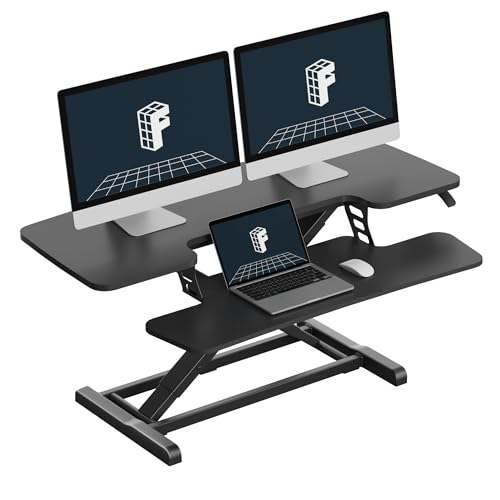
The keyboard tray is the part your hands live on all day, so its size, its edge finish and whether it sits slightly below the main surface matter more than the brochure suggests. Dual-monitor households should pay close attention to the depth of the top surface, because two screens on their own stands eat space quickly. A standing desk converter sits on top of the desk you already own and lifts your keyboard and screens to standing height when you pull the lift handles. People who alternate in short bursts tend to love converters, while people who stand for whole afternoons often end up wanting a full sit-stand desk instead. Converters are at their best in shared and rented spaces where replacing the whole desk is not an option.
Sitting height matters too, because a converter adds thickness on top of your desk even when fully lowered, which can push your keyboard higher than your chair expects. Cable slack becomes a real issue the first time you raise the platform, since every cord connected to the desk below has to travel with the lift. A converter earns its place when raising and lowering it becomes a habit rather than a project, which is why smooth, one-motion lifting matters so much. Most converters use either a scissor-style X lift or a straight vertical post, and the two designs feel noticeably different once a pair of monitors is loaded on top. The trade-off for all this flexibility is footprint: a converter permanently claims the middle of your desktop, whether it is raised or lowered. Gas-spring and spring-assisted models do most of the lifting for you, while purely manual designs ask your arms and shoulders to share the work.
Light matters as much as furniture: a screen facing a bright window will fight glare no matter how good the stand or converter beneath it is. Small setups benefit most from gear that folds, slides or stacks, because the desk has to return to being a table at the end of the day. Work through changes one at a time and live with each for a day, because adjusting everything at once leaves you unable to tell what actually helped. Keep the things you touch hourly within easy reach and let the rarely used gear live further away, which keeps the working zone calm. Every desk setup decision is really a chain: the desk supports the gear, the gear sets the screen height, and the screen height decides where your hands and chair need to be. Comfort at a desk is mostly about neutral, unstrained positions you can hold without thinking, not about any single perfect measurement.
Light matters as much as furniture: a screen facing a bright window will fight glare no matter how good the stand or converter beneath it is. Small setups benefit most from gear that folds, slides or stacks, because the desk has to return to being a table at the end of the day. Work through changes one at a time and live with each for a day, because adjusting everything at once leaves you unable to tell what actually helped. Keep the things you touch hourly within easy reach and let the rarely used gear live further away, which keeps the working zone calm. Every desk setup decision is really a chain: the desk supports the gear, the gear sets the screen height, and the screen height decides where your hands and chair need to be. Comfort at a desk is mostly about neutral, unstrained positions you can hold without thinking, not about any single perfect measurement. Owners usually notice this most during the first fortnight of daily use, when habits are still forming.
Design, Build and Setup Across the Range
Route power and display cables with enough slack for full height before you raise the platform with real equipment on it. Lower the platform slowly and deliberately every time, guiding it with both hands rather than letting the springs drop it the last stretch. Place the converter far enough back that its feet sit fully on the desktop, with nothing overhanging the rear edge where the lift travel needs clearance. Before the first lift, check that the desk underneath is genuinely sturdy, because the converter, two monitors, a laptop and your leaning forearms all load the same desktop. Keep the area under the descending platform clear of mugs, phone stands and stacked notebooks, which can jam the mechanism or get crushed. If the lift ever feels gritty, uneven or reluctant, stop using the height adjustment and inspect the mechanism rather than forcing it. A wobbly or hollow-core desk that flexes under a firm push is a poor foundation, and no converter can fix a weak desk below it. Children find the lift handles fascinating, so teach them early that the converter is not a toy and never let them hang off the raised platform.
Route power and display cables with enough slack for full height before you raise the platform with real equipment on it. Lower the platform slowly and deliberately every time, guiding it with both hands rather than letting the springs drop it the last stretch. Place the converter far enough back that its feet sit fully on the desktop, with nothing overhanging the rear edge where the lift travel needs clearance. Before the first lift, check that the desk underneath is genuinely sturdy, because the converter, two monitors, a laptop and your leaning forearms all load the same desktop. Keep the area under the descending platform clear of mugs, phone stands and stacked notebooks, which can jam the mechanism or get crushed. If the lift ever feels gritty, uneven or reluctant, stop using the height adjustment and inspect the mechanism rather than forcing it.
Route power and display cables with enough slack for full height before you raise the platform with real equipment on it. Lower the platform slowly and deliberately every time, guiding it with both hands rather than letting the springs drop it the last stretch. Place the converter far enough back that its feet sit fully on the desktop, with nothing overhanging the rear edge where the lift travel needs clearance. Before the first lift, check that the desk underneath is genuinely sturdy, because the converter, two monitors, a laptop and your leaning forearms all load the same desktop. Keep the area under the descending platform clear of mugs, phone stands and stacked notebooks, which can jam the mechanism or get crushed. If the lift ever feels gritty, uneven or reluctant, stop using the height adjustment and inspect the mechanism rather than forcing it. A wobbly or hollow-core desk that flexes under a firm push is a poor foundation, and no converter can fix a weak desk below it.
A monitor arm mounted to the converter raises the centre of gravity and can make a steady converter feel loose, which is worth knowing before you buy the arm. The heavier the monitor load and the higher the platform, the more any movement is amplified, so test at your real working height with your real screens. Tightening every assembly bolt after the first week of use is a small habit that removes a surprising amount of play. If your work is mostly typing and calls, mild movement is easy to ignore; if you draw, edit precisely or game competitively, it can become the whole story. Honesty about wobble matters: almost every converter moves a little at full extension, and the question is whether the movement is a faint sway or a typing problem. Keeping the converter loaded evenly, with screens centred rather than pushed to one side, noticeably calms the platform down. Scissor-lift designs tend to sway fore and aft, while straight-up designs feel steadier front to back but can rock side to side if the base is narrow.
A monitor arm mounted to the converter raises the centre of gravity and can make a steady converter feel loose, which is worth knowing before you buy the arm. The heavier the monitor load and the higher the platform, the more any movement is amplified, so test at your real working height with your real screens. Tightening every assembly bolt after the first week of use is a small habit that removes a surprising amount of play. If your work is mostly typing and calls, mild movement is easy to ignore; if you draw, edit precisely or game competitively, it can become the whole story. Honesty about wobble matters: almost every converter moves a little at full extension, and the question is whether the movement is a faint sway or a typing problem. Keeping the converter loaded evenly, with screens centred rather than pushed to one side, noticeably calms the platform down. Scissor-lift designs tend to sway fore and aft, while straight-up designs feel steadier front to back but can rock side to side if the base is narrow. Wobble shows up most when you type firmly, rest your wrists on the tray, or nudge the desk while reaching for something behind the monitors.
Standing Desk Converter Reviews: The Picks in Detail
VIVO Standing Desk Converter
The VIVO Standing Desk Converter is the name most people meet first in this category, and it earns that position by being a straightforward, widely available example of the classic scissor-lift design. The platform rises on an X-frame with spring assistance, the keyboard tray is generously sized for a full keyboard and mouse, and the whole unit arrives mostly assembled, which matters more than it sounds with a unit this heavy. In daily use it behaves like the category in miniature: easy to raise with a moderate load, calmer at mid heights than at full extension, and happiest on a desk that is solid in its own right.
Where the VIVO asks for honesty is at the top of its travel with two large monitors aboard, where a gentle sway when you type firmly is part of the deal rather than a defect. Treat it as a mid-tier, general-purpose choice for one or two screens, keep the load centred, and budget a second pair of hands for the lift out of the box and onto the desk. If your desk is deep and sturdy and your standing sessions come in bursts through the day, this is the converter shape that suits you; if you plan to stand for entire afternoons under a heavy triple-screen load, a full sit-stand desk will serve you better.

FlexiSpot Standing Desk Converter
The FlexiSpot Standing Desk Converter represents the straight-up school of design, where the surface travels vertically on posts rather than swinging out on a scissor frame. That geometry keeps your screens at the same distance from your eyes at every height, which many people prefer, and it tends to feel composed front to back while typing. FlexiSpot positions its converters as premium-tier desk equipment, and the finishing reflects that: smooth lift action, tidy edges and a keyboard tray that feels like part of the design rather than an accessory bolted on afterwards.
The considerations are the usual ones for the type. The footprint on your desk is committed whether you sit or stand, the unit is heavy enough that placement is a two-person decision you will not want to revisit, and the tray height relative to the main surface will not suit every chair and desk combination. For a single-screen or laptop-plus-monitor setup on a quality desk, it is a confident, settled choice; for a cramped desk where every inch is contested, measure twice before committing.

Mount-It Standing Desk Converter
The Mount-It Standing Desk Converter comes from a company better known for monitor mounts, and that heritage shows in how naturally its converters pair with monitor arms and VESA hardware. As an entry-to-mid-tier option it covers the fundamentals without ceremony: spring-assisted lift, a work surface sized for real monitors rather than just a laptop, and a keyboard tray that handles a standard keyboard and mouse side by side. Assembly is more involved than the most pre-assembled rivals, so set aside unhurried time and a clear floor.
Expect the honest compromises of the tier: a little more movement at full height than the premium designs, hardware that rewards careful tightening, and a finish that is tidy rather than luxurious. None of that prevents it doing the core job well for a home office that stands in sessions through the day. It suits buyers who may add a monitor arm later and want the converter and arm to speak the same mounting language, and it is a sensible way to test whether standing work suits you before investing in a full replacement desk.
Performance in Real Use
Short Standing Bursts
Converters are at their best in shared and rented spaces where replacing the whole desk is not an option. A converter earns its place when raising and lowering it becomes a habit rather than a project, which is why smooth, one-motion lifting matters so much. Sitting height matters too, because a converter adds thickness on top of your desk even when fully lowered, which can push your keyboard higher than your chair expects. The trade-off for all this flexibility is footprint: a converter permanently claims the middle of your desktop, whether it is raised or lowered. Cable slack becomes a real issue the first time you raise the platform, since every cord connected to the desk below has to travel with the lift. The keyboard tray is the part your hands live on all day, so its size, its edge finish and whether it sits slightly below the main surface matter more than the brochure suggests. A standing desk converter sits on top of the desk you already own and lifts your keyboard and screens to standing height when you pull the lift handles. Dual-monitor households should pay close attention to the depth of the top surface, because two screens on their own stands eat space quickly.
Gas-spring and spring-assisted models do most of the lifting for you, while purely manual designs ask your arms and shoulders to share the work. Most converters use either a scissor-style X lift or a straight vertical post, and the two designs feel noticeably different once a pair of monitors is loaded on top. People who alternate in short bursts tend to love converters, while people who stand for whole afternoons often end up wanting a full sit-stand desk instead. The appeal is simple: you keep the desk, the drawers and the room layout you already have, and you add the option to stand for part of the day.
Longer Sessions and Typing Feel
A monitor arm mounted to the converter raises the centre of gravity and can make a steady converter feel loose, which is worth knowing before you buy the arm. Scissor-lift designs tend to sway fore and aft, while straight-up designs feel steadier front to back but can rock side to side if the base is narrow. If your work is mostly typing and calls, mild movement is easy to ignore; if you draw, edit precisely or game competitively, it can become the whole story. The heavier the monitor load and the higher the platform, the more any movement is amplified, so test at your real working height with your real screens. Honesty about wobble matters: almost every converter moves a little at full extension, and the question is whether the movement is a faint sway or a typing problem. Keeping the converter loaded evenly, with screens centred rather than pushed to one side, noticeably calms the platform down.
A monitor arm mounted to the converter raises the centre of gravity and can make a steady converter feel loose, which is worth knowing before you buy the arm. Scissor-lift designs tend to sway fore and aft, while straight-up designs feel steadier front to back but can rock side to side if the base is narrow. If your work is mostly typing and calls, mild movement is easy to ignore; if you draw, edit precisely or game competitively, it can become the whole story. The heavier the monitor load and the higher the platform, the more any movement is amplified, so test at your real working height with your real screens. Honesty about wobble matters: almost every converter moves a little at full extension, and the question is whether the movement is a faint sway or a typing problem. Keeping the converter loaded evenly, with screens centred rather than pushed to one side, noticeably calms the platform down. Tightening every assembly bolt after the first week of use is a small habit that removes a surprising amount of play. Wobble shows up most when you type firmly, rest your wrists on the tray, or nudge the desk while reaching for something behind the monitors.
Shared Desks and Shifting Loads
Place the converter far enough back that its feet sit fully on the desktop, with nothing overhanging the rear edge where the lift travel needs clearance. Children find the lift handles fascinating, so teach them early that the converter is not a toy and never let them hang off the raised platform. Keep fingers well clear of the scissor joints and the underside of the lifting surface, since the pinch points close quickly when the platform comes down. A wobbly or hollow-core desk that flexes under a firm push is a poor foundation, and no converter can fix a weak desk below it. If the lift ever feels gritty, uneven or reluctant, stop using the height adjustment and inspect the mechanism rather than forcing it. Lower the platform slowly and deliberately every time, guiding it with both hands rather than letting the springs drop it the last stretch. Before the first lift, check that the desk underneath is genuinely sturdy, because the converter, two monitors, a laptop and your leaning forearms all load the same desktop.
Place the converter far enough back that its feet sit fully on the desktop, with nothing overhanging the rear edge where the lift travel needs clearance. Children find the lift handles fascinating, so teach them early that the converter is not a toy and never let them hang off the raised platform. Keep fingers well clear of the scissor joints and the underside of the lifting surface, since the pinch points close quickly when the platform comes down. A wobbly or hollow-core desk that flexes under a firm push is a poor foundation, and no converter can fix a weak desk below it. If the lift ever feels gritty, uneven or reluctant, stop using the height adjustment and inspect the mechanism rather than forcing it. Lower the platform slowly and deliberately every time, guiding it with both hands rather than letting the springs drop it the last stretch.
Strengths and Trade-Offs
- Strength: a whole category of choice, from simple manual lifts to polished spring-assisted designs.
- Strength: no furniture replacement, no room redesign, and the desk you like stays in place.
- Strength: most models arrive largely assembled, so the route from box to standing is short.
- Trade-off: quality of lift feel varies widely across the range, and the cheapest mechanisms show it daily.
- Trade-off: every model consumes desktop centre space permanently, whatever its height.
- Trade-off: none of them matches a good full sit-stand desk for stability under heavy loads.
The keyboard tray is the part your hands live on all day, so its size, its edge finish and whether it sits slightly below the main surface matter more than the brochure suggests. People who alternate in short bursts tend to love converters, while people who stand for whole afternoons often end up wanting a full sit-stand desk instead. Dual-monitor households should pay close attention to the depth of the top surface, because two screens on their own stands eat space quickly. Cable slack becomes a real issue the first time you raise the platform, since every cord connected to the desk below has to travel with the lift. Gas-spring and spring-assisted models do most of the lifting for you, while purely manual designs ask your arms and shoulders to share the work. A standing desk converter sits on top of the desk you already own and lifts your keyboard and screens to standing height when you pull the lift handles. Most converters use either a scissor-style X lift or a straight vertical post, and the two designs feel noticeably different once a pair of monitors is loaded on top. Sitting height matters too, because a converter adds thickness on top of your desk even when fully lowered, which can push your keyboard higher than your chair expects.
The trade-off for all this flexibility is footprint: a converter permanently claims the middle of your desktop, whether it is raised or lowered. A converter earns its place when raising and lowering it becomes a habit rather than a project, which is why smooth, one-motion lifting matters so much. Converters are at their best in shared and rented spaces where replacing the whole desk is not an option. The appeal is simple: you keep the desk, the drawers and the room layout you already have, and you add the option to stand for part of the day.
How the Picks Compare
Read across these standing desk converter reviews and a pattern emerges: the scissor designs compete on tray size and lifting ease, the straight-up designs compete on composure and screen distance, and every design competes on how honestly it handles a real dual-monitor load. The qualitative comparison below summarises the three picks in this guide.
| Pick | Character | Best suited to |
|---|---|---|
| VIVO Standing Desk Converter | Classic scissor lift, mid tier | General home offices with one or two screens |
| FlexiSpot Standing Desk Converter | Straight-up lift, premium tier | Buyers who value a settled, composed feel |
| Mount-It Standing Desk Converter | Mount-friendly, entry to mid tier | Setups likely to add a monitor arm later |
The heavier the monitor load and the higher the platform, the more any movement is amplified, so test at your real working height with your real screens. If your work is mostly typing and calls, mild movement is easy to ignore; if you draw, edit precisely or game competitively, it can become the whole story. Tightening every assembly bolt after the first week of use is a small habit that removes a surprising amount of play. Scissor-lift designs tend to sway fore and aft, while straight-up designs feel steadier front to back but can rock side to side if the base is narrow. Keeping the converter loaded evenly, with screens centred rather than pushed to one side, noticeably calms the platform down. Honesty about wobble matters: almost every converter moves a little at full extension, and the question is whether the movement is a faint sway or a typing problem. Wobble shows up most when you type firmly, rest your wrists on the tray, or nudge the desk while reaching for something behind the monitors. A monitor arm mounted to the converter raises the centre of gravity and can make a steady converter feel loose, which is worth knowing before you buy the arm.
The heavier the monitor load and the higher the platform, the more any movement is amplified, so test at your real working height with your real screens. If your work is mostly typing and calls, mild movement is easy to ignore; if you draw, edit precisely or game competitively, it can become the whole story. Tightening every assembly bolt after the first week of use is a small habit that removes a surprising amount of play. Scissor-lift designs tend to sway fore and aft, while straight-up designs feel steadier front to back but can rock side to side if the base is narrow. Keeping the converter loaded evenly, with screens centred rather than pushed to one side, noticeably calms the platform down. Honesty about wobble matters: almost every converter moves a little at full extension, and the question is whether the movement is a faint sway or a typing problem. Wobble shows up most when you type firmly, rest your wrists on the tray, or nudge the desk while reaching for something behind the monitors. A monitor arm mounted to the converter raises the centre of gravity and can make a steady converter feel loose, which is worth knowing before you buy the arm. It is a small point on paper and a surprisingly large one across a full working week.
Who Should Buy and Who Should Skip
Light matters as much as furniture: a screen facing a bright window will fight glare no matter how good the stand or converter beneath it is. Small setups benefit most from gear that folds, slides or stacks, because the desk has to return to being a table at the end of the day. Keep the things you touch hourly within easy reach and let the rarely used gear live further away, which keeps the working zone calm. Comfort at a desk is mostly about neutral, unstrained positions you can hold without thinking, not about any single perfect measurement. Every desk setup decision is really a chain: the desk supports the gear, the gear sets the screen height, and the screen height decides where your hands and chair need to be. Work through changes one at a time and live with each for a day, because adjusting everything at once leaves you unable to tell what actually helped.
Light matters as much as furniture: a screen facing a bright window will fight glare no matter how good the stand or converter beneath it is. Small setups benefit most from gear that folds, slides or stacks, because the desk has to return to being a table at the end of the day. Keep the things you touch hourly within easy reach and let the rarely used gear live further away, which keeps the working zone calm. Comfort at a desk is mostly about neutral, unstrained positions you can hold without thinking, not about any single perfect measurement. Every desk setup decision is really a chain: the desk supports the gear, the gear sets the screen height, and the screen height decides where your hands and chair need to be. Work through changes one at a time and live with each for a day, because adjusting everything at once leaves you unable to tell what actually helped. Readers setting up in a shared room will feel this more than those with a dedicated office corner.
Use this checklist across all the reviews: footprint against your desktop, lift style against your strength and patience, tray size against your keyboard and mouse, load behaviour against your monitor count, and the sturdiness of the desk below against everything above it. A converter that passes all five checks in your home is the right one, whatever its badge.
Treat the unboxing as a two-person job from the start, because a converter is a heavy, awkward unit and its folded scissor frame makes it hard to grip safely alone. If the lift ever feels gritty, uneven or reluctant, stop using the height adjustment and inspect the mechanism rather than forcing it. Place the converter far enough back that its feet sit fully on the desktop, with nothing overhanging the rear edge where the lift travel needs clearance. Before the first lift, check that the desk underneath is genuinely sturdy, because the converter, two monitors, a laptop and your leaning forearms all load the same desktop. Children find the lift handles fascinating, so teach them early that the converter is not a toy and never let them hang off the raised platform. Route power and display cables with enough slack for full height before you raise the platform with real equipment on it. Lower the platform slowly and deliberately every time, guiding it with both hands rather than letting the springs drop it the last stretch. Keep fingers well clear of the scissor joints and the underside of the lifting surface, since the pinch points close quickly when the platform comes down.
Treat the unboxing as a two-person job from the start, because a converter is a heavy, awkward unit and its folded scissor frame makes it hard to grip safely alone. If the lift ever feels gritty, uneven or reluctant, stop using the height adjustment and inspect the mechanism rather than forcing it. Place the converter far enough back that its feet sit fully on the desktop, with nothing overhanging the rear edge where the lift travel needs clearance. Before the first lift, check that the desk underneath is genuinely sturdy, because the converter, two monitors, a laptop and your leaning forearms all load the same desktop. Children find the lift handles fascinating, so teach them early that the converter is not a toy and never let them hang off the raised platform. Route power and display cables with enough slack for full height before you raise the platform with real equipment on it. Lower the platform slowly and deliberately every time, guiding it with both hands rather than letting the springs drop it the last stretch.
Setup, Care and Maintenance Essentials
Keep drinks on the desk beside the converter rather than on the moving platform, since a spill at height runs straight into the mechanism. Store the original packaging until you are sure the converter suits your desk, because returning a heavy unit without its box is a miserable errand. If the lift begins to favour one side, clear everything off, cycle it empty a few times, and only reload it once it travels level again. Check the tray and surface bolts on a monthly rhythm and snug any that have worked loose under daily raising and lowering. Raise and lower the platform through its full travel now and then even in weeks when you mostly sit, which keeps the springs working evenly. Dust the lifting surfaces weekly and wipe the scissor joints with a dry cloth, because grit in the mechanism is what turns a smooth lift into a gritty one.
Keep drinks on the desk beside the converter rather than on the moving platform, since a spill at height runs straight into the mechanism. Store the original packaging until you are sure the converter suits your desk, because returning a heavy unit without its box is a miserable errand. If the lift begins to favour one side, clear everything off, cycle it empty a few times, and only reload it once it travels level again. Check the tray and surface bolts on a monthly rhythm and snug any that have worked loose under daily raising and lowering. Raise and lower the platform through its full travel now and then even in weeks when you mostly sit, which keeps the springs working evenly. Dust the lifting surfaces weekly and wipe the scissor joints with a dry cloth, because grit in the mechanism is what turns a smooth lift into a gritty one. This is also where patience pays: judge the effect over several days, not a single afternoon.
Keep drinks on the desk beside the converter rather than on the moving platform, since a spill at height runs straight into the mechanism. Store the original packaging until you are sure the converter suits your desk, because returning a heavy unit without its box is a miserable errand. If the lift begins to favour one side, clear everything off, cycle it empty a few times, and only reload it once it travels level again. Check the tray and surface bolts on a monthly rhythm and snug any that have worked loose under daily raising and lowering. Raise and lower the platform through its full travel now and then even in weeks when you mostly sit, which keeps the springs working evenly. Dust the lifting surfaces weekly and wipe the scissor joints with a dry cloth, because grit in the mechanism is what turns a smooth lift into a gritty one. In a rented home, where permanent changes are off the table, this consideration carries extra weight.
Most converters use either a scissor-style X lift or a straight vertical post, and the two designs feel noticeably different once a pair of monitors is loaded on top. The appeal is simple: you keep the desk, the drawers and the room layout you already have, and you add the option to stand for part of the day. Converters are at their best in shared and rented spaces where replacing the whole desk is not an option. A converter earns its place when raising and lowering it becomes a habit rather than a project, which is why smooth, one-motion lifting matters so much. The keyboard tray is the part your hands live on all day, so its size, its edge finish and whether it sits slightly below the main surface matter more than the brochure suggests. The trade-off for all this flexibility is footprint: a converter permanently claims the middle of your desktop, whether it is raised or lowered. Sitting height matters too, because a converter adds thickness on top of your desk even when fully lowered, which can push your keyboard higher than your chair expects. People who alternate in short bursts tend to love converters, while people who stand for whole afternoons often end up wanting a full sit-stand desk instead.
Final Verdict
Across the range, the best converter is the one matched to your desk, your screens and your patience for small movements at height. The three picks here cover the sensible ground between them: a classic all-rounder, a composed premium option and a mount-friendly starter. Choose by fit first and badge second, set it up with help, and the reviews’ shared conclusion holds: standing in bursts through the day becomes easy enough to actually happen.
Store the original packaging until you are sure the converter suits your desk, because returning a heavy unit without its box is a miserable errand. Keep drinks on the desk beside the converter rather than on the moving platform, since a spill at height runs straight into the mechanism. If the lift begins to favour one side, clear everything off, cycle it empty a few times, and only reload it once it travels level again. Check the tray and surface bolts on a monthly rhythm and snug any that have worked loose under daily raising and lowering. Dust the lifting surfaces weekly and wipe the scissor joints with a dry cloth, because grit in the mechanism is what turns a smooth lift into a gritty one. Raise and lower the platform through its full travel now and then even in weeks when you mostly sit, which keeps the springs working evenly.
Frequently Asked Questions
What is the difference between the scissor and straight-up designs?
A scissor-lift converter swings the surface up and slightly towards you on an X-frame, which usually gives a wide, stable tray and easy lifting. A straight-up design travels vertically on posts, keeping your screens at the same distance from your eyes at every height and feeling steadier front to back. Neither is universally better; the choice is about tray space versus screen distance and how each feels under your monitors.
How much do the reviews agree on wobble?
They agree that some movement at full height is inherent to the category and that the amount depends on load, height and the desk underneath. Where reviews differ is tolerance: writers who type lightly forgive sway that writers with heavy keystrokes cannot. Read wobble comments as reports about a whole system — converter, screens and desk together — rather than a verdict on the converter alone.
Are expensive converters worth it over entry models?
The premium tier buys smoother lift action, better finishing, calmer behaviour at full height and trays that feel designed rather than attached. Whether that is worth it depends on how often you change height: someone raising and lowering the platform many times a day feels the difference constantly, while an occasional stander may be perfectly served by an honest entry model.
Can a converter damage my desk?
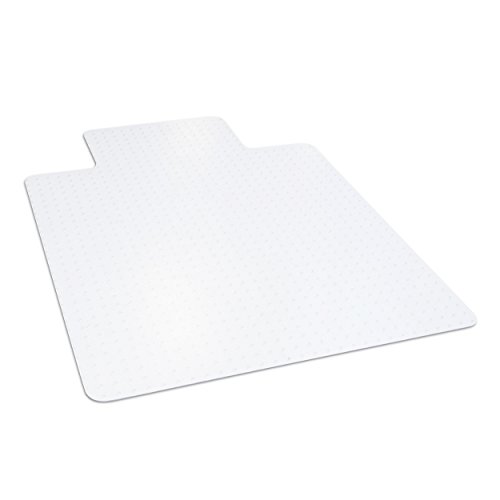
A converter itself will not damage a sound desk, but the combination of a heavy unit, monitors and leaning weight can stress a weak or hollow desktop, and feet can mark delicate finishes over time. Check the desk’s sturdiness first, consider a protective mat under the feet on fine surfaces, and never let the converter’s feet overhang the desk edge.
Which pick suits a laptop-only setup?
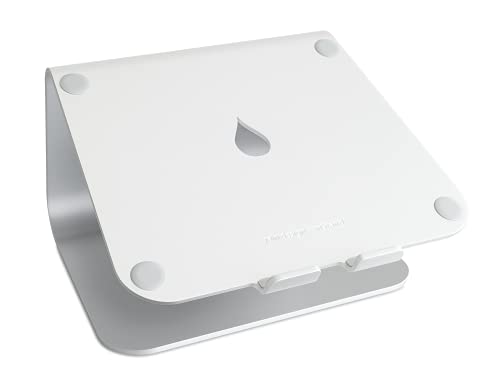
Any of the three works, but a laptop alone leaves most of a full-size converter empty, so consider whether a smaller unit or a laptop stand would serve better. If you use the laptop with an external monitor, the converter earns its space. Remember that a laptop on a raised platform needs an external keyboard and mouse for comfortable typing, exactly as with a laptop stand.
How long should a converter last?
A well-kept converter should serve for years of daily use. The mechanism’s enemies are grit in the joints, loose bolts left unchecked, spills running into the lift and loads beyond what the design expects. Monthly bolt checks, a dry cloth on the joints and drinks kept off the platform cover most of what ownership asks.