The best AC WiFi range extenders wall plug into a socket and fix a dead zone with no cable and no power brick. A WiFi signal weakens with distance and walls, and the far bedroom, the garden room or the upstairs office ends up with a connection too slow for video calls. A wall-plug extender takes the existing signal, boosts it, and creates a stronger signal where it is needed, without running a cable through the house. The eight extenders in this guide all plug directly into a wall socket, with no power brick and no cable to hide.
AC is the WiFi standard that defines most of these extenders. AC1200 and AC1900 are the WiFi 5 speeds, and they are enough for streaming, video calls and browsing in a dead zone. The newer WiFi 6 models, AX1500 and AX1800, are faster and handle more devices at once, which suits a household where everyone is online. This guide includes both, because the AC models are the cheapest fix and the WiFi 6 models are the better long-term buy.
The brands here are TP-Link and NETGEAR, the two names that have sold extenders the longest. Their wall-plug models share the same recipe: a plug built into the body, an Ethernet port for a wired device, and a setup that takes minutes through an app or a web page. One model that was searched for, the Linksys RE7000, came back only as renewed units, so it is not included here. The notes below say what each extender does best.
In this guide
Quick picks: best ac wifi range extenders wall plug
| # | Product | Where to buy |
|---|---|---|
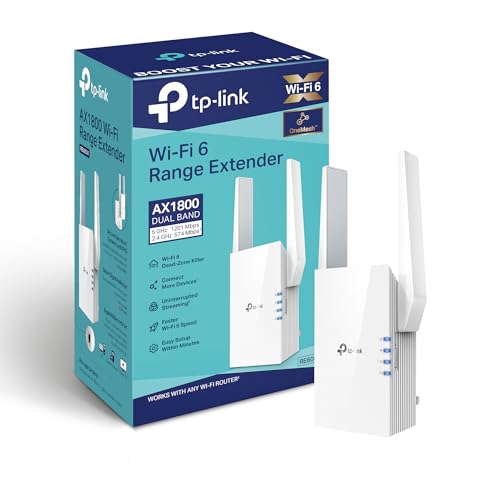
| 1 | TP-Link AX1800 WiFi 6 Extender (RE605X), Internet Booster | Check on Amazon |
| 2 | TP-Link RE615X AX1800 WiFi 6 Range Extender | Check on Amazon |
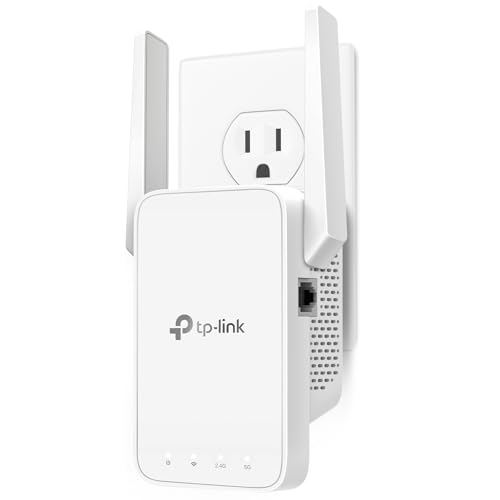
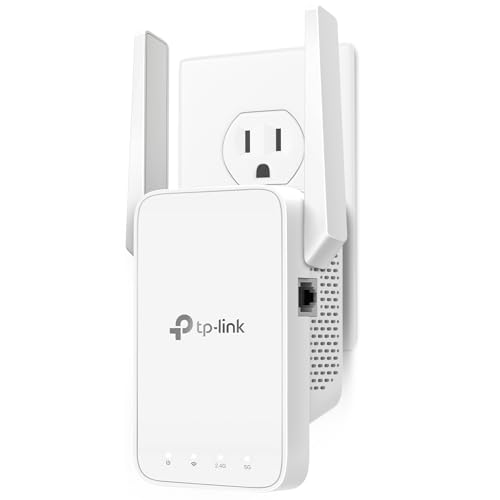
| 3 | TP-Link AC1200 WiFi Extender Dual Band 5GHz/2.4GHz (RE315) | Check on Amazon |
| 4 | TP-Link WiFi Extender (RE220) with Ethernet Port, Dual Band | Check on Amazon |
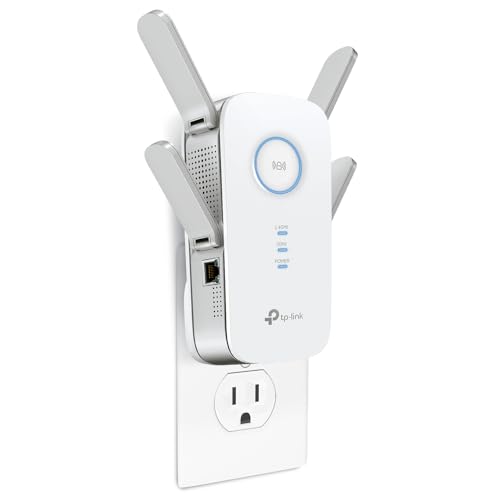
| 5 | TP-Link AC1900 WiFi Range Extender RE550 | Check on Amazon |
| 6 | NETGEAR WiFi Extender EX6120, up to 1,500 sq ft, 1.2 Gbps | Check on Amazon |
| 7 | NETGEAR Nighthawk WiFi Extender EAX15, up to 1,500 sq ft, 1.8 Gbps | Check on Amazon |
| 8 | NETGEAR WiFi Extender EX6400, up to 2,100 sq ft, 1.9 Gbps | Check on Amazon |
How the picks were chosen
The picks were chosen from the site's own product search, looking only at wall-plug WiFi extenders from TP-Link and NETGEAR. A listing was dropped if it was for a mesh system, an outdoor access point, a renewed unit, or a router rather than an extender. The remaining extenders were sorted by brand and speed, so the guide covers the AC and WiFi 6 ranges with a real choice in each.
Coverage and speed were the second test. Each extender was checked for its stated coverage in square feet and its speed, as listed on the product page. A small flat needs less coverage than a large house, and a household with many devices needs a faster extender. The notes below say the coverage and speed of each extender, so the buyer can match it to the home.
Finally, each extender was checked for the wall-plug design. A wall-plug extender should plug directly into a socket and stay there, with no power adapter to lose and no cable to trip over. The notes below say which extenders have an Ethernet port, which matters for a device that needs a wired connection, such as a smart TV or a games console.
Quick comparison
| Product | Standout detail |
|---|---|
| TP-Link AX1800 WiFi 6 Extender (RE605X), Internet Booster | TP-Link RE605X AX1800, WiFi 6, 1500 sq ft |
| TP-Link RE615X AX1800 WiFi 6 Range Extender | TP-Link RE615X AX1800, WiFi 6, 2100 sq ft |
| TP-Link AC1200 WiFi Extender Dual Band 5GHz/2.4GHz (RE315) | TP-Link RE315 AC1200, 1600 sq ft |
| TP-Link WiFi Extender (RE220) with Ethernet Port, Dual Band | TP-Link RE220, dual band, Ethernet port |
| TP-Link AC1900 WiFi Range Extender RE550 | TP-Link RE550 AC1900, 2200 sq ft |
| NETGEAR WiFi Extender EX6120, up to 1,500 sq ft, 1.2 Gbps | NETGEAR EX6120, 1500 sq ft, 25 devices |
| NETGEAR Nighthawk WiFi Extender EAX15, up to 1,500 sq ft, 1.8 Gbps | NETGEAR EAX15, WiFi 6, 1500 sq ft |
| NETGEAR WiFi Extender EX6400, up to 2,100 sq ft, 1.9 Gbps | NETGEAR EX6400, 2100 sq ft, 35 devices |
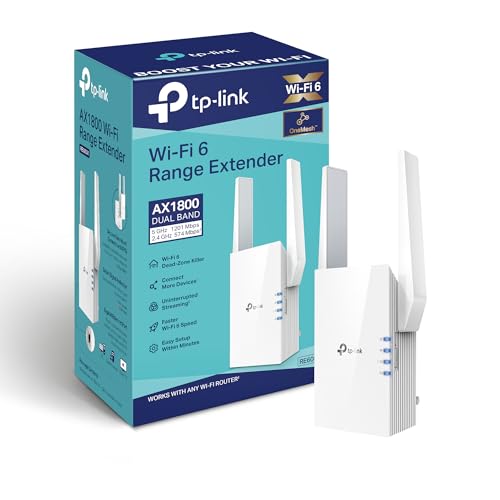
1. TP-Link AX1800 WiFi 6 Extender (RE605X), Internet Booster
Key specs
AX1800 WiFi 6 extender, RE605X, covers up to 1500 sq ft and 30 devices, dual band, AP mode, Gigabit port.
Strengths
- WiFi 6 handles more devices at once than the AC models, which suits a busy household.
- The Gigabit Ethernet port connects a wired device such as a smart TV or a console.
- 1500 sq ft of coverage and 30 devices cover a flat or a small house.
Trade-offs
- The extender needs a good signal from the router to boost, so it must be placed halfway, not in the dead zone itself.
- WiFi 6 needs a WiFi 6 router for the full speed, though it works with older routers too.
- The extender creates a second network name unless mesh mode is used, which can confuse some devices.
Who it fits
A household with a WiFi 6 router that needs a dead zone fixed at a fair cost.
Best for: WiFi 6 homes, and dead zones in a flat or a small house.
Not suited for: A large house, where the RE615X with its wider coverage is the better buy.
In daily use
Plug the RE605X into a socket halfway between the router and the dead zone, wait for the signal light to turn green, and the far room has WiFi again. The setup takes minutes through the app, and the extender stays in the socket after that.
The WiFi 6 pick of the guide, and the best all-round extender for a modern home.
Before you buy
Before buying the TP-Link AX1800 WiFi 6 Extender (RE605X), Internet Booster, check the router's WiFi standard. A WiFi 6 extender is the best match for a WiFi 6 router, and an AC extender is enough for an AC router. Check the coverage as well, and match it to the size of the home.
Check price on Amazon: TP-Link AX1800 WiFi 6 Extender (RE605X), Internet Booster

2. TP-Link RE615X AX1800 WiFi 6 Range Extender
Key specs
AX1800 WiFi 6 range extender, RE615X, Ethernet port, 1.8G dual-band, up to 2100 sq ft.
Strengths
- 2100 sq ft of coverage is the widest of the TP-Link extenders here.
- WiFi 6 and a Gigabit Ethernet port cover both wireless and wired devices.
- The 1.8G dual-band speed handles streaming and video calls in the far room.
Trade-offs
- The extender must be placed where the router signal is still strong, or the boosted signal will be slow.
- The larger coverage costs more than the RE605X.
- The extender is bigger than the smallest wall-plug models, and it can block the next socket.
Who it fits
A larger home with a dead zone far from the router.
Best for: Large homes, and far rooms that need a strong signal.
Not suited for: A small flat, where the RE605X covers the space for less.
In daily use
The RE615X is the extender for the far end of a large house: plug it in halfway, let it connect to the router, and the upstairs office or the garden room has a signal strong enough for video calls.
The widest-coverage TP-Link pick, and the best extender for a large home.
Before you buy
A few checks before you order the TP-Link RE615X AX1800 WiFi 6 Range Extender will save a return. Find a socket halfway between the router and the dead zone, check that it is not blocked by furniture, and confirm the extender has an Ethernet port if a wired device needs one.
Check price on Amazon: TP-Link RE615X AX1800 WiFi 6 Range Extender

3. TP-Link AC1200 WiFi Extender Dual Band 5GHz/2.4GHz (RE315)
Key specs
AC1200 WiFi extender, RE315, 1.2Gbps, up to 1600 sq ft and 32 devices, dual band.
Strengths
- AC1200 speed is enough for streaming, browsing and video calls in a dead zone.
- 1600 sq ft of coverage and 32 devices cover a flat or a small house.
- The low cost makes it the cheapest fix in this guide.
Trade-offs
- AC1200 is slower than the WiFi 6 models, and it handles fewer devices at once.
- The extender must be placed carefully, halfway between the router and the dead zone.
- There is no Gigabit Ethernet port stated on this listing.
Who it fits
A buyer who wants the cheapest wall-plug fix for a dead zone.
Best for: Small flats, and a single dead zone on a budget.
Not suited for: A household with many devices, where a WiFi 6 extender handles the load better.
In daily use
The RE315 is the budget fix: plug it into a socket in the hallway, connect it to the router, and the far bedroom has WiFi again. It is not the fastest extender here, but it is the cheapest way to fix a dead zone.
The budget pick, and the best extender for a single dead zone on a tight budget.
Before you buy
When the TP-Link AC1200 WiFi Extender Dual Band 5GHz/2.4GHz (RE315) arrives, plug it in halfway and wait for the signal light to turn green before moving it. If the light is red, move the extender closer to the router. Connect one device, check the speed, and then connect the rest.
Check price on Amazon: TP-Link AC1200 WiFi Extender Dual Band 5GHz/2.4GHz (RE315)
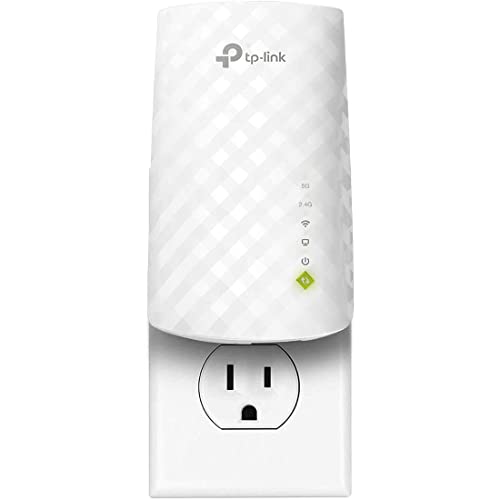
4. TP-Link WiFi Extender (RE220) with Ethernet Port, Dual Band
Key specs
WiFi extender, RE220, Ethernet port, dual band 5GHz and 2.4GHz, up to 44 percent more bandwidth than single band.
Strengths
- The Ethernet port connects a wired device, such as a smart TV or a games console.
- Dual band means the extender uses both 5GHz and 2.4GHz, which is faster than single band.
- The wall-plug design needs no cable and no power brick.
Trade-offs
- The speed is lower than the AC1900 and WiFi 6 models here.
- The extender must be placed where the router signal is strong.
- The design is older than the RE315 and the WiFi 6 models.
Who it fits
A buyer who needs an Ethernet port for a wired device in a dead zone.
Best for: Smart TVs, consoles and other wired devices in a far room.
Not suited for: A household that needs the fastest wireless speed, where the RE605X is better.
In daily use
The RE220 is the extender for the TV in the far room: plug it in, connect the TV by Ethernet cable, and the streaming is stable because the connection is wired. The WiFi boost is a bonus for the phones in the same room.
The Ethernet pick, and the best extender for a wired device in a dead zone.
Before you buy
Before buying the TP-Link WiFi Extender (RE220) with Ethernet Port, Dual Band, check the router's WiFi standard. A WiFi 6 extender is the best match for a WiFi 6 router, and an AC extender is enough for an AC router. Check the coverage as well, and match it to the size of the home.
Check price on Amazon: TP-Link WiFi Extender (RE220) with Ethernet Port, Dual Band

5. TP-Link AC1900 WiFi Range Extender RE550
Key specs
AC1900 WiFi range extender, RE550, dual-band wireless repeater, Gigabit Ethernet port, up to 2200 sq ft.
Strengths
- AC1900 speed is the fastest of the AC models here, for streaming and video calls.
- 2200 sq ft of coverage is the widest of the TP-Link AC extenders.
- The Gigabit Ethernet port connects a wired device at full speed.
Trade-offs
- AC1900 is slower than the WiFi 6 models, and it handles fewer devices.
- The extender is larger than the smallest wall-plug models.
- The cost is higher than the RE315, though the speed and coverage are better.
Who it fits
A buyer who wants the fastest AC extender with the widest coverage.
Best for: Large homes on an AC router, and far rooms that need speed.
Not suited for: A WiFi 6 home, where the RE605X or RE615X is the better long-term buy.
In daily use
The RE550 is the AC flagship: the fastest AC speed, the widest AC coverage, and a Gigabit port for the TV. For a home with an AC router, it is the best extender in this guide.
The fastest AC pick, and the best extender for an AC router.
Before you buy
A few checks before you order the TP-Link AC1900 WiFi Range Extender RE550 will save a return. Find a socket halfway between the router and the dead zone, check that it is not blocked by furniture, and confirm the extender has an Ethernet port if a wired device needs one.
Check price on Amazon: TP-Link AC1900 WiFi Range Extender RE550
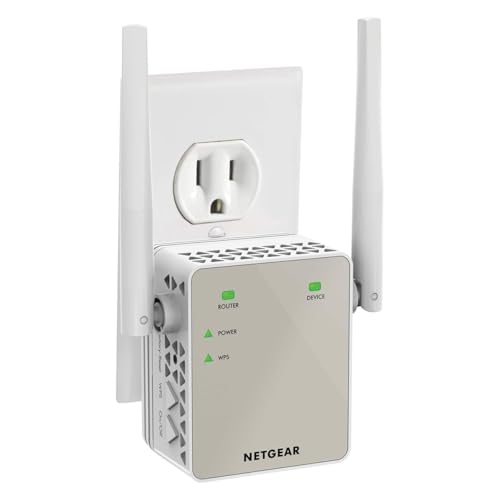
6. NETGEAR WiFi Extender EX6120, up to 1,500 sq ft, 1.2 Gbps
Key specs
WiFi extender, EX6120, up to 1500 sq ft, 1.2 Gbps, signal booster, 25 devices.
Strengths
- The EX6120 is a proven NETGEAR design, with a simple setup and a reliable connection.
- 1500 sq ft of coverage and 25 devices cover a flat or a small house.
- The 1.2 Gbps speed handles streaming and video calls in the far room.
Trade-offs
- The speed is lower than the WiFi 6 NETGEAR models here.
- 25 devices is fewer than the newer extenders support.
- The design is older than the EAX15, and it lacks WiFi 6.
Who it fits
A buyer who wants a proven NETGEAR extender at a low cost.
Best for: Small homes, and a single dead zone on a budget.
Not suited for: A household with many devices, where the EAX15 handles the load better.
In daily use
The EX6120 is the NETGEAR workhorse: plug it in, press the button, and the far room has WiFi. It is not the newest extender here, but it is the one with the longest track record.
The proven NETGEAR pick, and the best low-cost NETGEAR extender.
Before you buy
When the NETGEAR WiFi Extender EX6120, up to 1,500 sq ft, 1.2 Gbps arrives, plug it in halfway and wait for the signal light to turn green before moving it. If the light is red, move the extender closer to the router. Connect one device, check the speed, and then connect the rest.
Check price on Amazon: NETGEAR WiFi Extender EX6120, up to 1,500 sq ft, 1.2 Gbps

7. NETGEAR Nighthawk WiFi Extender EAX15, up to 1,500 sq ft, 1.8 Gbps
Key specs
Nighthawk WiFi extender, EAX15, up to 1500 sq ft, 1.8 Gbps, signal booster, 20 devices.
Strengths
- WiFi 6 with 1.8 Gbps speed is the fastest NETGEAR extender here.
- The Nighthawk design is built for gaming and streaming, with low latency.
- 1500 sq ft of coverage suits a flat or a small house.
Trade-offs
- 20 devices is fewer than the EX6400 supports.
- The extender must be placed where the router signal is strong.
- The cost is higher than the EX6120 for the same coverage.
Who it fits
A gamer or streamer who needs a fast, low-latency signal in a far room.
Best for: Gaming, streaming and video calls in a dead zone.
Not suited for: A large home, where the EX6400 covers more space and more devices.
In daily use
The EAX15 is the extender for the far bedroom that doubles as a gaming room: WiFi 6, 1.8 Gbps, and a signal strong enough for online play. Plug it in halfway, and the game stays connected.
The WiFi 6 NETGEAR pick, and the best extender for gaming in a dead zone.
Before you buy
Before buying the NETGEAR Nighthawk WiFi Extender EAX15, up to 1,500 sq ft, 1.8 Gbps, check the router's WiFi standard. A WiFi 6 extender is the best match for a WiFi 6 router, and an AC extender is enough for an AC router. Check the coverage as well, and match it to the size of the home.
Check price on Amazon: NETGEAR Nighthawk WiFi Extender EAX15, up to 1,500 sq ft, 1.8 Gbps

8. NETGEAR WiFi Extender EX6400, up to 2,100 sq ft, 1.9 Gbps
Key specs
WiFi extender, EX6400, up to 2100 sq ft, 1.9 Gbps, signal booster, 35 devices.
Strengths
- 2100 sq ft of coverage and 35 devices cover a large home.
- 1.9 Gbps speed handles streaming, video calls and gaming in the far room.
- The EX6400 is the most capable NETGEAR extender in this guide.
Trade-offs
- The cost is the highest of the NETGEAR extenders here.
- The extender must be placed carefully, where the router signal is still strong.
- The design is AC rather than WiFi 6, so it handles fewer devices than the newest models.
Who it fits
A large household that needs the widest coverage and the most devices from NETGEAR.
Best for: Large homes, and households with many devices.
Not suited for: A small flat, where the EX6120 covers the space for less.
In daily use
The EX6400 is the big-home NETGEAR: 2100 sq ft, 35 devices, and a signal strong enough for the whole household. Plug it in halfway to the dead zone, and the far rooms are covered.
The widest-coverage NETGEAR pick, and the best extender for a large home.
Before you buy
A few checks before you order the NETGEAR WiFi Extender EX6400, up to 2,100 sq ft, 1.9 Gbps will save a return. Find a socket halfway between the router and the dead zone, check that it is not blocked by furniture, and confirm the extender has an Ethernet port if a wired device needs one.
Check price on Amazon: NETGEAR WiFi Extender EX6400, up to 2,100 sq ft, 1.9 Gbps
Buying guide: best ac wifi range extenders wall plug
Place it halfway, not in the dead zone
An extender can only boost a signal it can receive. Plug it into a socket halfway between the router and the dead zone, where the router signal is still strong. An extender placed inside the dead zone has nothing to boost, and the result will be slow. The signal light on the extender shows whether the placement is right.
AC or WiFi 6
AC extenders are cheaper and fast enough for streaming, video calls and browsing. WiFi 6 extenders are faster, handle more devices at once, and are the better long-term buy for a household that keeps adding devices. If the router is WiFi 6, buy a WiFi 6 extender; if the router is AC, an AC extender is enough.
One network name or two
Some extenders create a second network name, and devices must be switched manually when moving around the house. Others use mesh mode and keep one network name, so devices switch automatically. Mesh mode is more convenient, but it needs a compatible router. Check the listing for mesh support before buying.
The Ethernet port
An Ethernet port on an extender connects a wired device, such as a smart TV or a games console, at full speed. A wired connection is more stable than WiFi for streaming and gaming, so an extender with an Ethernet port is worth choosing for a room with a TV or a console.
When an extender is not enough
An extender fixes a dead zone, but it cannot fix a slow internet connection or a router that is too weak for the house. If the whole house has a weak signal, a mesh system or a better router is the answer. If only one or two rooms are weak, an extender is the right fix.
Speed and the halved connection
An extender that receives and sends on the same band can halve the speed, because it talks to the router and to the device in turn. Dual-band extenders avoid this by using one band for the router and one for the device. The extenders in this guide are dual-band, which is why they keep a useful speed in the far room.
Usage and care
A wall-plug extender lasts longest when it is left plugged in and undisturbed. Do not unplug it to charge a phone, because the network will drop and the devices must reconnect. Keep the extender's software updated through the app, and restart it once a month by unplugging it for a few seconds. If the signal weakens over time, move the extender closer to the router and check the signal light.
For the best speed, connect devices to the 5GHz band when they are close to the extender, and to the 2.4GHz band when they are far away, because 5GHz is faster and 2.4GHz travels further through walls. A device that keeps dropping should be forgotten and reconnected, which clears a stale connection.
An extender works best when it is left alone. Do not move it once it is placed, because the signal light was green for a reason, and a new position may be worse. Restart the extender once a month by unplugging it for a few seconds, which clears temporary problems. If the internet plan changes or the router is replaced, the extender must be set up again, because it is paired with the old router's network name and password.
Common mistakes
The most common mistake is placing the extender inside the dead zone, where it has no signal to boost. The second is buying a single-band extender, which is slower than a dual-band model. The third is expecting an extender to fix a slow internet connection, which it cannot. The fourth is unplugging the extender to use the socket, which drops the network for the whole far room.
Another mistake is buying the cheapest extender for a large house, and finding it covers only part of the space. Match the coverage to the home: a small flat needs 1500 sq ft, and a large house needs 2100 sq ft or more. And do not buy a renewed extender, because the setup and the warranty are worth having new.
Another mistake is buying an extender with a single band, which is slower than a dual-band model and cannot use one band for the router and one for the device. All the extenders in this guide are dual-band, which is why they keep a useful speed. And do not place the extender behind a large metal object, such as a fridge or a filing cabinet, because metal blocks WiFi far more than a wall does.
Extender, mesh or a better router
An extender is the right fix for one or two dead zones, but it is not the right fix for a whole house with weak WiFi. A mesh system, with two or three nodes that talk to each other, covers a whole house with one network name and no dead zones, and it is the better buy when every room is weak. A better router is the answer when the router itself is old or too weak for the house, because no extender can fix a router that cannot reach the far rooms at all. The rule is simple: one or two weak rooms means an extender, a whole weak house means mesh or a new router, and a slow internet plan means a faster plan, not a new device. The extenders in this guide are for the first case, and they do that job well for far less money than a mesh system.
Setting up an extender without frustration
The setup for a wall-plug extender takes minutes, but a few details make it go smoothly. Plug the extender in halfway between the router and the dead zone, and wait for the signal light to turn green before moving it. Use the app or the web page to connect the extender to the router, and give the extended network a name that is easy to recognise, such as the room it serves. Connect one device first and check the speed, then connect the rest. If the speed is slow, move the extender closer to the router, because the extender can only boost a signal it can receive well. Write down the extender's password and the network name, and keep them with the router's details, because they will be needed when a new device is added.
WiFi 6 and WiFi 7: what the numbers mean
WiFi 6, or 802.11ax, is the current standard, and it handles more devices at once than WiFi 5, which is called AC. WiFi 7 is the newest standard, and it is faster still, but very few homes have a WiFi 7 router yet. The extenders in this guide are AC and WiFi 6, which cover the routers most homes actually own. A WiFi 6 extender works with an AC router, though it will run at AC speed, and an AC extender works with a WiFi 6 router. Buy the extender that matches the router, and do not pay for WiFi 7 until the router supports it.
Security: keep the extender updated
A WiFi extender is a network device, and it should be kept updated like the router. Check for firmware updates through the app once every few months, and install them when they appear, because updates fix security problems as well as bugs. Change the extender's admin password from the default, and use the same strong WiFi password as the router. An extender with an old firmware and a default password is an open door into the home network, and the fix takes minutes.
Final recommendation
For most homes, the TP-Link RE605X is the best wall-plug extender in this guide: WiFi 6, 1500 sq ft, and a Gigabit port at a fair cost. The TP-Link RE615X is the best for a large home, and the TP-Link RE550 is the best AC extender. For a budget, the TP-Link RE315 fixes a single dead zone for the least money, and the RE220 is the best for a wired TV or console. On the NETGEAR side, the EAX15 is the best WiFi 6 pick for gaming, and the EX6400 is the best for a large household. Place the extender halfway, match the coverage to the home, and the dead zone is fixed.
If only one extender is bought, make it a dual-band WiFi 6 model with an Ethernet port, from TP-Link or NETGEAR. It will fix the dead zone, cover the TV and the phones, and last until the router is replaced.
The dead zone is fixed by placement as much as by the extender itself. Put the extender halfway, check the signal light, and match the coverage to the home. The extenders in this guide are all proven, and any one of them will bring WiFi back to the far room.
Frequently asked questions
Where should I plug in a WiFi extender?
Halfway between the router and the dead zone, where the router signal is still strong. An extender placed inside the dead zone has no signal to boost, and the result will be slow. The signal light on the extender shows whether the placement is right: green means good, and red means move it closer to the router.
Is a WiFi 6 extender better than an AC extender?
Yes, for a household with many devices, because WiFi 6 handles more devices at once and is faster. An AC extender is enough for streaming, video calls and browsing in a dead zone, and it costs less. If the router is WiFi 6, buy a WiFi 6 extender; if the router is AC, an AC extender is enough.
Will an extender slow down my WiFi?
An extender can halve the speed if it uses the same band to talk to the router and to the device. Dual-band extenders avoid this by using one band for the router and one for the device, which is why the extenders in this guide keep a useful speed. The extender will always be slower than standing next to the router, but it is far faster than no signal at all.
Do I need an Ethernet port on an extender?
It helps for a smart TV or a games console, because a wired connection is more stable than WiFi for streaming and gaming. If the far room has a TV or a console, choose an extender with an Ethernet port, such as the RE605X, the RE550 or the RE220.
Can an extender fix a slow internet connection?
No. An extender fixes a weak signal in part of the house, but it cannot make the internet connection itself faster. If the whole house is slow, the router or the internet plan is the problem. If only one or two rooms are weak, an extender is the right fix.
Can I use two extenders in one house?
Yes, if each one serves a different dead zone and each one is placed where the router signal is still strong. Two extenders that overlap will interfere with each other, so they should be placed in different parts of the house. For a large house with several dead zones, a mesh system is usually the better buy, because its nodes work together instead of competing.
Do extenders work with any router?
Yes, for the most part. A WiFi extender works with any router that uses the same WiFi standard, and the extenders in this guide work with routers from any brand. A WiFi 6 extender works with an older AC router, though it will run at AC speed, and an AC extender works with a WiFi 6 router. Mesh mode, where the extender and the router share one network name, needs a compatible router, so that feature should be checked before buying.
Will an extender work with a mesh router?
Yes, an extender works with a mesh router as a normal WiFi client, though it will create its own network name unless the router supports a shared mesh mode. For a mesh home, adding another mesh node is usually the better buy, because the nodes work together and keep one network name. An extender is the right fix for a home with a single router and one or two dead zones.
How do I know if the extender is in the right place?
The signal light on the extender shows it: green means the router signal is strong enough, and red means the extender is too far from the router and should be moved closer. A phone can also check the signal strength in the WiFi settings, standing next to the extender. If the speed in the far room is still slow with a green light, the extender is in the right place and the internet plan or the router is the limit, not the extender.