The best Century Link extenders fix the same everyday problem: the CenturyLink gateway is fine near the living room, but the back bedroom, the home office, or the upstairs loses the signal. A WiFi extender picks up the existing network and repeats it further, so those rooms get usable WiFi without running cables through the house or replacing the gateway. This guide compares eight extenders that work with CenturyLink equipment, from compact budget models to faster WiFi 6 units, and explains how to place them so they actually help. Every pick was verified against its Amazon listing for the exact brand and model, and the guide covers coverage, speed, device limits, and the setup details that decide whether an extender solves the dead zone or just moves it. A good extender also needs a good starting point: if the CenturyLink gateway is hidden behind a television or buried in a basement corner, even the best extender will struggle, so the guide also covers where the gateway itself should sit. The eight extenders below were picked to cover the situations a CenturyLink household actually faces — a small flat with one dead room, a medium house with a far office, a smart home with dozens of devices, and a family that streams in every room at once.
In this guide
Quick picks: best century link extenders
| # | Product | Where to buy |
|---|---|---|
| 1 | TP-Link RE650 AC2600 WiFi Extender | Check on Amazon |
| 2 | TP-Link RE315 AC1200 WiFi Extender | Check on Amazon |
| 3 | TP-Link RE550 AC1900 WiFi Extender | Check on Amazon |
| 4 | TP-Link RE500X AX1500 WiFi 6 Extender | Check on Amazon |
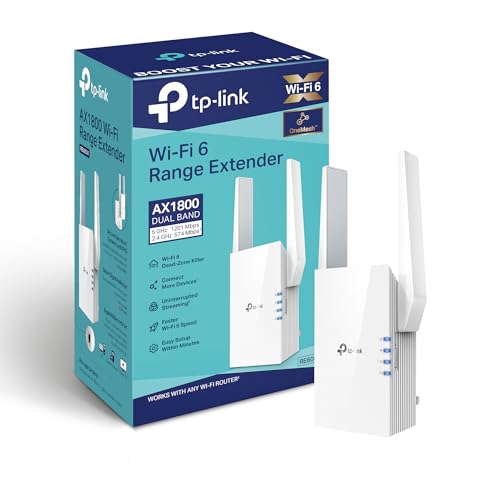
| 5 | TP-Link RE615X AX1800 WiFi 6 Extender | Check on Amazon |
| 6 | Netgear EX6250 WiFi Extender | Check on Amazon |
| 7 | Netgear EX6400 WiFi Extender | Check on Amazon |
| 8 | Netgear Nighthawk EAX15 WiFi Extender | Check on Amazon |
How the picks were chosen
The picks were chosen from Amazon listings returned by the site's own product search, and every model was verified by its full listing title before it was included. An extender only made the list if its listing clearly describes a WiFi range extender or repeater that works with a standard home router — mesh-only systems and renewed listings were left out, since a CenturyLink household needs a repeater that pairs with the gateway it already has. Coverage, speed class, device limits, WiFi generation, and the presence of an Ethernet port were weighed, and the eight that remain cover the range from a compact AC1200 unit to a WiFi 6 AX1800 model. No extender was included on the strength of its listing claims alone without its model being confirmed. Compatibility was checked as well as speed: an extender is only useful if it pairs with the gateway the household already has, so the guide favours models whose listings state they work with any router, or that pair through a simple app setup. Renewed listings were excluded, since a renewed extender can arrive with worn-out radios or an unknown history, and mesh-only systems were left out because a CenturyLink household needs a repeater, not a replacement network.
Quick comparison
| Product | Best for |
|---|---|
| TP-Link RE650 AC2600 WiFi Extender | AC2600, fastest here, AP mode |
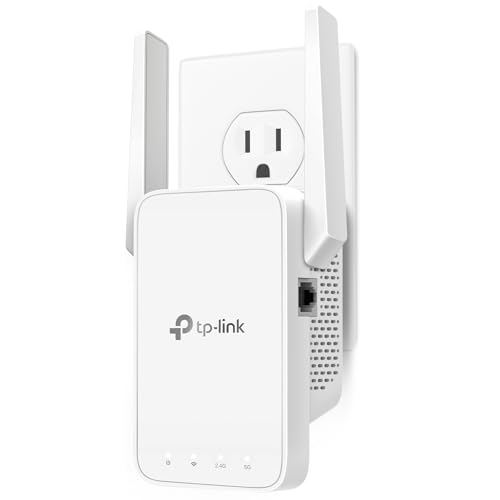
| TP-Link RE315 AC1200 WiFi Extender | AC1200, compact, EasyMesh |
| TP-Link RE550 AC1900 WiFi Extender | AC1900, 2200 sq ft coverage |
| TP-Link RE500X AX1500 WiFi 6 Extender | AX1500 WiFi 6, OneMesh |
| TP-Link RE615X AX1800 WiFi 6 Extender | AX1800 WiFi 6, 64 devices |
| Netgear EX6250 WiFi Extender | AC1750, works with any router |
| Netgear EX6400 WiFi Extender | AC1900, works with any router |
| Netgear Nighthawk EAX15 WiFi Extender | AX1800 WiFi 6, Nighthawk |

1. TP-Link RE650 AC2600 WiFi Extender
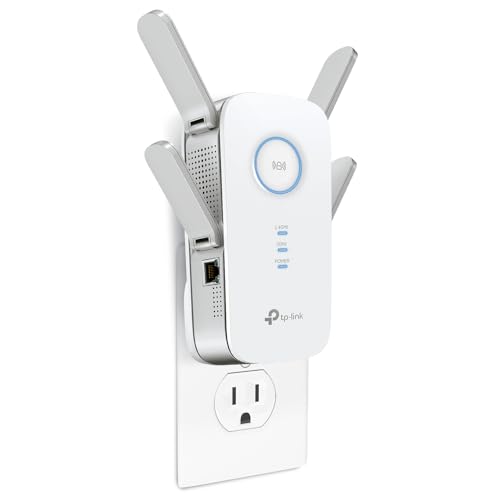
AC2600 dual-band WiFi extender (RE650) with speeds up to 2600Mbps, a Gigabit port, 4×4 MU-MIMO, access point mode, and an Internet booster and repeater function.
Strengths
- The AC2600 speed class is the fastest in this guide, so it holds up when several people stream, game, and video call at the same time.
- Four-stream MU-MIMO serves multiple devices at once instead of making them queue, which matters in a busy household.
- Access point mode lets it wire into an Ethernet run and broadcast fresh WiFi, which is useful for a garage or a wired room.
Trade-offs
- It is a larger plug-in unit than the compact extenders here, so it needs a free outlet with space around it.
- It is a WiFi 5 model, so it lacks the newer WiFi 6 features of the RE500X and RE615X in this guide.
- The extra speed only shows on devices and a connection that can use it; a basic CenturyLink plan will not make it faster than the plan itself.
Who it fits
CenturyLink households with a fast plan and several heavy users who want the strongest extender in this guide in the far rooms.
Best for: a busy CenturyLink home that needs maximum extender speed in dead zones
Not suited for: a small flat where a compact budget extender would cover the gap
In daily use
In daily use the RE650 sits in a hallway outlet and quietly carries the signal into the rooms the CenturyLink gateway cannot reach. Set it up once with the app, give it the same network name as the main router, and devices move between the two without needing a second network to remember. It is the kind of extender you forget about until you walk into the back bedroom and the video call stays smooth. Keep it out of direct sun and away from thick metal appliances, and check the app now and then to confirm it is still on the best channel.
Before you buy
Before you buy, check where the dead zone actually is and place the extender halfway between the gateway and that room, not inside the dead zone itself. Confirm your CenturyLink gateway is in a central spot first, since an extender cannot fix a gateway hidden in a basement corner. Also check the outlet: this is a wide unit, so a double socket may lose the second outlet, and a power strip behind furniture can block its signal.
Check price on Amazon: TP-Link RE650 AC2600 WiFi Extender

2. TP-Link RE315 AC1200 WiFi Extender
AC1200 dual-band WiFi extender (RE315) with 5GHz and 2.4GHz bands, 1.2Gbps speed, coverage up to 1600 square feet and 32 devices, one Ethernet port, and EasyMesh compatibility.
Strengths
- The compact plug-in design fits a standard outlet without blocking the one beside it, so it suits hallways and bedrooms.
- EasyMesh compatibility means it can join a mesh-style setup instead of running as a separate network.
- The Ethernet port gives a wired option for a TV or a desktop in a room with weak WiFi.
Trade-offs
- AC1200 speed is modest, so it is not the pick for several simultaneous 4K streams.
- Its coverage suits a flat or a small house better than a large multi-floor home.
- Thirty-two devices is a real ceiling in a home full of smart gadgets and phones.
Who it fits
Smaller CenturyLink homes and flats where one dead room needs a simple, affordable fix.
Best for: a small CenturyLink home with one or two dead spots to fill
Not suited for: a large house with heavy streaming in every room
In daily use
In daily use the RE315 is the set-and-forget option: plug it in halfway to the dead room, pair it with the app, and leave it alone. It handles everyday browsing, video calls, and one stream without fuss, and the Ethernet port is handy for a smart TV that keeps dropping its connection. Because it is small, it fits outlets behind doors and in hallways where a bigger unit would stick out. If the signal still drops, move it one outlet closer to the gateway before blaming the extender.
Before you buy
Before you buy, measure the gap: this extender covers up to 1600 square feet, so a long house may need two units or a stronger model. Count the devices on the network, since 32 is the listed limit, and check whether your CenturyLink gateway supports EasyMesh if you want the mesh features. Also confirm the room has a free outlet at about halfway, not at the far end.
Check price on Amazon: TP-Link RE315 AC1200 WiFi Extender

3. TP-Link RE550 AC1900 WiFi Extender
AC1900 dual-band WiFi extender (RE550) with a Gigabit Ethernet port, coverage up to 2200 square feet and 32 devices, app setup, and EasyMesh support.
Strengths
- Coverage up to 2200 square feet suits a medium house better than the compact models here.
- The Gigabit Ethernet port can feed a wired device at full speed in a room with poor WiFi.
- App setup keeps installation simple, with no need to log into a router page.
Trade-offs
- It is a WiFi 5 model, so it does not offer the WiFi 6 efficiency of the newer picks here.
- Thirty-two devices is a lower ceiling than the 64-device models in this guide.
- Its size is between compact and large, so it still needs a little clearance around the outlet.
Who it fits
Medium CenturyLink homes where the dead zone is a floor away or at the far end of the house.
Best for: a medium CenturyLink home with a far bedroom or home office to cover
Not suited for: a home with more than 32 connected devices
In daily use
In daily use the RE550 is a steady middle-ground extender: strong enough for a family evening of streaming and calls, simple enough to set up in minutes. Put it on the landing or in a hallway outlet and it carries the CenturyLink signal upstairs or down the hall without a second network name to manage. The Ethernet port earns its keep with a games console or a work desktop that prefers a cable. Keep its vents clear of dust and curtains, and restart it only if the whole network has changed.
Before you buy
Before you buy, check the distance from the gateway to the dead room: 2200 square feet of coverage is generous, but thick walls and floors still eat signal. Confirm the outlet is roughly halfway, and think about whether you need a wired port — if every device is wireless, a simpler model may do. Also check your device count against the 32-device limit.
Check price on Amazon: TP-Link RE550 AC1900 WiFi Extender

4. TP-Link RE500X AX1500 WiFi 6 Extender
AX1500 WiFi 6 extender (RE500X) with dual-band WiFi 6, coverage up to 1500 square feet and 25 devices, a Gigabit port, AP mode, and OneMesh compatibility.
Strengths
- WiFi 6 handles many small devices more efficiently than WiFi 5, which helps in a home full of phones, tablets, and smart gadgets.
- OneMesh compatibility lets it extend the main network under one name instead of creating a separate one.
- AP mode turns a wired Ethernet point into a fresh WiFi spot, which is useful in a wired home office.
Trade-offs
- Twenty-five devices is the lowest device limit in this guide, so very connected homes may outgrow it.
- Its coverage suits one floor or a flat better than a large house.
- The speed benefit of WiFi 6 shows mainly on WiFi 6 devices; older gadgets will not see the same gain.
Who it fits
CenturyLink homes with a WiFi 6 gateway and lots of small devices, where efficiency matters more than raw range.
Best for: a CenturyLink home with a WiFi 6 gateway and many small devices
Not suited for: a large house or a home with more than 25 devices
In daily use
In daily use the RE500X shines in a gadget-heavy home: phones, tablets, smart speakers, and cameras all share the airwaves more smoothly than on a WiFi 5 extender. Set it up with the app, let it join the OneMesh network, and the household sees one network name from the front door to the back bedroom. It is small and quiet, and the Gigabit port covers the one device that needs a cable. If the network grows past 25 devices, that is the sign to step up to a 64-device model.
Before you buy
Before you buy, confirm your CenturyLink gateway and your main devices support WiFi 6, since that is where this extender earns its keep. Count the devices on the network, including smart home gear, against the 25-device limit. Also check the coverage: 1500 square feet is enough for a flat or a single floor, but a larger home needs a stronger model or a second unit.
Check price on Amazon: TP-Link RE500X AX1500 WiFi 6 Extender

5. TP-Link RE615X AX1800 WiFi 6 Extender
AX1800 WiFi 6 extender (RE615X) with a 1.8G dual-band wireless repeater, coverage up to 2100 square feet and 64 devices, an Ethernet port, and EasyMesh support.
Strengths
- Sixty-four devices is a generous ceiling, so a smart home full of gadgets will not outgrow it quickly.
- AX1800 WiFi 6 speed suits streaming and video calls in the rooms the gateway cannot reach.
- Coverage up to 2100 square feet handles a medium house from one well-placed outlet.
Trade-offs
- It costs more than the basic AC1200 models, which is hard to justify for a single dead corner.
- WiFi 6 benefits show most on WiFi 6 devices; older devices gain less.
- It is larger than the compact RE315, so it needs a little more outlet space.
Who it fits
CenturyLink homes with many connected devices and a WiFi 6 gateway, where one extender must cover a whole floor.
Best for: a connected CenturyLink home with dozens of devices and a WiFi 6 gateway
Not suited for: a single-room fix in a small flat
In daily use
In daily use the RE615X is the workhorse of this guide: it takes the CenturyLink signal, repeats it cleanly, and keeps dozens of devices connected without the slowdowns that come from an overloaded extender. Place it in a hallway, let EasyMesh fold it into the main network, and the family stops thinking about WiFi dead zones. The Ethernet port is there for a TV or a console that prefers a cable. Keep it ventilated and out of enclosed cabinets, since a hot extender throttles just like any other electronics.
Before you buy
Before you buy, check that your gateway supports WiFi 6 to get the most from this model, and count the devices you expect it to serve. Confirm the outlet is roughly halfway to the dead zone, not inside it, and leave clearance around the unit for airflow. If the home is small and the device count is low, the cheaper AC1200 model may be enough.
Check price on Amazon: TP-Link RE615X AX1800 WiFi 6 Extender

6. Netgear EX6250 WiFi Extender
AC1750 WiFi extender (EX6250) with coverage up to 2100 square feet, 1.75 Gbps speed, support for 35 devices, WiFi 5, and a compact design that works with any router.
Strengths
- The listing states it works with any router, which is exactly what a CenturyLink household needs.
- Coverage up to 2100 square feet and 35 devices suits a medium family home.
- The compact design fits a standard outlet without dominating it.
Trade-offs
- It is a WiFi 5 model, so it lacks WiFi 6 efficiency for very device-heavy homes.
- Thirty-five devices is a lower ceiling than the 64-device models here.
- There is no mention of mesh compatibility, so it runs as its own extender rather than joining a mesh.
Who it fits
CenturyLink homes that want a straightforward, router-agnostic extender from a well-known networking brand.
Best for: a CenturyLink home that wants a simple extender that works with any router
Not suited for: a WiFi 6 mesh household that wants one network name everywhere
In daily use
In daily use the EX6250 is refreshingly simple: plug it in, press the setup button, and it repeats the CenturyLink signal into the far rooms. It handles an evening of streaming, homework, and video calls without complaint, and its compact shape fits hallway outlets that bigger units would block. Because it works with any router, it survives a gateway swap — if CenturyLink replaces the modem, the extender keeps working. Keep it halfway to the dead zone and away from mirrors and metal filing cabinets.
Before you buy
Before you buy, confirm the dead zone is within 2100 square feet of the gateway, and count the devices against the 35-device limit. Check the outlet placement, since an extender in the dead zone itself cannot repeat a signal it cannot hear. Also decide whether you want mesh features — if so, a TP-Link EasyMesh model may fit better.
Check price on Amazon: Netgear EX6250 WiFi Extender

7. Netgear EX6400 WiFi Extender
AC1900 WiFi extender (EX6400) with coverage up to 2100 square feet, 1.9 Gbps speed, support for 35 devices, WiFi 5, and a compact design that works with any router.
Strengths
- A little more speed than the EX6250 in the same compact shape, for households that stream in the far rooms.
- Works with any router, so it pairs with a CenturyLink gateway without compatibility worries.
- The compact plug-in design suits hallways, landings, and bedrooms.
Trade-offs
- It is still a WiFi 5 model, so device-heavy WiFi 6 homes may prefer a newer model.
- Thirty-five devices is a real limit in a home full of smart gadgets.
- It does not list mesh support, so it manages its own extended network.
Who it fits
CenturyLink homes that want a small step up in speed from the EX6250 without changing size or setup.
Best for: a CenturyLink home that wants a compact, faster AC1900 extender
Not suited for: a home that needs WiFi 6 or more than 35 devices
In daily use
In daily use the EX6400 behaves like the EX6250 with a little more headroom: the far bedroom streams smoothly, the video call holds, and the setup takes minutes. It is the kind of extender that disappears into a hallway outlet and is only noticed when it is unplugged. Place it where the gateway signal is still strong — two bars or better — and it will carry that signal the rest of the way. Keep it clear of aquariums, mirrors, and thick masonry, which all eat WiFi.
Before you buy
Before you buy, check the signal strength at the planned outlet with a phone: if the gateway shows only one bar there, move the extender closer. Count the devices against the 35-device limit, and confirm the outlet is not behind a heavy bookcase or inside a metal cabinet. If the home already runs WiFi 6 everywhere, consider a WiFi 6 model instead.
Check price on Amazon: Netgear EX6400 WiFi Extender

8. Netgear Nighthawk EAX15 WiFi Extender
Nighthawk WiFi 6 extender (EAX15) with AX1800 speed, coverage up to 1500 square feet, support for 20 devices, a 1G Ethernet port, and a design that works with any router.
Strengths
- WiFi 6 with AX1800 speed brings the Nighthawk line's performance into a compact extender.
- The Gigabit Ethernet port gives a wired connection to a console or a TV in a weak-signal room.
- Works with any router, so it fits a CenturyLink gateway without fuss.
Trade-offs
- Twenty devices is the lowest limit in this guide, so it suits small households best.
- Coverage up to 1500 square feet is modest for a large house.
- The Nighthawk name carries a premium over plainer extenders with similar coverage.
Who it fits
Smaller CenturyLink homes that want WiFi 6 speed and a wired port for one key device.
Best for: a small CenturyLink home that wants WiFi 6 and a wired port
Not suited for: a large or device-heavy household
In daily use
In daily use the EAX15 is the compact performer: it brings WiFi 6 speed to a back bedroom or a home office without a big box on the wall. Plug in a games console or a smart TV with the Ethernet port and that device gets a stable wired link while the rest of the room uses the repeated WiFi. Setup is quick, and it works with the CenturyLink gateway as it stands. Keep the device count in mind — twenty is enough for a small household but not for a house full of smart gear.
Before you buy
Before you buy, count the devices that will use this extender, since 20 is a firm ceiling. Check the coverage against the home: 1500 square feet suits a flat or a single floor. Confirm the outlet is halfway to the dead zone with a decent gateway signal, and think about whether the Ethernet port matters — if nothing needs a cable, a simpler WiFi 6 model may do the same job.
Check price on Amazon: Netgear Nighthawk EAX15 WiFi Extender
Buying guide: best century link extenders
Place it halfway, not in the dead zone
The most common extender mistake is putting the unit where the WiFi is already dead. An extender can only repeat a signal it can hear, so it belongs halfway between the CenturyLink gateway and the dead room, where the gateway signal is still decent — two bars or better on a phone. Walk the hallway with a phone and watch the signal drop, then pick an outlet just before it gets weak. If the extender is too close to the gateway, it adds nothing; too far, and it repeats a weak signal that stays weak.
Match the speed class to the plan
An extender cannot make the internet faster than the CenturyLink plan itself. On a basic plan, an AC1200 extender is enough, and paying for AC2600 speed buys nothing the plan can deliver. On a faster plan with several streamers, an AC1900 or AX1800 model earns its keep. Check the plan speed first, then pick an extender whose speed class is at or above it — and remember that WiFi 6 models also handle many small devices better, which matters in a smart home even on a modest plan.
Count the devices before you buy
Every extender in this guide lists a device limit, from 20 to 64, and that number is a real ceiling. Count phones, tablets, laptops, TVs, smart speakers, cameras, and anything else on the network, including the gadgets in the room the extender will serve. A household that outgrows its extender gets slowdowns that look like a bad connection but are really an overloaded repeater. If the count is close to the limit, step up to a model with more headroom.
One network name or two
Some extenders create a second network name, while mesh-compatible models can fold into the main network under one name. One name is more convenient — devices move between the gateway and the extender without reconnecting — but it needs compatible equipment, such as EasyMesh or OneMesh support. If the extender runs its own network, give it a clear name, connect the far-room devices to it once, and leave it alone. Either approach works; the mistake is expecting one-name roaming from an extender that does not support it.
Check the Ethernet port
An extender with an Ethernet port can wire a single device — a smart TV, a games console, a work desktop — directly to the network, which is often more stable than WiFi in a weak-signal room. If the dead room has a device that keeps dropping its connection, that port is worth having. If every device in the room is wireless, the port adds nothing, and a simpler model will do the same job for less.
Check the gateway position first
Before buying an extender, look at where the CenturyLink gateway sits. A gateway on the ground floor in a corner, behind a television, or inside a cabinet will struggle to reach the far rooms, and no extender can fully fix a bad starting position. Move the gateway to a central, open, elevated spot — on a shelf, not on the floor — and test the far rooms again. Sometimes that move alone fixes the dead zone, and when it does not, the extender has a much stronger signal to work with. Think of the gateway as the source and the extender as the relay: a relay can only repeat what it receives.
Using and caring for your pick
Once the extender is set up, leave it alone and let it work. Place it in an open outlet, not behind furniture or inside a cabinet, and keep it away from mirrors, aquariums, and thick metal objects, which all weaken WiFi. If the signal drops, check the extender's position first — a move of one outlet toward the gateway often fixes it. Restart the extender only after a gateway change or a power cut, and keep its firmware updated through the app if the maker offers updates. If CenturyLink replaces the gateway, run the extender's setup again so it learns the new network name and password, and test the far rooms before calling the job done. After setup, test the far rooms properly: walk to each one with a phone and check the signal, run a video call for a few minutes, and stream something in the room that used to fail. If the signal is still weak, move the extender one outlet closer to the gateway and test again. Keep the extender's app on the phone for the first week, since it shows the connection quality and makes it easy to spot a bad position. Once the position is right, the extender needs little attention beyond an occasional firmware update and a dusting.
Common mistakes to avoid
The most common mistake is placing the extender inside the dead zone, where it has no signal worth repeating. The second is expecting the extender to beat the internet plan — it repeats the connection, it does not upgrade it. The third is ignoring the device limit and then blaming the extender for slowdowns caused by too many gadgets. The fourth is hiding the extender behind a bookcase or inside a cabinet, which blocks the very signal it needs. And the fifth is buying a WiFi 6 extender for a home with a WiFi 5 gateway and older devices, then wondering why nothing changed — the generation has to match on both ends to matter. The sixth mistake is buying an extender before checking the plan speed: a household on a basic plan gains nothing from the fastest extender, while a household on a fast plan wastes it on a slow repeater. The seventh is placing the extender on a power strip behind furniture, where the strip and the furniture both block the signal. And the eighth is forgetting that an extender is part of the network: when the gateway password changes, the extender must be set up again, or it will sit there repeating nothing.
Final recommendation
For most CenturyLink homes, the TP-Link RE615X is the strongest all-round choice: WiFi 6, AX1800 speed, 64 devices, and coverage up to 2100 square feet cover a medium house with room to grow. If the budget is tight and the home is small, the TP-Link RE315 does the job for far less. If the household prefers Netgear, the EX6400 is the straightforward pick, and the Nighthawk EAX15 is the compact WiFi 6 option for a small home. Whichever you choose, place it halfway to the dead zone, count the devices, and match the speed class to the plan — those three steps decide whether the extender fixes the problem. The guide's other picks cover the rest of the range: the Netgear EX6250 and EX6400 are the straightforward choices for households that want a well-known brand and a simple setup, while the TP-Link RE315 is the budget pick for a small home with one dead room. All eight work with a CenturyLink gateway as it stands, so the choice comes down to the size of the home, the number of devices, and whether WiFi 6 matters.
Frequently asked questions
Do WiFi extenders work with CenturyLink?
Yes — the extenders in this guide work with any standard home router, including a CenturyLink gateway. They connect to the existing WiFi network and repeat it further into the home. Netgear's listings state this directly, and the TP-Link models pair through their app with any router. No special CenturyLink model is needed.
Where should I place a WiFi extender?
Halfway between the gateway and the dead room, in an outlet where the gateway signal is still decent — two bars or better on a phone. Placing it inside the dead zone does not work, because the extender cannot repeat a signal it cannot hear. Walk the hallway with a phone to find the right spot.
Will an extender make my internet faster?
No. An extender repeats the existing connection; it cannot exceed the speed of the CenturyLink plan. What it does is bring usable speed to rooms where the signal was too weak to use. If the plan itself is slow, only a plan change fixes that.
What is the difference between WiFi 5 and WiFi 6 extenders?
WiFi 6 extenders handle many small devices more efficiently and can offer higher speeds, but the benefit shows mainly when the gateway and the devices also support WiFi 6. In a home with a WiFi 5 gateway and older devices, a WiFi 5 extender performs just as well for everyday use.
Can I use two extenders in one home?
Yes, for a large house or a home with dead zones on two floors. Place each one halfway to its own dead zone, and avoid placing them so they repeat each other. In a very large home, a mesh system may be a better fit than several extenders.
Can I use a WiFi extender with a CenturyLink modem and router combination?
Yes. The extenders in this guide pair with any standard home router, including a CenturyLink modem-router combination. Set the extender up with its app, give it the same network name and password as the main network, and it will repeat the signal. If CenturyLink later replaces the gateway, run the extender setup again with the new network details.
How far can a WiFi extender reach?
It depends on the model and the home: the extenders in this guide list coverage from 1200 to 2200 square feet, but walls, floors, and metal objects all reduce the real range. As a rule, an extender reaches one or two rooms beyond the gateway, or one floor up or down. For a very large home, two extenders or a mesh system will cover more ground than a single unit.
Should I get a WiFi 6 extender if my gateway is WiFi 5?
It will work, but the WiFi 6 benefits will not show until the gateway and the devices also support WiFi 6. A WiFi 6 extender on a WiFi 5 network performs like a good WiFi 5 extender. If the gateway is due for replacement soon, a WiFi 6 model is a reasonable future-proof choice; if the gateway will stay WiFi 5 for years, a WiFi 5 extender costs less for the same result.