This keyboard buying guide is the complete framework: every criterion that matters, explained in plain language, ordered by how much it will affect your daily life, and framed in tiers rather than prices so it stays useful as models change. Whether you type for a living, game competitively, or simply want the family computer to stop feeling like a chore, the method is the same — decide in the right order and the market narrows itself.
Work through the criteria, note your answers, then shop with a spec sheet instead of a vibe. The guide assumes nothing about budget except that you would rather spend once on the right board than twice on the wrong one, and it links throughout to the deeper explainers and shortlists — starting with How to Choose a Keyboard, the step-by-step companion to this framework.
Disclosure: As an Amazon Associate, ilcastellomenu.com earns from qualifying purchases. Product details and availability can change; check the retailer listing before you buy.
Criterion 1: layout and size — the decision you cannot upgrade later
Everything else on a keyboard can be changed, accessorised, or forgiven; the layout is the board. Full-size suits number-heavy work; tenkeyless suits most mixed users; 75 percent compresses nearly everything into a small footprint; 60 and 65 percent trade physical keys for layers and desk space. The full trade-off analysis is in 60 Percent vs Full Size Keyboard — read it before ordering if you are anywhere near the compact end, because layout regret is the leading cause of returns.
Check the fine geometry too: a standard bottom row keeps replacement keycaps easy; your region’s ANSI or ISO standard decides the Enter key shape; Mac users need Mac legends or a board that ships with swappable caps. Split and ergonomic layouts serve users with wrist or shoulder issues and deserve a look if standard boards cause you pain — comfort is a buying criterion, not an afterthought.
Measure your desk before you fall in love. The space a board leaves for your mouse, notebook, and monitor stand is part of the product, and a board that crowds your setup will annoy you daily in a way no switch quality can offset.
In this guide
Criterion 2: switch feel — the daily experience
Switch family decides how every one of the thousands of daily presses feels: linear for smooth speed, tactile for confirming feedback, clicky for feedback plus theatre. The full decoder is Keyboard Switch Types Explained; the buying translation is shorter — type-first users start tactile, game-first users start linear, shared-room users start silent variants of either, and the undecided buy hot-swappable so the decision stays reversible.
Hot-swap support is therefore a headline buying criterion, not a footnote: it converts switch choice from a gamble into an experiment and turns the commonest keyboard fault into a thirty-second repair. What is a Hot Swappable Keyboard explains the hardware; the buying rule is simply to require sockets unless you have a specific reason not to, as weighed in Hot Swappable vs Soldered Keyboard.
If you can, try before you buy — a switch tester, a friend’s board, a shop display. Ten minutes of real presses teaches more than ten reviews, because force curves and bump shapes are felt knowledge. Where trying is impossible, prefer retailers with painless returns and treat the first board as tuition the hobby expects everyone to pay once.
Criterion 3: connection and compatibility
Decide how the board connects based on where it lives. A fixed desk: wired is flawless and cheapest. A multi-device life: Bluetooth with multi-pairing. Gaming wireless: a 2.4 GHz dongle model. Boards offering all three modes cost a little more and remove the question, which is why they dominate recommendations for mixed users.
Verify operating-system support explicitly, including the software: a board whose remapping app is Windows-only is a lesser product for a Mac household unless its changes store onboard. Check the cable connector (USB-C detachable is the modern standard), the included cables and dongles, and whether the board works wired while charging — small print that decides daily friction.
Rollover belongs in this section too: if you game or type fast chords, confirm N-key rollover or a stated figure that covers your combinations, using What is N Key Rollover to decode the claims and how-to-test-a-keyboard to verify them on arrival.
Criterion 4: build, keycaps, and acoustics
Case and mounting decide how solid and how loud a board feels. Aluminium cases stay put and feel premium; good plastic cases are lighter and can sound warmer. Gasket mounting adds a softened landing that many typists find reduces fatigue. None of these are necessities; all of them are the difference between a board that feels like a tool and one that feels like an appliance, and they are where mid and premium tiers actually spend their money.
Keycaps are the other tactile surface: PBT for durability and texture retention, double-shot legends for permanence, and a profile — the height and sculpt of the caps — that suits your fingers. Budget for the fact that stock keycaps on inexpensive boards are the first upgrade most owners make; a board with good caps from the factory is quietly better value than its price suggests. The accessory shortlists around best-wrist-rests-for-keyboards complete the comfort picture if your chosen board sits tall.
Acoustics follow from all of it: foam-filled cases, decent stabilisers, and switch choice decide whether a board sounds deep and tidy or hollow and rattly. If you share space, weight this criterion like a headline feature and review the fixes in how-to-fix-a-loud-mechanical-keyboard to know which sounds are curable and which are character.
The tiers: what each level actually buys
Entry tier boards cover the fundamentals: real mechanical switches, a standard layout, wired connection, basic build. They are the right buy for a first board, a spare, or a sceptic testing whether mechanical life suits them — and modern entry boards are good enough that many users never leave the tier.
Mid tier is where the daily-experience features concentrate: hot-swap sockets, PBT keycaps, wireless modes, QMK/VIA or decent software, foam and gasket touches, stabilisers that do not embarrass the board. For most buyers this tier is the value peak — everything that changes daily life, nothing that only changes spec sheets.
Premium tier buys refinement: milled cases, exceptional stock tuning, exotic switch options, fit and finish. It is worth it to enthusiasts who feel the differences and pointless to buyers who do not — which is not an insult to either group, just the definition of a hobby market. Spend to the tier where you can still name what the money bought you at your desk.
Mistakes to avoid: the buying checklist
Mistake one: buying by backlighting and headline features while ignoring layout and switches. Mistake two: clicky switches for a shared room. Mistake three: a compact board whose compressed right-side keys fight your touch typing — check layout diagrams. Mistake four: assuming ‘mechanical’ implies hot-swappable or NKRO; verify both if you need them. Mistake five: forgetting the return policy on a feel purchase.
The checklist, in order: layout measured against desk and work; switch family chosen for room and use; hot-swap confirmed; connection modes matched to devices; OS and software compatibility verified; keycap material noted; rollover confirmed if relevant; returns policy read. Eight lines, five minutes, and the board that arrives is the board you meant to buy.
When the board arrives, test it the same day with the full routine in @@how-to-test-a-keyboard@@ — every key, every mode, stabilisers, sound — while the return window is wide open and the packaging is still by the door.
The bottom line of this keyboard buying guide
A keyboard is the tool your hands touch most, and the right one disappears into your work while the wrong one interrupts it daily. Decide layout first, switches second, connection third, and let build and extras spend whatever budget remains. That ordering, applied honestly, is the entire secret of the buyers who seem to always love their boards.
For model-level shortlists once your criteria are set, browse the comfort picks in best-keyboards-for-typing, the value field in best-mechanical-keyboards-under-100, and the cable-free options in best-wireless-keyboards-for-pc — then buy once, test thoroughly, and type happily for years.
Reading reviews and specifications like a sceptic
Keyboard reviews are most useful when read for facts rather than verdicts: layout diagrams, switch options, socket type, connection modes, and what is in the box transfer perfectly from a review to your desk. Verdicts transfer poorly, because the reviewer’s hands, room, and workload are not yours. Extract the facts, note the reviewer’s stated use, and discount any conclusion whose reasoning depends on a use unlike your own.
Specifications deserve the same treatment. Polling rates, actuation distances, and switch lifespans are real numbers with narrow meanings; they predict little about daily satisfaction beside the criteria in this guide. A board can win every specification and lose your hands in a week. Let specs break ties between boards your criteria already approve, and never let them promote a board your criteria rejected.
Sound recordings in reviews are comparative instruments: useful for ranking boards against each other, misleading as absolute predictions, because microphones, desks, and rooms differ from yours. Use them to shortlist, then let return policies carry the residual risk — which is exactly what return policies are for.
Buying for someone else, and buying your second board
Gift purchases invert the usual logic: choose the safe centre — a tenkeyless or full-size board, medium tactile switches, nothing clicky, standard legends, easy returns. The recipient’s taste is unknown, so the gift should be the board least likely to be wrong rather than the board most likely to be perfect, with the receipt kept and the exchange path made graceful rather than awkward.
Your second board is a different purchase from your first, and should be made differently: you now own data — what your hands liked, what the room tolerated, what the layout cost you — and the second board should be a deliberate correction, not a lateral move. Most enthusiasts’ favourite board is their second or third, bought with the first board’s lessons itemised. Write those lessons down while they are fresh; memory edits them kindly.
Households with two keyboard users should consider standardising on hot-swappable boards even if nothing else matches: a shared pool of switches and keycaps serves both desks, spares are communal, and either user can rescue the other’s board in minutes. Standardisation is unglamorous and, across years of small faults, quietly valuable.
Warranties, support, and the unglamorous criteria
Two boards identical on the desk can differ completely as purchases: warranty length, whether support answers in your language and timezone, whether firmware updates arrive, and whether spare parts — cables, feet, keycaps — are sold at all. For a product meant to serve daily for years, those unglamorous criteria are worth a deliberate five minutes of research, because they decide the experience of the board’s worst day, not its best one.
Community size is a soft version of the same criterion: a popular board accumulates answered questions, shared layouts, and troubleshooting threads that function as an unofficial support department. Obscure boards are not worse products, but their owners are more alone with them. Price that solitude honestly if you are not a confident self-supporter.
The environmental ledger of a keyboard purchase
A keyboard is a small object with a long shadow: plastics, electronics, batteries, and packaging, multiplied by a replacement culture that treats boards as near-disposable. Buying one repairable board — hot-swappable switches, standard keycaps, a replaceable cable — and keeping it for a decade is the environmentally serious choice in this category, and it happens to coincide with the economically serious one. The greenest specification on any listing is the one that says its parts can be replaced.
When a board does retire, retire it properly: working boards are gifts, school donations, and spare-parts donors; dead electronics belong in e-waste streams, not landfill. A buying guide that follows products from shortlist to retirement is simply completing its subject — the purchase is the middle of the story, not the whole of it.
Your buying guide, condensed to a wallet card
Layout measured against desk and work. Switch family chosen for room and role, weight in the broad middle unless you know better. Hot-swap confirmed. Connection matched to devices; operating system and software verified. PBT caps if the budget reaches. Rollover confirmed if you chord. Returns policy read. Board tested fully on day one. That is the whole guide in eight lines — everything else in these pages exists to explain why those eight, in that order, are the ones that decide whether you love the board in year three.
Print it, screenshot it, or keep this page open in the shop. Buying well is mostly remembering, at the moment of purchase, what you already knew at the moment of research — and a wallet card is memory that survives contact with a sales page.

How to read a specification sheet without being read by it
A keyboard specification sheet is an argument disguised as a list, and learning its rhetoric makes you a harder buyer to mislead. Specifications that are cheap to achieve are printed large; specifications that are expensive to achieve are printed precisely; specifications that would embarrass are absent, and the absences are the most informative part of the sheet. A board that trumpets its switch brand and polling rate while saying nothing about its stabilisers, keycap material, or case construction has told you where its budget went. Read for the omissions first, then the numbers.
The numbers themselves divide into the verifiable and the vibes. Dimensions, weight, layout, connection types, switch model, keycap material — verifiable, and worth checking against your desk and hands exactly as this guide’s criteria describe. Lifespan figures in tens of millions, latency figures without a stated method, sound descriptions in adjectives — vibes, to be discounted to zero in your comparison and replaced with owner reports and your own tests. A comparison table built only from verifiable numbers, across your three finalist boards, is the single most useful document you can make during a purchase, and it takes twenty minutes.
Finally, note what the sheet says about the company: a published firmware history, a real manual, spare parts listed for sale, a support address that is not a web form. These are specifications too — of the ownership, not the object — and over a five-year life they predict your experience as reliably as anything in the hardware list.
The budget tiers, interrogated: what each step actually buys
This guide’s tier section describes what each level adds; here is the harder question of which additions survive scrutiny. The step from the bottom tier to the middle buys fundamentals that every user feels: even switches, tuned stabilisers, keycaps whose legends will last, a case that does not flex. It is the highest-value step in the market and the one this guide most insists on. The step from middle to premium buys refinement and options: better acoustics, nicer materials, hot-swappability on more models, wireless done well, software that respects you. It is real value for users who type all day and diminishing value for everyone else. The step beyond premium buys scarcity, aesthetics, and hobby participation — legitimate pleasures that should be bought as pleasures, with open eyes, rather than as performance.
Two traps flank the tiers. The first is the feature-stuffed budget board that lists premium features at a bottom-tier price: each feature is present and each is the cheapest possible version of itself, and the fundamentals — stabilisers, caps, case — are where the money was found. The second is the assumption that your tier is permanent. A first board bought well at the middle tier teaches you your preferences; the premium board bought second, aimed by that knowledge, is the purchase owners describe with the most satisfaction. Sequence beats splurge for nearly every buyer who does not already know their exact taste.
Refurbished and previous-generation flagships deserve a line in any honest tier discussion: they regularly deliver the premium tier’s fundamentals at the middle tier’s cost, at the price of a shorter warranty runway and some patience. For buyers whose priority is fundamentals per unit of money, they are often the correct answer, and the testing routine linked later in this guide is how you buy them safely.
Buying for a body: hands, posture, and the criteria that outrank features
Every criterion in this guide is negotiable except the ones your body enforces, so this section exists to promote them. Hand size governs layout comfort more than preference does: small hands on a wide board with a far mouse live in a permanent stretch, and large hands on a cramped compact board live in a permanent curl. Finger strength and joint sensitivity govern switch weight with the force of a medical fact, whatever the marketing says about ideal weights. Existing wrist, shoulder, or neck complaints govern board height, angle, and width — and they outrank every other criterion combined, because a keyboard that hurts is not a worse keyboard, it is a failed one.
The practical consequence is a buying order: fit first, then feel, then features. Fit is measurable before purchase — desk dimensions, board dimensions, your current setup’s geometry — and this guide’s layout criterion gives the method. Feel is testable within a return window. Features are listable from a specification sheet, which is why they dominate marketing and why they should come last in your process: they are the easiest part of the decision and the least important to get exactly right.
If you are buying around a diagnosed condition, treat this guide as background and a clinician’s or ergonomist’s advice as foreground — and look at the specialist options gathered in keyboards selected for sensitive hands and wrists, where the criteria are reordered around comfort from the start rather than adjusted toward it at the end.
The second board problem: upgrading, downgrading, and sidegrading with intent
Second purchases fail in a characteristic way: the buyer knows more than the first time but aims worse, because the target has shifted from ‘a good keyboard’ to ‘a keyboard that fixes the first one’s faults’ — a specification written entirely in negatives. The result is a board that brilliantly solves the old problem and quietly introduces its opposite: the loud board replaced by a silent one whose feel disappoints, the huge board replaced by a compact one whose layer frustrates. Write the second purchase’s brief in positives — what the new board must do, in your actual week — and let the old board’s faults enter only as one line among several.
Sidegrading — replacing a good board with a different good board — is the hobby’s engine and should be recognised when it is happening, because it is a leisure purchase and leisure purchases obey different rules: they are justified by pleasure, they should be budgeted as pleasure, and they should not be disguised as upgrades in a household ledger. The healthiest enthusiasts name their sidegrades proudly and keep each one long enough to learn it. The pattern to avoid is the disguised sidegrade bought as an ‘upgrade’ every quarter, which satisfies neither the ledger nor the typist.
Keep the old board, whatever you buy. A known-good spare is worth more than its resale value the first time the new board fails, travels, or goes to a second desk — and the comparison between the two, in your own hands across a month, is the finest preference data you will ever collect about your own typing.
Retailers, returns, and warranties: the commercial layer of the purchase
Where you buy shapes what you own more than buyers admit. A generous return window is, for keyboards, a product feature — it converts the unknowable question of feel into a home trial — and it is worth choosing a retailer for, deliberately, when two sellers offer the same board. Read the window’s actual terms: the period, who pays return shipping, whether opened and used boards qualify, because keyboards must be used to be judged and a window that excludes used boards excludes the only test that matters.
Warranties divide makers more honestly than marketing does. Note the period, note whether switches and sockets are covered as the wear parts they are, note whether the process ships you a replacement or a repair, and note the geography — a warranty serviced on another continent is a different product from one serviced domestically. Keep the receipt, the serial, and your dated first-week test notes together; that small file is the difference between a warranty claim as a formality and as an argument.
Marketplace and second-hand purchases trade these protections for price, fairly, when the buyer compensates with testing. Run the full routine from the keyboard testing guide on any used board within whatever inspection window the sale allows, and price the absence of warranty into your offer rather than discovering it later. A used board from a known maker, tested completely, is one of the best values in this market; an untested one is a lottery ticket with keys.
The environmental and longevity audit, applied to your shortlist
Apply a five-year lens to your finalists and the ranking often changes. Ask which parts wear — keycaps, cable, switches, battery — and whether each is replaceable, by you, with parts sold today. Ask whether the maker publishes firmware and manuals that will outlive the product page. Ask what the board is worth used, because resale value is the market’s own durability estimate, updated daily. A board that scores well on those questions can be the more expensive purchase and the cheaper ownership simultaneously, and it is the board least likely to become landfill on a schedule set by its smallest part.
Longevity also has a taste component buyers underrate: a board whose look and layout are conservative will be loved in year five, while a board bought for a striking novelty may date in the owner’s eyes long before it wears out physically. Classics in this market are classic for ergonomic reasons — standard layouts, standard key sizes, replaceable everything — and the audit rewards them accordingly. Buy the board your future self, with changed tastes and the same hands, would still choose.
A final walk-through: the guide applied to one imaginary buyer
Assemble the whole guide once, end to end, around a single buyer: a copywriter who works from a small desk at home, takes calls all afternoon, types ten thousand words a week, and has never owned a mechanical board. The criteria fire in order. Layout: the desk’s width and the mouse’s home rule out full-size; the work has no number pad in it; a compact or tenkeyless board is the shape. Switch feel: the calls demand quiet, the word count demands a weight that will not tire — a quiet tactile or a soft linear, tasted before commitment. Connection: the desk is fixed, the laptop is not, so multi-device wireless earns its place; onboard memory matters because the work laptop forbids extra software.
Build and caps: the budget sits in the middle tier, spent on fundamentals — tuned stabilisers for the spacebar-heavy sound of prose typing, durable legends, a case that will not boom on calls. The commercial layer: bought from a retailer whose window permits a real week of work as the trial, warranty filed with the first-week notes. The audit: hot-swappable, because a ten-thousand-word week will wear switches and the owner’s taste is still forming; keycaps standard-sized, because replacements should be a errand, not a research project. Accessories follow the same logic: a mat for the calls, nothing else until a named need appears.
Notice what the walk-through never did: it never named a brand, never consulted a ranking, and never needed one. That is the guide working as intended. Substitute your own week for the copywriter’s — your desk, your calls or their absence, your numbers or your games — and the same sequence produces your board with the same inevitability. The shortlists, when you reach them, are then read correctly: as candidates to be filtered by a brief you already trust, starting with boards shortlisted for typing work if prose is your trade. The purchase that results is rarely the most exciting one available. It is, reliably, the one still being used, unconsidered and satisfactory, years later — which is what buying well means for a tool you touch all day.
How many keyboards should a person own? A sane framework
The question sounds like a joke and is actually a useful audit, because most buying mistakes are really count mistakes — a second board bought to do a first board’s job, or one board asked to do three jobs badly. Count your distinct typing situations, not your desires: the main desk, the road, the shared machine, the specialist rig. A situation earns its own board when its requirements genuinely conflict with another’s — size against portability, noise against feel, layout against sharing — and when it occupies enough of your week that the conflict is paid daily. Most people, audited honestly, land on one or two. The enthusiast’s larger collection is a hobby inventory, which is a fine thing to own and a different thing from a tool count, and confusing the two is how budgets quietly double.
Apply the framework in reverse when a purchase tempts you: name the situation it serves and the conflict it resolves. If the answer is a situation you already serve well, you are looking at a sidegrade — possibly a delightful one, to be bought as pleasure with open eyes, as this guide’s second-board section advises. If the answer is a genuine unserved situation, you are looking at a tool, and the criteria in this guide will specify it tightly. Either way the purchase improves for having been named correctly before it was made.
Keyboards as gifts: buying for hands you do not own
A keyboard is an unusually personal gift — it will be touched for hours daily and judged by hands whose preferences you cannot feel — and the failure mode is the enthusiast’s gift: a board expressing the giver’s taste, landing on a desk with different needs. Gift by the recipient’s situation instead. The student gets durability, a standard layout that matches school machines, and quiet. The new remote worker gets the board their wrists would choose: sane height, sane weight, nothing to configure. The writer gets quiet tactility and legends that will outlast the manuscript. The gamer gets the size their desk and games actually want, which you learn by looking at their current desk, not by asking what they dream about.
Two gift rules protect everyone. First, include the receipt and choose a retailer whose return window survives the occasion, because fit cannot be guaranteed at a distance and a graceful exchange beats a politely endured board. Second, resist customising the gift before giving it — no exotic switches, no personal layout, no modifications that make it yours. A gift board should arrive as a clean, standard, returnable instrument. If it is loved, its owner will make it theirs soon enough, and that process is part of the pleasure you are actually giving.
The guide’s criteria, reordered for five specific buyers
- The deadline professional buys reliability first: proven model, generous warranty, wired or dongle connection, standard layout — because a keyboard failure during their peak week costs more than any feature is worth.
- The hobbyist entering the scene buys headroom first: hot-swappable, standard key sizes, an active owner community — because their taste will change and the board should be able to change with it.
- The parent outfitting a family desk buys robustness and legibility first: spill tolerance, standard everything, quiet switches — because the board’s users range from homework to taxes and its enemies include juice.
- The traveller buys geometry first: slim, light, protective in a bag, quick to pair, forgiving of strange desks — because their keyboard’s workplace changes weekly and consistency is the luxury.
- The buyer with a fixed, tight budget buys fundamentals first and features never: the best stabilisers, caps, and case available at the price, a previous-generation model if that is where the fundamentals live — because feel poverty cannot be upgraded later, while missing features can simply be lived without.
Find yourself in the list — most buyers are a blend of two — and let it reorder the main criteria rather than replace them. The criteria are the same for everyone; their order is personal, and the order is where buying guides usually fail their readers by pretending otherwise.
What to do in the first month: the ownership on-ramp
A purchase is not finished at the unboxing, and the first month decides whether a good board becomes the right board. Week one is evaluation, run by the testing routine this guide links, with the return window as its deadline. Week two is adaptation: resist judging feel while your hands are still learning, and resist modifying anything, because modifications made during adaptation are aimed at a moving target. Week three is the first honest verdict — the errors counted, the sound recorded in the real room, the desk geometry settled with the letter cluster centred. Week four is consolidation: the small adjustments that are actually warranted, the accessories a named need has earned, the notes filed.
At the month’s end, do the least natural thing in consumer life: stop shopping. A board judged fairly for a month and kept is a board that will serve for years, and continued comparison after the verdict is the mechanism by which good purchases are talked into bad replacements. The criteria in this guide will still be here when a genuine need — a new job, a new desk, a worn-out board — reopens the question. Until then, the best use of a well-bought keyboard is to forget it entirely, which is the fate of all tools that were chosen properly.
A closing word on taste, confidence, and other people’s rankings
Rankings and reviews will keep arriving after you buy, some of them demoting your board in favour of a newer one. Treat them the way you treated them during the purchase: as data about other people’s briefs. Your brief was written from your desk, your hands, your week, and a board that satisfies it is not demoted by a list written from someone else’s. The confidence to hold a well-made decision is, in the end, the skill this entire guide has been teaching underneath its criteria — the criteria merely give the confidence something solid to stand on.
If your needs change, change the board without ceremony and without regret; the guide will help again, and faster, because your notes from this purchase are the best brief you will ever write. Until then: type on the board you chose, in the room you chose it for, and let the market’s noise stay where it belongs — on the other side of a closed door, at a comfortable distance from a keyboard that fits.
The one-paragraph version, for the reader who buys today
If the purchase must happen today and the full guide must wait, buy this: a board whose size matches your desk and your number habits, with switches in the family your fingers prefer at a weight your hands can sustain, from the highest tier whose fundamentals — stabilisers, keycaps, case — are genuinely sound rather than merely listed, bought from a seller whose return window permits a week of real work as the trial. Connect it however your desk prefers, keep the receipt and the first week’s notes, and let the board disappear under your work. Every section of this guide exists to refine that paragraph, defend it against marketing, and adapt it to special cases — but the paragraph itself, followed honestly, will not lead a buyer of any of the five kinds described above into a purchase they regret. That is the test of a buying guide: that its shortest version is still true, and its longest version is the shortest one, explained.
And a last practical word about timing the purchase itself. Keyboards are not seasonal in any way that rewards waiting, stock of a specific model matters more than sale calendars, and the cost of a month spent typing on the wrong board — in fatigue, errors, and irritation — routinely exceeds any saving a patient buyer was holding out for. Buy when the brief is ready and the right board is available, from the seller with the right window, and let the market’s calendar keep its own counsel. The exception proves the rule: if your current board is genuinely serving you and the purchase is a sidegrade of pleasure, timing is yours to enjoy, and waiting for the exact variant, colour, or restock is part of the pleasure rather than a cost of it.
That timing advice completes the guide’s commercial layer: the right board, from the right seller, under the right window, at the moment your brief is ready. Everything else — the criteria, the tiers, the audit, the on-ramp — exists to make that moment arrive with the decision already made well.
Keep this guide’s checklist with the receipt, and the purchase is documented as thoroughly as it was decided.
Gear mentioned in this guide
The products below are examples referenced in this guide. They were verified through the Amazon Creators API product pool for this site; use them as concrete reference points for the features discussed, not as a ranked list.
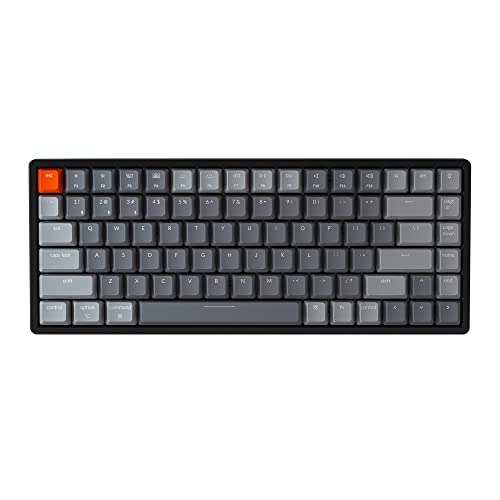
- Keychron K2 Version 2 Wireless Gaming Mechanical Keyboard, Bluetooth/USB Wired Compact 84 Keys RGB LED Backlit Aluminum Frame for Mac Windows, Gateron G Pro Blue Switch — Check on Amazon
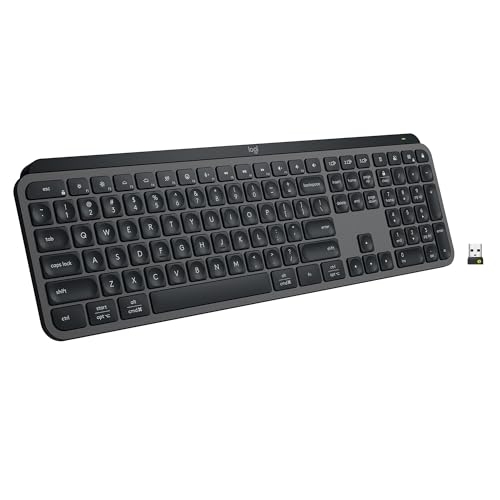
- Logitech MX Keys S Wireless Keyboard Low Profile Fluid Precise – Graphite — Check on Amazon
- Corsair K70 RGB TKL – Champion Series Tenkeyless Mechanical Gaming Keyboard – Cherry MX Speed Keyswitches – Durable Aluminum Frame – Per-Key RGB LED Backlighting – Detachable USB Type-C Cable — Check on Amazon


Frequently asked questions
How much should I spend on a keyboard?
Spend to the tier whose features you can name a use for: entry for basics, mid for hot-swap, wireless, and better keycaps, premium for materials and refinement. The mid tier is the value peak for most buyers because it concentrates the features that change daily experience.
What is the most important feature in a keyboard?
Layout first, because it cannot be changed, then switch feel, because you experience it on every press. Features like backlighting and software matter only after those two are right for your desk and hands.
Should my first mechanical keyboard be hot-swappable?
Yes, unless you have a specific reason otherwise. Your switch taste will develop, and sockets let the board develop with it — plus they turn the commonest fault into a thirty-second repair.
Is a gaming keyboard good for typing?
Often, yes — gaming boards bring strong switches, rollover, and build quality. Watch for aggressive styling, loud switch choices, and layouts skewed to games. Hybrid shortlists exist precisely for users who need both.
What size keyboard do most people end up happiest with?
Tenkeyless and 75 percent layouts satisfy the widest range of mixed users: nearly all keys present, meaningful desk savings, minimal learning curve. Full-size wins for number work; smaller sizes win for gaming and minimal desks.
How long should a good keyboard last?
A well-kept mechanical board should serve for many years, with switches and keycaps replaceable as they wear. Longevity is a core argument for buying mid-tier once rather than entry-tier repeatedly.
Related Guides
Keep exploring with these guides and roundups from the same desk and audio cluster: