Learning how to fix a corrupted SD card starts with protecting the data, not the card: if the card holds photos or footage you need, stop using it immediately, recover the files first with read-only software, and only then attempt repairs — because the common fixes (file-system repair utilities, formatting) write to the card and can destroy recoverable data while making the card usable again. If the card holds nothing precious, the path is shorter: run a file-system check, and if corruption returns after a clean format, accept the verdict — the card is failing and should be replaced, because corrupted-once cards that corrupt again are worn out, not unlucky. This guide walks both paths in safe order.
Corruption has two families of causes with opposite prognoses: logical damage (a file system scrambled by an unsafe ejection, a flat battery mid-write, or a buggy device), which is usually fully repairable, and physical decline (worn flash, a dying controller), which no repair touches. The steps below separate the two. If the card is not even detected, start with How to Fix an Sd Card that is Not Detected; if files are missing rather than garbled, How to Recover Photos From an Sd Card is the primary guide.
Disclosure: As an Amazon Associate, ilcastellomenu.com earns from qualifying purchases. Product examples below link to Amazon, where you can check current availability and specifications; this guide itself lists no fixed prices because pricing and bundles change frequently.
Step 0: Decide What the Card Is Worth Before Touching It
If there is data you need: recover first, repair later
Set the card aside and follow the recovery procedure in How to Recover Photos From an Sd Card: connect through a reader, decline every operating-system offer to format or repair the card, scan with recovery software, and save everything recovered to the computer’s drive. Only when the files are safe does repair become a safe conversation. This ordering is the whole ballgame — most ‘unrecoverable’ outcomes are created by a well-meaning repair attempt that rewrote the file system over data that software could have saved an hour earlier.
If the card's contents do not matter: skip to repair
A corrupted card full of copies, music you own elsewhere, or nothing at all can go straight to the repair steps. Note the symptoms first anyway — error messages, where it fails, whether it mounts — because if repair fails you will want the pattern for the diagnosis at the end, and because a card corrupting in one specific device sometimes indicts the device, not the card.
In this guide
How to Fix a Corrupted SD Card: Repairs in Safe Order
Fix 1: Try the card in another reader and device
Corruption is sometimes an accusation made by a faulty reader. Test the card in a different reader (and, if possible, a different computer or the original camera) before repairing anything. A card that reads perfectly elsewhere has no corruption — its reader or slot does, and cleaning contacts and replacing a bargain reader is the entire fix. Also try the camera’s own playback: cameras sometimes read their own cards through minor file-system oddities that make a computer complain, which buys you a calm copy-off via the camera’s USB connection.
Fix 2: File-system check and repair (data already safe)
With data recovered or written off, let the operating system repair the file system: Windows offers error checking on the drive’s Properties/Tools tab and the chkdsk command; macOS offers First Aid in Disk Utility. These utilities fix scrambled allocation tables and cross-linked files — the classic results of a card being pulled mid-write or a battery dying during recording. Afterwards, do not trust the repaired card yet: format it cleanly (next step) and test it. A repair that reports unfixable errors, or a card that will not complete a check, is telling you the damage is below the file system.
Fix 3: Full format and verification
Format the card — in the device that will use it, per How to Format an Sd Card, or with the SD Formatter tool if a computer format misbehaves. Then verify like a sceptic: run the sustained-write and capacity checks in How to Test the Speed of an Sd Card and How to Check if Fake an Sd Card, and finally use the card for unimportant material for a while before promoting it back to real work. A logically-corrupted card that passes everything has a clean bill of health; unsafe ejections scramble file systems, not flash, and the lesson (eject properly, mind the battery) is the actual fix.
When the Card Is Dying, Not Corrupted
The pattern that means replacement
Corruption that returns after a clean format and verified test, files that corrupt while simply sitting on the card, shrinking usable capacity, or write speeds collapsing below class — this is worn flash exhausting its spare cells, the endgame described in How Long do Sd Cards Last. No utility reverses it. Copy off anything remaining, retire the card from all important duty, and replace it with an eye to the workload that killed it: if constant overwriting did it, the replacement should be an endurance card, as in Best Sd Cards for Dash Cam and Best Sd Cards for Security Cameras; if it died young in gentle service, suspect a counterfeit and run the checks in How to Check if Fake an Sd Card on its replacement before trusting it.
Prevention: the habits that stop logical corruption
Most logical corruption is self-inflicted in three repeatable ways: removing a card while a device is writing (always eject in software, and power cameras off before swapping), letting a battery die mid-recording (the file being written and sometimes the file system are casualties), and filling a card to the last megabyte (cards and cameras both behave badly at absolute full). Format cards in their device rather than deleting files in the computer — a habit from How to Format an Sd Card that keeps the file system exactly as the device expects. Cards treated this way corrupt rarely, and when they do, it is news worth investigating rather than routine.
Anatomy of a Corruption Event
Seeing how a file system actually breaks turns the repair steps from rituals into reasoning — and shows why the data-first order is non-negotiable.
What 'corrupted' usually means, mechanically
Your files live as data blocks; the file system is the index that knows which blocks belong to which file, in what order, under what name. Most corruption is index damage: a write interrupted mid-update — card pulled, battery dead, device crashed — leaves the index describing a state that never fully existed. The photographs themselves are typically intact in their blocks, which is why recovery software that ignores the index and carves by signature (the method in How to Recover Photos From an Sd Card) succeeds so often, and why a repair utility that rewrites the index can make the card mountable while orphaning the very files you wanted. Physical corruption is the other kind: blocks themselves unreadable because the flash is worn. Index damage is an accident; block damage is a prognosis. Every step in this guide exists to separate the two before you act on either.
The unsafe-ejection story, told properly
The classic event: a camera is writing a burst’s buffer to card when the battery is pulled for a swap, or a card is yanked from a reader while the computer’s write cache still holds data it believes it has delivered. The file being written is truncated — acceptable — but the index update half-completed alongside it can cross-link files or lose a directory. The defences are behavioural and free: let the camera’s activity light die before opening the card door, eject in the operating system and wait for its confirmation, and treat a low battery as a reason to finish the current recording before swapping. Corruption prevented needs no repair chapter at all — which is why this guide spends its prevention section on habits rather than utilities.
After the Fix: Probation and Record-Keeping
A repaired card re-enters service on probation, and the terms of that probation should be explicit rather than vibes.
The probation protocol
For its first weeks back, the card carries only copies and test material: fill it substantially at least twice with unimportant recordings, play them back, copy them off and spot-check. Promote it to ordinary duty only after that, and never to sole-copy duty for an unrepeatable event — that tier of trust, once lost, is not fully re-earnable. Note the incident somewhere durable: card number, date, symptom. A second incident, ever, retires the card without appeal, because the pattern has declared itself. This protocol costs nothing but a little patience, and it converts the anxiety of ‘is this card okay now?’ into a procedure with an answer — the same evidence-based habit that the commissioning tests in How to Test the Speed of an Sd Card apply to new cards, applied here to a card with a past.
Corruption on Other Hosts: Consoles, Phones and Recorders
The main guide is written from the camera-and-computer centre of the world. Corruption wears different clothes on other hosts, and the repair order adapts.
When the host owns the file system
A console that reports a corrupted card is usually reporting on its own encrypted or proprietary layout, which no computer utility can inspect — the repair path runs through the console’s own tools and, failing those, its maker’s support, with game saves hopefully synced or backed up by the system’s own services. A phone reporting a corrupted card adopted as internal storage presents the same shape: the card is married to that phone’s encryption, and repair means the phone or nothing. The transferable lesson is to know, before corruption day, which of your cards are citizens of one host’s private world — those cards’ backup strategy must live inside that host’s ecosystem, because the read-only recovery route in this guide cannot cross the encryption border. Portable-format cards, by contrast, keep every option in this guide open, which is an argument for portable formatting wherever a device offers the choice.
Recorders and the overwrite wrinkle
Dash cams and security recorders corrupt cards in their own way: the loop never stops, so a file system error is written over within hours, and the ‘corruption’ an owner discovers is often just the normal archaeology of a card that has been dying by writes. For these hosts the repair chapter is short — verify recent footage exists, and if the card shows errors, replace it with an endurance model rather than repairing the martyr (see Best Sd Cards for Dash Cam). The fix for a loop recorder is a card buying decision, repeated on schedule, and recognising that saves owners from nursing hardware whose entire job description is being worn out.
Gear for This Guide
The examples below come from our Creators-API-verified product pool and illustrate the card classes discussed in this guide. They are examples, not a ranked list — use the ratings and checks in this article to judge any card, including newer revisions.

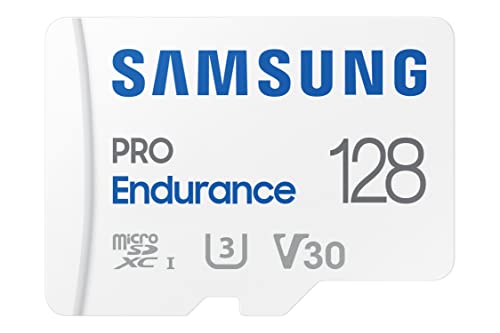
Samsung PRO Endurance 128GB microSDXC
When a corrupted card turns out to be worn out rather than unlucky, an endurance-rated replacement from a major maker is the fix that stays fixed — especially in dash-cam and security duty. Samsung PRO Endurance 128GB microSDXC — Check on Amazon
how to fix a corrupted SD card: The Short Version
Data first, repair second, verdict last. Logical corruption is an afternoon’s fix; physical decline is a replacement. The ordered steps exist so you never trade recoverable photos for a mountable card.
Corruption Forensics: Reconstructing What Actually Happened
A repaired card tells you what broke; a diagnosed card tells you why, and the why is what prevents the sequel. Reconstruct the incident while it is fresh. What was the card doing in its last healthy hour — recording, being copied, sitting in a device that lost power? What changed around it — a new reader, a firmware update, a different computer, a borrowed adapter? Which files are damaged: the newest, the oldest, a contiguous run, or a scatter with no pattern? Each answer points at a family of causes. Damage confined to the newest files suggests an interrupted write; damage in a contiguous band suggests a region of flash failing; damage scattered everywhere after a computer session suggests the session, not the card. Write the reconstruction in the card’s record beside the repair steps you took. Six months later, when a second card presents with the same signature, that paragraph will be the most valuable troubleshooting document you own — because corruption, like most failures, repeats its methods, and the owner who documented the first occurrence recognises the second on sight.
Protecting the Other Copies: Corruption as a Contagion Question
The moment a corrupted card is discovered, a second question deserves the same urgency as the repair: where else has this card’s data travelled? Files copied from a quietly corrupting card can carry their damage into your archive, where it sits undiscovered among healthy files until the day the archive is the only copy. Audit the recent traffic: anything copied from the suspect card in its decline window should be opened and verified, not merely listed, and anything that fails verification should be re-sourced from the card’s remaining good data, from the device’s other slot, or from any earlier backup that predates the decline. This audit feels like paranoia on the day of the repair and like genius on the day it catches a poisoned master file. Corruption’s real cost is rarely the card; it is the copies made in good faith from a card that had already begun to lie, and the only defence is verifying at the border, every time a suspect card’s data crosses into the archive.
The Repair Bench: Setting Up So Repairs Stop Making Things Worse
Most repair disasters are environmental rather than technical — the right steps performed on the wrong setup. A proper bench is unglamorous: a reliable computer that is not itself overdue for maintenance, a known-good reader with its own short cable, power that will not vanish mid-operation, and enough free space on healthy storage to hold at least two full copies of the card’s contents — the rescued data and the forensic image this collection recommends. Add the discipline of a written sequence: the steps you intend to take, in order, noted before you begin, so that fatigue at midnight cannot improvise a format where a copy was planned. And add time. Corruption repair attempted in a hurry, against a deadline, on a laptop at twelve percent battery, is how recoverable cards become unrecoverable ones. If the setup cannot be assembled calmly, the card waits — corruption does not worsen on the shelf, but repairs attempted badly cannot be unattempted.
After the Repair: The Probation Protocol in Full
The main text introduces probation; here is its full form, because a repaired card’s next season decides whether the repair was a cure or a postponement. Week one: the card works only in rehearsal duties — test recordings, copies of copies — with every result verified by opening files. Month one: light real duties, never as the sole copy, with a full capacity test at the month’s end compared against the repair-day baseline. Season one: if the anomaly tally has stayed at zero, the card may return to ordinary rotation, permanently flagged in the registry as a repaired card, and never again promoted to the duties where failure is unaffordable — the single-card wedding, the only recorder, the boot drive of the machine you cannot rebuild. Any anomaly during probation ends the experiment: the card is retired, its record closed with the verdict that the corruption was a symptom. This protocol is not distrust of the repair; it is the recognition that a card which has corrupted once has demonstrated a capability, and capabilities, once demonstrated, belong in the risk calculation forever.
Household and Team Prevention: Making Corruption Rare Upstream
Every repaired card is a tuition payment; the curriculum it buys should be taught to everyone who touches the fleet. The household briefing is short and physical: never remove a card while a device is writing or its light is busy; always use the device’s eject or power-down before the card moves; never let a card be the only copy of anything on the day it is made; bring a complaining card to the bench rather than formatting it in the field. Teams add one rule: the person who discovers corruption starts the record — date, device, symptoms, what was rescued — because the discoverer holds evidence that evaporates by the time the card reaches whoever repairs it. Post the rules where cards are handled, not in a document nobody opens. Prevention measured honestly is unglamorous: most corruption in most fleets traces to a handful of handling moments repeated by habit, and habits change when the rule is visible at the moment of the act. The bench fixes cards; the briefing fixes the future, and of the two, the briefing is the one that compounds.
When the Card Belongs to Someone Else: Repairs as a Trust Exercise
Repairing another person’s corrupted card carries duties beyond the technical. Their data is theirs: work on the copy and the image, never browse beyond what the repair requires, and report what you found in plain language — what was rescued, what was lost, what likely caused it — without either false comfort or blame. Return the original card and your working copies according to their instruction, and delete your bench copies when they confirm the rescue is safe with them. If the card must be replaced, say so with the evidence laid out, and let them decide about professional recovery with the value question asked honestly. The technical skills in this guide make you capable; the discretion around them makes you trustworthy, and in a community’s informal repair economy, the second quality is the one that gets the next card brought to your bench in time to save it.
The Incident Log: A Page That Pays for Itself
Keep one page — paper or digital — where every corruption incident in the household gets three lines: the date and card, the suspected cause in a phrase, and the outcome in a phrase. This modest log outperforms memory in the specific way that matters: it reveals frequencies. One card corrupting twice is a card story; three cards corrupting after sessions on the same computer is a computer story; corruption clustering in one device’s slot is a device story. None of those patterns is visible from inside any single incident, and all of them are obvious across a page of three-line entries. Review the page whenever a new incident is added, before choosing the repair path, because the correct repair for a first offence and the correct response to a pattern are different things — one fixes a card, the other fixes a system. The log is the difference between a household that repairs corruption and a household that is slowly solving it.
Frequently Asked Questions
What causes SD card corruption?
Two families: logical damage — a file system scrambled by removing the card mid-write, a battery dying during recording, or a device bug — and physical decline, where worn flash can no longer hold data reliably. The first is usually repairable; the second is not, and telling them apart is the point of the ordered steps in this guide.
Should I run a repair utility straight away?
Only if the card holds nothing you need. Repair tools and formats write to the card and can destroy recoverable photos while fixing the file system. If there is data at stake, recover first with read-only software (see How to Recover Photos From an Sd Card), save the files to your computer, and only then repair or format the card.
CHKDSK or Disk Utility fixed my card. Can I trust it now?
Provisionally. Format it cleanly, run the capacity and sustained-write verification from How to Test the Speed of an Sd Card, and use it for unimportant material for a while. A logically corrupted card that passes everything has a clean bill of health. If corruption returns after that clean format, the card is failing physically and should be retired.
My card corrupts in one camera but works in another. Why?
Suspect the relationship, not just the card: the camera may write in a way the card’s controller handles badly, the card may have been formatted in a computer layout the camera dislikes, or the camera’s slot contacts are dirty. Format the card in the camera itself, clean the slot contacts gently, and retest. A card that is fine everywhere else has told you where the problem lives.
Can a corrupted card be a sign of a fake?
Yes — counterfeit cards corrupt by design once filled past their real capacity, because new data overwrites old. If corruption began around the time the card first filled up, run the full write-and-verify test in How to Check if Fake an Sd Card before blaming wear. A young card corrupting early is a counterfeit until proven innocent.
How do I stop corruption happening again?
Eject in software before removing cards, power cameras off before swapping, never let a battery die mid-recording if you can help it, avoid running cards to the last megabyte, and format in the device rather than deleting in the computer. Those five habits eliminate most logical corruption; what remains is wear, which is managed by timely replacement per How Long do Sd Cards Last.
My computer offers to scan and fix the card every time I insert it. Should I let it?
Not as a reflex. That prompt means the operating system found file-system inconsistencies — sometimes trivial, sometimes the first visible symptom of a dying card — and its repair, while often harmless, writes to the card and can tidy away the very structures recovery tools would have used. If the card holds anything not yet copied elsewhere, decline the offer, copy and verify first, and only then let repairs proceed in the safe order this guide sets out. If the card is a working card whose contents are fully backed up, the scan is a reasonable first step — followed by attention, because a card that asks repeatedly is reporting a pattern, and patterns deserve the registry and the swap test, not an everlasting series of shrugs and clicks.
Can a virus corrupt an SD card?
Malware can certainly damage the data on a card it can reach — deleting, encrypting or mangling files — but it is a rare cause of the corruption pattern owners actually meet, which is overwhelmingly mechanical and procedural: interrupted writes, failing flash, tired contacts. Diagnose in order of probability, and let the malware question rise only when the evidence points there — files altered in ways no failure physics explains, the same damage appearing across multiple cards that shared one computer, other symptoms on the host machine. If that day comes, the card is a crime scene as much as a patient: image it, work on copies, and clean the host before any repaired card returns to it, or the sequel is already scheduled.
The repair worked but the card is now much slower. What does that mean?
Treat new slowness after corruption as a symptom, not a side effect. A controller that has begun retiring failing regions works harder to place every write, and a card compensating for internal damage often shows it first as declining sustained speed long before it shows it as errors. Benchmark the card’s sustained write against its registry baseline; a significant fall is the card announcing its retirement in the politest voice it has. Demote it immediately from any duty that matters, run the full test for the record, and let the probation protocol — or outright retirement, if the decline is steep — take its course. Speed is a health metric in this medium, and a sudden change in it is never good news.
Should I keep using the reader that was attached when the corruption happened?
Only after it has been acquitted, because readers are silent partners in a large share of corruption stories — a failing cable, a tired slot, a contact that interrupts writes in ways indistinguishable from card failure. The acquittal test is simple: run a full write-and-verify on a known-good card through the suspect reader, then repeat through a second reader, and compare. If the suspect reader produces the only errors, it leaves service that day, however new or expensive it was. If both readers agree the good card is good, the reader is cleared and the original card carries the blame. Never let an untested reader preside over the repair of the card it may have injured; the bench’s first rule is that every tool on it is verified.
How many times can a card be repaired before I give up on it?
Once, in critical service — and the second corruption ends the discussion entirely, whatever the repair tools achieve. The reasoning is actuarial rather than technical: a first corruption has innocent explanations that a repair can genuinely resolve, while a second corruption on the same card is a demonstrated pattern, and patterns in failing media do not reverse. The once-repaired card may still earn a living in the light duties under the probation protocol, because the cost of its failure there is a shrug. But the moment corruption recurs, the card’s remaining value is as evidence — its autopsy teaches the fleet — and as a spare for copies of copies. Owners who repair the same card repeatedly are not saving money; they are renting risk at a rate that compounds.
Is it worth repairing a corrupted card that cost very little?
Repair the data if the data matters; replace the card regardless. The labour of repair is identical for cheap and expensive cards, so the decision turns entirely on what the card holds and what its failure would mean in service. A budget card that corrupted under light duty has given you its character reference early and cheaply — believe it, rescue what it holds, and let its replacement be a better card rather than a twin. The fleet improves exactly when owners treat cheap failures as information instead of as invitations to buy the same risk again at the same price.
What should I tell my camera’s maker or a support line about a corruption?
Give them the incident log’s version: the card’s identity and age, the device and firmware, the exact behaviour and when it began, and the results of the swap tests — which card failed where, and which combinations stayed clean. Support can act on that; it cannot act on “the card is broken.” Arriving with evidence also protects you from the two unhelpful scripts, the one that blames every card and the one that blames every user. If the pattern implicates the device — multiple known-good cards corrupting in one slot — say so plainly with the log behind you. Manufacturers do track such reports, and a well-documented pattern is occasionally the first notice of a firmware issue that a later update quietly fixes for everyone.
Can I prevent corruption by never deleting files in the camera?
You can reduce one real risk: in-camera deletion mid-session interleaves small writes among your recordings and, on some bodies, leaves the file system busier and more fragmented than a clean offload-and-format rhythm does. The deeper protection, though, is the rhythm itself — offload everything, verify, then format in the device — which gives the card a freshly organised file system for every outing and the controller a clean map to write against. Owners who adopt that rhythm report corruption as a rarity rather than a season. It is not a guarantee; nothing in this medium is. It is the closest thing to one that handling alone can buy, and it costs nothing but the discipline of never treating deletion as a filing system.
What is the very first thing to do when a card corrupts during an event?
Stop using it, mid-event, without a moment’s negotiation. Power the device down properly, remove the card, mark its case with the date and a warning character, and put it somewhere it cannot be grabbed again by mistake — a different pocket, a different case, anywhere segregation is physical rather than remembered. Continue the event on a fresh card. Every additional write to a corrupting card is a gamble placed with the already-recorded material as the stake, and the recorded material is the only part of the day that cannot be reshot. The repair, the forensics and the feelings all wait for the bench; the field’s entire doctrine is those first thirty seconds, performed calmly, while everyone else is still deciding whether it is serious. It is serious. Segregate the card.
Rehearse that thirty-second drill once at home — power down, card out, case marked, card segregated — so that the first time you perform it for real, your hands already know the steps and your attention is free for the event around you.
After a successful rescue, how do I verify the rescued files are truly whole?
Open them — properly, in the applications that will use them, at full resolution, playing videos through rather than previewing their first seconds. A file can carry a valid header and a ruined middle, and thumbnails are notorious liars because devices cache them from healthier times. For a large rescue, verify in full the files that matter most and sample the rest systematically rather than randomly — every tenth file, say — so the sample can testify about the whole. Any file that fails goes back to the bench while the card and its image still exist: a second pass with a different tool, a carve from the image, a copy from the device’s other slot. Verification is not the epilogue to recovery; it is the moment recovery either becomes real or reveals itself as a list of filenames.
Should the incident change how I back up, or only how I repair?
Both, and the backup change is the more valuable one. Almost every corruption story contains a sentence that begins “the card was the only copy of…” — and that sentence, not the corruption, is the catastrophe. Let the incident rewrite one backup rule permanently: material leaves the card and reaches a second home on the day it is made, before the card’s next outing, with verification at the border. Owners who adopt that rule stop experiencing corruption as loss and start experiencing it as inconvenience, which is the entire ambition of this guide’s doctrine. Repairs rescue data; backup rules rescue futures, and the incident that teaches you the second has paid for itself many times over.
What do I do with the forensic image once the repair is finished?
Keep it until the rescued data has lived safely in its new home through a full verification and one ordinary backup cycle — then it has done its work and can be deleted to reclaim the space. The exception is the unresolved case: if some files remain unrecovered and professional help is still a possibility, the image is the case file and should be kept, labelled with the card’s identity and the incident date, for as long as the possibility matters to you. Images are large and patience is finite, so the rule is proportional — keep the image while it is the only road back to something you value, and let it go, without guilt, once the rescued data stands on its own verified copies.
How do I keep my nerve and my sequence when the data really matters?
Write the plan before you touch the card — the steps, in order, on paper beside the bench — and then follow your own handwriting like a checklist in a cockpit. The plan exists precisely for the moment when the stakes start arguing for shortcuts: skip the image, try the format, just one quick write. Every one of those arguments has a graveyard of cards behind it. If at any point the plan feels beyond your steadiness, stop entirely and escalate to a professional with the card untouched; an honest handover is a successful outcome, not a defeat. The data’s best friend in a crisis is an owner who treats procedure as a form of calm — because it is one, engineered in advance by the version of you that was not yet frightened.
Draft that checklist now, on a quiet day, and keep it with the bench tools — the next incident will not schedule itself around your readiness, and the paper will be calm so that you do not have to be.
One last question: how do I know when to stop repairing and start mourning?
When the evidence says the data’s remaining copies live elsewhere, or when the professional verdict — honestly sought, with the image preserved — says the card’s contents are beyond reach. Stopping is a skill this guide has quietly taught throughout: stop writing to the card, stop at the value decision, stop repairs that endanger the patient. The final stop is the same discipline at a larger scale. Accept it, record the incident and its lessons in the log, close the card’s registry entry with its full story, and let the loss improve the system it leaves behind. A fleet that has mourned one card properly rarely mourns the same way twice — and that, in the end, is the most valuable recovery of all.
File this incident’s three lines in the log tonight, while the details are exact, and the next card that corrupts in your house will meet an owner who has seen its story before — and knows how it ends well.
That foreknowledge is the real repair — the card on the bench gets its files back, but the owner at the bench gets something rarer: a system in which the same emergency cannot recur in the same way, because its causes now have names, its early signs have witnesses, and its first thirty seconds have a drill. Build that system once, out of this incident’s honest record, and corruption is demoted from catastrophe to maintenance — permanently, and for every card that will ever pass through your hands from now on, because systems, unlike cards, do not wear out with use; they improve with it. Start the log, brief the household, and let this repair be the last one your fleet ever needs to teach you from — the tuition has been paid, in full, and the education is yours to keep. Spend it on prevention first, on preparation second, and on repair — should the day ever come again — with a steadiness that will surprise even you. That steadiness, once earned, transfers to every other small emergency the household’s technology will ever present — which is why this guide treats a memory card as what it truly is: a small, complete education in how to handle fragile things well. Graduate from this incident with the log started, the drill rehearsed and the bench stocked, and the card that brought you here will have been, in the strangest way, a bargain — the cheapest tuition your data will ever pay for its own safety. Close the log entry, and get back to making things worth protecting.
Related Guides
Keep exploring with these guides and roundups from the same SD-card collection: