The Wi-Fi extender vs mesh Wi-Fi question is really a question about scale. The quick verdict: an extender is a patch — inexpensive, quick, ideal for one stubborn room — while a mesh system is a replacement architecture, with two or three cooperating units blanketing a whole home under one network name. If your problem is a single dead bedroom and your router is modern, an extender solves it for the least money and effort. If dead zones exist on multiple floors, your household roams with calls and streams in hand, or your router is ageing anyway, mesh is the better long-term answer despite costing more.
Neither technology is ‘better’ in the abstract; they fail in different places. Extenders fail at scale and at hand-off, where devices cling to a fading signal. Mesh fails at the wallet and, occasionally, at overkill — a three-node system in a one-bedroom flat is engineering theatre. This comparison walks through the criteria that separate them so you can match the tool to your floor plan, and it uses the plain-language grounding of What is a Wi-Fi Extender for anyone still fuzzy on what an extender actually does.
Disclosure: As an Amazon Associate, ilcastellomenu.com earns from qualifying purchases. If you buy through a link on this page, we may earn a commission at no extra cost to you. Product details and availability change over time, so check the current listing before you buy.
The quick verdict
| Criterion | Wi-Fi extender | Mesh Wi-Fi system |
|---|---|---|
| Best for | One or two dead rooms | Whole-home coverage, multiple floors |
| Network name | Often a separate _EXT name (single-name on mesh-style models) | One name everywhere, managed roaming |
| Speed in far rooms | Reduced — repeating costs throughput | Better preserved, especially with dedicated backhaul |
| Setup | 10–15 minutes, keeps your router | 30–60 minutes, usually replaces your router |
| Cost shape | One modest purchase | A system purchase; nodes can be added |
| Scaling | Poor beyond one unit | Add a node where needed |
| Control & features | Whatever your router offers | App-managed: parental controls, device lists, updates |
Read the table as a floor-plan test. Circle the extender column if your answers sound like ‘one room, tight budget, good router’. Circle mesh if they sound like ‘several rooms, two floors, everyone complains’. Mixed answers usually mean: try the extender first if the router is new, or go straight to mesh if the router was due for replacement anyway — a decision framework expanded in How to Choose a Wi-Fi Extender.
In this guide
How each one actually works
An extender listens to your router’s Wi-Fi and rebroadcasts it from a second location, creating a relay. On basic dual-band models the same radios handle both receiving and rebroadcasting, which is why throughput in the extended zone commonly lands at a third to a half of router-side speed — the mechanics are detailed in do wifi extenders slow down internet. The extender does not know much about your devices; if you use a separate network name, your phone decides when to switch, and phones are notoriously reluctant to let go of a weak signal.
A mesh system replaces that relay with a team. Two or three identical nodes form one network, talk to each other over a dedicated or shared backhaul link, and actively steer devices to the best node as you move. Roaming is the headline difference you feel: a video call survives the walk from kitchen to upstairs office because the system, not your phone’s stubbornness, manages the hand-off. Tri-band mesh systems reserve a whole band for node-to-node traffic, which is how they keep far-room speeds respectable.
Wi-Fi extender vs mesh Wi-Fi on speed and latency
Beside the router, both setups feel identical — you are on the main unit either way. The gap opens at distance. In the far room, a well-placed extender typically delivers enough for streaming and calls but with a visible haircut versus the router’s own numbers; a mesh node’s far-room delivery is usually stronger and, more importantly, steadier, because its backhaul was designed for the job rather than borrowed from client-facing radios. Latency follows the same pattern: an extender adds a small hop; mesh adds a managed hop with better radios. Serious gaming in the far room favours mesh or, better than either, the wired-port trick and placement advice in Best Wi-Fi Range Extenders for Gaming — though a cable beats both when it is possible.
There is an important middle category: mesh-style extenders. Same-brand ecosystem extenders (OneMesh, AiMesh, EasyMesh) and tri-band mesh extenders join or imitate a single-name network and roam more gracefully than a classic repeater, without replacing your router. If your router supports one of these systems, the extender column of this comparison quietly absorbs several mesh advantages — check before assuming you must buy a whole system.
Coverage, homes and households: who each suits
- Choose an extender: small-to-medium home; one problem room; a modern router you like; renters who cannot rewire or replace provider gear; a single fixed workplace (desk, TV) in the weak zone.
- Choose mesh: large or multi-storey homes; several dead zones; households that roam on calls; smart homes with devices scattered everywhere; anyone replacing an old router anyway.
- Choose neither yet: if speeds are bad even beside the router, the fault is the router or the plan — see the router options in Best Mesh Routers for Large Homes and the diagnosis in how to choose a wifi extender.
Provider routers complicate the choice in a useful way: many households cannot or should not replace the ISP gateway (it may handle TV or phone services). An extender cooperates with it happily. Mesh can too — most systems can run in a mode that keeps the provider router in charge — but the cleanest mesh experience replaces the router function, which is not always available to you. Renters and ISP-gateway households are the extender’s natural constituency.
Cost and complexity over time
An extender is one modest purchase and fifteen minutes. A mesh system costs several times more but replaces router-plus-extender thinking for years, updates itself through an app, and usually brings better parental controls and device management than a basic router. Tally honestly: households that buy an extender, then a second extender, then a better router in frustration have spent mesh money without getting mesh behaviour. Conversely, a flat with one dead corner that buys a three-node system has purchased coverage for rooms that do not exist.
Ongoing friction matters too. Extenders occasionally need the restart-and-check routine after router changes; mesh systems mostly administer themselves but tie you to the maker’s app and account. Neither is onerous — but the extender’s simplicity is real, and for a single-room fix it is the rational default. Current extender models worth shortlisting are gathered in Best Wi-Fi Extenders for Home.
Final recommendation by use case
One dead room, good router: buy a dual-band (or ecosystem) extender and place it well. Several dead zones or two floors of complaints: buy a two- or three-node mesh system and retire the old router. A growing smart home straining at the edges: mesh, for the roaming and the management. A temporary or rented situation: extender, every time — it leaves with you and works with whatever router the next home has. And if the real problem is one fixed desk that must be flawless, consider skipping both and running a cable or using the access-point approach in wifi extender vs access point.
Worked examples: the flat, the family house, the rental
A city flat, 70 square metres, one dead corner in the bedroom: mesh would work beautifully and is entirely unnecessary. A single dual-band extender at the hallway outlet covers the corner, the router stays, the whole project costs an evening’s takeaway money. Choosing mesh here buys roaming sophistication for a home where nobody roams — you are in the bedroom or you are not. The extender is not the cheap compromise in this story; it is the correct engineering.
A two-storey family house, dead zones in the back bedrooms and the kitchen, teenagers roaming with video calls, parents on work calls downstairs: the extender story collapses. One extender fixes one zone and creates a border where devices cling and calls stutter; two extenders multiply the borders. This is mesh’s home ground — nodes at the stairwell and the back landing, one name, managed hand-offs, and the household stops thinking about Wi-Fi entirely, which is the actual product being bought.
A rental with a provider gateway the landlord will not let you replace, and a garden-facing office room with a weak signal: the extender wins on permission alone. It asks nothing of the gateway, leaves no trace, and moves house with you. Mesh could technically serve in a gateway-friendly mode, but buying a system you cannot fully deploy, for a home you will leave, is how households end up with expensive boxes in cupboards. Match the tool to the tenure as well as the floor plan.
What mesh marketing leaves out
Fairness requires the other column’s fine print. Mesh nodes are not magic: each node still needs a decent link to its neighbour, so a three-node system strung in a line down a long masonry house degrades at the far end exactly as physics demands — node placement is the same discipline as extender placement, with more units to place. Mesh also ties your network’s management to one maker’s app and account; when that maker changes its app, paywalls a feature or ends support for a generation, the household feels it. And the headline coverage figures for mesh kits are measured in the same open-air fiction as extender boxes.
None of this overturns the verdict for multi-zone homes — mesh remains the right answer there — but it does mean mesh should be bought as a system you intend to live inside for years, from a maker whose ecosystem you accept, sized honestly (two nodes for most homes, three for large ones) rather than by the biggest kit on the shelf. An extender, by contrast, is a tool with no ecosystem commitment at all, which is part of its charm and most of its limitation.
The middle path, examined: ecosystem extenders
Between the columns sits the category this comparison keeps meeting: the ecosystem extender. When a router supports OneMesh, AiMesh or EasyMesh, a matching extender joins the network as a genuine citizen — one name, coordinated roaming, app management — delivering perhaps most of the mesh experience for the price of one unit, without retiring a router you like. For a household with one weak wing and a modern ecosystem router, this is frequently the best value in the entire networking aisle, and it is the first thing to check before pricing full mesh kits.
Its limits are scale and loyalty. One ecosystem extender is a patch with mesh manners; two or three of them approach a mesh system in cost while remaining, architecturally, a star of repeaters around one router. And the ecosystem is the router maker’s: change router brands in three years and the extender’s party tricks leave with the old router. Buy it with eyes open and it is a delight; buy it accidentally, as a generic extender that happens to share a logo, and its best features may never switch on.
Five-year cost of ownership: the honest ledger
Sticker prices mislead in both directions, so tally the whole ownership. The extender path: one modest unit now; possibly a second unit later if the house’s demands grow (a false economy if it becomes two); a share of the router’s eventual replacement, since the router remains yours to maintain; and your own time as the network’s administrator — small, but real, in placement rituals and midnight restarts. The mesh path: a system price now, typically replacing the router entirely; possible subscription tiers for advanced features on some ecosystems (parental controls and security reports are the usual candidates — check before buying, because the household that hates subscriptions should not discover one at month two); and a longer replacement cycle, since the system ages as a unit.
Electricity is a rounding error for both — these are low-wattage devices — but attention is not. Mesh buys back attention: self-updating, self-managing, one app. Extenders spend attention slowly. Households that value their evenings should price that honestly, just as households that value simplicity of ownership should price the extender’s freedom from accounts and ecosystems. The ledger’s bottom line differs by household, which is the entire point of keeping one: the wrong question is ‘which is cheaper’, and the right one is ‘which costs me less of everything I care about, over five years, in this house’.
Resale and reuse tilt slightly toward the extender: a generic extender works in any future house with any router, makes a thoughtful hand-me-down, and asks nothing of its next owner. A mesh system resells as a system and travels as a system — excellent if your next house needs it, awkward if it does not. None of this decides a purchase alone, but at the margin, for renters and the commitment-averse, it is one more quiet point in the extender’s column.
The migration path: from an extender today to mesh tomorrow
Households rarely leap; they drift, and the drift can be planned. Stage one is the single extender solving the loudest room — cheap, reversible, diagnostic: it proves the house’s problem is coverage-shaped. Stage two, if complaints multiply, is not a second extender but a decision point, because money spent past this point should buy architecture. The extender’s evidence guides the mesh purchase: you now know your walls’ hostility, your busy rooms and your roaming patterns, and you will size the mesh kit — two nodes or three — from knowledge instead of hope.
When mesh day comes, the extender need not be wasted. It can serve the new network’s awkward leftover — a garage, a garden-facing room the mesh does not reach — repeating the mesh SSID in a corner where roaming hardly matters; it can move to a relative’s flat as a complete solution to a smaller problem; or it can wait in the drawer as the household’s spare, the way a spare router does. What carries over perfectly is everything you learned: placement discipline, the signal walk, the verification habit. Mesh nodes obey the same physics and reward the same method.
The reverse migration exists too, and deserves a sentence of dignity: households that bought mesh for a home they have since left, arriving in a small flat where one node would do — the extender’s simplicity is sometimes the destination, not the starting point. Architectures are answers to houses, and houses change. Choose for the house you have, keep the receipt of what you learned, and let the next house reopen the question without embarrassment.
Gear mentioned in this guide
These are examples from the product classes this guide discusses. Every model below was checked against the Amazon Creators API product pool for this site, and the link goes to the exact listing that was verified.

TP-Link RE715X — the extender side, done properly
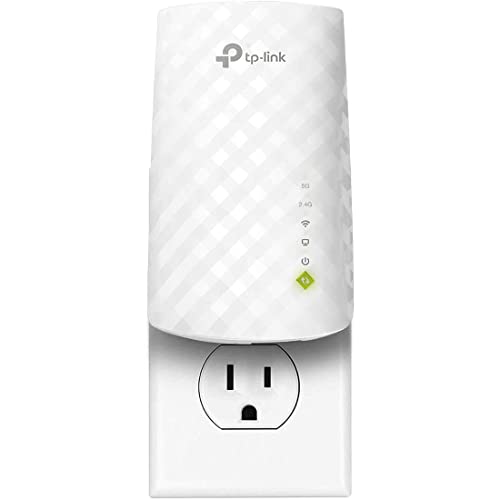
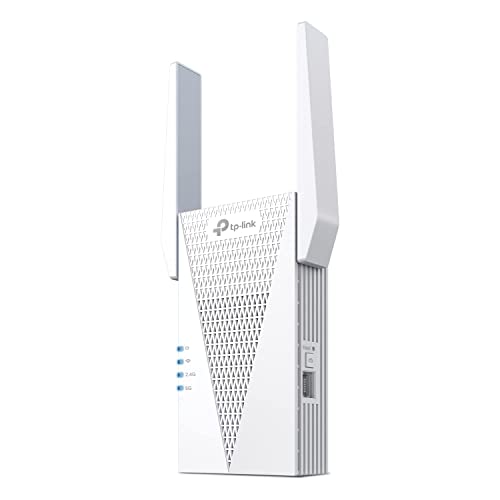
An AX3000 extender with EasyMesh support and a gigabit port: the strongest form of the extender argument, since it can join a compatible router’s single-name network instead of squatting on an _EXT name. If your router is EasyMesh-capable, this class narrows the mesh gap considerably.

TP-Link Deco X55 — the mesh side, mainstream form
A three-node Wi-Fi 6 mesh system that replaces router and extender in one move, with Ethernet backhaul support for homes that can wire the nodes. This is the shape of purchase to compare against the extender: whole-home, app-managed, one network name.

Amazon eero Pro 6E — mesh with the newest band
A Wi-Fi 6E mesh unit for households whose router replacement is overdue anyway and who want the extra 6 GHz band for backhaul and future devices. Represents the premium end of the mesh column.
Head-to-head in a home that works for a living
Put both systems in a house where someone works from home full-time and the differences stop being abstract. The extender household runs a perfectly serviceable day: calls hold from the desk because the desk sits in the extender’s strong zone, and the worker learns, without ever deciding to, which chair gives the cleanest connection. The fragility shows at the edges of the routine — a call taken while pacing to the kitchen fades as the phone clings to the extender past its useful range, a large upload started in the office crawls if a housemate begins streaming through the same single wireless hop, and the whole arrangement depends on one hallway socket continuing to be a good place to hear the router.
The mesh household’s day feels less managed. The worker moves between desk, kitchen table and sofa and the network quietly reassigns the laptop to whichever node serves best, because steering those decisions is the system’s central design job rather than a feature bolted onto a repeater. The cost of that calm is paid elsewhere: more devices to update, more placement decisions up front, and a household network that now depends on an ecosystem’s app and account rather than on a router you can administer from any browser. For a single remote worker in a flat, that trade is usually unnecessary. For two workers, children streaming and calls happening in three rooms, it is usually the difference between a network you think about and one you do not.
The honest test is how many rooms must be good, not how bad the worst room is. One bad room with a good router is the extender’s home turf, and it wins there on simplicity every time. Three mediocre rooms, a worker who roams and a family that notices every stutter — that household is describing a coverage architecture problem, and mesh is the architecture answer. Many disappointed buyers of both products simply misjudged which of those two households they were.
Guests, smart homes and the long tail of devices
The device census of a modern home changes this comparison more than any speed test. A household with a dozen clients barely distinguishes the two systems. A household with sixty — bulbs, plugs, cameras, speakers, appliances, a doorbell, heating controls — stresses exactly the things extenders do least well: many simultaneous low-grade conversations, clients scattered at the coverage edge, and devices too simple to make good roaming decisions for themselves. Smart devices are notoriously sticky and undemanding at once; they cling to whichever signal they first learned and then complain, through an app, weeks later. A mesh system with nodes spread through the home gives those edge devices a nearby, strong point of attachment in every area, which is why large smart homes drift toward mesh even when their owners’ laptops were always fine.
Guests expose a gentler difference. On an extender network with a distinct extended name, every visitor needs the room-by-room explanation, and their phones will make the wrong choice half the time, attaching to the fading router signal in the guest bedroom and performing accordingly. On a mesh network, or on an extender running a unified ecosystem name, guests simply join and are served. None of this is decisive alone, but households that host often — grandparents visiting, a rental property, a home that is also a small business’s premises — feel the friction weekly, and friction repeated weekly is a legitimate buying argument.
There is also a failure-mode difference in the long tail. When an extender fails, one zone goes dark and the diagnosis is simple. When a mesh node fails, the system often routes around it so gracefully that nobody notices until the marginal room degrades — a blessing for continuity and a small curse for maintenance, because the failure announces itself late and vaguely. Owners of either system do well to glance at the app monthly; owners of mesh systems should treat that glance as part of the deal they made.
What happens when your internet plan gets faster
Upgrade the incoming line and the two systems age differently. An extender’s ceiling is set by its wireless hop to the router: on a modest plan that hop is invisible, because the line itself is the bottleneck, but on a fast fibre plan the hop becomes the bottleneck for the extended rooms, and no setting changes that arithmetic. Households planning a major speed upgrade should therefore ask whether the far rooms are expected to enjoy it. If the answer is yes — a wired-feeling office at the end of the house, a gaming room that downloads enormous titles — the extender bought today may be retired by the upgrade, while a mesh system with a strong backhaul, especially one that can use a wired link between nodes, absorbs the faster line far more gracefully.
The reverse situation flatters the extender. On a slow rural line, a long DSL connection or a modest cable plan, the internet itself is so much slower than any modern extender’s hop that the extender’s penalty effectively vanishes: the far room receives everything the line can offer. In such homes the mesh system’s sophistication buys roaming polish and nothing else, and the extender is not the cheap compromise but the correctly sized tool. Matching the home network’s ambition to the line that feeds it is the unglamorous heart of this comparison.
Latency follows a similar pattern. An extender adds a small, real delay to everything crossing it, which fast-paced gaming in the extended room can feel even when speed tests look healthy. Mesh nodes add delay too when they relay wirelessly, though dedicated backhaul designs keep it lower, and a node wired to the main unit removes the question entirely. Competitive players should read this comparison as a warning against any wireless relay in their chain and aim for a cable, a wired node or a desk within the router’s own strong coverage — the full reasoning appears in the roundup of best Wi-Fi range extenders for gaming for those determined to extend a gaming room wirelessly.
Renovation, rewiring and the decision that outlives both products
Anyone renovating, rewiring or building should step outside this comparison entirely for one paragraph, because the cheapest time to solve home coverage forever is while walls are open. A few Ethernet runs to the rooms that matter convert every future coverage question into a trivial one: an access point or a wired mesh node at the end of a cable outperforms any wireless relay, and the cable itself outlives several generations of both product categories. If you are already paying for building work, the marginal cost of those runs is the best money in this entire topic, and both the extender and the mesh kit become finishing touches rather than foundations.
Short of renovation, the decision still benefits from thinking in stages. An extender bought now does not block a mesh future: it can retire to a garage, a guest room or a relative’s flat when the mesh system arrives, and the knowledge you gained positioning it — where your home’s signal shadows fall, which rooms are genuinely hard — transfers directly to placing mesh nodes well. Conversely, a mesh system bought for a home that needed one room fixed is not a catastrophe, merely an over-purchase whose extra nodes can be unplugged and stored. Neither path is a trap. The only real mistake is refusing to reassess when the household changes: a baby becomes a streaming teenager, a spare room becomes an office, a garden building becomes a business, and the right answer changes with them.
Landlords and tenants sit at opposite ends of this. Tenants should almost always choose the extender: it is theirs, it travels, it requires no permission and it leaves no trace. Landlords fitting out a property for the long term should consider mesh or wired points, because the system stays with the house, presents as one simple network to successive tenants and removes coverage from the list of things tenants call about. The same hardware question has opposite correct answers depending on whose home it is and for how long — which is, in miniature, the lesson of this entire comparison.
A decision flowchart you can run in words
Start at the router. Is it modern, healthy and reasonably placed, with strong performance in the rooms near it? If not, fix that first; neither product compensates for a weak foundation, and mesh money spent over a failing router is wasted twice. If the router is sound, count the problem rooms. One room, or one corner of one room: choose the extender, place it with the care the positioning guide describes, and stop. Two rooms on the same side of the house: an extender may still serve, especially if a single hallway position hears the router well and sees both rooms, but test honestly and be ready to change your mind.
Now change the question. Do people and devices roam through the whole home expecting the connection to follow — calls on the move, children with tablets, a house full of smart devices at the edges? If yes, you are describing mesh’s core competence, and the extender’s compromises will be felt daily rather than occasionally. Is the home large, spread over floors, built from signal-hostile materials, or home to several simultaneous heavy users? Each yes pushes the same direction. Is there, or could there cheaply be, a cable to the problem area? Then neither headline product is the answer — a wired access point or wired mesh node beats both, as the access point comparison explains.
End with the budget of attention rather than money. An extender asks for one afternoon of placement care and then mostly silence. A mesh system asks for a fuller installation day, an account, an app and a modest ongoing awareness of nodes and updates, in exchange for a home that feels uniformly covered. Households differ in which currency they would rather spend. The right choice is the one whose costs — in money, in attention, in compromise — your household will still be happy to pay in three years, because both systems, chosen well, will still be there. For current model-level options on the mesh side, see the roundup of best mesh Wi-Fi routers for large homes; for the extender side, the home and large-home shortlists linked throughout this cluster cover the field.
How the two choices age over five years in the same house
Project both purchases forward and their characters diverge further. The extender’s fifth year looks much like its first: the same room served, the same compromises accepted, its job unchanged unless the household moved its life around. Its risks are slow ones — firmware support ending, a router replacement it negotiates with decreasing grace, a new neighbour’s network crowding its channel. None of these arrive as a crisis; the extender fades rather than fails, and replacing it is a small, contained event that touches one room.
The mesh system’s fifth year is more eventful in both directions. Positively, it has usually absorbed changes the extender could not: a node added for a new extension or garden office, the whole system carried across a router or provider change as a single managed unit, firmware refinements arriving automatically across all nodes at once. Negatively, its fate is tied to its maker’s ecosystem in a way the extender’s never is. If the maker discontinues the line, changes its app or paywalls features that were once standard, the household feels it everywhere at once, and replacing the system is a whole-home event with a whole-home price attached.
That asymmetry suggests a practical rule for the undecided. Households confident their layout and needs are stable, and slightly wary of subscriptions and ecosystems, extract excellent value from the extender’s simplicity and independence. Households expecting change — growing children, expanding smart-home habits, a likely extension or office conversion — benefit from the mesh system’s ability to grow by accretion rather than replacement. Neither instinct is more rational than the other; they are wagers on different futures, and the household placing the wager knows its own future better than any comparison table can.
Whichever wager you place, keep the receipt-level details: purchase date, models, the layout that worked. Five years is long enough to forget why a node sits where it sits or which extender generation you own, and the household that can answer those questions in the fifth year troubleshoots in minutes what other households spend a weekend rediscovering.
A last scenario deserves a direct answer because it decides many real purchases: the home where the internet enters at one end and life happens at the other, with the router forbidden — by wiring, landlord or provider — from moving. In that home, judge both systems by their first hop. The extender must hear a router that is far away and badly placed, and it will repeat a compromised signal faithfully. The mesh system’s first node sits beside that router by cable and its second node becomes, in effect, a perfectly placed relay with a purpose-built backhaul and proper roaming manners. That is the layout where mesh stops being a luxury and becomes the honest engineering answer, and where an extender, however carefully chosen, is being asked to compensate for a foundation it cannot fix.
Bring the same realism to the trial period if you buy either system to test. Judge it on a whole household evening, with the doors in their night-time positions and every usual device awake, and judge the specific room and task that forced the purchase. Both products can look heroic at midday in an empty house; the comparison that matters is the one your family conducts, unknowingly, every evening at peak load.
If that evening test leaves you genuinely torn, default to the simpler system and the easier return. Complexity can be added later, node by node, when the household proves it needs it; an over-built network bought on a guess tends to stay over-built, quietly taxing every future change you make to it.
Simplicity, in home networking, compounds just as reliably as sophistication does: fewer devices to update, fewer names to explain to guests, fewer interactions to unpick on the one evening a year when something misbehaves and everyone is looking at you.
Frequently asked questions
Can a mesh system and an extender be used together?
Sometimes — a mesh system can often absorb a same-brand extender as an extra node, and a generic extender can repeat a mesh network’s signal in a pinch. But mixing architectures usually forfeits the managed roaming that justified mesh. Prefer one system, extended within its own family.
Is mesh Wi-Fi faster than an extender in the same room?
In the far room, usually yes — especially tri-band mesh with a dedicated backhaul. Beside the main unit, both are limited by your internet plan and feel the same. The honest summary: mesh preserves speed at distance; extenders trade some of it for price and simplicity.
How many mesh nodes do I need?
Most homes need two; large or multi-storey homes three. More is not better — overcrowded nodes interfere with each other. Buy a system that allows adding a node later, start with two, and expand only if a dead zone survives.
Will mesh fix a slow internet plan?
No. Mesh fixes distribution inside the home. If the incoming connection is slow, every node faithfully distributes slowness. Test beside the router with a cable if you can; if that is slow, talk to your provider before buying anything.
My router supports a mesh ecosystem. Extender or full mesh?
The ecosystem extender is the sweet spot for one or two weak areas: single network name, managed roaming, no router replacement. Go full mesh when weak areas multiply or the router itself is due for retirement.
Which is better for a home office in a garden building?
Neither is ideal across open air and an exterior wall; a mesh node in the garden building still needs a decent link back. An outdoor-rated unit or a wired run usually wins there — see the outdoor options in Best Wi-Fi Extenders for Outdoors.
Can I start with one mesh node and add extenders later?
You can, and it is a reasonable way to spread cost: a single mesh node acting as your router covers the central house, and a same-ecosystem extender — or later, a second node — reaches the weak wing. Just be deliberate about which family you are joining, because the first node chooses the ecosystem for everything after it. Mixing a mesh system with a generic extender also works in the repeating sense, but the extender’s corner of the house will not get managed roaming, so put it where roaming matters least: a fixed-device room, not a walkway between floors.
Can a mesh system work with my existing router instead of replacing it?
Often, yes, in one of two ways. Many mesh systems can run in a bridge or access point mode behind your existing router, providing the coverage while the router keeps its routing job — useful when the router carries provider settings or features you must keep. Alternatively, an ecosystem extender from your router’s own maker may deliver much of the mesh roaming experience while leaving the router in charge. What you cannot usually do is mix one maker’s mesh nodes with another’s router and expect the unified roaming behaviour; the coordination lives inside each maker’s system.
Is an extender more private or secure than a cloud-managed mesh system?
There is a genuine difference in management style. A traditional extender is configured locally, needs no account and talks to nobody once set up, which suits households that prefer their infrastructure quiet. Most mesh systems are managed through a maker’s app and account, with varying degrees of cloud involvement, in exchange for easier setup, remote management and automatic updates. Both approaches encrypt your traffic on the air the same way; the choice is about who administers the system and how, not about the strength of the Wi-Fi security itself.
Which is better for online gaming in a far bedroom?
Neither relay is ideal, and the ranking within the two is: a mesh node with a dedicated backhaul, then a good dual-band extender, then a basic extender — with a wired connection beating all of them by a wide margin. If the far bedroom is a serious gaming room, spend the effort on a cable, a powerline-fed point or moving the gaming setup within the router’s own coverage before spending it on either wireless option. Casual and turn-based gaming, by contrast, plays happily through a well-placed extender.
My home is small but the walls are thick. Extender or mesh?
Thick walls argue for more, nearer points of coverage rather than for one stronger shout, which slightly favours a small two-node mesh arrangement or, if the problem is a single room, an extender placed so its signal enters that room through the doorway rather than through the wall. In small homes the price and complexity gap between one good extender and a compact mesh kit narrows, so let the roaming question decide: static devices in one hard room, extender; people moving everywhere with devices in hand, mesh.
What should I do with my extender if I later switch to mesh?
Retire it sideways rather than binning it. Reset it to factory state and it can serve a garage, a garden building within range, a guest annexe or a relative’s single dead zone — jobs where its compromises do not matter. Avoid running it alongside the mesh system in the main home, where its separate signal can confuse roaming devices and complicate fault-finding. A spare extender with known behaviour is a genuinely useful household spare — keep it, labelled, with its power supply.
Related Guides
Keep going with these guides and roundups from the same networking cluster: