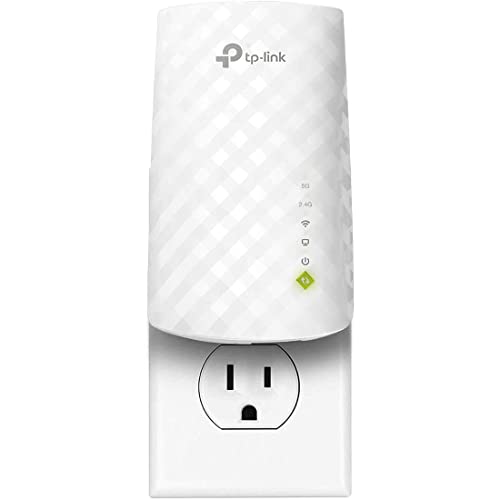
So, what is a Wi-Fi extender? It is a small plug-in device that listens to your router’s wireless signal and rebroadcasts it further into your home, extending coverage into rooms the router alone cannot reach well. You place it between the router and the weak area, it repeats the network from there, and devices in the far room connect to the repeated signal instead of straining to hear the distant router. That is the whole idea — a relay runner for your Wi-Fi, passing the baton halfway down the corridor.
Extenders are also sold as range extenders, repeaters and boosters; the names are interchangeable marketing for the same function. This explainer covers how the repeating actually works, the vocabulary that surrounds it (bands, backhaul, SSIDs), what an extender cannot do, and the situations where it is exactly the right tool versus the ones where a mesh system or a wired access point serves you better. Readers who finish here knowing they need one can move straight to How to Choose a Wi-Fi Extender.
Disclosure: As an Amazon Associate, ilcastellomenu.com earns from qualifying purchases. If you buy through a link on this page, we may earn a commission at no extra cost to you. Product details and availability change over time, so check the current listing before you buy.
What is a Wi-Fi extender? The direct answer, with an analogy
Imagine someone at the far end of a long house calling instructions from the kitchen. You, standing in the middle hallway, hear them clearly and call the message onward to the bedroom. The bedroom hears you perfectly — but every message takes twice as long, because it is spoken twice, and if you mishear, the bedroom gets the garbled version. An extender is that person in the hallway. It receives the router’s transmissions and retransmits them, and its two defining traits follow directly: it extends reach, and it adds a hop that costs time and throughput.
Physically, most extenders are unglamorous: a plug-through brick with radios and antennas, a few indicator lights, sometimes an Ethernet socket. There is no subscription and no ongoing cost; it joins your existing network as a helper. It does not create internet — it redistributes the internet your router already has — and it cannot make your connection faster than the plan you buy. Everything an extender does happens inside your home’s local network, between router and device.
In this guide
How the repeating works, step by step
- The extender connects to your router’s network like any other Wi-Fi device, using the network name and password you give it during setup.
- It then broadcasts its own network — either a copy of the router’s name (in mesh-style systems) or a suffixed name such as _EXT.
- A phone in the far room connects to the extender’s broadcast, which is strong because the extender is near.
- When the phone sends data, the extender forwards it to the router; replies make the return trip the same way.
- On dual-band models, one band can handle the router link while the other serves devices; on basic models the same band does both jobs in turn.
Step five is where speed is won and lost. A radio cannot transmit and receive on the same channel at the same instant, so a single-band repeater spends half its airtime listening and half talking — the root of the well-known ‘extenders halve your speed’ rule of thumb, explored properly in Do Wi-Fi Extenders Slow Down Internet. Dual-band and tri-band designs soften the penalty by separating the jobs. Nothing about this is a defect; it is physics, and it is why placement — giving the extender a strong signal to repeat — matters so much, as How to Position a Wi-Fi Extender details.
Key terms, in plain language
SSID, bands and backhaul
The SSID is simply the network name you see in your phone’s Wi-Fi list. The bands are the two (now three) frequency ranges Wi-Fi uses: 2.4 GHz travels further and through walls better but is slower and more crowded; 5 GHz is faster over shorter range; 6 GHz, on Wi-Fi 6E and 7 gear, adds fresh, uncongested space. Backhaul is the link between extender and router — the hallway person’s hearing, in the analogy. A dedicated backhaul means one band is reserved for that link, which is the tri-band extender’s big advantage and the mesh system’s founding idea, compared in Wi-Fi Extender vs Mesh Wi-Fi.
Two more terms complete the vocabulary. A dead zone is any spot where the router’s signal is too weak to use — the problem extenders exist to solve. Roaming is your device moving between router and extender signals; with separate network names, roaming is your device’s reluctant decision, while mesh-style systems manage it actively. When an extender’s name matches the router’s exactly, you have the simple version of the same trick.
What an extender cannot do
- It cannot speed up your internet plan. If the connection entering your home is slow, the extender distributes that slowness more widely.
- It cannot fix a failing router. Weak signal everywhere, router reboots and dropouts at the source all survive the addition of an extender.
- It cannot repeat a signal that is not there. Placed inside the dead zone itself, it rebroadcasts noise — full bars, useless connection.
- It cannot beat walls of masonry, metal or foil insulation by magic. Radio limits still apply; some houses need the wired approaches in Wi-Fi Extender vs Access Point.
- It cannot meaningfully help outdoors beyond a nearby wall, unless it is an outdoor-rated model of the kind in Best Wi-Fi Extenders for Outdoors.
These limits are not fine print; they are the definition of the tool. Most extender disappointment is a category error — expecting a relay to fix a source problem. Diagnose which problem you have (coverage at the edges versus trouble everywhere) and the extender’s value becomes obvious in both directions.
Extenders among their relatives
The extender sits in a family of coverage tools. Its closest relative is the mesh system: multiple cooperating nodes under one name, better roaming and backhaul, higher price — the full comparison is wifi extender vs mesh wifi. The access point is the wired cousin: same local broadcast job, but fed by cable at full speed. The powerline adapter is the eccentric uncle, sending data through the mains wiring instead of the air — compared in wifi extender vs powerline adapter. And the humble option nobody lists: moving the router itself to a central, elevated spot, which occasionally deletes the dead zone for free.
Terminology in shops muddles these family lines deliberately — ‘booster’, ‘repeater’, ‘extender’ and ‘amplifier’ are used interchangeably for the same repeating function, while ‘mesh’ and ‘access point’ describe genuinely different architectures. Buy by function and mode list, never by the headline noun. The shopping translation of this whole explainer lives in the wifi extender buying guide.
Common misconceptions
Misconception one: ‘An extender amplifies my internet.’ It repeats a local signal; the internet arriving at the router is untouched. Misconception two: ‘Full bars means full speed.’ Bars measure the phone-to-extender hop only; the extender-to-router hop may be limping, and your speed is set by the weaker of the two. Misconception three: ‘Two extenders double the benefit.’ Chained extenders compound the repeating penalty and usually make things worse; parallel extenders each serving their own area from the router can work, but mesh does the multi-room job properly.
Misconception four: ‘Extenders are insecure gadgets.’ A properly set-up extender uses the same WPA2/WPA3 encryption as your router — set its admin password, keep its firmware current using how to update firmware on a wifi extender, and it is no weaker than the rest of your network. Misconception five: ‘The most expensive extender fixes the worst dead zone.’ Money buys bands and radios; it does not buy a path through a concrete wall. Position and architecture beat price, in this category more than most.
The short version
A Wi-Fi extender is a relay: it hears your router where the signal is still good and rebroadcasts it into the room where it was not. It trades some speed for reach, costs little, installs in minutes, and fails predictably when asked to fix a bad router, a slow plan or a house made of radio-proof materials. For everything else — the back bedroom, the office over the garage, the camera at the garden door — it remains the simplest tool in networking.
A short history: from hobbyist repeaters to mesh manners
Repeating is as old as Wi-Fi itself — early enthusiasts reflashed spare routers into repeaters to stretch networks across buildings, and the dedicated extender emerged as the appliance version of that hack: one job, plug-shaped, no expertise required. For years the category was defined by its compromises — the _EXT network name, the halved speeds, the blinking-light setup rituals — and it sold steadily anyway, because the problem it solves is universal and its price is small.
The modern chapter is convergence. Extenders learned mesh manners — single network names, app-guided placement with signal meters, ecosystem roaming with a matching router, automatic updates — while mesh systems learned the extender’s lesson about price and simplicity, spawning single-node kits. The categories now overlap at the middle, which is why this cluster keeps returning to architecture over labels: what matters is whether the box repeats wirelessly, cooperates as a mesh citizen, or broadcasts from a wire, not which noun the shop uses.
Inside the box: what the hardware actually is
Strip the plastic and an extender is a small computer with two jobs’ worth of radios: one or more radio chains for the 2.4 GHz band, one or more for 5 GHz (a third set in tri-band models), antennas either printed inside the case or sprouting from it, a modest processor to move packets between the radios, and just enough memory and storage for its firmware. There is no fan and no storage for your data — an extender neither keeps nor inspects your traffic beyond forwarding it, which is worth understanding: it is a postman, not a filing cabinet.
The differences between a cheap and a costly unit live in the radio count and quality, the processor’s headroom, and the antenna design — the things that decide how gracefully the unit handles the repeating penalty and a houseful of devices. Heat is the silent specification: everything is passively cooled, which is why the same model can be fit-and-forget in an open hallway and flaky behind a radiator. The hardware is simple; the environment you install it into is the variable.
Signs your home is describing an extender problem
- One or two specific rooms are always the complaint, while the rest of the house is happy beside the router.
- The problem is positional to the metre — the desk works, the bed does not; the doorway streams, the sofa buffers.
- Devices work in the weak room at quiet hours and fail at busy ones — a marginal signal, not an absent one.
- The weak room sits beyond an obvious obstacle: the tiled bathroom, the chimney breast, the extension’s original exterior wall.
- Standing in the weak room, your phone shows the router at one bar or flickers between the network and nothing.
If instead the complaints are everywhere, or the router itself reboots, or a cabled device is also slow, the home is describing a different problem and an extender will only distribute it more widely. The explainer’s discipline is the diagnosis, not the device: coverage-shaped problems get coverage tools, source-shaped problems get fixed at the source, and confusing the two is how money gets spent twice on the same complaint.
What your phone sees: networks, nodes and sticky decisions
From a phone’s perspective, the extended home is a small crowd of voices. Each radio — the router’s, the extender’s, on each band — broadcasts its own identity under the network name you chose. When the names differ (the _EXT arrangement), the phone sees two networks it knows and must pick between; phones pick conservatively, holding a weakening known connection long past its useful life, which is why the walk from lounge to bedroom sometimes ends with a manually toggled Wi-Fi. When the names match, the phone sees one network with several access points and roams between them by signal — better, though still the phone’s own decision, made by its own thresholds.
Mesh systems exist largely to overrule that conservatism: the infrastructure itself suggests, steers and occasionally insists, moving a device to the right node before the current one degrades. Ecosystem extenders borrow a share of that authority when paired with their matching router. Understanding this layer explains most ‘extender weirdness’ reported by households — the device was never broken; the phone was being loyal to a fading signal, the way phones are built to be. It also explains why two households with identical hardware report different roaming happiness: their phones differ, and the phones were always part of the system.
None of this requires action from most readers — modern phones and matched names roam acceptably, and the far room’s fixed devices (televisions, desktops, cameras) do not roam at all, which is why extenders satisfy them so completely. But when a household’s complaint is specifically about moving — calls that stutter on the stairs, streams that die between sofa and desk — the diagnosis lives in this section, and so does the remedy: matched names first, ecosystem or mesh if the pattern persists.
Why so many names? Extender, repeater, booster, amplifier
The vocabulary multiplied because the category grew by marketing rather than by standard. ‘Repeater’ is the engineer’s original term, describing exactly what the device does to the signal. ‘Extender’ and ‘range extender’ are the retail translations — same function, friendlier promise. ‘Booster’ is pure advertisement, implying amplification of something (your internet, usually) that the device does not touch. When a shop lists a ‘Wi-Fi booster’ and a ‘range extender’ side by side at different prices, they are very often the same class of device in different boxes, and the specification — bands, backhaul, ports, ecosystem — is the only honest way to tell them apart.
One genuine distinction hides in the noise: the cellular booster. That is a different device entirely, amplifying mobile phone signals between an outdoor antenna and an indoor one, with nothing to do with Wi-Fi or your router. Households in poor mobile coverage sometimes buy a Wi-Fi extender by mistake for a phone-signal problem, and vice versa — an expensive confusion, since the two share vocabulary (‘signal’, ‘booster’, ‘bars’) and nothing else. If the problem is phone calls dropping in a dead mobile spot, that is the cellular device’s job (or Wi-Fi calling, which routes calls over your Wi-Fi — at which point the extender becomes relevant again, by fixing the Wi-Fi the calls ride on).
The naming fog has one more practical consequence: search results, reviews and well-meaning advice mix the terms freely, so a reader researching ‘boosters’ and a reader researching ‘extenders’ are reading about the same products through different shop windows. Buy by function and specification, let the noun on the box be whatever it is, and the fog costs you nothing. It is, in miniature, the lesson of this whole explainer: the device is simple, the language around it is not, and clarity about the first protects you from the second.
Gear mentioned in this guide
These are examples from the product classes this guide discusses. Every model below was checked against the Amazon Creators API product pool for this site, and the link goes to the exact listing that was verified.
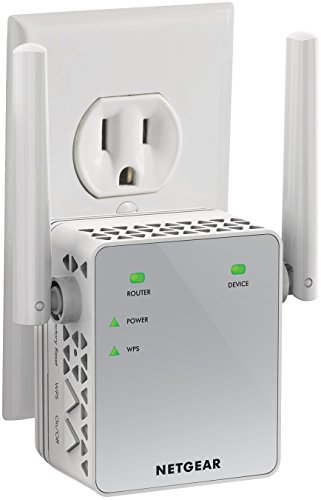
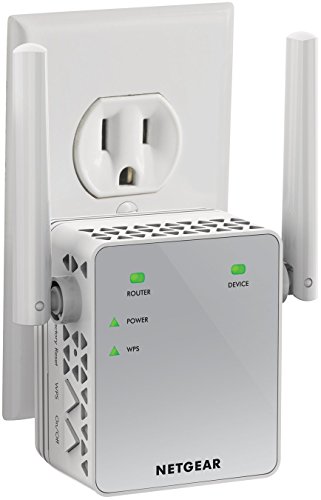
NETGEAR EX3700 — the classic plug-in form
The EX3700 is the archetype this explainer describes: a compact wall-plug dual-band extender that repeats both bands, small enough to disappear into a hallway socket. When someone says ‘a Wi-Fi extender’, this is the object they are picturing.
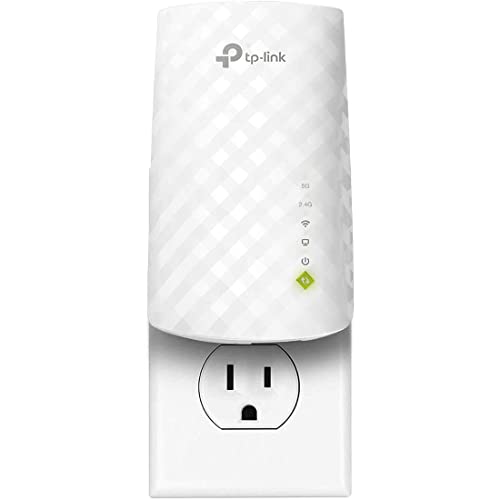
TP-Link RE220 — the modern mainstream version
The RE220 adds an Ethernet port and OneMesh support to the same basic idea, showing how the category evolved: still a repeater at heart, but able to join a same-brand single-name network and to wire one device directly.
A worked example: one film, travelling through an extender
Abstract repeating becomes clear when you follow a single stream of data on its journey. Imagine a film playing on a television in the back bedroom, served from the internet. The film’s data arrives at the router from your provider in a continuous flow. The router transmits it wirelessly across the house; the extender, in its hallway position, receives that transmission — this is the first wireless leg, and its quality is set by the hallway’s distance from the router and everything in between. The extender then retransmits the same data onward to the television: the second wireless leg. The television plays its buffer happily, unaware of the relay, provided both legs keep up with the film’s appetite.
Now watch what the extender is juggling during that simple scene. While receiving the film from the router, it may also be transmitting an earlier chunk to the television, serving a phone that wandered into its zone, and exchanging management chatter with the router to stay coordinated. On a basic single-radio design, those conversations share one channel in turn, which is why the repeating penalty exists at all: the same airtime is being spent twice on the same film. On better designs, different bands divide the labour — one band talks to the router while another talks to the television — and the penalty shrinks, though the router leg remains the ceiling on everything.
Follow the journey in reverse and a second truth appears. When the television’s streaming app reports viewing data, or the viewer pauses the film, those small messages travel television to extender to router to internet, crossing the same two legs backwards. Uploads from the extended room — a camera sending footage, a laptop backing up — make the same double journey carrying much heavier loads, which is why extended rooms feel their limits on uploads before downloads. One film, honestly traced, teaches the extender’s whole character: a faithful relay whose quality is the product of both its legs, never better than the weaker of them.
When an extender is the answer — and the signs it is not
An extender is the answer when the network’s story is one of geography: a sound router, a healthy internet line, and a home whose shape strands one or two rooms beyond comfortable reach. The diagnostic signs are consistent. Devices work well near the router and degrade predictably with distance and walls. The failing room is specific and stable — it is always the same bedroom, the same garden-facing office — rather than the whole house taking turns. And the household’s needs in that room are ordinary: streaming, calls, browsing, smart devices behaving themselves.
The signs that point elsewhere are equally learnable. If devices struggle beside the router, the extender has nothing good to repeat and the router or the line is the patient. If the whole house degrades every evening regardless of room, congestion, the provider or an overloaded router is speaking, and extending merely distributes the problem more widely. If a room needs wired-grade certainty for work or competitive play, an extender may improve it without ever satisfying it, and the wired architectures compared elsewhere in this cluster deserve first consideration. If the home needs many rooms lifted at once, with people roaming freely between them, the household is describing mesh’s purpose, and a single extender will feel like a patch on a pattern.
Learning to read these signs matters because the extender is cheap, available and heavily marketed, which makes it the default purchase for every species of network unhappiness — including the majority it cannot cure. The five minutes spent asking “is my problem geography?” before buying are worth more than any feature on the box. Readers whose answer is yes will find the choosing guide in this cluster turns that yes into a specific, well-matched model; readers whose answer is no have just saved themselves a purchase and a puzzling fortnight.
Glossary: the remaining terms you will meet on the box and in the app
Beyond the core vocabulary covered earlier in this guide, extender packaging and apps use a second tier of terms worth decoding once. Throughput is the data actually delivered in real conditions, as opposed to the theoretical link rate — always the smaller, honest number. Latency is the delay before data starts moving, measured in milliseconds, and it matters more to calls and games than to films. A client is any device using the network: your phone is a client of the extender, and the extender is itself a client of the router. Association is the moment a device joins a network; roaming is its decision, sometimes assisted, to move between the router and the extender as you walk.
Firmware, covered in depth in its own guide, is the extender’s built-in software. WPS — Wi-Fi Protected Setup — is the push-button pairing method, convenient and best treated as a setup tool rather than a permanent feature. WPA2 and WPA3 are the security generations that protect the wireless conversation; an extender should support at least the standard your router uses. MU-MIMO describes talking to several devices simultaneously rather than in rapid turns, and beamforming describes aiming signal energy toward a device rather than broadcasting it evenly — both genuine, both incremental, both worth less than placement.
Two phrases deserve translation from marketing into plain speech. “Coverage up to” a given area describes an open-space measurement that your walls will reduce, sometimes dramatically; read it as a size class, not a promise. “Speeds up to” a given number describes a laboratory link rate summed across bands under ideal conditions; read it as a generation marker, not a forecast. An informed buyer treats the box as a rough map and the home trial as the territory — a habit that this entire guide cluster, from choosing to positioning to troubleshooting, is designed to build.
What an extender does to the rest of the network
An extender is not an island, and understanding its effects on the wider network separates realistic expectations from disappointment. Devices connected through the extender consume the router’s airtime twice in effect — once on the router-to-extender leg, once being served — so a busy extended room taxes the whole household more than the same activity beside the router would. In practice, one streaming television in the far room is a negligible load on a modern router. A far room running several heavy devices at the household’s peak hour is a real one, and it is the honest reason some families notice the main rooms feeling less crisp after an extender joins the network.
The extender also changes the router’s social world. From the router’s perspective, the extender is one talkative client relaying many others, and some router features — per-device controls, certain parental settings, traffic statistics — see the extended household through that single intermediary, with varying degrees of clarity. Households that rely on per-device management should expect the extended zone to be slightly less legible to the router than the rooms it serves directly. None of this is a defect; it is the accounting of the relay model, and it is priced into every benefit the extender delivers.
There is one more network-wide effect, and it is positive: relief. The far room’s devices, previously shouting at a distant router at slow rates that occupy airtime for long stretches, now hold short, fast conversations with a nearby extender. Slow, distant clients are disproportionately expensive for a network, so moving them onto an extender can leave the router’s own zone feeling marginally healthier even as the total traffic grows. Whether a given household nets out ahead depends on its balance of far-room load versus far-room relief — which is a long way of saying that the extender’s effect on your network is an empirical question, answered by the same evening of honest testing this cluster keeps recommending.
Extenders in the wider family: a field guide to look-alikes
Store shelves and search results crowd the extender with relatives that blur into one another, so here is the family portrait in one place. The router makes the network and talks to the internet through a modem; everything else in this section exists to distribute the router’s work. The extender repeats wirelessly, as this guide has described at length. The access point distributes by wire, receiving everything through Ethernet and transmitting only. The mesh node is a managed team member, coordinating with its siblings under one system. The powerline adapter sidesteps radio for the long leg by using the mains wiring, then either hands off to Ethernet or broadcasts a small wireless zone of its own.
Two more look-alikes cause genuine confusion. A second router, pressed into service in a distant room, is really an access point in disguise when configured correctly — and a source of chaos when simply plugged in and left to run its own competing network. And the various “booster” and “amplifier” labels on inexpensive plugs describe, almost always, an ordinary extender wearing a louder name; the technology inside obeys the same repeating logic, the same two-leg ceiling and the same placement rules as everything else in this guide. There is no secret category of device that amplifies a Wi-Fi signal the way a hi-fi amplifier boosts sound, because Wi-Fi is a two-way conversation of data, not a broadcast to be made louder.
Knowing the family matters at the moment of disappointment. When an extender underdelivers, the useful question is which relative the situation is actually asking for — the wired certainty of an access point, the coordinated coverage of mesh, the wiring-borne detour of powerline — and this cluster contains a dedicated comparison for each of those forks. The extender’s honour is intact in all of them: for the single stranded room in an otherwise healthy network, it remains the simplest, cheapest and most portable member of the family, which is why it outsells its more capable relatives and why understanding it properly is worth a long guide. For the current product field, see the roundups of best Wi-Fi extenders for home and, for bigger properties, the large-homes shortlist.
Three households, three meanings of the same small box
To a family in a brick terrace, the extender is the thing that gave the back bedroom back. The router, exiled by the telephone point to the front room, served the house’s front half well and its back half not at all; the extender in the hallway turned a teenager’s buffering exile into an ordinary room, and the household stopped planning its evenings around signal. Ask them what an extender is and they will describe a result — the room works now — which is the definition most owners actually carry.
To a consultant working from a garden-adjacent office in a stone cottage, the extender is a compromise she understands precisely. It gives her calls and documents reliably, it will never give her the wired certainty her employer’s headquarters enjoys, and she has arranged her heaviest work — the large transfers, the long uploads — around that knowledge, sometimes carrying a laptop indoors for the biggest jobs. Her definition is the engineer’s one: a relay with a ceiling, valuable exactly in proportion to how honestly its ceiling is respected.
To a landlord equipping a small rental flat, the extender is a line item in a system: router in the hall, extender toward the bedrooms, a laminated card with the network name, and a property whose tenants never mention the internet in a complaint. His definition is the manager’s one — infrastructure that prevents conversations. Three households, one device, three correct definitions, each shaped by what the home asked of it. That is the deepest answer this guide can offer to its own title question: a Wi-Fi extender is a simple relay whose meaning is set by the gap it bridges, and understanding your gap — one room, one ceiling, one property — is the whole of using it well.
One more distinction rounds out the picture, because it explains the extender’s enduring popularity better than any specification: it is the only member of the family that asks nothing of the house. No cable route, no wiring audit, no ecosystem account, no permission from a landlord, no plan. It asks for one socket in the right hallway and an hour of honest placement, and in return it moves a room from unusable to ordinary. Networking, like most infrastructure, advances by grand systems; but a large share of human problems are single rooms, and for those the small relay remains, deservedly, the first tool reached for.
If you take one sentence from this guide, take the relay rule: an extender repeats what it receives, so everything about using one well — choosing it, placing it, judging it — reduces to giving it something worth repeating and a fair place from which to repeat it.
Everything else in this cluster — the comparisons, the buying criteria, the troubleshooting ladders — is that sentence unfolded for a particular decision. Keep it in mind and the rest of the family’s marketing, with its soaring coverage claims and summed-up speeds, loses its power to confuse: you will always know the two questions that matter, which are what the extender can hear where it sits, and what the room beyond it actually needs.
Those two questions also tell you when to stop reading about extenders and start reading about their relatives. When the honest answer to the first is “very little, anywhere in this house,” or to the second “more certainty than any relay can give,” the extender has been understood completely — including the boundary where its usefulness ends, which is a form of understanding the box copy will never offer you.
Hold that boundary in mind and the extender takes its proper place in your thinking: not a miracle, not a scam, but a well-understood tool with a defined job — the definition this guide set out to give it, and the one that will still be true when the next generation of boxes arrives with new numbers printed on the front.
Generations of hardware will change the speeds, the standards and the setup screens, and each new box will arrive claiming to have reinvented the category. The relay logic underneath them — receive honestly, repeat faithfully, and never exceed the weaker leg — will not change at all, and neither will the questions that reveal whether a given home needs one.
Frequently asked questions
Is a Wi-Fi extender the same as a booster or repeater?
Yes — extender, range extender, repeater and booster are marketing names for the same repeating function. The meaningful distinctions are between repeating (wireless), mesh (cooperating nodes) and access points (wired), not between those four words.
Does an extender create its own internet connection?
No. It has no internet of its own; it redistributes your router’s connection. If the router loses internet, the extender’s network remains visible but equally offline — the situation diagnosed in the no-internet troubleshooting guide in this cluster.
Will an extender work with any router?
Essentially yes, including provider-supplied routers. The repeating function is brand-agnostic. Only optional same-brand ecosystem features (single-name roaming systems) require a matching router.
Does using an extender slow down the main network?
Devices on the router’s own network are unaffected in normal use. The extended network is slower than the main one by design; heavy use of the extender does consume some of the router’s airtime, but households rarely notice.
How many extenders can I have?
One is the design case. Two can work if each connects to the router and serves a separate area. Beyond that, or for whole-home coverage, a mesh system is the right architecture.
Where does an extender get power, and can I unplug it?
It plugs into a normal mains socket and is meant to stay plugged in. Unplugging simply removes the extended network until it boots again; settings are remembered. There is no battery and no charging involved.
My router is already central. Could I still need an extender?
Yes — centrality solves distance, not obstacles. A perfectly centred router can still lose to a tiled bathroom, a chimney breast or a foil-insulated extension wall between it and one room, and that room’s problem is coverage-shaped despite the router’s ideal posture. The signal walk settles it: if the router’s signal arrives at the halfway point strongly and dies only at the last wall, an extender on the near side of that wall is a rational, targeted fix. Central placement shrinks the number of homes that need extenders; it does not abolish the category.
Does an extender work during an internet outage?
Partially, and the distinction teaches what an extender is. The extender repeats your local network, not the internet itself, so during a provider outage the extended network still exists: devices can reach each other, a local media server or network storage in the house remains reachable from the extended room, and printers still print. What vanishes is everything beyond the router — websites, streaming services, cloud apps. When the provider returns, the extender needs no attention; its job never changed.
Can an extender help with a weak mobile signal or only with Wi-Fi?
Only with Wi-Fi. An extender knows nothing about your phone’s cellular connection and cannot improve it. The confusion arises because phones use Wi-Fi for calls and data at home when Wi-Fi calling is enabled — in that mode, a better home Wi-Fi genuinely does improve call quality indoors, and the extender deserves the credit it gets. For the cellular signal itself, the tools are different: provider femtocells, signal boosters regulated for that purpose, or simply the phone’s own Wi-Fi calling doing quietly excellent work.
How long does an extender typically last?
The hardware commonly serves for many years; the useful life is usually ended by standards and support rather than by failure. A practical horizon is to expect an extender to remain a good citizen for roughly the life of the router generation it was bought alongside. When the router is eventually replaced with a newer Wi-Fi generation, replacing the extender in the same season keeps the extended room from becoming the network’s slowest neighbourhood. Units retired this way, reset and passed on, often serve a second life in a less demanding room or household.
Will an extender work in a hotel, a hospital or a caravan?
Technically it can repeat any network it can join, and practically these environments resist. Networks that require a sign-in page, per-device registration or that isolate clients from each other — as most hospitality and institutional networks do — will usually defeat an extender’s setup or its purpose. Caravans and similar setups fed by a site network face the same hurdles plus a frequently changing source. Where you control the source network, as with your own mobile hotspot in a caravan, an extender can work well; where you do not, expect the front desk’s rules, not the technology, to decide.
Does an extender need to be the same Wi-Fi generation as my devices?
The conversation always runs at the capability of the slower participant, link by link. A newer extender serving an older phone simply speaks the older language to that phone while potentially speaking a newer one to the router, which is a perfectly sensible arrangement and a reasonable way to future-proof a purchase. Nothing breaks from mixing generations; the network just takes each hop at the best rate both ends of that hop can manage, which is the same rule that governs the router leg throughout this guide.
Related Guides
Keep going with these guides and roundups from the same networking cluster: