The Wi-Fi extender vs access point decision comes down to a single question: can you get an Ethernet cable to the spot that needs Wi-Fi? The quick verdict: if you can, choose an access point — a device wired to your router that broadcasts a fresh, full-strength network from the far location, with no repeating penalty. If you cannot run a cable, choose an extender, which does the same job wirelessly at the cost of some speed. An access point is not a fancier extender; it is a different architecture, and whenever the cable exists, it wins on speed, stability and latency simultaneously.
The confusion is understandable because the hardware overlaps: many extenders can switch into access point mode when fed a cable, and many access points can act as repeaters. This comparison separates the modes from the marketing, explains what running a cable really involves (often less than feared), and helps you decide per room rather than per house — because the right answer is frequently ‘extender in the rental, access point in the owned home’. The primer What is a Wi-Fi Extender covers the extender side’s mechanics.
Disclosure: As an Amazon Associate, ilcastellomenu.com earns from qualifying purchases. If you buy through a link on this page, we may earn a commission at no extra cost to you. Product details and availability change over time, so check the current listing before you buy.
The quick verdict
| Criterion | Wi-Fi extender | Access point |
|---|---|---|
| Connection to router | Wireless (repeats the signal) | Wired Ethernet cable |
| Speed in the far room | Reduced by repeating | Full router-class speed |
| Latency | One extra wireless hop | Essentially wired latency |
| Installation | Plug in, configure, place | Run cable, then plug in and configure |
| Best for | Rentals, quick fixes, no cable route | Owned homes, offices, new builds, garden rooms with a cable |
| Failure mode | Weak host signal = weak everything | Only as good as the cable run |
Every row flows from the first one. The cable is simultaneously the access point’s entire advantage and its entire cost. Households that already have Ethernet in the walls — common in newer builds and renovated homes — sometimes own the access-point answer without realising it: any spare wall socket near the dead zone is an access point waiting to happen. Households without it should price the cable honestly before defaulting to wireless, because the run is often a one-afternoon job along skirting or through a loft.
In this guide
How each one works, precisely
An extender receives your router’s wireless signal and rebroadcasts it. Its clients share airtime with that receiving job, which is why far-room throughput drops — the full mechanics, including why dual-band designs lose less, are in Do Wi-Fi Extenders Slow Down Internet. Crucially, the extender’s own broadcast can only be as good as the signal it managed to catch at its position, which is why placement dominates extender performance, as How to Position a Wi-Fi Extender explains at length.
An access point skips the catching entirely. The cable delivers the network at full wired speed to wherever the point sits; its radios then serve local clients exactly as a router’s radios do. Roaming between router and access point works best when both broadcast the same network name and password — devices then treat them as one network, though hand-off smoothness varies by device. Dedicated access points add ceiling-mount designs and power-over-Ethernet (a single cable carrying both data and power), which is why offices and larger homes standardise on them.
Wi-Fi extender vs access point on speed, stability and scale
Speed: the access point wins, and it is not close. Its clients get the same class of connection as clients beside the router, limited by the cable (gigabit in any modern run) rather than by a repeated wireless hop. Stability follows: a cable does not care about the neighbour’s new router, the microwave, or a houseful of guests — the three things that make extenders wobble at exactly the wrong moments. Latency-sensitive far-room uses — gaming, calls, remote desktops — feel the difference most.
Scale: access points also win. A home can host several points on one wired backbone, each at full strength, which is the architecture behind most ‘whole-home’ installations in larger properties — the same problem space as Best Wi-Fi Extenders for Large Homes, solved with copper. Extenders, by contrast, degrade when multiplied and should never be chained. The counterweight remains installation: one extender is fifteen minutes and no holes; one access point is a cable route, possibly through walls, plus configuration.
The cable question, answered honestly
- Easy runs: along skirting boards with cable clips, under carpets at edges, through lofts and cellars, outside walls in conduit, through existing conduit or alongside other services.
- Hidden infrastructure: check for unused Ethernet or even telephone/coax runs from earlier eras — adapters and re-termination can sometimes press them into service.
- The flat-cable trick: slim Ethernet cable fits under doors and along carpet edges, making ‘temporary’ rented-home runs surprisingly practical.
- Powerline as pseudo-cable: where a true run is impossible, powerline adapters can feed an access point — the hybrid pattern from Wi-Fi Extender vs Powerline Adapter.
- When to stop: listed buildings, rented walls you cannot touch, and routes requiring professional work at professional prices — the extender exists for you.
Also consider power-over-Ethernet for ceiling or high-wall positions: a PoE access point needs no nearby mains socket, only the cable, which dramatically widens where it can live. That is how a point ends up in the optimal centre-of-ceiling spot that no plug-in extender could ever occupy — placement freedom the extender chapter can only envy.
One device, two modes: the extender that becomes an access point
Many extenders include an access point mode: plug a cable into their Ethernet port, flip the mode in settings, and the same hardware broadcasts a full-strength wired-fed network. This makes a mode-capable extender the hedged purchase — wireless repeating today, access point the day you run a cable or move house. When shopping, the checklist in wifi extender buying guide flags AP mode as a feature worth insisting on for exactly this reason.
Conversely, most dedicated access points can be configured as repeaters, but buying one for that purpose wastes its strengths. Buy for the mode you will use this year, with the other mode as a bonus. And note the naming trap: ‘range extender’, ‘repeater’, ‘booster’ and ‘access point’ are used loosely in listings; the specification that matters is the mode list and whether a wired uplink is supported, not the headline word.
Final recommendation by use case
Cable possible, performance matters (office, gaming room, garden studio): access point, without hesitation. No cable possible or permitted (rentals, quick fixes, one mild dead zone): extender, placed with care. New build or renovation in progress: run cable to ceiling points in the plans — future you inherits the best network architecture for the price of cable. Mixed house: both, happily — an access point serving the fixed workhorse rooms and an extender mopping up a mild wireless-only corner is a perfectly respectable design, and it is how many real homes actually end up.
What running the cable actually involves, room by room
The phrase ‘run a cable’ conceals how varied the job is. The easy versions dominate real homes: along the skirting with clips or in slim trunking that reads as part of the trim; under the edge of a carpet; up into the loft, across, and down into the target room — the classic route for upstairs offices; or out through an exterior wall, along it in conduit, and back in, which sounds drastic and is often the shortest path to a garden building. Flat Ethernet cable exists precisely for the renter’s version of all this, sliding under doors and along carpet edges without a single fixing.
The genuinely hard versions are specific: solid floors with no loft or cellar access, listed interiors, and walls you are forbidden to touch. Even then, partial victories exist — a cable to the landing rather than the bedroom still converts the problem into an easy wireless hop. Price the actual route in your actual house before surrendering to the wireless default; households routinely discover their feared cable run is eleven metres of skirting and one drilled hole, a Saturday hour that buys a decade of full-speed Wi-Fi.
Roaming, naming and running several points well
An access point installation earns its keep in the details. Give every point and the router the same network name and password, and modern devices will treat the house as one network, moving between points as they move between rooms. Hand-off quality then depends on the devices and on signal overlap: points should overlap modestly — enough that a device always has a better option before the current one fails, not so much that a device in the middle cannot decide. Turning the transmit power of a point down is a legitimate and underused tuning tool in dense installations.
Keep one device in charge: only the router should assign addresses (the points must not run their own DHCP), and only one naming authority should exist. Most ‘my access point setup is flaky’ stories reduce to a second router accidentally routing — a spare router pressed into service without its access-point mode enabled. Use the mode, or a dedicated point, and the architecture stays boring, which in networking is the highest praise available.
Worked examples: the studio, the office, the garden building
A studio flat where the desk sits six metres from the router with clear air between: neither technology — the router already covers it, and any purchase here is a solution shopping for a problem. An upstairs home office over a garage, with a loft above it and a worker whose calls are the household’s income: the access point’s showcase, one loft run away from wired-class Wi-Fi, with the extender as the stopgap for this week only. The employer’s VPN will never know the difference, which is exactly the point.
A garden office twenty metres from the house: the honest contest. An outdoor extender on the house wall will usually deliver something — enough for browsing, marginal for a day of calls. A buried or conduit cable to a small access point in the office delivers the job itself. Households that work from the garden daily choose the cable within a year, whatever they chose first; households that browse there on Sundays keep the extender happily for a decade. Workload, again, is the judge.
Mounting and power: ceiling, shelf and the PoE decision
Access points reward altitude even more than extenders do, because their job is pure broadcast: a ceiling-centred point sees a whole floor the way a lamp lights a room, which is why offices mount them overhead. Homes can borrow the trick without the corporate aesthetic — a high shelf, the top of a wardrobe, a hallway ceiling in a bungalow — anywhere the point sits above the furniture line with its cable discreetly arrived. Desktop-style points are the compromise for renters and the cable-shy, sacrificing some spread for zero installation.
Power over Ethernet decides how free the mounting really is. A PoE point needs only the data cable — one run, no socket hunted, no adapter brick — but the router end then needs a PoE switch or injector, a small extra box that many households happily hide in the network cupboard. Non-PoE points need mains at the point, which quietly re-imposes the extender’s old constraint: the best radio position and the nearest socket are rarely the same place. Price the PoE switch into the access-point column when comparing honestly; it is usually modest, and it buys the placement freedom that makes the architecture sing.
Cable class, briefly: for gigabit service over home distances, Cat5e is sufficient and Cat6 is the comfortable default for new runs, with headroom for faster links; the standard’s 100-metre segment limit is beyond any house’s needs. What ruins home cable runs is rarely the class — it is crushed cable under a door, kinked bends at skirting corners, and terminations done in a hurry. A careful Cat5e run outperforms a sloppy Cat6 one every day of the week, which is the access-point version of this cluster’s recurring sermon: installation quality beats specification, in copper as in air.
Security and separation: what the wired architecture buys you
An access point fed by cable inherits the router’s security posture and adds a subtle advantage: predictability. Its clients are the ones in its rooms, its traffic rides managed copper, and its settings live in the same admin world as the rest of the infrastructure. Households that separate their networks — a main network for computers, a guest network for visitors, a quieter corner for smart-home gadgets — generally find access points the natural citizens of that design, because each point can broadcast the same set of named networks as the router, consistently, in every room it serves.
Extenders can participate in simpler versions of this — many pass through a guest network, and a dedicated extender on a separate name can corral IoT devices in a mild way — but the repeating architecture was designed for coverage, not segmentation, and elaborate separations strain it. The honest summary mirrors the speed summary: for the single-network household, which is most households, the security difference between the architectures is negligible when both are set up with strong passwords and current firmware. For the household deliberately running a segmented network — home workers handling sensitive material, landlords sharing with tenants, the smart-home maximalist — the wired architecture is the one that was built for the job, and that requirement alone can settle this comparison before speed is even mentioned.
Either way, the fundamentals do not change with architecture: change default admin passwords, keep firmware current, use WPA2 or WPA3, and give the guest network to guests rather than the keys to the kingdom. An access point does not make a careless household safe, and an extender does not make a careful household vulnerable. Architecture sets the ceiling; habits set the reality.
Gear mentioned in this guide
These are examples from the product classes this guide discusses. Every model below was checked against the Amazon Creators API product pool for this site, and the link goes to the exact listing that was verified.

WAVLINK AX3000 outdoor unit — both modes, weatherproof
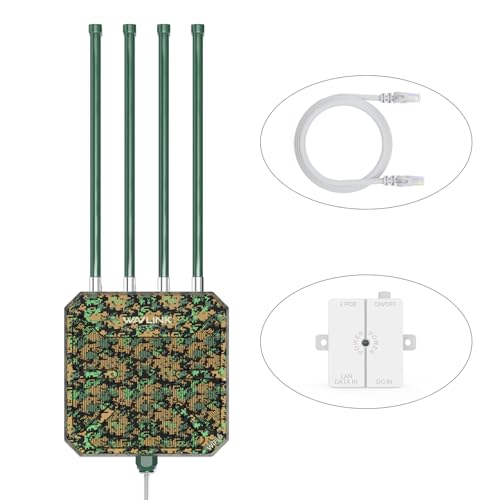
This outdoor-rated unit works as extender, repeater or wired access point fed by Power over Ethernet, which makes it the natural example for garden buildings and yards: run one cable out (or repeat wirelessly until you can), and the same hardware serves either architecture.

TP-Link RE715X — the extender with an AP-mode future
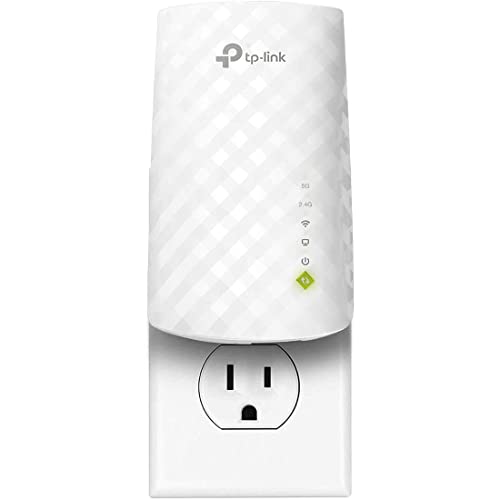
An AX3000 extender whose gigabit Ethernet port and AP mode let it graduate from repeater to wired access point the day a cable reaches its room. The hedged purchase this comparison recommends for anyone whose cable plans are ‘eventually’.
Head-to-head in the rooms where the choice is felt
Abstractions dissolve in specific rooms, so take the three that decide most real purchases. The far bedroom first: through an extender, it receives a repeated signal that is entirely adequate for streaming, browsing and calls, with a speed ceiling set by the wireless hop and a roaming experience that depends on naming choices. Through an access point at the end of a cable, the same bedroom receives something indistinguishable from being beside the router — full line speed, low and steady latency, and a connection whose quality does not vary with the neighbours’ evening habits. If the bedroom is a guest room, the extender’s adequacy wins on effort. If it is a teenager’s gaming room or a second office, the access point’s certainty starts to justify the cable.
The home office raises the stakes in the same direction. An office lives on consistency: calls that hold for an hour, uploads that finish when predicted, a VPN that never renegotiates mid-meeting. An extender can deliver that on a good link in a kind house, and many home workers run happily on one for years. But the office is also the room where the extender’s variance is least affordable, and where the access point’s wired indifference to radio weather converts directly into professional calm. When the office pays the household’s bills, the cable usually wins the argument.
The living room, surprisingly, often belongs to the extender. Its devices are many but forgiving — televisions, speakers, visitors’ phones — its traffic is bursty rather than critical, and it frequently sits at a middling distance where a hallway extender covers it as a side effect of covering somewhere else. Running a cable to a room that never asked for one, to serve devices that cannot tell the difference, is effort spent where it buys nothing. The mature network, as the worked examples in this guide show, is rarely one technology everywhere; it is the right technology in each room, which is why this comparison ends in a map rather than a trophy.
The cable, honestly assessed: routes, effort and the rented-home question
Since the access point’s entire advantage hangs on a cable, the cable deserves an honest audit rather than a dismissive wave. In many homes the route already exists in disguise: a coax run from an old television installation that can carry network adapters, a disused telephone infrastructure in newer builds that was wired with network-grade cable, a path through a loft or cellar that turns a cross-house run into an hour’s straightforward work. Survey before assuming the worst; the number of homes one inspection away from an easy wired backbone is persistently underestimated.
Where no hidden route exists, the realistic options rank themselves. Surface-run cable along skirting and door frames, in trunking that disappears against the wall, is unglamorous and entirely respectable, and it is the route most successful home access points actually use. Lifting floorboards or fishing walls suits renovations and the confident. Outdoor-rated cable around an exterior wall solves garden buildings and awkward extensions with surprising neatness. What all these share is a one-time cost in effort, after which the access point at the end of the run asks for nothing, indefinitely — the opposite profile from the extender, which costs nothing to install and a small amount of attention forever.
Renters face the comparison’s sharpest asymmetry. An access point without a permissible cable route is not an access point at all, and most tenancies forbid the routes that matter. For renters the extender is not the second-best answer but the only answer in this comparison, with powerline as the honourable alternative where wiring allows. Homeowners planning to stay, by contrast, should price the cable as an improvement to the house rather than as a networking accessory: it will serve the next three generations of wireless hardware, whatever they turn out to be, long after both the current extender and the current access point are retired.
Reliability over years: failure modes compared
An access point’s great unadvertised virtue is how little can go wrong with it. Fed by wire and power, it has no link to the router that weather, neighbours or furniture can degrade; its configuration is static; its failure modes reduce, in practice, to hardware death or a damaged cable, both rare and both obvious. Homes that convert a chronic problem room to a wired point typically stop thinking about that room entirely, which is the highest state a home network achieves.
The extender’s failure modes are softer and more numerous, not because the devices are poor but because their essential link is alive. The router moves during cleaning and the geometry changes; a neighbour’s new network crowds the channel; the router is replaced and the pairing must be rebuilt; firmware drifts out of step. Each event is minor and each is somebody’s confused evening. Households differ in their tolerance for that background hum of maintenance, and the tolerance, honestly assessed, is a legitimate deciding factor in this comparison — arguably the deciding factor once performance needs are met, because both systems, working as intended, satisfy most rooms.
There is one reliability scenario where the extender strikes back: the disaster drill. When the main network is reconfigured, replaced or moved — a provider swap, a renovation, a router failure replaced under pressure — the extender re-pairs in minutes and restores the far rooms while the household is still improvising. The access point’s cable, meanwhile, runs to wherever the old topology put it, which may no longer be where the network needs a point. Flexibility is a form of reliability too, and in unsettled homes — growing families, evolving layouts, serial renovators — it counts for more than the spec sheets suggest.
Scaling up: the second, third and fourth coverage point
The first coverage problem is a room; the second is a pattern. When a household finds itself adding a second point, the two technologies scale along different curves. A second extender is cheap and quick, and it works — provided it, too, connects back to the router and its territory is genuinely separate. But each extender is an independent arrangement with its own pairing, naming and quirks, and by the third the household is administering a small archipelago of exceptions, with roaming behaviour that depends on every device’s individual stubbornness.
Access points scale like infrastructure instead. Points added to a wired backbone share configuration patterns, can be managed uniformly in many ecosystems, and their coverage can be planned as a single design — overlapping gently, channels coordinated, roaming assisted by design rather than by luck. This is the territory where homes begin to resemble small offices, and where the comparison quietly hands over to the mesh question: a mesh system with wired backhaul between its nodes is, in substance, this access point architecture wearing a friendlier interface. Households staring at a third coverage point should read the mesh comparison alongside this one, because the honest choice at that scale is usually between wired points you manage yourself and a mesh system that manages them for you.
Cost follows the same curves in qualitative terms. The extender route is cheaper at every small step and never demands a project; the wired route concentrates its cost at the first cable run and then makes each additional point comparatively painless. Households that will stop at one point should not pay infrastructure prices. Households that can already see the third point coming should not pay archipelago prices in attention. The comparison, once again, is decided less by the room that hurts today than by the household’s honest forecast of itself.
Security and control: what the wired architecture really buys
The earlier sections of this guide introduce the security argument; here is its practical weight. A wired backbone lets a household segment deliberately — a guest network broadcast from every point, smart devices corralled onto their own network, a work machine given a calmer neighbourhood — with each point enforcing the same policy because each is fed from the same controlled source. An extender repeats what it is given; it can carry a guest network if the router and the extender both cooperate, but the architecture resists fine-grained intentions, and most extender households run one flat network for everything.
For most families that flat network is fine, and security energy is better spent on strong passwords, current firmware and sensible router settings than on architecture envy. The households for whom segmentation genuinely matters are specific: people whose work imposes compliance expectations, landlords providing connectivity across tenancies, homes running large fleets of cheap smart devices they would rather keep at arm’s length from laptops and storage. If you recognise your household in that list, the access point’s advantage here is real and may outweigh every other section of this comparison. If you do not, file the point under nice-to-have and decide on rooms, roaming and effort instead.
Control has a quieter face as well: visibility. Managed access points tend to report which clients are attached, at what quality, and to let you nudge a sticky device to a better point. Extender apps report their own unit’s health well but see the wider network dimly. When something misbehaves at the edge of an extender home, the diagnosis is often a walk with a phone; at the edge of a wired-point home, it is more often a glance at a client list. Neither is decisive. Both are the kind of daily texture that, accumulated over years, decides whether a household loves or merely tolerates its network. Readers ready to survey current extender models for the rooms where they win will find them in the best Wi-Fi extenders for home roundup.
A worked conversion: one house, both systems, eighteen months apart
Follow one ordinary house through both answers and the comparison becomes concrete. The house is a three-bedroom semi with the router by the front door, a dead back bedroom and an adult child returning to work from that bedroom for what was meant to be a few months. The extender goes in first, correctly: hallway socket, healthy link, the bedroom transformed from unusable to workable. Calls hold. Uploads are slow but survivable. For the stated problem — a few months, one room, no permission-seeking required since the family owns the house but not the appetite for projects — it is the right answer, and it stays the right answer for over a year.
What changes the verdict is not failure but accumulation. The temporary job becomes permanent. A partner begins working from the living room, whose devices multiply. A smart television arrives in the back bedroom and joins the extender’s load, and the evening pattern — calls finished, streaming begun, a console downloading — starts exposing the single wireless hop as the household’s narrow waist. Nobody can name a broken thing; everything is merely slower than it should be, in the rooms farthest from the door, at the hours that matter most. The household is no longer describing a dead zone. It is describing an architecture that has been outgrown.
The conversion, when it comes, is deliberately unglamorous: a single cable run through the loft to the back of the house, one access point on the landing, the extender retired to cover the garage side as a low-stakes patch where its compromises harm nobody. The back bedroom’s connection becomes boring in the best sense — full speed, steady calls, evenings that no longer negotiate with the network. Total disruption: one weekend morning. The lesson the household would pass on is not that the extender was a mistake; it paid for itself many times over in its first year. The lesson is that the comparison has a time dimension, and the skill lies in noticing when your household has crossed from one answer’s territory into the other’s — usually a year or two after the crossing actually happened.
Use that household’s hindsight as a checklist for your own. Count how many people now depend on the far rooms daily, how many evenings the network’s narrow waist makes itself felt, and whether the words “temporary” or “for now” are still attached to arrangements that have quietly become permanent. If the honest answers have shifted since the extender went in, the comparison deserves re-running with today’s household rather than the one that bought it. Technologies do not expire on a schedule; households outgrow them on one, and the cheapest upgrade is the one made a year before frustration, not a year after.
And if the answers have not shifted — if the extender still serves a stable household whose far room asks only for adequacy — let this comparison close the question rather than reopen it. The access point will still be there, and the cable route still possible, on the day your household’s pattern genuinely changes.
One more consideration belongs to households mid-renovation, because it is the only moment the comparison becomes lopsided. If walls are open, floors are up or an electrician is already booked, run the cable — to the landing, to the office, to the garden building — even if you intend to use an extender this year. Cable in a wall is an option preserved; its absence is an option foreclosed. Future occupants, future devices and your own future layout changes will all draw on that quiet infrastructure, and none of them will ever wish it were not there.
That single renovation habit — cable first, wireless second — quietly resolves this entire comparison for the homes lucky enough to time it, leaving the extender to do what it does best elsewhere: rescuing the rooms, rentals and relatives’ houses where no cable will ever be run and a good-enough signal, honestly delivered, is exactly what was needed.
Judge your own decision by the same standard in a month’s time: not by the speed test you ran on installation day, but by whether anyone in the house has thought about the connection at all since. Silence, from a home network, is the sound of the right choice.
Whichever side of the comparison your house lands on, that silence is the goal both products are honestly selling — one through simplicity, the other through infrastructure, each legitimate in the home it fits.
Frequently asked questions
Can I use my extender as an access point?
If it lists AP mode, yes: run an Ethernet cable from the router (or a wall socket / switch) to the extender’s port, switch its mode in the app or web settings, and set the network name and password. Many households discover their existing extender already supports this.
Does an access point need its own network name?
No — set the same name and password as the router and devices will treat it as one network. Roaming between them is device-managed and usually smooth for modern phones and laptops. A distinct name also works if you prefer manual control.
Is a second router the same as an access point?
Functionally, a spare router put into access point (or ‘bridge’) mode behaves as one — a classic reuse for an old router. Just disable its router functions (DHCP) via that mode so only one device manages the network.
How long can the Ethernet cable to an access point be?
Standard Ethernet runs support up to 100 metres per segment — far beyond any home’s needs. Use Cat5e or better cable for gigabit speeds; the cable class matters more than any access point feature at these distances.
Which is better for a garden office?
An access point fed by a buried or conduit-run cable is the gold standard for a working garden office. If no cable is possible, an outdoor-rated extender on the house wall facing the office is the fallback — see Best Wi-Fi Extenders for Outdoors.
Do access points need power-over-Ethernet?
No — most can use a normal power adapter. PoE is a convenience that lets the Ethernet cable carry power too, enabling ceiling positions far from sockets. It requires a PoE-capable switch or injector at the router end.
Can I add an access point now and an extender later, or the reverse?
Yes — the two architectures coexist peacefully in one house, and most real homes end up mixed. Add them in whichever order the rooms demand: the access point where a cable can go and performance matters, the extender where it cannot. Just keep the naming consistent (same network name and password throughout, unless you deliberately want a separate extended name) and resist chaining the extender off the access point’s signal when the router is equally reachable — each repeater should report to the strongest, most central source available to it.
Can an access point broadcast my guest network too?
Most can, when the router supports it: the point simply broadcasts the same set of network names as the router, guest included, and guests in the far rooms get the same contained access as guests beside the router. This is one of the wired architecture’s quiet advantages — the guest arrangement is designed once, centrally, and every point honours it. With extenders, guest pass-through varies by model and is worth verifying during setup if visitors will rely on it, rather than discovering its absence when the house is full.
Do I need a special switch to run several access points?
No — any ordinary network switch, or spare router LAN ports, can feed several points. You need a switch with Power over Ethernet only if your points are PoE models and you want the cable to carry their power; otherwise each point uses its own adapter near its socket. What you do need, special or not, is one router in charge of addresses: the points and switch are deliberately ‘dumb’ distribution, and keeping them that way is what makes a multi-point installation stable enough to forget about.
Can I plug an access point into an extender, or an extender into an access point’s network?
Both combinations exist in real homes and both deserve clear eyes. An extender can repeat an access point’s signal just as it repeats a router’s, which occasionally rescues a corner beyond the point’s reach — acceptable as a patch, with the usual repeating penalty applied to that corner only. The reverse, cabling an access point from a powerline adapter or from an extender’s Ethernet port, creates a wired-fed point whose feed is itself wireless or mains-borne: workable, and sometimes the only option, but the point inherits its feed’s limits, so set expectations accordingly and test the result rather than assuming wired-grade performance.
Does an access point improve coverage for devices near the router too?
Indirectly, yes. Every device that migrates to the access point stops competing for the router’s airtime and stops dragging the router’s attention to a distant, weak conversation. Homes often notice the rooms near the router feeling snappier after a far-room point is installed, not because the router improved but because it was relieved of its hardest clients. An extender produces a milder version of the same relief, offset by the airtime its own repeating consumes.
Which option is better for a home with a network storage drive or a media server?
Local traffic changes the arithmetic. Streaming from a media server or moving files to a network drive crosses the extender’s wireless hop twice in the worst case — device to extender, extender to router, and onward — while an access point keeps its clients’ local traffic on the wire for the long leg. Homes that mostly consume internet content feel the difference less; homes that move serious data around internally should weight the wired point heavily, and should certainly avoid placing the storage itself behind an extender if any alternative exists.
How do I know if my existing extender can switch to access point mode?
Check the maker’s app or web interface for an operating mode setting, or the model’s manual under AP mode. Many mid-range and desktop extenders offer it, while the smallest plug-in models often do not. If yours does, the experiment is cheap: a cable run, a mode change and an evening’s testing will show you exactly what the wired architecture buys in your hardest room, before you commit to access point hardware. Several households discover their future network hiding inside a device they already own.
Is one access point with a strong radio better than two modest ones?
For coverage, two modest points placed where people actually are almost always beat one strong point shouting through walls, because Wi-Fi is a conversation and the clients — phones especially — are quiet talkers whose replies the point must hear. Strength helps the point be heard; placement helps it hear. Spend on the second point and the cable to feed it before spending on a single heroic radio, and coordinate their channels rather than letting both default to the same one.
Related Guides
Keep going with these guides and roundups from the same networking cluster: