Do Wi-Fi extenders slow down internet? The honest answer is: they slow down the extended network, not your internet — and by an amount that depends almost entirely on the extender’s design and placement. A basic single-band extender can cut far-room speeds roughly in half, because its radio must alternate between listening to the router and talking to your devices on the same channel. A modern dual-band or tri-band extender, well placed, keeps far more of the original speed. Meanwhile your actual internet connection — the plan speed arriving at the router — is completely untouched, and devices using the router’s own network notice no difference.
The confusion comes from speed tests run in the far room, where three separate things are being measured at once: your plan, the router-to-extender hop, and the extender-to-device hop. This explainer separates them, explains where the repeating penalty comes from, and shows the four practical ways to shrink it — placement, band choice, dedicated backhaul and wiring one device in — so you can judge whether an extender’s trade is acceptable for your household, or whether the mesh alternative in Wi-Fi Extender vs Mesh Wi-Fi earns its higher price in your case.
Disclosure: As an Amazon Associate, ilcastellomenu.com earns from qualifying purchases. If you buy through a link on this page, we may earn a commission at no extra cost to you. Product details and availability change over time, so check the current listing before you buy.
First, separate ‘internet speed’ from ‘Wi-Fi speed’
Your internet speed is set by your provider plan and the connection entering the house — fibre, cable or DSL. Stand beside the router with a cable-connected laptop and a speed test shows you that ceiling. Wi-Fi speed is the local delivery of that connection around the home, and it degrades with distance, walls and hops. An extender operates entirely in the second world. It cannot reduce what arrives at the router; it can only deliver a fraction of it to the far room, because delivery now involves two wireless hops instead of one.
This distinction rescues many households from the wrong purchase. If a cabled test beside the router shows far less than your plan promises, no extender, mesh system or booster will fix it — that is a provider or router conversation. If the cabled test is healthy but the back bedroom shows a tenth of it, you have a delivery problem, and the question becomes which delivery tool loses least. The diagnosis method is the same one used at the start of How to Choose a Wi-Fi Extender.
In this guide
Why repeating costs speed: the airtime explanation
A Wi-Fi radio on a given channel can either transmit or receive at any instant — never both. When your phone talks directly to the router, the channel’s airtime is shared between the two of them. Insert an extender and every packet must be spoken twice on the path: router to extender, then extender to phone. On a single-band extender using one channel for both hops, the same airtime now carries each packet twice, so the theoretical best case halves — and real life, with retransmissions and neighbouring networks, lands below that. This is the entire origin of the ‘extenders halve your speed’ saying: true for the simplest designs, a worst case rather than a law.
How better designs claw speed back
Dual-band extenders split the work: the link to the router can live on 5 GHz while devices connect on 2.4 GHz, or vice versa, so the two hops stop competing for one channel. Tri-band extenders go further, dedicating a whole band to the router link (the backhaul) and leaving both client bands free. Mesh-style extenders add smarter radio management on top. The practical result: a well-placed tri-band or mesh extender commonly delivers two-thirds or more of router-side speed to the far room, against a third to a half for a basic dual-band unit — the difference between a 4K stream that holds and one that negotiates down to a blur, as the streaming-focused roundup in Best Wi-Fi Extenders for Streaming assumes when it sorts models by class.
Do Wi-Fi extenders slow down internet for everyone else in the house?
Mostly, no — and this is the version of the question worth answering precisely. Devices connected directly to the router keep their normal speeds; the extender is just another client from the router’s point of view. Two mild exceptions exist. First, the router’s airtime is shared: a very busy extended network (someone downloading huge files through the extender all day) consumes router airtime that direct devices might have used, noticeable mainly on older routers. Second, a badly placed extender with a weak link retransmits constantly, and retransmissions are airtime spent saying the same thing twice — one more reason placement, covered in How to Position a Wi-Fi Extender, is a performance feature rather than a cosmetic one.
Latency deserves a separate word, because gamers conflate it with speed. An extender adds a small delay per hop — typically a few milliseconds on a healthy link — plus jitter when the link is weak. For streaming, browsing and calls this is invisible. For competitive gaming it is measurable, which is why the gaming guidance in this cluster steers players toward the extender’s Ethernet port or a wired solution rather than pretending any repeater is latency-free.
The four ways to shrink the penalty
- Place the extender where its router link is strong. A strong backhaul retransmits rarely and runs at high rates; a weak one multiplies the penalty. This single factor outweighs model choice.
- Use both bands deliberately. Put speed-hungry devices on the band not carrying the backhaul where your model allows manual assignment, and keep the far-room 5 GHz network for the devices that benefit.
- Choose dedicated-backhaul hardware. Tri-band extenders and mesh-style extenders exist precisely to delete the airtime conflict; if far-room speed is the priority, this is where money genuinely helps.
- Wire the greediest device. A TV, console or desktop plugged into the extender’s Ethernet port skips the second wireless hop entirely — only the backhaul remains wireless, and the device feels dramatically steadier.
A fifth, unfashionable option: reduce the need. If the far room’s real workload is one streaming box, a modest extender already delivers several times what a 4K stream consumes. Speed tests measure capacity; life consumes far less. Judge the trade against your actual applications, not against the biggest number your plan can produce beside the router.
What numbers should you actually expect?
| Setup in the far room | Typical share of router-side speed | Good for |
|---|---|---|
| Single-band extender | A quarter to a third | Smart devices, light browsing |
| Dual-band extender, well placed | A third to a half | Streaming, calls, general use |
| Tri-band / mesh-style extender | Around two-thirds or better | Busy rooms, multiple streamers |
| Device wired into extender’s port | Set by the backhaul alone — the steadiest option | Consoles, desktops, TVs |
| Mesh node with dedicated backhaul | Comparable to tri-band extender, with better roaming | Whole-home coverage |
Treat the table as planning ranges, not promises — construction materials move any individual house up or down a row. The pattern, though, is reliable: design class and placement decide which row you live in. If your far room needs the top rows and your current extender lives in the bottom one, the upgrade path is hardware class, and the current models sorted that way are in Best Wi-Fi Extenders Under 100.
Common misconceptions about extender speed
Misconception one: ‘The extender made my internet slower.’ Your internet is unchanged; the far room’s delivery of it involves an extra hop. Test beside the router to prove it to yourself. Misconception two: ‘A faster class number fixes everything.’ An AX6000 extender repeating a weak signal from an old router still repeats a weak signal — the chain’s slowest, weakest link governs. Misconception three: ‘Bars equal speed.’ Bars show only the last hop. A phone can show full bars to an extender whose own link to the router is crawling; the speed test, not the icon, is the truth.
Misconception four: ‘Extenders slow the whole house.’ As covered above, direct devices are essentially unaffected in normal households. And misconception five, the optimistic mirror image: ‘A mesh system has no penalty at all.’ Mesh manages the same physics better — dedicated backhaul, smarter steering — but a mesh node’s far-room speed is still below a cable’s, which is why the wired comparison in Wi-Fi Extender vs Access Point keeps winning on paper wherever a cable can go.
The short version
Extenders do not slow your internet; they deliver it to the far room at a discount set by their design and placement — heavy for single-band, modest for tri-band and mesh-style models, and zero for the router’s own devices. If the discount still leaves the far room comfortably above what its applications consume, the extender has done its job cheaply and well. If not, the honest upgrades are a better class of extender, a mesh system, or a cable — in that order of expense.
A worked speed budget for an ordinary house
Make the abstract concrete with a typical plan delivering, say, a strong three-figure download rate at the router — the exact number does not matter, the proportions do. Beside the router on Wi-Fi, a modern phone keeps most of it. One room away through the extender on a single-band model, expect the far room to see roughly a quarter to a third of the router-side figure: the repeated hop, the shared channel and the retransmissions each take their cut. The same room through a dual-band extender placed well keeps a third to a half; through a tri-band model with a dedicated backhaul, around two-thirds or better.
Now translate those fractions into life. A 4K stream consumes a modest, fixed slice — even the single-band fraction of a decent plan covers it several times over. A video call needs less still, but needs it steadily. The workloads that genuinely feel the discount are bulk ones: game downloads, cloud backups, moving large files to a NAS. Households whose far room does those daily should shop the top rows of the budget; households whose far room streams and browses can live happily in the middle rows, and the difference between the rows is worth less than the internet insists it is.
Why evenings feel slower: congestion is not the extender’s fault
Many households meet the extender question at 8 p.m., when the far room’s stream crumbles and the new extender takes the blame. Two separate evening effects are usually at work. The neighbourhood effect: every nearby network wakes up, the shared channels fill, and all Wi-Fi — extended or not — gets slower and less steady. The household effect: your own home’s demand peaks, and the extender’s far room is simply the weakest link in a chain that is loaded everywhere at once. The extender did not create either effect; it is where they become visible.
The diagnostic is to test the router’s own network at the same hour. If it, too, sags, the evening problem is congestion and plan, and the remedies are different: a router on a cleaner channel, wired connections for the fixed heavy devices, or a plan conversation with the provider. If the router’s network holds up while the extended room alone sags, the backhaul is the pinch point and the placement and band remedies in this guide apply. Blame accurately and the fix is usually cheap; blame the extender reflexively and you will buy three of them.
Measure your own penalty in ten minutes
- Stand beside the router, on its network, and run three speed tests. Average them: this is your reference.
- Move to the extender’s position (unplug nothing) and test the router’s network there if it reaches — this approximates what the extender has to work with.
- Now test the extended network from the far room’s real seats, three runs, averaged.
- Compare: far-room average divided by reference is your household’s actual repeating penalty, in your walls, at this hour.
- Repeat at the busy hour if the evening is your complaint — the two penalties together describe your real experience.
- If the middle measurement is the weak one, placement is your lever. If the middle is strong and the far room weak, the extender’s own broadcast or class is the lever.
Ten minutes of this tells you more than a hundred reviews, because it measures your house rather than the reviewer’s. It also arms every later decision: whether a tri-band upgrade is worth it (compare your penalty against the table’s rows), whether mesh would change your life, and whether the far room’s problem was ever really speed at all.
The upload direction, and why it pinches harder
Speed conversations obsess over downloads, but the repeating penalty applies in both directions — and uploads often feel it first. Home connections are typically asymmetric, with upload capacity a fraction of download, so the same proportional haircut lands on a much smaller number. Through an extender, the far room’s video call is sending its camera feed across two wireless hops on that smaller pipe: the call does not need much, but it needs it without interruption, and a marginal backhaul shows up as your frozen face in the meeting long before it shows up in a download test.
Cloud backups, photo sync and security-camera uploads from the far side of an extender deserve the same respect: they are bulk uploads competing for the pinched direction, and they are usually scheduled for the night, when they collide with nothing — which is why they so often work fine in practice. The households that feel the upload pinch are the live ones: streamers broadcasting from a back bedroom, calls from a garden office, a camera uploading motion clips through the extender all day. If that is your far room, shop the dedicated-backhaul rows of this guide’s table and treat upload tests, not download tests, as your trial metric.
A related under-load effect deserves a sentence: latency under load. A link loafing along shows fine ping; the same link saturated by a big download through the extender can see delay balloon for everything else sharing it. Better extenders and routers manage queues more gracefully, but the cheapest cure is architectural — wire the bulk device into the port, schedule the bulk jobs, and leave the airtime to the conversations. Speed, in the end, is a budget shared by a household, and the extender simply makes the budget’s edges visible sooner.
Three workloads, three verdicts
Streaming is the workload extenders were born for. A film or show consumes a steady, modest stream, buffered seconds ahead, indifferent to small delays and brief wobbles — the repeating penalty can halve the room’s capacity and the film never notices, because it was only ever drinking a fraction of it. Verdict: even a basic dual-band extender, decently placed, is a complete solution for a streaming room on any modern plan, and buying beyond that class for a television alone is spending on a number, not an experience.
Calls and meetings are the sensitivity test. Their appetite is tiny but their tolerance for interruption is zero — a two-second link wobble that a film buffers through becomes a frozen face and a repeated sentence. Through an extender, call quality is therefore a placement story before it is a speed story: a strong backhaul with margin, on the extender’s best band, beats a faster class of hardware on a marginal link every time. Verdict: entirely workable, and the deciding factor is the link indicator’s confidence, not the box’s class number.
Competitive gaming is the strictest judge and the honest exception. It needs little bandwidth but prizes the lowest, steadiest latency, and every wireless hop adds delay and a chance of jitter. A well-placed modern extender is playable — many households game through one happily — but it is not the equal of a cable, and at the serious end the hierarchy asserts itself: wired into the extender’s port beats wireless through it, a powerline or access-point feed beats both, and a real cable beats everything. Verdict: an extender is gaming’s acceptable compromise, chosen knowingly, with the port trick applied wherever the desk allows.
Gear mentioned in this guide
These are examples from the product classes this guide discusses. Every model below was checked against the Amazon Creators API product pool for this site, and the link goes to the exact listing that was verified.
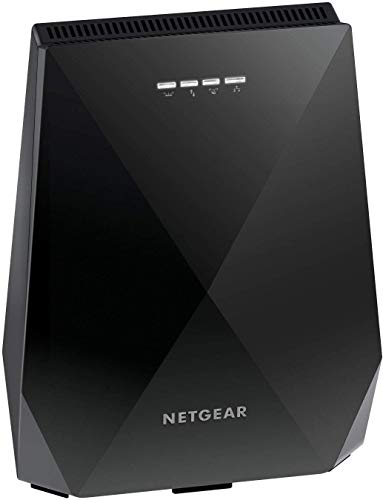
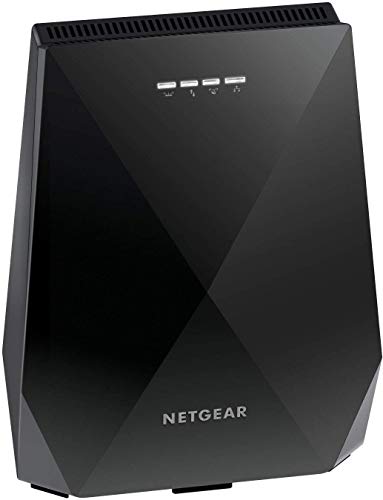
NETGEAR EX7700 — the dedicated-backhaul answer
This tri-band mesh extender exists to defeat the airtime problem described above: one band is reserved for the router link, leaving both client bands unshared. It is the clearest hardware illustration that the repeating penalty is a design choice, not a destiny.
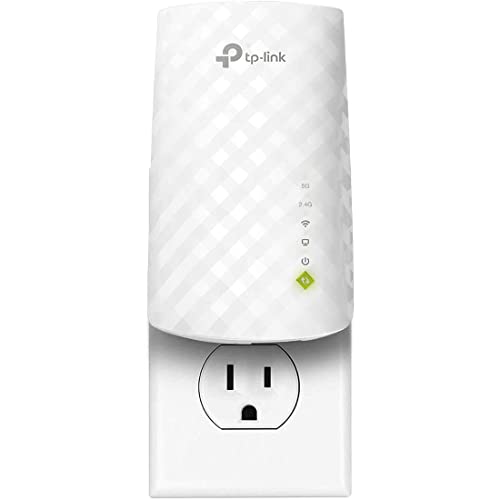
TP-Link RE220 — the honest baseline
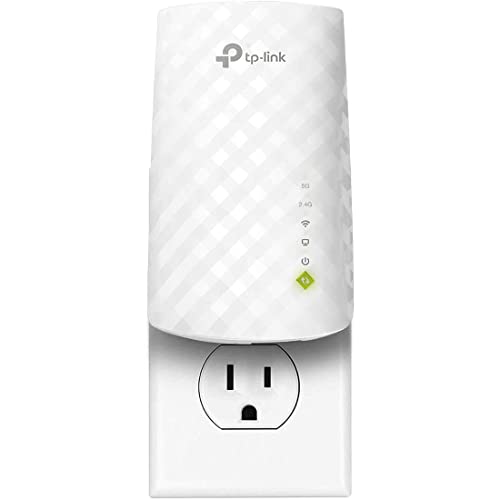
A mainstream dual-band extender: expect the middle row of this guide’s table in a well-chosen position, and use its Ethernet port to give one device the steadiest ride. The baseline against which the EX7700’s extra band must justify itself.
The penalty, workload by workload: where you will feel it and where you will not
Whether an extender “slows down the internet” depends entirely on what the internet is being asked to do in the extended room, because different workloads collide with the repeating penalty in different places. Web browsing and messaging are nearly immune: they move small bursts of data and spend most of their time waiting for humans, so even a heavily penalised link feels instant. Music streaming is similarly forgiving. Video streaming sits in the middle — a single high-definition stream needs a steady, moderate flow, well within a decent extender’s reach, while the highest-quality streams on large televisions ask for sustained throughput that a marginal extender link delivers unevenly, producing the signature pattern of a film that starts sharp, softens, sharpens again and occasionally pauses to think.
Video calls expose a different weakness: not throughput but consistency. A call needs modest data in both directions, delivered evenly, with delay kept stable. The extender’s relay adds delay and, more importantly, variability — the retransmissions on a weak router leg arrive in clumps — so calls are often the first workload to reveal a mediocre extender installation, freezing or smearing while a speed test taken minutes later looks respectable. Large downloads and game installs tell the opposite story: they are pure throughput, indifferent to delay, and they simply take proportionally longer through the extender — annoying, predictable and harmless. Cloud backups and camera uploads, working in the upload direction for hours, combine the worst traits: heavy, sustained and sensitive to interruption, which is why they feature in so many extender disappointment stories.
Competitive gaming is the workload least forgiving of all, and the one where the honest answer to this article’s question is closest to yes. The data volumes are trivial, but the added latency and its variability land directly on the player’s experience, and no extender setting repeals the relay’s physics. Casual, turn-based and single-player gaming with online features, by contrast, plays perfectly well through a good extender. The workload table, honestly filled in for your own household, predicts your satisfaction with an extender more accurately than any review’s speed figures — a point the choosing guide builds on when matching models to rooms.
Why the same extender tests fast at noon and slow at nine
Owners often report that the extended room flies during the day and sags in the evening, and conclude the extender is deteriorating. Almost always, the extender is innocent and the airwaves are guilty. The repeating penalty is a share of available airtime, and airtime is a commons: during the day your household and your neighbours use little of it, so the extender’s double-spending goes unnoticed. In the evening, every network in earshot wakes up — streaming, gaming, downloading — and the same channel must serve all of it. Your extender now pays its relay tax out of a much smaller remaining budget, and the far room, being at the end of two contested legs, feels the shortage first and worst.
Your own household contributes as much as the neighbours do. The router’s airtime is spent serving the rooms near it as well as feeding the extender; an evening of streaming in the living room and downloading in a bedroom leaves less for the hallway relay, whose clients then queue behind everyone. This is also why adding a second extender to fix an evening problem so often disappoints: the new unit spends the same scarce airtime again. The cures that work at nine in the evening are the ones that reduce airtime spending or find emptier air — a band change to a quieter channel, a cross-band arrangement, a wired feed for the heaviest fixed device, or moving the evening’s biggest consumer onto Ethernet near the router.
Measurement discipline matters here. A speed test run at noon proves the installation’s ceiling; only a test at the household’s peak, from the usual chair, with the usual evening load running, measures the experience you actually bought. Households that test at peak make good decisions — accepting a penalty that their workloads never notice, or upgrading an architecture that genuinely cannot carry their evenings. Households that test at noon spend months wondering why the numbers lied, when in fact the numbers were merely answering a different question.
The router’s side of the story: how the relay taxes the main network
This article’s question is usually asked about the extended room, but the relay also spends resources in the rooms that never asked for it. Every conversation the extender carries crosses the router’s airspace, and the router-to-extender leg is served at the rate the extender’s position dictates — often a middling rate, held for long stretches by streaming traffic. Airtime spent slowly talking to a distant extender is airtime unavailable to the phone beside the router, which is why a household can occasionally notice its previously flawless near rooms becoming merely good after an extender is installed and heavily used.
Modern routers absorb this tax with varying grace. Better models schedule airtime fairly, prioritise sensibly and support the features — airtime fairness, band steering, modern queue management — that keep one relay’s appetite from spoiling everyone’s evening. Older or provider-supplied routers manage the commons more crudely, and in those homes the extender’s network-wide cost is most visible. The practical implication runs against instinct: when an extended installation disappoints the whole house, the router, not the extender, is frequently the component whose upgrade unlocks everything — faster, fairer airtime management near the centre improves every leg that radiates from it.
There is a budgeting habit that keeps the tax invisible in most homes: keep the extended room’s heaviest fixed devices off the relay where a cable can reach them. A television or console plugged into the extender’s Ethernet port still crosses the wireless hop once, but a device that can be wired all the way — or moved within the router’s own strong zone — stops taxing the relay entirely. Reserve the extender’s airtime for the devices that genuinely need mobility or have no alternative, and the penalty this article describes shrinks to what the theory promises: a fair price, paid only by the room that asked for the service.
Reading a speed test like an engineer: the four numbers that matter
A single speed figure conceals everything interesting about an extended connection, so learn to read the quartet. Download speed is the headline and the least informative on its own. Upload speed, through an extender, often degrades proportionally more than download, because the relay’s scheduling and the far devices’ weaker transmitters pinch that direction harder — a household that uploads for work should test it explicitly rather than assuming symmetry. Latency under load, sometimes reported as a second ping figure measured while the test runs, is the number that predicts calls and games: an unloaded ping can look serene while the loaded figure reveals a connection that buckles the moment it works. Jitter, the variation between successive delay measurements, is the quiet predictor of call quality, and it is where marginal extender links confess.
Run the quartet in three places and the extender’s true account emerges. Beside the router establishes the line’s honest capability. In the extended room, connected to the router’s own network if it reaches at all, shows what the extender is being compared against — often a figure so poor that the extender’s penalised result is a transformation rather than a disappointment. Through the extender completes the picture. Households regularly discover, doing this arithmetic, that the extender “slowed” a connection from unusable to half-of-excellent, which is not slowness in any sense worth regretting.
Repeat the trio at the household’s peak hour before making any purchase decision based on it, and record the figures with their times and positions. Memory flatters and forgets; a small table of honest numbers settles every later argument about whether the network changed, whether the new firmware helped, and whether the penalty you are living with is the one you signed up for. Readers who want the product-level consequences of these measurements will find them applied in the best Wi-Fi extenders for streaming roundup, where sustained throughput under load is the deciding criterion.
When the penalty is worth eliminating entirely
Some households, having measured honestly, conclude that any repeating penalty in a particular room is unacceptable — and they are sometimes right. The rooms that justify elimination share a profile: the connection is economically or competitively load-bearing. A professional whose income crosses that link daily, a competitive player whose ranking does, a household running its media and storage through the far room as a hub — these uses convert the extender’s modest tax into a recurring cost that dwarfs the one-time effort of removing it.
Elimination has exactly three honest routes, and this cluster documents each. A cable to the room, feeding an access point or the device itself, removes the wireless hop altogether and remains the gold standard. A powerline feed removes the radio leg where the wiring allows, at the price of the wiring audit. A mesh system with a dedicated or wired backhaul reduces the penalty to a level most workloads cannot detect, at the price of a system rather than a gadget. What does not exist is a fourth route — a sufficiently premium extender that repeals the relay arithmetic — and recognising that saves households the particular expense of climbing a product ladder whose top rung is still a repeater.
For everyone else, the penalty deserves to be made peace with, because the alternative framing is truer: the extender does not slow down a good connection, it creates a usable one where none existed, at a known and measurable discount. Households that internalise that framing stop chasing the router-side number in the far room and start judging the far room by its own work — films that play, calls that hold, files that arrive — which is, in the end, the only speed that was ever actually for sale.
A short history of your own numbers: keeping a baseline worth trusting
Every claim in this article becomes personal the moment you keep a baseline. On the day any extender is installed — or on any calm day in an established installation — record the quartet of figures from the three positions: beside the router, in the far room on the router’s network if it reaches, and through the extender, each at a busy hour. Note the date, the extender’s position and any relevant household facts. That half-page of numbers is the most useful networking document your home will ever own, because every future question becomes a comparison instead of an impression.
Watch how the questions change. “Has the extender got slower?” becomes a re-test against the baseline, with furniture moves and new neighbours as the explanatory candidates when the figures move. “Did the firmware update help?” becomes measurable rather than vibes. “Is the new, faster internet plan worth it in the back room?” becomes arithmetic: the baseline shows exactly what fraction of the line the relay delivers, so the upgraded plan’s benefit in that room can be predicted before the contract is signed — and, as this article has shown, that prediction is often that the far room will barely notice, which redirects the upgrade decision to where it belongs.
The baseline also protects the extender from unjust blame, which matters more than it sounds. Networks accumulate mythology — a slow evening blamed on the relay that was actually a provider fault, a game blamed on latency that was actually a distant server — and mythology drives purchases. Households with baselines buy less, configure less and enjoy their networks more, because their arguments are settled by figures they trust. If this guide’s long answer to its title question could be compressed into an instruction, it would be that: do not ask whether extenders slow down the internet in general. Measure what yours does, in your rooms, at your hours, and let that specific, honest number make the decision.
There is a final, quieter sense in which the title question misleads, and it is worth naming before you go. “The internet” in most homes is not one speed but a dozen different experiences happening in different rooms at different hours, and a single household verdict — extenders slow it down, extenders do not — flattens all of them into a slogan. The households that end up satisfied are the ones that retire the slogan and keep the distinctions this article has drawn: between line speed and Wi-Fi speed, between the room beside the router and the room at the end of the relay, between a workload that notices a relay and one that cannot. With those distinctions in hand, the extender stops being a gamble and becomes what it always was underneath the marketing — a known quantity, with a known price, that you can decide about like an adult.
Decide, then, with the distinctions kept and the baseline recorded, and give the decision a month of ordinary life before revisiting it. Networks reveal themselves over weeks, not afternoons, and an extender judged across a month of films, calls, deadlines and downloads has been judged by the only panel whose verdict counts.
If that month passes without the far room’s connection entering conversation, the question in this article’s title has received its most meaningful answer: whatever the extender costs on paper, in this house it costs nothing that anyone can feel.
And if the month does surface a complaint, the baseline and the workload distinctions tell you exactly where it lives — in one room, at one hour, under one kind of load — which is a solvable problem with a name, rather than a vague suspicion that a small box somewhere is slowing down the internet.
Named problems, in home networking as elsewhere, are halfway to fixed ones — and a measured penalty with a name is no longer a mystery, just a term of service you chose.
Frequently asked questions
Why is my speed test beside the router fine but terrible through the extender?
Because the two tests measure different paths. Beside the router is one hop; through the extender is two hops plus the repeating penalty. If the extender’s own link to the router is weak, move it closer — that hop governs everything downstream of it.
Will a Wi-Fi 6 extender be faster than my Wi-Fi 5 one?
On a Wi-Fi 6 router, yes, somewhat — the newer standard manages airtime more efficiently, especially with many devices. On a Wi-Fi 5 router, the link runs at Wi-Fi 5 and gains little. Match generations, as the choosing guide advises.
Does an extender increase ping a lot?
A healthy extender link adds only a few milliseconds. A weak link adds jitter — variable delay — which gamers feel as inconsistency. Strengthen the backhaul (placement) or wire the gaming device into the extender’s port to calm it.
Can I make the extender only repeat 5 GHz?
Most dual-band extenders let you choose which host bands to extend and which extended networks to broadcast. Extending only 5 GHz suits short, fast hops; adding 2.4 GHz suits reach. The settings live in the app or web interface used during setup.
My plan is gigabit. Will any extender deliver that to the far room?
No wireless repeater will deliver full gigabit to a far room; expect a healthy fraction. If a far room truly needs near-plan speeds — a workstation moving huge files — the answer is a cable and an access point, not a bigger extender.
Do extenders slow down over time?
Not inherently. Perceived slowdowns usually trace to a busier neighbourhood (more competing networks), new furniture or devices, or a router that changed channels. Re-running the placement check and a firmware update restores most ‘ageing’ extenders.
If I plug a device into the extender’s Ethernet port, does it avoid the speed penalty?
It avoids the second wireless leg, not the first. The device gains a clean, wired final metre — no contention with the room’s other wireless devices, no weak phone-style transmitter — but its traffic still crosses the extender-to-router wireless hop, which is where most of the penalty lives. Expect a meaningful improvement in consistency and a modest one in raw speed, which is why the port is the first recommendation for televisions, consoles and desk machines in extended rooms.
Does using the extender slow down the internet for the whole street or my neighbours?
No. Your extender’s transmissions stay within your home’s share of the local airwaves and within regulated power limits; at worst, like any busy network, it contributes to the general evening congestion that all neighbouring networks impose on each other symmetrically. It cannot affect your provider’s service to other homes, your street’s line speeds, or anything beyond radio earshot — and within earshot, good channel choices make you a better neighbour than most.
Why is my upload speed through the extender so much worse than my download speed?
Three effects stack in that direction. Your devices transmit more weakly than the extender and router do, so the first hop upward is the frailest link in the chain. The relay schedules both directions through shared airtime, and download traffic, being heavier, tends to win the scheduling contest. And many internet plans are asymmetric to begin with, so the upload starts smaller and shows losses more starkly in percentage terms. Households that upload seriously should test that direction explicitly and consider it the deciding figure when judging an installation.
Will a Wi-Fi 6E or Wi-Fi 7 extender eliminate the slowdown?
It will shrink it, sometimes substantially, without eliminating it. Newer generations bring wider channels, better scheduling and, in some designs, extra bands that let the relay separate its two conversations more cleanly — all genuine reductions in the tax. But the fundamental arrangement survives: a wireless hop, shared airtime and a ceiling set by the router leg. Expect a better class of penalty, particularly with a router of the same generation, rather than an exemption from the arithmetic this article describes.
My speed through the extender is fine, but everything feels laggy. What is being measured wrong?
Probably nothing is being measured at all — the missing figure is latency under load. Throughput tests report how much data moves; lag is about when it moves, and a relay with a weak router leg can deliver respectable totals while delivering them in bursts separated by retransmission pauses. Test with a call or a game rather than a download, check the loaded-latency figure if your test offers one, and treat a high result as a placement signal first: the router leg, moved one socket closer or given a clearer path, is where lag through an extender is usually won or lost.
Related Guides
Keep going with these guides and roundups from the same networking cluster: