The Gen 4 vs Gen 5 SSD debate is really a question about diminishing returns: PCIe 5.0 drives post sequential speeds roughly double those of PCIe 4.0 — figures beyond 12,000 MB/s against a class ceiling near 7,400 MB/s — yet they cost more, run hotter, and improve most real workloads by far less than the headline suggests. This comparison separates the workloads where Gen 5 genuinely earns its premium from the many where a good Gen 4 drive is indistinguishable in use.
Disclosure: As an Amazon Associate, ilcastellomenu.com earns from qualifying purchases. Links to Amazon on this page are affiliate links; they cost you nothing extra. Listing details such as price and availability change often, so check the current Amazon listing before you buy.
The short verdict: for gaming and general computing, a quality Gen 4 drive remains the sensible buy, and the money saved is better spent on capacity. For sustained, professional throughput — high-resolution video ingest and editing, massive dataset work, drive-to-drive transfers between two Gen 5 devices — Gen 5’s advantage is real and billable. Everything below exists to help you decide which of those descriptions sounds like your desk.
Gen 4 vs Gen 5 SSD: specifications side by side
| Criterion | PCIe Gen 4 (x4) | PCIe Gen 5 (x4) |
|---|---|---|
| Sequential read ceiling | Roughly 7,000–7,450 MB/s | Roughly 12,000–14,500 MB/s on current flagships |
| Sequential write ceiling | Roughly 5,000–6,900 MB/s, model-dependent | Roughly 10,000–12,000 MB/s on flagships |
| Random 4K performance | Excellent — the class norm for modern PCs | Similar to slightly better; controller-dependent, not doubled |
| Heat under load | Moderate; motherboard heatsink usually sufficient | High; active or substantial passive cooling commonly required |
| Platform support | Intel 11th-gen+ and AMD Ryzen 3000+ (varies by board); PS5 requires Gen 4 | Recent Intel and AMD platforms; only specific M.2 slots on many boards are Gen 5 |
| Power draw | Moderate | Higher, especially under sustained writes |
| Price position | Mainstream — the volume class | Premium — a surcharge per terabyte over comparable Gen 4 |
| Real-world gaming loads | Excellent | Within a few percent of Gen 4 in most titles |
The pattern in the table is the whole story in miniature: the doubling is confined to sequential throughput, the one metric least connected to everyday responsiveness. Random performance — the kind that drives boot times, app launches and general feel, as explained in How to Test the Speed of an SSD — improves modestly at best, because it is governed by controller design and NAND latency more than by bus width. Gen 5 widened the motorway; most traffic was never motorway-shaped.
In this guide
Where Gen 5 actually pulls ahead
Sustained sequential work is Gen 5’s home ground. Copying a 200GB folder from one Gen 5 drive to another, ingesting a day of high-bitrate cinema footage, rendering to and from the same volume, or staging enormous datasets for analysis — in these jobs the transfer itself is the bottleneck, and halving transfer time is worth money to a professional whose rate is hourly. The qualifier matters: both ends of the transfer must be Gen 5-class, and the files must be large. A Gen 5 drive copying to a Gen 4 drive, a network share or a USB device simply waits at the slower end’s speed.
There is also a future-proofing argument, and it deserves a fair hearing. A drive bought today may serve through two system builds, and software is slowly learning to use more bandwidth — game asset streaming via DirectStorage is the visible leading edge. If the price gap for your chosen capacity is small and your motherboard offers a Gen 5 slot with proper cooling, choosing Gen 5 is defensible. The mistake is paying a large premium, or sacrificing capacity, for bandwidth your current workloads cannot touch. Capacity regret arrives within a year; bandwidth regret, for most users, never arrives at all.
Where Gen 4 is indistinguishable
Gaming first, since it drives most purchases: load-time differences between good Gen 4 and Gen 5 drives are typically within a few percent, often within measurement noise, because loading is a mixed workload of decompression (CPU-bound) and scattered reads. Our dedicated analysis in SSD vs NVMe for Gaming reaches the same conclusion from the SATA side: once you are on competent NVMe, the storage stops being the bottleneck that matters. A gamer choosing between a 2TB Gen 4 drive and a 1TB Gen 5 drive at similar money should take the 2TB drive every time — the extra library space will be enjoyed weekly; the extra sequential bandwidth, essentially never.
General computing tells the same story. Booting, office work, browsing, photo editing and software development are random-IO and latency workloads where Gen 5’s edge is a rounding error. Even content creation splits: photo work and moderate video timelines are Gen 4-indistinguishable, and only sustained high-bitrate video throughput crosses into Gen 5 territory. If your work is billed by the hour and your files are measured in hundreds of gigabytes, you already know who you are; everyone else is in Gen 4 country.
Heat, noise and the hidden costs of Gen 5
Gen 5 controllers work hard enough that many drives ship with tall heatsinks, and some reference designs assume active cooling — a small fan on the heatsink, or reliance on strong case airflow. That has practical consequences. Tall heatsinks may not fit under a GPU or in a laptop at all (most laptops cannot take Gen 5 drives with their cooling attached, and many laptop slots are Gen 4 anyway). Fans add a noise source and a failure point. And a Gen 5 drive that overheats throttles — potentially below a well-cooled Gen 4 drive’s sustained pace, which is the comparison nobody’s marketing department volunteers. The cooling and throttling mechanics are covered in How to Fix Slow SSD Speeds.
Platform support is the other hidden cost. Many motherboards offer exactly one Gen 5 M.2 slot, and on some boards using it shares lanes with the graphics card slot, reducing the GPU to x8 operation. The performance impact on current GPUs is small, but it is real, it is rarely printed on the box, and it belongs in your decision. Your motherboard manual — the same document How to Install an SSD tells you to read before installing anything — states the lane-sharing rules for your board.
Compatibility and buying either generation wisely
PCIe generations mix freely: a Gen 5 drive in a Gen 4 slot runs at Gen 4 speed, and a Gen 4 drive in a Gen 5 slot likewise runs at its own ceiling. Nothing is harmed either way, which makes ‘buy Gen 5 now for the next build’ technically safe — just financially questionable unless the premium is small. The PlayStation 5 deserves a specific note: it requires Gen 4-class speed with a heatsink and its interface is Gen 4, so a Gen 5 drive gains nothing there and its bulky cooler may not fit; the vetted options in Best Ssds for Ps5 are the straightforward route.
Within Gen 4, buy on sustained-write behaviour, NAND type, DRAM (see dram vs dramless SSD) and warranty rather than on which model posts 7,450 versus 7,100 MB/s — differences you will never perceive. Within Gen 5, buy on cooling practicality for your case and on the same fundamentals. In both generations, the selection framework in How to Choose an SSD applies unchanged; the generation is one variable, not the decision itself. Endurance ratings, incidentally, do not automatically improve with generation — check TBW per model, as what is TBW on an SSD explains, rather than assuming newer means longer-lived.
Recommendations by user
- Gamers: Gen 4, as large as the budget allows. Spend the saving on capacity or the GPU.
- General users and office machines: Gen 4 without a second thought; even Gen 3 would serve, and Gen 4 is the value class now.
- Video professionals moving huge files daily: Gen 5 earns its keep — provided the rest of the chain (second drive, ingest source) is equally fast and the case can cool it.
- New high-end builds with a Gen 5 slot and budget headroom: Gen 5 is a reasonable indulgence at 2TB if cooling fits; do not drop to 1TB to afford it.
- Laptop upgraders: Gen 4, chosen for cool running and fit; most laptops cannot exploit or physically house Gen 5 drives.
- PS5 owners: Gen 4 with a heatsink, from the vetted list — Gen 5 brings cost and fit problems with zero benefit in the console.
The controller story: why generations are not the whole spec sheet
Two drives of the same generation can behave very differently, because the generation describes the bus, not the drive. The controller — the drive’s own processor — plus the NAND’s speed and the cache design determine how much of the bus a drive can actually use and for how long. A superb Gen 4 drive with a strong controller, TLC NAND and a DRAM cache will sustain its performance through workloads that make a mediocre Gen 5 drive — cost-cut NAND, no DRAM, a cooler held on by optimism — throttle and sag below it. Generation is the ceiling; engineering decides how close to the ceiling you live, and for how many consecutive minutes.
This is why the recommendation sections of this guide keep returning to fundamentals: sustained-write testing, NAND type, cache design and warranty separate good drives from spec-sheet drives within every generation. The generation question is legitimately the third or fourth question in a purchase, behind capacity and those fundamentals — a framing that disappoints marketing departments and serves buyers well.
A note on Gen 3: the generation nobody should forget
The comparison’s title omits the generation that quietly remains a rational purchase: PCIe 3.0. A good Gen 3 drive is several times faster than SATA, entirely sufficient for office machines, older gaming rigs and secondary storage, and frequently discounted as the industry moves on. In a Gen 3 slot it is the native choice; in a Gen 4 slot it leaves bandwidth unused but loses nothing it ever had. Buyers speccing a budget build or reviving a Gen 3-era machine should treat Gen 3 not as obsolete but as the value tier — the same role SATA plays one rung down. The ladder matters more than any single rung: hard drive to SATA is a transformation, SATA to Gen 3 is a large step, Gen 3 to Gen 4 a moderate one, Gen 4 to Gen 5 a specialist’s increment. Spend in proportion to the step you are actually taking.
Buying advice distilled: three questions
- Does my slot support Gen 5, with cooling that fits my case? If not, the debate is over: buy Gen 4 (or Gen 3 on a budget) and spend the difference on capacity.
- Is sustained throughput my actual job? If your days involve moving hundreds of gigabytes between fast local devices, Gen 5 pays rent. If not, its advantage is theoretical at your desk.
- Am I sacrificing capacity to afford Gen 5? If yes, stop — take the larger Gen 4 drive. A full fast drive is slower in every way that matters than a roomy mainstream one.
Three noes (or a yes on the third) settle most buyers into Gen 4 with money left over, which is this guide’s expectation for the current market. The equation will shift as Gen 5 prices settle and platforms standardise — revisit it at your next build, by all means. Buying decisions expire; the method of making them, comparing real workloads against real ceilings, does not.
What reviewers’ sustained tests reveal that spec sheets hide
Launch coverage of a new generation tends to lead with the peak benchmark, because the peak is the news. The more decision-relevant review content sits further down: the sustained-write graph, where a drive’s speed is plotted across a fill-the-drive write, and the thermal photographs showing where the heat gathers. In those graphs, the generational story complicates usefully — the best Gen 4 drives hold high, flat lines deep into the test, while lesser Gen 5 drives, thermally constrained, sag toward Gen 4 territory and occasionally below the best of the older class. If you read one chart before buying either generation, read that one: it describes the drive you will own in month six, not the drive that posed for the launch photograph.
The second-system effect: your other bottleneck
A Gen 5 drive rarely works alone. Its speed is only spendable when the other end of a transfer — another internal drive, a capture device, a network far faster than most homes have — can keep pace, and when the CPU work wrapped around the transfer (decompression, checksums, file-system overhead) does not quietly become the real governor. Audit the chain before crediting the drive: a Gen 5 SSD copying from a Gen 4 source is a Gen 4 transfer wearing a Gen 5 badge. This is not an argument against the technology; it is an argument for buying it as part of a system whose other links justify it, which is how professionals spec workstations and how everyone else should too.
The one-sentence version for the undecided
Strip away the charts and the decision reduces to this: Gen 5 is a throughput tool for people whose work is moving very large files between very fast devices, and Gen 4 is the complete, mature, cooler-running answer for everyone else — including gamers, including most creators, including nearly every new build that does not have a specific, nameable transfer bottleneck. If you cannot name the workload that will use the extra bandwidth, that absence is your answer. Buy the bigger Gen 4 drive, enjoy the silence of a system that never throttles, and revisit the question at the next build, when Gen 5 will be cheaper, cooler and quite possibly the mainstream default it is not quite yet.
One more consideration
A closing observation on timing: storage generations overlap for years, and the overlap is the buyer’s friend. Gen 4’s maturity — debugged firmware, reviewed-to-death models, settled prices — is a genuine product feature that Gen 5 will not match until it has lived as long. Early adoption buys the frontier and its weather; the mainstream buys the map the frontier drew. Neither temperament is wrong, but only one of them should be surprised by a hot drive, a lane-sharing footnote, or a price that halves within eighteen months of purchase.
Platform reality: lanes, chipsets and where a Gen 5 drive can actually stretch
A Gen 5 drive only runs at Gen 5 speed in a Gen 5 slot, and Gen 5 slots are not distributed evenly across current platforms. On many motherboards the single Gen 5 M.2 slot shares its lanes with the graphics card slot, so populating it can drop the GPU to a narrower link — usually harmless for current graphics cards, but worth knowing before you build rather than after you benchmark. Other boards route Gen 5 through the chipset, where the drive competes for the chipset’s uplink bandwidth with everything else attached there. The manual’s lane diagram, unglamorous as it is, decides which generation your money can actually use, and two boards with identical marketing can offer genuinely different Gen 5 experiences.
Laptops lag the desktop story by a generation or more. Many current gaming laptops still expose Gen 4 slots, and the thin machines that do offer Gen 5 often cannot cool a drive running at full Gen 5 pace for more than a short burst — the slot is Gen 5 in specification and Gen 4 in sustained behaviour. Handhelds and compact systems are stricter still. None of this makes Gen 5 a poor technology; it makes the platform the first question and the drive the second. A Gen 4 drive in a Gen 4 slot is a matched pair. A Gen 5 drive in a thermally strangled Gen 5 slot is a compromise wearing a flagship badge, and the buyer who checks the platform first is the one who ends up with the performance they paid for.
Efficiency: performance per watt across the generations
Speed headlines ignore what the speed costs in power, and the generations differ here in ways that matter outside desktops. Early Gen 5 drives drew noticeably more power at full tilt than their Gen 4 counterparts — the price of a faster controller working harder — while doing little better at idle. In a desktop with a large power supply and moving air, that difference is a rounding error. In a laptop it is battery life and heat in the two places you least want them, and in a compact or fanless system it can be the difference between a drive that sustains its pace and one that throttles back to Gen 4 behaviour while consuming Gen 5 power.
The picture is improving as controllers mature: later Gen 5 designs have closed much of the efficiency gap, and some are genuinely frugal. That is why the controller story told elsewhere in this guide matters so much — within Gen 5, the spread between an early, hot controller and a recent, efficient one is larger than the average gap between generations. If you are buying for a battery-powered or space-constrained machine, read the power and thermal sections of reviews for the specific model, not the generation’s reputation. Generations do not draw power; controllers do.
The workstation case, taken seriously: when Gen 5 earns its premium
Most of this guide, fairly, tells everyday users that Gen 4 is enough. The workstation case deserves its own honest hearing, because there the calculus genuinely changes. Consider three workloads. Large-scale video work with multiple streams of high-bitrate footage asks for sustained sequential reads well beyond a single Gen 4 drive’s comfort when timelines stack, and a Gen 5 scratch drive keeps scrubbing fluid where a Gen 4 drive starts to ration. Scientific and engineering datasets — simulation output, point clouds, genomic data — are loaded, processed and rewritten in multi-gigabyte sweeps that map directly onto sequential throughput. And local AI work, loading large model weights repeatedly during development, turns storage into a fixed tax on every experiment; halving that tax, run after run, day after day, is real time returned.
Notice what these cases share: the storage is the bottleneck, the work is repeated at scale, and someone’s paid hours are attached to the waiting. That is the honest test for Gen 5 — not whether it wins a benchmark, but whether your week contains hours of storage-bound waiting that a faster drive would delete. If it does, the premium is not a luxury; it is one of the cheaper productivity purchases available. If it does not, the same premium buys capacity, memory or a better monitor with a clear conscience. Professionals shopping this tier will find the current candidates compared in our guide to the best SSDs for video editing.
Firmware maturity and the early-adopter tax
Every new storage generation repeats a familiar pattern: launch drives arrive on early firmware, reviewers find the quirks, and a year of updates smooths behaviour, trims power draw and fixes edge cases with particular motherboards and sleep states. Gen 5 followed the pattern faithfully. Early adopters paid the highest prices for the least mature versions of the technology, and some spent evenings on forum threads about drives that ran hot, woke slowly or disliked particular boards. None of that was scandalous — it is simply the tax on buying at the frontier, in storage as in everything else.
The practical conclusion is not ‘never buy new’ but ‘price the tax honestly’. If you enjoy the frontier and your workload can use it, pay gladly. If you are buying a drive to forget about for five years, the mature end of either generation serves you better: a late-production Gen 4 flagship with years of firmware polish, or a second-wave Gen 5 model whose review history you can actually read. Check a candidate’s firmware history before buying — a maker who publishes regular updates with real changelogs is telling you how the next five years will go. And whatever you buy, update the firmware once, deliberately, on stable power, after your backups are confirmed — the update that fixes a sleep bug is only helpful if it does not become an incident of its own.
Selling, upgrading and the second-hand value of each generation
Drives get resold, handed down and repurposed, and the generations age differently through that cycle. A Gen 4 drive is currently the easiest performance drive to place second-hand: every modern board accepts it, its behaviour is a known quantity, and buyers trust it. A Gen 5 drive’s resale audience is narrower today — only owners of Gen 5 platforms can use its speed — though that audience grows with every new motherboard sold. If you upgrade machines often and pass hardware along, that liquidity is a small but real part of a drive’s value, and it currently favours Gen 4 more than the performance charts do.
The upgrade-path view cuts the other way for builders keeping a platform. A current motherboard with a Gen 5 slot will accept tomorrow’s drives at full speed for years, so a Gen 4 drive bought today for it is a deliberate, reversible compromise — fill the slot sensibly now, upgrade the drive when Gen 5 matures or prices soften, and demote the Gen 4 stick to a secondary slot or an enclosure. Storage is the most portable component in a PC; no choice here locks a door. That reversibility is worth remembering whenever the generation debate starts to feel weightier than it is: you are not marrying a generation, you are renting a slot’s current best use. The broader selection framework in our guide to choosing an SSD keeps that perspective in place.
Testing the difference yourself, honestly
If you own both generations — or a shop will let you compare — the difference can be measured without fooling yourself, and the method matters more than the tools. Test each drive in the same slot class it will actually live in, at the same fill level, with the same benchmark settings, and add one test the charts skip: a real sustained copy of your own largest working files, timed with a stopwatch. The synthetic scores will show Gen 5 ahead by a wide margin on sequential figures and a modest one on random figures. The stopwatch test shows what your workload receives, and for most people it is a smaller, more honest number that still favours Gen 5 — just by minutes per month rather than the multiples the box implies.
Then test the scenario that decides laptops and small builds: repeat the copy after the drive is already warm from a first run. That second pass is where marginal Gen 5 cooling confesses, and where a well-cooled Gen 4 drive sometimes posts the better sustained figure outright. Two drives, four numbers each, and you know more about your own machine than a dozen reviews of other people’s test benches can tell you. Our guide to testing the speed of an SSD gives the full method, including how to keep the comparison fair.
What Gen 5 means for the rest of the build’s budget
A Gen 5 drive is rarely bought alone; it pulls a platform with it. If choosing Gen 5 means a newer motherboard, a beefier cooler for the drive itself, or passing on a capacity step to stay in budget, the true comparison is not drive against drive but build against build. The alternative build — Gen 4 drive, double the capacity, the money difference spent on memory or the graphics card — wins for most gaming and general machines, because those components’ contributions are felt in every session while the storage generation’s contribution is felt in specific moments. Budget honesty is the whole game: a build is a portfolio, and storage is one holding in it.
The exception proves the rule in the usual place. A workstation whose hours are storage-bound should fund Gen 5 first and economise elsewhere, because its bottleneck is known and measured. Everyone else should let the build’s actual weakest link claim the money — and for a surprising number of machines that link is capacity, not speed: the Gen 4 drive you can afford at twice the size will still be serving calmly on the day a smaller, faster drive would have filled up and started its slow, full-drive decline.
Generations in the second slot: mixing Gen 4 and Gen 5 in one machine
Owners of Gen 5 platforms often end up running both generations at once — the new drive in the fast slot, a carried-over Gen 4 drive in a secondary one — and the arrangement deserves a moment’s thought. Put the operating system and your most storage-sensitive work on the Gen 5 drive, obviously; but also consider temperatures, because a hot Gen 5 drive in the primary slot often sits directly under the graphics card, warming and being warmed. Some builders deliberately run the Gen 4 drive as the system disk and reserve Gen 5 for a scratch or library role where its bursts of speed are used in short, cool sprints. There is no heresy in that: slots are resources, and assigning them by workload and thermals rather than by rank is simply engineering.
Lane behaviour also deserves a check in a mixed build. On boards where the Gen 5 slot shares with the graphics card, ask whether your particular card loses anything measurable at the narrower link — for most current cards the answer is no or nearly no, but the check costs five minutes in the manual and settles the question for your hardware rather than the internet’s. A mixed-generation machine, thought through once, gives you both drives’ strengths with neither’s drama.
The buyer’s shortcut: three machines, three answers
Everything in this comparison condenses, in practice, to the machine in front of you. Machine one: a current desktop or laptop used for everyday work and gaming, built on a Gen 4 platform or a Gen 5 platform bought for other reasons. Answer: a good Gen 4 drive, at the largest capacity the budget allows — you will not feel the missing generation in your actual week. Machine two: a new high-end build whose owner edits large media, compiles big projects or experiments with local models, and who has measured storage-bound waiting in their current setup. Answer: a second-wave Gen 5 drive from a maker with a strong firmware record, cooled properly, bought with its workload named. Machine three: a compact, quiet or battery-first machine of any platform. Answer: whichever specific model — of either generation — reviews praise for efficiency and cool running, because in that chassis the controller’s manners matter more than its generation’s banner.
If your machine is none of the three, it is a blend, and blends are decided by the workload sentence: finish the phrase ‘this machine spends its storage time…’ honestly, and the generation picks itself. The debate survives because that sentence differs for everyone. Yours is the only one you have to answer.
Noise, revisited: the fan some Gen 5 drives bring with them
One ownership detail separates the generations more tangibly than any benchmark: a small number of Gen 5 drives ship with active cooling — a tiny fan on the heatsink — because passive cooling alone could not hold their controllers in check inside a closed case. A fan that small spins fast, and fast small fans have a pitch some people find genuinely intrusive in a quiet room or a living-room PC. It is not a universal Gen 5 trait — most models are passive, and the fanned designs are a minority — but it is a trait that exists only on the Gen 5 side of this comparison, and it belongs in the decision for anyone who has built a silent machine on purpose. Check the specific model’s cooling design the way you would check its controller: reviews mention the fan, its noise and whether it can be unplugged, and a silent-PC builder who skips that paragraph may meet it at 2 a.m. during a long render.
The broader point generalises beyond fans. Each generation’s headline spec is speed, but the lived experience of a drive is heat, noise, power and manners — and those are model properties, not generation properties. Gen 4’s maturity means its lived experience is thoroughly documented for nearly every model worth buying. Gen 5’s documentation is still being written, model by model. Buying the documented thing is not timidity; for a component you intend to forget for five years, it is the entire point.
A short note on Gen 5 in consoles and other closed systems
Closed systems settle the generation question by specification rather than debate. The PlayStation 5, the highest-profile example, was designed around a Gen 4-class requirement with a stated minimum speed and strict physical dimensions for its expansion bay; a Gen 5 drive installed there simply runs at the console’s pace, bringing no benefit beyond whatever capacity and quality it offers as hardware. The same logic applies to any device with a fixed internal interface — laptops with Gen 4 slots, mini PCs, media boxes. The host’s ceiling is the system’s ceiling, and paying past it buys future portability at best. That portability can be a legitimate reason — drives move between machines across their lives — but it should be chosen knowingly, as an investment in the next machine, rather than discovered as a surprise in this one’s benchmarks.
Reading the two spec sheets like a sceptic
Put the two boxes side by side and read them the way an engineer reads a datasheet — for what is missing. The sequential figures will be enormous on the Gen 5 box and merely large on the Gen 4 box; both are measured under ideal conditions with large test files on an empty drive. What neither box prints is the trio that predicts your experience: random performance at low queue depth, sustained write speed after the cache, and operating temperature under load in a closed case. Those numbers live in independent reviews, which is why this guide keeps steering you there. A buyer who compares only the printed figures is comparing the two drives’ advertising departments, and advertising departments, unlike drives, are all exactly the same speed.
Read the endurance and warranty lines with the same scepticism and you will find the generations are near-identical there — same order of terabytes-written ratings at a given capacity, same warranty lengths from the serious makers. That sameness is itself information: the industry does not believe Gen 5 drives live faster, shorter lives. They are quicker instruments built to the same standard of durability, and the choice between them is about workload and platform, not about one being the serious drive and the other the toy.
The thirty-minute decision, for anyone still circling
If this choice has consumed more than half an hour of your life, close the tabs and apply the tiebreakers in order. Does your platform cool a Gen 5 drive properly and give it full lanes without compromising anything else you care about? If not, Gen 4, done. Does your measured workload wait on storage for real time each week? If not, Gen 4, at higher capacity, done. Did you answer yes to both? Then buy the Gen 5 drive from the maker whose firmware record you verified, install it with the cooling fitted carefully, and spend the time you saved measuring something that matters. Indecision between two good drives is the only outcome in this comparison that is actually bad — every other path ends with fast storage and a machine that works.
A final reassurance for the Gen 4 owner reading at midnight
If you arrived here owning a Gen 4 drive and half-convinced you bought the past, the honest summary of everything above is that you bought the mature sweet spot of the current era: a drive whose behaviour is documented, whose platform is everywhere, and whose real-world deficit against its successor appears in a handful of workloads most owners never run. Keep it, fill it sensibly, and let the frontier finish maturing. When your workload or your next platform genuinely calls for more, the upgrade will be waiting — cheaper, cooler and better documented than it is today.
Gear mentioned in this guide
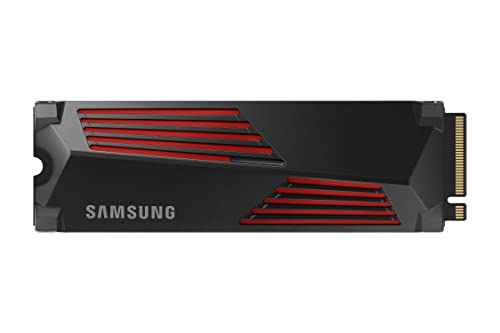
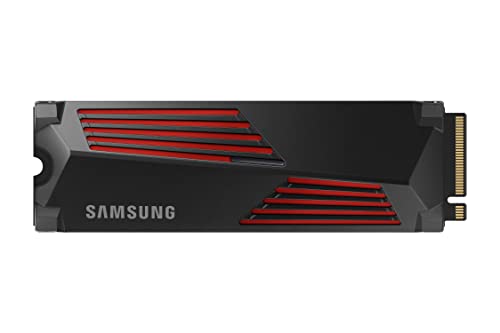
Samsung 990 PRO with Heatsink 1TB — the Gen 4 flagship pattern: near the class ceiling with a console-friendly heatsink. Check on Amazon

WD_BLACK SN850X 1TB NVMe SSD — a Gen 4 performance staple — the drive Gen 5 must beat in real workloads, not just on the box. Check on Amazon

Kingston KC3000 1TB NVMe SSD — another strong Gen 4 option illustrating how mature and capable the class is. Check on Amazon
Frequently asked questions
Is a Gen 5 SSD twice as fast as Gen 4?
At sequential transfers, roughly yes — the ceilings are about double. At the random, latency-sensitive work that dominates everyday computing and gaming, no: improvements are small and often imperceptible. ‘Twice as fast’ is a property of one benchmark, not of the whole drive.
Will a Gen 5 SSD work in my Gen 4 motherboard?
Yes. It will run at Gen 4 speeds, with no harm done. Whether paying the Gen 5 premium for a drive currently capped at Gen 4 speed makes sense depends on the size of the premium and whether a future Gen 5 build is genuinely planned.
Does the PS5 benefit from a Gen 5 SSD?
No. The console’s expansion interface is Gen 4, it requires a heatsink within strict size limits, and Gen 5 drives typically carry coolers too large for the bay. Buy a vetted Gen 4 drive with a heatsink instead.
Do Gen 5 SSDs need a fan?
Many ship with substantial heatsinks and some designs expect active airflow; a few include small fans. In a well-ventilated desktop, a good passive heatsink plus case airflow is usually sufficient, but a Gen 5 drive with no cooling at all will throttle under sustained load.
Should I wait for Gen 5 prices to fall instead of buying Gen 4 now?
If you need storage now, buy Gen 4 now — the real-world difference is too small to justify waiting or going without. Gen 5 will become the mainstream class in time, and your Gen 4 drive will still be an excellent secondary drive when that day comes.
Is Gen 4 fast enough for DirectStorage games?
Yes. DirectStorage’s requirements and benefits are met by competent NVMe drives generally; Gen 4’s bandwidth already exceeds what current titles exploit. CPU and GPU capability matter at least as much to the experience.
Is Gen 5 worth it for video editing?
For timelines built from high-bitrate footage with fast source media and fast render targets, yes — sustained throughput is the workload Gen 5 exists for. For editing from a single drive at moderate bitrates, a good Gen 4 drive is rarely the bottleneck; the CPU and GPU usually are.
Will Gen 4 drives become obsolete soon?
No. Obsolete means unusable, and Gen 4’s bandwidth exceeds what current software — games included — can exploit. It will age into the value tier exactly as Gen 3 has, remaining a sensible purchase for years, especially as prices fall.
Does Gen 5 make Windows boot faster than Gen 4?
Not perceptibly. Booting is a storm of small, random reads and initialisation steps across dozens of devices; the storage slice that Gen 5 accelerates is a small part of an already-short process. Owners who time both with a stopwatch find differences inside the margin of run-to-run variation — one more entry in the long list of everyday tasks where the generations are indistinguishable.
The bottom line
Gen 5 doubles a number most workloads never use; Gen 4 delivers the experience those workloads actually feel. Buy Gen 5 when sustained throughput is your job, when the premium is small, or when cooling and slots align in a flagship build — and buy Gen 4, bigger, in essentially every other case. The generation on the box matters less than capacity, cooling and fundamentals, in that order.