The NVMe vs SATA SSD question decides the ceiling of your storage performance before you spend anything: SATA is a mature interface capped around 560 MB/s, while NVMe runs over PCIe lanes and reaches several thousand MB/s in current drives. Yet the honest answer is more nuanced than the numbers suggest, because what those speeds change — and what they do not — depends on the work you do. This comparison lays out the real differences so you can match the interface to the machine and the workload, not to the marketing.
Disclosure: As an Amazon Associate, ilcastellomenu.com earns from qualifying purchases. Links to Amazon on this page are affiliate links; they cost you nothing extra. Listing details such as price and availability change often, so check the current Amazon listing before you buy.
The quick verdict: if your computer has an M.2 NVMe slot, buy NVMe — it is faster in every measurable way and usually costs little or no more. If your machine only accepts 2.5-inch SATA drives, a SATA SSD remains a superb upgrade over any hard drive and you should buy one without a moment’s regret. The sections below explain why both halves of that verdict are true, and the scenarios — older laptops, secondary storage, external use — where SATA is not a compromise at all. Our current picks in each class appear in the Best Ssds for PC roundup.
NVMe vs SATA SSD: the comparison at a glance
| Criterion | SATA SSD | NVMe SSD |
|---|---|---|
| Connection | SATA III cable/port, usually 2.5-inch (also M.2 SATA sticks) | M.2 slot (sometimes U.2 or add-in card) over PCIe lanes |
| Sequential ceiling | About 560 MB/s — the interface itself is the limit | About 3,500 MB/s (PCIe 3.0 x4) to 7,400 MB/s (PCIe 4.0 x4); PCIe 5.0 goes higher |
| Random performance | Good — far beyond any hard drive | Substantially better; deeper queues and lower latency by design |
| Protocol age | AHCI, designed in the hard-drive era | NVMe, designed for flash from the start |
| Heat | Negligible | Moderate to high on fast models; may need a heatsink under sustained load |
| Compatibility | Nearly universal in desktops/laptops of the last 15+ years | Needs an M.2 NVMe-capable slot; most systems from the mid-2010s onward |
| Typical role today | Upgrading older machines; inexpensive bulk SSD storage | Boot drives and performance storage in modern systems |
| Cables | Data + power cables in desktops | None — the stick mounts on the board |
Two clarifications keep the table honest. First, M.2 is a form factor, not a speed: M.2 SATA drives exist and run at SATA speeds, which is why the protocol — not the shape — is the deciding spec; SSD Form Factors Explained untangles the shapes, keys and lengths. Second, ‘NVMe’ spans several PCIe generations with very different ceilings, so an NVMe label alone does not promise a particular speed; the generation does.
In this guide
Raw speed: what the numbers mean in practice
On paper the gap is enormous — a PCIe 4.0 NVMe drive reads sequentially at more than twelve times the rate of a SATA drive. In workloads that are actually large sequential transfers, that gap is real and visible: copying a 50GB video project, ingesting a card of footage, or duplicating a drive takes a fraction of the time. Anyone who moves big files daily will feel the difference in their schedule, not just in benchmarks, and the method in How to Test the Speed of an SSD lets you verify it on your own machine.
But most of what makes a computer feel fast is not large transfers. Booting, launching applications and general responsiveness are dominated by small, random reads, where the NVMe advantage is real but smaller — commonly in the range of a few times rather than twelve times — and where both interfaces are so far ahead of a hard drive that the subjective jump from HDD to SATA already delivers most of the transformation. This is why owners who upgrade an old laptop from a hard drive to a SATA SSD describe it as a new machine, while owners who move from SATA to NVMe describe it as a nice improvement. Both are telling the truth about different baselines.
Latency, queues and why NVMe was invented
SATA speaks AHCI, a protocol designed when storage spun. It offers a single command queue 32 commands deep — adequate for a device that could only do one thing at a time anyway. NVMe was designed for flash, which is massively parallel internally: it supports tens of thousands of queues, each tens of thousands of commands deep, with far lower overhead per command. In a single-user desktop this architectural headroom mostly shows up as lower latency and better behaviour under mixed loads — the system stays responsive while a game installs, a backup runs and a browser chews through tabs simultaneously.
That mixed-load smoothness is the least benchmarked and most felt NVMe advantage. A SATA boot drive under a heavy background write can make the whole machine hesitate; an NVMe drive in the same situation usually shrugs. If your usage is one task at a time, you will rarely notice. If your machine is a small chaos of sync clients, launchers, virtual machines and editors, NVMe’s queue depth is not a luxury — it is the difference between a system that multitasks and one that takes turns.
Compatibility and the machines each suits
Compatibility is where SATA strikes back. Every desktop motherboard and most laptops of the last decade and a half have SATA; the 2.5-inch SATA SSD is the universal donor drive. NVMe requires an M.2 slot wired for NVMe — common on systems from roughly the mid-2010s onward, absent before, and occasionally present-but-SATA-only on budget machines of the transition era, a trap How to Choose an SSD teaches you to check in the manual before buying.
Consoles draw the line clearly too: the PlayStation 5’s expansion bay demands PCIe 4.0 NVMe specifically (see Best Ssds for Ps5), while older consoles and the Xbox generation accept SATA-class external storage for older titles. And for external use, the interface debate dissolves into USB: portable SSDs are NVMe or SATA inside an enclosure, but the port speed rules them all, as the external picks in best external SSDs for gaming reflect.
Heat, power and reliability differences
SATA drives sip power and produce negligible heat — one reason they remain ideal in fanless and cramped machines. Fast NVMe drives, particularly PCIe 4.0 and 5.0 models under sustained writes, can run hot enough to throttle without a heatsink, trading away the very speed you bought. In a ventilated desktop this is a solved problem (motherboard heatsinks are common); in a thin laptop it is a genuine selection constraint, favouring cooler-running models over peak-speed ones.
Reliability, by contrast, is a draw. Both interfaces sit atop the same NAND technology with the same wear mechanisms and the same TBW-style endurance ratings — the subject of what is TBW on an SSD. A quality SATA drive from a reputable maker will outlast a bargain NVMe drive, and vice versa. Interface choice should be made on fit and workload; longevity should be chosen by brand, NAND type and warranty within whichever interface you pick. The DRAM question cuts across both interfaces as well, and is treated separately in dram vs dramless SSD.
Who should buy which: recommendations by use case
- New desktop build or modern laptop with an NVMe slot: NVMe, in the PCIe generation your slot supports. There is no remaining argument for SATA as a boot drive here.
- Older laptop or desktop with no M.2 slot: the best 2.5-inch SATA SSD you can justify. It will transform the machine; do not let NVMe envy talk you into replacing a computer that a SATA drive would revive.
- Adding bulk storage to a desktop that already boots from NVMe: either works. A large SATA SSD is a calm, cool, cable-tidy way to hold a game or media library; a second NVMe stick is faster if a slot is free.
- Video editing and large-file work: NVMe, sized generously, with attention to sustained-write performance rather than headline speed.
- Gaming: NVMe preferred, SATA perfectly playable — the dedicated breakdown is SSD vs NVMe for Gaming.
- NAS and always-on use: choose drives rated for the duty in whichever interface the NAS takes; our best SSDs for NAS list covers both.
Price and value: the shrinking premium
For years the comparison had a budget chapter: SATA was the value play, NVMe the premium. That chapter has largely closed. Mainstream NVMe drives now sit at price parity with, or pennies above, comparable SATA models, because the industry’s volume has moved to NVMe and SATA has become the legacy line. Where SATA still wins on price is at the extremes — very large capacities for bulk storage, and clearance pricing on older stock — and those are exactly the roles this guide already assigns it. The buyer’s rule simplifies accordingly: never pay a meaningful premium for NVMe, and never accept SATA’s limits to save a trivial sum on a machine that has an NVMe slot.
The value calculation also includes what each interface saves you elsewhere. An NVMe boot drive needs no cables, no bay and no power lead — small mercies in a compact build. A SATA drive dropped into an old machine defers the purchase of a whole new computer, the largest saving in this entire comparison. Value is contextual, and both interfaces hold a legitimate title: NVMe is the value choice in new machines, SATA the value miracle in old ones.
Workload portraits: who feels the difference, who does not
Picture four users. The first edits video from NVMe-class sources all day: for them the interface gap is measured in deadlines, and NVMe is not optional. The second plays games: they feel NVMe in installs, patches and a few seconds here and there — pleasant, not transformative. The third does office work and browsing: beyond the shared SSD leap from a hard drive, they cannot feel the interface difference at all, because their bottleneck is neither — it is the web, the network and the applications themselves. The fourth runs a home server feeding files to a household: their bottleneck is the network, and a SATA SSD already saturates what the house can consume.
These portraits explain the comparison’s persistent confusion: benchmarks measure the first user’s world, marketing sells it to the third, and forums argue across the gap. Locating yourself honestly among the four is worth more than any single specification. If you are the third or fourth user with a SATA drive already installed, your storage is finished — spend elsewhere. If you are buying new, NVMe’s near-parity pricing makes the portraits moot: take the faster interface and never think about it again.
The upgrade path: living with both
Many real systems end up bilingual, and that is a feature. The classic migration — SATA SSD as the old boot drive, NVMe added later — resolves into a sensible division of labour: clone the system onto the NVMe drive (the cloning guide covers the move), then keep the SATA drive as the library, scratch or backup tier. Nothing is wasted, the fast interface handles the latency-sensitive work, and the SATA drive’s remaining years of life are spent on duty it performs perfectly. When the SATA drive eventually retires, its replacement decision will be made in a market where the interface question may have moved on again — storage generations turn over faster than the drives wear out, which is the happiest summary of this comparison available.
A brief history that explains the present
SATA was designed in 2003 for spinning disks and refined through three generations, each doubling the link rate, until the interface itself became the wall its best drives lean against. AHCI, its command protocol, was written for devices that performed one mechanical operation at a time. NVMe arrived in 2011 from a clean sheet: flash has no seek time, works in parallel across many internal channels, and deserved a protocol that could ask it thousands of questions at once. The two interfaces’ present-day personalities — SATA the universally compatible veteran at its ceiling, NVMe the still-climbing modern standard — are that history, still playing out in your parts list. Understanding it inoculates against a specific marketing trick: implying a SATA drive is somehow defective for reaching ‘only’ 550 MB/s, when it is in fact reaching everything its interface has ever promised.
Environmental and practical footnotes
Two small practicalities round out the comparison. First, cabling and clutter: an NVMe stick eliminates two cables and a drive bay from a build, which in small-form-factor cases is not aesthetics but feasibility — some compact builds physically have nowhere to put a 2.5-inch drive. Second, spares and reuse: a SATA SSD retired from a PC drops into any laptop, enclosure or older machine without a compatibility conversation, which gives it a longer second life in a household’s ecosystem. Neither point decides a purchase alone, but both belong in a complete comparison — the interface you choose determines not just speed, but the drive’s whole biography in your home.
One decision, stated three ways
If the whole comparison had to survive as three sentences, they would be these. NVMe is faster by every measure and costs essentially the same, so any machine with the slot should use it. SATA remains the universal upgrade for machines without the slot, and in that role it is not a compromise but a resurrection. And the felt difference between the two, while real, is a fraction of the felt difference between either of them and the hard drives both replaced. Buy by slot, spend the savings on capacity, and let the interface debate — settled, for your machine, the moment you know which slots it has — rest.
One more consideration
One last practical note for upgraders choosing between the interfaces today: whichever you buy, buy it from a maker whose support pages publish firmware updates and whose warranty process you would actually enjoy using. Interface debates consume the forums, but ownership is lived with a specific company on the end of a support line. The best interface decision is the one paired with a drive you will never need that phone call for — and the second-best is the one where the call, if it comes, is answered well.

Running both at once: tiered storage done deliberately
The either-or framing of this comparison dissolves the moment you own a machine with both a free M.2 slot and spare SATA ports, which is most desktops. The deliberate way to run both is tiering: the NVMe drive holds the operating system, applications and whatever you are actively working on, while the SATA drive holds the library — finished projects, media collections, game backlogs, local backups. Each drive then does the job its interface suits, and the SATA drive’s interface ceiling stops mattering because bulk storage rarely bumps into it. This is also the kindest second life for the SATA drive you already own when you upgrade: demote it, do not bin it.
Tiering works best with a little discipline about what lives where. Keep the tier boundary aligned with how you actually use files — current games on the fast drive, the rotating backlog on the big one; this year’s photo catalogue fast, the archive slow. Most game launchers and creative apps let you move libraries between drives in a few clicks, so the boundary can flex with your habits instead of becoming a one-time guess you are stuck with. What you should not do is span or stripe the two types together into one volume: the combined volume inherits awkward behaviour from both, and troubleshooting becomes a guessing game. Two honest volumes beat one clever one.
Laptop owners get a smaller version of the same idea when a machine offers both an M.2 slot and a 2.5-inch bay: NVMe for the system, a capacious SATA drive for bulk. It remains one of the best value configurations in mobile computing, and it is quietly disappearing as thin designs drop the bay — worth checking for before you buy the laptop, not after.
In an external enclosure, the interface story changes
Move both drive types outside the machine and the comparison reshuffles, because the USB link becomes the bottleneck both must share. A SATA drive in a basic USB enclosure and an NVMe drive in a basic enclosure can end up performing surprisingly close, since the enclosure’s bridge chip and the USB generation decide the ceiling. Step up to a faster USB generation or Thunderbolt, and NVMe pulls away again — but only if the enclosure’s chipset supports the speed, runs cool enough to sustain it, and the host port matches. The enclosure, not the drive, is usually the limiting purchase.
Heat matters even more outside the case. An NVMe stick in a sealed aluminium shell copying a large backup is a small hand-warmer running a marathon; good enclosures double as heatsinks with thermal pads contacting the drive, while cheap ones trap heat and throttle hard. SATA drives run cooler and sip power, which makes them the calmer choice for an always-attached backup drive that lives behind a desk. For a portable drive that must survive being bus-powered by any laptop you meet, the SATA drive’s modest appetite is a genuine practical advantage, not a consolation prize. Our roundup of the best external SSDs for gaming shows which enclosures handle fast drives properly.
Boot drives, scratch drives and game drives: assigning roles honestly
Splitting the comparison by role produces clearer answers than any overall verdict. As a boot drive, NVMe’s advantage is real but modest in stopwatch terms — a few seconds across a cold start, a little more snap when a dozen startup programs load at once. Where it earns its place is under mixed load: the moments when the system is booting, updating, indexing and launching simultaneously are exactly the high-queue, random-heavy patterns NVMe was designed for, and the machine simply feels less congested. A SATA boot drive in an older machine still delivers the transformation that matters most — the leap from spinning disk — and anyone claiming otherwise is selling something.
As a scratch drive for creative work, the answer tilts harder toward NVMe, because scratch work is sustained and random at once: video timelines scrubbing through large media, photo catalogues building previews, virtual machines swapping. Those workloads can also saturate a SATA link outright. As a pure game drive, the two sit closest: load-time differences of a second or two per screen, shrinking further on titles that are processor-bound during loading. The honest summary by role is that NVMe’s lead grows with workload complexity, not with any single number — which is why two users can argue about this comparison online and both be describing their own machines truthfully. The gaming-specific evidence is laid out in our SSD versus NVMe for gaming comparison.
Failure, recovery and the end of a drive’s life
When a drive dies, the interface shapes what happens next. Neither type offers pleasant home recovery — dead SSDs of any kind usually need professional help, and success is never guaranteed — but the practicalities differ. A 2.5-inch SATA drive is trivially removable from almost anything, fits every enclosure and dock ever made, and can be attached to another machine in seconds for diagnosis. An NVMe stick needs a compatible slot or a specific enclosure, and in some ultra-thin laptops the storage is soldered and neither comparison nor recovery applies at all. For data you cannot lose, this argues for backups first and interface second, but it is a real point in SATA’s favour for machines that get serviced by non-specialists.
End-of-life planning differs slightly too. SATA drives retire gracefully into docks, old laptops, consoles and backup duty, because everything accepts them. NVMe drives retire into enclosures and newer machines — equally useful, just a narrower set of hosts. Both types should be sanitised with the maker’s secure-erase tool before leaving your hands, since wear levelling makes ordinary file deletion and even formatting an incomplete wipe on any SSD. The drive’s interface does not change that duty; it only changes which drawer of adapters you reach for.
Where each interface is heading, and what that means for buying now
SATA’s development has essentially finished: the specification is mature, speeds have been capped by the interface for years, and no successor is coming. That sounds like an obituary but functions as a guarantee — a SATA drive bought today will be understood, supported and replaceable for a very long time, and the enormous installed base of bays, docks and enclosures is not going anywhere. NVMe, by contrast, is still moving: PCIe generations keep arriving, controllers keep getting more efficient, and the interesting competition has shifted from raw speed to performance per watt and sustained behaviour. Buying NVMe means buying into the moving platform, with the mild caveat that today’s flagship trick becomes tomorrow’s baseline.
For a buyer today, the trajectory argues for matching the purchase horizon to the interface. A drive for a machine you will keep two more years should simply fit and serve; either type does. A drive for a new platform you expect to carry through several upgrades should be NVMe, in the current mainstream generation, because that is where capacity, efficiency and firmware attention will concentrate. And a drive bought as bulk storage should be bought on capacity and calm running, whichever interface delivers it — a contest SATA still wins often enough that reports of its death remain, as ever, exaggerated. The current models that best fit each role are gathered in our guide to the best SSDs for PC.
Noise, vibration and the quietly different ownership experience
Neither drive type spins, so neither hums the way a hard drive does — but ownership still feels different in small ways. A SATA drive’s cables are the last moving-adjacent parts in many builds: they route, they tug, they occasionally work loose during a move and produce a baffling no-boot morning. An NVMe stick, screwed directly to the board, has no cable to loosen and nothing to rattle, which is part of why compact and frequently transported machines favour it. On the other side of the ledger, that same integration means an NVMe drive shares the motherboard’s fate and airflow, while a SATA drive in a front bay often sits in the case’s coolest airstream, living an easier thermal life without asking for a heatsink or a pad.
There is also a serviceability texture to daily ownership. Swapping a SATA drive between machines for testing takes a cable and thirty seconds; swapping an NVMe drive means a screw, a slot, and sometimes removing a graphics card to reach it. Technicians who move drives constantly keep SATA docks on the bench for a reason. None of this decides a purchase alone, but over years of upgrades, moves and troubleshooting sessions, the small frictions accumulate into a preference — and knowing which friction you mind is a legitimate part of choosing.
The second-hand and hand-me-down angle
Used drives circulate constantly in this market, and the interface shapes the risk. A second-hand SATA drive is easy to vet: plug it into anything, read its full health report, and judge it on the spot, because every dock and enclosure speaks its language. A second-hand NVMe drive needs a compatible host for the same vetting, and its higher performance makes it a more attractive target for counterfeiters — faked flagship sticks with tiny real capacities are a documented nuisance, which is why the full-capacity verification test matters more for NVMe purchases from informal sellers. In both cases the health report, not the benchmark, is the document that decides value.
Handing drives down tells the same story from the other side. The SATA drive you retire will fit the ageing family laptop, the spare desktop, the console, the backup dock — it will find work. The NVMe drive you retire needs a modern host, and in return offers that host a bigger uplift. Neither is the better heirloom in the abstract; it depends entirely on which machines are waiting in your household. It is, however, one more reason the demote-don’t-discard habit pays: storage you already own, in either interface, is the cheapest capacity there is. When you do shop for the next one, the framework in our guide to choosing an SSD applies unchanged to both interfaces.
Myths that survive every forum thread on this topic
A few claims about this comparison refuse to die, and retiring them saves real money. The first: that a SATA SSD is barely better than a hard drive. It is not — the random-access advantage that makes a system feel alive survives the SATA ceiling almost intact, which is why a SATA upgrade still transforms an old machine. The second: that NVMe drives are fragile or short-lived because they run hot. Heat throttles them; it does not consume them at any rate a home user will reach, and their endurance ratings match or exceed comparable SATA models. The third: that you can feel a top-end NVMe drive’s advantage in every task. You cannot — most everyday actions are limited by the processor, the software or you, and the honest differences appear under load, in transfers, and in the aggregate smoothness of a busy system.
The fourth myth runs the other way: that SATA is obsolete and buying it is a mistake. Obsolete means unsupported and disappearing; SATA is neither, and for bulk roles it remains the rational buy. The truth of this whole comparison is undramatic — NVMe is the better technology and the right default for a modern system drive, SATA is a mature, universal and still-useful one — and the drama in forum threads mostly comes from people generalising their own workload into a universal law. Your workload is the only law that applies to your machine.
Compatibility traps that still catch buyers out
Most confusion in this comparison is not about speed at all; it is about fit, and the traps are specific enough to list. An M.2 slot can be wired for SATA, for NVMe, or for both, and the drive must match the wiring, not just the shape. A B-key or B+M-key drive in an M-key-only NVMe slot may physically refuse to seat, which is the connector doing you a favour. Some older boards share their M.2 slot’s lanes with a graphics slot or disable SATA ports when an NVMe drive is present, so a working drive can vanish from the list when its new neighbour arrives. And a few early NVMe drives used an older storage protocol variant that certain budget boards never learned to boot from, making them storage-only in those systems.
Every one of these traps is documented in the motherboard or laptop manual, usually in a small table nobody reads until something does not work. Read it first, and this comparison returns to being the simple question it should be: given that both fit, which serves your workload and your budget better. Our explainer on SSD form factors decodes the keys, lengths and slot types if the manual’s diagrams raise more questions than they answer.
A decision for the machine you are standing in front of
Strip away the generalities and the choice usually resolves itself once you describe the actual machine. If it is a pre-2016 desktop or laptop with no M.2 slot, SATA is not the budget option, it is the only option, and it will still transform the machine. If it is a modern laptop with a single M.2 slot, NVMe is the default and the only real question is which generation and capacity. If it is a desktop with both, NVMe takes the system role and SATA — yours already, or a large inexpensive one — takes the library. If the drive is destined for an enclosure, a console expansion bay or an old machine’s second wind, let the host decide: its ports and its power budget know more about the right answer than any comparison chart, including this one.
That is the honest destination of a long comparison: the interface question is a fit question wearing a speed question’s clothes. Answer fit first, let workload rank the survivors, and spend whatever budget remains on capacity and a maker you trust. Do that, and either badge on the box will serve you well — because the drive was chosen for your machine and your work, not for a verdict written about somebody else’s.
How the choice plays out over a five-year ownership span
Day-one benchmarks fade; ownership is five years of small moments. Year one, the NVMe owner notices speed under load and the SATA owner notices a transformed old machine, and both are happy. Year two or three brings the first capacity squeeze, and here the desktop NVMe owner discovers slot arithmetic — adding a second stick may mean lane-sharing compromises — while the SATA owner just plugs another drive into a free port. Year four is when a drive may be demoted: the SATA unit slides into backup or console duty without an adapter in sight, while the NVMe unit needs an enclosure to begin its second career, a small extra purchase that surprises people who assumed retirement was free.
None of these moments reverses the basic verdict — NVMe remains the right default for a modern system drive — but they explain why experienced builders keep both interfaces in play and speak about this comparison without heat. They are not choosing a winner; they are assigning tools. The builder who understands that owns a machine that grows gracefully, instead of one that must be re-argued every time a drive is added, moved or retired.
What technicians reach for, and why that is not the whole answer
Watch a repair bench for a week and a pattern emerges: technicians test with SATA because it connects to everything in seconds, build new performance machines with NVMe because clients feel the difference under load, and keep both on the shelf because the next machine through the door is unknown. That bench-level pragmatism is worth copying at home. The question was never which interface deserves loyalty; it is which drive, in this machine, for this job, at this moment in its life. Answer that question freshly each time — with fit checked, workload described and budget spent on capacity and quality after the interface is settled — and you will keep arriving at the right drive, whichever badge it wears. The comparisons will keep being argued online, because they are fun to argue. Your machine, meanwhile, will simply be fast where it needs to be and capacious where it counts, which was the point all along.
The one-sentence answer for anyone in a hurry
If your machine has a modern M.2 slot and this drive will run the operating system, buy the NVMe drive; if the machine is older, the role is bulk storage, or the drive will live in an enclosure or a dock, buy the SATA drive without a moment’s regret — and in a desktop with room for both, buy one of each over time and let each do the work it is quietly best at. Every longer answer in this comparison, including all the pages above, is really just that sentence with its working shown.
And if you still cannot decide
Buy the drive that fits the slot you have, from the maker you trust, at the largest capacity your budget reaches without strain, and stop reading comparisons. Indecision between two good interfaces costs more time than either choice could ever cost you in seconds per load screen — and a year from now, whichever you picked will simply be the drive your machine has, doing its work, while the arguments continue without you.
Gear mentioned in this guide
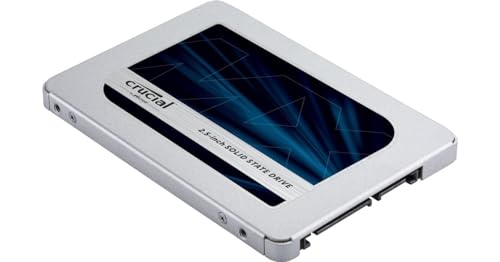
Crucial MX500 1TB SATA SSD — the SATA side of the comparison: a mature 2.5-inch drive at the interface’s ceiling. Check on Amazon

Samsung 970 EVO Plus 1TB NVMe SSD — the NVMe side in its PCIe 3.0 form — already several times faster than any SATA drive. Check on Amazon

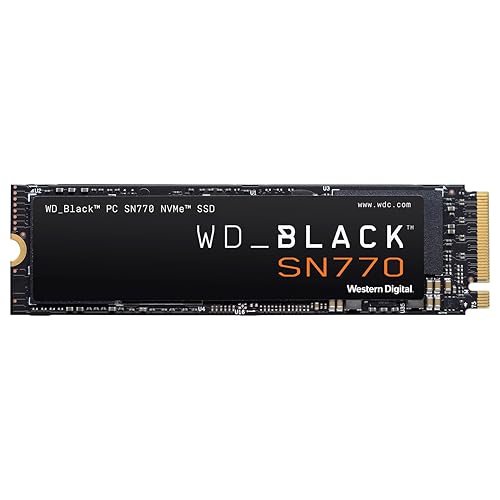
WD_BLACK SN850X 1TB NVMe SSD — NVMe in PCIe 4.0 form, showing the current mainstream performance ceiling of the interface. Check on Amazon
Frequently asked questions
Is NVMe always faster than SATA?
In benchmarks, yes — sequential speeds are several times higher and random performance is substantially better, with the exact margin depending on the PCIe generation. In everyday feel, the gap over a SATA SSD is much smaller than the gap between either and a hard drive, which is why SATA upgrades still delight their owners.
Can I use an NVMe drive in a SATA M.2 slot?
No. An M.2 slot wired for SATA will not detect an NVMe drive, and the reverse is also generally true. M.2 describes the connector, not the protocol. Check your manual for the slot’s supported protocol before buying either kind of stick.
Is a SATA SSD good enough for gaming?
Yes. Games load far faster from SATA SSD than from a hard drive, and while NVMe trims load times further in many titles, SATA remains entirely playable. The fuller analysis, including DirectStorage titles, is in our gaming comparison.
Why do SATA SSDs all top out at the same speed?
Because the SATA III interface itself caps throughput around 560 MB/s after overhead. Every SATA drive hits the same wall, which is why SATA models compete on endurance, warranty and sustained behaviour rather than peak speed.
Should I replace a working SATA SSD with NVMe?
Only if you have a specific reason: you move large files constantly, your mixed workloads stutter under load, or you are moving to a machine with an NVMe slot anyway. As a pure speed upgrade for general use, the money usually does more good spent on capacity or memory.
Do NVMe drives need heatsinks?
Under sustained heavy writes, fast models can throttle without one; under ordinary bursty use, many run fine bare or under a motherboard heatsink. Desktops should use the board’s heatsink if present; PS5 installs require one; thin laptops usually cannot fit one and should favour cooler-running drives.
Is NVMe worth it over SATA for a home server or NAS?
Usually the network is the bottleneck, not the drive, so SATA SSDs already saturate what clients can receive. NVMe earns its place as a cache tier or for many simultaneous users — and in either role, endurance-rated models matter more than the interface choice.
Can I boot from NVMe on an older motherboard without an M.2 slot?
Sometimes, via a PCIe carrier card, but many older boards cannot boot from such a card even if the OS can use it for storage once loaded. Treat it as an enthusiast project with research specific to your board, not a standard upgrade path; a SATA SSD is the reliable revival for that machine.
Which interface should a student laptop have?
Whichever it came with — both are entirely adequate for study, browsing and media. If you are buying, NVMe is the modern default at no meaningful premium; if you are reviving an older SATA-only laptop, a SATA SSD will make it feel new for coursework. Do not let the interface decide a laptop purchase; screen, keyboard, battery and price all matter more at that desk.
The bottom line
NVMe is the present and the future — faster in every metric, and the automatic choice wherever a slot exists. SATA is the past that refuses to be obsolete: universally compatible, cool, and still transformative in the millions of machines that cannot take NVMe. Choose by the slot you have and the work you do, and either interface, bought well, will serve you for years.