Ask how long do SSDs last and the honest answer has two halves: by write endurance, a typical consumer SSD used normally will last well beyond the useful life of the computer around it — a decade or more is the arithmetic for most owners — while by calendar, any individual drive can still fail without warning, which is why the correct lifespan strategy is monitoring plus backups rather than a number circled on a calendar. This explainer walks through what actually determines an SSD’s lifespan, how the mechanisms differ from hard drives, and the realistic expectations for each kind of use.
Disclosure: As an Amazon Associate, ilcastellomenu.com earns from qualifying purchases. Links to Amazon on this page are affiliate links; they cost you nothing extra. Listing details such as price and availability change often, so check the current Amazon listing before you buy.
If you take one sentence away, take this: SSDs die from writes consumed, from random component failure, or from neglect of the warning signs — and of those three, only the first is predictable, slow, and almost always outpaced by the rest of the machine’s obsolescence. The sections below quantify each, so you can place your own drive on the map.
How long do SSDs last? The endurance answer, quantified
An SSD’s rated life is expressed in TBW — terabytes written — the endurance warranty explained in What is TBW on an SSD. Divide a drive’s TBW by your annual writes and you get its endurance lifespan in years. For a mainstream 1TB drive rated at several hundred TBW and a typical user writing 10–25TB a year, the quotient lands between roughly 25 and 60 years. Even pessimistic assumptions — a budget drive, a heavy user — produce figures around a decade. This is why experienced technicians are calm about SSD wear: the mathematics of normal use simply does not reach the limit.
Your own numbers are knowable, not hypothetical. A health utility reports your drive’s lifetime writes and wear percentage to date; dividing by the drive’s age gives your true annual rate, and the projection from there is arithmetic a child could check. The five-minute procedure is in How to Check the Health of an SSD, and running it once converts this entire topic from speculation about drives in general into a fact about your drive in particular.
Capacity quietly extends life: a 2TB drive carries roughly twice the TBW of its 1TB sibling and, at the same workload, also runs emptier — spreading writes thinner still. Owners planning a long-service machine (a NAS, a family PC meant to run for years) buy lifespan when they buy capacity, a point the NAS shortlist at Best Ssds for NAS embodies with endurance-rated models.
In this guide
The other lifespan: component failure and calendar age
Endurance is the predictable half; the other half is ordinary electronics mortality. Controllers fail, solder joints fatigue through heat cycles, firmware bugs bite, power surges wound. These failures follow the classic bathtub pattern — a small risk of early ‘infant mortality’, a long low plateau, then rising risk in old age — and they are why two identical drives can have wildly different fates and why no honest guide will promise your specific drive a specific birthday. Manufacturers express population-level reliability as MTBF, a statistic about fleets, not individuals.
Calendar age also matters in one specific, underappreciated way: data retention. An SSD stores data as trapped charge that leaks very slowly over time, faster at high temperatures and on worn cells. A healthy drive in regular use refreshes its data constantly through normal operation, so retention is a non-issue for installed drives. But an SSD left unpowered in a hot drawer for years as your only ‘archive’ is a genuine risk — archival storage wants powered checks, cool conditions, or a different medium, which is one reason spinning disks still populate the Best Hard Drives for Long Term Storage category. Use SSDs for living data; archive with a deliberate strategy and at least two copies.
SSD lifespan vs hard drive lifespan
The comparison surprises people raised on hard drives. A hard drive’s life is governed by mechanics: motors, bearings and heads that wear by running, making its lifespan largely a function of powered-on hours and luck — commonly three to five years of service in consumer expectations, with wide variance. An SSD has no moving parts, shrugs off shocks that would kill a disk, and wears only by writing. For a read-mostly workload, an SSD’s expected life exceeds a hard drive’s comfortably; for a write-torture workload, the hard drive (or an enterprise SSD) wins. Neither is immortal; they simply keep different clocks — hours for the spinner, terabytes for the flash.
In laptops the practical verdict is one-sided: SSDs survive drops, vibration and travel that hard drives do not, and their failure mode is more often a graceful, SMART-heralded decline than a mechanical catastrophe. In desktops and servers, the mature strategy uses each where its clock runs slowest — SSDs for systems and active work, hard drives for bulk and archives — the two-tier pattern that How to Choose an SSD recommends on cost grounds and that lifespan logic independently confirms.
What shortens an SSD’s life (and what does not)
- Continuous heavy writing — surveillance recording, write-farm workloads like the Chia case in Best Ssds for Chia Mining, or a runaway application logging without restraint. This is the real TBW consumer; find it in your health data if your wear percentage climbs suspiciously fast.
- Running permanently full — concentrates writes on few blocks and inflates write amplification. Keep a fifth of the drive free.
- Heat — sustained high temperatures accelerate cell leakage and component ageing. Reasonable airflow and a heatsink where provided are lifespan measures, not just performance ones.
- Dirty power — surges and abrupt losses stress electronics; a surge protector, and a UPS for machines doing critical work, are cheap lifespan insurance.
- Reading — does not meaningfully wear the drive. Stream, browse and load freely.
- Being powered on — idle hours are nearly free for flash, unlike for spinning disks.
- Ordinary gaming and office work — decades of endurance budget at these rates, as the arithmetic above shows.
- Benchmarking occasionally — a few gigabytes per run against a budget of hundreds of terabytes. Test without guilt, using how to test the speed of an SSD.
Signs a drive is approaching the end — and the exit plan
SSDs usually announce decline through their telemetry before they fail: a health percentage falling steadily, spare blocks being consumed, the first media or integrity errors appearing in SMART, or the drive dropping into read-only mode — a designed last act in which the controller locks writes to let you copy data off. Behavioural signs join late: files that corrupt, a system that freezes under disk load, a drive that intermittently vanishes (diagnose that symptom in how to fix an SSD that is not detected before assuming death — cables and slots cause it more often than dying NAND does).
The exit plan is boring by design, which is the point. On the first credible warning: back up everything immediately, then clone the drive to its replacement while it still reads well (how to clone to an SSD is the procedure), and retire the old drive to non-critical duty or disposal. Owners who monitor twice a year will essentially always get this warning with time to act on it. Owners who do not monitor are relying on the bathtub curve’s kindness — usually rewarded, occasionally not, and never with their only copy of anything important, because the backup rule exists precisely for the unannounced failures no monitoring can predict.
Lifespan by role: what to expect where
Context turns the general answer into expectations you can plan around. A boot drive in a home PC: expect the machine to be retired first, essentially always — a decade of service is a conservative planning figure. A games drive: the same, since gaming writes so little. A creator’s scratch and ingest drive: plan in years but verify with the health percentage annually, because this is the consumer role that actually spends endurance. A NAS cache or a small server’s system drive: choose endurance-rated hardware from the start and treat the health dashboard as part of the furniture. A surveillance or recording drive: do the TBW arithmetic before purchase, not after the first warning — continuous writing is the one consumer-adjacent workload where the endurance clock ticks audibly.
Notice that in every role the planning instrument is the same: your write rate against the drive’s rating. Roles differ only in what that division yields. The owners who get surprised by SSD lifespan are almost never the ones who ran the division; they are the ones who assumed a recording workload would behave like a browsing workload, or who bought a used drive without reading its odometer.
The used-drive question: judging remaining life
A second-hand SSD is a rational purchase exactly when its remaining life is verifiable, and a gamble otherwise. The health report is the whole inspection: wear percentage consumed, total writes, power-on hours, spare capacity untouched, zero media errors — five numbers that price the drive more honestly than its cosmetic condition. A drive at 90 percent health with clean errors is a nearly-new drive at a used price; a drive at 35 percent health is a countdown with a discount that rarely compensates. Sellers who will not provide a health screenshot are telling you which of those they are selling.
One more used-drive nuance: sanitisation. A reputable seller secure-erases before sale; you should secure-erase again on receipt anyway, both for hygiene and because the erase-and-fresh-start confirms the drive accepts writes across its capacity without complaint — a free, full-surface smoke test before your data ever moves in.
Why ‘SSD lifespan’ headlines mislead
Every few years a study makes headlines by writing drives to death and reporting the casualties, and the headlines reliably invert the finding. Those torture tests — writing continuously at maximum rate for months — typically show drives exceeding their rated TBW, often severalfold, before failing. Translated to human workloads, the results are longevity endorsements measured in decades. The tests are excellent engineering and terrible horoscopes: they measure the endurance ceiling under a workload nobody has, and the number that matters for your drive remains the unglamorous division of your write rate into your rating. Read such studies for reassurance, by all means — just do not let their timelines, compressed by design, set your expectations in either direction.
Data recovery reality: what ‘dead’ usually means
When an SSD does die, owners ask whether the data can be recovered, and the honest answer differs from the hard-drive era. A failed hard drive often surrenders its data to a lab that can swap mechanical parts; a failed SSD’s data lives behind a controller and wear-levelling map that are themselves part of the failure, and modern drives add encryption keyed to that controller. Professional recovery is sometimes possible — controller repair, chip-level work — but it is slower, costlier and less certain than its spinning-disk counterpart. The practical conclusion is not fear but emphasis: with SSDs, the backup is not the second line of defence behind recovery. It is the only line. Every guide in this series repeats the point because this is the ground it stands on.
Environmental enemies: heat, power and neglect
The lifespan factors you control are unglamorous and cumulative. Heat is the steady one: a drive that lives its life hot — in a sealed laptop bay, a fanless enclosure on a sunny desk, a NAS cupboard — ages its cells and its controller faster than the same drive in moving air, and data retention on stored drives degrades fastest exactly in hot, unpowered conditions. Power quality is the spiky one: surges and abrupt losses are the events behind the unsafe-shutdown counter in your health report, and while a few are harmless, a pattern of them is a machine asking for a surge protector or a small UPS. Neglect is the human one: ignoring the twice-yearly health check that would have converted a sudden loss into a scheduled replacement. None of these requires money worth mentioning; all of them together are most of what ‘taking care of an SSD’ has ever meant.
The lifespan answer, by the numbers you can verify
If this explainer has a method, it is that lifespan stops being a matter of opinion the moment you divide two numbers you can read off your own hardware: the drive’s TBW rating and your measured annual writes. Everything else — class averages, torture-test headlines, forum folklore — is a prior that your own division replaces. Run it once, write it down, and the question ‘how long do SSDs last?’ acquires the only answer that was ever going to govern your decisions: this drive, at your pace, has this much road left — and a backup, kept current, for the part of the future that arithmetic cannot see.
The pocket summary
An SSD’s life is a write budget spent slowly, plus a component lottery no one can schedule. For ordinary use the budget arithmetic returns decades; for continuous-write work it returns a number you should compute before buying, not after failing. Monitoring reads the budget honestly and warns of decline in time to act; backups cover the lottery that monitoring cannot see. Hold both habits and the question that titles this guide answers itself in practice: your SSD will last until you replace the computer around it — and on the one occasion in a hundred that it would not have, you will have been warned, backed up, and inconvenienced rather than bereaved.
One more consideration
Finally, a word about the drives that beat every expectation in this guide: the ones still serving in machines a decade old, unmonitored and unthanked. Their survival is not evidence that monitoring and backups are unnecessary — it is evidence about averages, and averages are cold comfort to the individual whose drive is the exception. The habits cost minutes a year. The alternative costs whatever was on the drive. That asymmetry, more than any TBW table, is the argument — and it does not require the drive to be likely to fail, only possible.

Data retention: the lifespan of information sitting still
Most of this guide concerns a drive wearing out by being used. A quieter question matters to anyone who stores things: how long does data survive on an SSD doing nothing? Flash cells hold charge, and charge leaks — slowly in a cool, fresh drive, faster in a worn drive stored warm. Industry retention expectations are framed accordingly: a consumer drive near the end of its rated endurance is expected to hold data unpowered for a matter of months at warm temperatures, while a fresh drive at room temperature holds it far longer. The practical meaning is that an SSD is a working store, not a vault. The backup drive in the drawer should be powered up and verified on a schedule — yearly is a sane rhythm — and genuinely archival material belongs on media and in copies chosen for stillness, ideally more than one of each.
Heat is the accelerant here, as in so much of storage. A worn drive stored in a hot attic ages its data far faster than the same drive in a cool cupboard, because leakage is a thermal process. If you keep an offline SSD as part of your backup rotation, store it cool, label it with the date it was last verified, and refresh it — plug it in, let it sit powered while you check its health and copy a few files — whenever you rotate. The drive that holds your only copy of anything, unpowered and unexamined for five years, is not a backup strategy; it is a hope. Our roundup of the best hard drives for long-term storage covers the media better suited to the drawer.
Reads do not wear a drive out: retiring the read-disturb worry
A persistent anxiety follows SSDs from their early days: that reading data also wears the cells, so even a gentle life consumes the drive. For modern drives this is, for practical purposes, a myth worth retiring properly. Reading does stress cells very slightly — engineers call it read disturb — but controllers count reads, refresh data long before the effect matters, and manage it invisibly as part of normal operation. No realistic reading workload, from gaming to databases, shortens a drive’s life in a way its owner will ever measure. The writes are the budget; the reads are effectively free. Owners who ration their reading — avoiding drive benchmarks, hesitating to open large libraries — are protecting the drive from the one thing that does not harm it.
The correction matters because it redirects care to where it counts. Spend your attention on write volume, fill level, temperature and backups — the four levers that genuinely move lifespan — and let the drive be read as often and as hard as your work and play demand. A storage device you are afraid to use has failed before it has worn, and the engineering of the modern controller exists precisely so that you never have to think about reading again.
The parts that age besides the NAND
Lifespan conversations fixate on the memory cells, but a drive is also a circuit board, a controller chip, solder joints, and — on some designs — small power components, and those age on their own clocks. Heat cycling expands and contracts solder thousands of times across years of service. A controller runs hot its whole life. In practice, when an SSD dies young, the cause is more often electronic or firmware-related than exhausted NAND, which is why sudden failures happen to drives with plenty of rated life left, and why the health percentage — a NAND wear gauge — cannot promise anything about the rest of the device. This is the deep reason behind the advice repeated across this guide: the percentage informs, but backups protect.
You cannot maintain the electronics the way you can manage writes, but you can refuse to abuse them. Keep the drive’s environment sane — airflow, no trapped heat blankets of dust, no chronic operation at its thermal ceiling — and avoid the electrical insults: failing power supplies, unstable overclocks that corrupt data paths, and the habit of yanking power during writes. A drive in a clean, cool, honestly powered machine is a drive whose every component is ageing at its slowest rate. Longevity is a system property wearing a component’s name.
A concrete maintenance plan for a long-lived drive
Advice to ‘take care of your SSD’ is useless until it is a list, so here is the list, sized to real life. Quarterly: glance at the health report, note the percentage and total writes against last time, and confirm your backups ran. Yearly: check for a firmware update from the maker and apply it deliberately, on stable power, after a backup; clear the machine’s dust so the drive’s cooling works as designed; verify a sample of important files actually opens. Continuously: keep a sensible margin of free space, let the operating system’s scheduled optimisation run, and do not disable the housekeeping features in the name of folklore — modern systems know how to treat an SSD, and most ‘tweaks’ circulating online date from an era when they did not.
The five-year rhythm
- Year one: record the baseline health report and set the quarterly glance as a recurring reminder.
- Years two to three: watch the write rate settle into your personal pattern; project the endurance horizon from your own numbers.
- Year four: if the projection says the rating arrives within two years, begin planning the successor and the demotion path for this drive.
- Year five and beyond: the drive is a veteran — backups verified more often, critical roles migrated first, and its next job chosen from the gentler list.
None of this takes an hour in total across a year. Lifespan, for a component with no moving parts and a built-in wear gauge, is mostly a matter of being told the truth occasionally and acting on it calmly — which is to say, it is one of the few maintenance problems in computing that is actually solved.
Fleets and shared machines: lifespan as a planning problem
Everything in this guide scales, and changes character, when the drives number in the dozens — a school, a small business, a family that has become an accidental IT department. At fleet scale, individual drives stop being stories and become statistics: some fraction will fail early regardless of care, most will outlive their machines, and the manager’s job is to make every failure a non-event. That means standardising on a small number of models whose health tools you know, checking reports centrally or on a rota, keeping one spare drive on the shelf, and retiring by policy — age plus health percentage — rather than by incident. A drive replaced on a calm Tuesday, cloned at leisure, costs an hour. The same drive replaced after a failure costs a day and possibly data.
The fleet view also settles the lifespan question at the level it is usually asked by organisations: not ‘how long does an SSD last’ but ‘what replacement rhythm makes the question stop mattering’. For most fleets that rhythm is the machine’s own refresh cycle, with drives demoted to lighter duty rather than discarded — a cascade that extracts the full value of the endurance the fleet paid for. The home user with three machines can run the same policy in miniature, and should: it is the difference between storage as a recurring surprise and storage as a solved, budgeted routine. When the cascade needs new drives at the top, the endurance-first models in our roundup of the best SSDs for NAS use are the natural fleet standard.
Recording, rendering and other honest hard lives
Some drives are bought for punishment, and their lifespans deserve direct talk. A drive recording security cameras around the clock writes its own capacity many times a month; a render node’s cache drive absorbs a studio’s daily output; a video editor’s scratch disk lives at the sharp end of every project. These drives do not have lifespans in the abstract — they have consumption rates, measurable in the health tool within the first month, and the professional habit is to measure early and plan the replacement while the drive is young and the numbers are boring. A drive consuming a percent of its health a week has told you its retirement date to within a month. Believe it, budget for it, and the drive’s whole life becomes a managed consumable rather than a looming failure.
For these roles the buying rules invert the consumer ones. Endurance rating comes first, capacity second, speed third — and the drive’s cost is properly counted per terabyte written over its life, not per terabyte stored. Judged that way, the enterprise-rated drive that looks expensive on the shelf is often the cheapest hardware in the building. Judged the consumer way, it looks like overkill. Both judgements are arithmetic; only one of them uses the right denominator for a drive that will be written to death on schedule, in public, with its owner watching the gauge the whole way down.
Children, students and the secondhand laptop: lifespan in the real world
Most SSDs do not live in workstations or servers. They live in the family laptop that has been dropped twice, the student’s machine bought used, the desktop inherited from an older sibling — and in that world, lifespan advice needs translating. The drive in a secondhand laptop deserves a health check the week the machine arrives, not because it is probably dying — it almost certainly is not — but because its report is the machine’s one honest document: hours, writes and health, from which you can judge whether the storage is a foundation for years of homework or the first thing to budget around. That check costs five minutes and a free tool, and it converts the vague anxiety of used hardware into a specific, usually reassuring, set of numbers.
In these machines the drive will almost never be what wears out first. Batteries fade, hinges loosen, keyboards lose letters, and the machine is replaced with its SSD still reporting years of life — which the next owner, or the drawer of spares, inherits. Teaching the young owner to run the health check, keep the machine’s storage from brimming, and back up the irreplaceable folder is worth more lifespan than any specification ever printed. Drives die of physics; data dies of neglect, and neglect is the one cause entirely within a family’s control.
When a drive outlives its interface
A long-lived SSD faces a fate its makers rarely discuss: the machine it fits disappears first. Owners of healthy mSATA drives, early-format sticks and other transitional shapes already know the feeling — the drive is fine, the gauge says years remain, and nothing new accepts it. Adapters and enclosures rescue some of these orphans, and the rest retire to drawers despite their health. The lesson cuts forward as well as back: today’s mainstream shapes, the 2280 stick and the 2.5-inch brick, are the safest bets for a drive you hope to use for a decade, because the slots, docks and enclosures that speak their language will outnumber any successor for years. Longevity is not only how long the drive works — it is how long the world keeps a socket for it.
This is also the kindest frame for the whole lifespan question. A drive’s life is a partnership between its cells, its controller, its interface and its owner’s habits, and it ends when any one of them gives out. Buy the mainstream shape, keep it cool and unhurried, watch its gauge a few times a year, and back up what matters — and the partnership will usually end the way owners prefer: with the drive retired, healthy and slightly obsolete, on an afternoon of your choosing. Our guide to choosing an SSD will help its successor be chosen just as deliberately.
The answer, in one breath, for the reader who scrolled
A modern SSD in ordinary service lasts longer than the computer around it — typically well beyond five years, commonly past ten for light use — and it tells you its own condition, in numbers, whenever you care to ask. It wears by writes, not by reads or by birthdays; it prefers room to breathe and a cool place to work; it usually warns before it fades and occasionally does not, which is why the backups are not optional. Ask it how it is doing a few times a year, believe what it tells you, and replace it on your schedule rather than its own. That is the whole subject, and everything above is the evidence.
Sudden death, honestly discussed
Every lifespan guide owes its readers one uncomfortable paragraph, and this is it: a minority of SSDs fail suddenly, without a declining gauge or a warning symptom, because an electronic component or a firmware fault does not care about the NAND’s remaining years. The fraction is small, and it is smaller for reputable makers, but it is not zero for any drive at any age — including, occasionally, a new one. This is not a reason for anxiety; it is the reason the entire culture of backups exists, and it is why this guide has mentioned them in nearly every section. A sudden death with a current backup is an inconvenience measured in hours and the price of a drive. A sudden death without one is a bereavement. The gauge, the maintenance plan and the calm replacement rhythm all reduce risk; only the backup removes the catastrophe from the table, for this failure mode and every other one ever invented.
What reviewers and return rates can and cannot add
Readers hunting for lifespan certainty often land on failure-rate statistics — retailer return figures, large operators’ published drive reports — and those numbers are worth reading with two cautions. First, return rates measure early life almost exclusively; they are excellent evidence about infant mortality and model-specific defects, and nearly silent about year seven. Second, fleet reports describe drives worked under fleet conditions, in cooled rooms, on fleet schedules — a different life from a laptop in a school bag. Use the statistics for what they are good at: spotting a model with a known early problem, and confirming that mainstream SSDs as a class are among the most reliable components in a modern machine. For your own drive’s future, its health report and your write rate remain the better oracle, because they describe the one drive whose lifespan you actually own.
The household storage census: an hour that answers the question everywhere
Here is a practical exercise that turns this whole guide into action: once, on a quiet weekend, take a census of every SSD in the house. Each laptop, desktop, console and spare drive gets the same five minutes — health tool open, percentage and total writes noted, one screenshot saved with the machine’s name. The census almost always produces the same two discoveries. The first is relief: every drive is healthier than its owner feared, with horizons in years. The second is a short list — one drive fuller than it should be, one machine with no backup, one veteran worth planning around — and that list, not anxiety, is what a lifespan guide is for. Repeat it yearly and the question in this article’s title stops being a worry you carry and becomes a fact you file.
Why the oldest SSD you own is probably fine, and how to prove it to yourself
Somewhere in your household there is likely an early SSD still working — in the old laptop, the spare desktop, the machine the children inherited. Its survival is not luck defying this guide’s physics; it is the physics working as described, because light writes over many years consume a small fraction of a drive’s budget, and calendar age alone was never the enemy the headlines made it. Prove it to yourself with the census habit: open its health report and read the two numbers that matter. Most owners who do this find a drive in its eighties or nineties, percent-wise, with a write total that explains exactly why. Keep using it for the gentle jobs, keep its backups current, and let it stand as the household’s evidence that these devices, treated ordinarily, are in it for the long haul.
Leaving the drive better documented than you found it
Close the loop the census opened: for each machine, keep the screenshot, the date and one line about the drive’s role in a single small file or note that lives with your household documents. It takes two minutes per machine per year, and it means the next person to wonder how long the SSD will last — a future you, a family member, a technician — starts from evidence instead of from this article’s generalities. Lifespan, in the end, is a per-drive fact, and the owners who know theirs are simply the ones who wrote it down. Be that owner, and the question this guide answers will never need to keep you up at night again.
One last encouragement to check tonight
Reading about lifespan changes nothing; the five-minute check changes everything, because it replaces a general answer with your drive’s specific one. So tonight, before the intention fades: open the health tool, read the percentage and the writes, take the screenshot, and write the date on it. Whatever the numbers say, you will know more than you did this morning — and if they say what they say for most owners, you will also have the pleasant experience of closing a worry with evidence, which is the best ending any guide about how things wear out can honestly offer.
Gear mentioned in this guide
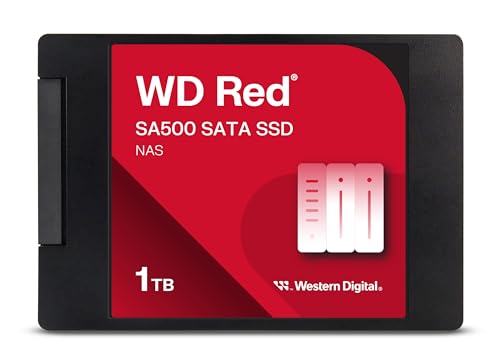
WD Red SA500 1TB SATA SSD — a NAS-rated SATA drive built for long, continuous service — the lifespan-first end of the market. Check on Amazon

WD Red SN700 1TB NVMe SSD — its NVMe counterpart: endurance-rated for always-on duty cycles. Check on Amazon
Seagate FireCuda 530 1TB NVMe SSD — a performance drive whose listing quotes a high TBW figure — endurance and speed in one package. Check on Amazon
Frequently asked questions
How many years will my SSD last?
For typical home and office use, the endurance arithmetic points to well over ten years — usually longer than the computer itself remains in service. Write-heavy professional use shortens that proportionally, which is why your own write rate, visible in any health utility, is the only estimate worth trusting.
Do SSDs fail suddenly or gradually?
Both patterns exist. Wear-out is gradual and announced by health telemetry months or years ahead. Electronic failure can be sudden and unannounced. Monitoring covers the first pattern; backups cover the second. You need both habits, and neither is expensive.
Is an old SSD safe for backups?
An SSD with verified good health is fine as one backup copy, but no single drive of any age or type should be the only copy of anything. For long-term unpowered archiving specifically, remember the charge-leakage caveat: check and refresh archived SSDs periodically, keep them cool, and prefer a two-copy strategy.
Does leaving an SSD unpowered damage it?
For normal periods — months in a drawer — no meaningful harm. Over years, especially in heat and on a worn drive, stored charge can fade and data with it. An SSD in a machine that is used regularly has no retention concern at all.
Can I extend my SSD’s life?
You can avoid shortening it: keep free space available, keep it cool, stop any runaway writer, and protect it from power surges. You cannot restore consumed endurance. Given typical budgets, these habits are about good housekeeping rather than necessity for most users.
When should I replace an SSD pre-emptively?
When health telemetry gives a reason: integrity errors appearing, spare capacity draining, health percentage low and falling, or the drive entering read-only behaviour. Age alone, or a health percentage like 70 percent with zero errors, is not a reason — that drive likely has years left.
Do SSDs last longer than hard drives?
For typical consumer use, generally yes in practice: no moving parts, far better shock tolerance, and wear that accumulates only with writing. Hard drives wear by running at all. The exception is continuous-write duty, where endurance must be deliberately specified — for either technology.
Should I worry about my SSD dying at five years?
Five years is a warranty milestone for quality drives, not a lifespan prediction. Check the health percentage: a typical five-year-old drive shows modest wear and no errors, and has years of budget left. Worry is better spent ensuring your backups exist than on the calendar.
Is it safe to keep using an SSD that is out of warranty?
Yes — warranty expiry is an administrative event, not a mechanical one. Judge the drive by its health report: good percentage remaining, no errors, spares untouched means keep using it with confidence and current backups. Most drives spend the majority of their service lives out of warranty, quietly working, which tells you how little the calendar milestone means.
The bottom line
An SSD’s lifespan is a budget of writes that normal use spends over decades, plus a lottery of component fate that no spec sheet can settle. Spend five minutes twice a year reading the drive’s own report, keep backups as if the lottery were rigged against you, and the realistic outcome is that you retire the computer first — with the SSD still reporting for duty.