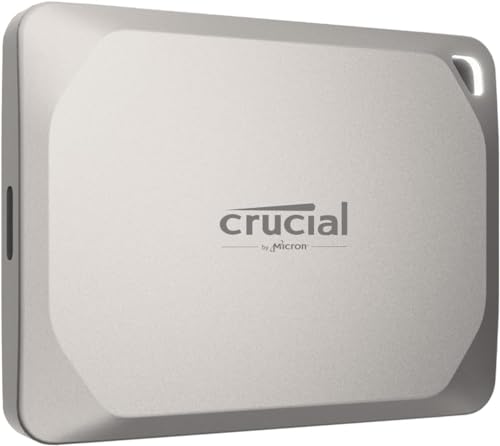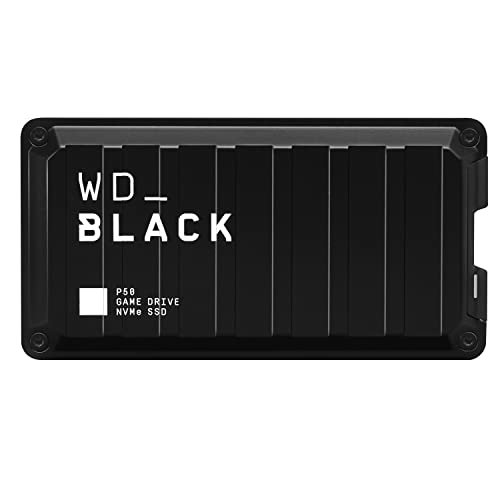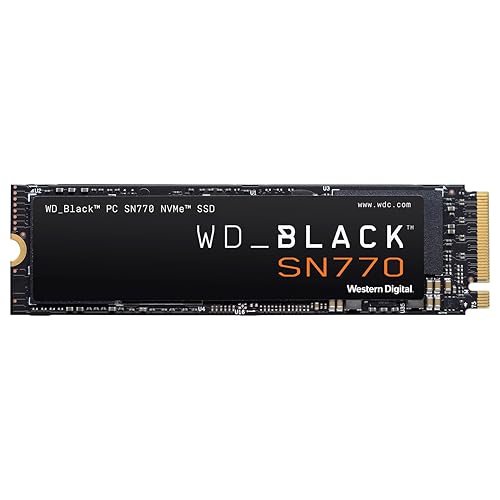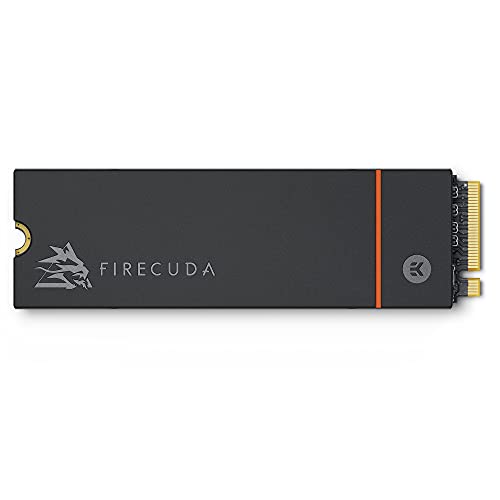
If you have ever compared two drives and wondered what is TBW on an SSD, here is the direct answer: TBW — terabytes written — is the total amount of data the manufacturer warrants the drive to accept in writes over its life. A drive rated at 600 TBW is warranted for 600 terabytes of writing; write beyond that and the warranty’s endurance promise is exhausted, even if the drive keeps working, as drives usually do. This explainer unpacks what the number measures, how it relates to how long a drive lasts, and how to tell whether a given rating is plenty or a problem for the way you work.
Disclosure: As an Amazon Associate, ilcastellomenu.com earns from qualifying purchases. Links to Amazon on this page are affiliate links; they cost you nothing extra. Listing details such as price and availability change often, so check the current Amazon listing before you buy.
TBW matters because flash memory wears physically. Each write slightly degrades the cells that store data, so endurance is a consumable — the closest thing an SSD has to a fuel gauge. The good news, quantified below, is that the tank is enormous relative to ordinary use: most owners will replace their computer for other reasons long before its SSD’s TBW runs out. The exceptions are specific, write-heavy jobs, and this guide names them so you can recognise whether you hold one.
What is TBW on an SSD, exactly? The mechanics of wear
NAND flash stores data as electrical charge trapped in cells. Writing means forcing charge in or out through an insulating layer, and each pass — each program/erase cycle — wears that layer microscopically. After enough cycles the cell can no longer hold charge reliably, and the controller retires the block, substituting one from a reserve pool of spares. Different NAND types tolerate different cycle counts: SLC endures the most, then MLC, then the TLC found in most consumer drives, then QLC — one reason How to Choose an SSD steers heavy writers toward TLC and treats QLC as a read-mostly choice.
TBW is simply the manufacturer adding up this physics across the whole drive and stating the total write volume they stand behind. It scales with capacity — a 2TB model typically carries twice the TBW of its 1TB sibling, because there are twice as many cells sharing the work — and it is paired with the warranty period: the endurance warranty expires at whichever comes first, the years or the terabytes. Understanding that pairing prevents a common misreading: TBW is a warranty term, not a countdown to failure. Drives routinely operate well past their rating; the rating is where the maker’s promise ends, not where the drive’s life does — a distinction How Long do Ssds Last explores in full.
In this guide
How much writing do people actually do?
Far less than intuition suggests. An operating system, browsers, office work and media typically write in the range of 10–30GB on an active day, which annualises to roughly 4–11TB a year. Add regular gaming — installs and patches are chunky but infrequent — and a keen user might reach 15–25TB a year. Set that against a typical mainstream rating of several hundred TBW for a 1TB drive and the arithmetic is calming: at 20TB a year, a 600 TBW drive’s endurance budget lasts three decades. Even halving the estimate for caution leaves a figure beyond the service life of the machine around it.
You do not have to guess your own rate. Any health utility shows your drive’s lifetime writes to date; divide by the years you have owned it and you have your personal TBW-per-year, the single most useful number in this whole discussion. The tools and steps are in How to Check the Health of an SSD. Most people who run this calculation discover their worry was misplaced; the minority who discover a startlingly high rate have usually found a fixable cause — a misbehaving application writing logs endlessly, a sync loop, or a workload that belongs on a different tier of storage.
Write amplification is the footnote that keeps engineers humble: the drive internally writes somewhat more than the host asks, because reshuffling data for wear-levelling and garbage collection generates extra writes. Keeping free space on the drive reduces this effect, which is one more reason the ‘leave a fifth empty’ habit recurs throughout these guides. The TBW you consume is counted at the host level in SMART reporting, and the ratings are set with amplification in mind — no adjustment is needed on your part beyond not running the drive permanently full.
When TBW genuinely matters
- Video production at scale: ingesting and rendering hundreds of gigabytes daily can push writes toward 100TB a year and beyond. High-TBW, TLC, DRAM-equipped drives are the professional answer.
- NAS caches and always-on servers: a shared box writes around the clock on behalf of many users. Endurance-rated models — the class gathered in our Best Ssds for NAS roundup — carry TBW figures several times consumer norms for exactly this reason.
- Surveillance and continuous recording: the write stream never stops; do the annual arithmetic before choosing the drive.
- Chia-style plotting and similar write farms: the extreme case, notorious for consuming consumer drives in months. It has its own hardware logic and its own shortlist: Best Ssds for Chia Mining.
- Buying used: a second-hand drive’s remaining TBW is its remaining life. Check the lifetime writes before paying; a cheap drive with 90 percent of its endurance spent is not cheap.
Notice the pattern: TBW matters when writing is the workload, continuous, or someone else’s history. For the ordinary pattern — a person, a computer, a mix of reading and modest writing — it is a tiebreaker between otherwise equal drives, worth a glance and no anxiety. That is also why the DRAM question (Dram vs Dramless SSD) and the sustained-write question usually matter more to daily experience than the endurance figure does.
TBW, DWPD and MTBF: neighbouring specs, untangled
DWPD — drive writes per day
Enterprise drives often quote DWPD instead: how many times the drive’s full capacity may be written per day across the warranty. The two convert easily. A 1TB drive rated 1 DWPD over five years corresponds to roughly 1,825 TBW (1TB × 365 days × 5 years). A consumer-style 600 TBW over five years works out to about 0.33 DWPD. Same physics, different dialect — convert before comparing across the consumer/enterprise border.
MTBF — mean time between failures
MTBF, quoted in millions of hours, describes random electronic failure rates across a population, not your drive’s lifespan; no individual drive is expected to run for 1.8 million hours. It is useful only as a rough quality signal between enterprise models. Do not let a big MTBF number substitute for a TBW figure when endurance is your question — they answer different questions entirely.
Warranty years
The time half of the endurance warranty. Three years marks budget models; five years is the quality mainstream standard. A long warranty paired with a high TBW is the maker’s confidence expressed twice. Either limit — years or terabytes — ends the endurance warranty when reached first, which is why a lightly used six-year-old drive can be out of warranty with 95 percent of its TBW unspent, and why that fact says nothing worrying about its health.
Common misconceptions about TBW
- ‘The drive dies at its TBW.’ No — the warranty promise ends. Drives commonly continue far beyond, because ratings are conservative. Treat TBW as a fuel gauge with a reserve, not a cliff edge.
- ‘Reading wears the drive too.’ Effectively no. Reads are not free of all physics (read-disturb exists and controllers manage it silently), but endurance ratings are about writes, and normal reading does not meaningfully consume life.
- ‘A bigger TBW number means a faster drive.’ Unrelated specs. Endurance and speed are separate engineering budgets; plenty of fast drives carry modest TBW and plenty of slow, rugged ones carry enormous ratings.
- ‘I should minimise writes to baby my SSD.’ Within reason, no. The drive exists to be used, and ordinary use consumes its budget over decades. Fix runaway writers and keep some free space; otherwise, work normally.
- ‘Defragmenting is good maintenance.’ For SSDs it is pure write waste with no benefit — the one common habit that genuinely does burn TBW for nothing. Modern operating systems already handle SSD maintenance correctly via TRIM.
Putting TBW into a buying decision
Use TBW in three passes. First, estimate your annual writes — from your current drive’s SMART totals if you have them, or from the workload descriptions above. Second, divide candidate drives’ TBW by that rate and confirm the answer comfortably exceeds how long you will own the drive; for most buyers every mainstream candidate passes this test instantly. Third, only if the numbers are close — professional write loads, used drives, NAS duty — let TBW lead the decision, stepping up to higher-endurance models and larger capacities, which carry proportionally larger ratings. In the general buying flow of how to choose an SSD, TBW sits correctly as a late-stage tiebreaker for most and a headline spec for the write-heavy few.
TBW across drive classes: what the market actually offers
Ratings cluster by class, and knowing the clusters helps you spot both bargains and red flags. Budget consumer drives carry the modest end — a few hundred TBW at 1TB is typical of the class and, per the arithmetic earlier in this guide, still ample for ordinary use. Mainstream and performance consumer drives step up meaningfully from there. NAS and prosumer drives, built for shared always-on writing, quote figures several times the consumer norm. Enterprise drives leave TBW behind for DWPD ratings that convert to thousands of terabytes. A listing wildly outside its class cluster — a no-name drive claiming enterprise endurance at a budget price — should be read as a marketing claim awaiting evidence, and the evidence standard is the manufacturer’s own datasheet, not the marketplace page.
The class clusters also explain why TBW comparisons must be capacity-matched. A 4TB budget drive can out-rate a 500GB performance drive on raw TBW while being the lesser product for a write-heavy boot role in every other respect. Compare TBW per terabyte, or between drives of the same capacity, and the spec behaves; compare raw numbers across sizes and it misleads with a straight face.
Finding your drive’s TBW rating and your current usage
Two lookups complete the picture this explainer paints. The rating: search the manufacturer’s datasheet for your exact model and capacity — TBW is stated per capacity, and the figure for the 2TB variant does not describe your 1TB drive. The usage: any health utility reports total host writes to date, and most also compute the consumed percentage directly. Put the two together once and the abstract spec becomes a personal fact: ‘my drive is rated X, I have used Y in Z years, my pace implies N years of budget.’ No other five minutes in storage literacy buys as much calm — or, in the rare deserving case, as timely a warning.
Keep the result somewhere durable — a note in your password manager or a line in a maintenance log. When the drive eventually slows, errors, or simply ages into a replacement conversation, that dated baseline turns guesswork into arithmetic, the same service a speed baseline performs for performance questions. Storage ownership is mostly ignoring your drives; the minority of it that is not, is notes.
TBW in the warranty document: reading the fine print once
Because TBW is a warranty term, its exact meaning lives in the warranty statement, and the statement rewards a single careful read. Look for three things: the TBW figure per capacity (yours is the row for your size, not the headline maximum), the warranty period it pairs with, and the phrase that ends coverage at whichever limit arrives first. Some makers also specify how they measure writes — the drive’s own SMART counter is the referee, which is one more reason the health utilities in this series matter: the number they show you is the same number a warranty claim will be judged by. None of this is sinister; it is simply a contract with two fuses, and knowing both fuse lengths is the difference between a spec and an understanding.
If you are burning TBW faster than expected
A write rate far above the portraits in this guide is a solvable mystery, and solving it is worth more than any specification upgrade. The method: note the lifetime-writes figure today and again in a week, giving you a true weekly rate; then watch the operating system’s per-process disk activity during the heavy periods the rate implies. The usual culprits confess quickly — a sync client looping on a large file, a database or virtual machine living on the wrong drive, a game-recording buffer set to permanent, a backup tool imaging the whole disk daily when incrementals would do. Move the workload to a hard drive tier where writes are free, fix the loop, or accept the rate and buy endurance accordingly at replacement time. What not to do is nothing, expensively: an unexplained 100TB-a-year habit will consume a consumer drive’s warranty in a few years, and it is almost always a configuration, not a fate.
The thirty-second version
TBW is the total terabytes of writing a manufacturer warrants an SSD to accept. Flash wears a little with every write, and TBW is that wear expressed as a budget. Typical users spend that budget so slowly — a few percent a year — that the drive’s warranty expires by calendar long before it expires by terabytes, and the drive itself usually outlasts both. Check your own usage once with a health tool, and TBW stops being a mystery spec on a comparison page and becomes what it should have been all along: a number you have personally verified is not your problem, or, in the rare write-heavy case, the first number you shop by.
Write amplification: why the drive writes more than you do
The terabytes in TBW are counted at the drive, and the drive writes more than your applications ask it to. The gap is called write amplification, and it comes from housekeeping: when you change a small file, the drive cannot rewrite a single page in place — it copies, erases and rewrites in blocks, moving still-valid data out of the way as it goes. Garbage collection, wear levelling and the SLC cache all add their own internal traffic. A drive whose host wrote ten terabytes may have written fifteen or twenty inside its own NAND, and it is the internal figure that consumes the cells’ endurance — which is why the health percentage falls faster than your file copies alone would predict.
Write amplification is not a fixed tax; your habits set the rate. A drive kept nearly full forces the controller to shuffle data constantly to find free blocks, multiplying internal writes. Random small writes amplify more than large sequential ones. Plenty of free space and mostly sequential work keep amplification low — this is the mechanical reason behind the familiar advice to leave an SSD breathing room, and it connects TBW to daily behaviour more tightly than most owners realise. Two identical drives, in two machines with the same host writes, can age at visibly different speeds purely because one lives at sixty percent full and the other at ninety-five. The rating assumes a reasonable middle; your fill level decides which side of it you live on.
Three owners, three sums: working the endurance maths yourself
Abstract ratings become clear the moment you run your own numbers, so here are three owners doing exactly that. The first runs a family laptop: the health tool shows eighteen terabytes written across three years of ownership, about six terabytes a year. Against a common rating of a few hundred terabytes for a drive that size, the arithmetic gives a horizon measured in decades — wear is simply not this machine’s problem, and its owner can stop thinking about TBW entirely. The second owner edits video daily on a workstation: ninety terabytes written in eighteen months, sixty a year, against a rating several times that. The horizon is years, not decades — comfortable, but worth a line in the upgrade plan, and a reason this owner chose a high-endurance model last time and will again.
The third owner runs a small server that records cameras and hosts virtual machines, and the health tool tells a different story: writes accumulating at a pace that would consume a consumer drive’s entire rating in well under two years. For this owner TBW is not trivia but the central specification — the correct purchase is an enterprise or NAS-rated drive whose rating is several times higher, or a deliberate plan to treat consumer drives as scheduled consumables. Three owners, one specification, three completely different levels of concern. That spread is the real answer to the question this guide’s title asks: TBW is a number whose importance is decided entirely by your measured write rate, which is why measuring it — two health screenshots and a subtraction — is the most useful paragraph in this whole article.
How makers arrive at the rating: testing, standards and honest conservatism
A TBW figure is not measured by writing to one drive until it dies; no product cycle allows that. Makers derive it from the NAND’s rated program-erase cycles, the drive’s capacity and over-provisioning, and standardised endurance methods — the JEDEC standards define workload patterns for client and enterprise drives so ratings across brands rest on comparable assumptions. The published figure is then set conservatively, with margin, because it doubles as a warranty boundary the maker must defend. That dual role explains two things owners notice: drives routinely keep working well past their rating, and makers nonetheless treat the rating as a hard line in warranty conversations. Both are rational. The rating is an engineered promise, not a physical cliff.
It also explains why ratings cluster. Drives built on the same NAND generations, at the same capacities, land at similar figures because the underlying cell endurance is similar — a maker claiming dramatically more is usually assuming a friendlier workload pattern or counting differently, and a maker claiming dramatically less is often just being conservative or positioning the drive in a cheaper tier. Read TBW comparatively within a capacity class and it is a trustworthy signal. Read it as an absolute prophecy of lifespan and it will mislead you in both directions — which the misconceptions section of this guide has already warned about from the owner’s side.
Over-provisioning: the spare room that quietly buys endurance
Every SSD keeps some of its NAND out of your sight. Part is true spare — replacement blocks held against failures — and part is working room the controller uses to shuffle data efficiently. This hidden reserve, called over-provisioning, is endurance machinery: more spare room means garbage collection can work with less copying, write amplification falls, and the same cells deliver more host writes before wearing out. Enterprise drives carry generous reserves, which is one reason their ratings tower over consumer figures at the same capacity. Some of the capacity difference between a drive sold at a round consumer size and its enterprise sibling is exactly this reserve, wearing a disguise.
You can add a little over-provisioning yourself, free, by simply not partitioning or not filling the whole drive — space the operating system never touches becomes space the controller can use as working room. The gain is modest and no substitute for buying the right class of drive, but for a write-heavy machine it is real, and it is the second mechanical reason (after write amplification) that a drive kept at seventy percent full ages more gracefully than the same drive at ninety-eight. Endurance, it turns out, is partly a specification and partly a lifestyle — the drive you give room to breathe repays you in years. Owners planning a high-write role should start from the endurance-first models in our roundup of the best SSDs for NAS use.
TBW beyond SSDs: the same idea across your other storage
Once you understand TBW, you start seeing its cousins everywhere. SD and microSD cards carry endurance classes for exactly the same reason — a card in a dashcam or security camera is rewritten continuously and dies on a schedule a camera card never faces, which is why high-endurance card lines exist and why our guide to checking whether an SD card is fake matters when buying them. Phones and tablets hide the same physics entirely: their storage wears with writes just as an SSD does, but the operating system offers no TBW counter, so the wear surfaces only as a very old device slowing or failing. Even cloud storage has the concept, priced rather than printed — providers meter write operations because writes are what cost media life at scale.
The transferable lesson is that all flash storage is a consumable with a large but finite write budget, and every device class differs only in whether it shows you the meter. SSDs are the honest ones: the counter is right there in the health report, the rating is printed in the specification, and the arithmetic in this guide lets you convert both into a calendar. Owners who learn to read that meter on an SSD start making better decisions about every other flash device they own — especially the ones, like dashcam cards, that will never warn them at all.
Reducing writes where it is actually worth doing
Owners who discover a high write rate usually ask what they can stop, and the honest answer starts with measurement rather than folklore. Your operating system’s resource monitor will show you, over a day, which processes write the most — and the leaderboard surprises people. The heavy writers are rarely documents and saves; they are browsers caching aggressively, chat and collaboration apps syncing media, game launchers patching, cloud folders churning, and occasionally one misbehaving application logging or indexing in a loop. Fixing a genuine loop is worth real terabytes. Moving a browser cache or disabling sensible features, by contrast, usually saves little and costs convenience — the classic bad trade in this area, made by people optimising a number instead of a lifespan.
The reductions that earn their keep are the structural ones. Give the drive free space so amplification falls. Put a genuinely write-heavy, throwaway workload — render cache, download staging, virtual machine snapshots — on a cheap secondary drive if one exists. Check that a runaway process is not writing error logs by the gigabyte. Beyond that, let the drive work: it was built to be written to, its rating was sized for years of normal enthusiasm, and a computer whose owner is afraid to use it has failed at its only job. Measure first, fix loops, ignore folklore — in that order.
TBW when you sell, buy or inherit a drive
A drive’s consumed endurance is part of its honest description, and the second-hand market runs better when both sides treat it that way. Selling: quote the health percentage and total writes from a current health report, and include the report itself; a drive at high remaining health with the screenshot to prove it is worth more than a vaguer listing, and deserves to be. Buying: ask for that same report before money moves, check the serial matches the drive in hand when it arrives, and price what you find — a drive that has consumed most of its rating is a scratch disk whatever its size, while a lightly written one is a genuine bargain. Inheriting a machine, from family or from an office clear-out, the health report is the first thing to read, because it tells you whether the storage is a foundation or a countdown.
None of this requires expertise beyond the checks in our guide to checking the health of an SSD — five minutes with a free tool. What it requires is the habit of treating endurance as a visible, discussable quantity rather than a secret the drive keeps. TBW’s greatest practical gift to the second-hand market is exactly that visibility: unlike a used hard drive’s remaining life, which was always a guess, a used SSD announces its past in numbers. Markets work better with the lights on.
The rating across a drive’s real life: a timeline
It helps to picture a drive’s endurance as a timeline rather than a cliff edge. In the first stretch — the great majority of the drive’s life, for most owners the whole of it — writes accumulate far below the rating and the health percentage declines with stately slowness. Nothing about performance changes as the percentage falls; a drive at half its rated endurance behaves like a new one in every test you can run. The rating’s approach changes paperwork before it changes physics: the warranty’s wear leg expires, and a prudent owner begins treating the drive as a candidate for demotion — still trusted with work, no longer the sole home of anything precious, with its replacement planned rather than improvised.
Past the rating, the drive enters its bonus years: fully functional, statistically more likely to retire blocks and eventually to protect itself by going read-only, but not scheduled to die on any particular date. Plenty of drives live long, useful second lives in this territory as game storage, media drives and test disks. The timeline view dissolves the two great errors about TBW — panic at a falling percentage, and indifference to a genuinely exhausted drive — and replaces both with a calmer skill: knowing which stretch of the line your drive is on, and behaving accordingly. That, in one sentence, is everything this guide has been trying to teach.
Questions this guide deliberately did not answer with a number
A word of honesty about precision. Readers often want a single figure — the TBW a drive ‘should’ have, the percentage at which to replace, the years a drive ‘will’ last — and this guide has mostly refused to give one, because the true answers are ratios, not constants: rating against your measured write rate, health against the importance of what the drive holds, lifespan against heat, fullness and luck. Any article that hands you one number for all machines is selling certainty it does not have. What can be given, and has been, is the method: find the rating, measure your rate, do the division, and let your own arithmetic — not a stranger’s threshold — tell you whether to relax, to plan, or to act. Two screenshots and a subtraction. The meter is on your drive already; now you know how to read it.
Why your health percentage and your TBW fraction may disagree
Attentive owners sometimes notice that the drive’s reported health percentage does not fall in lockstep with the fraction of TBW consumed, and wonder which number is lying. Neither is — they are measuring related but different things. The health figure on most drives tracks the NAND’s wear as the controller itself estimates it, drawn from average erase counts across the cells and the pool of spare blocks remaining. TBW, meanwhile, is your host-write total compared against a rating. A drive with heavy write amplification can wear its cells faster than its host writes suggest; a drive with an easy, sequential life can wear them slower. The two dials usually move in the same direction at roughly compatible speeds, and diverge precisely when your workload’s amplification is unusual — which makes a visible divergence diagnostic information rather than an error.
When the two disagree, trust the wear dial for questions of remaining life and the TBW fraction for questions of warranty, because that is what each was built for. And log both in your health screenshots: the pair, tracked over time, describes your drive’s ageing more completely than either does alone, and costs you nothing but the habit of screenshotting the whole report rather than cropping to the one number you came for.
Endurance classes in plain sight: reading a product line by its ratings
Once your eye is trained, a maker’s whole product line becomes legible through its ratings. The mainstream line clusters around a standard figure for each capacity — the industry has quietly converged on what a consumer drive of a given size should promise. The endurance line, sold for workstations, NAS and creation work, promises several times that figure at the same capacities, and pays for it with more over-provisioning, binned NAND rated for more cycles, and firmware tuned for sustained punishment. The budget line promises less, sometimes conspicuously less, and is honest in its own way: it is priced for machines whose write lives are gentle. None of these tiers is a scam or a secret. They are the same physics, portioned for different lives, and TBW is the label that lets you see the portioning — which is why the specification, dry as it looks, is worth the hour this guide has spent on it. Learn to read the label once, and every future drive purchase gets faster, calmer and harder to fool.
A five-line summary to tape above the desk
TBW is a write budget, printed on the box and counted by the drive itself. Your health tool shows how much of it you have spent. Divide the rating by your yearly writes and you get your horizon in years. For most owners that horizon is so long that the correct response is to relax and keep backups. For the minority whose writes are heavy, it is the specification that should choose the next drive. Everything else — the standards, the amplification, the warranty fine print — is commentary on those five lines.
The note to leave for whoever inherits your machine
Machines get handed down, sold within families and donated, usually with no documentation at all. If you pass a computer along, leave its next owner the gift of one printed line: the drive’s model, its health percentage and total writes on the day of handover, and where its backups live. That single line converts the new owner’s first health check from a riddle into a comparison — they will know instantly whether the numbers they see are the drive’s long-standing condition or a change on their watch. Storage knowledge dies with every undocumented handover; a five-minute note is all it takes to keep it alive, and it is the most neighbourly paragraph in this entire guide.
And finally: the number in its place
Storage has a handful of numbers that matter — capacity, the speeds your workload uses, the health dials — and TBW is the quietest of them, asking only to be glanced at a few times a year and consulted seriously twice in a drive’s life: when you buy, and when you plan its retirement. Give it those moments and it will never surprise you. A drive whose owner knows its budget, its spending rate and its horizon is a drive that gets replaced on a calm afternoon of the owner’s choosing — which, in the end, is the entire difference between storage as a source of anxiety and storage as a solved problem.
A postscript for the anxious reader
If you arrived here worried — because a percentage looked low, or a forum post sounded alarming — take the sequence in order before you take any action: screenshot the full health report, find your drive’s rating, subtract last year’s writes if you have them, and only then decide what the numbers are actually saying. Most readers who run that sequence discover a horizon measured in years and a worry that belonged to someone else’s workload. The minority who discover a genuinely short horizon have discovered it in time, with their data intact and their options open — which is all that any meter, honestly read, has ever promised anyone.
Gear mentioned in this guide
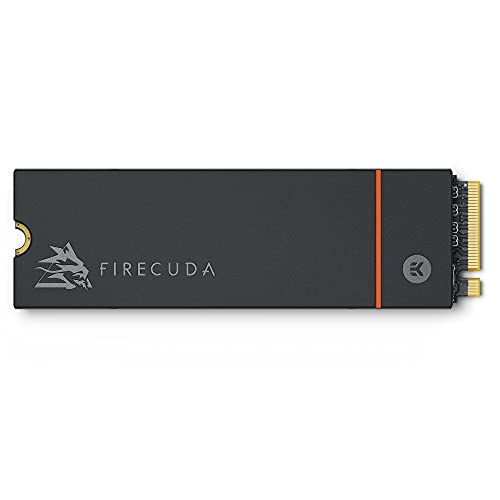
Seagate FireCuda 530 1TB NVMe SSD — its API-verified listing itself quotes 1,275 TBW — an example of a high endurance rating for a performance drive. Check on Amazon

WD Red SN700 1TB NVMe SSD — a NAS-class drive whose endurance positioning illustrates the enterprise end of the TBW conversation. Check on Amazon

Kingston KC3000 1TB NVMe SSD — a mainstream performance drive of the kind whose TBW comfortably outlasts ordinary ownership. Check on Amazon
Frequently asked questions
What is a good TBW for a 1TB SSD?
Mainstream 1TB drives commonly carry ratings in the few-hundred-terabyte range, with performance and NAS models higher. For typical home and office writing rates (roughly 5–25TB a year), even the modest end of that range represents decades of budget — the rating only becomes a deciding spec for write-intensive professional work.
How do I check how much of my TBW I have used?
Open a health utility such as CrystalDiskInfo or your drive maker’s tool and find Total Host Writes, then compare it with the model’s rated TBW. The same tools show a health percentage that performs this comparison for you. Full steps are in our health-check guide.
Does TBW scale with drive size?
Yes, roughly proportionally: the 2TB version of a model usually carries about twice the TBW of the 1TB version, because twice the NAND shares the writing. This is another reason heavy writers should buy capacity generously — the larger drive is also the longer-lived drive at the same workload.
What happens when a drive exceeds its TBW?
The endurance warranty ends. The drive does not stop, lock, or delete anything; most drives continue working well past the rating. What changes is your risk posture: a drive beyond its rating, especially one also showing errors or shrinking spare capacity, should be backed up diligently and replaced on your schedule.
Do games use up TBW quickly?
No. Games are read-dominated; installs and patches write in bursts but infrequently. Even a large, frequently updated library typically accounts for a modest slice of a drive’s annual writes. Video work and continuous recording are the write-heavy activities, not gaming.
Is TBW the same as lifespan?
It is the write-endurance component of lifespan, not the whole story. Drives also age by component reliability and can fail randomly, which is why MTBF exists as a separate (population-level) statistic and why backups matter regardless of how much TBW remains.
Is a higher TBW always better?
Only up to the point where your projected use is covered with margin. Beyond that, extra TBW you will never spend has no value — a drive rated for a century of your writing is not better than one rated for three decades of it. Let TBW qualify a drive for your workload, then choose on the other specs.
Does formatting or erasing a drive use TBW?
A full format or secure erase writes across the drive and consumes a small amount of endurance — roughly one drive’s worth of writes for a full pass, which against a budget of hundreds of terabytes is a rounding error. Do it when you need to; do not do it recreationally every week.
Can I see my TBW usage on a Mac?
Yes, with a SMART-reading utility such as DriveDx, which reports total writes and wear percentage for the internal drive; Apple’s own system report shows only a pass/fail SMART status. The same caveat as elsewhere applies: external drives behind USB bridges usually hide the data entirely, so check externals while they are connected internally if the figure matters.
The bottom line
TBW is a warranty-denominated fuel gauge: the total writing a maker stands behind. Measure your own write rate once — the health tools make it easy — and you will almost certainly find a mainstream drive’s budget dwarfs your needs. Reserve your TBW attention for the genuinely write-heavy jobs, for NAS duty, and for used drives, where the gauge is not trivia but the whole valuation.