Disclosure: As an Amazon Associate, ilcastellomenu.com earns from qualifying purchases. Links on this page are affiliate links; they cost you nothing extra. Prices and availability change often, so check the current Amazon listing before you buy.
A good cable management box buying guide has to do something most buying guides avoid: talk you out of the wrong box as firmly as it points you to the right one. Cable boxes fail in predictable ways. They are bought too small for the power brick that matters, sealed against the heat they were supposed to vent, placed somewhere damp, or expected to tidy cable runs they were never shaped to handle. This guide works through the types, the criteria that actually decide satisfaction, and six representative picks, so the box you buy is the box your corner needed.
The one-sentence version is this: measure your strip, identify your bulkiest adapter, count the directions your cables leave in, and buy a ventilated box that swallows all three facts without force. Everything else in this guide is the working-out of that sentence, plus the placement and care habits that keep a good purchase good.
Key Takeaways
- Size for the bulkiest power brick first; the strip alone is the easy part of the fit.
- Ventilation is a requirement: a power strip in a closed box traps heat, so choose openings over a sealed shell.
- Never cover the box with fabric or a rug, and never overload the strip hidden inside it.
- The box hides cords from children and pets but is not a childproofing device; lids lift.
- Keep the box away from water sources, on a dry floor or shelf with air around it.
- Types differ by material and form, rigid, design-led, wood-effect and fabric, not by the core job.
In this guide
Cable Management Box Buying Guide: What It Does and the Main Types
A cable management box is a lidded enclosure that houses a power strip, its plugs and adapters, and the coiled slack of their cables, turning a floor-level tangle into one tidy object. It does not shorten cables, extend sockets or add power; it organises what you already have and protects it from the room. Understanding that modest job description is the start of buying well, because most disappointment comes from expecting the box to solve runs, capacity or charging problems that belong to other products.
Rigid Plastic Boxes
The mainstream type: a moulded shell with a lift-off or hinged lid and slots at the back or ends for cables. Rigid boxes route cables most precisely, wipe clean in seconds and come in the widest range of sizes. Quality shows in wall thickness, a lid that seats positively and feet that stop the box skating on hard floors. For desks and television corners, this is the default type to beat.
Design-Led Boxes
Design-led boxes, the Bluelounge CableBox being the archetype, treat the shell as a piece of desk furniture: cleaner lines, considered colours, a lid that disappears into the form. You pay in qualitative tier for the styling, and in a room where the box sits in open view that can be the right trade. Functionally they obey the same rules as any rigid box, so judge their ventilation and interior with the same unsentimental eye.
Wood-Effect and Furniture-Blend Boxes
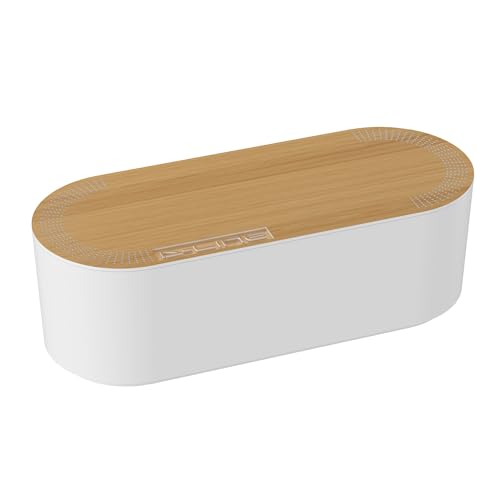
These trade a little moulding precision for warmth, using bamboo lids or wood-effect shells that sit naturally on sideboards and television stands. They suit living rooms where a black plastic box would be the ugliest object at floor level. Check the cable exits carefully, because styled designs sometimes offer fewer or narrower openings, and a beautiful box whose cables leave at strained angles is a compromise in the wrong direction.
Fabric and Folding Covers
The soft end of the market wraps a strip in fabric or a folding frame. These covers are forgiving about odd shapes, pack away when unused and disappear against sofas and soft furnishings. They give up the crisp routing and wipe-clean ease of a shell, and their softness can tempt people to treat them like cushions, which must be resisted: the heat rules apply to fabric boxes most of all, and nothing goes on top of them either.
Top Picks at a Glance
| Pick | Badge | Tier |
|---|---|---|
| D-Line Cable Management Box | Best Overall | mid |
| Bluelounge CableBox | Best for Visible Desks | premium |
| YECAYE Cable Management Box | Best for Multi-Room Tidying | entry |
| Changsuo Cable Management Box | Best Furniture Blend | mid |
| NTONPOWER Cable Management Box | Best for Bulky Adapters | mid |
| Baskiss Cable Management Box | Best Soft Look | entry-to-mid |
The six picks below are the same designs reviewed in depth across this series, each with its slot in the range and its honest limit. They are presented prose-only, in qualitative tiers, so weigh the fit reasoning rather than any number.

D-Line Cable Management Box
The D-Line Cable Management Box is the long-running benchmark design sold in a choice of sizes, with a neat lid and generous cable entry and exit slots at the back. In daily use its strengths show in the ordinary moments: the lid coming off without a fight when a charger changes, cables leaving in the direction they need to go, and a shell that wipes clean when the room gets its weekly dust. Treat it as a premium-leaning option in qualitative terms, the kind of purchase that makes sense when its particular balance of looks, size and simplicity matches the corner you are tidying.
Best for: a setup whose shape matches its size honestly, with the bulkiest brick measured first. Not suited for: anyone hoping to force an oversized strip and several large adapters into the smallest shell in the range, or anyone who plans to cover it with fabric and forget it, because no box in this class rewards being sealed and ignored.
Bluelounge CableBox
The Bluelounge CableBox is the design-led original from a studio known for desk accessories, with a clean sculpted shell and a flame-retardant construction story. In daily use its strengths show in the ordinary moments: the lid coming off without a fight when a charger changes, cables leaving in the direction they need to go, and a shell that wipes clean when the room gets its weekly dust. Treat it as a premium option in qualitative terms, the kind of purchase that makes sense when its particular balance of looks, size and simplicity matches the corner you are tidying.
Best for: a setup whose shape matches its size honestly, with the bulkiest brick measured first. Not suited for: anyone hoping to force an oversized strip and several large adapters into the smallest shell in the range, or anyone who plans to cover it with fabric and forget it, because no box in this class rewards being sealed and ignored.

YECAYE Cable Management Box
The YECAYE Cable Management Box is a value-focused set that often bundles more than one box, aimed at households tidying several rooms at once. In daily use its strengths show in the ordinary moments: the lid coming off without a fight when a charger changes, cables leaving in the direction they need to go, and a shell that wipes clean when the room gets its weekly dust. Treat it as a entry option in qualitative terms, the kind of purchase that makes sense when its particular balance of looks, size and simplicity matches the corner you are tidying.
Best for: a setup whose shape matches its size honestly, with the bulkiest brick measured first. Not suited for: anyone hoping to force an oversized strip and several large adapters into the smallest shell in the range, or anyone who plans to cover it with fabric and forget it, because no box in this class rewards being sealed and ignored.

Changsuo Cable Management Box
The Changsuo Cable Management Box is a wood-effect and woven-look option bought as much for how it blends into living-room furniture as for what it hides. In daily use its strengths show in the ordinary moments: the lid coming off without a fight when a charger changes, cables leaving in the direction they need to go, and a shell that wipes clean when the room gets its weekly dust. Treat it as a mid option in qualitative terms, the kind of purchase that makes sense when its particular balance of looks, size and simplicity matches the corner you are tidying.
Best for: a setup whose shape matches its size honestly, with the bulkiest brick measured first. Not suited for: anyone hoping to force an oversized strip and several large adapters into the smallest shell in the range, or anyone who plans to cover it with fabric and forget it, because no box in this class rewards being sealed and ignored.
NTONPOWER Cable Management Box
The NTONPOWER Cable Management Box is a box from a power-accessory brand that thinks about the strip itself, with layouts aimed at bulkier adapters. In daily use its strengths show in the ordinary moments: the lid coming off without a fight when a charger changes, cables leaving in the direction they need to go, and a shell that wipes clean when the room gets its weekly dust. Treat it as a mid option in qualitative terms, the kind of purchase that makes sense when its particular balance of looks, size and simplicity matches the corner you are tidying.
Best for: a setup whose shape matches its size honestly, with the bulkiest brick measured first. Not suited for: anyone hoping to force an oversized strip and several large adapters into the smallest shell in the range, or anyone who plans to cover it with fabric and forget it, because no box in this class rewards being sealed and ignored.
Baskiss Cable Management Box
The Baskiss Cable Management Box is a fabric-and-frame style cover that folds around a strip, popular where a softer look suits the room better than hard plastic. In daily use its strengths show in the ordinary moments: the lid coming off without a fight when a charger changes, cables leaving in the direction they need to go, and a shell that wipes clean when the room gets its weekly dust. Treat it as a entry-to-mid option in qualitative terms, the kind of purchase that makes sense when its particular balance of looks, size and simplicity matches the corner you are tidying.
Best for: a setup whose shape matches its size honestly, with the bulkiest brick measured first. Not suited for: anyone hoping to force an oversized strip and several large adapters into the smallest shell in the range, or anyone who plans to cover it with fabric and forget it, because no box in this class rewards being sealed and ignored.
How Much Capacity Do You Actually Need?
The fit question that matters is not whether the strip fits; strips are predictable. It is whether the strip plus its bulkiest brick fits, with the lid closing without force and the cables leaving at angles that do not strain them. Large power bricks may not fit in small boxes, full stop, and a brick that does squeeze in can overheat more readily in the cramped air around it. When in doubt, size up. The cost of a slightly larger box is a little more floor or desk space; the cost of a too-small one is the whole purchase.
Capacity thinking should end with a physical rehearsal. Gather the strip and everything that plugs into it on the floor, arrange them as they would sit inside a box, bricks spaced and slack coiled, and look at the footprint honestly. That arrangement, not the strip’s length on a listing, is the interior you are shopping for. If the rehearsal looks crowded on the open floor, it will be worse under a lid, and the larger size has just justified itself.
How Much Does Ventilation Matter?
A closed box and a working power strip are natural opponents on one point: heat. Adapters and chargers run warm, a strip under load runs warm, and a lid slows all of that warmth down as it tries to leave. The practical answers are simple and non-negotiable. Choose a ventilated box rather than a sealed one. Leave the vents uncovered, which means no fabric, no throws and no rugs over the top, however invisible you want the thing to be. And do not overload the strip inside, because asking more of the strip asks more of the small pocket of air around it.
Position of the openings matters as well as their existence. Warm air rises, so openings high on the shell or in the lid do the heavy lifting, while low slots serve the cables. A design whose only openings are the cable exits is a design asking its cables to double as chimneys. Prefer honest ventilation, then protect it in daily life: nothing stacked on top, nothing draped over, and a placement with air around the box rather than a sealed furniture sandwich.
Which Lid and Exit Layout Suits Your Setup?
Good routing follows one principle: every cable should be able to leave the box without disturbing any other. That means exits chosen by destination, slack coiled per cable rather than in one shared tangle, and nothing trapped under the lid’s edge, where repeated closing slowly damages insulation. It also means resisting the urge to stuff: a box filled to pressure is a box whose lid lifts, whose vents block and whose contents warm each other. If the interior feels like a puzzle you had to force, the honest fix is a bigger box or a second one, not more pressure.
Lids divide into lift-off, hinged and sliding, and the differences are about your furniture, not fashion. A lift-off lid needs vertical clearance, which a low television stand may not offer. A hinged lid needs swing room behind. Exits deserve the same practical audit: list your devices, note which direction each cable travels, and check the box offers an opening on the correct face for each. A box whose exits all face the wall is perfect for a desk against a wall and useless for a stand in the middle of a room.
What Material and Finish Fit Your Room?
What the box is made from shapes three things: how it looks, how it cleans, and how long its lid keeps fitting. Rigid plastic is the workhorse, wipeable and consistent, and better examples feel dense rather than hollow. Wood and bamboo lids earn their place in rooms where a plastic box would glare. Woven and fabric styles suit soft furnishings and fold away when not needed, at the cost of structure. Whatever the material, the functional details matter more: a lid that seats positively, openings where your cables actually need to leave, and a base that sits flat instead of rocking on its own moulding lines.
Judge materials the way you would judge any small piece of furniture, because that is what the box becomes. Plastic dominates for good reasons, since it is light, cheap to mould precisely and indifferent to dusting. The differences show in the details: wall thickness you can feel when you squeeze, a lid that closes with intent rather than luck, and feet or a base texture that keeps the box from skating across a hard floor every time a cable is tugged. Wood-effect and fabric finishes are not lesser choices; they are the same tool dressed for rooms where appearance carries more weight.
How to Prioritise by Use Case
The Home Office Desk
At a desk, the box solves the problem every home office knows: the strip on the floor collecting chargers for a laptop, a phone, a lamp and a monitor, with cables draping from the desktop like vines. A box at the desk’s foot gathers that population into one calm object, and the desktop cables drop behind the desk into it in a single bundle. The improvement is partly visual and partly practical, because a floor you can vacuum without negotiating a cable nest is a floor that gets vacuumed, and a strip you can reach by lifting one lid gets switched off at night more often.
Prioritise exit direction and brick room; looks matter only if the box sits on the desktop rather than beneath it.
The Television Corner
Behind the television is the box’s second great stage. A television, a soundbar, a streaming box, a console or two and perhaps a router all drink from one strip in the dustiest, least-visited corner of the room. A box there does more than tidy: it gives that whole population one home, so adding or swapping a device means opening one lid instead of reaching blindly behind furniture. Measure the corner honestly, because entertainment strips carry more and bigger bricks than desk strips, and the box that serves a television usually needs to be the larger size in any range.
Prioritise the larger size in any range and ventilation, because entertainment strips carry always-on loads that never get a rest.
The Family Living Room
Hiding cords from children and pets is a real part of the appeal, and for pet owners especially, removing the tempting tangle from the floor can end the chewing problem in an afternoon. The limit is just as real: this is a tidying product, not a safety device. Lids lift, that is their job, and anything a lid can do for you it can eventually do for a toddler. So place the box where you would be content for small hands to reach, keep normal outlet care in place, and never let the tidy look talk you into relaxing supervision you would otherwise keep.
Prioritise a lid that seats firmly and a finish that survives being treated as furniture, while remembering the box is a tidying layer, not a safety device.
The Rental or Temporary Workspace
Think about the box’s daily life before you commit to a spot. It will be kicked if it sits in a footway, dusted if it sits in the open, opened rarely if it sits somewhere awkward, and opened easily if it sits somewhere sensible. Floor placement beside furniture, rather than in front of it, suits most rooms. Under-desk placement works when the desk has a modesty panel or a leg to shelter behind. What never works is the sealed corner: box pressed wall-to-wall between furniture, vents against upholstery, lid trapped. Air, access and dryness are the three tests, and a spot that passes all three is a good spot.
Prioritise reversibility and portability: a box that moves with you, needs no fixings, and recreates the tidy corner in minutes at the next address.
First Setup and Care Essentials
Set the box up once, properly, and it will ask almost nothing of you afterwards. Strip in flat, bulky adapters first with space between them, slack coiled per cable, exits routed toward devices, labels inside the lid, and the top left bare. Then adopt the small maintenance rhythm: open it a few times a year, clear the dust, check every plug is fully home and every cable undamaged, and confirm nothing has been added that pushes the strip’s load beyond sense.
Maintenance is mostly dust management. A box with ventilation slots is a box that breathes dust in as happily as it breathes warm air out, and over months the interior can grow a grey felt that nobody chose. The remedy is unglamorous and quick: open it up a few times a year, remove the contents, clean the shell, and put things back deliberately rather than by stuffing. While it is open, feel for anything running hotter than you expect and check that every plug is fully home. A box that gets this small attention stays a tidy, cool and honest place for a strip to live.
Two placement rules complete the essentials. Keep the box dry, away from sinks, tanks, bowls and every splash zone in the house. And keep it reachable: a box you cannot open without moving furniture is a box that will never be inspected. Readers weighing the box against its main rival should see how to choose a cable management tray alongside this guide, and the desk-wide picture in desks chosen for cable management.
Mistakes to Avoid
- Buying by strip length alone and discovering the laptop brick holds the lid open.
- Choosing a sealed decorative container that happens to fit, and trapping heat inside it.
- Covering the box with a throw or rug to hide it further, defeating its ventilation.
- Adding plugs until the box feels full and calling that capacity, overloading the strip.
- Placing the box somewhere damp, splash-prone or impossible to open for inspection.
- Expecting one box to tidy long cable runs that need a sleeve, tray or raceway instead.
Overloading is easier to do with a hidden strip than a visible one, simply because the evidence is out of sight. The discipline that prevents it is addition: know, roughly, what everything in the box draws, and keep the total comfortably inside what the strip is rated for. Chargers, lamps, screens and consoles are the natural population of these boxes and they coexist happily. The moment a high-draw appliance joins them, the arithmetic changes and so does the heat. If a plug would make you hesitate on a visible strip, it does not belong in the box.
Water is the enemy these boxes cannot design their way around, so placement has to do the work. Do not put one under a sink, beside a bath, next to an aquarium or anywhere steam condenses and drips. Kitchens and bathrooms are the rooms to think hardest about: a box on a bathroom floor or under a kitchen counter lives a wetter life than its plastic suggests. Dry shelf, dry floor, away from bowls, tanks and taps, and a habit of unplugging before you deal with any spill that gets close. Simple, unglamorous, essential.
A Closer Look: Living With the Box
One underrated benefit of gathering cables into a box is what it does to cleaning day. A floor with a cable nest on it gets cleaned around, which means the dustiest square of the room is precisely the one the vacuum never reaches. A box turns that square into a single object you can slide aside, clean under and slide back. The strip stays seated, the cables stay routed, and the corner returns to being a corner rather than an ecosystem. Small, domestic and genuinely valuable, this is the benefit owners mention most after the first month.
Labelling is the habit that separates a box that stays tidy from a box that slowly reverts. A small tag on each cable, just inside the lid, naming its device, turns every future change into a thirty-second job. Without labels, every unplugging is a guessing game played by tugging cables and watching which screen flickers. The box makes labelling easy because all the decision points are in one place, under one lid. Do it on the day you set the box up, while you still know which cable is which, and the system maintains itself.
There is a quiet psychological effect to a tidy cable corner that owners report consistently: the room feels finished. Cables are visual noise, and noise at floor level is especially tiring because it reads as disorder rather than equipment. A box removes the noise at its source. It does not make a room beautiful by itself, but it removes the one element that made the room look unfinished despite everything else being in place. For a modest, single purchase, that is an outsized return, and it explains why so many people buy a second box for another room within the year.
Consider the box’s relationship with time. Cable populations grow: a charger here, a smart speaker there, a new console at a birthday. An unmanaged strip absorbs growth as sprawl, each new cable draped over the last. A box absorbs growth as capacity, up to a point: open the lid, find the free socket, route the new cable out. That point, the full box, is also useful information, because it tells you the corner has genuinely outgrown one strip and needs a rethink rather than another layer of tangle. The box makes the state of your setup legible at a glance.
Renters develop a particular affection for these boxes, and it is easy to see why. So many cable solutions ask for screws in walls, clamps on desks or adhesive on skirting, all of which are deposits waiting to be argued about. A box asks for nothing. It sits on the floor, does its work, and leaves with you, taking the tidy corner with it and leaving the room exactly as you found it. In a first flat or a temporary posting, that combination of order and reversibility is worth more than a marginally neater fixed installation.
The box also changes how a setup survives being moved. Anyone who has relocated a desk or a television knows the ritual of the cable photograph, the handful of ties, the mysterious spare lead. With a box, the core of the setup travels as a unit: strip, bricks and short cables stay in place under the lid, and only the device ends need reconnecting at the new home. Moves, redecoration and the annual furniture shuffle all become smaller jobs. It is a benefit nobody buys the box for and everybody appreciates the first time it happens.
Think, finally, about what the box asks of you, because it is not nothing. It asks you to open it occasionally, to resist stuffing it, to keep its vents clear and its spot dry, and to remember that the strip inside still has limits even though you cannot see them. These are small asks, minutes a year, but they are the difference between a box that is a genuine improvement and a box that is a lid on a problem. Owners who make peace with that tiny maintenance contract tend to be the ones who recommend these products without hesitation.
Before You Shortlist: Measure, Match and Check the Fit
Run the two-week test on paper
Imagine the cable management box arriving today and simulate the next two weeks of use in detail: where it sits, what you do with it on a normal weekday, what happens on the busiest day, and where it goes when guests arrive or the room is cleaned. This simple rehearsal exposes storage gaps, missing accessories and workflow clashes that specification tables never show. If the simulation produces friction in a household where the gear gets used hard on weekends and barely touched midweek, adjust the shortlist now, while the fix is a different model rather than a return label and a refund wait.
Decide your return-risk tolerance in advance
Some cable management box choices are easy to judge from a listing and some only reveal themselves in the hand, in the room, or in your software. If your shortlist includes a model you are judging on feel, fit or noise, buy from a seller whose returns process you have actually read, and keep the packaging intact until the first full week of use is done. Knowing your exit route in advance lets you choose the bolder option on the shortlist without gambling, and it removes the pressure to keep a cable management box that is merely acceptable.
Start with the space, not the shortlist
Before comparing a single cable management box, measure the space it has to live and work in, and write the numbers down. Footprint is only the start: allow for cables, ventilation, doors or lids that swing open, and the room your hands need to load, adjust or clean it. In a household where the gear gets used hard on weekends and barely touched midweek, a model that fits on paper can still fail in practice because access is blocked or a cable run has nowhere tidy to go. Measuring first turns the Desks shortlist from a wish list into a filtered list where every remaining option is physically plausible.
Check compatibility against what you already own
A cable management box rarely works alone, so list the devices, mounts, media, software or accessories it must cooperate with, and check each pairing against the listing details rather than assuming standards guarantee harmony. Connector versions, physical clearances, supported formats and control apps are the usual friction points. When picks such as NTONPOWER Cable Management Box, Baskiss Cable Management Box and D-Line Cable Management Box are on your shortlist, run this check against each listing in turn. Where a listing is vague about a pairing you depend on, treat that silence as a risk to resolve before ordering, not a detail to discover afterwards. Compatibility failures are the most common reason a well-reviewed cable management box gets returned.
Separate the headline feature from the daily feature
Every Desks range has one headline feature that dominates the marketing and one unglamorous feature you will use every single day. For a cable management box, the daily feature is usually the control you touch most, the consumable you replace most, or the connection you make and break most often. Weight your shortlist by the daily feature first and let the headline feature break ties, because novelty fades within weeks while a clumsy daily interaction stays annoying for the life of the product.
Plan the consumables and spares shelf
Ownership of a cable management box usually involves a small ecosystem of consumables, refills, replacement parts or spares, and availability matters as much as the unit itself. Check that the refills your shortlisted models need are standard, stocked by more than one seller, and replaceable without tools you do not own. A model tied to a single obscure consumable becomes a liability the moment that line is discontinued, whereas a cable management box built around common refills stays useful for years. Keep one spare of the fastest-wearing part from day one.
Frequently Asked Questions
What size cable management box do I need?
The size that swallows your strip plus its bulkiest power brick, with the lid closing without force and the cables leaving at gentle angles. Rehearse the arrangement on the floor before buying: strip flat, bricks spaced, slack coiled. That footprint is the interior you need. Most disappointment in this category is a too-small box, and most ranges offer more than one size, so when your rehearsal sits between two sizes, choose the larger one and enjoy the breathing room.
Are cable management boxes safe with power strips?
Yes, when the shared rules are honoured. Use a ventilated box, never a sealed container; keep the vents uncovered by fabric, rugs or stacked objects; do not overload the strip, remembering that hidden sockets carry the same limits as visible ones; and keep the box in a dry place away from water. Set up that way, a box is a normal, safe home for a strip powering chargers, lamps, screens and consoles, and the lid makes switching off at night easier, not harder.
Do I need a special strip to use inside a box?
No special strip is required, but the strip’s shape matters. Slim plugs and adapters that sit close to the strip waste less interior than bulky right-angled plugs, and a strip whose cable exits at the end routes more neatly than one whose cable exits at the side. If you are buying a strip for the box, choose one with a sensible layout and a switch you can reach. If you already own the strip, let its real dimensions, plus its bulkiest brick, choose the box size.
Can a cable management box sit on a desk instead of the floor?
It can, and on a desk it can calm the surface cables as well as the strip. The trade is footprint: the box occupies desk space permanently, so it earns its place only where cables genuinely gather, usually at the back edge near the wall. Ventilation and the no-covering rule apply on a desk exactly as on the floor, and the box should sit where cups cannot be knocked over it, because a desktop box still needs to stay dry inside.
How do I stop the box looking ugly in the living room?
Choose the finish for the room rather than the product photo. Wood-effect and bamboo-lid designs sit naturally on television stands and sideboards, design-led shells suit open view, and fabric covers soften the object among soft furnishings. Placement helps too: beside the stand rather than in front of it, with cables leaving from the back so the front face stays clean. A box that matches its furniture stops being noticed within a day, which is the whole point.
What should I do if my cables still look messy with a box?
Look at where the remaining mess lives. If it is inside the box, the interior needs arranging: slack coiled per cable, exits matched to devices, nothing pinched under the lid. If it is between the box and the wall or desk, that stretch is a run, and runs belong in a sleeve or a raceway. If it is under the desk, a tray may be the missing piece. The box solves the cluster at the strip; combine tools for the rest, as the related guides on this page describe.
Related Guides
Keep building the same calm, organised setup with these companion guides from the same desk and cable series: our cable management box review; our cable management box reviews; our cable management box pros and cons; our cable management tray review; how to choose a cable management tray; the best cable management options for desks; desks chosen for cable management.