Disclosure: As an Amazon Associate, ilcastellomenu.com earns from qualifying purchases. Product examples below link to Amazon, where you can check current availability and specifications; this guide itself lists no fixed prices because pricing and bundles change frequently.
Learning how to fix gaming mouse double-clicking starts with understanding what you are hearing: you press the button once, and the computer registers two clicks — opening files you meant to select, firing twice in a game, or dropping a dragged window halfway across the screen. It is the most common hardware fault gaming mice develop, it usually worsens gradually, and the fix ladder runs from free software adjustments to an honest decision about replacement.
Work through this guide in order. The early steps are safe, reversible and solve a surprising share of cases; the later steps involve judging whether a switch is mechanically worn and what to do about it. Nothing here asks you to open the mouse — disassembly is mentioned only to explain why it is usually the wrong move for this particular fault. First, though, confirm the diagnosis: the click-integrity test in How to Test a Gaming Mouse turns ‘it feels like it double-clicks’ into a count you can trust.
How to Fix Gaming Mouse Double-Clicking: Confirm and Isolate
Open a click-test tool or a folder of files and click deliberately, fifty times, at a natural pace. Note whether the extra clicks happen on the left button only, on both buttons, or also on side buttons. One button misbehaving points to that button’s switch; every button misbehaving at once points away from hardware toward software or settings. Also test whether the fault follows the mouse: plug it into another computer, or test a different mouse on yours. A fault that follows the mouse is the mouse; a fault that stays with the computer is configuration.
Rule out the operating system first because it is free: Windows has a double-click speed setting, and if it is set extremely fast, ordinary clicks can be interpreted oddly in some contexts — set it to the middle and retest. Check the manufacturer’s software for per-button assignments too; a button accidentally mapped to a macro or a double-click function will ‘fault’ perfectly. Only when a single button double-registers across two computers, with default settings everywhere, should you conclude the switch itself is the story — and even then, the next step is software, not a screwdriver.
In this guide
Step 1: Increase Debounce Time in Software
Every mechanical switch bounces: its contacts chatter for a few milliseconds as they meet, and the mouse’s firmware filters that chatter out by ignoring extra signals within a short window called the debounce time. As a switch wears, its bounce grows longer than the filter expects, and the excess registers as a second click. Many gaming mice expose debounce as a setting in their software — raise it one step at a time and retest with your click counter after each change. A modest increase often restores perfect behaviour for months.
The cost of debounce is a small amount of added click latency, which is why manufacturers ship aggressive low values on competitive models. In practice, the difference between the lowest and a moderate setting is far below what decides games, while the difference between a working click and a double-clicking one decides plenty. If your software offers no debounce control, check for a firmware update for the mouse before concluding anything — switch-handling fixes have shipped in firmware more than once. While you are in the software, also confirm your polling and profile settings are sane, using How to Set DPI on a Gaming Mouse as a settings sanity reference.
Step 2: Clean Around the Buttons
Debris in the seam around a button can change how it travels and rebounds, occasionally producing double registrations that mimic switch wear. Power the mouse off or unplug it, work a dry toothpick around the button seams, blow the gaps out with short bursts of compressed air, and press the button repeatedly to work anything loose free. The full method is in How to Clean a Gaming Mouse; do that routine now if the mouse is visibly grimy. Retest afterwards — cleaning is a long shot for this fault, but it is a free long shot, and it eliminates a variable before you judge the switch.
One related caution: moisture is the enemy here. Do not spray contact cleaner or any liquid into the button gap as an internet shortcut. Liquids migrate into the switch housing, can wash out its internal lubrication or leave residue, and convert a marginal switch into a dead one. Everything legitimate for this stage is dry.
Step 3: Understand the Switch — Wear, Humidity and Static
Inside each button is a micro switch with a springy metal contact. Two wear mechanisms produce double-clicking. The common one is contact degradation: oxidation and micro-arcing roughen the contact surfaces, making the electrical signal bounce longer and dirtier as the switch ages — which is why the fault typically creeps in after a year or more of heavy use and worsens in humid conditions. The second is spring fatigue, where the contact’s snap weakens and it can physically chatter. Optical switches, used in some gaming mice, sidestep the first mechanism entirely because a beam of light, not a metal contact, registers the press — worth knowing when you shop for a replacement.
A famous temporary trick deserves an honest mention: breathing warm, humid air into the button gap sometimes stops double-clicking for hours or days, because moisture briefly improves the contact. It is a diagnostic curiosity, not a repair, and deliberately adding moisture to electronics is a bad habit; if it ‘works’, it has merely confirmed the diagnosis of contact wear. Similarly, some owners report that discharging static by unplugging the mouse and holding the buttons for thirty seconds helps when the fault is charge-related rather than wear-related — harmless to try, occasionally effective, and quick.
Step 4: Decide — Live With It, Repair It, or Replace It
If debounce adjustments hold the fault off, you have a working mouse and a known prognosis: the switch will likely worsen slowly, and you can plan a replacement at your leisure rather than in a panic. If the mouse is under warranty, stop here and use it — double-clicking is a textbook warranty claim, and opening the mouse or attempting switch replacement will void the very coverage that solves your problem for free.
| Situation | Best move | Why |
|---|---|---|
| Debounce increase fixes it | Use the mouse, note the date | You have bought real time at a negligible latency cost |
| Under warranty | Claim the warranty | Switch wear is a manufacturing-life issue, covered for free |
| Out of warranty, mouse is high-end | Consider a specialist switch repair | Soldering new switches is possible but skilled work — weigh the fee against replacement cost |
| Out of warranty, fault returning faster | Replace the mouse | Recurring wear rarely reverses; your time has value too |
| Both buttons and side buttons affected | Re-examine software and PC first | Simultaneous multi-switch wear is unlikely; configuration is likelier |
For most owners, replacement is the rational end of this road, and the market context helps: switch longevity has improved, and optical-switch models eliminate this exact failure mode. When you shop, the criteria in Best Gaming Mouse Under 100 and the grip guidance in How to Grip a Gaming Mouse will get you to a successor that fits your hand — ideally before the old mouse’s fault starts costing you games rather than merely annoying you.
Why Competitive Mice Double-Click First: The Debounce Arms Race
It is worth understanding why this fault stalks gaming mice in particular. Click latency is a marketed specification, and the debounce window is part of latency — so competitive mice ship with debounce tuned aggressively short, filtering only the bounce of a brand-new switch. An office mouse, tuned conservatively, tolerates years of switch ageing inside its wider filter and rarely double-clicks; a gaming mouse tuned for speed begins life with less margin and meets its switch’s decline sooner. The fault is, in part, the price of the performance you bought — which is also why the software debounce adjustment is a legitimate engineering dial and not a hack: you are simply spending a little of that margin back.
Manufacturers have responded along two paths. Some moved to optical switches, eliminating contact bounce entirely and marketing the immunity honestly. Others kept mechanical switches — many players prefer their feel — and improved contact materials and debounce intelligence. For the buyer, the lesson is to treat switch type as a first-class specification if double-clicking has burned you before: it is the one purchasing decision that deletes this entire troubleshooting guide from your future.
Testing After the Fix: Proving It, Not Hoping It
A fix for an intermittent fault is only a fix when it survives evidence. After any adjustment in this guide, run a structured click test — a few hundred clicks across a counting tool, at varied speeds, including the slow deliberate clicks that provoke marginal switches most — and then play normally for several days before declaring victory. Double-clicking that appears weekly will not confess to a five-minute test, so the honest standard is a fortnight of clean logs in the counter and clean behaviour in your games, especially the drag-and-drop and scoped-hold actions where phantom clicks do their worst damage.
Keep the record with your settings notes: the date the fault appeared, the debounce value that controlled it, and the date it returned if it does. That small history converts your next episode from a mystery into a trend line, and a trend line is what tells you whether you are managing a stable quirk or riding a switch into the ground. It also makes a warranty conversation — or a decision to replace — a matter of showing your notes rather than arguing from memory.
Living With a Managed Switch: Habits That Extend the Truce
If you are running a switch on borrowed time, a few habits extend the loan. Keep the mouse dry and its environment moderate — humidity accelerates the contact oxidation at the heart of the fault, so a mouse that summers in a damp room ages faster. Avoid the temptation to click harder to ‘make it register’: force does nothing for an electrical bounce problem and adds mechanical wear to a tired spring. And plan the succession calmly — a replacement chosen for your grip and games, bought in a sale rather than in a mid-tournament emergency, is the graceful end to a story that began with an extra click in a spreadsheet.
A Case Study: From First Phantom Click to Planned Replacement
Follow one mouse through the whole story to see the guide’s ladder as a timeline. Month one of the fault: a spreadsheet user notices a folder opening when it was only selected — twice in a week, easy to dismiss as clumsiness. The click-counter test, run on suspicion, records three doubles in two hundred careful clicks. That is the moment this guide exists for: the fault is now measured, dated and undeniable, months before it would have cost a game.
The software step comes first: debounce raised one notch in the maker’s app, and the counter runs clean — five hundred clicks, zero doubles. The mouse returns to service with a note in the owner’s settings log. The truce holds for most of a year. When doubles reappear, the log makes the pattern legible at a glance: the switch’s bounce has outgrown the first adjustment. A second, larger debounce step restores clean behaviour, at a latency cost the owner cannot feel and has stopped pretending to. The warranty, checked in parallel, has expired — noted, without drama, in the same log.
The end is administrative rather than tragic: knowing the switch is on a managed decline, the owner watches for a sale, chooses a successor with optical switches — deleting this failure mode from the future — and swaps on a quiet weekend, keeping the old mouse as a perfectly serviceable spare for a second machine. Total disruption across the fault’s entire life: zero lost matches, zero emergency purchases. That is what the ladder buys. Double-clicking is inevitable in a mechanical switch’s long life; chaos is optional, and it is declined by testing early, adjusting honestly and planning the succession while the old mouse still mostly works.
The Diagnostic Flow: Confirming the Culprit Before Any Fix
Work through this flow in order, because each step eliminates a whole family of causes before you spend effort on the next. Step one: reproduce the fault on demand. Use a click-test tool or a simple text document and perform fifty slow, deliberate single clicks, then fifty at playing speed. Note whether the phantom doubles appear at both speeds or only one. Doubles that appear only on fast clicks point toward release technique and debounce behaviour; doubles on slow, careful clicks point toward the switch itself.
Step two: change the surface of the test, not the mouse. Move to a different application — ideally a different program entirely, and ideally the operating system’s own interface — and repeat. A fault that exists in one game but not in the OS is the game’s input handling or a macro layer, not your hardware. Step three: change the computer, if one is available. A mouse that double-clicks on two machines has confessed; a mouse that behaves on the second machine indicts the first machine’s software stack, drivers or ports.
Step four: change the connection. Test a dual-mode mouse wired, and test any mouse in a different USB port — preferably a rear port directly on the motherboard rather than a hub or front panel. Ports and hubs are rarely guilty, but the test costs two minutes and permanently removes them from the suspect list. Step five: swap the human variable. If you can, have another person run the click test. Some double-click patterns are produced by a release style — a very light touch that lets the button hover at its actuation point — and a second pair of hands reveals that instantly.
Only after this flow should the word ‘switch’ be spoken as a conclusion. The flow’s real product is not the verdict but the eliminations: software profile, game, machine, port and technique, each cleared in minutes. Our general guide on how to test a gaming mouse uses the same eliminate-in-order philosophy for every other mouse behaviour, and it is worth adopting as a habit for all peripheral mysteries.
Software Causes That Are Not the Switch at All
Before hardware takes the blame, audit the software layers that can manufacture a double click from a healthy switch. The first suspect is your own configuration: a macro or rebind that fires on both press and release, a turbo or repeat function bound accidentally, or a profile that applies different behaviour in the game where the fault appears. Test in a clean profile with every button at default. You would be surprised how many ‘failing switches’ are a macro the owner created months ago and forgot, faithfully executing its instructions.
The second suspect is layered software: two utilities both managing the same mouse, an old mouse’s software still installed, or an operating-system accessibility feature that interprets input creatively. Mouse keys, click-lock and similar features are innocent in most setups and guilty in a few, and they are exactly the sort of setting nobody remembers enabling. A clean test account or a safe-mode session strips these layers away in one move.
The third suspect lives in the game itself. Some titles poll input in ways that interact badly with very short debounce settings, registering the switch’s natural settling as two events even when the operating system saw one. If your double clicks exist in exactly one game, raise the debounce there if the mouse software allows per-profile settings, and accept the few extra milliseconds as the price of that engine’s personality. Diagnosis is partly about locating which layer owns the problem; the fix belongs to the same layer as the cause.
Optical Switches and the End of the Problem — With Caveats
The industry’s structural answer to double-clicking is the optical switch, which replaces the metal contact with a light beam interrupted by the button’s stem. No metal contact means no contact bounce, no oxidation film, and no wear-driven change in the electrical signal — the three mechanisms behind nearly every case in this guide. A mouse built on optical switches can still fail in other ways, but the classic double-click failure mode is engineered out at the level of physics rather than managed at the level of settings.
The caveats are about feel and about honesty in marketing. Optical switches historically felt different — a slightly different actuation character that some players love and others find hollow — though recent generations have narrowed that gap considerably. And ‘optical’ on a box occasionally describes a hybrid design or refers to the scroll encoder rather than the main switches, so verify that the main buttons specifically are optical before paying for the property you actually want.
For a player whose history is a graveyard of double-clicking mice, switching switch technologies is the single most decisive move available — more decisive than any brand loyalty, because the failure is a property of the contact mechanism itself, and every mechanical-switch mouse carries the mechanism. Players still choosing their next mouse can weigh switch type alongside the other criteria in our roundups of the best mouse for gaming under 100, where switch technology is part of what separates the recommendations.
Prevention: Habits That Slow Switch Wear
You cannot stop a mechanical switch from ageing, but you can choose the rate. The largest controllable factor is environment: dust and humidity are the contact’s enemies, and a mouse that lives on a clean desk in a dry room ages measurably slower than one in a dusty, humid gaming cave. The cleaning routine elsewhere in this guide’s family — keeping debris out of the button seams especially — is switch maintenance whether or not it is labelled that way, because grit that reaches the contact becomes part of the contact’s electrical story.
The second factor is click force. Switches are rated in millions of actuations, but the rating assumes a normal press; years of angry, full-force clicking after lost rounds mechanically stresses the contact spring beyond the test conditions. Nobody plays gently out of reverence for hardware, but the players who slam are, measurably, spending their switches faster. Consider it one more entry in the long ledger of ways tilt costs you equipment as well as matches.
The third factor is rest discipline for wireless mice with mechanical switches: nothing about rest wears a switch, but storage does matter — a mouse stored pressed under books in a drawer can sit with a button partially actuated for months, fatiguing the spring in its bent position. Store mice unpressed, in the open or in their case, and the springs will spend their lives at the tension they were designed for.
Warranty Strategy and the Repair Decision in Practice
If the mouse is under warranty, the strategy is simple and worth stating firmly: use it. Double-clicking on a young mouse is a defect, not a personality trait, and manufacturers replace these units routinely. Before sending it, document the fault with a short click-test recording and your diagnostic notes from the flow in this guide; a clear fault description shortens the support conversation and protects you against the unit behaving itself for the ten minutes it spends on a test bench. Intermittent faults love test benches; evidence is your counter-argument.
Out of warranty, the repair question becomes economic and personal. Replacing a switch requires soldering skill, a donor switch and an evening; it is a satisfying repair for someone who enjoys that work and a poor use of a weekend for someone who does not. Judge it against the mouse’s other wear: new switches in a mouse with a dying cable, worn feet and a sticky coating are a restoration project, not a repair, and should be undertaken for love rather than value.
There is also a middle path players forget: the mouse with a managed double-click — debounce raised, fault reduced to a rare annoyance — makes an excellent second mouse for a laptop bag or a spare machine, where its remaining life is genuinely useful and its fault rarely matters. Demotion is not defeat. Many a retired gaming mouse has served five more honourable years opening spreadsheets, clicking as reliably as spreadsheets require.
The Click Itself: Technique Factors Nobody Wants to Hear
Some double-click patterns are manufactured by the finger, and a troubleshooting guide owes you the honesty of saying so. A very light resting touch — the finger hovering with partial pressure on the button — can hold the switch near its actuation threshold, where releasing a click does not fully reset the mechanism and the next intention produces a stutter of events. Players with this pattern often find the fault vanishes with a different mouse whose buttons have a longer, more definite travel, and conclude the first mouse was defective. Sometimes it was merely less forgiving of the technique.
Release speed matters in the opposite case. A player who releases clicks extremely slowly — easing the button up during careful work — gives a worn contact the maximum opportunity to chatter during its travel, because the contact spends longer in the ambiguous zone where bounce lives. The same switch, clicked briskly, may behave perfectly for years. If your fault clusters in slow, deliberate tasks rather than in games, technique and wear are conspiring, and the debounce fix is aimed at exactly their meeting point.
None of this is blame; it is fit. Buttons, like shoes, suit some gaits and not others, and a mouse whose click character fights your natural press is a mismatch even if it never technically malfunctions. When you shop after a double-click saga, test click feel across the whole button at your natural pressure, not at a showroom press — you are auditioning the partnership, not the switch.
A Maintenance Calendar for Switch Health
Treat switch health like the rest of the mouse’s maintenance and it stops being a surprise. Monthly, as part of the normal clean, clear the button seams with air and a toothpick so debris never migrates toward the contacts. Quarterly, run a fifty-click test at slow and fast speeds and note the result in your settings log; a fault caught at ‘one phantom in fifty, slow clicks only’ is a fault you can schedule around, raise debounce for, and replace at your convenience rather than mid-season.
Twice a year, review the environment honestly: has the desk become dustier, the room more humid, a pet taken up residence beside the PC? Switch ageing accelerates with its surroundings, and a change in the calendar of faults usually has a change in the room behind it. When you travel with the mouse, note that hotel rooms and LAN venues are uncontrolled environments — a compressed-air pass after a trip is cheap insurance for the seams.
And keep the purchase date somewhere findable. Warranty strategy depends on knowing whether the mouse is fourteen months old or twenty-six, and the difference decides whether a developing fault is a support ticket or a shopping trip. The players who get their double-clicking mice replaced free are, disproportionately, the players who know their dates.
What the Community Gets Wrong About This Fault
Spend an evening in mouse forums and you will collect a bouquet of confident misdiagnoses. The first is that double-clicking is always a dead switch requiring replacement, which skips the entire diagnostic flow — the software profiles, the debris, the debounce margin — and sends players shopping for a fault that a setting would have fixed. The second is the reverse: that a blast of air or a firmware setting cures everything, which keeps players nursing a genuinely worn contact for months while the fault colonises more of their clicks. Both errors come from the same root: treating one player’s cause as every player’s cause.
The third myth is that certain brands are immune. Every mechanical contact from every maker obeys the same physics of bounce, oxidation and spring fatigue; what varies between brands is debounce philosophy, switch selection and quality control, which shift the odds and the timeline without repealing the mechanism. A player who switches brands to escape physics will meet the same fault on a different schedule and conclude the whole category is cursed, when the correct conclusion is that contacts wear and margins matter.
The fourth is that rated click lifespans — the tens of millions printed on boxes — are promises. They are laboratory figures under standardised force and clean conditions, best read as a comparison of design intent rather than a warranty of your personal unit’s future. Your environment, force and luck all vote. Read the number as ‘this switch was designed seriously’ and nothing more, and your expectations will survive contact with reality.
Living With the Fix: Verifying Over the Following Month
A double-click fix is not proven on the day you apply it, because the fault is intermittent and intermittence hides. Prove it across the following month instead. Keep the click-test habit weekly — fifty slow, fifty fast, thirty seconds total — and log the phantom count. A fix that holds the count at zero across four weekly tests, in your real games, through your room’s real weather, has earned your trust. A fix whose count creeps back is telling you the switch’s decline is outpacing the management, and you can plan the replacement on your schedule instead of the fault’s.
Resist the urge to keep tuning during the verification month. Every debounce adjustment restarts the experiment and muddies the trend the log is trying to show you. Set the management once, verify patiently, and let the data accumulate. This restraint is the difference between maintaining a mouse and having a relationship with its settings panel.
If the month passes clean, write the episode up in two lines — symptom, fix, date — and file it with your settings. The next mouse mystery, whatever it is, will be solved faster by a player who can see their own history of what broke and what worked. Peripheral wisdom is mostly this: a short memory, written down.
Choosing the Next Mouse After a Double-Click Saga
A player replacing a double-clicked mouse shops differently from a first-time buyer, and should. Your history is data: you now know your click force, your environment and your tolerance for management, so weight the criteria accordingly. Switch technology moves to the top of the list — optical switches, or mechanical switches paired with generous, adjustable debounce in software. A mouse that lets you tune debounce per profile is a mouse whose maker understood this fault and engineered your margin for it; that attitude is worth more than any single specification.
Second, weigh the software’s honesty. Can you export profiles, save them onboard, and see the debounce setting plainly rather than buried? The management tools matter because your next mouse, whatever its switches, will one day need managing, and the difference between a five-minute adjustment and an unfixable annoyance is whether the maker gave you the dial. Third, check the warranty length and the maker’s reputation for honouring switch claims specifically, because that is the claim you are statistically most likely to file.
Finally, do not let the saga make you superstitious. One mouse’s worn contact is not an indictment of its brand, its switch maker or mechanical switches as a class — it is one unit’s biography, written by physics and your particular desk. Buy the next mouse on fit, feel and the criteria above, keep the maintenance calendar this guide suggests, and the odds are strong that the new biography will be a longer and duller one. Dull is what you want from a switch. Save the drama for the games.
Gear for This Guide
The examples below come from our verified product pool and illustrate the product classes discussed in this guide. They are examples, not a ranked list — use the criteria in this article to judge any model, including newer revisions.

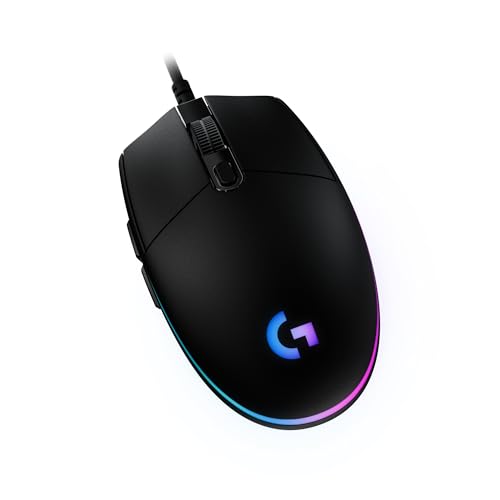
Logitech G203 Wired Gaming Mouse
If replacement is the verdict, a simple, proven wired model is the low-risk successor: fewer parts, honest switches, and a shape that suits most grips. Logitech G203 Wired Gaming Mouse — Check on Amazon

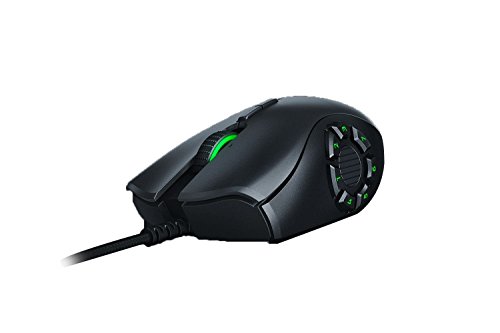
Razer Naga Trinity Gaming Mouse
For MMO players whose side buttons do the heavy lifting, this design’s interchangeable side plates also spread wear across the buttons you actually use. Razer Naga Trinity Gaming Mouse — Check on Amazon
Frequently Asked Questions
Why does double-clicking get worse over time?
The underlying cause is progressive: contact surfaces roughen and springs fatigue a little more with every press, so the bounce the firmware must filter keeps growing. A debounce setting that works today may need another step in six months — that pattern itself confirms the diagnosis.
Can a software update really fix a hardware problem?
It can manage it. Debounce filtering is software deciding which signals count as clicks, so better filtering genuinely compensates for a chattier switch — up to the point where the switch’s output becomes too dirty for any filter to interpret.
Is double-clicking covered by warranty?
In most regions and under most manufacturers’ terms, yes — it is a failure of a core function during normal use. Keep your proof of purchase, describe the fault clearly, and do not open the mouse before claiming.
Do optical switches double-click?
They are immune to the contact-bounce mechanism because no metal contacts meet. They can still fail in other ways, but the classic creeping double-click of mechanical switches is designed out.
My mouse double-clicks only in one game. Is it the switch?
Almost certainly not — a failing switch fails everywhere, including the desktop and a second computer. A single-game fault points to that game’s settings, a macro, or a keybind conflict.
Does double-clicking affect the scroll wheel click too?
The middle click is its own switch and usually a different, less-used one, so it typically outlives the main buttons. If it double-registers as well, suspect software or configuration rather than two switches failing in sympathy.
Bottom line: confirm the fault follows one button and one mouse, raise debounce in software, clean the seams dry, and use the warranty if you have one. If the fault keeps outrunning the fixes, the switch is worn — replace the mouse on your schedule, not in a mid-season emergency.
Can compressed air blown into the button gap really help?
It can clear loose debris from around the switch area on some designs, and it is harmless when done gently with the mouse off. Keep the can upright, use short bursts, and do not expect miracles: air addresses the debris family of causes only. If the fault is contact wear or oxidation, air will change nothing, and that non-result is itself diagnostic information pointing you toward the debounce and replacement steps.
My mouse only double-clicks in cold weather. Is that real?
It can be. Temperature and humidity change the behaviour of metal contacts and of the plastics around them, and marginal switches often show their faults at environmental extremes first — the classic pattern is a mouse that misbehaves in winter mornings or humid summers and behaves at midday. Treat seasonal double-clicking as an early warning rather than a curiosity: the switch is telling you its margin is nearly spent.
Will raising debounce make me slower in games?
By the amount you raise it — typically a few milliseconds — and for most players that cost is below perception and far below the cost of phantom double clicks ruining actions. Competitive players should use the smallest increase that reliably suppresses the fault, tested in practice rather than matches. A managed switch with slightly higher debounce is a better gaming tool than an unmanaged one at the lowest setting.
Is double-clicking covered by warranty even if it is intermittent?
Generally yes — it is a recognised defect — but intermittent faults need evidence because they may not reproduce on a test bench. Record a click-test session showing the phantom doubles, note the conditions, and include your diagnostic steps when you contact support. A well-documented intermittent fault is treated far more seriously than a vague report, and the documentation takes ten minutes.
Should I avoid mechanical switches entirely on my next mouse?
Only if your history justifies it. Most mechanical-switch mice serve for years without the fault, and switch feel remains a legitimate reason to prefer them. But a player on their second or third double-clicking mouse is not unlucky — they are demonstrating that their use pattern, environment or click force wears contacts quickly, and for that player optical switches are not a luxury but the correct engineering answer.
Does double-clicking spread from one button to the other?
Not contagiously — each switch ages independently — but the conditions that wore the first switch are also acting on the second, so a second button developing the fault months later is common and unsurprising. Treat the first button’s fault as the mouse’s prognosis, not just its symptom, when you decide between managing, repairing and replacing.
Can a firmware update fix double-clicking?
It can help when the update adjusts debounce behaviour, and manufacturers do sometimes ship exactly that. It cannot repair a worn or oxidised contact, so read firmware as another management lever rather than a cure. Update, retest with the click protocol, and let the numbers — not the release notes — tell you whether anything changed.
How long should a gaming mouse’s switches reasonably last?
In ordinary home conditions — a reasonably clean desk, normal click force, a few hours of play a day — a quality mechanical switch should serve for years before bounce becomes a practical problem, and many mice retire for other reasons first. Short lives cluster around harsh environments, heavy click force and very high click-volume genres. If your switches are dying young repeatedly, audit those three factors before blaming the switch lottery, because the pattern across multiple mice is the fingerprint of the conditions, not the components.
Is it worth buying a mouse with hot-swappable switches for this problem?
For a player with a double-click history, it is one of the few features aimed directly at their biography: a worn switch becomes a two-minute swap with no soldering, and the mouse’s life stops being hostage to its most fragile contact. The trade-offs are a smaller model selection and sometimes a slightly different click feel. If you enjoy the idea of maintaining rather than replacing, it converts this entire fault from a death sentence into a consumable — which is what switches arguably always should have been.
Should I tell support I opened the mouse if I looked inside?
Be honest, but know the landscape first: opening a mouse voids the warranty on many models, which is why this guide’s repair discussion treats opening as an out-of-warranty decision. If the mouse is under warranty, keep it sealed, document the fault from outside, and let the manufacturer’s process do the work — the sealed unit with a documented fault is the strongest position a customer can be in.
Can the fault appear right after a drop or a knock?
Yes — a sharp impact can bend a contact spring or shift its alignment enough to start chatter in a switch that was previously healthy. If double-clicking begins immediately after the mouse was dropped or struck, suspect mechanical shock rather than wear, and treat the warranty conversation accordingly: accidental damage is usually outside standard coverage, which makes the debounce management in this guide your most practical route.
Related Guides
Keep exploring with these guides and roundups from the same Gaming Mouse collection: