What does a sound card do? At its core, it converts: it turns the digital audio inside your computer into the analogue signal your headphones and speakers can play, and it turns your analogue voice back into digital data the computer can send. Around that core job, a modern sound card layers amplification, surround processing, microphone tools, and software — but conversion is the foundation everything else stands on, and understanding it makes every other audio purchase clearer.
This explainer walks the signal path in both directions, decodes the specifications that describe the job, and separates what a sound card does from what your motherboard already does — because every computer has audio conversion somewhere, and the sound card’s story is about doing it better and doing more. For the buying version of this story, How to Choose a Sound Card picks up where the explainer leaves off.
Disclosure: As an Amazon Associate, ilcastellomenu.com earns from qualifying purchases. Product details and availability can change; check the retailer listing before you buy.
The core job: digital to analogue and back
Computers store and process sound as numbers — samples of a waveform taken tens of thousands of times per second. Headphones and speakers, however, are physical devices driven by a continuously varying electrical signal. The digital-to-analogue converter (DAC) bridges the two: it reads the numbers and outputs the corresponding smooth electrical waveform, which an amplifier then strengthens enough to move headphone drivers or feed speakers.
The return path matters just as much and gets half the attention: your microphone produces a tiny analogue signal, and an analogue-to-digital converter (ADC) samples it into numbers for your games, calls, and recordings. A sound card contains both converters plus the supporting circuitry, which is why it can improve your voice as surely as your listening — a fact the comparison in Sound Card vs Dac leans on, since a standalone DAC performs only the outbound half.
Every stage around the converters affects the result: the quality of the power feeding them, the shielding from the computer’s electrical noise, and the amplifier’s ability to drive your specific headphones. The sound card is best understood as a small, purpose-built audio subsystem that takes these stages seriously, rather than as a chip with a marketing department.
In this guide
The signal path, step by step
Playback begins in your app or game, passes through the operating system’s mixer (where volume, enhancements, and per-app routing live), and arrives at the card as a digital stream. The card’s DAC converts it; the analogue signal passes through the card’s output stage — with any EQ, surround processing, or effects the card applies in the digital domain beforehand — and exits through the headphone amplifier or line output to your ears.
Recording runs the film backwards: microphone, preamplifier (which raises the mic’s tiny signal to a workable level — a stage whose quality decides much of your voice’s clarity), ADC, then the digital stream to your app, with the card’s noise processing and EQ applied along the way if you enable them. When a voice sounds professional on a call, this path is usually why; when it sounds like a wind tunnel, this path is usually why too.
Seeing the whole path explains most audio troubleshooting: a fault can live in the app, the mixer, the converter, the amplifier, or the transducer, and the tests in How to Test a Sound Card are designed to walk the path and localise which stage is misbehaving instead of blaming the card for the app’s settings.
Amplification: the job you can feel
Conversion produces a signal; amplification gives it muscle. Headphones vary wildly in how much power they need, and an underpowered output leaves demanding headphones quiet and lifeless no matter how pristine the conversion was. A sound card’s headphone amplifier — often with gain settings for different headphone types — is therefore not an accessory feature but half the product, and the specification that decides whether your particular headphones will sing or whisper.
Line outputs play a different role: they feed powered speakers or external amplifiers at a standard level, prioritising cleanliness over power. A well-designed card serves both audiences — muscle for headphones, purity for line out — and the setup choices in How to Set Up a Sound Card include telling the card which role each output is playing so gain and processing suit the destination.
This is also where a sound card most plainly outruns typical onboard audio: not in the conversion, which modern onboard chips do competently, but in the output stage’s power and composure. The full honest comparison lives in Sound Card vs Onboard Audio.
Processing: surround, EQ, and voice tools
Because the card sits in the digital stream before conversion, it can reshape sound in ways a passive device cannot. Virtual surround takes a game’s multi-channel audio and processes it so stereo headphones convey direction — the feature gamers buy cards for. EQ adjusts tonal balance for your headphones or taste. Bass and clarity enhancements, dynamic compression for late-night listening, and per-application profiles all live in this layer.
The microphone path gets its own processing family: noise suppression, echo handling, EQ, and level tools that make voices clearer in games, calls, and streams. Streaming-oriented cards add mixing — balancing game and chat audio with hardware controls — which is a workflow feature disguised as an audio feature, and a daily one for creators.
Processing is optional by design: a good card lets you bypass all of it for a clean signal, which purists and music listeners should do for stereo content. The card’s job is to offer the tools and keep them out of the way when unwanted — the difference between an instrument and a filter you cannot remove.
Specifications, translated
SNR (signal-to-noise ratio) measures how far above its own noise the card’s signal sits — the spec behind ‘clean background’. Bit depth and sample rate describe the digital formats handled: more bits mean finer steps in the waveform and a lower theoretical noise floor; higher sample rates capture higher frequencies than hearing uses. Both matter as compatibility and headroom, not as a quality escalator past well-established thresholds.
THD (total harmonic distortion) measures how much the device alters the signal’s purity — lower is cleaner, and modern devices in both camps reach figures below audibility, which is why chasing ever-smaller distortion numbers is a spec-sheet sport rather than a listening improvement. Output power and supported headphone impedance, by contrast, remain stubbornly practical: they decide compatibility with your actual headphones.
Channel count (5.1, 7.1) describes how many speaker channels the card can feed or virtualise. It matters exactly in proportion to your speaker system and gaming habits and not at all to a stereo headphone listener — a recurring theme in audio specs, where the honest question is never ‘how much?’ but ‘how much of it will I use?’ The music and production shortlists in Best Sound Cards for Music Production weight these specs by professional need rather than by size.
What a sound card does not do
It does not improve the source: a compressed stream, a poorly mixed game, or a bad recording emerges faithfully, flaws included — clarity is not cosmetics. It does not fix inadequate headphones or speakers, which cap the system’s quality regardless of the signal’s purity. It does not raise frame rates, reduce game latency in any way players can feel, or substitute for a decent microphone placed correctly.
It also does not work by magic when misconfigured: left on the wrong default, the wrong channel layout, or the wrong gain, a fine card can underperform the onboard audio it replaced. That is why this site pairs every explainer with the practical guides — installation, setup, and testing turn what the card does in principle into what it does on your desk.
Common misconceptions
Misconception one: a sound card is obsolete because motherboards have audio. Onboard audio is a sound card in function — the dedicated card is the same job with better power, lower noise, and more features, which is an upgrade argument, not a redundancy. Misconception two: higher sample rates automatically sound better; they describe format support, and listening quality saturates well below the numbers on modern boxes.
Misconception three: the card is only about playback. The recording path — your voice in every call and stream — is half its circuitry and often the larger upgrade. Misconception four: all outputs are equal; headphone, line, and optical outputs serve different destinations and should be chosen deliberately, as the install guide’s port walkthrough explains.
What does a sound card do all day? Three desks, three answers
At the gamer’s desk, the card spends its day converting game audio with low noise, applying positional processing, amplifying headphones that the motherboard would underfeed, and keeping a microphone clean enough for callouts at 1 a.m. Its processing layer is the star; conversion is merely competent, as it should be, because competence there is invisible.
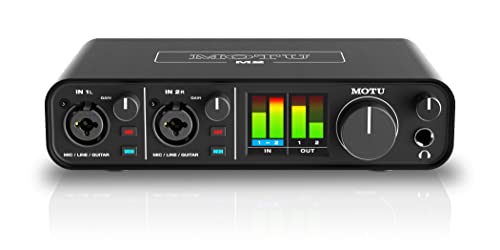
At the producer’s desk, the same class of device is an input instrument: preamplifying microphones honestly, converting performances without adding its own noise, and monitoring with latency low enough to play against. Its playback duties are almost secondary — the desk judges it by what it captures, which is why production models are specified by their inputs first.
At the family desk, the card’s job is diplomacy: one clean output for shared speakers, a painless headphone path at night, a microphone that makes a grandparent’s call sound present rather than distant. Three desks, one device category, three different definitions of ‘doing its job’ — which is why the explainer insists on the signal path: only by knowing the stages can you tell which stage your desk is actually buying.
From vinyl to streams: where the card sits in audio history
The sound card was once the computer’s only voice — early PCs beeped, and the add-in card brought music, speech, and game audio into existence, making it a landmark component of personal computing. Its modern demotion to ‘optional upgrade’ is a story of absorption: motherboards integrated the function, as they integrated networking and graphics for many users, and the standalone device retreated to the quality and features frontier.
That history explains the category’s shape today: no longer a necessity competing on existence, it competes on excellence in specific dimensions — power, silence, inputs, processing — for users who can name the dimension they need. Understanding that shape prevents both errors: dismissing the card as obsolete, and buying it as a talisman. It is neither; it is a specialist tool with a well-defined job, which this explainer has now, hopefully, defined well enough for you to judge your own need.
The sound card in one paragraph, for the impatient
A sound card takes digital audio from your computer and converts it into the analogue signal your headphones and speakers play — amplifying it properly for your headphones on the way — while converting your microphone’s analogue signal back into digital for calls, games, and recordings. Around that two-way conversion it offers cleaner circuitry than typical onboard audio, surround and voice processing, extra connections, and software control. Everything else in this explainer is that paragraph, unfolded.
Keep the paragraph; it is the answer to give at family dinners and the test to apply to product pages. Any feature a listing advertises should be locatable in it — conversion, amplification, input, processing, connection, control — and anything that cannot be located is decoration. Decoration is allowed; it is just not a reason.
Why the explainer matters for every other audio purchase
Once the signal path is clear, the whole audio market becomes legible: DACs are the playback half, interfaces are the recording half grown professional, AV receivers are the speaker-room version, and onboard audio is the integrated baseline. Every category is a different emphasis on the same few stages, which means every future purchase can be evaluated by asking which stage is weak in your current chain and which product strengthens exactly that stage.
That is the explainer’s real payload — not the definition of one component, but a map of all of them, drawn once and usable for years. Readers who internalise the path stop buying categories and start fixing stages, and their systems improve in the efficient, compounding way that random upgrading never achieves.
A day in the life of a single sample: following one sound from file to ear
Abstractions settle when you follow one concrete traveller, so take a single moment of sound — the first note of a song you know — and walk it through the card’s world. The note begins as numbers in a file, a long sequence of measurements of a waveform, taken tens of thousands of times per second when the recording was made. Your player reads those numbers and hands them, still numbers, to the card. Nothing you could hear exists yet; the entire journey so far is arithmetic. The card’s first job is translation: its converter takes each number and produces a voltage that rises and falls in the shape the numbers describe, rebuilding the waveform as an electrical signal. That act — numbers becoming a continuous, physical wave — is the card’s founding purpose, the one everything else in this explainer decorates.
The newborn signal is small and precise and far too weak to move a headphone. The amplifier stage takes it next, increasing its power while trying, with all its design skill, to change nothing else about it — the eternal amplifier’s bargain, power without opinion. Along the way the signal passes the volume control, which is simply a governed weakening of it, and any processing you have enabled, which is a deliberate, chosen opinion layered on the amplifier’s neutrality. Then it leaves: down a cable, into the headphone’s drivers, where the electrical wave becomes a mechanical one — a diaphragm moving air — and the air moves your eardrum, and the note, which began as arithmetic in a file, completes its journey as an event in a nervous system.
The return journey runs the same road backwards for your microphone: air becomes motion becomes voltage becomes numbers, with the card’s input converter doing the translating and its preamp doing the first, most delicate amplification, where noise added can never later be removed. Every specification in this explainer’s earlier sections is a claim about one of these waypoints. When you read a card’s numbers from now on, place each at its waypoint and the sheet becomes a map instead of a fog — which is what understanding a component, as opposed to shopping for one, actually consists of.
The clock: the card’s least visible and most fundamental job
Buried in the conversion story is a job so fundamental that explainers often forget to mention it: the card keeps time. Digital audio is a sequence of measurements that only becomes the right sound when the measurements are played back at exactly the rate, and in exactly the rhythm, they were captured. The card’s clock is the metronome governing that rhythm, issuing the ticks at which samples become voltages. A perfect clock ticks in absolutely even intervals. Real clocks, being physical, vary by tiny amounts — a phenomenon the industry calls jitter — and the history of digital audio is partly the history of that variation being engineered down from audible nuisance to measured triviality.
For the reader, the proportionate takeaway is twofold. The clock is a genuine part of what a sound card does — arguably its most precision-demanding part — and differences in clock design were once a real axis of quality between cards. And in current, competent equipment, those differences have shrunk below the threshold where they organise a purchase. Buy a competently measuring card and you have bought a good enough clock along with it; the clock’s modern role in your decision is as a screen against the genuinely poor implementations, not as a ranking among the good ones. Knowing what the clock does still matters, because it completes your map of the card — and because it inoculates you against a vocabulary that sellers occasionally use to make a solved problem sound like a reason to pay more.
Buffers, latency, and why the card sometimes seems to think before it speaks
Digital audio does not flow; it is carried, in small parcels called buffers, between the computer and the card. The computer fills a buffer with samples, the card empties it into sound, and the buffer’s size sets a delay — latency — between an event on screen and its arrival at your ears. For listening and films, the delay is irrelevant or compensated; the video waits for the audio and nobody knows. For live work — monitoring your own voice or instrument while recording, playing a software instrument from a keyboard — the delay is the experience, and buffer size becomes a setting with a trade: smaller buffers mean less delay and more demand on the computer, larger buffers mean stability at the price of a lag your hands can feel.
This is part of what a sound card does that rarely appears on its box: it negotiates, through its drivers, how parcels are carried. Good drivers offer fine, stable control at small buffer sizes; poor ones crackle when the computer is busy, because an emptied buffer with nothing behind it is heard as a click, a dropout, a stutter. When owners praise a card’s ‘stability’, this negotiation is usually what they are praising. When a card crackles under load in the testing battery, this is the layer to investigate — buffer settings first, driver health second — before the hardware is blamed. The card, in other words, is not merely a converter with an amplifier attached. It is a small logistics operation, and its competence shows in whether you ever have to think about it.
Drivers: the card’s other half, made of software
Half of every modern sound card is not on the card. The driver — the software that teaches the operating system what the hardware can do — decides which features exist in practice: the control panel, the routing options, the processing, the very visibility of the device to your applications. Two cards with identical hardware and different drivers are different products, which is why this site’s buying guidance treats driver support as a first-class specification and why a card abandoned by its maker’s driver team is a card with a shortened life regardless of its circuits’ health.
Understanding the driver as part of the product changes how you maintain it. Driver updates are not chores around the card; they are revisions of the card itself, capable of adding features, fixing latencies, and occasionally breaking a working setup — which is why the installation guidance counsels updating for reasons rather than for novelty, and keeping the installer that worked. It also reframes troubleshooting: a large share of ‘hardware’ faults in the not-detected guide are driver states wearing hardware’s clothing, and the cure is to reinstall the card’s other half cleanly. When you shop, you are buying a hardware design and a software team’s future attention in one box. Price both.
The card as a mixer: the job nobody lists and everybody uses
Ask a sound card what it does and the honest answer includes a job its marketing forgets: it mixes. At any moment your computer is producing several sounds — a game’s world, a voice chat, a notification, a video in a background tab — and something must combine them into the single stream your headphones receive, at levels that respect each other. That combining happens in the chain the card anchors, governed by the system’s mixer and the card’s own controls, and its quality is a daily, unglamorous determinant of whether your audio life feels civilised: the call that ducks the game politely, the alert that does not arrive at film volume, the stream that hears game and voice in the proportion you intended.
Cards differ in how much of this mixing they own and how gracefully they expose it — separate volume paths for chat and game, per-application routing, hardware-level mixing for monitors — and for streamers and call-heavy users those differences can matter more than any conversion specification. When you evaluate a card, spend a minute as its mixer: run two sources at once, adjust each, and notice whether the controls behave the way your day needs. It is the least glamorous test in this entire subject and, for a large class of owners, the most predictive one.
What the card does for games specifically: a restrained account
Gaming marketing assigns the sound card heroic duties, so here is the restrained version of what it actually does for a player. It renders the game’s audio — which the game’s own engine has already spatialised, in most modern titles, before the card hears it — faithfully, quietly, and with enough amplification for the headset in use. It carries the player’s voice back through its input with whatever clarity its microphone path provides. And where a card offers its own spatial processing, it offers an alternative rendering of the game’s multichannel output for headphones, which some players prefer and others switch off. That is the whole list. The card does not aim for you, does not hear enemies through walls the engine did not already place, and does not confer competitive advantage beyond the honest advantages of clarity, drive, and a good microphone — which are real, and sufficient, and do not need embroidery.
The fuller buying-side treatment lives in the explainer on whether gamers need a sound card at all, which runs the symptom-by-symptom case. This explainer’s narrower point is architectural: in the modern chain, the intelligence has moved into the game engine and the operating system, and the card’s job has become fidelity and carriage. A card that does those two things superbly is a gaming card in the only sense that survives scrutiny.
The card in the wider house: televisions, consoles, and other sources
A PC sound card’s world is the PC, and it is worth stating plainly what that excludes, because buyers regularly discover it after purchase. The card cannot process your television’s audio, your console’s output, or your phone’s music, except by arrangements — capture devices, line-ins used creatively — that belong to streaming setups rather than to ordinary listening. Those sources need their own conversion path, which is the architectural reason the standalone DAC exists and the reason multi-source listeners end up owning one. The explainer’s map should therefore be drawn with a border: inside it, the card is the complete audio authority; outside it, other devices hold the same office for their own sources, and a household’s full audio picture is a small federation of such authorities, one per source, all serving the same headphones or speakers if the switching is arranged kindly.
Knowing the border prevents the classic mis-purchase — the excellent card bought to improve a television’s sound — and it clarifies upgrades: when a new source enters the house, the question is never ‘is my sound card good enough?’ but ‘which device converts for this source?’ Answer that per source and the federation stays coherent. Confuse the offices and no single purchase will ever satisfy, because it is being asked to govern outside its borders.
The explainer’s summary, in the form of a job advertisement
Wanted: a component to sit between a computer and its owner’s ears, in both directions. Duties: convert numbers to waves and waves to numbers, precisely and quietly; amplify the result to the level real headphones require, without adding opinions of its own; carry sound in parcels without delay or dropout; mix the computer’s many voices into one civilised stream; offer such processing — equalisation, spatial rendering, voice care — as its owner actually uses; present all of this through software that stays current and stays out of the way; and do every part of the job invisibly, for years, so that its owner thinks about music, games, and voices, and never about it. That advertisement is the complete answer to this explainer’s question. A sound card is the component that holds that job. Everything else — the forms it takes, the rivals it is compared against, the question of whether your machine needs a dedicated holder for the post at all — is the rest of this site’s audio guidance, starting with the comparison against the onboard audio already doing a version of this job inside your PC.
Headphones versus speakers: how the card’s job changes with its audience
The card’s duties sound identical for both audiences until you look at where the work is finished. For headphones, the card is the whole back half of the chain: its amplifier is the final amplifier, its volume control is the one your hand uses, and its noise is the noise you will hear, because headphones shut the room out and admit nothing else. For speakers, the card is usually a source among a system: an amplifier or powered speakers take its line-level output and finish the job, the room joins as a component, and the card’s own amplifier stage may sit entirely unused. Same card, two different jobs — in one it is the orchestra, in the other it is the sheet music delivery.
This is why the same card can be a revelation in one setup and unremarkable in another, and why reviews written from the wrong audience mislead so reliably. When you read about a card, identify the reviewer’s audience before importing their verdict. When you buy, name your own. The explainer’s map does not change, but which waypoints matter — the amplifier for the headphone listener, the line output’s cleanliness for the speaker owner — depends entirely on which side of that fork your listening lives.
Recording, streaming, and the card’s second career as an input device
Everything so far has followed sound outward, but for a growing share of owners the card’s more important career runs the other way. As an input device, the card is where a voice becomes data: its preamp raises a microphone’s whisper to a workable level, its converter turns that signal into numbers cleanly, and its monitoring path lets the speaker hear themselves without the round-trip delay that makes speech stumble. The quality of that career is graded by other people — the audience, the team, the call — which gives it a social weight the listening side never carries. A card can be a mediocre listening upgrade and a transformative input upgrade in the same box, for the same owner, on the same day.
This is also where the card meets its neighbouring category, the audio interface, and the border is worth seeing clearly: interfaces are input-first devices built for recording, cards are whole-chain devices built for a computer’s audio life, and the overlap between them grows every year. The explainer’s point is narrower than the border dispute. Whatever the box is called, the input duties are real duties of the modern sound card, and an account of what a sound card does that omits them is describing the card of a previous decade — a playback accessory — rather than the two-way citizen of the current desk.
Power, grounding, and the card’s electrical manners
A sound card lives electrically in two worlds at once — the computer’s noisy digital interior and the analogue world where a stray voltage is a sound — and much of its design is border control between them. It draws power from the machine or from USB, cleans that power to the standard its analogue stages require, and keeps its grounds arranged so that the computer’s electrical weather stays on its own side of the border. When that border fails, the failure is audible in the vocabulary this site uses elsewhere: the buzz that tracks the graphics load, the tick that follows the mouse, the hum of a loop between devices. Those are not mysterious afflictions; they are this section of the card’s job, done imperfectly by a design or defeated by a system whose grounding gives it no chance.
For the explainer’s reader, the practical residue is small but real: a card’s electrical manners are a legitimate axis of quality, they are part of what its price buys, and they explain why the same card can be silent in one machine and talkative in another — the border is only half the card’s; the other half is the machine it is plugged into. Judge a noisy installation as a system before judging the card, which is the testing guide’s doctrine, and which this explainer now supplies with its reason.
A short history of the job, and why it refuses to disappear
The sound card’s job has been declared dead at regular intervals for thirty years, and the obituaries make instructive reading because they keep mistaking the form for the function. The function — converting, amplifying, carrying, mixing a computer’s audio to a standard its owner’s ears and transducers deserve — has never been optional; it has only moved house. It lived on dedicated cards when motherboards could not do it, moved onboard when integration made the basic version free, and persists as dedicated hardware wherever ‘basic’ is not the standard the owner is buying. Each obituary was really a report that the basic version had improved, which is true and beside the point: the dedicated card’s market was never the basic version’s users.
Expect the migration to continue. The job is already partly resident in headsets, in dongles, in interfaces, in the computers themselves, and it will keep diffusing into whatever objects sit between computation and ears. The explainer’s answer therefore outlives its title’s hardware: whatever holds the job — card, onboard section, external box — is doing the things these pages describe. Learn the job once and every future device that performs it is already understood, which is the deepest service an explainer can do its reader.
Questions the explainer always provokes, answered in one breath each
- Does a sound card improve video or general performance? No — its world is audio alone, and claims beyond that world are decoration.
- Does it work without its software installed? Usually at a basic level, through the system’s generic support — but its features, and sometimes its identity, live in its driver, which is why the driver is half the product.
- Can it damage headphones? A faulty or misconfigured output can play far louder than intended, which is a hearing-safety matter: set volumes with the headphones off your ears at first power, always.
- Does it help streaming services sound better than their source? It can only present the source faithfully; it cannot restore what the source never contained.
- Is a more expensive card’s conversion audibly better? Among competent modern designs, rarely in ways that survive level-matched testing — the differences that survive live in amplification, features, inputs, and support.
Five answers, each a small application of the map this explainer built. Keep the map and most future questions answer themselves before they need a search engine — which is, in the end, what knowing what a sound card does is for.
One more waypoint: where the card ends and the software begins
A reader following the sample’s journey may have noticed a blur at one border: how much of the journey belongs to the card, and how much to the computer’s software? The honest answer is that the border runs through the card itself. The hardware converts, amplifies, and connects; the driver and the operating system’s audio stack route, mix, format, and apply the system-level processing; the applications originate and shape the content. When the chain misbehaves, the blur is why diagnosis proceeds by layers — test the hardware’s presence, then the driver’s state, then the system’s routing, then the application — in the order the troubleshooting guides on this site prescribe. When the chain delights you, the credit is similarly shared, which is why two owners of the same card can report different experiences: they own the same hardware and different software states.
Hold the blur in mind as a feature of your understanding rather than a gap in it. The card is not a standalone appliance but the physical anchor of a system that extends deep into the computer — and knowing where its jurisdiction ends is precisely what separates an owner who can troubleshoot from an owner who can only replace. That, as much as the conversion story, is what a sound card does: it gives the computer’s audio a physical home, with a name, a driver, and a set of sockets, around which the whole intangible stack can be organised, tested, and, when necessary, repaired.
There is a small experiment that makes the whole explainer tangible, and it costs one minute. Play a familiar song, then move the same headphones to a different source — a phone, another computer, any other output in the house — and play the same passage at a matched volume. Everything that changes between the two listenings is the territory this explainer has mapped: conversion, amplification, noise, and manners, differing between two holders of the same job. Everything that does not change is the recording and the headphones, doing their work identically in both worlds. An owner who has run that minute owns a reference point no specification sheet can give, and every future claim about what a sound card does can be measured against it, in the only laboratory that was ever going to matter.
Keep the result of that minute in mind the next time any audio product is described to you in adjectives alone.
Gear mentioned in this guide
The products below are examples referenced in this guide. They were verified through the Amazon Creators API product pool for this site; use them as concrete reference points for the features discussed, not as a ranked list.
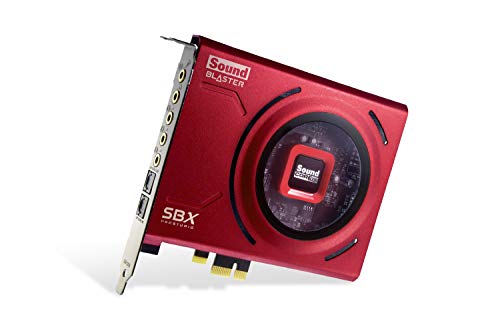
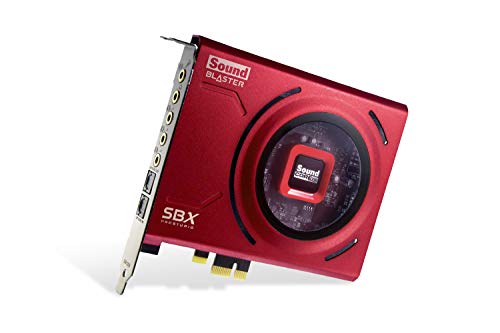
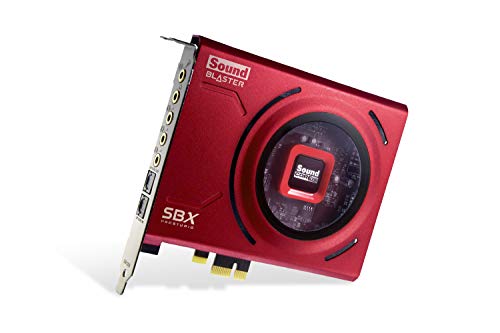
- Creative Sound Blaster Z SE Internal PCI-e Gaming Sound Card and DAC, 24-bit / 192 kHz, 116 dB SNR, ASIO, 600Ω Headphones Amp, Mic EQ, Discrete 5.1 / Virtual 7.1, Supports Dolby Digital Live, DTS … — Check on Amazon
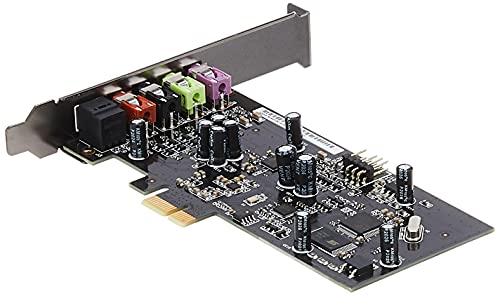
- ASUS XONAR SE 5.1 Channel 192kHz/24-bit Hi-Res 116dB SNR PCIe Gaming Sound Card with Windows 10 Compatibility — Check on Amazon
Frequently asked questions
Is a sound card the same as a DAC?
A sound card contains a DAC plus an ADC for recording, amplification, and processing features. A standalone DAC performs only the playback conversion. The overlap is real; the sound card is the broader device.
Does every PC need a sound card?
Every PC needs audio conversion, which the motherboard provides. A dedicated sound card is an upgrade for specific jobs — power, low noise, surround, recording quality, features — not a requirement for sound to exist.
What does a sound card do for gaming?
It delivers cleaner, stronger headphone audio, virtual surround processing for positioning, a better microphone path for team communication, and often game/chat mixing controls. It does not affect frame rates.
Can a sound card improve old speakers or headphones?
It can feed them a cleaner, properly powered signal, which sometimes reveals quality the onboard output was masking. It cannot raise their inherent ceiling — worn or basic transducers remain the limit.
What is the ADC part of a sound card?
The analogue-to-digital converter handles input: it samples your microphone’s signal into digital data. Its quality, with the mic preamp, decides how clean your voice sounds to everyone listening.
Do sound cards work with consoles?
External models often do, within each product’s stated console support and connection method. Internal PCIe cards are PC-only. Check the specific model’s compatibility list for your console.
Related Guides
Keep exploring with these guides and roundups from the same desk and audio cluster: