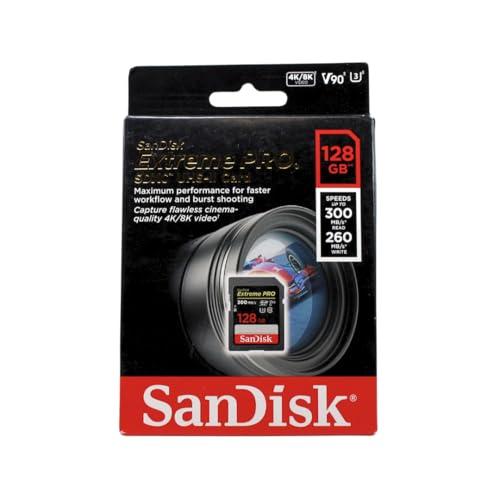
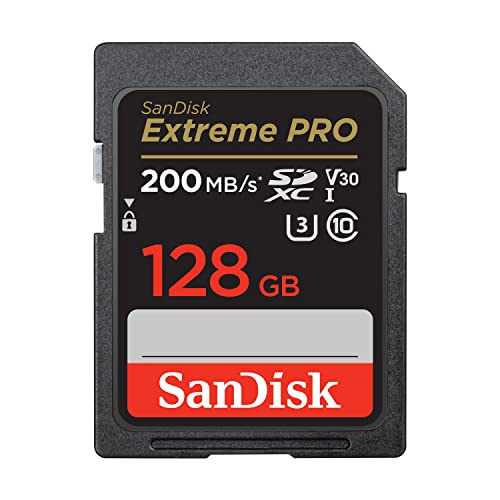
Learning how to choose an SD card means ignoring the big read-speed number on the front of the packet and reading the small ratings instead: the form factor your device takes (SD or microSD), the capacity family it supports (SDHC or SDXC), the bus (UHS-I or UHS-II), and above all the sustained-write ratings — Video Speed Class (V30, V60, V90), UHS Speed Class (U1 or U3) and, for phones and handhelds, the Application Performance Class (A1 or A2). Match those to your device and the card will simply work; buy on the headline number alone and you can pay flagship money for speed your camera cannot use, or worse, buy a card too slow for the video you shoot.
This guide decodes each marking in plain language, then walks through choosing by device — camera, drone, phone, handheld console, dash cam — because each stresses a card differently. Device-specific shortlists live in best sd cards for cameras, Best Sd Cards for 4K Video and Best Sd Cards for Nintendo Switch once you know which ratings you need.
Disclosure: As an Amazon Associate, ilcastellomenu.com earns from qualifying purchases. Product examples below link to Amazon, where you can check current availability and specifications; this guide itself lists no fixed prices because pricing and bundles change frequently.
Step 1: Get the Form Factor and Capacity Family Right
SD versus microSD, and the adapter question
Full-size SD cards fit cameras and laptops; microSD cards fit phones, drones, action cameras and handheld consoles, and usually include an adapter that makes them physically fit SD slots. An adapter passes the card’s signals through unchanged, so a good microSD in an adapter performs like itself — but the adapter adds a failure point and a contact surface, which is why photographers shooting paid work prefer native full-size cards. The full comparison is in Sd vs Microsd Card. First, though, confirm which slot your device actually has; this sounds obvious and still catches people out with newer laptops and cameras.
SDHC versus SDXC: capacity and file system
Cards up to 32GB are SDHC and formatted FAT32; cards from 64GB upward are SDXC and formatted exFAT, which removes the 4GB single-file limit that splits long video recordings on FAT32. Older devices may not support SDXC at all — a camera from the early 2010s can refuse a 128GB card no matter its speed. Check the device manual’s maximum supported capacity before buying big. The families are compared in depth in SDHC vs SDXC.
In this guide
Step 2: Read the Speed Ratings That Actually Matter
Video Speed Class: the sustained-write guarantee
The V-rating — V10, V30, V60, V90 — guarantees a minimum sustained write speed in MB/s when the card is used in a compatible host: V30 means the card will keep writing at least 30MB/s continuously, which covers 4K video in most cameras. This is the number video shooters live by, because a card that cannot sustain the camera’s bitrate stops recordings mid-shot. Our explainer What is a V30 Sd Card breaks down exactly what V30 certifies and where its limits are.
UHS bus: I versus II, and the second row of pins
UHS-I cards top out at roughly half the bus speed of UHS-II, whose cards carry a second row of contacts. The catch is symmetry: a UHS-II card in a UHS-I camera runs at UHS-I speeds, and vice versa. UHS-II pays off in two places — cameras that support it for faster buffer clearing and high-bitrate video, and fast card readers that empty a card to your computer far quicker. The head-to-head is in UHS I vs UHS Ii Sd Card. For a UHS-I-only camera, a top-tier UHS-I card is the smarter buy than a mid-tier UHS-II one.
Read speed, A-ratings and the legacy classes
The large ‘up to’ read figure on the packet describes best-case transfers off the card — useful for photographers emptying cards, irrelevant to whether the camera can record to it. Class 10 and U1/U3 are older minimum-write marks (U3 equals V30’s floor; U1 equals V10’s). For phones, tablets and handheld consoles that run apps and games from the card, look for A1 or preferably A2, which rate random read/write performance — the workload that decides whether a game loads smoothly from the card, as the picks in best micro sd cards for android and best sd cards for steam deck assume.
How to Choose an SD Card for Your Specific Device
Cameras: stills and video
For stills, burst depth and buffer clearing follow the card’s write speed and the camera’s bus; for video, work backwards from the camera’s highest bitrate and pick the V-class above it. Wedding and event shooters should also weigh dual-slot strategy — two smaller cards mirrored beat one huge card lost. Start from best sd cards for wedding photography and best sd cards for dslr for the stills side, and best sd cards for video recording for recording-focused picks.
Drones, action cameras and dash cams
These devices write continuously in heat and vibration, and they almost all take microSD. Video drones and action cameras want V30 microSD as the floor. Dash cams and security cameras are a special case: they overwrite the card endlessly, which wears ordinary cards out — choose a high-endurance card designed for continuous rewriting, as in best sd cards for dash cam and best sd cards for security cameras. Endurance is a different spec from speed, and it is the one that decides whether the card is alive on the day you actually need the footage.
Phones, consoles and single-board computers
Capacity and A2 random performance matter more than video classes here. A Switch or Steam Deck fills with game installs, so buy capacity generously — moving libraries later is tedious. Raspberry Pi boards are notoriously hard on cards through constant small writes, so endurance and brand reliability count again; see best sd cards for raspberry pi. Whatever the device, buy from a reputable retailer: the counterfeit problem in memory cards is real, and How to Check if Fake an Sd Card shows how to verify what arrived.
Common Mistakes When Choosing an SD Card
Paying for UHS-II your device cannot use
The second row of pins does nothing in a UHS-I slot. Check the device, not the marketing: if the camera is UHS-I only, put the money into a better UHS-I card or more capacity.
Chasing capacity past the device's limit
A bargain 1TB card is worthless in a device capped at 256GB or one that predates SDXC. Manual first, purchase second — and format any new card in the device that will use it, following How to Format an Sd Card.
Trusting the headline read speed for video
Recordings fail on sustained write, not read. The V-class is the guarantee; the big number is a best-case transfer figure measured in ideal conditions. Choose by V-class and bus, then verify a new card’s real performance with How to Test the Speed of an Sd Card before trusting it with work you cannot reshoot.
Brand, Warranty and the Counterfeit Filter
Two cards with identical printed ratings can be very different purchases. The last filter in choosing is who made the card and where you buy it.
Why brand matters more in flash than in most tech
A memory card’s ratings are promises about invisible internals — flash quality, controller intelligence, wear management. Major makers stake a brand on those promises and warranty them for years; no-name cards stake nothing. The performance gap shows up exactly where it hurts: sustained writes under real conditions, behaviour as the card fills, and survival across thousands of cycles. This is why the shortlists throughout our SD coverage draw from the established makers, and why a suspiciously cheap high-capacity card should trigger the verification routine in How to Check if Fake an Sd Card before its first real job, not after its first failure.
Where you buy is part of the spec
Buy from the maker’s own store or an established retailer, and keep the receipt and packaging until the card has passed a full write test and a speed check. Reputable channels make returns painless — which converts the small residual risk of a bad card into an errand instead of a loss. Marketplace listings from unfamiliar sellers are the counterfeit economy’s storefront; the saving they offer is the price of the risk they transfer to you. For cards destined for unrepeatable work — the weddings and expeditions — that trade never makes sense.
A Five-Minute Choosing Worksheet
The whole guide compressed into the order of operations to run at the shelf or the product page.
The worksheet, line by line
Line one: form factor — the slot your device physically has, SD or microSD. Line two: family — SDXC support confirmed in the device manual, capacity chosen from your format’s arithmetic (bitrate for video, file size for stills), with a preference for two mid-size cards over one giant. Line three: bus — UHS-II only if the device has the pins. Line four: V-class — from the device’s highest recording bitrate, V30 for mainstream 4K, higher only where the manual demands it. Line five: A-rating — A2 if apps or games will run from the card. Line six: channel — reputable seller, test on arrival. Six lines, and the card that arrives is the card the device would have chosen for itself.
Reading a Product Page Like a Card Engineer
Retail listings bury the five marks under marketing. Here is how to excavate them, and how to spot the listings that are hiding something.
Where each mark hides
The V-class and U-class appear as small logos in the product image’s corner cluster — zoom the image. The bus is stated in the specifications table as UHS-I or UHS-II, and on UHS-II cards the second row of pins is visible in photographs of the contacts: learn to recognise it and no listing text can mislead you. The A-rating appears in the logo cluster when present; its absence on a camera card means nothing, and on a phone card it means the maker did not certify it — read silence correctly per category. Capacity family is encoded in the name itself (SDHC/SDXC). A listing that shows none of the logos clearly, quotes only a read speed, and uses a brand name you cannot find on the maker’s own site is telling you what it is; believe it, and shop the verified equivalents in the device lists such as Best Sd Cards for Gopro instead.
Reviews and ratings, used properly
Owner reviews are useful for exactly two things: patterns of failure (many reports of cards dying in the same device) and compatibility confirmations (this card works in this camera). They are useless for speed judgements, which are dominated by reader quality and impression. Professional roundups that publish sustained-write measurements are the external evidence worth weighting. Between the marks on the card, one good measurement-based roundup, and a reputable seller, a buyer has everything needed — the choosing problem is not information scarcity, it is knowing which three sources to trust and ignoring the remaining noise.
Gear for This Guide
The examples below come from our Creators-API-verified product pool and illustrate the card classes discussed in this guide. They are examples, not a ranked list — use the ratings and checks in this article to judge any card, including newer revisions.
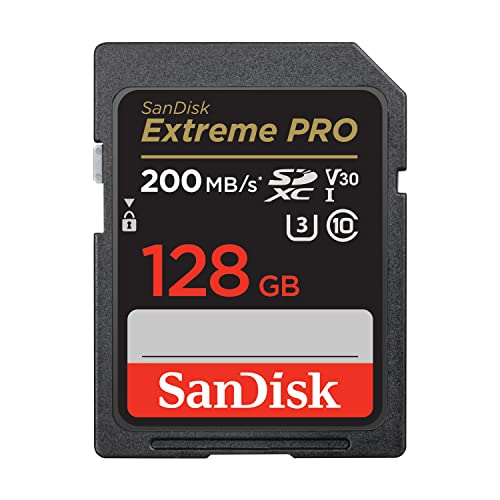
SanDisk 128GB Extreme PRO SD (UHS-I, V30)
A full-size SDXC card rated V30 with fast UHS-I transfers is the mainstream sweet spot for cameras: honest sustained-write credentials where they matter, without paying for a UHS-II interface your camera may not have. SanDisk 128GB Extreme PRO SD (UHS-I, V30) — Check on Amazon

Samsung PRO Plus 256GB microSDXC (V30, A2)
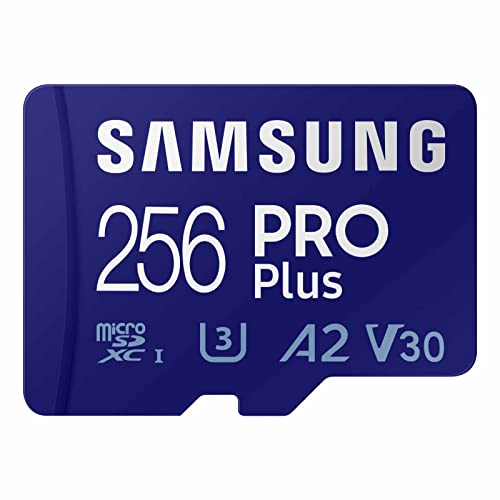
The microSD side of the same lesson: V30 for video plus an A2 app-performance rating for phones, handhelds and drones, from a maker whose cards consistently deliver their rated speeds. Samsung PRO Plus 256GB microSDXC (V30, A2) — Check on Amazon

Lexar 128GB Professional 1667x SD (UHS-II, V60)
A UHS-II, V60 card shows the step up for high-bitrate video and fast burst photography — worth it only when the camera has the second row of pins to use it. Lexar 128GB Professional 1667x SD (UHS-II, V60) — Check on Amazon
how to choose an SD card: The Short Version
Form factor, family, bus, V-class, A-rating — five marks that fully describe a card. Read those instead of the headline number and you will buy the right card the first time, for cameras, drones, consoles and cams alike.
Choosing by Workflow, Not by Device Alone
Two owners of the identical camera can need different cards, because the device sets the floor and the workflow sets the real requirement. Consider the burst shooter and the landscape shooter sharing one camera model. The burst shooter fills the camera’s buffer in seconds and then waits on the card; for them, sustained write speed and fast buffer clearing are the product, and capacity is secondary because they offload nightly. The landscape shooter exposes a few dozen frames an hour, cares about nothing the card does except that it never fails, and may value two smaller cards — one in the camera, one as the day’s backup — over one large flagship. The video shooter on the same body lives by the video speed class and by capacity measured in minutes, and the hybrid shooter needs the card that satisfies the strictest of their modes rather than the average. Before you shop, write down your own pattern honestly: how much you shoot between offloads, whether you shoot bursts or video at the demanding end of your device’s abilities, and what a lost card would cost you. Those three answers choose the card more accurately than any compatibility chart, because compatibility only tells you what will work — your workflow tells you what will feel fast, hold enough and fail safely.
Capacity planning in minutes and frames, not gigabytes
Manufacturers sell gigabytes; you consume minutes and frames. Translate before buying. A day of stills at your typical file size, a card’s worth of video at your chosen bitrate — your camera’s manual and your own archive both hold these numbers — turn an abstract capacity into a working unit: one card per day, two cards per trip, a card that holds a whole wedding with the ceremony’s margin intact. Shooters who plan in working units stop making the two classic errors: the single enormous card that concentrates a whole trip into one point of failure, and the drawer of small cards that fill mid-event and multiply the chances of losing, mislabelling or formatting the wrong one. The professional pattern — cards sized to one job or one day, rotated in a case that shows at a glance which are spent and which are fresh — scales down to a family holiday without modification, and it begins with this translation from gigabytes into your own units.
The Ratings Beyond Speed: Endurance, Temperature and Trust
A card’s face advertises speed, but three quieter specifications decide whole categories of use. Endurance is the first: cards built for continuous rewriting — dash cameras, security cameras, any recorder that loops — use flash and controllers rated for vastly more write cycles than a photography card, and putting a photography card on loop duty is the most common way to kill one young. If your device writes constantly, the endurance line is not an upgrade; it is the correct product category, and the ranges gathered among the best SD cards for dash cam use exist precisely because that duty destroys ordinary cards on a schedule. Temperature range is the second: consumer cards are rated for ordinary conditions, while industrial-rated cards tolerate the frozen trailhead and the dashboard in August, and a card that stops at the temperature extreme of your actual use has failed you regardless of its speed class. The third is the maker’s warranty and its terms — what duration, what the claim requires, whether the maker operates in your country — because a card is one of the few products where the warranty is a realistic part of the value: cards do fail, and a painless replacement process is worth more than a theoretical speed edge you will never measure.
Application Performance Class, for cards that run things
If the card will host applications or an operating system rather than photographs — a phone’s adopted storage, a single-board computer, a handheld console’s library — a different rating takes over: the A1 and A2 application classes, which certify random read and write performance rather than the sequential speed cameras care about. Random performance is what makes a system feel responsive, because operating systems live on thousands of tiny reads and writes, and a card can post heroic sequential numbers while stumbling badly at this. Match the rating to the job’s shape: sequential classes for capture, application classes for systems, endurance lines for loops. A card chosen by the wrong rating family is not a bad card; it is a good card interviewed for the wrong position, and it will underperform its price until it is reassigned to the work it was certified for.
Buying the Second Card: Spares, Rotation and the Two-Card Rule
Choosing does not end at the first card, because the correct number of cards for anything that matters is at least two. The spare is not a luxury; it is the mechanism that turns a card failure from a lost shoot into a thirty-second swap, and it lets you retire a suspect card immediately rather than nursing it through one more event because it is the only one you own. Buy the spare to the same specification as the primary — a slower spare teaches you to avoid it until the day you need it, when it will teach you its limits mid-job. Rotate the pair evenly so they age together and neither becomes the unknown-quantity drawer card of uncertain history. Label them physically, with a number on the case and a matching entry in your notes: purchase date, source, the devices they serve. That tiny registry pays out the first time a card misbehaves, because you will know its age, its provenance and its siblings — and provenance, in a market with counterfeits, is half of trust. Shooters who treat cards as a small managed fleet rather than as consumable accidents almost never lose work to them; the discipline costs one extra card and one minute of labelling per purchase.
When to Ignore This Guide’s Instincts: House Cards and Hand-Me-Downs
Not every card needs choosing. The drawer of adequate cards every household accumulates serves the undemanding fleet — the old compact camera, the music player, the printer’s card, the child’s first camera — perfectly well, and the choosing discipline in this guide is for cards whose failure or slowness would actually cost you something. Spend your attention where the stakes are: the card in the camera on the one-day event, the card in the recorder that never stops, the card carrying the only copy of anything. For the rest, the honest specification is “genuine, formatted in its device, and not the one from the suspicious marketplace listing.” Knowing which purchases deserve rigour and which deserve a shrug is itself a choosing skill, and it keeps the rigour fresh for the cards that earn it.
Three Buyers, Three Baskets: Worked Choices
The parent filming school events on a camcorder and a phone
The camcorder’s manual names a video class; the phone wants application-class random speed if the card will hold apps, or simply capacity if it will hold video. The parent’s real pattern is bursty — an hour of filming, then the card sits — so endurance is not the issue, but the irreplaceability of the footage is. The basket: two camcorder cards of the named video class, sized to one event each, rotated; one phone card a step above the minimum class, because phones keep cards for years and the cost of slowness is paid daily; and a home habit — offload after each event, format in the device — that does more for this family’s memories than any specification on any box.
The traveller with one camera and no laptop
Three weeks, no computer, one camera, and a hard rule that no day’s photographs exist in only one place. Capacity must cover the trip in daily units, and the second copy must live somewhere that is not the camera bag — a second set of cards in a different bag, a portable drive, or a phone-based backup each evening. The basket leans to more, smaller cards rather than fewer, larger ones, because the loss model is theft and misplacement as much as failure, and a lost day is survivable in a way a lost trip is not. Speed can be modest — the camera’s bursts are holiday bursts — and the money saved on speed buys the redundancy that is this traveller’s actual requirement.
The beginner streamer and tinkerer
One card lives in a single-board computer as its entire system drive, another rotates through a handheld console’s game library, and a third serves a camera occasionally. Three different rating families in one drawer: an application-class card for the computer, where random performance is the difference between a responsive system and a frustrating one; a large, honest sequential card for the console, where capacity per money rules and the A-rating is wasted; and the camera’s named video class for the third. The lesson of this basket is the guide’s thesis in miniature — there is no “best card” in the drawer, there are three correct answers to three different questions, and the tinkerer who learns to ask the questions separately will choose well for devices that have not been invented yet.
After the Purchase: The Ten-Minute Acceptance Test
Choosing ends with verifying, because the market’s counterfeits and the occasional honest dud both pass a casual glance. When a new card arrives, run the same acceptance ritual every time. Format it in the device it will serve, not only in a computer, so the device lays down its preferred structure. Fill it meaningfully — a long video recording, a burst session, or a computer copy that approaches its capacity — because fakes reveal themselves when real data crosses their true, smaller capacity, and marginal cards reveal themselves under sustained writes. Read the material back and spot-check the end of it, not only the beginning. Then record the card in your little registry: date, source, device, and a physical number on its case. Ten minutes, once per card, and you have converted a purchase into a known quantity. A card that fails acceptance goes back within its return window, painlessly, instead of failing upward into your life at the worst possible moment — which is the entire economic argument for testing on arrival rather than trusting on arrival, and it applies to the best SD cards for cameras exactly as much as to the humblest budget card in the drawer.
Frequently Asked Questions
What speed class do I need for 4K video?
V30 is the standard answer: it guarantees 30MB/s sustained writes, which covers the 4K bitrates of most cameras with headroom. High-bitrate modes — all-intra, high-frame-rate, 6K/8K — can demand V60 or V90, and your camera manual will say so explicitly. The class system is explained in What is a V30 Sd Card.
Is a UHS-II card worth it for my camera?
Only if the camera is UHS-II — check its specification for the second row of pins. In a UHS-I camera a UHS-II card runs at UHS-I speeds and the premium buys nothing. In a UHS-II camera it buys faster buffer clearing and, with a UHS-II reader, much faster offloads. See UHS I vs UHS Ii Sd Card.
Can I use a microSD card in my camera with an adapter?
Yes — the adapter is a passive pass-through and the card performs as itself. For casual use it is a non-issue. For paid or critical work, native full-size cards remove a contact interface and a small failure point, which is why professionals standardise on them. The full trade-off is in Sd vs Microsd Card.
How much capacity should I buy?
Estimate from your format: stills shooters from RAW file size and shots per session, video shooters from bitrate and recording time — then prefer two mid-size cards rotated over one giant card, so a single failure or loss never holds everything. Also confirm your device’s maximum supported capacity before buying big; older devices may cap at 32GB or lack SDXC support entirely.
What does the A2 rating mean, and do I need it?
A1/A2 rate random read/write performance — the workload of running apps and games from the card. For phones, tablets, a Switch or a Steam Deck, A2 is worth having and makes a visible difference to load behaviour. For a camera, it is irrelevant; video cares about the V-class instead.
Are expensive brand-name cards worth it over budget cards?
For anything you cannot reshoot, yes. Major makers’ cards deliver their rated speeds, carry real warranties, and are what the endurance and speed claims in this guide assume. Budget and no-name cards are also the counterfeit’s natural habitat — verify any new card with How to Check if Fake an Sd Card before trusting it.
Is a faster card always safer for my data?
No — speed and safety are different axes. A flagship fast card from a genuine source is a fine thing, but its speed class says nothing about endurance, authenticity or how it behaves at temperature extremes, and a counterfeit “fast” card is the least safe storage you can buy at any speed. Safety comes from provenance, from the right product category for the duty, and from your own rotation and backup habits. Buy the speed your device and workflow can use, from a seller you trust, in the category your duty demands, and let safety be built by those choices rather than inferred from the largest number on the packaging.
Should I buy the largest capacity I can afford to future-proof?
Resist it, for three practical reasons. Very large cards concentrate more of your work into a single point of failure and loss. They can exceed the comfortable capacity of older devices even within a supported family, and they encourage the habit of leaving weeks of un-backed-up material on one card because it never fills. Capacity bought in working units — a day, a job, a trip — with a same-specification spare beside it serves the future better than one cavernous card, because your future need is not really for more gigabytes in one place; it is for never losing the day, and distribution, not size, is what buys that.
My device’s manual lists a maximum card size from years ago. Can I exceed it?
Often yes, with a caveat about why the number is stale. Manuals state the largest capacity tested at publication, and the family standard — SDHC or SDXC — usually governs what the device can address, so a later, larger card within the same family commonly works. The caveats are real, though: the device must support the family, the file system the larger card requires, and occasionally a firmware update stands between the manual and the larger card. Test any oversize card with unimportant material first, format it in the device itself, and fill it past the manual’s stated limit before trusting it — a card that accepts files is not proven until it has written and read back beyond the boundary in question.
Are store-brand and budget cards ever a sensible choice?
For low-stakes duty, yes, with eyes open. A genuine budget card from a retailer who stands behind it can serve a music player, a child’s camera or a printer perfectly well, and the savings across a household’s worth of undemanding slots add up. The line to hold is provenance and stakes together: never for the only copy of anything, never for continuous-recording duty, and never from a listing whose price implies the card cannot be what it claims. Budget is a specification like any other; counterfeit is not a budget tier, it is a defect, and the choosing skill is telling the two apart before the card is in the camera.
How many cards should a serious hobbyist own?
Enough that no shoot depends on one card and no card’s history is a mystery — for most hobbyists that resolves to a working set of three to five for the main camera: a rotation for a day’s shooting, a spare in the bag, and one resting while its contents await verified backup. Recorders and second devices get their own dedicated cards rather than borrowing from the camera’s set, because borrowed cards return formatted by other hosts and full of other priorities. The exact number matters less than the properties: every card labelled, every card’s provenance known, and the set small enough that you notice immediately when one starts behaving oddly. A fleet you can hold in one hand and account for from memory is the right size for almost everyone.
Does the card reader I use change which card I should buy?
It changes what you can enjoy, not what the camera needs. A fast card in a slow reader offloads at the reader’s pace, which matters to professionals on deadlines and to nobody else very much; the camera writes at its own bus speed regardless of your desk hardware. Where the reader does enter the choosing is at the extremes: a UHS-II card bought partly for offload speed deserves a UHS-II reader to collect that benefit, and a reader so old or cheap that it corrupts transfers can make good cards look guilty. Buy the card for the device that writes to it, buy the reader for the patience you actually have, and suspect the reader early whenever “card problems” appear only at the computer.
Should I match the card brand to my camera brand?
There is no technical requirement to, and no penalty for ignoring the idea entirely. Cameras speak standard protocols to standard cards, and the major card makers’ products are interchangeable in any compliant slot. What brand loyalty can legitimately buy is a support experience you have tested — a warranty process that worked for you once is worth returning to — and, at the professional end, cards a maker has validated in your exact body for its most demanding modes. Beyond that, choose by the ratings, the category and the provenance, and let the logo be the last tiebreaker rather than the first filter. The card does not know what camera it is in, and the camera does not care whose name is printed on the label.
When should I retire a card that still works?
Retire on evidence and on stakes, not on age alone. The evidence: a card that has thrown one unexplained error, corrupted one file, or begun benchmarking below its class has told you its trajectory, and cards almost never recover from a first symptom. The stakes: a card demoted from the wedding kit can live a second life in a music player, where its failure costs nothing, and that demotion ladder — critical duty, casual duty, drawer — is the sensible way to extract a card’s full value without letting it gamble with anything irreplaceable. Keep the registry updated as cards move down the ladder, and the fleet stays honest at every level.
Is it better to buy cards in a shop or online?
Either channel serves you well if the seller is accountable; both fail you when the seller is anonymous. A physical shop gives you a counter to return to and stock that passed through a normal supply chain. A major online retailer’s own inventory — bought from the retailer, not from a third-party listing hosted on its site — offers the same accountability with better range. The danger zone is the marketplace listing from an unknown seller at a price that undercuts everyone, in either world. Judge the seller before the card, keep the receipt with the card’s registry entry, and the channel becomes a matter of convenience rather than risk.
Apply that seller test to today’s purchase, run the ten-minute acceptance test when the card arrives, and file the registry entry while the details are fresh — three small habits that together do more for your photographs than any single specification this guide has discussed.
What if my device is old and its card slot is the bottleneck?
Then buy to the slot, not to the catalogue. An older camera or reader with a first-generation bus will treat a premium modern card as an ordinary one, and the honest purchase is a genuine, correctly-classed card at the level the device can use, with the savings kept for the device’s eventual successor. The exceptions are deliberate ones: if a device upgrade is already planned, buying the faster card now, knowing it will loaf in the current slot, is rational future-proofing rather than waste. The sin is accidental overspending — paying for performance no part of your current system can touch, in the belief that the card alone confers it.
Do I need a different card for winter or high-altitude use?
You need a card whose rated operating range covers your conditions, which is a line in the specification most buyers never read. Consumer cards are typically rated for a moderate band around room temperature; below it, controllers can misbehave and batteries in the host device fade faster, compounding the problem, and above it — a dashboard in summer sun is the classic case — ordinary cards cook slowly toward early failure. For genuinely cold or hot duty, choose from the makers’ extended-temperature or endurance lines, keep spares warm in an inside pocket in winter, and let equipment acclimatise before opening cases in humid cold, because condensation harms more cards in the mountains than the cold itself ever does.
How do I choose when two cards have identical ratings?
Break the tie with everything that is not on the front of the card. Compare the sustained-write behaviour in independent tests rather than the peak figures, because two cards can share a class while one holds its speed through a long recording and the other fades after its cache. Compare the warranty length and the maker’s replacement reputation in your country. Compare the temperature and endurance ratings in the full specification. And if all of that is still level, buy the one from the seller with the cleaner return process and keep the receipt — because at that point the products are equivalent and the ownership experience is the only remaining difference, which is a perfectly rational basis for a final choice.
Use those tiebreakers in that order on today’s shortlist and the decision will take minutes rather than evenings — and a decision made on sustained behaviour, warranty and provenance will still look correct on the day the card is finally retired.
What is the one mistake you see most often in card buying?
Buying the specification for the photograph on the box instead of the work in the camera — the highest speed class for a device that cannot use it, the largest capacity for a workflow that needs redundancy, the photographic card for a recorder that will eat it. Every one of those purchases is a good card in the wrong job. The worksheet in this guide exists to prevent exactly that: name the device, name the duty, name the loss you cannot accept, and let those three answers filter the catalogue before a single marketing number gets a vote.
Related Guides
Keep exploring with these guides and roundups from the same SD-card collection: