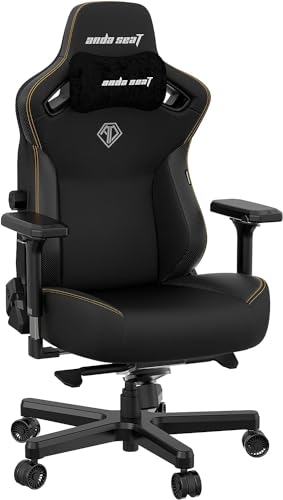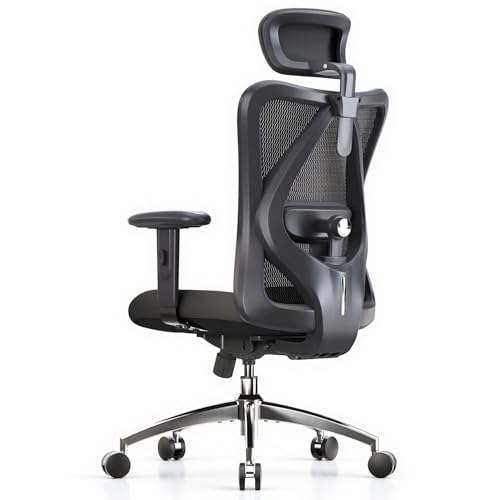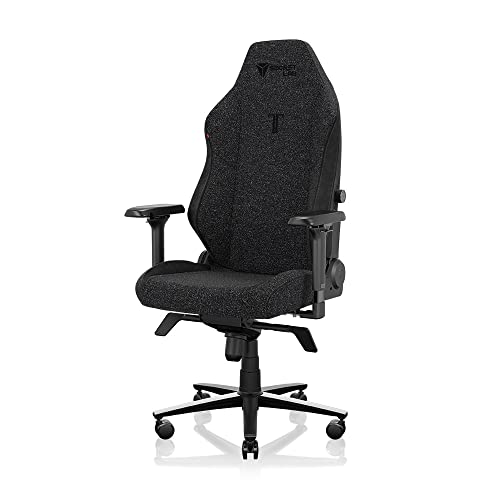
With gaming chair ergonomics explained in plain terms, most marketing language falls away: a chair is ergonomic when it keeps your spine’s natural curves supported, your joints near neutral angles, and your body free to move — for your specific body, at your specific desk. This explainer covers how the spine, pelvis, arms and eyes interact with a chair, what each adjustment actually does, and the misconceptions that lead players to buy support they never receive.
Disclosure: As an Amazon Associate, ilcastellomenu.com earns from qualifying purchases. Product links on this page may earn us a commission at no extra cost to you. Prices and availability change on Amazon, so check the product page for the current details before you buy.
Gaming Chair Ergonomics Explained: The Spine Comes First
Your spine is not straight, and a good chair does not try to make it so. Viewed from the side it forms a gentle S: the lower back (lumbar region) curves inward, the upper back curves outward, and the neck curves inward again. Sitting flattens the lumbar curve because the pelvis tends to roll backwards, and an unsupported flattened lumbar curve is where most sitting discomfort begins. Ergonomic support means the chair fills that inward curve so the S survives sitting — that is the entire job of lumbar support, and why its height and depth adjustability matter more than its softness.
The pelvis is the foundation: sit with your weight on your sit bones (the two bony points you can feel on a hard chair) rather than rolled back onto your tailbone. A seat that is too deep pushes you into the tailbone-sitting ‘sacral’ posture; a seat at the right depth with lumbar contact keeps the pelvis upright almost automatically. This is why fit measurements — covered in How to Measure for a Gaming Chair — are an ergonomics topic, not a shopping detail.
In this guide
Key Terms, Translated
Lumbar support
Any structure that fills the inward curve of your lower back. Built-in mechanisms adjust height and depth and stay put; pillows adjust by hand and can drift. Support should feel like firm, even pressure at belt-line height — not a lump pushing you forward.
Seat pan and waterfall edge
The seat pan is the surface you sit on. Its front edge should be rounded (a ‘waterfall’) so it does not press into the underside of your thighs and restrict circulation. Depth is correct when two or three fingers fit between the edge and the back of your knees.
Tilt, recline and synchro movement
Recline changes the angle between seat and backrest; tilt rocks the whole chair. Both unload the spine when used: opening the hip angle past 90 degrees reduces disc pressure compared with sitting bolt upright, which is why a slight recline around 100 degrees suits desk play.
Neutral posture
The low-strain reference position: feet flat, knees near 90 degrees, elbows near 90 degrees with shoulders relaxed, wrists straight, head balanced over the shoulders rather than poked forward. It is a home base to return to, not a statue pose to hold for hours.
Arms, Wrists and the Desk Relationship
A chair does not exist alone — ergonomics is a system of chair, desk and monitor. Armrests should carry the weight of your forearms so your shoulders can stay down and relaxed; unsupported arms hang from the shoulder muscles all day, which is a common source of neck and shoulder ache that people wrongly blame on the backrest. Elbows at roughly desk height with forearms parallel to the floor is the target, and Gaming Desk Ergonomics Explained covers the desk half of that equation.
Your head weighs more than you think, and every inch it drifts forward of your shoulders multiplies the load on your neck. Monitor position is the usual cause: a screen that is too low, too far or off-centre pulls the head with it. The chair’s contribution is a headrest that supports the head when you lean back, and a backrest shape that does not push your shoulders forward — the failure mode of narrow bucket seats discussed in Bucket Seat vs Ergonomic Gaming Chair.
Movement: The Principle Behind Every Adjustment
The most important ergonomic fact is unglamorous: no posture, however perfect, stays healthy for eight unmoving hours. Tissue needs load variation. A genuinely ergonomic chair therefore makes movement easy — free tilt that invites small rocks and shifts, a recline you can vary between tasks, armrests that get out of the way when you change position. When you follow How to Adjust a Gaming Chair, you are not chasing one ideal pose; you are setting ranges inside which your body can keep moving.
This is also why ‘ergonomic’ claims should be judged on adjustments you will use daily. A lumbar dial you tweak between work and play is ergonomic value; a massage motor is entertainment. Players shopping with real back pain should weight proven support features accordingly — the models in Best Gaming Chairs for Back Pain are filtered on exactly that basis.
Common Misconceptions About Ergonomic Gaming Chairs
- ‘Sitting up straight at 90 degrees is the correct posture.’ A slight recline is easier on the spine for sustained sitting; 90 degrees is a starting reference, not a rule.
- ‘More lumbar pressure means more support.’ Excess depth pushes the spine out of its curve the other way. Support should feel even and forgettable.
- ‘A racing bucket must be ergonomic because race drivers use them.’ Race seats are safety devices for harnessed drivers pulling G-forces, not comfort devices for desks; the shapes solve different problems.
- ‘Firm foam is always better.’ Firmness must match body weight; light players on very firm foam get pressure points, heavy players on soft foam bottom out.
- ‘An ergonomic chair fixes posture by itself.’ The chair enables good posture; monitor height, desk height and your own movement habits complete the system.
Cutting through these myths is most of what ‘ergonomics explained’ means in practice: support matched to your curves, joints near neutral, and freedom to move. Everything else is styling.
Putting It Together: A Five-Minute Ergonomic Audit
- Sit in your normal playing position. Are your feet fully flat? If not, seat height or a footrest needs attention.
- Check the seat edge: two or three fingers between it and your knees? If it presses your calves, the seat is too deep for you.
- Lean back: does support meet your lower back at belt height without pushing? Adjust lumbar height and depth until it disappears from your attention.
- Rest your arms: shoulders relaxed, elbows near 90 degrees, wrists straight? Adjust armrests and desk relationship.
- Look at your screen: is your head balanced, eyes meeting the upper third without tilting? Fix the monitor, not your neck.
Run this audit after any change to your setup. It takes minutes and catches the drift that slowly turns a good setup into an aching one — and if your chair cannot pass the audit at any setting, the chair itself is the problem, which is what How to Choose a Gaming Chair is for.
Ergonomics Across a Whole Day: Work, Play and Everything Between
Most gaming chairs serve double duty as work chairs, and ergonomics must survive the whole day, not just the evening’s session. The postures differ: work wants you upright and close, with the screen at reading distance; competitive play wants the stable platform; leisure play wants the recline. A chair and desk that adjust across that range — and a user who actually adjusts them between activities — deliver what no single ‘perfect posture’ can: variety.
Build micro-variety into the day deliberately. Change recline angle between tasks. Stand for calls. Move the lumbar depth a notch at lunch just to change the pressure map. These are small acts, but tissue health is the sum of small acts, and the chair’s adjustability is only potential until you spend it.
Evening gaming after a workday in the same chair deserves one extra audit point: your body arrives pre-loaded with the day’s strain. The five-minute audit in this guide, run at the start of the evening session, catches the settings that drifted during work — and gives your back a genuinely different second shift.
What Ergonomics Cannot Do: Honest Limits
An ergonomic chair cannot cancel a fourteen-hour static day, cannot strengthen the muscles that support your spine, and cannot diagnose pain. It optimises the interface between you and your desk; the rest of the system is movement, breaks, sleep and general fitness, none of which ship in the box. Marketing that implies otherwise sells disappointment to exactly the people in most discomfort.
The evidence-based core is modest and real: supported lumbar curve, neutral joints, feet grounded, screen placed for a balanced head, and regular posture change reduce strain and delay fatigue. That is worth having — it is the difference between finishing a session fresh and finishing it folded. But if you have persistent, radiating or worsening pain, the ergonomic journey’s next step is a professional assessment, and no chair purchase should delay it.
Buy the chair for fit and adjustability, use it actively, move often, and keep expectations where the evidence puts them. That is gaming chair ergonomics, fully explained.
The Science in One Paragraph, Then the Caveats
Ergonomics research on sitting converges on a few robust findings: lumbar support that maintains the spine’s natural curve reduces lower-back strain; opening the hip angle slightly past ninety degrees lowers disc pressure compared with rigid upright sitting; supported forearms reduce shoulder and neck muscle load; and regular movement matters more than any single posture. Those four findings are the load-bearing walls of every recommendation in this guide.
The caveats deserve equal billing. Most studies examine office work, not gaming, and gaming adds controller forces, adrenaline postures and session lengths offices rarely see. Individual variation is large: the ‘average’ spine in a study is nobody’s spine in particular. And commercial ergonomics has wrapped these modest findings in a great deal of confident marketing that the evidence does not support.
The practical stance is therefore: apply the four findings, fit them to your body by the audit, and treat every additional product claim as a hypothesis your own comfort must confirm. Your body is the final instrument, and it reports honestly if you give it a week and change one variable at a time.
That is also why this explainer keeps returning to adjustability. A fixed ‘ergonomic’ shape encodes one study’s average; an adjustable chair encodes the findings and lets you find your own values inside them. In ergonomics, adjustability is not a feature list — it is the scientific method, upholstered.
Ergonomics for Controller, Wheel and Handheld Play
Not all gaming happens at a keyboard. Controller play moves the player back into the chair, loads the recline and headrest instead of the armrests, and asks the lumbar support to work at angles the desk audit never visits. If your evenings split between desk and controller, run the audit twice — once per posture — and favour chairs whose lumbar support stays effective when reclined, which loose pillows often do not.
Wheel and pedal setups create a third geometry: legs extended, feet working, arms reaching forward under load. The chair’s job becomes stability — no caster creep, no tilt surprises — and its ergonomics are closer to a car’s than an office’s. Lock what can be locked, lower what can be lowered, and let the rig dictate the settings rather than the desk defaults in this guide.
Handheld and laptop play migrate to sofas and beds, where ‘ergonomics’ becomes cushions behind the back, a raised screen and elbows supported by pillows. The principles do not change — lumbar curve filled, head balanced, arms supported — only the furniture does. Players who game in three places need three honest setups, not one perfect chair and two apologies.
Children, Teens and Ergonomics in Development
Growing bodies are not small adults, and their chairs deserve their own ergonomics. A teen slumped in an adult gaming chair — feet dangling, lumbar support at their shoulder blades, headrest behind their neck — is receiving anti-ergonomics: support in all the wrong places, training postures rather than correcting them. Size the chair to the body that exists now, using the measuring method in this batch, and let adjustability ranges cover the growth you can foresee.
Habits form alongside bones. A young player taught the five-minute audit owns a skill that outlasts any chair: they will set up dorm desks, first office chairs and future battlestations correctly for life. Ergonomics education is the one upgrade that never needs replacing, and it costs a conversation.
Parents auditing a teen’s setup should check the same three relationships as for themselves — feet, lumbar, screen — with fresh eyes, because setups assembled for a smaller child quietly become wrong as growth proceeds. The annual re-measure is the family’s version of the quarterly bolt check: unglamorous, decisive.
Ergonomics Myths Sold as Products
The market sells ergonomic theatre alongside ergonomics: kneeling chairs promising transformation, posture-correcting wearables, cushions shaped like vertebrae. Some help some people; none repeal the principles in this guide. Any product whose pitch is a single miracle position should be doubted on arrival, because the evidence keeps answering with a boring word — variety.
Massage functions deserve a specific note: pleasant, relaxing, and not lumbar support. A vibrating pillow does not hold your spine’s curve while you play; it entertains you while your posture does whatever it was already doing. Enjoy it as a feature if you like it, but do not let it substitute for support in your buying maths.
The test for any ergonomic product is whether it improves one of the audit’s five checks measurably — feet grounded, seat depth right, lumbar contact at belt height, arms supported with shoulders down, head balanced over a well-placed screen. Products that pass are ergonomics. Products that cannot say which check they improve are décor.
Your Chair at Work: Ergonomics Beyond Gaming
Everything in this explainer transfers to the office chair, the car seat and the sofa, because spines do not know which activity they are supporting. The lumbar principle explains why a rolled towel transforms a bad car seat on a long drive; the screen principle explains laptop neck in cafés; the movement principle explains why the best meeting chair is the one near the door you keep leaving for water.
Players who internalise the audit become the person in every workplace who fixes their setup in the first week while colleagues ache for a year. That is not a small life skill — it is comfort, compounded daily, across every chair you will ever sit in. The gaming chair was merely the classroom.
So treat this explainer as the theory module for the whole batch: the buying guides apply it to shopping, the adjustment guide applies it to your chair, and your body applies it everywhere else, automatically, once it has learned what supported feels like.
A Note on Sources: Where This Guide’s Numbers Come From
The angles and distances in this explainer — elbows and knees near ninety degrees as a reference, screens at arm’s length with the top third at eye level, lumbar contact at belt height — are the consensus starting points taught across occupational ergonomics, deliberately stated as references to be adjusted rather than laws to be obeyed. Your audit then personalises them, because the literature’s averages describe populations and you are a person.
Where this guide has been careful, it is worth noticing: it makes no medical claims, promises no cures, and treats pain as a signal deserving professional assessment rather than a shopping problem. That restraint is not hedging — it is the accurate shape of the evidence, and any source that promises more than supported comfort and reduced strain is selling something other than ergonomics.
Hold every future ergonomic claim you meet to the same standard: which audit check does it improve, by what mechanism, and what would you measure to confirm it? Claims that survive those questions are welcome at your desk. The rest is upholstery for marketing.
A Worked Example: One Player’s Audit, Number by Number
Explainers earn their keep when the theory survives contact with a specific body, so here is the five-minute audit run on a composite player — call them a five-foot-ten desk worker who games three hours nightly and reports a familiar cluster: a sore lower back by hour two, a stiff neck, and a right wrist that aches on long sessions. Their chair is a decent mid-range model. Nothing about the setup is exotic, which is the point: most ergonomic failures are ordinary numbers slightly wrong, compounding.
Check one, feet: not flat. Their heels rest on the floor but their forefeet ride the chair’s base, because the seat is set an inch too high for their popliteal height — measured later at sixteen and a half inches against a seat sitting at seventeen and a half. The dangling front of the foot has been tilting their pelvis subtly all along, which is where the audit starts paying: the lower-back complaint’s first contributor is at the floor, not at the lumbar support everyone blames. The fix costs nothing — lower the chair one inch — and the desk relationship survives it because their elbows were riding slightly high anyway.
Check two, seat edge: two fingers of clearance, correct, and check three, lumbar: the pillow sits at belt height but has migrated an inch low by hour two — a strap problem, answered by the pillow discipline in this batch. Check four, arms: the right armrest sits one notch higher than the left, an asymmetry left over from assembly, and the right wrist’s ache suddenly has a local address — the raised rest has been shrugging the right shoulder and bending the wrist up at the mouse for months. Check five, screen: the monitor’s centre sits at eye height rather than its top third, tilting the head back a few degrees all evening; the stiff neck signs its name.
Total repairs: one inch of seat height, one armrest notch, a pillow strap, a monitor lowered on its stand. No purchases, twenty minutes, and every complaint in the cluster had a mechanical contributor that the audit’s order found in sequence. This is the worked example’s lesson, and it generalises: run the checks in order, measure what you can, change one thing at a time, and let the body’s report over the following week — not the showroom feeling of a new setting — deliver the verdict.
Beyond the Spine: Circulation, Breathing and Warmth
Ergonomics conversations orbit the spine, but a seated body is also a plumbing and breathing system, and the chair touches both. Circulation first: the seat’s front edge is a pressure line across the underside of the thighs, and an edge that digs — because the seat is too deep, too high, or too square — throttles the blood flow returning from the legs. The symptoms are the familiar ones players joke about: feet that go pins-and-needles mid-session, legs that feel heavy on standing. The waterfall edge and the two-finger clearance in the audit exist precisely to keep that pressure line soft, which is why those checks are circulation checks wearing posture clothing.
Breathing is the quieter system. A slumped posture — pelvis rolled back, chest folded — measurably shallows the breath, because the diaphragm’s travel is limited by the compressed abdomen. Players notice it as an unexplained tiredness or a sighing habit during long sessions; the lumbar support’s real job, seen from this angle, is not propping the back but keeping the chest open enough to breathe at full depth without effort. It is also why the slight recline this explainer recommends keeps winning: it opens the hip angle and unloads the abdomen in a way bolt-upright sitting never does.
Warmth completes the trio. A seated body generates heat at the contact zones and sheds it poorly where foam insulates — one reason material breathability, debated elsewhere in this batch, is an ergonomic variable and not merely a comfort preference. A player who runs hot sits worse as the session warms: they shift, perch and unseat their own lumbar contact to find cool surface. Ergonomics that ignores temperature will be defeated by it nightly, which is why the audit belongs in the room you actually play in, at the hour you actually play.
How Researchers Actually Measure Comfort
It is worth knowing where ergonomic knowledge comes from, because the methods explain both its reliability and its limits. The workhorse instrument is the pressure map: a thin mat of sensors laid on the seat that renders your sitting as a landscape of pressures. Good sitting, on a map, is boring — pressure spread broadly, no fierce peaks under the sit bones, nothing sharp at the seat’s front edge. Bad sitting concentrates: two hot spots and a cliff. When a manufacturer claims pressure-distributing foam, this map is the claim’s evidence, and the reason moulded foams with graded density genuinely outperform uniform slabs.
Motion capture and electromyography supply the second stream: reflective markers tracking joint angles through a workday, and surface sensors reading how hard muscles are actually working in a given posture. These are the studies behind this explainer’s recurring theme — they are how we know that muscle activity never fully switches off in any fixed posture, and that the lowest total load across a day belongs to people who change position often, not to people who hold one certified-correct pose.
The limits deserve equal time. Most studies use office tasks, young healthy subjects and laboratory chairs, over hours rather than years. Gaming adds reclined controller postures, pedal loads and session lengths offices never see. So the honest transfer is principles, not prescriptions: spread pressure, support the curve, ground the feet, move often. Those four survive every methodological caveat, which is why this batch builds on them and treats everything more specific — exact angles, magic numbers — as a starting point for your own audit rather than as law.
The Recline Spectrum: What Each Angle Asks of Your Body
Recline is usually sold as a range — the bigger number wins — but ergonomically it is a spectrum of different postures, each with its own job. Around ninety to one hundred degrees is working posture: the trunk upright enough for desk reach, the load shared between seat and backrest. This is where mouse-and-keyboard play lives, and where lumbar contact matters most, because the backrest is close enough to vertical that a gap at the belt line becomes a slump within the hour.
One hundred to one hundred and fifteen degrees is the spectrum’s sweet band for long sessions: spinal load measurably eases as the backrest takes more of the trunk’s weight, while the screen and desk remain comfortably reachable. Most players’ audited comfort lives here, and it is the range a good tilt mechanism should let you wander rather than lock. The headrest also starts earning its keep in this band, meeting the head as the trunk’s angle brings it back.
Beyond one hundred and twenty degrees you have left the desk’s geometry: this is controller, film and conversation territory, where the screen must be repositioned or accepted at a distance, the keyboard is abandoned, and the chair becomes lounge furniture with a footrest’s assistance. Deep recline is a legitimate pleasure and a genuine variation in a long day’s postures — but a chair bought for its maximum angle and used at a desk is a chair bought for the wrong end of its own spectrum. Judge recline by the quality of the middle band and the smoothness of travel through it, because that is where your spine will spend its years.
Glossary: The Rest of the Vocabulary
The key-terms section covered the essentials; these are the words that appear in listings and reviews once you read past it.
Pelvic tilt
The rotation of the pelvis that organises everything above it. Rolled backward, it flattens the lumbar curve into a slump; held neutral, it lets the spine stack into its S. Most ‘lumbar support’ is really an attempt to set pelvic tilt from outside.
Lordosis and kyphosis
The spine’s natural curves, named: lordosis is the inward curve of the lower back and neck, kyphosis the outward curve of the upper back. Both are healthy in measure. Ergonomic trouble is usually one curve exaggerated or erased — the erased lumbar lordosis of the slumped gamer being the category’s signature fault.
Popliteal height
The floor-to-underside-of-thigh measurement, taken seated with feet supported, that sets correct seat height. It is the single most useful number in the measuring guide in this batch, and the one almost no listing asks you for.
Reach envelope
The volume your hands can work in without leaning or shrugging. Keyboards, mice and controllers belong inside the comfortable inner envelope; anything you use hourly that lives outside it is taxing your shoulders on an instalment plan.
When Ergonomics Matters Less: The Honest Exceptions
An explainer owes you its boundary conditions. Ergonomic optimisation has diminishing returns, and naming where they flatten is part of explaining the subject honestly. The first exception is the genuinely short session: a player who sits for forty-five minutes a few times a week, in a chair that roughly fits, is exposed to so little cumulative load that the audit’s refinements buy them almost nothing measurable. Fit still matters — a chair that actively fights the body is bad at any duration — but the difference between a good setup and a perfected one is a difference that session length never gives time to declare itself.
The second exception is the body that moves abundantly elsewhere. Ergonomics compensates for stillness; a player whose day already contains hours of varied physical work arrives at the chair with a movement budget the sedentary player must manufacture through micro-adjustments and breaks. The chair still needs to fit, but the urgency of the movement doctrine scales with the stillness of the rest of the day, and pretending otherwise oversells the furniture and undersells the life around it.
The third exception is the newest and the most misused: ergonomics is not a treatment. Persistent pain, numbness, weakness or symptoms that survive a correct setup are clinical matters, and this batch says so in every guide that touches them. The audit removes the chair as a suspect; it does not acquit the body. Knowing where a subject ends is what makes its claims inside the boundary trustworthy — and the boundary here is bright: fit, support and movement are the chair’s whole jurisdiction.
The Neck and the Head: The Top of the Chain
The chain of ergonomic cause and effect ends at the head, and the head is heavy — roughly a tenth of your body weight, balanced on the neck’s small musculature. Balanced is the operative word: with your head stacked over your shoulders, the neck’s muscles do modest, sustainable work. Let the head drift forward — toward a screen placed too low, too far, or simply through the slow creep of a long session — and the leverage multiplies the load severalfold, which the neck reports as the familiar stiffness players carry out of evening sessions and into their sleep.
The screen is the head’s puppeteer, which is why the audit checks it last but weighs it heavily: eyes lead, head follows, neck pays. A screen whose top third sits at eye level at your playing recline keeps the head near balance through the natural downward gaze. A screen too low pulls the head into a nod that no chair can counteract, because the chair supports the trunk while the head obeys the eyes — the clearest example in this whole explainer of ergonomics being a system rather than a product.
The headrest’s role in this system is widely misunderstood, so let it be stated plainly: it is a resting device for reclined moments, not a posture device for upright play. A headrest that touches your head while you sit upright is usually pushing it forward of balance — the one intervention that reliably makes neck load worse. Set it to meet you when you lean back, ignore it when you sit up, and let the screen’s position do the head’s ergonomic work the rest of the time.
The Hands’ Ergonomics: Grips, Controllers and Mice
Ergonomics usually stops at the shoulders, but the chain continues into the hands, and the chair is implicated there too. The connection is the armrest: its height sets the shoulder, the shoulder sets the elbow, and the elbow’s angle decides whether the wrist works in its neutral zone or bent up at the mouse for hours. A wrist held in extension under load is the classic repetitive-strain recipe, and its most common cause in gaming setups is not the mouse at all — it is an armrest one notch too high, installed by an owner who adjusted it by feel in the first five minutes and never revisited it.
Controllers distribute the problem differently: their weight is carried by the hands themselves, supported or not by the forearms’ contact with armrests or thighs. In reclined controller play, armrests angled slightly inward cradle the elbows and take the controller’s weight off the fingers’ grip — a small adjustment with an outsized effect across a long session, and one reason the adjustment guide treats armrest angle as a real control rather than a luxury. A grip that must hold weight as well as aim is a grip that fatigues, and fatigued grips squeeze, which is how hand strain sneaks into a setup whose back feels wonderful.
The practical synthesis belongs in the audit: after the five checks, add a sixth for the hands — wrists floating near neutral, grip relaxed enough that you could open your fingers without the controller falling, shoulders still down. It takes five seconds, and it closes the last gap in a chain that runs, unbroken, from the floor under your feet to the buttons under your thumbs.
The Evening Body: Fatigue, and Why Settings Drift After Dark
Ergonomic advice is usually written about a fresh body at a desk in daylight, but gaming happens disproportionately in the evening, and the evening body is a different instrument. Muscle endurance is spent by the day’s ordinary work; postural discipline — the small, constant corrections that keep you stacked — degrades with tiredness exactly as attention does. The same player in the same chair sits measurably worse at hour ten of their day than at hour one, which is why discomfort so often arrives on a schedule and why players misread it as the chair failing at long durations specifically.
The design response is to let the chair do more of the work as the evening deepens: a few degrees more recline to transfer load to the backrest, lumbar contact verified rather than assumed, the in-session reset from the adjustment guide run on a rhythm instead of on complaint. Settings that were correct for the morning’s body are a starting position for the evening’s, and the players who understand this stop hunting for a single perfect configuration — the hunt that fills forums — because they have understood that the target moves daily, on a schedule, in a direction they can predict.
Sleep closes the loop: the body repairs the day’s accumulated strain overnight or carries the deficit forward, and a run of late, long, badly supported sessions compounds like any other debt. Ergonomics, seen whole, is partly a sleep intervention — the chair’s final job is to send you to bed with less to repair. It is a modest claim, and like most of the true claims in this explainer, modesty is what makes it trustworthy.
Gear for This Guide
You do not need to buy anything to follow most of this guide, but the items below are the ones that genuinely come up again and again in this topic. Each one is a current, widely sold model rather than a placeholder pick.
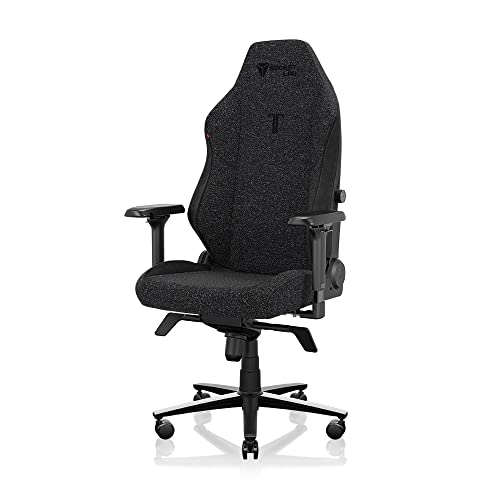
Secretlab Titan Evo (Fabric)
The Titan Evo illustrates built-in ergonomics well: a lumbar mechanism adjustable in both height and depth inside the backrest, plus a magnetic head pillow you can place precisely — the support stays where the audit puts it. Check on Amazon
ErgoFoam Foot Rest for Under Desk
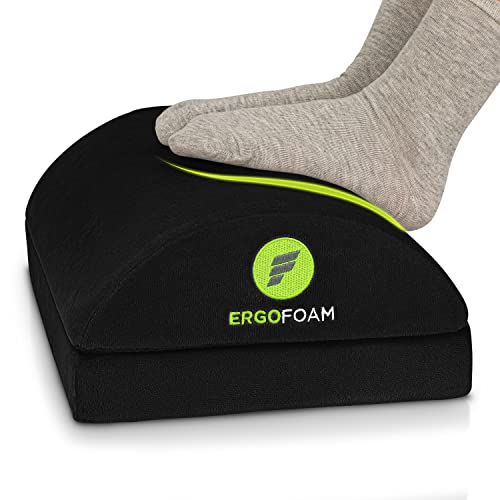
The ErgoFoam foot rest completes the system when desk height forces the chair up: feet fully supported, knees near 90 degrees, pelvis stable — the foundation the rest of the audit builds on. Check on Amazon
Frequently Asked Questions
What makes a gaming chair ‘ergonomic’?
Adjustable support that matches your body’s curves: lumbar support at the right height and depth, a seat of the right size, armrests that carry your forearms, and tilt that lets you move. The label alone means nothing — the adjustments are the ergonomics.
Is reclining bad for gaming posture?
No — a modest recline around 100 degrees reduces spinal load compared with sitting bolt upright, and varying the angle through the day is better still. Very deep reclines are for controller play and spectating, where the screen position changes too.
Do I need a headrest for good ergonomics?
It helps for leaning back and resting the neck, but it is not a posture device while you sit upright. A headrest that pushes your head forward when upright is set wrong or built for a different torso length.
Can an ergonomic chair stop my back aching?
It can remove chair-caused contributors — poor lumbar contact, wrong seat size, dangling feet — but pain has many causes. If pain persists in a well-adjusted setup, that is a question for a medical professional, not a product page.
Are ergonomic chairs worth it for short sessions?
The benefits scale with time in the chair, but even short-session players gain from correct fit. Casual players can prioritise fit and basic lumbar support over deep adjustability.
What is pelvic tilt, in plain terms?
The angle of your pelvis, which works like the foundation of a building: tilt it backward and the spine above it slumps into a C; keep it neutral and the spine stacks into its natural S-curve. Most lumbar supports and seat designs are, underneath the marketing, devices for persuading your pelvis to stay neutral without you thinking about it.
How quickly should a corrected setup start feeling better?
Chair-caused discomfort usually responds within days to a couple of weeks once its mechanical contributor is removed — the worked example in this guide is typical, where small corrections compound quickly. Judge by trend across a week of sessions, not by the first evening. Symptoms that do not trend better, or any numbness and weakness, stop being an ergonomics question and become a medical one.
Does my chair’s recline angle change how far I should sit from the screen?
Yes, modestly. Reclining moves your head back and slightly down relative to the desk, so a player who splits time between upright work and reclined play should either accept a compromise screen position or use a monitor arm that lets the screen follow the posture. The audit’s screen check should be run at the recline you actually play at, not only bolt upright.
Is sitting cross-legged in a gaming chair bad ergonomics?
As an occasional variation, no — as a fixed all-evening position, it trades one set of loads for another: hips rotated, knees stressed, pelvis often rolled back out of its curve. The movement principle in this explainer is the judge: positions are healthy in rotation and suspect in permanence. A flat, wide seat that permits cross-legged sitting as one posture among several is serving ergonomics; the posture itself, held for four hours, is not.
The Short Version
Ergonomics is fit plus support plus movement: a seat sized to your body, lumbar contact that preserves your spine’s S-curve, arms and screen arranged so nothing hangs or reaches, and a tilt that keeps you shifting. Judge every ‘ergonomic’ claim against those four tests and the marketing noise disappears.