Disclosure: As an Amazon Associate, ilcastellomenu.com earns from qualifying purchases. Links on this page are affiliate links; they cost you nothing extra. Prices and availability change often, so check the current Amazon listing before you buy.
Quick Verdict
Thermal paste pros and cons reduce to a lopsided ledger: the pros are structural — it is necessary, safe, restorative and cheap per application — while the cons are mostly about expectations, ageing and technique rather than about the material itself. Weighing thermal paste pros and cons honestly means separating three questions that are usually tangled together: whether to use paste at all (you must, on any clamped interface designed for it), whether to pay for a premium tier (sometimes), and whether paste will fix your particular problem (only if your problem is the interface).
It suits: every builder and maintainer of desktops, and — with a viscous formulation — owners of laptops, consoles and graphics cards doing a proper service. It does not suit: anyone expecting it to substitute for a pad in a wide gap, to silence a dying fan, or to turn an undersized cooler into an adequate one.
- Key takeaway one: the strongest pro is restoration — fresh paste returns an ageing machine’s temperatures and manners toward as-new.
- Key takeaway two: the strongest con is impermanence — paste is a consumable that pumps out and dries over years.
- Key takeaway three: the most argued-about con, the tiny gap between cheap and premium, is real but small, and matters only at the extremes.
In this guide
The Pros
Pro: it is genuinely necessary, and nothing else does its job
Two machined metal surfaces, however flat they look, meet at scattered high points with air trapped everywhere else, and air is a thermal insulator. Paste exists to displace that air with something far more conductive, in a layer thin enough to add negligible resistance of its own. There is no alternative technique for a clamped CPU or GPU interface that matches it for simplicity and effectiveness: not dry contact, not foil, not hope. This is the foundational pro from which all others follow — paste is not an optimisation layered on top of a working system; it is part of the system’s design, which is why every cooler and processor ecosystem assumes its presence.
Pro: it restores ageing machines for almost nothing
Per application, a quality paste costs a trivial amount, and the job it does — cleaning away a dried, pumped-out film and laying a fresh one — returns temperatures, fan behaviour and acoustic manners toward the machine’s as-new state. Few maintenance actions in all of computing offer that ratio of effect to cost. The owner of a four-year-old desktop that has grown loud under load is very often one careful re-paste away from remembering why they liked the machine, and the same applies to laptops and consoles whose fans have become a household sound.
Pro: conventional paste is safe by design
Every mainstream compound is electrically non-conductive, non-capacitive and compatible with all cooler metals including aluminium. The practical meaning is forgiveness: minor squeeze-out is a tidiness issue, a slightly generous application harms nothing but your pride, and a beginner can learn the technique on real hardware without a catastrophic failure mode waiting for a small mistake. Compare the alternative at the category’s extreme — liquid metal, conductive and corrosive to aluminium — and the safety pro of ordinary paste stops looking like a boring default and starts looking like one of its finest engineering properties. The full contrast is drawn in thermal paste vs liquid metal.
Pro: it works everywhere, on everything, immediately
Paste has no sockets, no firmware, no compatibility matrix worth the name. The same tube serves an elderly office desktop, a new gaming build, a workstation and — in its viscous form — the bare dies of laptops and consoles. It requires no curing ritual beyond clamping, reaches its working state the moment the cooler is tightened, and asks for no warm-up cycles or settling periods before the machine can be used at full load. Universality of that order is rare among PC consumables and easy to underrate precisely because it never makes you think about it.
Pro: it makes other diagnostics honest
A fresh, correct application removes a variable from every future investigation. When a machine with known-good paste runs hot, the suspects are the cooler, the airflow, the fan curve and the workload — a short, answerable list. When the paste’s age and quality are unknown, every diagnosis carries an asterisk. Owners and repairers who re-paste as a matter of routine are not being fussy; they are keeping their future troubleshooting truthful, which is a pro that compounds quietly over the life of a fleet.
Pro: the skill transfers and the tools are trivial
Learning to paste one processor teaches you to paste essentially all of them: clean with isopropyl alcohol, dose modestly, clamp evenly. The tools are a cloth and a bottle that live in any parts drawer, and the technique, once learned, serves every machine you will ever maintain. Few PC skills offer that breadth of return on a single afternoon’s learning.
The Cons
Con: it ages — pump-out and dry-out are certainties, not risks
The honest first con is that paste is temporary. Heat cycles scrub the interface microscopically and walk soft compound outward; sustained heat dries the carrier; years turn a supple film into a crust with cracks. The timescale is generous on a desktop — years of service — and shorter on hard-cycling bare dies, but the direction never reverses. Anyone who sells you paste as a permanent fitting is misdescribing a consumable, and anyone who buys it expecting permanence will eventually feel misled by physics rather than by any maker.
Con: the differences between good pastes are small
Once you are shopping among reputable brands, the thermal gap between a mid-tier tube and a flagship is a small margin that most systems cannot even express, because the cooler or the airflow saturates first. This is a con for the premium tier’s value story and a con for the entire genre of dramatic paste comparisons: the category’s honest headline is that its floor is high and its ceiling is close above it. Buyers who pay flagship prices expecting a transformation are buying a rounding error with excellent branding — a point our thermal paste buying guide makes structurally by refusing to rank on conductivity figures that are not cross-brand comparable anyway.
Con: it is technique-sensitive, and the failure is silent
Too little paste leaves voids; too much leaves mess and thickness; a dirty surface defeats a premium tube; uneven mounting tilts the whole interface. Worse, a mediocre application rarely announces itself — the machine simply runs a little hotter and louder than it should, indefinitely, and the owner blames the processor or the summer. Paste’s forgiveness has limits, and they are exactly at the point where a rushed job looks finished. The mitigation is procedural rather than financial: clean thoroughly, dose by the pea-or-line rule, tighten in a cross pattern, and never reseat a lifted cooler on a broken layer.
Con: it is the wrong material for gaps, and misuse is common
Paste performs in films measured in fractions of a millimetre. Asked to fill the millimetre-scale gaps over graphics memory or voltage regulators, it squeezes out, insulates and fails — yet the temptation to smear it there is perennial, because it is the thermal material people have in the drawer. Those interfaces belong to pads of a specified thickness, covered by thermal pad pros and cons. A material whose most common misuse is so predictable carries that misuse as a genuine con.
Con: opening the machine has friction of its own
Re-pasting means disassembly: screws, fragile laptop clips, spring-loaded mounts, and — on some laptops, consoles and graphics cards — warranty terms that vary by maker and region and deserve checking before a seal is broken. None of this is the paste’s fault, but all of it is part of the true cost of using it on sealed devices, and an honest pros-and-cons account charges it to the ledger. The counterweight is that desktops, where most paste is used, carry none of this friction at all.
Con: the market’s information quality is poor
Conductivity figures without a shared standard, dramatic temperature claims without described test setups, marketplace listings that blend generations and sellers, and occasional outright imitations of famous tubes: the buyer must navigate more fog than a simple consumable should generate. This is a con of the category’s commerce rather than its chemistry, but it is real, and it is why this site’s cluster of guides keeps repeating the same defences — buy by interface and character, from listings you trust, and let brand track record stand in for the properties you cannot inspect.
Thermal Paste Pros and Cons: What the Trade-Offs Mean for You
If you maintain an ageing desktop
The pros dominate completely. Restoration value is high, friction is zero, safety is total, and the impermanence con is answered by the calendar: a job done in an afternoon that lasts for years is not a burden but a rhythm. Choose a long-service all-rounder and the ledger is not close.
If you are building new
Paste is a solved line item: the bundled compound or any mid-tier tube, applied carefully, and your attention belongs on the cooler and case — the territory of best CPU coolers for desktops. The small-differences con is your friend here — it licenses you to stop shopping and start building.
If your patient is a laptop or console
The cons gather: pump-out is faster, disassembly has friction, warranty terms need reading. The pros still win — restoration on these machines is dramatic precisely because their factory films age hard — but they win on the condition that you choose a viscous compound and treat the job as a service, pads included, rather than a dab. See how to choose a thermal pad for the pad half of that service.
If you chase performance
Your ledger is the most balanced. The flagship tier’s small margin is, for you, a real pro, because your cooler and workload can express it; the technique con is the price, since dense compounds punish casual application. Liquid metal will tempt you from the edge of the category; read the safety case in full before it does.
Context: Paste Against the Alternatives
| Option | Where it wins | Where it loses |
|---|---|---|
| Conventional paste | Safety, universality, restoration value | Ages over years; small gaps between brands |
| Liquid metal | Peak interface performance | Conductive, corrodes aluminium, expert-only, warranty risk |
| Thermal pads | Millimetre gaps: memory, VRM, drives | Wrong for thin clamped die interfaces; thickness-critical |
| Pre-applied / bundled compound | Zero decision, factory-correct dose | Single use; not chosen for your interface |
The table’s lesson is that “versus” is usually the wrong frame: these are tools for different interfaces, and the only true head-to-head — paste against liquid metal on the same die — is argued criterion by criterion in the comparison linked throughout this article, and the cooler-side version of the same argument runs through air cooler vs liquid cooler.
How to Buy Smart
The pros-and-cons ledger converts into a short buying discipline. Gate on non-conductive, always. Match consistency to the interface: forgiving for heatspreaders, viscous for bare dies. Weight service life by how much you dread opening the machine. Buy the size your fleet justifies, from the maker’s own listing or an established retailer, and check what your cooler already includes before paying for a duplicate. The picks that satisfy that discipline are few and consistent across this cluster: the Arctic MX-6 as the balanced default, the Noctua NT-H2 for long-keeper builds, the Thermal Grizzly Kryonaut for high-end desktops, the Thermalright TF9 for bare dies and the Corsair TM30 for simple builds — each detailed in thermal paste reviews.

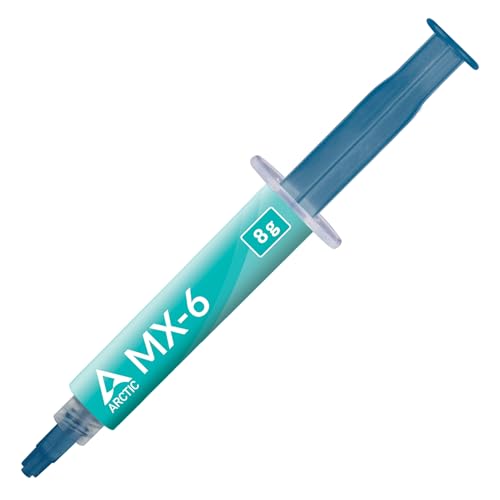
Arctic MX-6 — the ledger’s balance point
Chosen when the pros you care about are ease, safety and value across many machines. Tier: mid, presented prose-only while verification is pending.

Noctua NT-H2 — the impermanence answer
Chosen when the con you most want to postpone is ageing itself: a long-service premium for keeper builds. Tier: premium, prose-only.
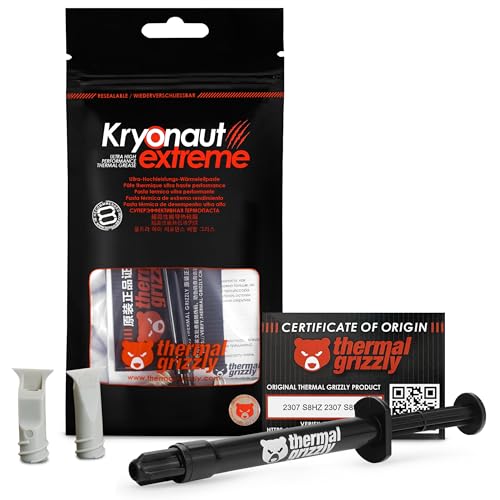
Thermal Grizzly Kryonaut — the small margin, taken seriously
Chosen when the small-differences con stops being a con because your hardware can express the difference. Tier: premium, prose-only.
Thermalright TF9 — the pump-out answer
Chosen when the dominant con in your machine is migration on a bare die. Tier: mid to premium, prose-only.

Corsair TM30 — the simplicity answer
Chosen when the con you are avoiding is overthinking an ordinary build. Tier: entry to mid, prose-only.
Setup and Care That Reduce the Cons
Most cons in the ledger shrink under good practice. Clean both surfaces with high-percentage isopropyl alcohol until nothing transfers — this kills the dirty-surface failure. Dose by the rule — a pea on a square heatspreader, a thin line on a rectangular one, a complete thin film on a bare die — and remember more paste is not better. Tighten in a cross pattern so pressure builds evenly. Work with the machine powered off and unplugged, screws organised, photographs taken during laptop or console disassembly. Store the tube capped and tip-clean at room temperature, knead an old tube gently and discard its first squeeze onto tissue. And keep a note of what went into which machine, and when: the impermanence con is far easier to live with when its schedule is written down. The full application walkthrough is how to apply thermal paste with a CPU cooler.
Bottom Line
Thermal paste’s pros are about physics and restoration; its cons are about time, technique and expectations. For desktops the verdict is not close: use it, refresh it when the cooler comes off, and choose by interface and character. For bare dies the verdict holds with a viscous compound and a careful afternoon. For gap-filling, fan-silencing and cooler-enlarging, paste was never the tool, and no honest ledger should pretend otherwise. Buy the balanced default unless your machine names a specialist, apply it like it matters — because the application, not the tube, is where most of the pros are won and most of the cons are lost.
The Pros and Cons, Weighed by Machine
Office and family desktops
Here the weighing is almost a formality. The machines are opened rarely, worked moderately and kept for years, so the restoration pro arrives exactly when the ageing con has done its slow work, and the two cancel into a maintenance rhythm: re-paste when the cooler is disturbed, choose a long-service all-rounder, and otherwise ignore the category. The small-differences con protects these owners from overspending, and the safety pro protects them from everything else. If every computer in the world were an office desktop, this article would be a postcard.
Gaming desktops
Gaming loads cycle heat harder than office work, so the ageing con advances faster and the restoration pro pays out more often — a symmetry that makes re-pasting a recognised ritual in gaming maintenance rather than a repair. The premium question also sharpens: a gaming rig’s cooler and processor can express part of the flagship margin, and its owner’s fan curve is tuned closely enough to notice stability. The ledger still favours paste overwhelmingly; it merely argues for the viscous end of respectability and a shorter renewal interval than the office fleet needs.
Workstations and creators’ machines
Sustained rendering, compiling and simulation loads hold temperatures high for hours, which is dry-out weather. The pro that matters most here is stability: a compound that keeps its film under long, hot plateaus keeps boost behaviour predictable across a working day, and predictable is what a professional machine is for. The con that matters most is downtime — a workstation mid-project is the worst candidate for an exploratory re-paste — so the discipline is preventive: quality compound at build time, renewal scheduled with other maintenance, never improvised against a deadline.
Laptops, consoles and handhelds
These machines concentrate every con in the ledger — pump-out, disassembly friction, warranty care — and then outbid them with the largest restoration pro in the category, because their factory interfaces age under the hardest cycling in the smallest spaces. The weighing here is real but the conclusion is firm: service them, with viscous compound and correct pads, at the point where fan behaviour says the interface has spent itself. The owner who finds that disassembly daunting is not failing the ledger by paying a reputable shop; the labour is legitimately part of this machine class’s cost column.
The Argument About Premium Paste, Argued Properly
Because it generates more heat than any paste ever will, the premium question deserves its own honest hearing. The case against premium paste runs: reputable compounds cluster closely on real processors; the cooler and airflow dominate outcomes; therefore the flagship premium buys a margin most owners cannot perceive, and the rational buyer takes the mid-tier tube and the change. The case for premium paste runs: the margin, while small, is real on high-end hardware under sustained load; premium formulations also tend to buy handling refinements, stability and service life, which are worth money independently of temperature; and per application the absolute cost is so small that “overpaying” amounts to very little over a build’s life. Both cases are true, and they are true for different readers. The synthesis this site stands behind: premium paste is a rational purchase when at least one of its three currencies — peak margin, service life, or application refinement — is a currency your machine actually spends. It is an irrational purchase when bought as a talisman, in the hope that a syringe can substitute for a cooler. Judged that way, the flagship is neither a scam nor a necessity; it is a specialist tool with an honest, narrow brief, and the pros-and-cons frame exists precisely to keep such tools in their brief.
The Environmental Ledger
A pros-and-cons account can fairly include the ledger nobody itemises. On the pro side: paste is a minute quantity of material that extends the useful life of large, resource-heavy machines, and every restoration that returns an ageing PC to quiet service defers the manufacture and disposal of its replacement. The category’s entire material footprint for a household fleet over a decade is a few syringes. On the con side: those syringes are plastic, the compounds are industrial chemicals to be disposed of with ordinary care rather than poured anywhere, and the culture of premature upgrading that paste cannot fix generates the real waste stream. Weighed plainly, maintenance consumables sit firmly on the right side of the environmental ledger — they are what repair culture is made of — and a guide that teaches restoration over replacement is doing quiet environmental work whether it mentions the fact or not.
Second-Hand Machines: The Ledger Reset
One scenario resets every weighing in this article: the used machine. Its paste is of unknown age, unknown quality and unknown application competence, which converts the impermanence con from a schedule into a suspicion hanging over every temperature the machine reports. The restoration pro, meanwhile, is at its maximum, because a recommissioning clean and re-paste establishes the baseline from which all future behaviour can be judged. For a second-hand desktop the answer is automatic. For a second-hand laptop or console it is nearly so, tempered only by the disassembly care those machines always demand. Either way, the buyer of a used machine should price a tube of the right character into the purchase as surely as they price in a charger — it is part of what “making it yours” physically means.
Objections a Skeptic Raises, Answered in Kind
“My temperatures are fine — isn’t re-pasting a solution looking for a problem?”
Yes, if your temperatures are fine, and this article’s ledger says so in plain terms: paste is maintenance, not an upgrade to chase on a schedule. The pro case activates when behaviour changes — rising temperatures, earlier fan spin-up, a machine louder at the same workload than it was. The skeptic’s instinct is the correct default, and the only amendment is that “fine” should be judged against the machine’s own history rather than against a stranger’s numbers on a forum, because no two installations share a room, a case and a workload.
“Aren’t all pastes basically the same grey goo?”
Thermally, on a desktop, closer to the same than marketing would like — and that is a finding, not an insult. They differ meaningfully in consistency, stability and behaviour on bare dies, which is why the same “grey goo” framing fails in a laptop within a season. The accurate sentence is: pastes are near-identical where the job is easy and genuinely different where the job is hard. Choose accordingly and the skeptic and the enthusiast are both satisfied, because both were describing the half of the category they had met.
“If paste ages anyway, why not use liquid metal and be done?”
Because liquid metal trades paste’s gentle ageing for a different and sharper risk set: it is electrically conductive, so a spill or squeeze-out can short a board; it corrodes aluminium heatsinks and must never be paired with them; it demands masking and protection around the die; and its warranty implications vary by maker. It also migrates and needs its own maintenance discipline. For almost everyone, paste’s cons — a renewal every few years — are dramatically cheaper than liquid metal’s cons priced honestly. The criterion-by-criterion argument is in thermal paste vs liquid metal, and it is not a whitewash in either direction.
“Can’t I just add a little fresh paste on top of the old?”
You can, physically, and it will underperform a clean application every time: the old film’s cracks, contamination and pumped-out voids remain in the stack, and the new material cannot un-dry what is beneath it. The cleaning step is not ceremony; it is most of the restoration. Isopropyl alcohol and patience are the cheapest performance in this entire article.
How the Ledger Changes With Climate and Dust
Two environmental factors tilt the weighing for real households. Heat: a machine living in a warm room or a hot climate runs its interface hotter around the clock, accelerating dry-out and shortening every interval in this article; owners in such places should weight service life more heavily and treat the renewal rhythm as correspondingly shorter. Dust: a dusty environment loads heatsink fins and filters, raising temperatures for reasons paste cannot address — and creating the classic misdiagnosis in which a machine is re-pasted twice while its fins stay matted. The discipline the ledger teaches is diagnostic order: airflow first, because it is visible and free; the interface second, because it is cheap and restorative; the cooler last, because it is the only item on the list that costs real money. Followed in that order, the pros and cons of paste stay in their proper proportion — a small, honest consumable doing exactly the work it is shaped for, neither worshipped nor blamed for the behaviour of the system around it.
A Note on Whose Hands: Confidence as a Ledger Item
Every weighing in this article quietly assumes an operator, and confidence belongs in the open as a line item. For the experienced builder, the cons list shrinks to impermanence alone: technique is mastered, disassembly is routine, and the category is all pros and a calendar note. For the first-timer, the technique and disassembly cons are real but temporary — they are paid once, in care and slowness, and converted permanently into skill. For the owner who knows they will not enjoy opening a sealed laptop, the honest ledger includes the price of a repair shop’s labour on the cost side, and still usually balances in favour of the service. There is no shame column in this accounting. Paste rewards the careful at every level of experience; it merely asks each reader to price their own care honestly before deciding which side of the ledger a given machine falls on.
The Time Ledger: What Paste Costs in Hours
Money per application is trivial in this category, so the honest currency is time, and it deserves its own weighing. A desktop re-paste, done unhurriedly with cleaning, is well under an hour of undemanding work, much of it waiting for alcohol to evaporate and screws to be found. Set against years of restored service, the exchange rate is absurdly favourable — which is why the desktop ledger in this article is not close. A laptop service is a different bargain: disassembly, organisation, pads, the die film, reassembly, measured in hours rather than minutes, with a tail risk of a lost screw or a ribbon cable seated imperfectly. Even there, the comparison is against the machine’s remaining life, and a gaming laptop restored to quiet service for years repays the afternoon many times over. The conclusion the time ledger teaches is about scheduling rather than reluctance: do these jobs when time is unpressured, daylight is good and no deadline leans on the machine. Paste punishes hurry more reliably than it punishes inexperience, and nearly every horror story in the category begins with someone working against a clock.
What Good Looks Like: The State of a Healthy Interface
Readers weighing pros and cons benefit from a picture of the end state, so here it is. A healthy interface is invisible in every sense: temperatures appropriate to the workload and the room, fans that stay in their civilised range, and — on the day you eventually open the machine again — a thin, even film that lifts away as a coherent layer, neither crusted at the edges nor starved in the middle. That film is the physical form of every pro in this article at once: necessary, safe, restorative, universal. Its opposite is equally recognisable — the dry ring, the bare centre, the grey dust that was once a compound — and recognising it once teaches you to read every future machine at a glance. Keep that picture in mind and the abstract ledger becomes a craft standard: the pros are what a good film does for years; the cons are the ways films fail; and your whole job, as buyer and applier, is to start a good film and let time, rather than error, be the only thing that ends it.
Children, Borrowed Machines and Other People’s Property
A final corner of the ledger concerns machines that are not quite yours. The family computer your children game on, the laptop borrowed for a trip, the work machine issued by an employer: each carries a different permission structure around opening it, and the pros of restoration do not override the cons of acting without a mandate. On a work-issued machine, the correct move is a ticket to whoever owns the asset, however confident your hands are; the interface’s ageing is their maintenance problem, and an unauthorised opening can become your employment problem. On the household machine, the weighing is social as much as thermal: a re-paste done well is a gift of quiet, and done badly — a lost screw, a fan connector left loose — is a debt. Borrowed machines should be returned in the state they were lent, paste untouched, however strong the diagnostic itch. None of this diminishes the category; it simply reminds the reader that the last step of any honest pros-and-cons analysis is asking whether the machine, the moment and the mandate are yours. When they are, proceed with everything this article has argued. When they are not, the most professional tool in the drawer is restraint.
How This Ledger Was Built
A closing note on method, because pros-and-cons articles earn trust by showing their scales. The pros above are weighted by how structural they are: necessity and safety outrank convenience, because they apply to every reader on every machine. The cons are weighted by how unavoidable they are: ageing outranks technique, because ageing happens to perfect applications too, while technique failures are optional and shrink with care. Anything that depends on a number this category cannot honestly supply — cross-brand conductivity rankings, universal temperature deltas — was excluded from the weighing rather than estimated, which is why you will find margins described in words throughout this cluster. If your own experience contradicts a weighing here, trust the shape of the method over any single entry: list what is structural, list what is circumstantial, and let your machine’s circumstances cast the deciding vote. That is all this article has done, at length, on your behalf.
The Con That Isn’t: Price
Notice what has not appeared in the cons column: the price of the material itself. That omission is deliberate and worth defending. Priced per application — the only honest unit, since a fraction of a gram does the work and a syringe holds many applications — every reputable paste in this category costs a trivial sum, and the spread between the cheapest and the dearest amounts to very little across the years each application serves. Buyers arriving from other categories, where the budget ladder is the organising principle, sometimes import the habit and agonise over tier differences that are smaller than the cost of the alcohol used to clean the old film away. The real expenses in this neighbourhood are the cooler, the case and the labour of sealed machines — and on the other side of the ledger, the real cost of cheaping out is not thermal at all: it is an unknown brand’s unverifiable claims about the two properties you cannot inspect, electrical behaviour and long-term stability. Price is a tiebreaker between known quantities. It is not a con of the category, and treating it as one distorts every other weighing in this article.
The Pro That Compounds: Knowledge of Your Own Machine
One last pro belongs in the ledger because it is the one owners mention years later. The first time you clean and re-paste a machine, you learn things no specification sheet teaches: how its cooler mounts, which screws are captive and which are escape artists, how its fan sounds when it is healthy, what its temperatures were on the day everything was fresh. That knowledge recalibrates every future judgement you make about the machine — you stop comparing it to strangers’ machines and start comparing it to itself, which is the only comparison that diagnoses anything. Each subsequent service is faster, calmer and more certainly worthwhile than the one before, because you know exactly what “restored” means for this hardware. In that sense the deepest pro of thermal paste is not thermal at all: it is the difference between owning a sealed appliance that ages mysteriously and keeping a machine whose inner life you understand. The cons in this article are real, but they are the tuition for that understanding, and they are charged only once.
Seasonal Timing: When the Ledger Tips Furthest
If the weighing in this article has a calendar, it peaks twice a year. The first peak is the start of the hot season, when rising room temperatures expose every marginal interface at once: the machine that was merely warm in spring becomes loud in summer, and a re-paste done before the heat arrives is worth more than the same job done in reaction to it. The second peak is the arrival of a demanding new workload — a new game, a new editing project, a new term of coursework — when a machine’s cooling is about to be audited by hours of sustained load and any weakness in the interface will be billed daily in noise. Owners who think in these seasons rarely meet the emergency version of this category at all: no midnight overheating, no throttled deadline, just a calm service done in advance, in daylight, at the moment the ledger said it would pay best. That, in the end, is what a pros-and-cons analysis is for — not the verdict, which was never really in doubt, but the timing.
Keep the two seasons in mind as you close this page, and file the article’s whole argument under a single sentence: paste early, paste calmly, and let the loud, hot, emergency version of this job belong to other people’s machines. The small tube in the drawer, the alcohol beside it and the note of when each machine was last served are the entire apparatus of that calm — an apparatus cheaper than the problem it prevents, kinder to the machine than any rescue performed in a panic, and available to any owner willing to spend one unhurried hour learning how their own hardware breathes, ages and recovers. That willingness, more than any product named in these pages, is the true dividing line between machines that are maintained and machines that are merely used up. Everything else in this long ledger — the tiers, the consistencies, the renewal intervals — is detail in service of that one distinction, and it is a distinction entirely within the reader’s power to choose, starting with the next machine that runs a little hotter, a little louder and a little less willingly than it used to, in the months before anyone thought to ask why it had changed.
Where the Strengths Stop Helping: Honest Edge Cases
The advantage that depends on your habits
The headline advantage of a thermal paste is real, but it is not automatic: it only pays out if your habits match it. Used the way it was designed, in a room where noise, heat or clutter quickly becomes a problem for everyone else in it, the strengths described earlier compound quietly — less friction, fewer workarounds, a smoother routine. Used against its grain, the same design choices become the source of the complaints in the cons column. Before deciding, be honest about which user you are on an ordinary tired weekday, not the organised version of yourself you plan to become next month.
Where the drawbacks bite hardest
The disadvantages of a thermal paste are not evenly distributed across owners. They concentrate in specific situations: tight spaces, shared rooms, heavy daily loads, or workflows that change direction mid-task. If your routine involves any of those, the cons deserve double weight in your decision, because you will meet them weekly rather than rarely. Conversely, an owner whose setup avoids those situations entirely may never encounter the most-criticised weakness at all, which is why verdicts on the same thermal paste can sound like descriptions of two different products.
The maintenance trade-off nobody advertises
Almost every thermal paste trades purchase-day simplicity for a small ongoing maintenance obligation: cleaning, recalibrating, replacing a wear part, updating firmware or simply keeping accessories together. The trade is usually worth it, but it is not free, and it scales with how hard you use the product. In a room where noise, heat or clutter quickly becomes a problem for everyone else in it, skipped maintenance shows up first as small annoyances — a control that feels off, a result that drifts, a noise that was not there before — long before it causes a real failure. Budget the minutes, not just the money.
When the alternative is genuinely better
There are owners for whom skipping the thermal paste altogether is the right call, and naming them is part of an honest pros-and-cons account. If your need is occasional, borrowed or built into something you already own, or if your space cannot give the product the conditions it needs, the alternative route avoids both the cost and the clutter. The pros only outweigh the cons when the problem the thermal paste solves is a recurring one in your week. A problem you meet twice a year rarely justifies a permanent new resident in the CPU Coolers category.
How the balance shifts over a year of ownership
The pros-and-cons ledger of a thermal paste is not static. In the first month, novelty inflates the pros; by the sixth month, the honest picture is about reliability, running costs and whether the product has earned a permanent place in your routine. Wear parts, consumable availability and the maker’s support responsiveness all matter more at month ten than at day ten. When you read owner feedback, weight the long-term reports accordingly: a complaint about a part that failed after a year tells you more than a first-week rave about unboxing.
The compromise candidate
Many buyers end up choosing neither the strongest nor the cheapest thermal paste but the one whose weaknesses fall where they personally care least. That is a rational strategy, not a failure of research. List the cons of your final two candidates side by side and ask which set you would rather live with daily in a room where noise, heat or clutter quickly becomes a problem for everyone else in it. The product whose drawbacks sit in your blind spots will feel like the better product for years, even if a comparison table scores the other one higher on paper.
None of this requires expertise — only the willingness to check your own routine before trusting a generic recommendation.
Five honest minutes at this stage is worth more than five hours of comparison browsing.
If a candidate fails this check, strike it from the list without regret and let the remaining options compete on merit.
Your future self, mid-task on a busy day, is the person this check is really for.
Keep the notes with the product’s paperwork; they become the baseline every later adjustment is judged against.
Write the conclusion of that check down before you order, so the decision survives contact with a tempting listing.
That single habit separates owners who stay pleased with their choice from owners who quietly start shopping again within a season.
Treat it as part of the purchase itself, not as homework to do after the box arrives.
None of this requires expertise — only the willingness to check your own routine before trusting a generic recommendation.
Five honest minutes at this stage is worth more than five hours of comparison browsing.
If a candidate fails this check, strike it from the list without regret and let the remaining options compete on merit.
Your future self, mid-task on a busy day, is the person this check is really for.
Frequently Asked Questions
What is the biggest advantage of thermal paste?
Restoration at trivial cost. A fresh application returns an ageing machine’s temperatures and fan behaviour toward as-new for a fraction of a gram of compound and an afternoon’s care at most. Combined with its necessity — no clamped interface works properly without an interface material — that restorative power is the pro on which the whole category rests.
What is the biggest disadvantage of thermal paste?
Impermanence. Paste pumps out under heat cycling and dries over years, so every application is a service with a lifespan rather than a permanent fitting. On desktops that lifespan is measured in years and the renewal is easy; on laptops and consoles it is shorter and the renewal is fiddlier, which is why viscous, long-service formulations exist.
Is premium thermal paste worth it over a basic one?
Only where the system can express the difference: high-end processors under serious coolers, sustained heavy workloads, and machines you intend to keep for many years, where service life itself is the premium feature. On a mainstream build the gap between a competent mid-tier paste and a flagship is small enough that application quality will decide more than the tier.
Can thermal paste damage my computer?
Conventional paste, no — it is electrically non-conductive and safe around sockets and components, which is one of its defining pros. The damaging material in this neighbourhood is liquid metal, which conducts electricity and corrodes aluminium. The only realistic harms from ordinary paste come from the job around it: forcing a cooler, losing screws, or opening a sealed device against its warranty terms.
Does thermal paste expire in the tube?
It ages rather than expiring on a date. Stored capped, tip-clean and at room temperature, a quality tube stays usable for a long time; heat and a loose cap accelerate separation and drying. Knead a rested tube gently and test the first squeeze on tissue — uniform colour and texture means it is fit to use; clear oil followed by grit means it has separated and should be replaced.
When is thermal paste the wrong choice entirely?
When the interface is a gap rather than a film — graphics memory, voltage regulators, drives — where pads of the correct thickness are the designed material; when the real problem is a failing fan, dust or airflow, which paste cannot fix; and when temperatures are already healthy, where the right call is to leave a working interface alone until the cooler next comes off.