This Wi-Fi extender buying guide exists to translate spec sheets into decisions. The short version: most households should buy a dual-band Wi-Fi 6 extender from the same ecosystem as their router if it has one, with an Ethernet port and app-based setup, in the mainstream price tier — and should spend more time on placement than on the last few percent of advertised speed. The long version below explains every criterion that actually moves the needle — Wi-Fi standard, band layout, backhaul, ports, ecosystem features — in plain language, so the numbers on the box stop being a fog machine.
It also covers the tier structure honestly. Extenders fall into entry, mid-range and high-end classes whose differences are real but specific: what you are buying as you climb is not ‘more internet’ but a dedicated backhaul, better radios and smarter roaming. Readers who want the reasoning as a decision process rather than a shopping framework will find the companion in How to Choose a Wi-Fi Extender; readers who already suspect they need a different architecture entirely should detour through Wi-Fi Extender vs Mesh Wi-Fi before spending.
Disclosure: As an Amazon Associate, ilcastellomenu.com earns from qualifying purchases. If you buy through a link on this page, we may earn a commission at no extra cost to you. Product details and availability change over time, so check the current listing before you buy.
Criterion 1: Wi-Fi standard — match your router, not the calendar
Extenders are classed by Wi-Fi generation: Wi-Fi 5 models are the budget veterans, Wi-Fi 6 the current mainstream, Wi-Fi 6E and 7 the frontier. The rule from the choosing guide bears repeating in shopping form: the extender-to-router link runs at the older of the two standards, so the correct purchase is the generation of your router — or one above it if a router upgrade is genuinely planned. A Wi-Fi 6 extender on a Wi-Fi 5 router is money spent on capability the link cannot use; a Wi-Fi 5 extender throttling a new Wi-Fi 6 router is the opposite waste, and the more common one, since routers get upgraded and extenders get forgotten.
Within a generation, class numbers (AC1200, AX1800, AX3000) sum theoretical maxima across bands and should be read as size classes, not speeds. Compare them only within the same band layout: an AX3000 tri-band and an AX3000 dual-band are different machines wearing the same number. The streaming workload that exposes class differences fastest is surveyed in Best Wi-Fi Extenders for Streaming, which is a useful cross-check if your dead zone is a TV room.
In this guide
Criterion 2: Bands and backhaul — where the real money goes
Single-band 2.4 GHz extenders are the entry tier and the right purchase only for shepherding smart devices at the edge of coverage. Dual-band is the mainstream: the two bands can split the router link and the client service between them, halving the classic repeating penalty described in do wifi extenders slow down internet. Tri-band models dedicate a band to the backhaul and are the high-end extender form — the closest a repeater gets to mesh behaviour without replacing the router.
How to read a spec sheet in thirty seconds
Find the band layout first (single/dual/tri), then whether a dedicated backhaul is claimed, then the Ethernet port’s speed (gigabit versus 100 Mbps — the slow port quietly caps wired devices), then the ecosystem line (OneMesh, EasyMesh, AiMesh or none), then the setup method (app versus WPS-only). Ignore the coverage square-footage and treat the class number as a rough size label. That order — architecture, ports, ecosystem, setup, and only then numbers — mirrors how much each item will matter on an ordinary Tuesday in your house.
Wi-Fi extender buying guide: the three tiers, without prices
| Tier | Typical form | Suits | Watch out for |
|---|---|---|---|
| Entry | Single-band or basic dual-band plug, Wi-Fi 5 | One mild dead zone, smart devices, a spare room | No Ethernet port or a slow one; WPS-only setup |
| Mid-range (the default) | Dual-band Wi-Fi 6 plug or desktop unit, app setup, gigabit port, ecosystem support | Most homes: streaming room, home office, family use | Ecosystem features need the matching router to shine |
| High-end | Tri-band or Wi-Fi 6E/7, dedicated backhaul, mesh-style roaming | Large homes, busy households, near-mesh performance without replacing the router | Diminishing returns if the router is old or the dead zone is mild |
The mid-range tier is the default recommendation of this guide for a reason: it is where the features that change daily life — app setup with a signal meter, a gigabit port, ecosystem roaming, automatic updates — become standard, while the repeating penalty is already well managed. Entry tier makes sense as a deliberate, cheap experiment (does an extender fix this room at all?). High-end makes sense when the alternative being priced is a mesh system, at which point the comparison should be made explicitly rather than by drift — the current field across the value tiers is gathered in Best Wi-Fi Extenders Under 100 and Best Wi-Fi Extenders Under 50.
Criterion 3: Form factor, ports and the physical life of the thing
- Plug-style: disappears into a socket, but lives at socket height and may block the neighbouring outlet; pass-through models give the socket back.
- Desktop/shelf units: better antenna positioning and ventilation, need a surface and a nearby socket, often stronger radios.
- Wall-mounted slim designs: solve the height problem elegantly where a hallway wall is the ideal spot.
- Ethernet port: insist on one, gigabit if anything wired matters — it serves TVs, consoles and desktops, and enables access-point mode later, the upgrade path in wifi extender vs access point.
- External antennas: useful when aiming between floors or around an obstruction; irrelevant in an open hallway — placement principles are in how to position a wifi extender.
- Outdoor rating: a separate species entirely for gardens and yards — see Best Wi-Fi Extenders for Outdoors rather than improvising with indoor gear.
These physical details are unglamorous and decisive. The extender will occupy its spot for years, through summers and house guests; a unit that blocks the only hallway socket or cooks behind a radiator has failed at its job regardless of its radio class.
Criterion 4: Ecosystem, app and updates — the ownership features
Same-brand ecosystems (TP-Link OneMesh and EasyMesh, ASUS AiMesh, NETGEAR’s mesh extenders) let the extender join the router’s network under one name with managed roaming — the single biggest quality-of-life feature in the category, because it deletes the _EXT network and the sticky-device problem in one move. If your router supports one, weight it heavily. Cross-brand buyers should look for EasyMesh-certified models, the emerging common standard, or accept the classic two-name arrangement with open eyes.
The app matters for one day intensely (setup, placement meter) and then occasionally (firmware, settings). Prefer models whose apps show host signal strength numerically. And check the update story: automatic firmware updates, or at least in-app updating, because the manual alternative in how to update firmware on a wifi extender is nobody’s hobby. Security support should match your router — WPA3 or mixed mode on current models.
Mistakes to avoid, and the final checklist
- Buying by class number alone, ignoring band layout and backhaul.
- Buying a generation above the router with no upgrade planned — or below it, throttling a new router.
- Skipping the Ethernet port to save a little, then needing it for the TV within a year.
- Paying high-end money to solve a placement problem — reposition first, per the positioning guide.
- Buying two cheap extenders instead of one good one (or a mesh kit) for a multi-room problem.
- Ignoring the return window: extenders are house-specific, and a painless return is a feature — buy where returns are easy and test in your actual rooms.
Final checklist before paying: standard matches router (or one above, deliberately); dual-band minimum, tri-band if the household is busy or large; gigabit Ethernet port present; AP mode listed; ecosystem matches the router or EasyMesh certified; app setup with signal meter; automatic updates offered; form factor suits the actual outlet and room. A model ticking those boxes, placed well using how to set up a wifi extender, is the purchase this guide exists to produce.
The two-finalist home trial: how to choose between close contenders
- Buy both finalists from a retailer whose returns policy you have actually read, and trial them one at a time — never both plugged in together.
- Give each the same job: same candidate outlet, same setup care, same evening of real workloads in the far room.
- Score the same four things: far-room speed at the busy hour, stability across two evenings, the roaming experience walking a call through the house, and setup friction (you will repeat setup one day; remember how it felt).
- Keep the winner, return the loser promptly, and write the winner’s model and outlet in your network note.
This protocol feels extravagant and is in fact the cheapest research method available, because the only laboratory that matters is your house. Reviews — including the roundups on this site — can shortlist honestly, but the finalists’ difference will be decided by your walls and your neighbours, and a structured trial is how you let them vote. Households that trial properly almost never buy twice; households that buy on spec sheets alone sometimes buy three times.
Support, warranty and the ecosystem you are actually buying into
An extender is a small computer that will need its maker’s help at least twice in its life: a firmware train that stays current, and a support operation that answers when setup goes sideways. Established makers publish firmware for years and staff real support channels; the no-name end of the market often does neither, which converts a small saving into a disposable product. Check, before buying, that the model’s support page shows firmware dated within the last year or so — that single observation predicts the ownership experience better than any feature list.
The app is part of the purchase too: you are adopting the maker’s account, its update cadence and its design taste. This is not a reason to avoid ecosystems — the ecosystem features are genuinely the best in the category — but it is a reason to choose the ecosystem deliberately, ideally the one your router already belongs to, rather than accumulating three makers’ apps for three rooms. One ecosystem, one app, one update rhythm: the unglamorous formula for a network that maintains itself.
Buying for the next router, not just this one
Extenders outlive routers surprisingly often — the router gets upgraded for a faster plan or a new standard while the extender, working fine, stays in its hallway socket. Buy with that future in mind. A model one Wi-Fi generation above today’s router is not waste if a router upgrade is genuinely on the horizon; it is the extender declining to become the bottleneck on upgrade day. EasyMesh certification deserves the same forward-looking weight: it is the emerging cross-brand language, and a certified extender has a better chance of speaking fluently to whatever router arrives next.
The counter-discipline is honesty about horizons. ‘Eventually’ that means five years is not a horizon, it is a hope, and buying two generations ahead for it wastes money on radios that will be mid-range by the time they are used. One generation of headroom, a standards-based ecosystem, a gigabit port and AP mode: that is the future-proofing package that actually pays out, and it is available in the mid-range tier — which is, not coincidentally, where this guide has been pointing all along.
Decoding the listing: a phrase-by-phrase translation
‘Whole-home coverage’ on a single extender means ‘extends coverage’, not that one unit covers a whole home — read it as a direction, not a destination. ‘Up to’ before any speed is doing heavy legal work: the number after it is a laboratory ceiling the product will approach in your home roughly never, and the honest figure for planning is the class’s typical fraction from this cluster’s speed guide. ‘Supports X devices’ counts connections held, not devices served well at once. ‘Works with any router’ is, happily, true — it is the ecosystem features, not the basic function, that are brand-bound.
‘Mesh’ in an extender’s listing needs one clarifying question: mesh how? A unit that joins a named ecosystem (OneMesh, AiMesh) or carries EasyMesh certification means it in the roaming sense; a unit using ‘mesh’ as a synonym for ‘networking, but modern’ means it decoratively. The specification’s mode list settles it — look for the ecosystem name or the certification, not the adjective. ‘Dual-band’ with one band at a very low class can be a single-band unit in a trench coat; check both bands’ classes are respectable. And ‘gigabit port’ should say gigabit — if the listing just says ‘Ethernet port’, assume the slower kind and price accordingly.
None of this makes listings dishonest, exactly — it makes them compressed, written to a formula where every phrase has a technical meaning slightly smaller than its everyday one. The translation skill is quick to learn and permanent once learned, and it applies across this whole site: routers, mesh kits and powerline adapters are all sold in the same dialect. Read for architecture, ports, ecosystem and update support; let the adjectives wash over you; and let your own house, in a proper trial, have the final word.
The first 48 hours: what to check while returns are still easy
- Hour one: set up beside the router, update the firmware before relocating, and set the admin password — the ownership chores are cheapest on day one.
- Evening one: place by the signal method and run the far room’s real workloads at the busy hour. This is the trial that matters; do not let it slip to a quiet Sunday morning.
- Day two: walk a call through the house to feel the roaming; check the wired port with the device that will live on it; confirm the extended network survives a router reboot (unplug the router for a minute — the pair should recover together).
- Day two, later: glance at the link indicator after the house has lived normally — cooking, streaming, doors closed. A link still confidently green after real life is the installation’s signature.
- Decide before the returns window becomes a negotiation: keep with confidence, reposition once more, or return and change architecture while the changing is free.
This small protocol converts the returns window from a legal detail into the final stage of the buying process — the stage where your house grades the product. Most extender regret is not buying the wrong unit; it is discovering the right unit’s limits after the window closed, through weeks of low-grade dissatisfaction that a single busy-evening trial would have exposed on day one. Buy where returns are painless, test like a sceptic for two days, and then commit like an owner for years.
Gear mentioned in this guide
These are examples from the product classes this guide discusses. Every model below was checked against the Amazon Creators API product pool for this site, and the link goes to the exact listing that was verified.
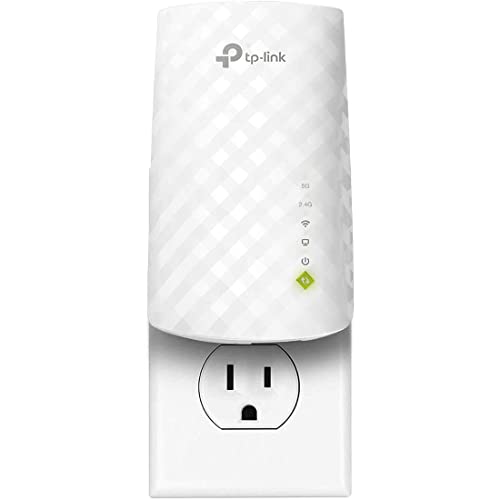
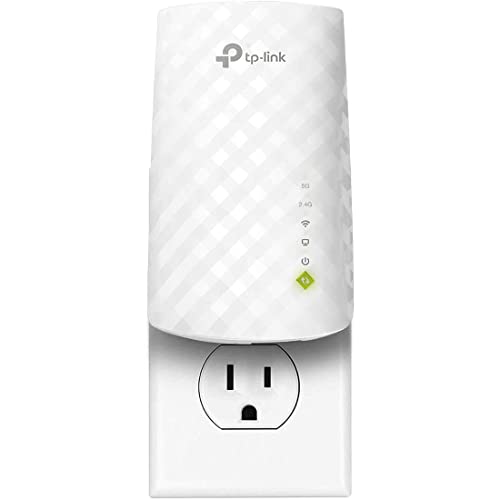
TP-Link RE220 — the entry tier, honestly specced
Dual-band Wi-Fi 5 with a gigabit-class Ethernet port and OneMesh support: the shape of a sensible cheap experiment, and the floor below which this guide advises not to go. If a room cannot be fixed by this placed well, the room needs architecture, not a bigger repeater.

NETGEAR Nighthawk EAX15 — the mid-range default
Wi-Fi 6 AX1800 class, gigabit port, mesh-style single-name operation with any brand of router. This is the tier and feature set the checklist above converges on for most households.

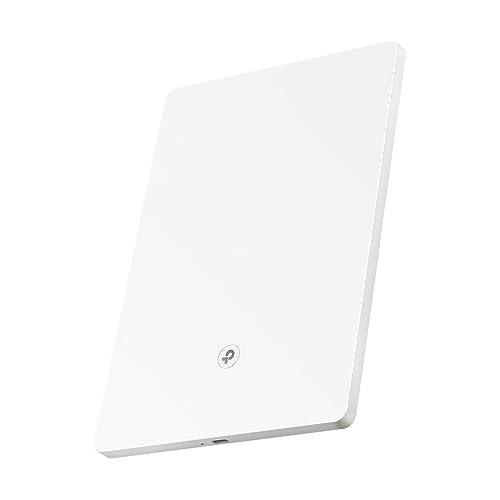
TP-Link RE715X — the high-end extender form
AX3000 class with EasyMesh and a gigabit port, for large or busy homes pricing an extender against a mesh system. The top of the repeater ladder before the honest answer becomes mesh.
Buying for specific households: five profiles, five different right answers
Criteria lists become decisions when they meet actual households, so run the five profiles that cover most purchases. The apartment dweller with one shadowed bedroom needs the least extender that is still dual-band and current-generation: the distances are short, the walls are the only enemy, and money saved here is genuinely saved, because no plausible change in that household’s life will ask more of the unit. The family in a three-storey house needs the opposite emphasis — backhaul quality and roaming manners first, headline class second — because their extender serves many rooms’ worth of spillover traffic and will be judged by children who experience any weakness as a personal injustice.
The home worker buying for an office at the house’s far end should weight the Ethernet port and stability features above everything: the port converts the desk machine into a wired client of a wireless relay, which is the best experience any extender can offer, and current firmware support matters because this unit is now business infrastructure. The rural household on a modest line should invert the usual priorities entirely — the line is the bottleneck, so a mid-tier extender placed perfectly will deliver everything the connection has to give, and the premium tiers buy literally nothing until the line itself improves. The smart-home household, finally, should buy for client handling and 2.4 GHz competence: dozens of small, sticky, undemanding devices reward an extender that manages many sleepy clients gracefully far more than one that posts a heroic speed to a single laptop.
Notice what none of the profiles did: none chose by the largest number on the box, and none chose the cheapest unit in the category. Each chose by matching two or three criteria to a described life. That is the entire method of this buying guide compressed into practice, and it is portable to any profile not listed here — describe the household honestly, name its two or three governing criteria, and the shortlist writes itself. The product roundups in this cluster, from the general best Wi-Fi extenders for home to the large-homes list, are organised to be read exactly this way.
The second-hand and refurbished question, answered carefully
Extenders tempt second-hand buyers: they are small, cheap when new and cheaper used, and they either work or they do not. The honest assessment is mixed. In favour: the hardware is simple and durable, a factory reset returns a used unit to a known state, and a previous generation’s good model often outperforms a current generation’s poor one at the same money. Against: you inherit unknown history — a unit that spent years cooking behind a television, a model whose firmware support ended before you bought it, a hardware revision with a documented weakness — and you forfeit the returns window that this guide elsewhere treats as part of the product.
If you buy used or refurbished, buy with rules. Favour manufacturer-refurbished units with a stated warranty over private sales with none. Reset the unit before it touches your network, set your own admin password, and update its firmware as the first act of ownership, following the update guide in this cluster. Verify the hardware version against the maker’s support page so you know exactly how much support life remains. And hold the line on generation: a used unit one generation behind your router is a bargain; a unit two or more generations behind is an heirloom, whatever its condition, because its ceiling will govern the room it serves for as long as it serves it.
The same logic, inverted, governs selling or passing on your own old extender. Reset it, remove it from any app account, and be honest about its generation and its quirks. A previous extender, knowingly gifted to a household whose needs it matches — a relative’s single dead room, a garage, a guest annexe — is a genuinely good outcome for hardware that would otherwise become electronic waste, and it is one more reason to buy a respectable model in the first place: good extenders have second lives, and poor ones have only first owners.
What the warranty and the box contents quietly tell you
Buying guides rarely read the small print, but two details reward attention. The warranty period is a manufacturer’s own estimate of its product’s seriousness, expressed in the only language that costs them money: longer coverage on a networking device usually accompanies better components, better thermal design and a support organisation that expects to keep the model alive with firmware for years. It is not a guarantee of performance, but as a tiebreaker between two otherwise equal finalists it is more informative than another hundred points of headline speed class.
The box contents tell a parallel story. A unit shipped with a proper Ethernet cable, a clear quick-start guide and, on desktop models, a power supply with some cable length to work with, signals a maker that has thought about installation as part of the product. Makers who skimp visibly on the accessories tend to skimp invisibly on the app, the documentation and the firmware cadence — the ownership features this guide weighs heavily. None of this belongs at the top of a criteria list. All of it belongs at the bottom, where close decisions are actually settled, which is precisely where experienced buyers look last and learn most.
Keep the box and its contents together for the first month, whatever you buy. The trial discipline described in this guide — the two-finalist test, the first-forty-eight-hours checks — presumes an intact, returnable product, and the household that flattens the packaging on day one has quietly resigned from its own quality control. After the trial, keep the receipt details and the hardware version in your network notes and let the box go; the notes are the part of the purchase that keeps working for years.
The upgrade path: what this purchase should make possible later
A good extender purchase keeps three future doors open. The first is the router door: when the router is eventually replaced, a current-generation extender pairs with the newcomer at full capability instead of becoming the network’s bottleneck on the day the household upgrades everything else. Buying one generation of headroom, where the cost is small, is the cheapest form of that insurance. The second door is the mode door: a unit that can serve as an access point when a cable eventually reaches its room — during a renovation, a rewiring, a change of heart — converts from a relay into infrastructure without being replaced, and that flexibility is worth real money to households whose homes are still evolving.
The third door is the household door. Families grow into networks: a spare room becomes an office, children become streamers and gamers, a garden building becomes a workplace. An extender bought with a little honest headroom — dual-band where single-band would do today, a port where nothing plugs in yet, an ecosystem that can grow — absorbs the first stage of that growth without a second purchase. Headroom bought against a described, plausible future is wisdom; headroom bought against a fantasy specification is waste, and the difference is whether you can name the room, the device and the year you are buying for.
When the growth outruns every extender, as the comparisons in this cluster describe, the purchase still should not be regretted into the ground. A well-chosen extender retires sideways — to the garage, the guest room, the relative’s flat — and the knowledge bought with it, about your home’s signal geography and your household’s real demands, transfers intact to the mesh or wired system that succeeds it. Buy the extender as the first chapter of the home’s networking story rather than as a disposable fix, and even its eventual replacement becomes evidence that it was chosen well. Households shopping for a large property today can see the current ceiling of the category in the best Wi-Fi extenders for large homes roundup.
Environmental and running-cost notes for the long view
An extender is a small, always-on electrical device, and a buying guide that ignores its lifetime footprint is incomplete. Its power draw is modest — comparable to a small night light’s worth of continuous consumption — but it is continuous, across years, and households running several extenders plus a router are running a small fleet whose combined draw is worth a moment’s thought. The practical consequences are gentle ones: an extender in a room that is only used seasonally can be switched off without ceremony and will rejoin the network when powered again; a unit on a switched socket that gets turned off nightly is not being harmed, merely scheduled. Buyers who care about standby consumption will find the draw figures in the specifications, and they vary enough between a compact plug-in and a large desktop unit to serve as one more honest tiebreaker.
Longevity is the greener criterion, and it points the same way as the rest of this guide: a well-matched, current-generation unit from a maker that maintains its firmware is the purchase least likely to be replaced early, re-bought or discarded in frustration. The least sustainable extender is the cheapest one bought twice. Heat management plays its part here too — a unit given air and a sensible socket ages more slowly than one sealed behind furniture — so the placement guidance elsewhere in this cluster is, among other things, environmental advice. Buy once, buy at the right tier for the household you actually have, place it kindly, maintain its firmware, and pass it on reset when its service ends: that is the whole of responsible ownership for this category, and it costs nothing beyond the attention this guide has already asked of you.
A final walk through the shop: reading a product page in the right order
Put every criterion in this guide to work in the order a product page should actually be read, and the process takes five disciplined minutes. Start at the bottom, with support: find the model’s support page, note the latest firmware date and the hardware versions listed, and confirm the maker is still actively maintaining this unit. A model abandoned by its maker is disqualified here, before any of its virtues are heard. Move next to the specifications that govern fit — the Wi-Fi generation against your router’s, the bands and backhaul design against your household profile, the presence of an Ethernet port if your room’s anchor device needs one — and let mismatches eliminate rather than merely demote.
Only then read the headline numbers, with the translations this guide has given you: the class figure as a generation marker, the coverage figure as a size hint, the device-count figure as a statement about client handling rather than a census your home must reach. Read the form factor against your actual socket — its size against the neighbouring outlet, its pass-through if the socket is spoken for, its bulk against the hallway it will live in. Skim the ownership features last: the app’s reputation, the update policy, the warranty length, the contents of the box. By the time the marketing copy at the top of the page gets its turn, the decision is already made, and the copy can do its legitimate work of confirming rather than persuading.
End the walk by writing your trial terms before you order: the room, the device, the task and the busy evening by which the unit must prove itself, and the fallback if it does not — a different model, a different architecture, a returned box and a wiser household. A purchase made with its verdict criteria written down in advance is a purchase that cannot drift into the familiar purgatory of “probably fine, mostly, if the door is open.” That, in the end, is what a buying guide is for: not to choose for you, but to make your choosing an act with standards, evidence and an end.
One closing thought belongs to every buyer standing where you are now, criteria in hand and shortlist forming. The extender market rewards the informed disproportionately, because its products look identical at a glance and behave differently for years. The hour spent on this guide and its companions — the choosing method, the positioning walk, the honest account of what repeating costs — is repaid every evening the far room simply works, and it is repaid again on the day the household’s needs change, because a buyer who understood the first purchase understands exactly what the second one must do differently. Buy with that understanding, and whichever model you choose will have been chosen the way the best networking decisions always are: against your own home’s evidence, and nobody else’s advertising.
And if the evidence, honestly gathered, says the far room needs more than any extender can give — a cable, a system, a different architecture — let the guide have done its full job and pointed you there instead. The best buying decision in this category is occasionally not to buy in it, and a guide that cannot say so was never really on your side.
For the majority whose evidence points the other way — one room, one relay, honestly matched — the purchase ahead is a small one with an outsized effect on daily life, and it deserves the unhurried half-hour of choosing that this guide has tried to make the easiest half-hour in the whole project of fixing a home network.
Choose it by the criteria, place it by the signal walk, judge it by the trial you defined in advance, and then claim the reward for all this method: forgetting about it entirely, in a room that no longer asks to be thought about at all, while the household gets on with the life the connection was only ever meant to serve.
That forgetfulness, earned rather than accidental, is the true product on sale in this entire category — and it is available at every tier of it, to every household willing to buy by its own evidence instead of by the biggest number on the box.
Evidence first, the box second, the home trial always — a buying method that will serve you faithfully long after this particular model has been replaced, and long after the numbers on its packaging have been superseded twice over.
Frequently asked questions
How much should I spend on a Wi-Fi extender?
Enough to reach the mid-range tier’s feature set — dual-band, app setup, gigabit port — and no more than your problem justifies. The entry tier is a legitimate experiment; the high-end tier only earns its premium in large, busy homes. Placement effort outperforms price in this category.
Is Wi-Fi 6 worth it for an extender?
Yes, if your router is Wi-Fi 6 — the link standard matches and airtime management improves with many devices. On an older router it buys little today. Match the router first; let the calendar second.
What does the class number (AX1800, AC1200) actually mean?
It is the sum of theoretical maximum rates across all the unit’s bands under laboratory conditions — a size class, not a speed promise. Compare class numbers only between models with the same band layout, and weight backhaul design and ports more heavily.
Should I buy the same brand as my router?
If your router offers an extender ecosystem (OneMesh, AiMesh, EasyMesh), yes — the single-name roaming is worth more than small spec differences. Otherwise brand does not matter; extenders are interoperable by design.
One expensive extender or a mesh system?
One dead zone: the extender. Two or more, or a router due for replacement: price the mesh system seriously — the extender’s savings evaporate if you buy twice. The full comparison is in the mesh versus extender guide in this cluster.
Are cheap extenders a security risk?
Current models from established makers, set up with a strong password and kept updated, are as safe as the rest of your network. The risk lives in unbranded units with no update path — another reason the mid-range tier from a known maker is the default advice.
Is it worth keeping a spare extender?
For most households, no — a spare bought ‘just in case’ usually ages in its drawer, its firmware stale and its warranty ticking, and extenders are quick to buy when actually needed. The exception is the household whose work depends on one far room: a home worker whose income stops when the office connection does can reasonably keep the previous unit, still configured, as a warm spare when upgrading. Everyone else should let the shop be the warehouse, and spend the drawer space on the labelled spare cables and the paperclip from the reset guide instead.
Is it better to buy an extender in a sale or to wait for a newer model?
Buy the current, well-reviewed model when your household needs it; extender generations improve incrementally, and a dead zone costs you enjoyment every week you spend waiting for a launch that will change the far room’s experience only slightly. The exception is a router replacement already scheduled within a few months — in that case, sequence the purchases so the extender is chosen against the new router’s generation, rather than buying twice into a mismatch you could have avoided by waiting one season.
Should I buy the same extender my friend or neighbour recommends?
Take the recommendation as evidence about the model, not about the match. Their unit’s success proves the hardware is sound in their house, with their walls, their router and their dead zone. Your house differs in at least one of those, usually several. If your profile genuinely resembles theirs — similar construction, similar layout, similar needs — the recommendation is worth a place on your shortlist and a home trial. If it does not, thank them, and run your own criteria; networking is the category where borrowed conclusions fail most politely and most completely.
Do more expensive extenders have better range?
They have better everything except permission to break the rules: transmission power is regulated, so no extender may simply shout louder than another. What money buys is better hearing — antennas and receivers that hold a usable conversation at weaker signal levels — plus better backhaul design and client handling, which together feel like range in a real house. The honest translation is that premium models extend usable coverage at the margins of a home, not that they redraw its map; placement still decides more than price does.
What is the single most common buying mistake you have not already listed?
Buying to the size of the house rather than to the shape of the problem. A small home with one masonry wall can need a better extender than a large, open, timber-framed one, because the obstacle, not the acreage, sets the difficulty. Buyers who describe their problem precisely — one room, through two walls, for these devices — choose well almost automatically. Buyers who shop by square footage are answering a question their house never asked.
Can I return an extender if my home trial fails, and what should I check first?
That depends on the retailer’s policy, which is why this guide insists you read it before the trial rather than after. Before concluding the unit failed, run the fairness checks: was it placed by the signal-walk method rather than in the dead room itself, given a full busy evening, and tested with the device that motivated the purchase? A surprising share of “failed” extenders were never given a fair trial — and the ones that genuinely fail a fair trial should be returned without sentiment, because the home has delivered a verdict no different model in the same position is likely to overturn.
Related Guides
Keep going with these guides and roundups from the same networking cluster: