Disclosure: As an Amazon Associate, ilcastellomenu.com earns from qualifying purchases. Links on this page are affiliate links; they cost you nothing extra. Prices and availability change often, so check the current Amazon listing before you buy.
Reading monitor wall mount reviews across the internet teaches you one thing quickly: most of them are reviewing the brochure. They repeat the mount’s stated motion range, admire the product photos, and never grapple with the only questions that matter — will it hold my screen on my wall, at my height, without sagging, creaking or regrettable holes? This page takes the plural seriously. It gathers the monitor wall mount reviews that matter — the designs real buyers choose between, judged on the criteria that decide satisfaction a year after installation — and organises them into a shortlist you can actually act on, with the reasoning exposed rather than hidden behind a score.
A note on method before the picks. In this category, the mount is half the product and the wall is the other half, so every review below is written against the same standard: the mount must match your screen’s mounting pattern and weight as its manufacturer directs, it must fix into a stud or correctly anchored masonry, larger screens must be lifted by two people, and nobody should drill anywhere until the path has been checked for electrical cables and water pipes. A mount that fails those conditions fails the review no matter how elegant its engineering, and a modest mount that meets them will out-serve a flagship that does not. With that standard set, here is the field.
Key Takeaways From These Monitor Wall Mount Reviews
- Best overall pattern: a tilting mount with a detachable VESA plate covers the widest range of real workstations.
- Best for flexibility: full-motion arms earn their cost only when the screen changes position weekly or serves two seats.
- Best value pattern: a simple fixed bracket, correctly matched and properly anchored, is unbeatable for secondary screens.
- Best premium pattern: counterbalanced wall arms justify their tier in professional, high-adjustment environments.
- The review criterion that predicts regret is not motion range — it is the quality of the wall plate, the hang mechanism and the instructions.
- Every pick here is a design archetype: buy the family that fits your room, then the specific model that fits your screen.
In this guide
How We Reviewed: The Criteria That Actually Decide Satisfaction
Fixing and the Wall Plate
We start every review at the wall, because that is where failures live. A good wall plate is wide enough to find a stud without pushing the screen off your chosen centre line, slotted enough to forgive a few millimetres of measuring error, and stiff enough that levering it by hand produces no visible flex. We read the fixing instructions as a review document in themselves: makers who specify different fixings for stud, brick and block — and who insist on anchors matched to the wall and the load — are telling you they understand their product’s real environment. Makers whose instructions are silent about walls are telling you something too.
The Hang: VESA Plate Design
The thirty seconds when a screen leaves your hands and meets the mount decide whether installation is a pleasure or a story you tell with feeling. Detachable VESA plates — fixed to the monitor on a table, then hooked or slid onto the wall assembly — dominate our rankings for any screen beyond the smallest, because they let one person position while a second person guides, instead of one person holding a display at arm’s length while the other fumbles for a screw. Positive locking, whether a click, a tab or a safety screw you can verify by touch, is the second half of the criterion: you should know, not hope, that the screen is captured.
Movement Honesty
For mounts that move, we judge movement the way time will: not by how freely a joint swings on day one, but by whether it holds a position through months of gravity. Tilt hinges should adjust without tools you will lose and lock without drama. Arms should stay where they are left at full extension, because an arm that droops teaches its owner to stop adjusting it, at which point its entire premium was wasted. We also count joints against a design: every joint is range, and every joint is a future flex point, so the best full-motion mounts achieve their range with as few, as well-made joints as possible.
Cables, Clearance and the Back of the Screen
A wall-mounted screen lives closer to the wall than any desk screen, which makes the unglamorous geometry behind it a real review criterion. Connectors need bend room; a mount that parks the screen so tight that cables are crushed against plaster will cost you ports or cables. Better designs stand the screen off the wall by a small, deliberate margin or shape the plate to preserve a cable channel. We also note whether a design helps route cables — clips, channels, a raceway-friendly drop — because the difference between a floating screen and a floating screen with a cable waterfall is entirely in this detail.
The Reviews: Five Monitor Wall Mounts, Judged
VIVO Single Monitor Wall Mount — Reviewed
VIVO’s single wall mount is the design we would hand to the median buyer, and our review keeps returning to the same word: balanced. The wall plate is sensibly proportioned, the VESA plate detaches for a civilised hang, and the tilt hinge covers the correction that most fixed workstations discover they need — the screen that sits a touch high and wants angling down toward the chair. Nothing about it is theatrical, and that is the compliment. In use it disappears, which is the terminal state all mounting hardware aspires to. Its limitations are the family’s limitations: it will not swing a screen between two seats, its cable provisions are minimal, and its fixed geometry means the measuring stage carries real weight. Within its brief, though, it is the benchmark the others are measured against.
Best for: the standard home-office wall. Not suited for: multi-seat rooms. Strengths: detachable plate; honest tilt; stiff hold. Trade-offs: basic cable help; fixed position; measuring mistakes are permanent.

Mount-It! Full Motion Monitor Wall Mount — Reviewed
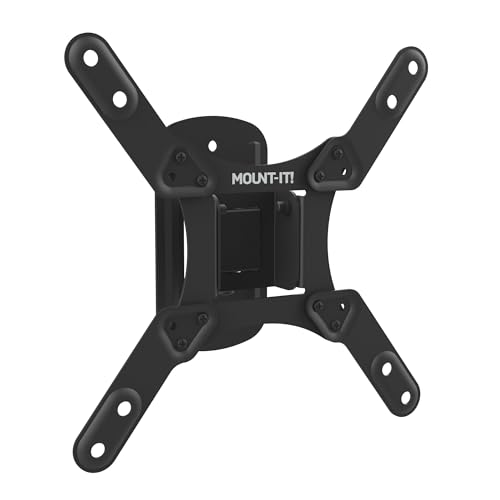
Mount-It! reviews always come down to a single question: do you need the motion? The hardware itself is capable — an articulated arm with the pull-out, swivel and tilt that lets one screen serve a desk, a bed and a standing position in the same room. Judged as engineering, it does what it promises. Judged as a purchase, it demands honesty from the buyer, because the arm multiplies everything: the leverage on the wall fixing, the importance of hitting a stud or sound masonry, the cable slack required, and the consequences of sloppy levelling. Our verdict is conditional and firm — for a screen that genuinely travels weekly, this is the right archetype and a satisfying one; for a screen that will be positioned once, it is complexity purchased and never used, with more joints to age than a fixed mount would have given you.
Best for: shared and multi-position screens. Not suited for: set-and-forget desks. Strengths: real range; one mount, several seats; doubles as a small television mount. Trade-offs: hardest install here; flex at full stretch; strictest wall demands.

WALI Monitor Wall Mount Bracket — Reviewed
The WALI bracket is the review that keeps the whole category honest. Stripped of motion and marketing, it asks whether a simple steel bracket, matched to a screen’s pattern and weight guidance and anchored properly, does the job — and for smaller, lighter, fixed screens, the answer is an unqualified yes. Our criticisms are about forgiveness rather than function: entry-tier plates offer less slot adjustment to rescue a crooked drill line, the included fixings may not suit your particular wall, and the instructions reward a careful reader. None of that matters if you measure twice and choose fixings for your wall rather than defaulting to the box. As a first mount or a secondary-screen mount, it is the value benchmark.
Best for: lighter fixed screens, first installs, spare rooms. Not suited for: large displays or motion. Strengths: simplicity; quick install; total stiffness once fixed. Trade-offs: minimal adjustment; check the fixings against your wall; little margin for crooked drilling.

Sanus Monitor Wall Mount — Reviewed
Sanus arrives in this category from the television world, and it shows in the best way: the brand’s monitor wall mounts carry a fit-and-finish sensibility — clean lines, thoughtful levelling adjustment, hardware organised like it matters — that desk-accessory brands often skip. In review terms, the Sanus archetype is the polished fixed-to-tilting mount for rooms where the wall is seen and the screen is part of the furniture: living rooms, bedrooms, finished offices. The post-install levelling correction deserves its reputation; being able to nudge a screen true after the hang, rather than re-drilling, is the kind of feature you value exactly once and remember forever. The cautions are that polish is priced accordingly within its tier, and that television heritage means you must check the specific model’s monitor guidance — pattern and weight — rather than assuming a TV-shaped reputation transfers automatically.
Best for: living spaces where looks count. Not suited for: the tightest budgets. Strengths: finish; levelling forgiveness; tidy cable presentation. Trade-offs: priced for polish; verify monitor-specific guidance; motion range is modest.
Ergotron LX Wall Monitor Arm — Reviewed
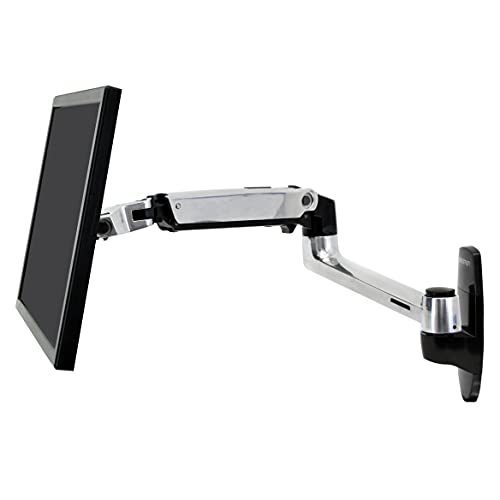
Reviewing the Ergotron LX wall arm is reviewing the ceiling of this category. The counterbalanced movement is in a different class from friction-joint arms: the screen floats to a position and stays, day after day, year after year, with a consistency that justifies the premium tier in environments where the screen moves constantly — clinical stations, studios, trading desks, accessibility setups where repositioning is not a luxury but the point. Our review’s cautions are equally clear. It is the most demanding install on this page, because a long moving arm under load is the hardest thing a wall can be asked to hold; it belongs on studs or sound masonry, installed exactly to its maker’s direction, and professional fitting is a rational choice. And for a static workstation it is simply more mount than the job contains. Buy it for motion you will use daily, and it will feel cheap within a year; buy it for a fixed screen, and it will feel extravagant forever.
Best for: professionals and constant repositioners. Not suited for: fixed screens or doubtful walls. Strengths: movement quality; longevity; refined cable handling. Trade-offs: premium tier; demanding install; surplus capability for static desks.

VideoSecu Monitor Wall Mount Bracket — Reviewed
VideoSecu is the utility review: the brand whose catalogue seems to contain a bracket shaped like every real-world problem, from the garage’s spare display to the small-business information screen. Judged unit by unit the hardware is plain — functional steel, basic finishes, instructions that assume a reader — but the category does not reward glamour, it rewards a correct match installed correctly, and VideoSecu’s breadth makes the correct match easy to find. Our standing advice with utility hardware applies with full force: verify the specific model’s pattern and weight guidance against your screen, choose fixings for your wall, and inspect everything on arrival. Do that, and this archetype delivers the essential wall-mount experience — screen up, desk clear, nothing to think about — at the honest end of the market.
Best for: utility installs and secondary spaces. Not suited for: premium motion or finish. Strengths: range; availability; straightforward designs. Trade-offs: plain finish; diligence required on matching; basic motion models.
Head to Head: What the Reviews Add Up To
Laid side by side, the five reviews describe a market with a clear centre and honest edges. The centre is the tilting, detachable-plate mount — VIVO’s archetype — because the median workstation needs exactly three things: a sound hold, a civilised hang, and one hinge of forgiveness for height. The edges are specialists. Mount-It! and Ergotron serve motion, at two altitudes of price and refinement, and both reviews converge on the same gate: motion must be used to be worth it. WALI and VideoSecu serve simplicity, and both reviews converge on the mirror-image gate: simplicity must be installed carefully to be safe, because a basic mount forgives nothing about fixing and levelling. Sanus serves the room itself — the walls that are looked at — and its review is a reminder that in living spaces, finish and levelling grace are functional features, not decoration.
Two cross-cutting findings deserve emphasis. First, no review on this page was decided by motion range, screen-size bravado or feature counts; they were decided by wall plates, hang mechanisms, joint behaviour and instructions — the unglamorous criteria in the methodology section above. Second, every archetype, from entry tier to premium, shares the same non-negotiables: match the maker’s pattern and weight guidance, anchor into a stud or correctly fixed masonry with fixings suited to the wall, check for cables and pipes before drilling, and lift larger screens with two people. The mount you choose matters less than the installation you give it, and the reviews are unanimous on that even when they agree on nothing else. For the decision framework that turns these reviews into a purchase, the monitor wall mount buying guide is the natural next read, and how to choose a monitor wall mount reduces it to steps.
What These Reviews Mean for Different Buyers
The Home Worker With One Good Screen
Your review is the short one: a tilting mount with a detachable plate, installed once, thought about never again. Spend your diligence on measuring height against your chair — tape an outline on the wall and work a day in front of it — and on cable routing, because you will look at that wall for years. Pair the decision with ergonomic monitor picks if a new screen is part of the same project, and your workstation is finished.
The Multi-Screen Builder
Your problem is alignment, and walls are your friend: individual mounts let you set heights and gaps with a precision stands cannot match. Review priorities shift toward plates with levelling forgiveness and identical models across screens, so every hang behaves the same. Draw the whole wall on paper first, live with tape outlines, and read dual monitor wall mount ideas before ordering anything. Cable planning is half your project; budget the raceway as a first-class component, not an afterthought.
The Shared-Room and Family Buyer
Your screen serves several people and probably several purposes — homework, work, a film on Friday. That is the one domestic profile where our reviews endorse motion without hesitation: a full-motion archetype, anchored impeccably, adjusted in seconds by whoever sits down. Accept the installation discipline as the price of the flexibility, route cables with the slack the full range demands, and engage the safety hardware every time the screen is repositioned, because a moving screen in a family room gets bumped by experts.
The Renter Reading Along
Your review is a redirection, offered honestly: unless your landlord has agreed in writing, the wall-mount category is closed to you, and the correct purchases live elsewhere — in the monitor riser review for height and storage, or in desk-arm territory for movement. Deposits and lease clauses outrank ergonomics, and a riser you own outright beats a mount you install guiltily. The wall mount will keep; walls you own are patient.
Strengths and Trade-Offs of Wall Mounting, Per the Reviews
Strengths
- Desk clearance no other support matches, with the screen’s full footprint returned to work.
- Deliberate height: the screen lives at the level your posture chose, not a stand’s compromise.
- Stability: fixed to a sound wall, the screen is immune to desk bumps, typing vibration and stand creep.
Trade-offs
- Permanence and holes: the location decision endures, and so does the filling when you change it.
- Installation is a real project: studs, fixings, levelling, cable planning and a second pair of hands for large screens.
- Port access shrinks: the back of a wall-hung screen is a planned visit, not a casual swivel.
How Wall Mounts Compare With the Alternatives
The reviews keep circling three comparisons, so here they are plainly. Against a desk arm, a wall mount trades daily adjustability for total desk clearance and a fixed, wobble-free hold; the detailed bout is in monitor wall mount vs monitor arm. Against a riser, a wall mount trades simplicity for height range and space — a riser lifts a little and stores beneath, a mount lifts exactly and stores nothing, and is a monitor riser worth it makes the small product’s case fairly. Against the stock stand, the mount wins every working criterion and loses the only two the stand owns: it costs nothing and asks nothing of your walls. None of these comparisons has a universal winner, which is precisely why this page reviews archetypes against buyers rather than crowning a single champion for everyone.
Setup and Care Notes From the Reviews
Across all five archetypes, the setup guidance that survives every review is identical, because walls do not care about brands. Locate the stud or sound masonry first and let that position negotiate with your ideal centre line, not the other way round. Choose fixings for your wall type and the load, exactly as the mount’s maker directs for that material. Check the drill path for electrical cables and water pipes — with a detector where you can, with knowledge of how services run in your home, and with a professional where you are unsure. Level the plate before the final tightening, hang larger screens with two people, engage every safety screw, and leave a service loop of cable so the screen can come down without a fight. Afterwards: re-check tilt and arm joints occasionally, dust the plate, and treat any new movement, cracking around a fixing or a plate easing away from the wall as a take-it-down-now signal rather than a wait-and-see. The full walkthrough lives in how to install a monitor wall mount.
Living With Each Motion Type: The Long-Term Review
Fixed Mounts After a Year
Owners of fixed mounts report the most boring long-term reviews in the category, and boring is praise. There is nothing to adjust, so nothing drifts; nothing to tighten, so nothing loosens; the screen simply remains where the installation put it. The regrets that do appear are almost never about the mount — they are about the decision made on installation day. A screen centred on the desk rather than on the viewer’s chair, a height chosen standing rather than seated, a position that made sense before the second monitor arrived: fixed mounts preserve your planning, good or bad, with total fidelity. The review lesson is that a fixed mount should be bought slowly. Tape the outline, live with it, move the chair, invite the second opinion — because the mount will faithfully execute whatever you decide, for years.
Tilting Mounts After a Year
Tilting mounts age nearly as gracefully, with one additional behaviour to report: the hinge gets used in seasons. Summer light through a window, a new chair, a standing phase in spring — the tilt is adjusted a handful of times a year, and each time it justifies itself completely. The long-term check is whether the hinge still holds its angle without creeping, and on the archetypes reviewed here it does, provided the adjustment is snugged as the maker directs after each change. Owners who mount high — above a desk return, over a workbench, in a bedroom — report the highest satisfaction in the whole category, because tilt converts a compromised position into a correct one.
Full-Motion Mounts After a Year
Full-motion reviews split cleanly in two, and the dividing line is usage, exactly as our initial verdict predicted. Owners who move the screen weekly remain delighted: the arm is a tool in daily service, its joints a pleasure, its flexibility the room’s party trick and practical core. Owners who positioned the screen once describe a different product: a more expensive, slightly less rigid fixed mount with a talent for collecting dust in its joints. Neither group criticises the hardware; they criticise or praise their own forecast. If you take one discipline from this page, forecast honestly — count, for one week, how often you actually wish the screen were somewhere else — and let that number, not the showroom swing, choose your mount.
Installation, Reviewed: What the Process Is Really Like
Because every review here is half a review of an installation, the process deserves its own verdicts. The easy hour you were promised is real, under a specific set of conditions: a stud wall where you want it, a detachable plate, a helper for the hang, and cables that reach. Under those conditions, owners consistently describe the job as measuring, marking, drilling, levelling, hanging, and standing back with the particular satisfaction of a screen floating where furniture used to be. The jobs that go long share a different set of conditions, and they are worth listing because every one is foreseeable: the stud is not where the screen’s centre wants to be, so plates, offsets or a rethink are needed; the wall is masonry, so drilling is slower and the correct anchors matter more; the cables do not reach, so the screen waits while longer ones arrive; or the wall’s contents — a pipe run, a cable route — veto the first-choice position entirely.
Two habits separate the smooth installs from the stories. The first is the tape rehearsal: outline, height lines, and a day of living with them before any drilling, which moves every argument about position to a stage where arguments are free. The second is the services check: before drilling, verifying what runs inside the wall at your chosen points — electrical cables and water pipes both — using a detector, the logic of where sockets and radiators sit, and professional help when the picture is unclear. Reviews that skip these habits are reviewing luck. Reviews that include them are reviewing a process that works on purpose, and it is the process, far more than the brand on the box, that our five archetypes are ultimately being judged through.
A final installation note concerns the second person. For larger screens, the hang is genuinely a two-person lift: one pair of hands carries the display’s weight and fine position while the other engages the plate and safety fixings. Attempting it solo with a big screen is the single most common false economy in owner reports — the moment where a manageable job becomes a dropped corner or a strained back. Invite the helper, provide the coffee, and let the mount’s review be about the mount.
Special Cases the Reviews Had to Answer
Ultrawide and Larger Screens
Ultrawide and larger-format screens change the review in two ways. First, leverage: a wide screen on an articulated arm presents its weight further from the wall and twists more eagerly, so full-motion reviews for big screens are stricter about joint quality and wall anchoring than for standard displays — and fixed or tilting mounts, with no arm to flex, become relatively more attractive. Second, the hang itself: wide screens are emphatically two-person lifts, with hands at the balance points and the plate engagement rehearsed before the real lift. The pattern and weight guidance from both makers — screen and mount — governs everything here; when in doubt, choose the mount family with fewer joints and the wall fixing with the most structure behind it.
Corner Desks and Angled Walls
Corner installations are where full-motion mounts stop being a luxury in our reviews. A screen that must live in a corner and face a chair that is not square to either wall needs an arm’s geometry to bridge the angle, and owners of corner setups report the highest motion usage of any group — the screen is genuinely repositioned as the work changes. The installation note is that corner studs and angled fixings deserve extra care and, often, a professional’s eye, because the wall plate may not sit in the plane the instructions assume. Fixed mounts in corners, by contrast, review poorly: they freeze a compromise angle forever.
Screens That Are Also Televisions
The hybrid screen — a monitor by day, a small television by evening — is a growing use case, and the reviews favour two archetypes for it. In a bedroom, a tilting mount set for the pillow’s sightline serves both desk and bed if the desk chair and the bed happen to share a viewing axis. In a living room or studio flat, a full-motion mount earns its complexity daily, swinging between work position and viewing position. The detail that decides satisfaction is cable slack: a hybrid screen’s cables must survive the full swing without tugging, and the sound path — to a soundbar or speakers that do not move — needs planning before the first hole.
Standing Desks Against Walls
Finally, the case our reviews answer most cautiously: a height-adjustable desk against a wall. A wall mount does not travel with the desktop, so the screen’s height is right for exactly one desk position unless the mount itself moves. Owners who mostly sit, or mostly stand, report happiness with a tilting mount set for their dominant posture. Owners who alternate hourly report the opposite, and their correct product is a desk arm that rides the desk — a comparison we run in full in monitor wall mount vs monitor arm. Honesty about your own ratio of sitting to standing is the whole decision, and no mount review can make it for you.
How to Read Other Wall Mount Reviews Critically
You will read more reviews than this one before you buy, so take our filters with you. Distrust any review that never mentions the wall: a mount reviewed in a vacuum, on a test rig, tells you about the bracket and nothing about the product you will actually live with, which is bracket plus wall plus installation. Distrust glowing, rating-style enthusiasm for motion ranges measured in a showroom — ask instead whether the reviewer lived with the arm at full extension, under a real screen, for longer than an afternoon. Look for the unglamorous vocabulary: stud, anchor, level, safety screw, service loop. Reviews that use those words were written by people who installed the thing.
Owner reviews deserve the same critical reading, in both directions. A one-line complaint about a mount that “fell” almost always conceals an installation story — plasterboard alone, the wrong anchors, a skipped stud — and the lesson is about fixing, not the product. Equally, a complaint about droop on a full-motion arm, repeated across many owners of the same model, is a genuine product signal, because joints are the one place where manufacturing quality cannot be rescued by installation skill. Read for patterns, forgive single anecdotes, and weight the reviews that describe a wall like yours and a screen like yours more heavily than the aggregate.
And a word about the numbers you will not find quantified here: we deliberately judge load and fit qualitatively, by each manufacturer’s own guidance for each specific model, because a general article cannot know your screen, your mount revision or your wall. Any review that speaks in universal certainties about what every mount holds should be read the way you would read a weather forecast for a different city. The makers’ documents are the authority; good reviews are the map that leads you to them and teaches you what to check when you arrive.
The Shortlist, Organised by Tier and Task
To make the reviews actionable, here is the field reorganised the way buyers actually shop: by the job in front of them and the tier they are willing to occupy. In the entry tier, the WALI and VideoSecu brackets divide the work between them — WALI for the tidy domestic secondary screen, VideoSecu for the long tail of utility installs where range and availability matter more than finish. Neither asks you to compromise on safety, provided the installation discipline in this page is honoured; what the tier compromises on is forgiveness and polish, not on the essential hold.
In the middle tier, the VIVO tilting archetype and the Sanus archetype split the mainstream between them on a single question: how much does the room’s appearance matter? For a study, a spare room or a workshop, the VIVO pattern’s balance of hang, hold and tilt is the rational default. For a living room, a principal bedroom or a client-facing office, Sanus’s finish and levelling grace repay their tier every time you look at the wall. The Mount-It! full-motion design also lives in this broad middle, but it is not an alternative to either — it is the answer to a different question, the question of movement, and it should be shortlisted only when that question is genuinely being asked.
In the premium tier, the Ergotron LX wall arm stands alone in these reviews, and its shortlist condition is the strictest: daily, deliberate repositioning by someone whose work depends on it. Under that condition it is not an extravagance but a tool with a service life measured across several screens. Outside that condition, the premium tier’s honest advice is to step down a tier and spend the difference on the installation — better anchors, a raceway, a professional’s hour — because a mid-tier mount installed superbly will out-serve a premium mount installed casually, every single time. That sentence, if we are honest, is the conclusion of every review on this page, whatever the badge.
One More Consideration: The Setup You Will Grow Into
Reviews are written about the desk you have; purchases should be made for the desk you are becoming. The most common evolution is the second screen, and it interacts with wall mounting in a way worth planning for now. If a second display is plausible within the life of this installation, choose the first mount’s height and lateral position with the pair in mind — centred pairs want the first screen offset from day one, or a willingness to re-drill later. Leave wall room, keep the first mount’s model in your notes so its twin can match it exactly, and route the first screen’s cables with a raceway wide enough to adopt a second set gracefully. None of this costs anything at first-install time; all of it is expensive to retrofit.
The other common evolution is the room changing jobs: the study becomes a nursery, the workshop becomes a studio, the spare room becomes the office it always secretly wanted to be. Wall mounts survive room changes better than most tech, because a soundly fixed plate is neutral infrastructure — it will hold a different screen, for a different purpose, without complaint. When the room changes, re-verify the same fundamentals as a fresh install: the new screen’s pattern and weight against the mount maker’s guidance, the fixings’ condition, the cable paths for the new layout. Infrastructure thinking — boring, durable, reusable — is the correct mental model for this whole category, and it is why our reviews keep forgiving plain hardware and keep punishing careless installation. The bracket is a component. The wall, prepared properly, is the product.
One practical corollary of infrastructure thinking: photograph your installation before the screen goes up. A picture of the open wall plate, the stud positions you found, and the cable routes you chose is worth a page of notes when, three years later, you or a future owner wants to hang something else nearby without drilling blind into the neighbourhood of pipes and cables you so carefully avoided. Label the photo with the date and the mount model, keep it with the house paperwork rather than the tech paperwork, and the wall’s history stays legible. It takes thirty seconds, and it is the kind of small professionalism that separates installations that age gracefully from installations that become archaeology.
Do the same for the box the mount came in, incidentally: flatten it, keep the template if there was one, and file the spare fixings in a labelled bag in the room where the mount lives. Spare parts stored near their purpose get used; spare parts stored in a generic drawer become mysteries. Small disciplines, but a wall mount is a decade-long relationship with a wall, and decades are built out of exactly such small disciplines.
And keep the monitor’s own stand, always. It feels like clutter the week the mount goes up, but it is the screen’s passport to every future room, desk and owner — and the day you need it, no drawer of good intentions will substitute for it.
Store it with its screws taped to the base, in the monitor’s box if you kept it, and the set is complete.
Final Verdict
If these monitor wall mount reviews leave you with one sentence, let it be this: buy the family your room needs, then install it like the wall matters — because it does. The tilting detachable-plate archetype is the default recommendation for the standard workstation; full-motion earns its place only under genuine weekly movement; the entry-tier brackets are excellent within their fixed, lighter brief; the premium arm is a professional tool that rewards professional use. Match the pattern and weight guidance of your specific screen, anchor into structure, check before you drill, and any of the five archetypes above will give you the category’s essential gift: a screen that floats, a desk that breathes, and hardware you forget exists. When you are ready to weigh the decision itself, monitor wall mount pros and cons lays out both columns without a sales agenda.
What a Careful First Week With a Monitor Wall Mount Reveals
When you check a single monitor wall mount closely, work from the outside in: condition and finish first, then controls and connections, then behaviour during a real task from start to finish. A calm final test is to walk away mid-task, come back later, and see whether the setup still makes sense at a glance without reconstructing what you were doing. Leave a little headroom in every direction that matters, whether that means physical space, connection capacity, adjustment range or simply time to do a task properly. Keep liquids, loose papers and anything that sheds dust or fibres at a sensible distance, unless the monitor wall mount was clearly designed to work right beside them.
As a concrete listing check, take the VIVO Single Monitor Wall Mount and the Mount-It! Full Motion Monitor Wall Mount named earlier in this article and confirm, line by line, that each variant offered matches the size, connection and contents described for it here. Clean and inspect the area around a monitor wall mount on a simple schedule, since dust, loose fasteners and tangled leads cause many problems that get blamed on the product itself. Think about the longest session you realistically run, not the average one, since heat, noise, clutter and small annoyances all grow more noticeable over time. If the monitor wall mount will be shared, agree on one home position and one simple reset routine, so each person does not undo the previous person’s adjustments. Compare what the listing promised with what the box actually contained, item by item, and treat any mismatch as a reason to pause before the return window closes.
When something behaves oddly, return to the basics first: power, connection, position, cleanliness and the last setting you changed, in that order, before assuming a fault. Look for the failure you would notice first if you chose badly: a port you cannot reach, a part that will not fit, a control you cannot see, or a routine that becomes slower instead of easier. Keep a short note of what worked, what annoyed you and what you adjusted, because that note is more useful than memory when you later replace or add another monitor wall mount. Keep the packaging and any small adapters, feet, brackets or fasteners together until the monitor wall mount has survived a full week of ordinary use in its final position.
Make one change at a time during the first days, so that when something improves or gets worse you know which change caused it. Recheck the return window and the condition requirements before you discard any packaging, especially for a monitor wall mount whose fit only becomes clear after several real sessions. Note the moment you first had to think about the monitor wall mount instead of your work, since that moment usually reveals more than any summary of features can. Start this final check away from the listings, with the space, the equipment and the routine you already have written down in plain terms. Ask whether the benefit you want survives your least favourite conditions, such as low light, a crowded desk, a warm room or a rushed start to the day.
Give a new monitor wall mount a fair trial in the position it was bought for before improvising workarounds, since many early complaints disappear once placement is corrected. Picture the busiest version of your week and ask whether this monitor wall mount still fits when other people, other tasks and other equipment compete for the same space. Avoid forcing a connector, bracket or moving part that resists you, because resistance is usually information about alignment or fit rather than an invitation to push harder.
Take a quick photo of the working setup before you change anything, so cable routes, positions and settings can be restored exactly if the new arrangement disappoints. A fair test repeats the same task at least twice, once while you are paying attention and once while you work normally, because concentration can hide clumsy design.
Frequently Asked Questions
Which monitor wall mount is best overall?
For the most common situation — one screen, one desk, one chair — the tilting mount with a detachable VESA plate is the best overall pattern, because it combines a sound hold, an easy two-person hang and one hinge of height forgiveness. Best overall is always conditional, though: a shared screen wants full motion, a spare-room screen wants the simplest bracket, and a professional who repositions hourly wants the premium arm. Match the archetype to the room first.
Are expensive wall mounts worth it over budget brackets?
Only where the money buys something you will use. Premium pricing buys movement quality, finish, levelling forgiveness and longevity in joints — worth it for arms that move daily and screens in prominent rooms. For a fixed screen in a fixed position, a correctly matched entry-tier bracket, anchored properly, delivers the same essential experience. The wall and the installation matter more than the badge at every tier.
How do I know a mount fits my monitor?
Check two things in your monitor’s documentation and the mount maker’s guidance: the VESA mounting pattern on the back of your screen, and the weight guidance for the mount. Both must match, and the manufacturer’s own documents are the authority — not general rules of thumb. If your screen lacks a standard pattern, look for a maker-approved adapter or choose a different support entirely rather than improvising.
Can one mount hold a monitor now and a bigger one later?
Often, yes, and it is one of the category’s quiet virtues: a wall plate can serve successive screens for years. The condition is verification at every upgrade — the new screen’s pattern and weight must fall within the mount maker’s guidance. Keep the original stand and hardware for each screen, and re-check the wall fixings when you re-hang, since that is the natural moment to catch any fixing that has aged.
What is the most common mistake in wall mount reviews and installs?
In reviews, judging by motion range and feature lists instead of plates, hangs and instructions. In installs, fixing into plasterboard alone or skipping the checks: no stud verification, no scan for cables and pipes behind the drill path, no levelling, one person wrestling a large screen. Every one of those mistakes is cheap to avoid and expensive to meet, which is why this page repeats the installation conditions in almost every section.
Should I hire an installer or do it myself?
Confident DIYers with a stud wall, a fixed or tilting mount and a helper can treat this as a satisfying hour’s work. Hire a professional when the wall is masonry you have never drilled, when the screen is large, when the mount is a long full-motion arm, or when you cannot verify what is behind the wall. The installer’s fee is small against the screen’s value, and certainty about fixings is the entire product.
Related Reading
the single-product monitor wall mount review · monitor wall mount pros and cons · is a monitor wall mount worth it · the monitor riser buying guide · monitor arm options · home office monitor picks