Disclosure: As an Amazon Associate, ilcastellomenu.com earns from qualifying purchases. Links on this page are affiliate links; they cost you nothing extra. Prices and availability change often, so check the current Amazon listing before you buy.
Key Takeaways
This thermal paste buying guide is built on a reassuring fact: thermal paste is one of the few PC categories where the sensible purchase is easy, cheap per application and hard to get badly wrong — provided you buy by interface and character rather than by headline numbers. A thermal paste buying guide that ranked products by printed conductivity figures would be doing you a disservice, because those figures are not measured on a shared standard; what actually decides your result is whether the compound suits your chip type, whether its consistency matches your experience, and whether it will still be a supple film years from now.
- First decision: heatspreader or bare die — it chooses your consistency before brand ever enters the conversation.
- Safety gate: electrically non-conductive only, unless you are an expert who has deliberately chosen otherwise.
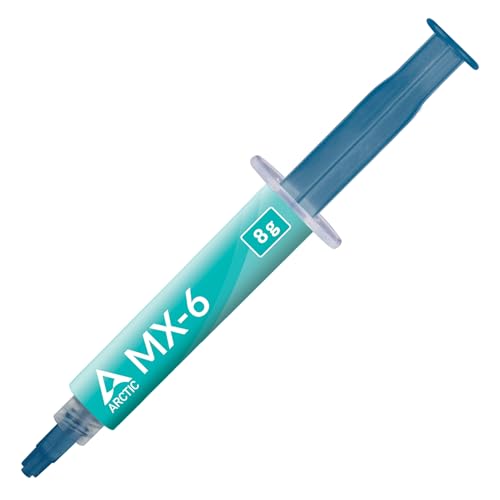
- Default buy: a mid-tier all-rounder such as the Arctic MX-6 covers most builders completely.
- Ignore: conductivity league tables, dramatic temperature promises, and any ladder of prices pretending to be advice.
In this guide
Thermal Paste Buying Guide Basics: What It Does and the Main Types
Thermal paste is a filled, non-hardening compound placed between a chip and its cooler to displace the air trapped in microscopic surface imperfections. Air is a poor conductor; paste is a much better one; the layer is squeezed so thin under mounting pressure that even a modest compound performs well. Its enemies are time and motion: heat cycles pump it out, years dry it out, and that is why it is a consumable rather than a permanent fitting.
Standard non-conductive pastes
The mainstream of the category: silicone or synthetic carriers loaded with metal-oxide or ceramic fillers, electrically non-conductive, safe around sockets and surface-mount components. This is the type almost every buyer should be shopping in, and every pick in this guide lives here. Within it, character ranges from soft and pressure-spreading to dense and stay-put, which is a handling distinction, not a quality ranking.
Premium high-performance pastes
Denser filler loads and tighter formulation aimed at the last increment of heat transfer for high-end processors, big coolers and sustained workloads. They cost more per gram, often handle more demandingly, and earn their keep only when the rest of the cooling chain is strong enough for the interface to matter. On a mainstream build they are harmless but largely decorative.
Phase-change and pad-style interfaces
Some interfaces use materials that soften at operating temperature or arrive as pre-formed sheets. They have legitimate niches — certain laptops ship with phase-change material from the factory — but they are not the general-purpose answer a syringe of paste is, and graphics-card memory and regulators belong to pads outright, a neighbouring category covered by thermal pad buying guide. If your machine shipped with a phase-change interface and performs well, replacing like with like is a defensible choice; ask the maker’s documentation rather than improvising.
Liquid metal (not a paste, not here)
Liquid metal is a conductive alloy, not a paste, and it is excluded from this guide’s picks deliberately. It offers the highest interface performance and the highest risk: it conducts electricity, corrodes aluminium, demands masking and expert handling, and carries warranty implications that vary by maker. The full comparison lives in thermal paste vs liquid metal; this guide’s position is simple — it is a specialist material, not a buying-guide recommendation.
Top Picks at a Glance
| Pick | Badge | Tier (in words) | One-line verdict |
|---|---|---|---|
| Arctic MX-6 | Best Overall | Mid | The balanced default for most builders and drawers |
| Noctua NT-H2 | Best for Long-Term Builds | Premium | Fit-and-forget refinement from a longevity brand |
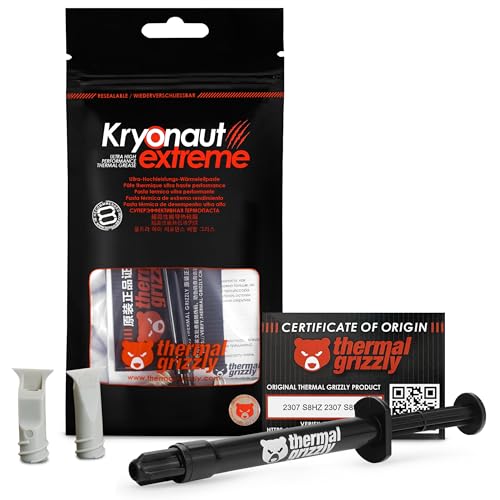
| Thermal Grizzly Kryonaut | Best for High-End Desktops | Premium | Flagship positioning for serious coolers and loads |
| Thermalright TF9 | Best for Laptops and Consoles | Mid to premium | Dense and stay-put where pump-out is the enemy |
| Corsair TM30 | Best Simple Starter | Entry to mid | Uncomplicated and forgiving for ordinary builds |
All five are presented prose-only in this guide while listing verification is pending; the mini-reviews below give each its full reasoning, and our thermal paste reviews roundup reviews the same five at greater length.
Which Interface Are You Pasting?
This is the first buying question because it silently makes most of the others. A desktop processor hides its die under a metal heatspreader: a broad, forgiving target with strong cooler mounting pressure, where almost any reputable paste succeeds and consistency is a matter of taste. A laptop, console or graphics processor presents the bare die itself: small, fragile, lightly clamped, and cycled hard, so the compound must resist being pumped out of the interface over time. Buying for a bare die means buying viscosity; buying for a heatspreader means buying whatever handling you prefer. Confusing the two is the most expensive mistake in the category — not in money, since tubes are cheap per application, but in having to do a fiddly job twice.
How Much Does Consistency Matter?
More than any printed specification. A soft paste spreads itself under mounting pressure and forgives a beginner’s uneven hand; it is the right character for large heatspreaders and first builds. A dense paste holds its shape, resists migration on bare dies and rewards deliberate spreading — and punishes a lazy application by simply remaining thick, because thickness is thermal resistance. Judge product pages by their consistency descriptions, and judge yourself honestly: the best paste for you is the one whose handling matches the application you will actually perform, on a tired evening, with the case open on the floor. Our step-by-step companion how to choose thermal paste converts this into a short decision sequence.
How Long Will It Last in the Machine?
Service life is the specification nobody prints in large type and everybody lives with. A quality desktop application should serve for years; the variables that shorten it are sustained high temperatures, violent heat cycling and, on bare dies, pump-out. Makers who state a service-life expectation are giving you the most decision-relevant number on the page — far more relevant than a conductivity figure — because re-pasting a desktop is a minor chore but re-pasting a laptop is an afternoon. Buy longevity deliberately if your machine is hard to open, runs hot by design, or belongs to someone who will not notice it slowly getting louder.
How Much Should You Buy?
By machines, not by applications: a single desktop application uses a small fraction of a gram, so even a small syringe is a multi-application supply. A small tube suits one build with a spare application or two for the inevitable reseat. A larger syringe suits a household maintaining several machines, a parent who has become the family’s IT department, or a small workshop bench. What you should not do is buy the largest tube of a premium flagship for a single mainstream build; the excess will age in the drawer while its refinement goes unused. Match the tube to the fleet and the category’s economics become trivial.
Does the Brand Matter?
In this category, yes — but as a proxy, not a fetish. Established cooling brands stake a wider reputation on their compounds, publish clearer safety information, support their products with real documentation and formulate for stability because their customers keep machines for years. The five picks in this guide share that profile. An unknown marketplace brand may be perfectly fine, but you are being asked to trust it on the two properties you cannot inspect — long-term stability and honest electrical behaviour — and the saving over a known mid-tier tube is small enough that the trust is rarely worth selling. Buy the brand whose other products you would let into your machine.
How to Prioritise by Use Case
The first-time builder
Priority order: safety, forgiveness, then everything else. A non-conductive, easy-spreading all-rounder, applied as a pea on the heatspreader, tightened down in a cross pattern. Your result will be good; spend your remaining attention on cable management and airflow, which will matter more.
The keeper build
You are building a machine for many years of upgrades. Prioritise service life and clean removal, because you will meet this interface again at every cooler change. A long-service premium paste is a rational buy here even at flagship prices per gram, because its cost is spread across a decade of quiet service.
The laptop or console owner
Prioritise viscosity above all, plan the job like a surgical procedure, and inspect the pads while you are inside — how to choose a thermal pad explains the pad half of the same service. Check the maker’s warranty position before opening anything, since terms vary.
The high-end and overclocking builder
Prioritise the flagship tier and your own technique in equal measure; at your level the interface’s small margin is real, but only a well-seated, high-capacity cooler can spend it. If you test and reseat often, weight clean removal more heavily than the last fraction of performance.
The Picks in Detail

Arctic MX-6 — Best Overall
The balanced default: easy handling that pressure-spreads into an even film, a non-conductive formulation, sizes for one build or a whole household, and a mid-tier position that makes a spare tube painless. Best for: first builds, maintenance drawers, mixed fleets. Not suited for: chasing the final increment on an extreme overclock. Tier: mid.

Noctua NT-H2 — Best for Long-Term Builds
The fit-and-forget premium: refined handling, easy cleaning, and a design philosophy centred on years of stable service from a maker whose fans outlive builds. Best for: keeper desktops and quiet PCs. Not suited for: weekly test-bench rebuilds, where its refinement is wiped away. Tier: premium.
Thermal Grizzly Kryonaut — Best for High-End Desktops
The enthusiast flagship: dense, demanding and positioned for the strongest conventional-paste performance, happiest under serious coolers on high-end processors. Best for: overclocking and sustained heavy workloads. Not suited for: first applications and modest coolers that saturate before the interface matters. Tier: premium.
Thermalright TF9 — Best for Laptops and Consoles
The bare-die specialist: stiff, stay-put and pump-out resistant, asking for warming and a deliberate manual film in exchange for an interface that stays where it was put. Best for: laptops, consoles, GPUs. Not suited for: the quickest possible desktop application. Tier: mid to premium.

Corsair TM30 — Best Simple Starter
The honest starter: a plainly positioned, non-conductive compound in a simple syringe, asking for no technique and making no exotic claims. Best for: ordinary builds and like-for-like refreshes. Not suited for: margin-hunting on high-end rigs. Tier: entry to mid.
First Setup and Care Essentials
Power off and unplug. Clean both surfaces with high-percentage isopropyl alcohol and a lint-free cloth until no residue transfers. Apply a pea-sized amount to a square heatspreader or a thin line to a rectangular one; on a bare die, spread a complete thin film and inspect the edges. Tighten the cooler in a cross pattern, gradually. Remember that more paste is not better, and that lifting the cooler afterwards means cleaning and starting over — the detailed walkthrough is how to apply thermal paste with a CPU cooler. Store the tube capped, tip-clean and at room temperature, and knead an old tube gently before trusting it.
Mistakes to Avoid
- Buying by conductivity figure: the numbers are not cross-brand comparable; buy by interface, consistency and service life.
- Buying a runny paste for a bare die: it will pump out; viscosity is the laptop and console specification that matters.
- Using paste where a pad belongs: memory and VRM gaps need pads of the correct thickness, not a thicker smear of compound.
- Skipping the cleaning: new paste over old residue is the most common cause of a disappointing result.
- Overbuying the flagship: a premium tube aging in a drawer helps no machine; match tier and size to the job and the fleet.
Final Recommendation
Decide the interface, gate on non-conductive, choose consistency for your hands and service life for your machine, and the shortlist makes itself: MX-6 for most people, NT-H2 for keepers, Kryonaut for the high end, TF9 for bare dies, TM30 for simple builds. That is the whole of this thermal paste buying guide, and its brevity is the good news — this is a category where a calm half-hour of choosing buys years of not thinking about it again.
The Decision Sequence, in Order
Guides fail when they present ten criteria as equals. Here is the actual order in which a paste purchase should be decided, with each step narrowing the field before the next begins. Step one: name the interface. Heatspreader, bare die, or — stop, wrong aisle — a pad gap. Step two: apply the safety gate. The compound must be electrically non-conductive; this eliminates an entire risk class for the price of reading one line on a product page. Step three: choose consistency for the interface and your hands — pressure-spreading and forgiving for heatspreaders and beginners, dense and stay-put for bare dies and experienced hands. Step four: choose service life for the machine’s accessibility; the laptop you dread opening deserves the longest-lived compound you can buy, while the open-bench test rig can live with anything. Step five: choose size for your fleet. Step six, and only now: choose the brand and tier that satisfy steps one to five, which in practice means picking from a shortlist like this guide’s rather than from the whole internet. Notice where price enters: nowhere as a ladder, because per application every tier costs pocket change, and the guide that sorts pastes by price is sorting by the least important variable in the category.
Specifications Translated Into Plain Language
“High thermal conductivity”
Translation: the maker filled the carrier with conductive particles and measured the result on their own rig. It tells you the product is a real thermal compound rather than a grease with ambitions. It does not tell you it will beat another maker’s “high thermal conductivity” on your processor, because the measurements are not standardised and the installed layer’s thinness compresses the differences. File under: reassuring, not decisive.
“Non-conductive, non-capacitive, non-corrosive”
Translation: the three safety properties you actually want, stated properly. Non-conductive means squeeze-out cannot short anything. Non-capacitive means it will not behave like a tiny electrical component around sensitive pins. Non-corrosive and metal-safe means it can sit against any cooler material, including aluminium cold plates, without a chemistry lesson developing over the years. When a product page states all three plainly, that page was written by people who understand what buyers need to know — a small but real signal of maker quality.
“Long service life” and stability claims
Translation: the maker is claiming resistance to the category’s three ageing failures — pump-out under heat cycling, dry-out of the carrier, and separation in storage. This is the claim to weight most heavily after fit, and the one where brand track record does the verifying: a maker whose compounds have served a decade of builds has evidence behind the words that a new marketplace label cannot offer.
“Easy application” and viscosity language
Translation: a consistency description wearing marketing clothes, and genuinely useful once decoded. “Easy to apply,” “spreads smoothly” and similar phrases signal the soft, forgiving end of the range — heatspreader territory. “High viscosity,” “stable” and “no bleed” signal the dense end — bare-die territory. Read the adjectives as a map of where the product belongs, and half of this guide’s decision sequence completes itself on the product page.
Buying for Someone Else’s Machine
A surprising share of paste is bought by the family member, friend or colleague who has become unpaid IT support, and their priorities differ from an enthusiast’s in ways worth honouring. Reliability outranks performance entirely: the machine must not come back. Forgiveness outranks refinement: the application may happen on a kitchen table with interruptions. And documentation outranks both: choose the tube whose maker publishes clear guidance, because you may be talking a nervous owner through a reseat by phone in two years’ time. The all-rounder tier exists for this buyer. So does the larger syringe, because the second machine — there is always a second machine — is already waiting in another room of the same house. Buy for the fleet you actually support, keep the spare tube with the spare cables, and let the flagship tier wait for a machine that is yours and a workload that can tell the difference.
What About the Cooler’s Side of the Interface?
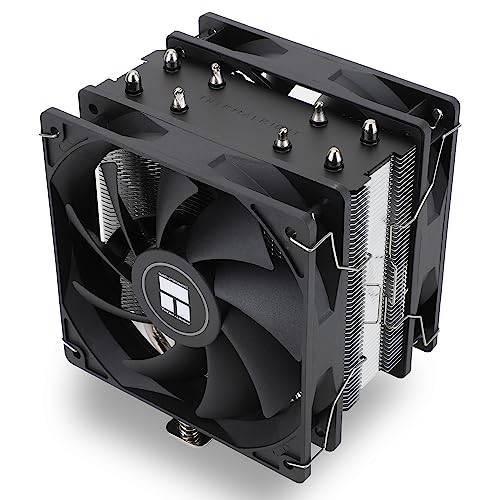
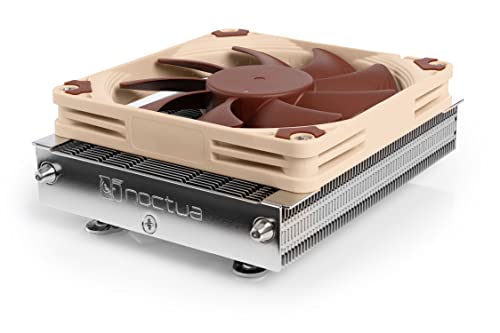
A buying guide for paste should confess the limits of its own subject: half of every interface is the cooler, and its properties bound what any compound can achieve. A cold plate with a rough or convex-machined finish needs the film to fill more topography, which slightly favours a compound that spreads completely under the available mounting pressure. A cooler with weak or uneven mounting — some push-pin and budget designs — forgives nothing, and rewards the softest, most self-levelling paste you can buy. A direct-heatpipe cold plate, where the pipes themselves form the contact surface, has grooves between pipes that a deliberate application should pre-fill rather than trusting pressure alone. None of this changes the shortlist; it changes the technique you pair with it, which is why this guide keeps returning to the same refrain: the interface is a system, the paste is one component, and the buyer who thinks in systems gets the temperatures. If your cooler itself is the open question, start with how to choose a CPU cooler and come back here when it is settled.
Seasonal and Second-Hand Buying Notes
Two buying situations deserve their own paragraphs because they change what “the right tube” means. The first is the second-hand machine: a used desktop, laptop or console whose thermal history is unknown. Here the paste already inside should be assumed spent — not because sellers are careless, but because you cannot verify the age or quality of an invisible film, and the cost of certainty is one cleaning and one application. Buy the tube as part of the machine’s recommissioning, alongside compressed air and patience, and let a viscous all-rounder cover whichever interfaces you find inside. The second situation is the seasonal one: machines bought or built as gifts, where the paste decision is really a decision about the recipient. For a confident hobbyist, any pick in this guide delights. For a first-time builder, the forgiving tube plus a link to a calm walkthrough is the actual gift; the flagship’s refinement would only raise the stakes of their first application. Buy for the hands, in December as in every other month.
The Worked Example: Three Baskets
Basket one: a single mainstream desktop
One small tube of an easy all-rounder, cleaning alcohol, lint-free wipes. Nothing else. The cooler’s bundled compound, if present, may make even the tube optional — check the box before the basket. Total expertise required: the ability to tighten four screws in a cross pattern and to resist adding a second pea “for luck.”
Basket two: a gaming laptop refresh
A viscous, stay-put compound; replacement pads in the thicknesses the machine uses, researched before opening it; alcohol and wipes; a small organiser for the screws; and an hour of unhurried time reserved in advance. The basket’s most important item is the research — the pad thicknesses and the maker’s warranty position — because the paste choice, once viscosity is specified, is the easy part. Our thermal pad review covers how pads are judged, which is the knowledge this basket actually runs on.
Basket three: the household fleet
A larger syringe of the all-rounder, a smaller tube of the bare-die specialist for the laptops and consoles, alcohol in a size that does not run out mid-job, and a marker to date the tubes. This basket recognises that a household’s machines fail their paste on a rolling schedule, and that the correct unit of planning is the drawer, not the job. It is also the basket that makes the category’s economics obvious: stocked once, it serves every interface in the home for years.
Why This Guide Has No Price Ladder
Buying guides in other categories sort by budget because budget genuinely sorts their products. Here it does not, and pretending otherwise would corrupt the advice. The difference between the cheapest reputable tube and the dearest flagship, divided by the applications in each and the years each application serves, is a sum too small to organise a decision around — while the differences that do matter, interface fit and consistency and service life, are free to choose correctly at every tier. So this guide sorts by job instead: the tier words attached to each pick describe positioning and character, not permission to spend. If your budget is truly tight, the entry tier from a known brand, or the compound already in your cooler’s box, will serve a mainstream machine honourably. If your budget is loose, spend the surplus on the cooler and the case fans, where money still buys measurable silence, and let the paste be the calm, correct, inexpensive line item it is supposed to be. That ordering — cooler, airflow, then compound — is the closest thing this category has to a universal law, and it is why air cooler vs liquid cooler will repay your reading more than any syringe upgrade.
Final Checks Before You Click Buy
- The product is the current generation, on the maker’s own listing or an established retailer’s — not an aggregated marketplace page mixing generations and sellers.
- The page states electrical non-conductivity in plain words. If it does not, choose a product whose page does.
- The consistency language matches your interface: forgiving and smooth for a heatspreader, viscous and stable for a bare die.
- The size matches your fleet: one machine, a small tube; several machines, a larger one; a laptop refresh, the specialist plus pads.
- You own, or have added, the unglamorous companions: isopropyl alcohol and something lint-free to wipe with.
- You have checked what your cooler already includes, so you are not buying a duplicate of a perfectly good bundled tube.
Run that list and the purchase is, in the best sense, boring — which is exactly what a consumable that must then perform silently for years ought to be.
Understanding the Hardware You Are Pasting Onto
A buying decision improves when the buyer can picture the surfaces involved, so here is the short physical tour. A desktop processor’s visible metal cap is a heatspreader: beneath it, the actual silicon die is bonded to the cap with the manufacturer’s own internal interface, and your paste works on the outside of the cap, against the cooler’s cold plate. Both surfaces are machined metal that looks mirror-flat and is not — under magnification they are landscapes of fine grooves and gentle warps, and it is those valleys, filled with paste instead of air, that your purchase is really about. A bare die removes the cap from the story: the silicon itself meets the heatsink, the contact area shrinks, the pressure lightens, and the consequences of a missed corner or a migrating compound become immediate. This is why the same guide can call one paste perfect and another pointless for two machines with identical workloads — the physics of the two interfaces are different jobs sharing a name.
Coolers vary on their side of the handshake too. Some cold plates are milled smooth; some are the exposed ends of heatpipes with shallow grooves between them; some budget mounts flex. A compound’s behaviour under your cooler’s pressure is therefore part of its real specification, and it is another reason this guide refuses to rank by a laboratory number measured on somebody else’s rig. Buy the character that suits your surfaces, and the number takes care of itself.
The Environmental Footnote Nobody Puts in a Buying Guide
Paste is a tiny mass of material, but the category sells millions of syringes, and a word about waste is in order. The largest environmental cost in this corner of PC maintenance is not the compound; it is the hardware discarded early because it ran hot, loud and apparently tired when it only needed cleaning and a fresh interface. A guide that teaches people to restore a five-year-old machine’s manners with a fraction of a gram of compound is, in effect, an anti-landfill document. Buy the right tube once, store it properly so it does not dry into waste, use the whole of it across years of small jobs, and dispose of the empty syringe with ordinary household waste according to local rules. Longevity — of machines, of applications, of the tube itself — is the greenest specification in this entire guide, and it is the same one that saves you money and afternoons. The alignment is not a coincidence; in maintenance, the durable choice and the responsible choice are usually the same choice.
Guidance for the Impatient: The Thirty-Second Version
Some readers arrive with a cooler in one hand and a processor in the other, and for them the guide compresses to this. Desktop with a metal cap: any non-conductive all-rounder, pea-sized amount, cross-pattern tightening — done. Laptop, console or graphics card: the viscous specialist, thin film over the whole die, pads checked while you are inside — done carefully. High-end desktop with a serious cooler and experienced hands: the flagship earns its place. Everything else in these pages exists to explain why those three sentences are true, to protect you from the category’s few real traps — conductive compounds bought by accident, runny pastes on bare dies, paste smeared into pad gaps — and to give you the reasoning when your situation falls between the sentences. If it does, how to choose thermal paste walks the decision step by step, and thermal paste pros and cons argues both sides of spending up before you commit.
A Short Digression on Syringes, Tubs and Pre-Cut Sheets
Format is a buying criterion hiding in plain sight. The syringe is the default for good reasons: it meters small amounts without waste, reseals between jobs, keeps the compound uncontaminated, and lets you place a pea or a line with genuine precision. Small tubs and jars appear at the workshop end of the market and suit spatulas and high application counts, at the cost of exposing the whole supply to air and dust at every opening — acceptable on a bench that uses it weekly, unwise for a drawer that opens twice a year. Pre-applied layers and pre-cut sheets trade choice for certainty: the dose is factory-correct, which is a real benefit for a first build, but the format is single-use and the formulation is whatever the cooler maker chose. For the buyer this guide imagines — someone choosing deliberately — the syringe in the right size is the format that respects both the material and the calendar. Whatever format you buy, judge its closure as carefully as its contents: a cap that seals is a shelf-life feature, and a tube that dries from the tip inward between jobs is a small, recurring tax on every machine you maintain.
When the Answer Is Not a Paste at All
Every buying guide should mark the edge of its own category, and this one’s edge is clearly drawn. If the gap you are filling can be measured without squinting, it belongs to a pad, and the correct purchase is a pad of the right thickness — our thermal pad buying guide is the guide for that basket. If the machine’s problem is noise from a dying fan, dust-matted fins or a case that recirculates its own exhaust, the correct purchase is a fan, a cleaning session or a case decision, and paste will only delay the honest fix. If the interface is inside a sealed, warranty-covered unit whose maker forbids opening, the correct purchase may be a service visit. And if your temperatures are already healthy, the correct purchase is nothing, postponed gracefully until the cooler next comes off for another reason. A guide that sells you a tube in all four situations has confused its job with a shop’s. The rest of the time — the build, the refresh, the restoration — the five picks above are the whole market that matters, and choosing among them by interface and character will serve you for years, quietly, which is precisely the service this small and honest category exists to provide for builders everywhere, every day.
Notes for Builders of Quiet Machines
One audience reads buying guides for this category with a specific hope: silence. It deserves a direct answer about what paste can and cannot do for noise. Fans make noise in response to temperature, so anything that durably lowers temperature lowers the fan speed a given workload demands — and a fresh, correct interface is often the difference between a fan curve that stays in its quiet region and one that keeps tipping into audibility. That is the honest extent of it. Paste will not civilise a cooler that is undersized for its processor, nor a case whose fans must work hard to move air through a restrictive front panel; those are capacity problems, and they are solved with capacity. Where paste genuinely serves the quiet builder is in stability over time: a long-service compound holds the interface constant for years, so a fan curve tuned once stays tuned, instead of drifting as a lesser film dries and the same workload slowly earns more noise. If silence is your project, buy service life first, apply meticulously, and then spend your real budget where the decibels live — cooler size, fan quality and case airflow, the subjects of how to fix a loud CPU cooler for machines that have already crossed into noise.
Reading the Room: Ambient Conditions and Honest Expectations
Close the guide with the variable that quietly edits every temperature you will ever measure: the room itself. A cooling system governs the difference between the chip and the air in the case, and the case breathes the room. A machine that idles sweetly in a cool study will run measurably warmer in a summer attic room with the same paste, the same cooler and the same workload — which is why a re-paste judged against a baseline from a different season can look like a failure when it is only weather. Set your expectations accordingly when you buy: the right compound restores and maintains the interface your hardware was designed around; it does not repeal the climate. Judge your purchase a month later, across ordinary days, by whether temperatures and fan manners are stable and unremarkable. In this category, unremarkable is the sound of money well spent. It is also the sound of a machine that will still be behaving itself long after louder purchases have been forgotten, replaced or explained away.
And if, after all this, you are still torn between two tubes on the shortlist, take the tie as information: at the level of the five picks, the difference between them is smaller than the difference your own care will make on the day. Choose the one whose handling description sounds like the application you will enjoy performing, buy it from a listing you trust, and close the tab. The machine is waiting, and it would rather be pasted well today with the second-best tube than pasted next month with the perfect one.
One Last Distinction: Paste for Building Versus Paste for Repair
It is worth naming a difference in intent that runs quietly through every recommendation above. Paste bought for building is chosen once, applied to clean, new surfaces, and judged by how invisible it remains. Paste bought for repair is applied to surfaces with a history — faint staining from an old compound, a cold plate with years of micro-scratches, a die that has already survived one removal — and it is judged by how completely it restores what time took. The same tube often serves both intents honourably, but the repair buyer’s checklist is longer: cleaning supplies matter more, inspection matters more, and the willingness to do the job twice if the first seating looks wrong matters most of all. If your purchase is a repair, budget the hour and the alcohol alongside the syringe, and treat the tube as one component of a restoration rather than the restoration itself.
Keep the receipt of your reasoning, if not of the purchase: a note in the parts drawer recording which paste went into which machine, and when, turns the next maintenance day from archaeology into administration. Small habits like that are what separate a fleet that ages gracefully from one that surprises you — and they cost even less than the paste. The same note is where you will record the pad thicknesses of any laptop you open, a detail your future self will thank you for more warmly than any other sentence in this guide.
Before You Shortlist: Measure, Match and Check the Fit
Check compatibility against what you already own
A thermal paste rarely works alone, so list the devices, mounts, media, software or accessories it must cooperate with, and check each pairing against the listing details rather than assuming standards guarantee harmony. Connector versions, physical clearances, supported formats and control apps are the usual friction points. When picks such as Arctic MX-6, Noctua NT-H2 and Thermal Grizzly Kryonaut are on your shortlist, run this check against each listing in turn. Where a listing is vague about a pairing you depend on, treat that silence as a risk to resolve before ordering, not a detail to discover afterwards. Compatibility failures are the most common reason a well-reviewed thermal paste gets returned.
Separate the headline feature from the daily feature
Every CPU Coolers range has one headline feature that dominates the marketing and one unglamorous feature you will use every single day. For a thermal paste, the daily feature is usually the control you touch most, the consumable you replace most, or the connection you make and break most often. Weight your shortlist by the daily feature first and let the headline feature break ties, because novelty fades within weeks while a clumsy daily interaction stays annoying for the life of the product.
Plan the consumables and spares shelf
Ownership of a thermal paste usually involves a small ecosystem of consumables, refills, replacement parts or spares, and availability matters as much as the unit itself. Check that the refills your shortlisted models need are standard, stocked by more than one seller, and replaceable without tools you do not own. A model tied to a single obscure consumable becomes a liability the moment that line is discontinued, whereas a thermal paste built around common refills stays useful for years. Keep one spare of the fastest-wearing part from day one.
Run the two-week test on paper
Imagine the thermal paste arriving today and simulate the next two weeks of use in detail: where it sits, what you do with it on a normal weekday, what happens on the busiest day, and where it goes when guests arrive or the room is cleaned. This simple rehearsal exposes storage gaps, missing accessories and workflow clashes that specification tables never show. If the simulation produces friction in a desk or bench that doubles as a workspace for two completely different hobbies, adjust the shortlist now, while the fix is a different model rather than a return label and a refund wait.
Decide your return-risk tolerance in advance
Some thermal paste choices are easy to judge from a listing and some only reveal themselves in the hand, in the room, or in your software. If your shortlist includes a model you are judging on feel, fit or noise, buy from a seller whose returns process you have actually read, and keep the packaging intact until the first full week of use is done. Knowing your exit route in advance lets you choose the bolder option on the shortlist without gambling, and it removes the pressure to keep a thermal paste that is merely acceptable.
Start with the space, not the shortlist
Before comparing a single thermal paste, measure the space it has to live and work in, and write the numbers down. Footprint is only the start: allow for cables, ventilation, doors or lids that swing open, and the room your hands need to load, adjust or clean it. In a desk or bench that doubles as a workspace for two completely different hobbies, a model that fits on paper can still fail in practice because access is blocked or a cable run has nowhere tidy to go. Measuring first turns the CPU Coolers shortlist from a wish list into a filtered list where every remaining option is physically plausible.
Keep the notes with the product’s paperwork; they become the baseline every later adjustment is judged against.
Write the conclusion of that check down before you order, so the decision survives contact with a tempting listing.
That single habit separates owners who stay pleased with their choice from owners who quietly start shopping again within a season.
Treat it as part of the purchase itself, not as homework to do after the box arrives.
None of this requires expertise — only the willingness to check your own routine before trusting a generic recommendation.
Five honest minutes at this stage is worth more than five hours of comparison browsing.
If a candidate fails this check, strike it from the list without regret and let the remaining options compete on merit.
Your future self, mid-task on a busy day, is the person this check is really for.
Keep the notes with the product’s paperwork; they become the baseline every later adjustment is judged against.
Write the conclusion of that check down before you order, so the decision survives contact with a tempting listing.
That single habit separates owners who stay pleased with their choice from owners who quietly start shopping again within a season.
Treat it as part of the purchase itself, not as homework to do after the box arrives.
Frequently Asked Questions
What is the most important thing to look for in a thermal paste?
Fit for your interface, ahead of any specification. A viscous, stay-put compound for bare dies in laptops, consoles and graphics cards; an easy-spreading compound for desktop heatspreaders; electrical non-conductivity as a non-negotiable safety gate; and a stated service life matched to how often you are willing to open the machine. Brand reputation is the practical proxy for the properties you cannot inspect.
Should I pay attention to thermal conductivity ratings when buying?
Only loosely. Makers measure conductivity by different methods, at different pressures and layer thicknesses, with no shared standard, so the figures cannot be ranked against each other honestly. On a real processor the clamped layer is so thin that contact quality and consistency dominate. Let conductivity be background colour; let interface, handling and longevity make the decision.
How much thermal paste should I buy for one PC?
A small syringe is already generous for one machine: a single application uses a small fraction of a gram, and a small tube leaves you spare applications for a reseat or a second cooler. Buy a larger size only when you maintain several machines. The commoner error is overbuying a premium tube whose excess ages in a drawer.
Is the paste bundled with my cooler good enough?
For the build it came with, generally yes. Established cooler brands ship competent compound, pre-applied or tubed, and it is the baseline for the cooler’s own performance claims. A separate purchase earns its place for re-pasting, for bare-die work needing a specific consistency, or for maintaining several machines with one known tube.
Can I use the same paste on my CPU and my graphics card?
The CPU’s heatspreader accepts any paste in this guide. The graphics card’s core is a bare die, so it wants the viscous end of the range — and its memory and regulators do not use paste at all, but pads of a specific thickness. One tube of a stay-put compound can serve both dies, provided the pads are handled as their own separate job.
When should I choose liquid metal instead?
Almost never, for almost everyone. Liquid metal is conductive, corrodes aluminium, demands masking and expert technique, and can carry warranty consequences that vary by maker. Its performance edge is real but narrow, and it belongs to experienced enthusiasts who accept the risk deliberately. The head-to-head reasoning is laid out in our paste versus liquid metal comparison, linked from this guide’s opening sections.